
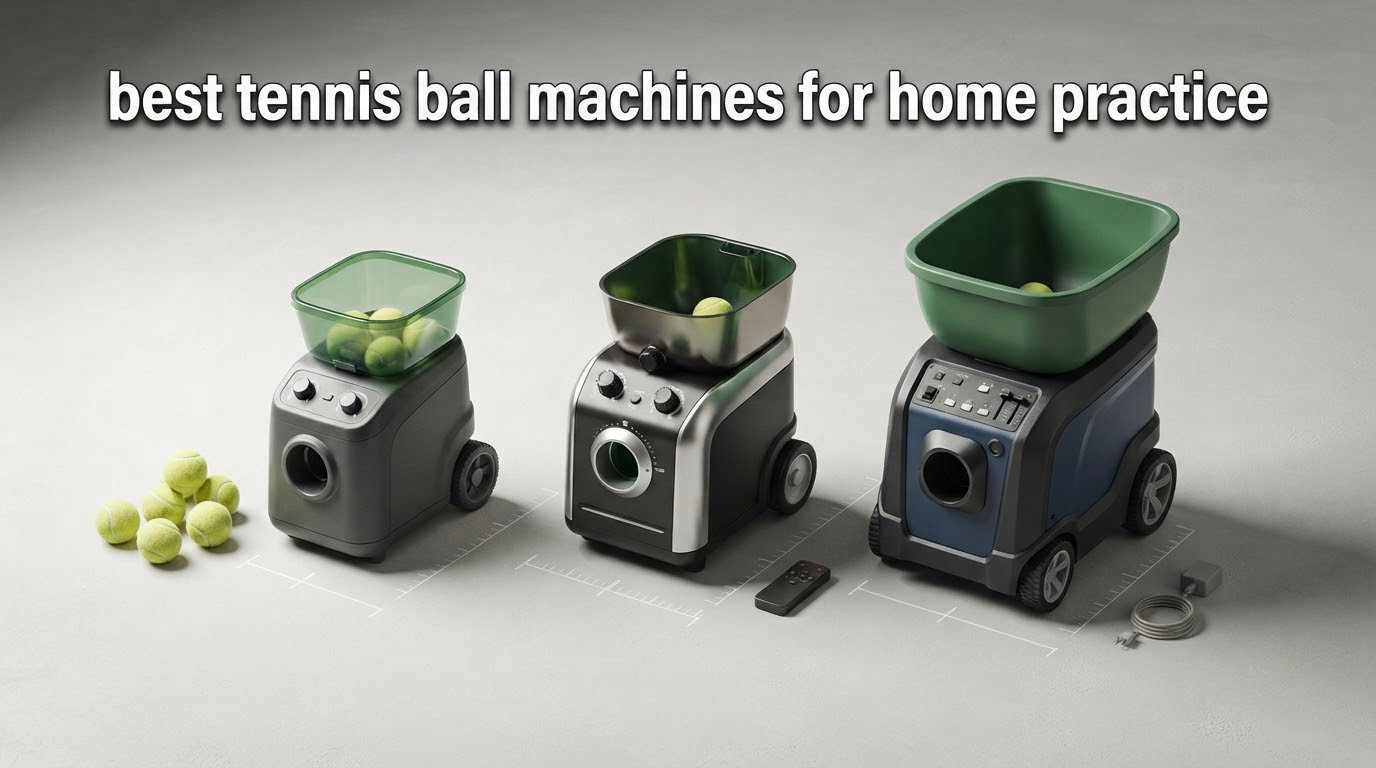
The best tennis ball machine for home practice is the Lobster Elite One, because it holds a consistent feed across thousands of balls, covers a 10 to 80 MPH speed range with full spin control, and carries a 150-ball hopper on a rechargeable battery good for four to six hours. Our two category winners behind it are the Nisplay N1, the strongest value pick for home courts, and the Spinshot Plus-2 for players who want app-programmed drills. All spec figures in this guide are manufacturer-published and were cross-checked against owner review patterns, not measured on court by us. Treat every number as accurate as of publication and verify it before you buy.
That disclosure matters more than it usually does here. The pages ranking for this query in 2026 are mostly the manufacturers’ own blogs, and every one of them starts with the machine they sell. We are neutral, so this roundup leads with what owners report after living with the hardware, including the handle that scratches a car interior and the battery that is sold separately.
What a machine actually buys you is shot density. Working through a session with a partner, you might take 150 clean swings in 45 minutes. A machine delivering a ball every three seconds puts roughly 500 in the same window, and every one of those balls arrives at the same depth and height. That repetition is the whole value proposition, and it is why a feeder changes a solo practice session from a warm-up into actual training.
If you want the shorter version of our research, we have already covered the fundamentals of feeders and launchers on the best tennis ball machines page, and the difference between the two words is smaller than most marketing suggests. We also maintain a separate roundup of the best tennis ball hoppers, which is the part of home practice setup people usually underestimate until they are picking balls off the court in the dark.
Table of Contents
Top 3 Tennis Ball Machines for Home Practice (October 2026)
The three machines below won their categories on owner feedback rather than spec-sheet size. Each card lists the figures that actually changed a solo session: speed range, spin control, hopper size and how long the battery lasts.

Lobster Elite One
- 10-80 MPH speed range
- Topspin and backspin control
- 150-ball inverting hopper
- 4-6 hours per charge

Nisplay N1 Combo
- 26 lb aluminum body
- Dual-motor spin control
- 68 MPH
- Oscillator and 80+ ball capacity

Spinshot Plus-2
- 120+ ball foldable hopper
- App shot programming
- Custom oscillation patterns
- Phone remote included
All 10 Best Tennis Ball Machines at a Glance (October 2026)
Every machine in this roundup, side by side. The fastest feed here reaches 80 MPH and the slowest tops out at 30 MPH, a spread wide enough that the right answer depends more on your court and your level than on the spec sheet.
| Product | Specifications | Action |
|---|---|---|
| Lobster Elite One |
|
Check Latest Price |
| Nisplay N1 Oscillator Combo |
|
Check Latest Price |
| Spinshot Plus-2 |
|
Check Latest Price |
 Spinshot Pro Spinshot Pro |
|
Check Latest Price |
 PUSUN PT-Smart PUSUN PT-Smart |
|
Check Latest Price |
 Tenniix Basic Tenniix Basic |
|
Check Latest Price |
 Pongbot Pace S Pro Pongbot Pace S Pro |
|
Check Latest Price |
 Wilson Sports Tutor Machine Wilson Sports Tutor Machine |
|
Check Latest Price |
 Furlihong 3807BH Furlihong 3807BH |
|
Check Latest Price |
 Furlihong 3819BH Furlihong 3819BH |
|
Check Latest Price |
1. Lobster Elite One: Best Tennis Ball Machine Overall
Lobster Sports Elite One Tennis Ball Machine – Auto Portable Launcher, Adjustable Ball Speed, Spin Control, Lob Electronic Switch, Horizontal Sweep, Lightweight, Holds 150 Balls, with 2-Button Remote
10-80 MPH
Full spin control
150-ball hopper
4-6 hr battery
42 lb
Pros
- Consistent placement that holds over thousands of hits
- 10-80 MPH range with topspin and backspin
- 4-6 hours of play per charge
- Inverting hopper takes 150 balls
- 42 lb chassis on all-terrain wheels
Cons
- Folding handle lock-out plastic tabs break
- Sharp handle hinge can cut arms and scratch a car
- Awkward to lift because grip points sit underneath
This is the machine most owners describe as a long-term partner rather than a gadget. The thing reviewers mention most is that placement does not wander. Across a hundred feeds, a hundred more, the ball lands in the same patch, which is the only way to groove a single stroke.
The 150-ball inverting hopper is the quiet advantage. A session where you stop twice to refill is a session that ends early, and most household bags of practice balls run out before the battery does. Lobster’s inverting design keeps feeding while you are gathering.
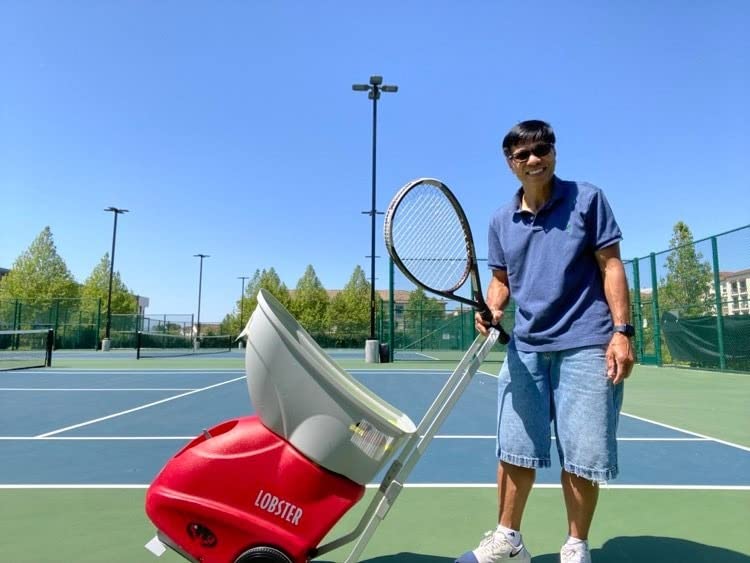
Speed runs from 10 to 80 MPH with electronic elevation up to a 60 degree lob, and horizontal oscillation fires from one side, the other, the center or in random order. That range covers a beginner’s feed-through-the-net progressions and a league player’s crosscourt pattern work in the same box.
Battery life of four to six hours per charge means most sessions end because your focus does, not because of the machine. Owners also praise service, with several reporting a defective unit replaced quickly.
The complaint that shows up again and again is the handle. The lock-out plastic pieces break, and the hinge bend is sharp enough to mark arms and scratch a car interior. Grip points sit underneath the frame too, so lifting it into a trunk at 42 pounds is a two-person job for many people.
Lob angle is also lower than some buyers expect, and a few report a full year before a failure. Neither is fatal, and both are the kind of thing to weigh against five years of repeatable feeds.
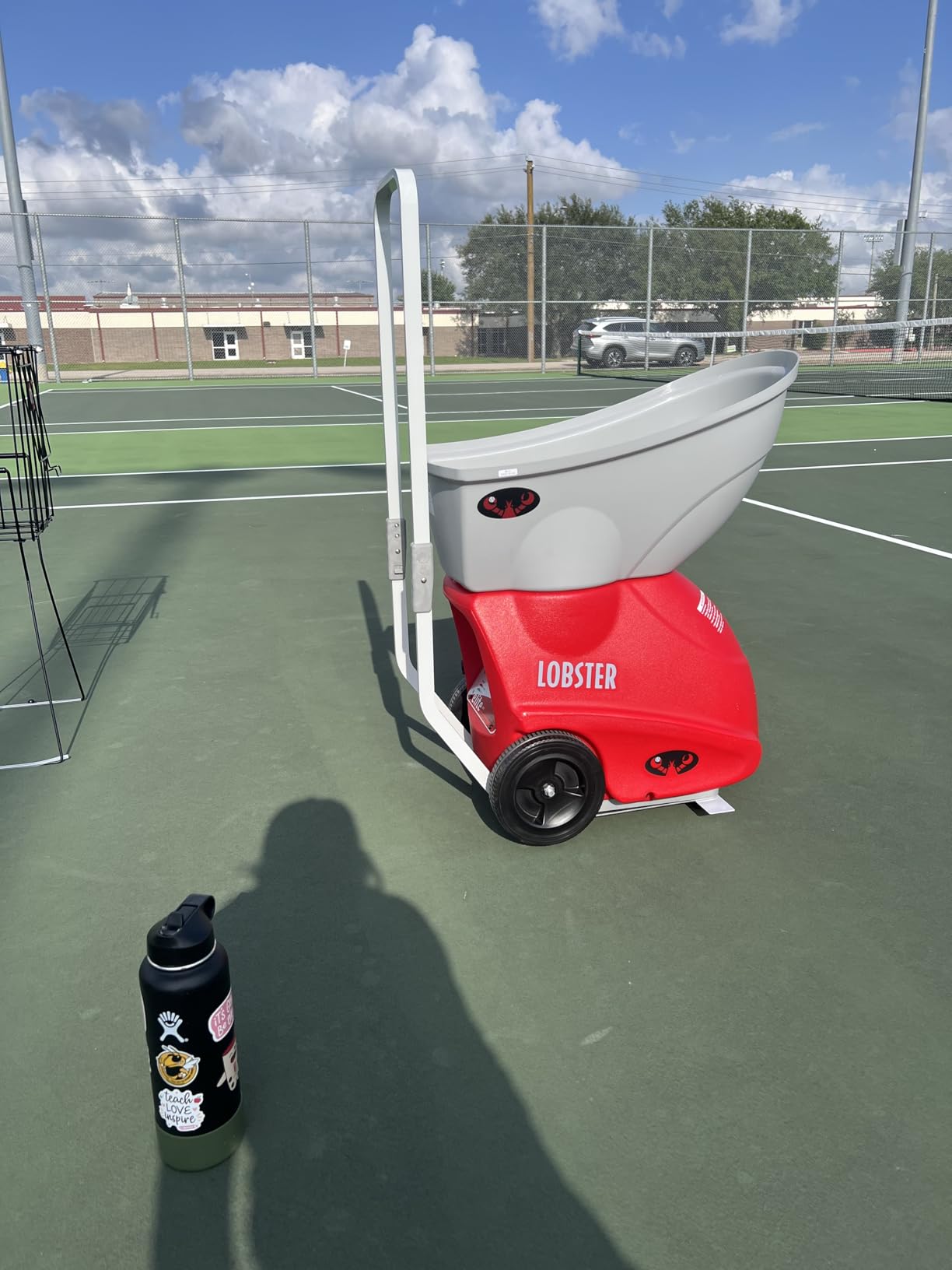
What the Lobster Elite gets right for home practice
Feed consistency is the headline. A machine that puts the ball in the same spot every time turns solo hitting into deliberate practice rather than survival.
The 150-ball hopper and four to six hours of runtime match the length of a real session, which is where most cheaper machines fall short.
Where it disappoints
At 42 pounds with the grip underneath, loading it into a sedan is genuinely awkward. If your court is not a five-minute walk from a parking spot, test that lift before you commit.
The handle hardware is a recurring complaint across reviews, and the remote is not included with every configuration despite appearing in the listing name.
2. Nisplay N1 Oscillator Combo: Best Value for a Home Court
Nisplay Portable Tennis Ball Machine (26lbs) – Dual Motor for TopSpin and Backspin, 80+ Balls, Max 68MPH, 4+ Hours Play with External Lithium Battery (Ball Machine + Oscillator Combo)
26 lb aluminum body
Dual-motor spin
68 MPH
80+ balls with oscillator
4+ hr battery
Pros
- Best rated in this group at 4.5 out of 5
- Includes an oscillator at the value price point
- 26 lb aluminum body folds into a sedan trunk
- Dual motors give real topspin and backspin adjustment
- Removable external battery you can swap not scrap
Cons
- Y cable is too short and frays as the unit pivots
- Advertised 68 MPH runs slower in real delivery
- Remote cannot engage the oscillator or adjust spin
This is the highest rated machine in our group, and the reason is consistency of value rather than flash. You get an aluminum body, two motors that adjust topspin and backspin independently, an oscillator, and a removable battery, all without moving up a tier.
Portability is the story owners keep returning to. At 26 pounds the chassis folds down and fits a sedan trunk, which sounds ordinary until you have carried a 42 pound feeder to a court at dusk and back again.
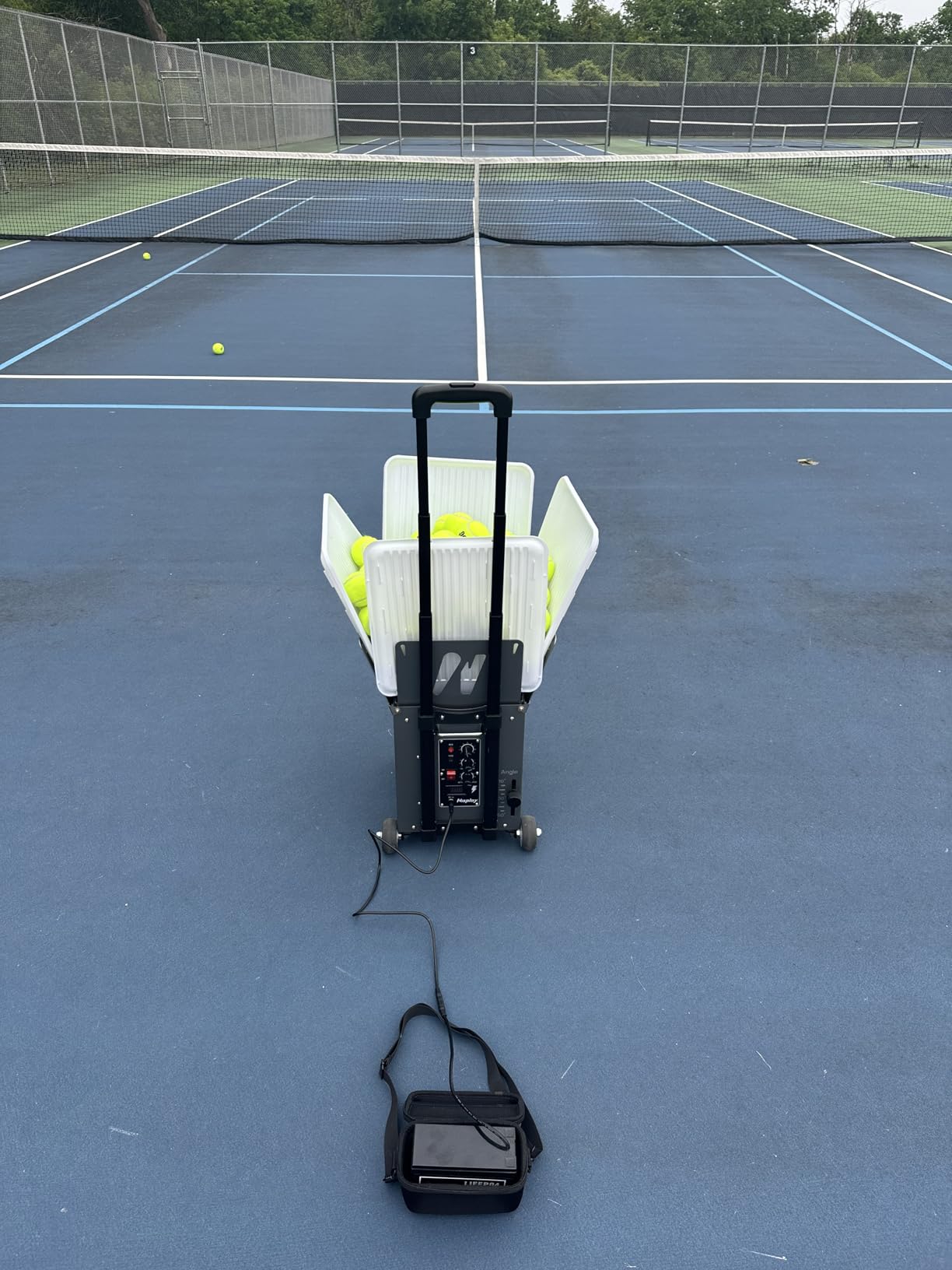
Capacity runs past 80 balls with the oscillator attached, and the dual-motor design means a session is not locked into a single spin type. Oversized wheels and a three-foot folding handle get it across grass, gravel and curbs without lifting.
Reliability is genuinely good for the price. The three ball holes self-clear most blockages, so jamming is rare, and the top feed rate of one ball per second is faster than most players can rally.
The design flaws are small but real. The Y cable linking battery to machine and oscillator is too short and frays as the unit pivots, and the battery terminals work loose. The advertised 68 MPH also falls well short of real over-the-net delivery, and the oscillator spray is skewed, with one side swinging further than the other.
The remote is the weak link functionally. It cannot engage the oscillator, stop the wheels, or change spin and frequency, so a lot of what you paid for is driven from the machine itself.
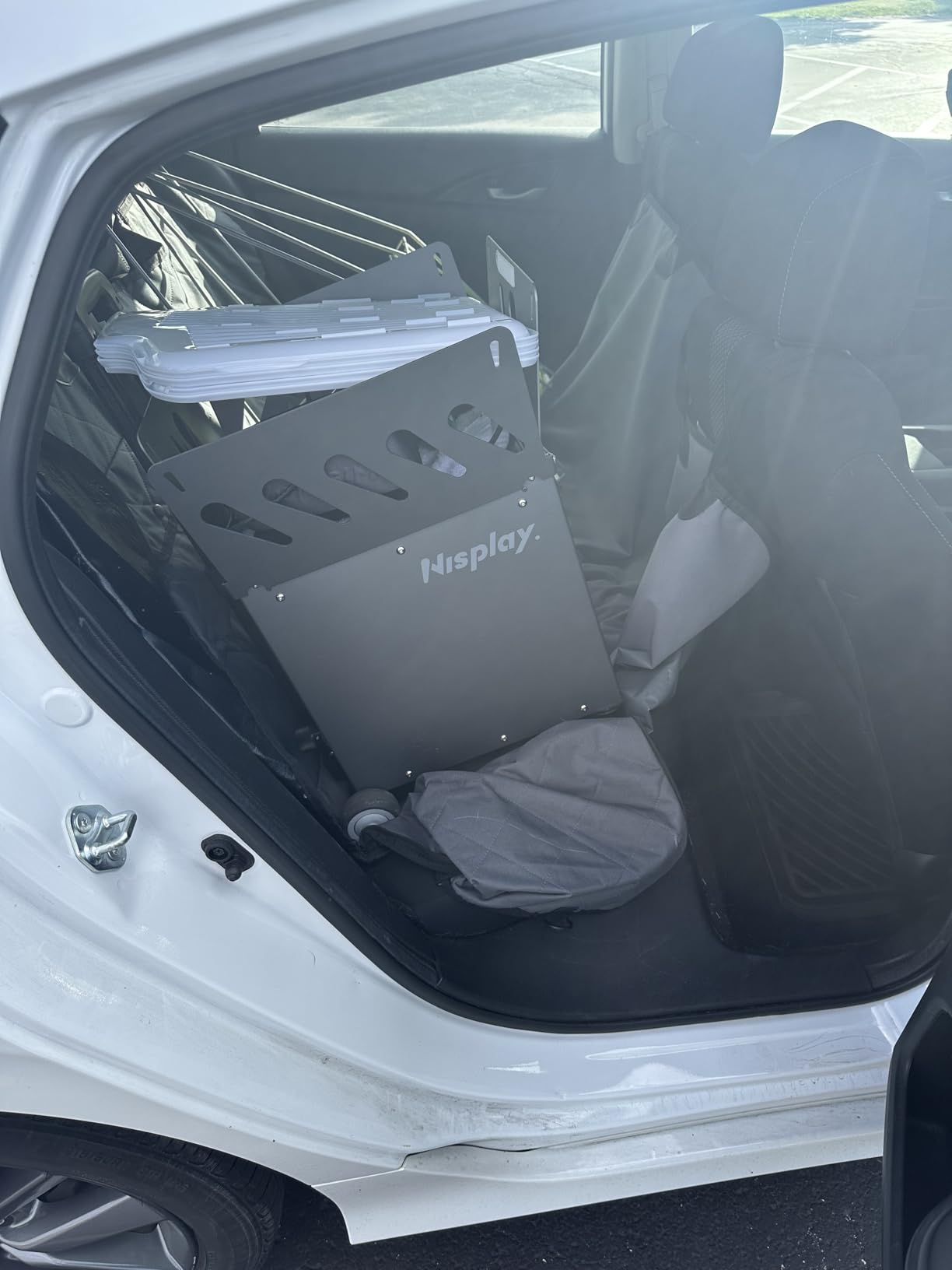
What the Nisplay N1 does better than most
Two independent motors mean genuine topspin and backspin adjustment rather than a single spin selector, which widens the drills you can run on your own.
The removable battery can be swapped rather than scrapped, and the three-hole feed path rarely jams, so long sessions do not turn into troubleshooting sessions.
Where it disappoints
Loosening battery connections and a short Y cable are recurring owner complaints, and both are the kind of small failure that ends a session at the wrong moment.
The feed frequency knob is labelled by time between balls, so the highest number produces the fewest balls. If you are learning the controls, that inversion catches almost everybody once.
3. Spinshot Plus-2: Best Premium Pick with App Drills
Spinshot Plus-2 Tennis Ball Machine (Plus2 Model =Plus Model + Player Model)
120+ ball foldable hopper
App shot programming
Custom oscillation
Phone remote included
Pros
- Foldable hopper holds over 120 balls
- Phone programs speed spin height angle and feed rate
- Player Model builds custom oscillation patterns
- Remote upgrade included at no extra cost
Cons
- Battery is sold separately from the machine
- Programmability needs a compatible smartphone
- Few individual written reviews for this model
The Plus-2 is the machine for a player who already knows what they want to hit. The app sets each shot individually for speed, spin, height, angle and feed rate, so a session can move from crosscourt consistency to short-angle volleys without walking to the machine.
The Player Model upgrade is the differentiator. Instead of one fixed sweep, you build your own oscillation pattern, which means you can rehearse the exact sequence you will face in a league match rather than a generic alternation.
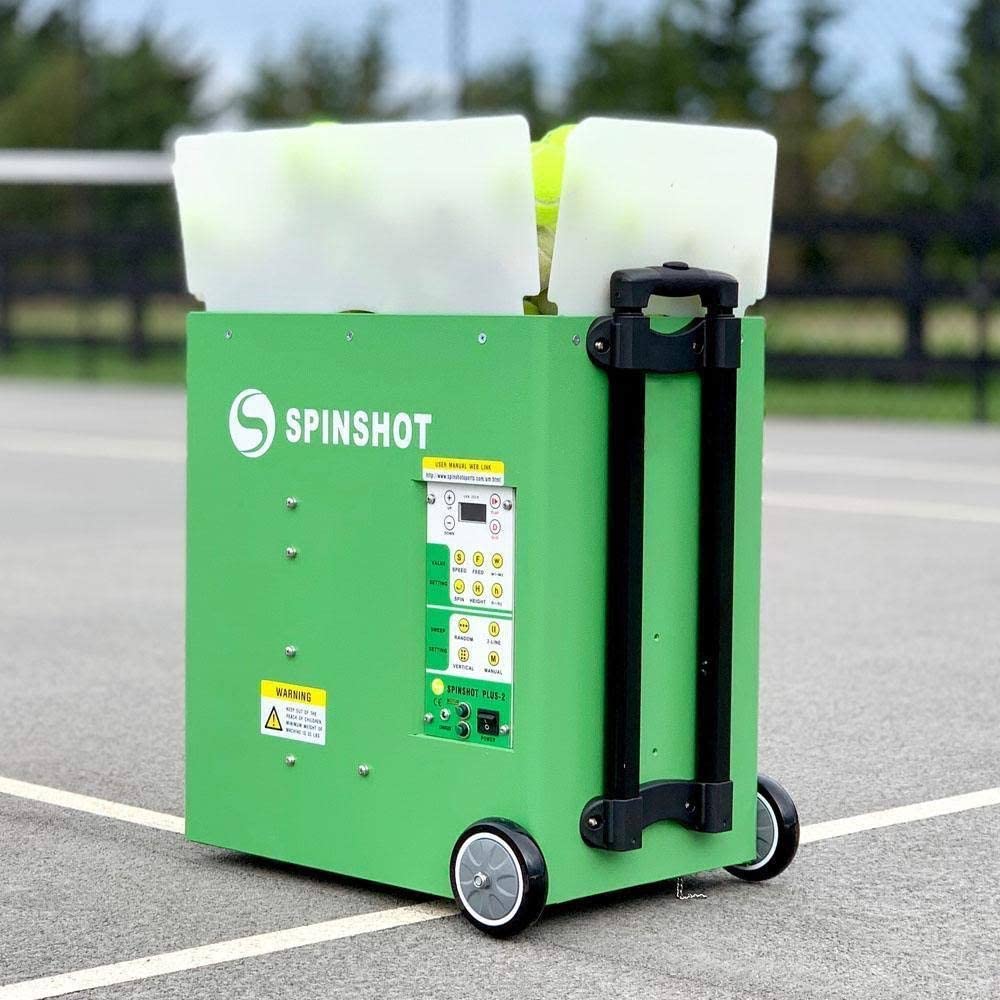
The foldable hopper holds more than 120 balls, which for most homes is an entire session’s worth and removes the mid-session refill that breaks momentum.
Included components are the machine, the charger and the phone remote upgrade at no additional cost. That last point is worth noting, because competitors often charge for the app remote as an add-on.
There are two honest drawbacks, and both relate to ownership rather than performance. The battery is sold separately from the machine, so plan for that as a second purchase before the first session.
The advertised programmability also depends on owning a compatible smartphone and running the app. If your phone is old or you prefer physical dials, you have bought a machine whose main advantage you cannot easily reach.
This listing carries fewer individual written reviews than the Spinshot Pro below it, with 104 ratings against 112, so the long-term pattern is thinner. It is a capable box with a strong feature set, but the feedback base is not as deep.
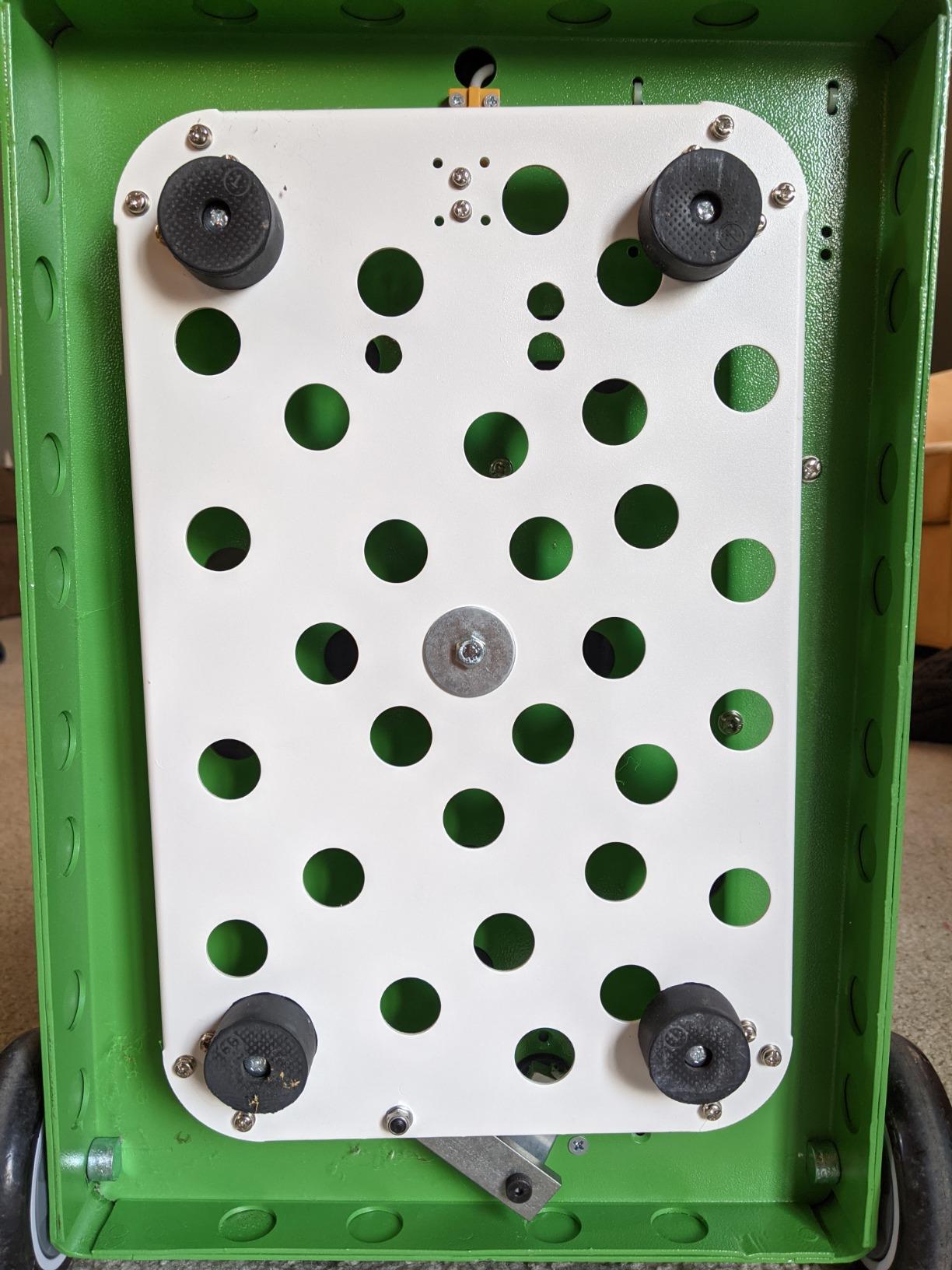
What the Spinshot Plus-2 gets right
Shot-by-shot programming is what separates it from a machine that only sweeps side to side. You can rehearse a real point pattern, not a random feed.
A 120+ ball hopper means fewer interruptions, and the included phone remote upgrade means the smart features are part of the purchase rather than an add-on.
Where it disappoints
The battery not being included is a genuine start-up cost, and it is the first thing to check with the seller before ordering the machine.
Everything you bought it for lives in the app. A failed update or an unsupported phone turns a programmable feeder back into a basic one with dials.
4. Spinshot Pro: Best All-Metal Machine for Durability
Spinshot Pro Tennis Ball Machine (The Best Model for Easy Use)
All-metal body
Knob controls
~60-ball hopper
1 sec to 10 sec feed
49.8 lb
Pros
- All-metal construction built like a tank
- Knob controls with no programming to learn
- Feed rate from 1 ball per second to 1 every 10 seconds
- Oscillation forces crosscourt footwork
- Service credited with fixing parts past warranty
Cons
- Battery is not included and must be bought separately
- Around 50 lb is a hard solo carry
- Hopper flaps feel flimsy and hide remaining balls
Almost every other plastic-bodied machine in this roundup is fighting a material problem after a few seasons. The Spinshot Pro is all metal, and owners describe it as built like a tank in language you rarely see for a ball feeder.
Everything is knob-controlled, with no programming, no app and no menu. That sounds like a lack of features, and for a smart-drill buyer it is. For a household where one person sets it up and another uses it, it removes an entire category of friction.
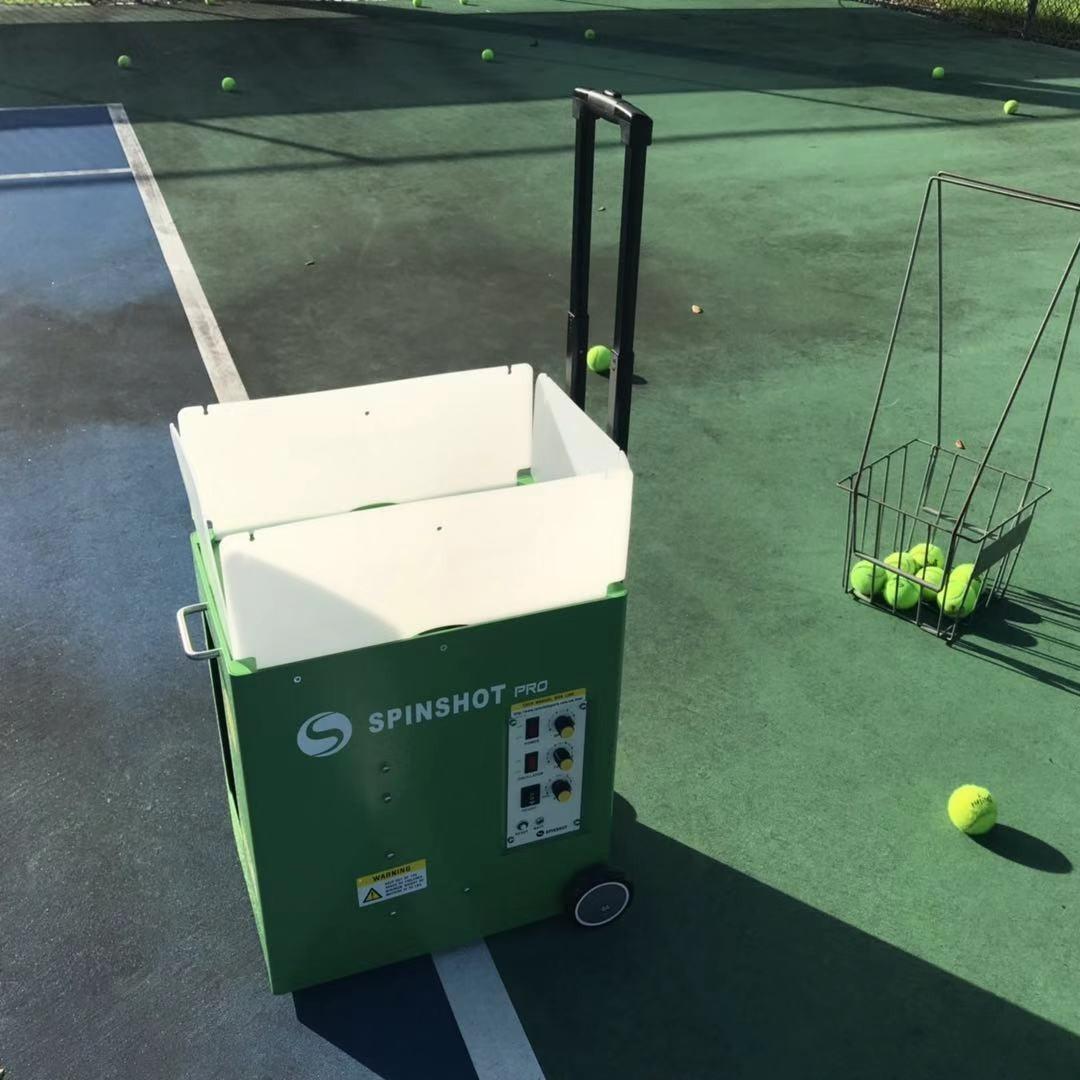
The feed rate range is unusually wide, from one ball per second down to one every ten seconds, which lets the same machine run a fast volley drill and a slow technical rally from one panel.
Oscillation moves the feed across the court, so you are forced to move rather than standing flat-footed at the back of the baseline. Spin covers topspin and underspin, though only one type per session.
The weight is the elephant. At roughly 50 pounds this is the heaviest machine here, and solo carrying is difficult. If you have a cart or a court with a gate, that is manageable. If you are loading a trunk alone, it is not.
The battery is not in the box and must be purchased separately, and the connection can slip out of its socket and stop feeding mid-session. Hopper flaps feel flimsy, and remaining balls are hard to see while the machine is running.
Support is a real strength. Spinshot service is repeatedly credited with replacing a battery, a handle and a hopper flap, sometimes on machines past the warranty window.
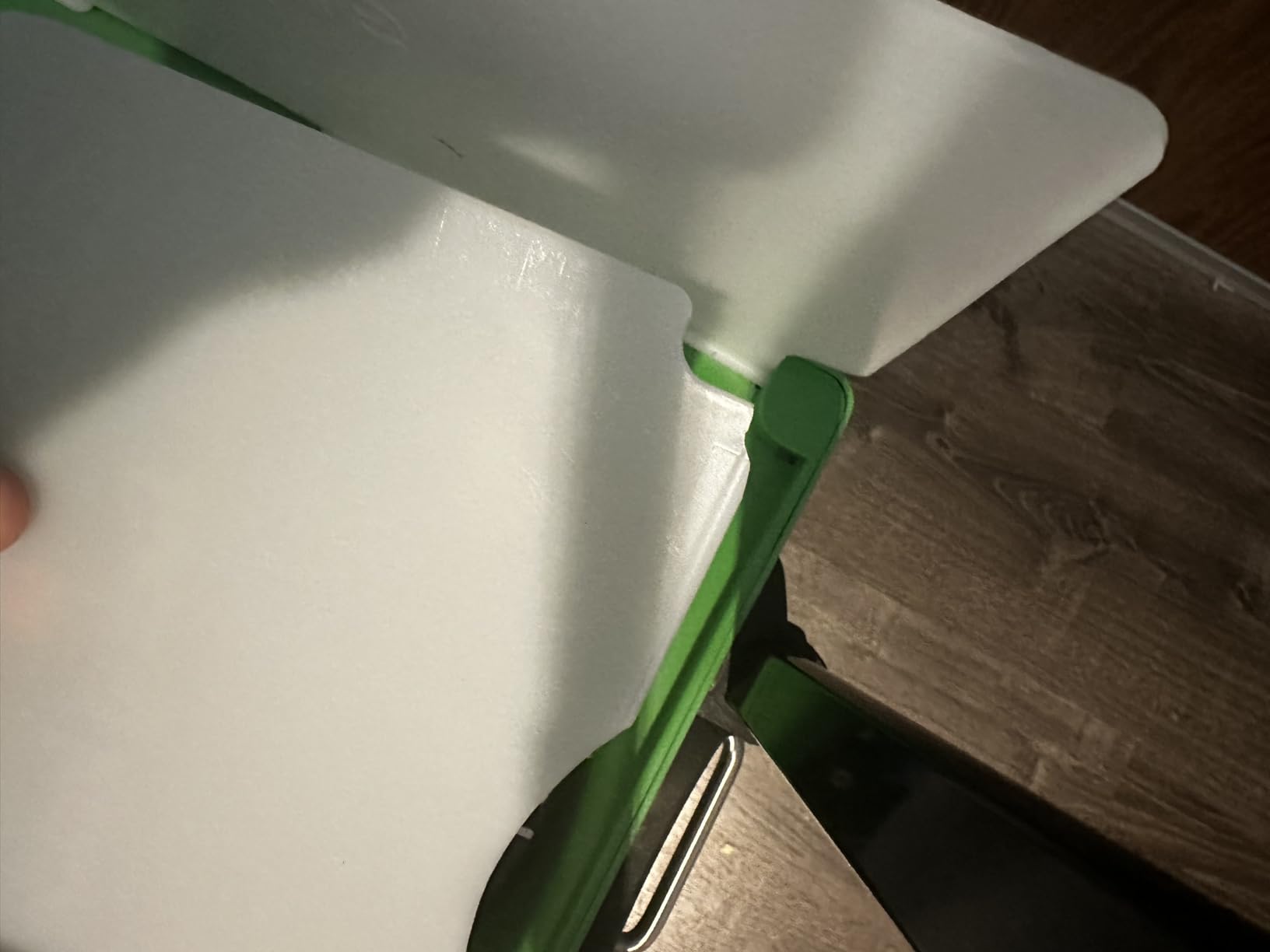
What the Spinshot Pro gets right
All metal means it will outlive the plastic machines at a similar price. For a machine that lives on a driveway in all weather, that matters.
Knob controls mean a session starts the second you plug in the battery, with no pairing, no app and no firmware update to wait for.
Where it disappoints
Roughly 50 pounds is not carryable by most people on their own. Plan for two trips or a cart, because that shapes where you can realistically store it.
Only one spin type per session, plus a battery sold separately, means the all-in cost and the drill range both land lower than the feature list suggests.
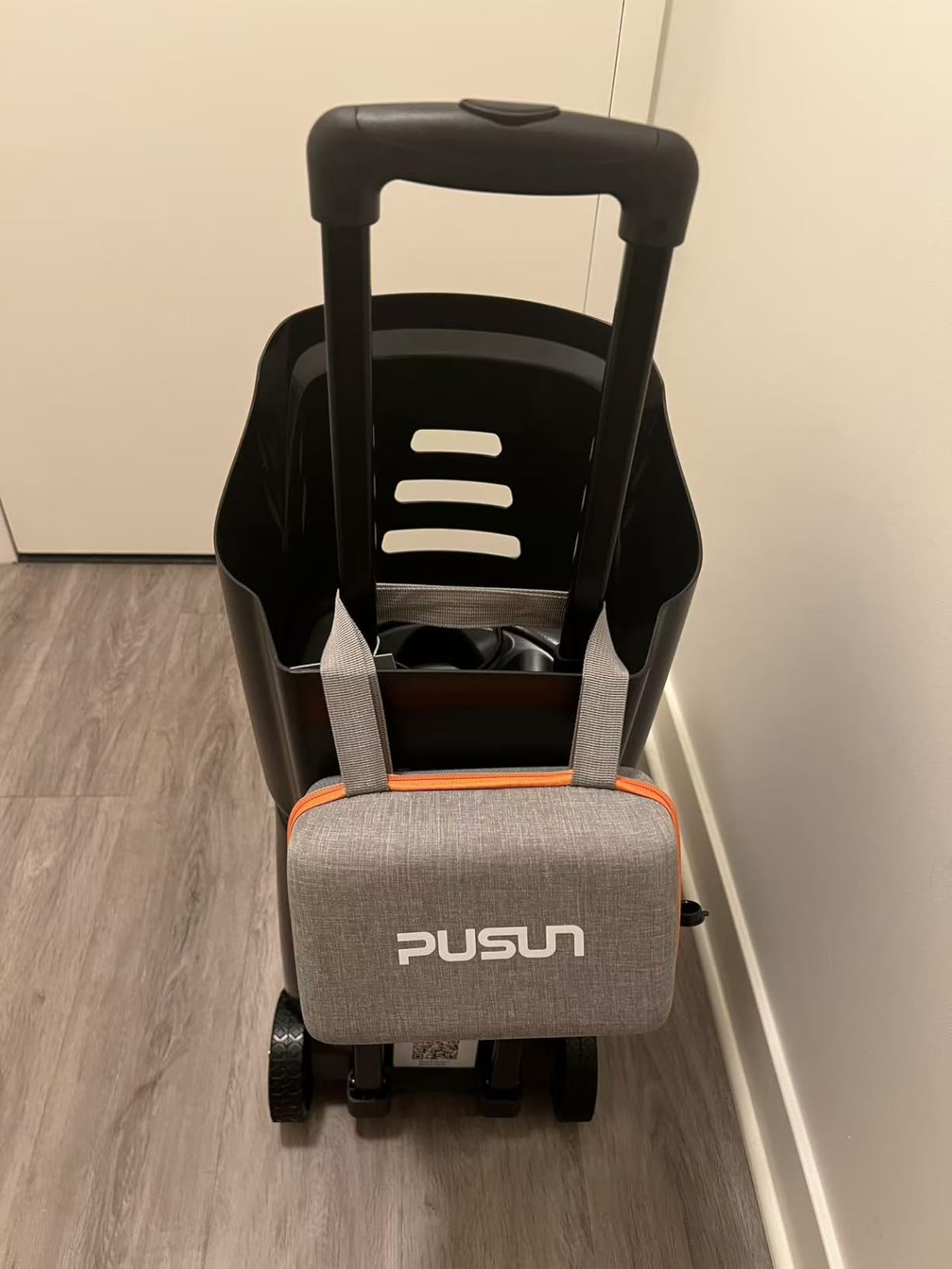
5. PUSUN PT-Smart: Best for App-Controlled Training Drills
PUSUN Tennis Ball Machine,Portable Tennis Launcher,Tennis Trainer,PT-Smart
12 training modes
28 landing points
12-75 MPH
6 spin levels
100+ ball hopper
Pros
- App control praised across reviews
- 28 landing points train footwork placement
- 100+ ball hopper with 4-6 hour battery
- Dust-proof mainboard resists clay erosion
- App remote and handheld remote both included
Cons
- Default settings live in the app not the machine
- Remote barely useful because of the above
- Off-centre launch port rotates the unit at higher feed speeds
Twelve built-in training modes sit behind a phone app, with NTRP 1.0 to 5.0 progressions that scale difficulty as you improve, plus a one-tap Padel Mode with 14 additional drills.
App control is what owners praise first. Speed, spin, direction and drill changes all happen from across the court, so you are not walking to the machine between blocks. At 32.6 pounds it folds into an SUV without drama.
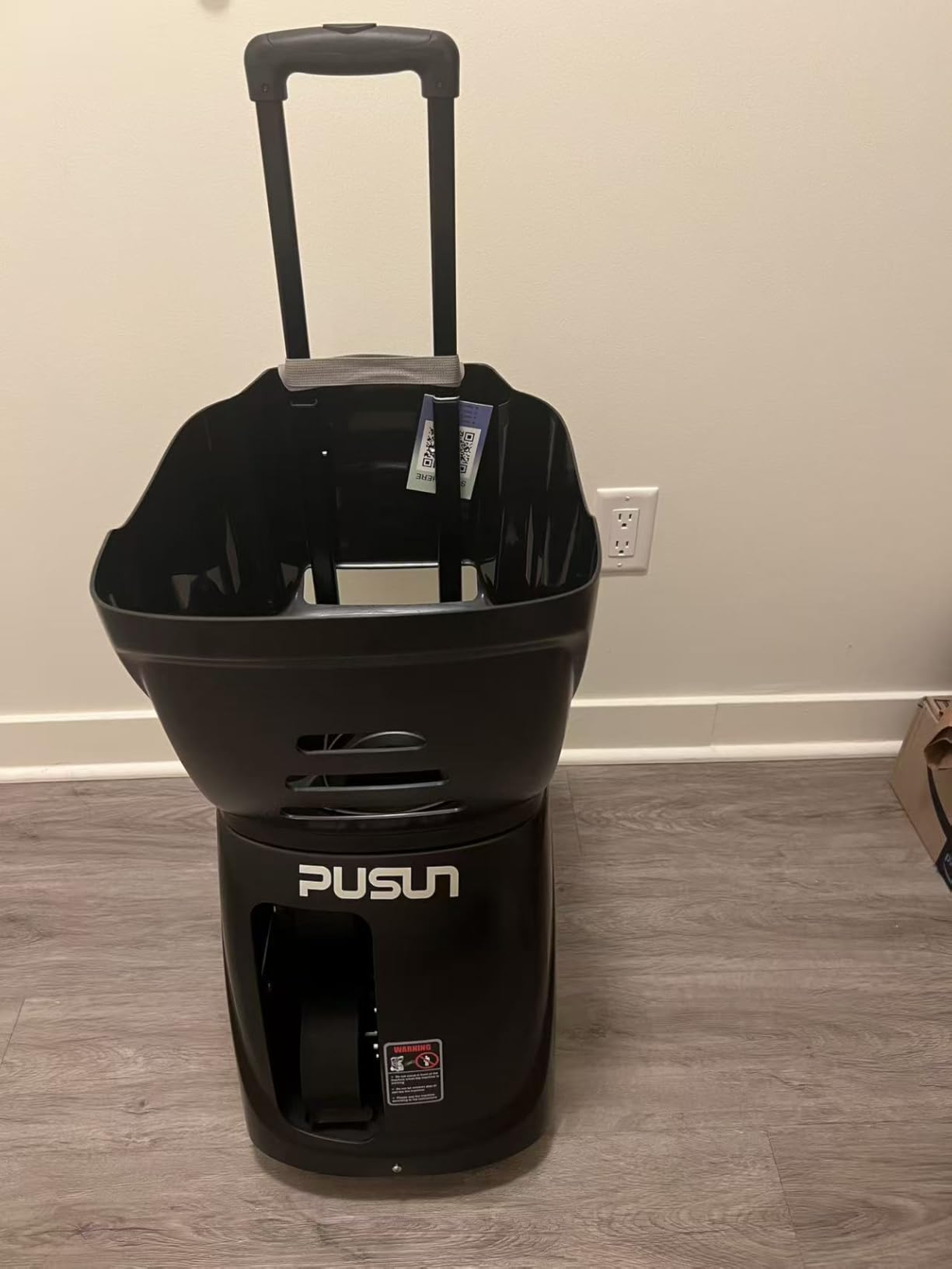
The 28 programmable landing points with external oscillation are the real coaching value. You can place a ball wide, then a ball central, then a ball short, and the footwork pattern that builds is a genuine court-movement habit.
Speed spans 12 to 75 MPH across six spin levels with feed intervals from 1.8 to 8 seconds, and the 153.6Wh external battery charges away from the machine for 4-6 hours or 5,700+ shots.
The 100-ball collapsible hopper is generous, and the dust-proof mainboard is a sensible detail for anyone who plays on clay, where most electronics eventually suffer.
The main functional complaint is a design decision: default settings are stored in the app, not in the machine. Start with the handheld remote and you are on internal defaults, which makes the remote far less useful than it looks, and the manual does not explain this.
There are also minor build issues, namely a launch port and wheels that sit slightly off-centre and rotate the machine at higher feed speeds, plus some weakness on defensive feeds that can serve out of bounce. At 32.6 pounds it is a two-hand lift for many people.
What the PT-Smart gets right
Twenty-eight landing points give you footwork drills that a plain side-to-side sweep cannot, and that is where the money goes on this machine.
Triple control across app, remote and Apple Watch means you can change a drill without leaving the baseline, and the 100+ ball hopper covers a long session.
Where it disappoints
Settings that live only in the app are a real risk. If the app stops updating or your phone changes, the smart features are the first thing you lose.
Weaker on defensive feeds and a rotating chassis at high feed speeds both show up when you try to work on short balls, which is a limit for a more advanced player.
6. Tenniix Basic: Best Portable Ball Machine Under 20 Pounds
TENNIIX Basic Tennis Ball Machine, 18.7LB Portable Tennis Robot, Black
18.7 lb folding body
75 MPH
4 hr and 1800 shots
Voice armband
9 patterns
Pros
- 18.7 lb and folds to fit a normal trunk
- Voice control through the wrist armband mid-rally
- 1000+ ball combinations with saveable drills
- Removable battery gives 4 hours and 1800 shots
- LED indicators give clear status feedback
Cons
- Voice and wrist remote change one setting at a time
- Setup takes time to learn across three control paths
- Independent testing site scored it 3.7 out of 5
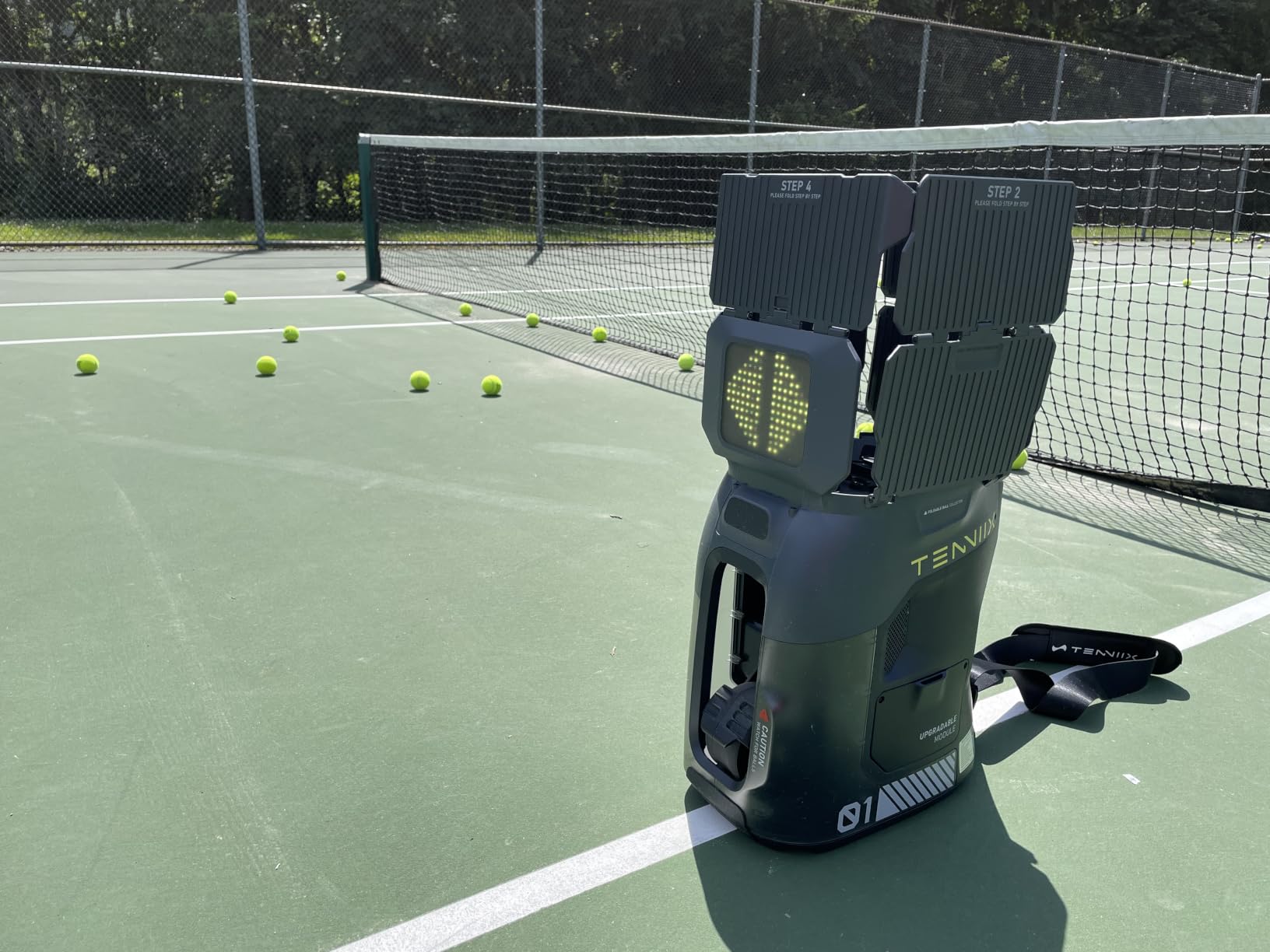
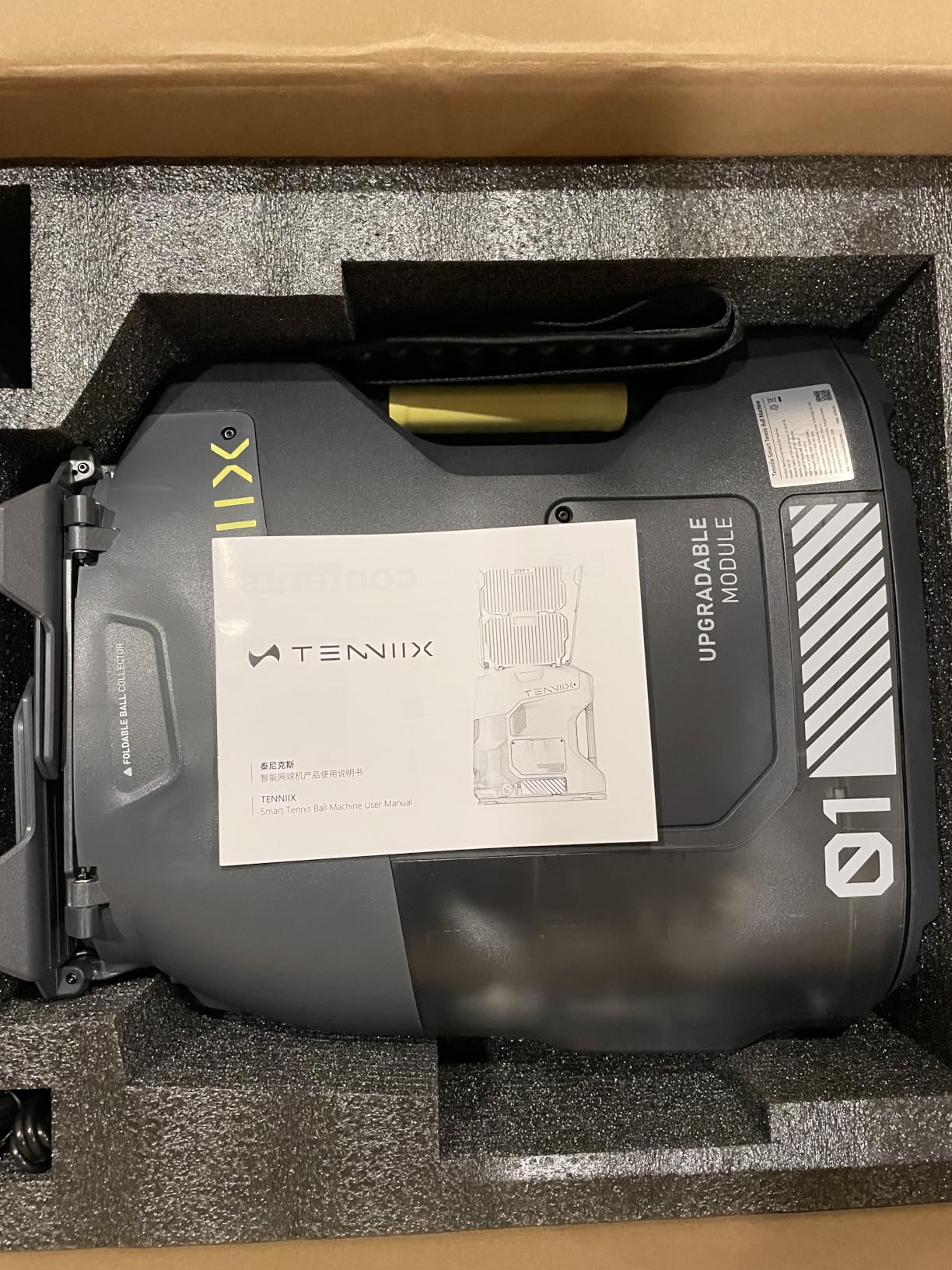
At 18.7 pounds this is the machine that changes who can own a feeder. It folds to 15.4 by 10.7 by 17.6 inches, which means a normal car trunk, an apartment closet or a garage shelf beside the bikes. At that weight it is a one-hand carry, which none of the other serious feeders here manage.
The dual-wheel launch system reaches 75 MPH, which is genuinely competitive with machines more than twice the weight, and the removable 7000 mAh battery delivers four hours or about 1,800 shots per charge.
Hands-free voice control through the wireless wrist armband is the feature people mention first. With 46 voice command keywords, you can change settings mid-rally without putting down a racket or walking to the machine.
The app adds 1,000+ ball combinations and saveable custom drills, with nine shot patterns and six Match Mode rally styles built on NTRP presets from L1 to L3. An AI vision module is available as an upgrade if you want shot-level feedback later.
Here is where we part company with the marketing. On r/10s, owners describe the Tenniix Basic as solid for daily training rather than exceptional, and the independent French testing site elouan-tennis scored it 3.7 out of 5. Real-world results trail the spec sheet a little.
The practical limitation is that voice and the wrist remote handle one parameter at a time, so fine-tuning several settings at once means the app. Setup across three control paths also takes time to learn, which is the hidden cost of a machine this feature-dense.
Bluetooth, WiFi and LED indicators round out a well-equipped box. If you have been reading Talk Tennis threads cross-shopping models, this one deserves a look for the weight alone, since most feeders in that price band are far heavier.
What the Tenniix Basic gets right
Weight is the whole pitch. At 18.7 pounds it is a one-hand carry, and that means it actually gets used instead of gathering dust in a garage.
Voice control and a 75 MPH launch mean you can run a real session alone, and the four-hour removable battery matches most practice windows.
Where it disappoints
Fine control lives in the app, so the headline hands-free feature cannot do everything. Learn the app before your first session, not during it.
Independent scores sit below the 4.2 owner average, which suggests the gap between the specification and the experience is wider here than the ratings alone imply.
7. Pongbot Pace S Pro: Best for Long Multi-Hour Sessions
PONGBOT Tennis Ball Machine, APP and Remote Control, Custom Drills, 150 Ball Capacity, Max 80mph,8+ Hours of Endurance, Dual Motor for Topspin and Backspin, PACE S PRO
150-ball hopper
80 MPH
60 rps spin
8+ hr battery
Sensor recovery trigger
Pros
- Recovery trigger waits until you are in position
- 8+ hours from a removable battery with BMS
- 150-ball hopper for long sessions
- Large app drill library with custom drills
- Remote-controlled barrel opening for ball pickup
Cons
- Mandatory beep on every feed with no off switch
- 46 lb and awkward to carry
- Some users report sensors detecting nothing and the unit not sitting level
The Pace S Pro has one feature that no other machine here has, and it is not about speed. The recovery trigger holds the feed until the smart sensors confirm you are back in a central position, so you reset, think, and move rather than scrambling at a ball you had no time to read.
A teaching pro writing on Mens Tennis Forums called the Pongbot the most versatile machine on the market while flagging its weight as heavy but manageable. That is a fair summary. It is built for someone who trains properly rather than someone dabbling.
Capacity is 150 balls and the removable battery with built-in BMS runs more than eight hours. Combined, that means one charge can cover a full multi-hour session without a hopper refill or a battery conversation.
Speed reaches 80 MPH with 60 rps spin across six oscillation spots, and the dual motors handle topspin and backspin independently. Hundreds of drills load in the app, with unlimited custom ones and 30 synced to the remote, plus over-the-air updates.
It works on clay, hard and grass and for padel, and the remote-controlled barrel opening means clearing a jam or grabbing a ball does not require walking over and crouching down.
Now the complaints, which are consistent enough to plan around. It beeps on every feed with no option to disable it, which is a genuine problem on a court next to other players. The plastic finish scratches easily in transport, and at 46 pounds it is awkward to carry.
Sensor reliability is the open question. Some users report the AI sensor feature detecting nothing despite charging the sensors, and others report the machine will not sit level, which pushes landings off target. Ball positions also vary rather than repeating exactly. The app layout is described as confusing by some, and customer service has been reported unresponsive when a remote failed.
It is also one of the two smallest review bases in the roundup at 36 ratings, so treat the sensor behaviour as worth testing yourself before committing.
What the Pongbot gets right
The recovery trigger changes the character of a solo session, because it makes you solve the rally before the ball arrives instead of reacting to a feed you could not have predicted.
Eight hours of runtime and a 150-ball hopper mean the machine never becomes the reason you stop practising.
Where it disappoints
The mandatory beep has no off switch, and that alone disqualifies it for shared courts and apartment complexes with neighbors close by.
At 46 pounds with sensor reliability still in question, this is a machine to try in person if one is available, rather than a blind purchase.
8. Wilson Sports Tutor Machine: Best No-App Simplicity with US Warranty
Wilson Portable Tennis Ball Machine. Speed 75 MPH. Variable Topspin/Underspin. Random Oscillatror. Electronic Elevation. from The #1 Name in Tennis – Wilson Sports
10-75 MPH
Random oscillator
110 balls
Single-control spin
3 year US warranty
Pros
- Knob controls with no app or programming needed
- Topspin and underspin from one control
- Smart charger shuts off automatically overnight
- 3 year parts and labor warranty with US factory support
- Long-tenured owners report years of daily use
Cons
- Flimsy hopper flaps drop balls under vibration
- Placement varies between successive feeds
- Advertised 75 MPH appears overstated in delivery
Somewhere in every app-first category there is a machine that refuses. This Wilson-branded Sports Tutor unit runs entirely on knobs, with no phone, no pairing and no firmware, and for some households that is the most advanced feature available.
Topspin and underspin are both adjustable from light to heavy on a single control, which is a genuinely elegant solution. Instead of a mode selector plus a level, you turn one knob and the ball changes shape.
Made in the USA with a three year parts and labor warranty, it is the only machine in this roundup with factory support you can drive to. Several owners describe long-standing relationships with the same unit, some running for years of daily practice.
The internal rechargeable battery runs up to four hours, and the smart charger charges overnight and shuts itself off. A charged-status indicator removes the guesswork about battery level, which is a small courtesy most machines skip.
The hopper is the recurring weak point. The fold-down side flaps are flimsy and let balls fall out under vibration, and they collapse on impact. Placement also varies between successive feeds, which makes one stroke harder to groove.
Two other things to weigh. The advertised 75 MPH appears overstated against real delivery, and the random oscillator is not a true random mode, which limits how well it simulates match point construction. One owner reported battery runtime dropping to about 25 minutes after roughly 13 months, which is the weakest longevity report among the machines here.
What the Wilson gets right
Nothing to learn, nothing to pair, nothing to update. It works the moment it is charged, which is exactly what a shared family machine needs.
The three year US parts and labor warranty and factory support are the strongest after-sales position here, and a charger that shuts off overnight prevents the most common battery-killing mistake.
Where it disappoints
Feed-to-feed placement consistency is the main weakness, and it is the one thing a practice machine exists to provide. Grooving a single stroke is harder here than on the Lobster.
At 38 pounds with a single handle level with the body, moving it after a long session is awkward for one person.
9. Furlihong 3807BH: Best Budget Bag Launcher
Furlihong 3807BH Tennis Ball Machine with Triangular Base
Triangular iron base
Speed low to high
Swing launch port
Battery or AC
Carry bag
Pros
- Triangular iron base keeps the machine stable
- Speed adjustment covers beginner to advanced
- Automatic swing launch port holds any angle
- Runs on battery or the included AC adapter
- Carry bag included for transport
Cons
- Balls are not included so add them to the budget
- Basic ball tracks and accessories
- Highest share of one and two star feedback in this group
This is the entry point for a first machine. A triangular iron base keeps it stable during feeds in a way that light plastic machines are not, and the automatic up-and-down swing launch port holds any launch angle at the press of a button.
Dual power is more useful than it sounds. Battery operation covers a public court with no outlet nearby, and the included AC adapter covers an indoor or garage space where a cable is not an issue.
Speed adjusts from low to high, which spans a beginner learning a rally through to crosscourt work for a more experienced player. The included carry bag makes it a one-trip move between courts.
Its 3.8 average is the lowest in this roundup, and the reason is a wider spread of experiences rather than one recurring fault. Roughly 12 percent of ratings are one star and around 10 percent two star, which points to inconsistency in build and feed behaviour.
Two practical notes. Tennis balls are not included, so the all-in cost is higher than the machine alone, and the ball tracks and accessories are basic compared with the metal-bodied machines above. The warranty runs 12 months.
If you are buying a first machine for a child learning fundamentals, this does the job. If you are a league player expecting repeatable placement, the spread in owner feedback suggests you will outgrow it within a season.
What the 3807BH gets right
The iron base and vertical swing port give it stability and adjustability that lightweight bag launchers usually lack, and the dual power options remove the outlet problem entirely.
It is a low-cost way to find out whether machine practice suits you before committing to a serious feeder.
Where it disappoints
The 3.8 average and the wide spread of one and two star feedback mean you may get a very different experience from the next owner’s. That uncertainty is the real cost of the low price.
No balls, basic accessories and a 12 month warranty keep the value honest but limited. Budget for a ball set and treat it as a learning tool rather than a training partner.
10. Furlihong 3819BH: Best Entry Machine for Absolute Beginners
Furlihong 3819BH Portable Tennis Ball Machine
Up to 30 MPH
5 angle settings
2 power levels
4 serve intervals
Lightweight body
Pros
- Lightweight and easy to carry to any court
- 5 angle settings cover flat slice and volleys
- Up to 30 MPH suits learning fundamentals
- Simplest controls in the roundup
- Entry-level cost makes solo practice affordable
Cons
- 30 MPH ceiling is well below the 65-80 MPH range
- No oscillation and no spin control
- Runs on the AC adapter rather than a battery out of the box
The 3819BH is the simplest machine here and the least ambiguous. It is lightweight, it carries to any court, and it does one thing: put a ball in front of a beginner at up to 30 MPH so they can learn a stroke shape.
Five angle settings cover forehand, backhand, flat, slice and volleys, and two power levels with four serve intervals give enough variety to keep a new player interested. Reviewers consistently respond to exactly that combination of portability and simple controls.
The accepted trade-off is a 30 MPH ceiling against the 65 to 80 MPH of premium machines. That gap decides who this is for. Below roughly 30 MPH you get a ball you can track and swing at, which is what someone learning fundamentals needs.
There is no oscillation, so every ball arrives from the same spot, and there is no spin control at all. Only two power levels and four intervals limits drill variety, and the machine runs from the included AC adapter rather than a battery as shipped.
The 4.0 average reflects a settled, unglamorous product. Owners are not disappointed so much as realistic about what it is, which is a reasonable entry to machine practice for a player who has never used one.
What the 3819BH gets right
It is a practical way into machine practice on a limited budget, and the five angle settings give a new player more variety than a single-speed launcher offers.
Light weight and simple controls mean the first session needs no setup, no app and no instructions.
Where it disappoints
No oscillation and no spin means you cannot train footwork or read heavy topspin, which is where most of the long-term benefit of a machine comes from.
Depending on the AC adapter rather than a battery limits you to courts with power, and the 30 MPH ceiling puts it out of reach the moment a player starts hitting properly.
Internal vs External Oscillation: What You Can See Before the Feed
Internal oscillation means the launch angle changes inside the machine’s own housing, so the player cannot see where the ball is going to come from. External oscillation uses a visible swinging head, and you can watch it move before the feed. That one difference changes how a session trains your brain.
With an internal machine, the split-step has to be honest. You cannot cheat by reading the head position, so you learn to time the unit as a unit would be timed in a real point. That is the argument coaches make for internal machines, and it is why most higher-level feeders use one.
External oscillation looks more impressive and plays more like a real opponent, because the movement is visible and the feed pattern is less predictable. A footwork block built on external oscillation transfers better to match conditions, since opponents are visible and their positioning is readable.
Our take is that this matters less than buyers expect early on, and more than most sellers claim later. For a beginner building a swing, any consistent feed works. For a 4.0 player running rally patterns, the difference in anticipation is real, so buy the oscillation type that matches the level you are practising at rather than the one that looks best.
One practical note from this group: the Nisplay oscillator spray is skewed, with one side pivoting further than the other, and the Wilson random oscillator is not true random. Both deliver variation, but neither is the clean sweep the marketing implies.
Is a Tennis Ball Machine Worth It?
A machine is worth it when you practise alone at least weekly, have consistent access to a court, and want a specific stroke to become automatic. Under those three conditions it replaces the one thing you cannot manufacture alone, which is a feed you did not have to negotiate for.
It is not worth it if you already hit with a partner three times a week. In that case you get variation you cannot get from any machine, plus real feedback on your positioning and your decisions, which a hopper of balls will never provide.
The honest comparison is against coaching hours. Buyers regularly find that a mid-range machine costs about the same as a short block of lessons, and the payback depends entirely on how many solo sessions you actually complete in a year. Ten sessions a year and a machine is a luxury. Fifty sessions a year and it is the cheapest court time you will ever buy.
There is also the negative case, and it comes straight from owner threads. Machines in the heaviest weight band are described as too exhausting to load into a car, so they sit in a garage and go unused. A machine you do not carry to the court is a machine you did not buy. If your court is not a short walk from a parking spot, weight should decide for you.
Do tennis pros use ball machines? All of them, and it is worth being clear about why. A machine is a repetition tool, not a coach. It fixes your contact point and your timing; it cannot tell you why you are not moving early, which is the part that separates good players from better ones.
Home Court Reality: Parking, Noise and Neighbors
Most buying guides stop at the spec sheet. The constraint that actually decides your purchase is where the machine will live and who will hear it, so it is worth working through before you order.
Apartment and gated community courts usually restrict what you can run, and running a machine against a rule gets it removed rather than tolerated. Ask first. The same applies to a shared court where the far side is a bedroom wall.
Municipal courts commonly cap bookings at 60 minutes. That quietly undermines a 150-ball hopper and an eight-hour battery, because you will never get to use the capacity. If your window is an hour, a 60 to 110 ball machine with a four hour battery is the honest match.
Driveways and backyards have the opposite problem. They are usually your own, but they are often smaller, uneven, and close to a neighbor’s property line. A half court limits depth placement, so a machine whose top selling point is long lobs has less room to work.
Noise deserves its own line. The Pongbot beeps on every feed with no option to disable it, and that alone can make it unusable on a residential court. Check the return sound level, not just the motor noise.
Finally, think about pickup before you think about anything else. Every machine in this roundup fires balls across a net and stops there. A basket or hopper is a second purchase, and our guide to the best tennis ball hoppers covers that side of the setup if you want to handle it in the same trip.
How to Choose a Ball Machine: Five Decisions That Matter
Feeder or rally robot. Every machine in this roundup is a feeder. A true rally robot moves across the court, chases balls and returns them like a partner, and it costs several times more. If you want point-based training rather than stroke repetition, budget for that category or accept that a feeder will not replace a hitting partner.
Carry weight. Under 20 pounds is a one-hand carry and changes how often you practise. Between 20 and 30 pounds is a two-hand lift that fits a sedan trunk. Over 30 pounds is transportable by wheel but not carryable, so its location is effectively fixed. The Tenniix Basic at 18.7 pounds and the Nisplay at 26 pounds are the practical middle ground here.
Session length against your court window. Match the hopper and battery to the time you actually have, not to the time you wish you had. Four hours and 60 to 110 balls suits a municipal hour. Eight hours and 150 balls suits a private court and a real training block.
Who picks up the balls. Machines fire and stop. Nothing here collects automatically except the Pongbot’s remote-controlled barrel opening, which opens the hopper rather than gathering loose balls. If gathering is what stops you practising, solve that with a basket first.
Realistic top speed. Advertised figures overstate real over-the-net delivery. Owners of the Nisplay and the Wilson both report that delivered speed is noticeably below the listed figure, while the Lobster’s 10 to 80 MPH range is repeatedly described as holding. Judge by the lowest speed in the range, since that is where most of your session lives.
Match the machine to your level. A beginner at NTRP 2.0 to 3.0 needs a slow, predictable feed, angle control and forgiving height, which is exactly what the entry machines deliver. An intermediate at 3.5 to 4.0 needs a wider speed range, real spin adjustment and oscillation to work on. A 4.5 and above player needs programmable drills and a large hopper, and should buy the app-driven machines or save the money and hit with people.
Finally, check the fallback controls. Ask whether the machine runs from physical dials when the app or the Bluetooth link fails. The PUSUN PT-Smart stores its default settings in the app rather than the machine, which is a design decision worth knowing about before you rely on it for a lesson or a club session.
Balls, Batteries and Running Costs
Pressureless balls are the practical choice for machine work. They survive repeated impacts without losing pressure, they do not deaden as quickly in a hopper, and a set costs a fraction of pressurized balls that you would be shredding. Pressurized balls are for match play, and they will not survive a season of feeds.
Battery chemistry matters more than the runtime figure. A machine with a removable battery is a machine you keep for years, because a pack can be replaced instead of the whole unit. The Nisplay and the Tenniix Basic both use removable packs; several other machines treat the battery as part of the machine.
Expect two to four years before a battery needs replacing, and treat that as a line item rather than a surprise. Warranty lengths here range from 12 months on the Furlihong machines to a three year parts and labor warranty on the Wilson-branded Sports Tutor, which is the strongest US support position in the group.
Parts and service are the last variable. Lobster and Spinshot are repeatedly praised for replacing handles, batteries and hopper parts, sometimes past warranty. That kind of response is worth more than any feature on the spec sheet over a five year ownership.
Frequently Asked Questions
What is the best automatic tennis ball machine?
The Lobster Elite One is our best automatic tennis ball machine overall, because owners report placement that holds across thousands of feeds, a 10-80 MPH range with full spin control, a 150-ball hopper and 4-6 hours of battery per charge. If you want the most capability per pound, the Nisplay N1 adds dual-motor spin adjustment and an oscillator at 26 pounds.
Is it worth getting a tennis ball machine?
It is worth it if you practise alone weekly, have consistent court access and want one stroke to become automatic. A machine replaces the feed you cannot manufacture alone and can deliver roughly 400-600 clean strikes in a 45-minute session. If you already hit three times a week with a partner, the variation and feedback you get from people are worth more than any feeder.
What is the best tennis ball machine for beginners?
The Furlihong 3819BH is the simplest starting point, with five angle settings covering forehand, backhand, flat, slice and volleys at up to 30 MPH. Beginners need a ball they can track and swing at, not a fast one. The Furlihong 3807BH is the alternative if you want a sturdier base and battery operation rather than the simplest possible setup.
What is the best tennis ball machine on a tight budget?
The Furlihong 3807BH is our budget pick because the triangular iron base and automatic swing launch port are more stable than lightweight bag launchers usually are, and it runs on battery or the included AC adapter. The Nisplay N1 is the better value overall, pairing a 26 pound aluminum body, dual-motor spin and an oscillator at a mid-range price point.
Is Spinshot a good tennis ball machine?
Yes, particularly the Spinshot Pro, which is the only all-metal machine in this roundup and the one owners describe as built like a tank. Its knob controls need no app and no programming, and service is repeatedly credited with replacing batteries, handles and hopper flaps. The two drawbacks are a battery sold separately and a weight of roughly 50 pounds.
Is Tenniix a good ball machine?
The Tenniix Basic is a good ball machine for portability, at 18.7 pounds it is the lightest serious option here and folds into a normal car trunk, with a 75 MPH launch, voice control through a wrist armband and a four hour removable battery. The caveat is that voice control changes one setting at a time, and an independent testing site scored it 3.7 out of 5.
Which tennis balls are best for practice?
Pressureless balls are best for machine work because they survive repeated impacts without losing pressure and cost far less than pressurized balls over a season. Pressurized balls are built for match play and will not last under thousands of feeds. Keep a separate set of each, and check that your machine accepts the ball diameter you buy.
Do tennis pros use ball machines?
Yes, every touring and collegiate program uses one, mainly for serve and return repetition at volume. What a machine cannot do is coach. It fixes your contact point and timing, but it cannot tell you why you are not moving early or why a rally broke down at the third shot, which is the part a coach or a hitting partner provides.
The Verdict for 2026
The Lobster Elite One is the best tennis ball machine for home practice because owners describe it as the most consistent feeder we reviewed, holding placement over thousands of balls while covering 80 MPH and a 150-ball hopper. The Nisplay N1 is the better value and the better machine to carry, the Spinshot Plus-2 is the pick for app-programmed drills, and the Tenniix Basic is the pick if weight decides everything.
Start with the court you actually have, the session length you actually get, and the distance you have to carry it. Those three answers eliminate most of the field before you read a single spec.
For a deeper look at the category as a whole, our broader best tennis ball machines roundup covers the wider market, and the hopper guide covers the part of the setup everyone forgets. Verify every figure before you order, since specifications and bundles change more often than any article can keep up with.