
If you are shopping for a ready-to-play desktop around Amazon’s October event, the iBUYPOWER Element is the machine to watch. A Ryzen 9 7900X and RTX 5070 12GB in one tower, with 32GB of DDR5 and a 1TB NVMe drive already fitted, and it carries more owner reviews than anything else on this list. The Skytech Crystal is the sensible middle ground for 1080p and 1440p play, and the CyberPowerPC Gamer Master is the one to buy if you plan to swap parts later. Prime Big Deal Days runs October 6-7, 2026, and the selection below is what we would keep an eye on through it.
One thing to know before the picks. These desktop families have shipped near-identical configurations for years, and a spec list is often all that separates them. That matters when two listings on the same page look interchangeable, because the model number in the technical details is the only detail that tells them apart.
Table of Contents
Our Top 3 Picks for Best Amazon Prime Big Deal Days Gaming PC Deals

The Element wins on evidence rather than on paper. Nothing else here has been reviewed by more than a couple of thousand buyers, which tells you something about how the support and the parts selection hold up over time. It is also the only pick on this list that pairs a 12-core CPU with a 12GB Blackwell card and still arrives with a keyboard and mouse in the box.
The Skytech Crystal is the one to buy if the RTX 5070 tier is more machine than you need. Four and a half stars from over a thousand owners, a 650W Gold power supply, and DDR5-5600 memory, with a triple-glass case that looks considerably more expensive than it is.
The CyberPowerPC Gamer Master is the pick for anyone who would rather start small and add later. It sits on the AM5 platform with a B850 chipset, which means the processor can be upgraded twice more before you ever have to replace the motherboard. Just budget for a memory upgrade fairly soon, since it ships with 16GB.
Best Amazon Prime Big Deal Days Gaming PC Deals Compared (2026)
| Product | Specifications | Action |
|---|---|---|
 iBUYPOWER Element iBUYPOWER Element |
|
Check Deal Price |
 Skytech Crystal Skytech Crystal |
|
Check Deal Price |
| CyberPowerPC Gamer Master |
|
Check Deal Price |
 MSI Codex Z2 MSI Codex Z2 |
|
Check Deal Price |
 Olialia RTX 3060 Ti Olialia RTX 3060 Ti |
|
Check Deal Price |
 Alienware Aurora Alienware Aurora |
|
Check Deal Price |
 suevery SUV9 suevery SUV9 |
|
Check Deal Price |
 Thermaltake Quartz i5 Thermaltake Quartz i5 |
|
Check Deal Price |
 KOTIN RTX 5070 KOTIN RTX 5070 |
|
Check Deal Price |
 YAWYORE MX570 YAWYORE MX570 |
|
Check Deal Price |
Two things stand out from the table. Every dedicated GPU here is a current-generation card, which is unusual in a year when some sub-tier models are still drifting through prebuilts. And the memory picture is split, with four machines on DDR4 and the rest on DDR5, so the specs sheet is where the real differences hide.
How We Chose
We compared the specifications that decide how a prebuilt holds up: processor and graphics card, memory type and capacity, storage, power supply, cooling, and the number of parts you can replace later. We also read the owner reviews on each listing, because the recurring complaints tell you more about a system than the spec sheet does. Specs and review data were checked on October 2026.
1. iBUYPOWER Element: Editor’s Choice
iBUYPOWER Element
CPU: Ryzen 9 7900X
GPU: RTX 5070 12GB
Memory: 32GB DDR5 4800
Storage: 1TB NVMe
Pros
- Ryzen 9 7900X 12-core CPU with RTX 5070 12GB
- 32GB of DDR5 fitted as a matched pair
- 1TB NVMe plus keyboard and mouse
- Six USB 3.1 ports and built-in Wi-Fi
- Handles 4K output at 3840x2160
Cons
- Around 29 percent of ratings sit at four stars or lower
- Water cooling adds cost against an air-cooled equivalent
- 36 pound tower is a two-person lift
This is the one we would put our own name to. Twelve Zen 4 cores handle everything from a raid session to a video export without breaking a sweat, and the RTX 5070 carries 12GB of GDDR7 rather than the 8GB that shows up on cheaper cards.
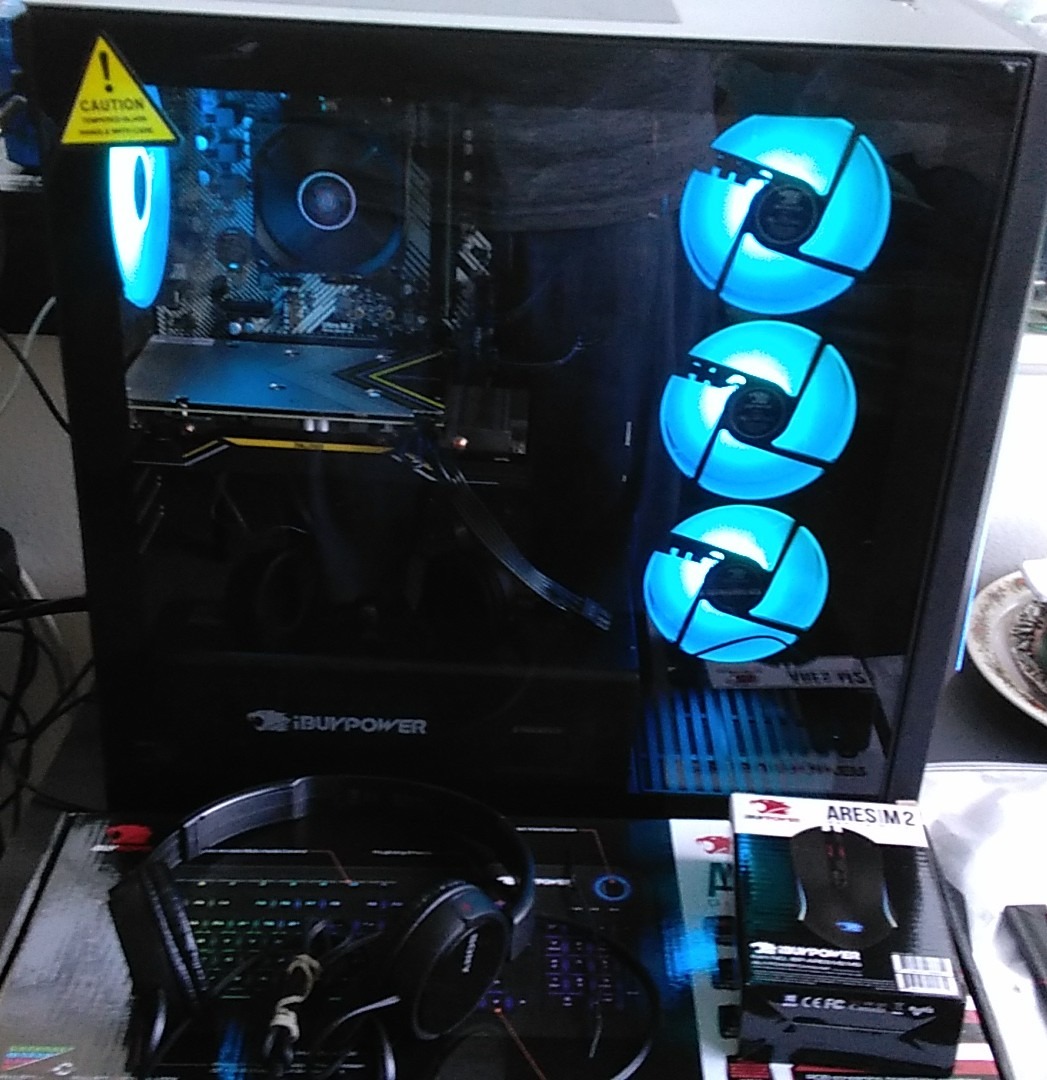
The details that make it feel finished: memory runs at 4800MHz across two modules rather than a single lonely stick, and the tempered glass side panel hides cables. Owners mention the included keyboard and mouse have no bloatware, which sounds minor until you spend an evening uninstalling a suite of pre-installed utilities.
Compared with the MSI Codex Z2, which shares the same graphics card, the Element trades some storage for CPU headroom. The MSI carries a 2TB drive; the Element carries twelve cores. If you install big games, storage is the thing you will notice first, and adding a second NVMe drive later is straightforward.
Skip this one if you game in a shared room. At 36 pounds and 20 inches deep, it is a substantial tower, and the liquid cooling loop adds a component that a first-time owner cannot easily service. If your desk is small or your floor is shared with a bedroom, the gaming chairs for tall people roundup is the other half of that conversation, and worth reading before you commit to a full-size case.
Check the model number in the technical details before you order, since the Element family ships several near-identical configurations and a one-year manufacturer warranty is the only cover that comes with it.
2. Skytech Crystal: Best Value
Skytech Crystal
CPU: Ryzen 7 7700
GPU: RTX 5060 Ti 8GB
Memory: 32GB DDR5 5600
Storage: 1TB NVMe
Pros
- Ryzen 7 7700 8-core with RTX 5060 Ti 8GB
- DDR5-5600 with heat spreaders and 1TB NVMe
- 650W Gold power supply for clean headroom
- Triple tempered glass case with ARGB fans
- Built-in 802.11ac Wi-Fi as standard
Cons
- 32GB is the listed maximum so memory cannot grow
- Air cooling holds sustained boost below liquid alternatives
- Graphics card brand can vary between units
Buy the Crystal if you play at 1080p on a high-refresh monitor and occasionally stretch to 1440p. The RTX 5060 Ti is the sweet-spot card in the current generation for that job, and pairing it with DDR5-5600 memory and a 650W Gold supply means nothing here is the weak link.
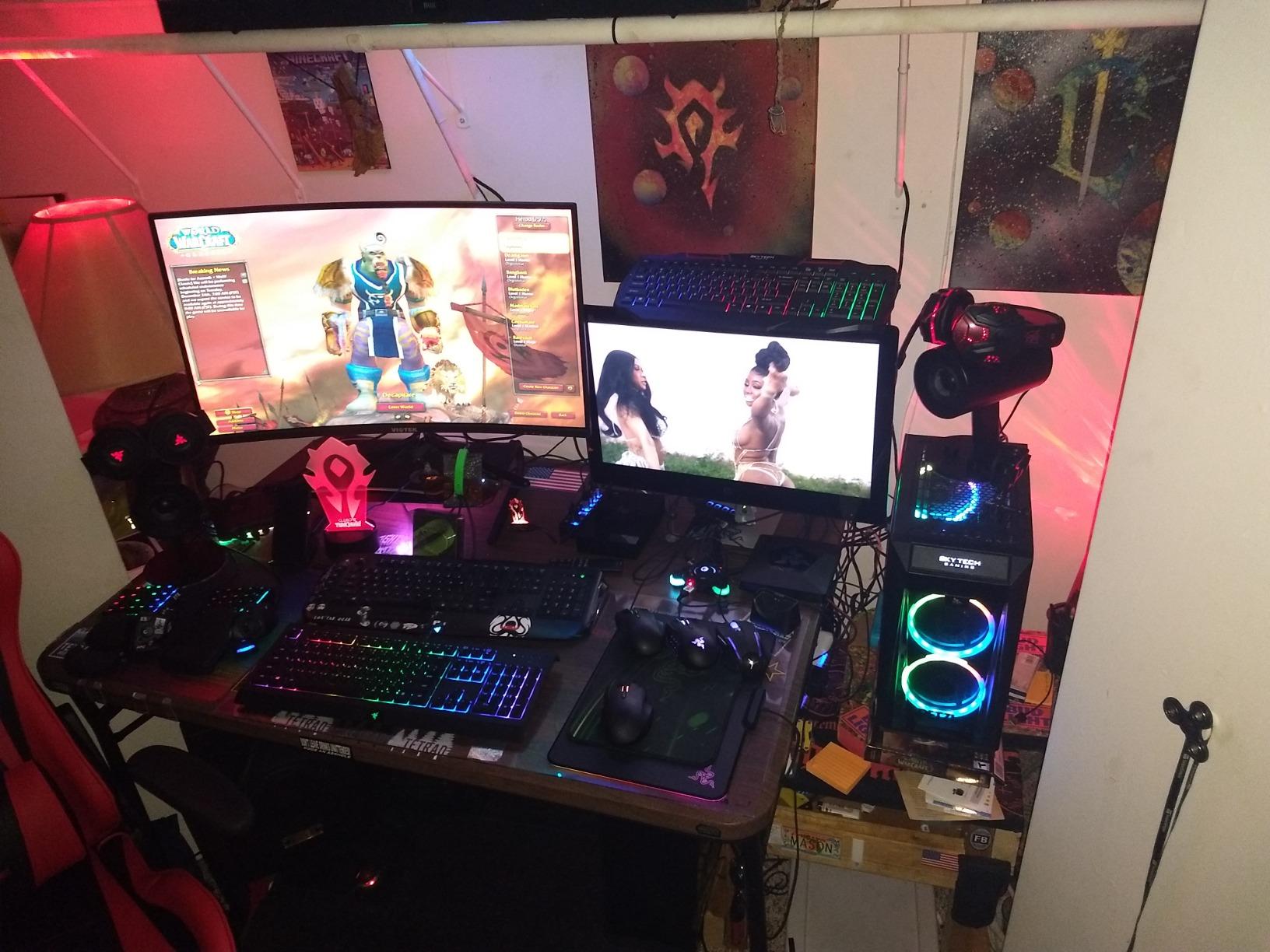
Reviewers are unusually warm about build quality for a system at this level. The triple tempered glass panels are the part that gets mentioned, and the case stays cool enough that the air cooler handles sustained sessions without the sort of fan noise that puts people off prebuilts.
The compromise is real and it is memory. Thirty-two gigabytes is listed as the maximum, so there is no upgrade path there without replacing the modules outright. The iBUYPOWER Element and the MSI Codex Z2 both accept more, which is the deciding factor if you plan to run heavy multitasking alongside games.
Worth knowing that the listing notes the graphics card brand may vary. That is normal practice for a system integrator filling a GPU slot, and it does not affect performance, but it does mean your card will not be a specific model you could research beforehand.
Measure the case before you order. At 16.6 by 11.3 by 14.4 inches it is a mid-tower rather than a full tower, and noticeably deeper than the compact boxes lower down this list, so leave a little room behind it for cables before the glass rear panel goes on.
3. CyberPowerPC Gamer Master: Best for Upgrades
CyberPowerPC Gamer Master
CPU: Ryzen 7 8700F
GPU: RTX 5060 Ti 8GB
Memory: 16GB DDR5 4800
Storage: 1TB NVMe
Pros
- AM5 platform on B850 chipset for CPU upgrades later
- RTX 5060 Ti 8GB with HDMI and DisplayPort
- No proprietary parts so components swap freely
- 1TB PCIe 4.0 NVMe with eight USB ports
- One year parts and labor cover with lifetime tech support
Cons
- Ships with 16GB of DDR5 which is thin for new releases
- Air cooling needs dust attention every few months
- Some buyers report units arriving with memory faults
The logic of this machine is straightforward. It gives you the parts most likely to change and the least likely to. The AM5 socket on a B850 chipset means you can drop in a faster Ryzen later and keep the motherboard, the case, and the graphics card where they are.
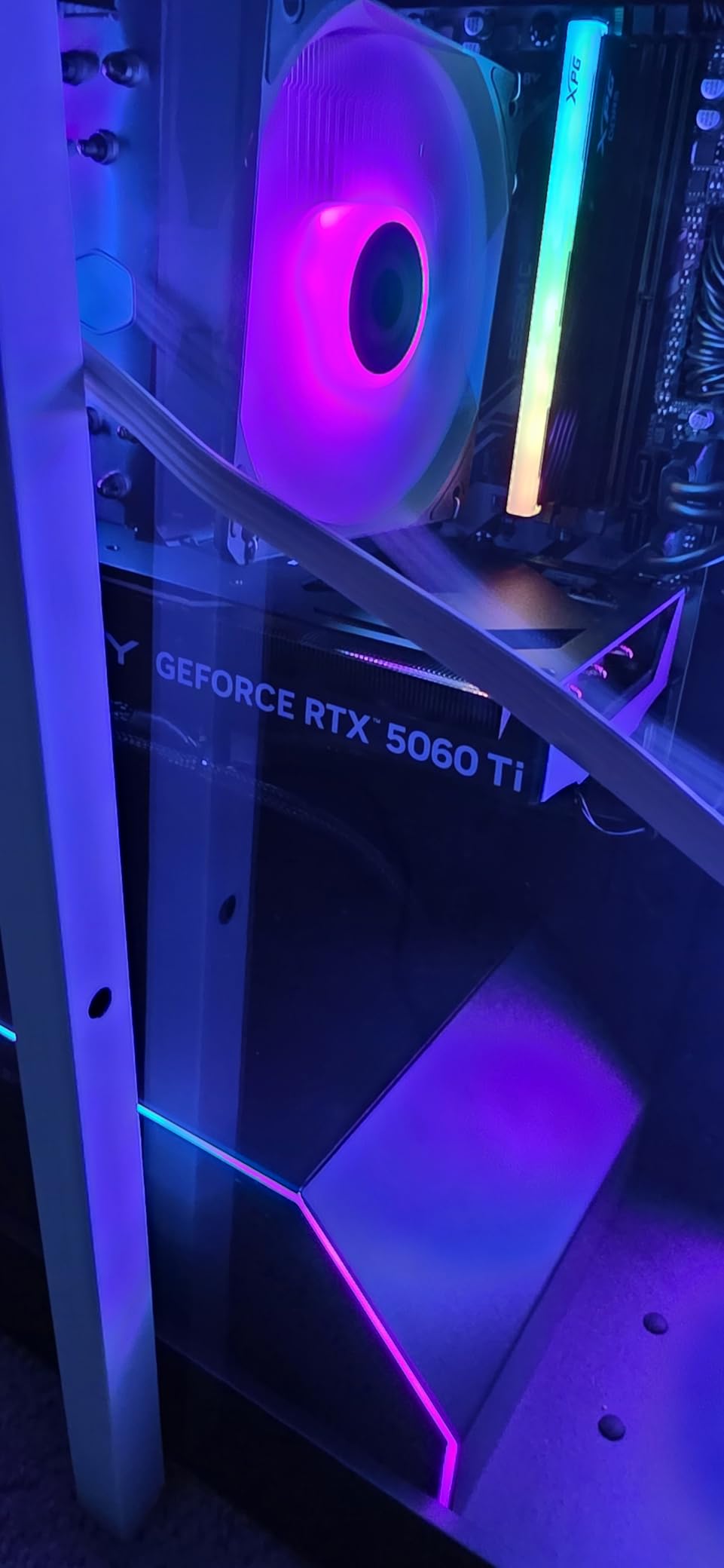
It also uses standard parts throughout, with no proprietary connectors or fittings to work around. Wi-Fi 6 and Bluetooth 5.3 are on board, so you are not hunting for a dongle on day one, and the 1TB drive is PCIe 4.0 rather than the slower entry spec.
The 16GB of memory is the reason this sits third rather than higher. It expands to 192GB, and two extra matched modules will transform how the machine handles a browser with fifty tabs open next to a game, but that is money you are spending in month two rather than day one.
Owners do report some quality-control variance, including boxes that arrived with memory error lights showing or dead components. It is a small share, and it is the kind of thing that resolves quickly through Amazon’s returns, but it is a reason to inspect the machine the moment it is delivered rather than three days later.
Inspect it on arrival, while the packaging is still nearby, and match the model number in the technical details against the listing. The parts and labor cover plus lifetime technical support runs one year.
4. MSI Codex Z2: Most Versatile
MSI Codex Z2
CPU: Ryzen 7 8700F
GPU: RTX 5070 12GB
Memory: 32GB DDR5 6000
Storage: 2TB NVMe
Pros
- RTX 5070 12GB on Blackwell architecture
- 2TB drive leaves room for a large game library
- DDR5-6000 memory across two slots
- Four ARGB fans keep thermals steady
- 21.3 pounds is light for a full tower
Cons
- Fewer owner reviews than the other RTX 5070 picks
- Windows 11 Home ships instead of Pro
- Some early-build quality complaints at delivery
Where the Element wins on CPU, the Codex Z2 wins on storage. A 2TB drive on a machine with a Blackwell RTX 5070 changes the day-to-day feel of owning a PC, because installing and patching a modern title stops being an evening’s work.
Three front ARGB fans and one rear exhaust handle the cooling, and owners describe airflow as noticeably better than the average prebuilt. The lighting is controllable from the case button or through MSI Center, which is a small thing that somehow gets photographed in every unboxing.
At 21.3 pounds this is the lightest full-size tower here, which matters more than it sounds when you are the one sliding it under a desk. The Ryzen 7 8700F boosts to 5.0GHz across eight cores and sixteen threads, which is enough headroom for 1440p and for editing on the side.
Against the Alienware Aurora, which also carries an RTX 5070, the trade is support. The Aurora is covered by Dell onsite service, while the Codex Z2 is a one-year manufacturer limited warranty. If you would rather a technician came to you, take the Alienware; if you would rather have the faster memory and the bigger drive, take this.
Two practical notes before checkout:
- Windows 11 Home is what ships, and MSI itself recommends Pro for business use, so treat a licence upgrade as part of the cost if this is a work machine
- The Codex family is revised often enough that the model number in the technical details is worth checking before you order, since the same name covers several drive and memory configurations
5. Olialia RTX 3060 Ti: Top Rated
Olialia RTX 3060 Ti
CPU: Ryzen 5 5500
GPU: RTX 3060 Ti 8GB
Memory: 16GB DDR4
Storage: 512GB SSD
Pros
- Highest owner rating in this group at 4.6 stars
- RTX 3060 Ti 8GB holds 1440p with DLSS
- Dual tempered glass panels with six RGB fans
- Dust filters with ventilated top and side panels
Cons
- 16GB DDR4 and a 512GB drive are the minimum today
- AM4 platform and older parts lack newer frame generation features
- Monitor cable must go into the lower GPU ports
Nobody gives out stars for nothing, and at 4.6 across 194 reviews this is the best-rated machine we tracked. Owners consistently describe it as a capable 1080p-to-1440p box, and the RTX 3060 Ti with DLSS does most of the work in keeping modern titles smooth.

It is also the only pick here with dual tempered glass side panels and six adjustable fans, which is a case specification you would normally associate with a much larger spend. The dust filters are the detail owners mention approvingly, since they are the difference between a clean cooler and a hairdryer after a year.
Where it runs out of road is memory and storage. Sixteen gigabytes of DDR4 alongside a 512GB drive means two upgrades inside the first year for most people, and the AM4 Ryzen 5 5500 is an older part that will not receive the newest frame generation features.
If your library is large, look at the YAWYORE MX570 instead. It ships with 32GB and a 1TB NVMe drive, and it uses the newer RTX 5060, so it is the better long-term buy for roughly a similar outlay. Take the Olialia if the case is what you want and you can add storage later.
Plug the display cable into the lower GPU ports rather than the motherboard outputs. Owners mention that confusion more than any other single issue with the build, and it is the first thing to check if no picture appears after setup.
6. Alienware Aurora: Best for Big Monitors
Alienware Aurora
CPU: Core Ultra 7 265F
GPU: RTX 5070 12GB
Memory: 32GB DDR5 5200
Storage: 1TB SSD
Pros
- Intel Core Ultra 7 265F with 20 cores at up to 5.3GHz
- RTX 5070 12GB GDDR7 for 4K and creation
- Dell one-year onsite service in your home
- Customizable AlienFX lighting zones
- Eight expansion slots behind the chassis
Cons
- 32GB is the memory ceiling with two slots
- 13 percent one-star share of reviews
- Heavier chassis than the other full-size towers
The Aurora is the pick for a 4K monitor, and the reason is not really the graphics card. It is the twenty-core Core Ultra 7 265F, which has the headroom to drive a high refresh 4K panel and still leave a browser, a stream, and a capture card running without the whole machine stuttering.
The chassis is the quiet selling point for a lot of buyers. The matte basalt finish and the AlienFX lighting zones, including the stadium option, are not functional, but they are the reason several people end up choosing this over a box that looks like every other RGB tower on the market.
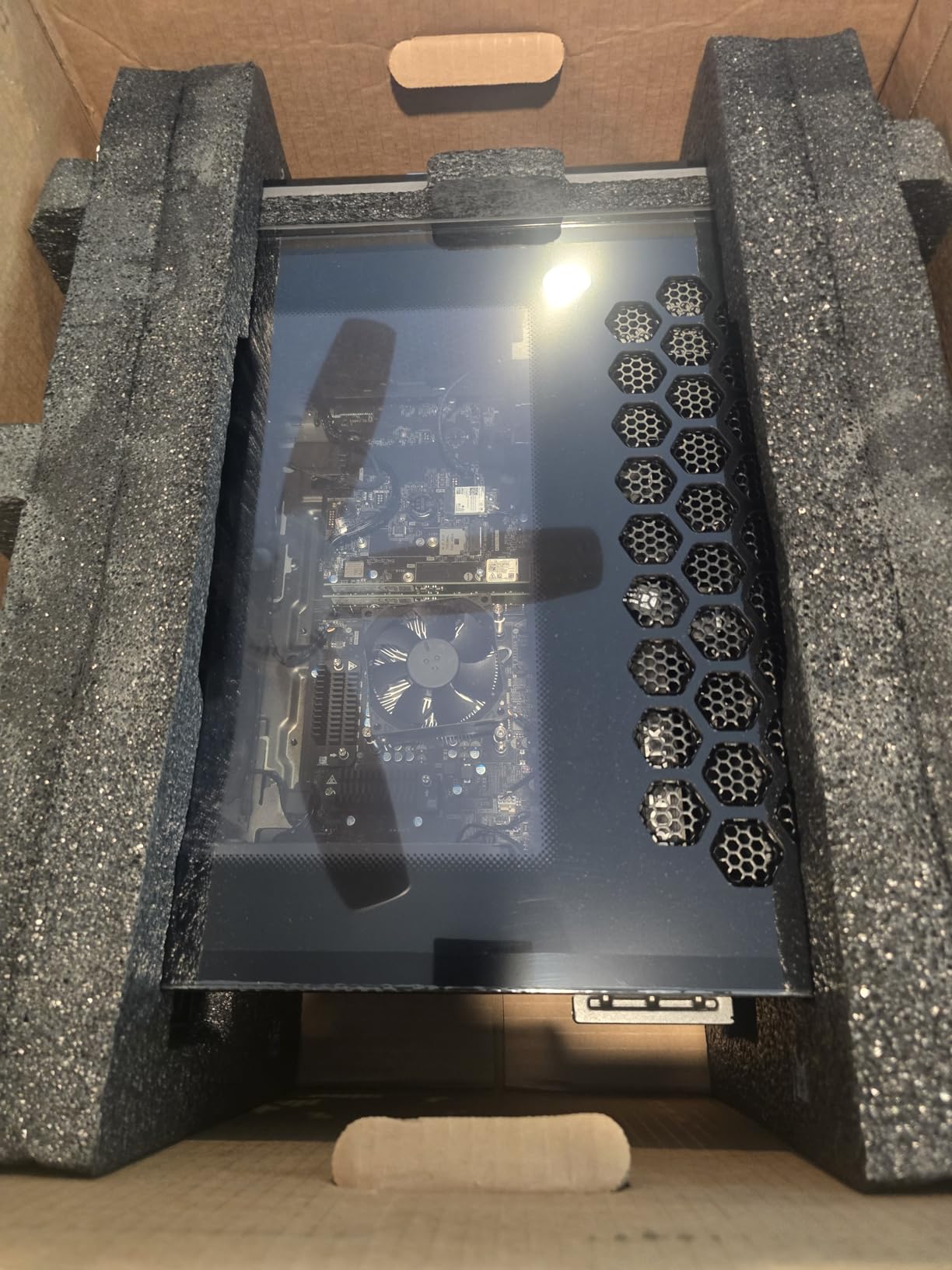
Dell’s onsite service is the piece that justifies the premium over the MSI Codex Z2, which has the same GPU at a higher review count and a one-year manufacturer warranty. A technician coming to your house is worth real money if you do not enjoy diagnosing a machine yourself.
Two slots and a 32GB ceiling put a hard stop on memory expansion, though. The case does have eight expansion slots behind it, so adding storage or capture hardware is not a problem, and at 33.9 pounds it is one of the heavier towers to move into place.
Check the exact suffix in the model number before you order. Aurora configurations change between generations and the support terms differ with them, so the number is worth matching against the listing rather than assuming.
7. suevery SUV9: Budget Pick
suevery SUV9
CPU: Ryzen 5 6-core
GPU: Radeon RX 560 4GB
Memory: 16GB DDR4 3200
Storage: 512GB NVMe
Pros
- Lowest outlay of any prebuilt in this group
- Wi-Fi 6 built in rather than sold as an add-on
- Compact tower with a transparent side panel
- RGB lighting runs from the power switch
Cons
- Radeon RX 560 4GB struggles with modern AAA titles
- 512GB drive limits a large game library
- Operating system listed as DOS so Windows may need installing
Sometimes the honest answer to a PC budget is that you are buying a computer, not a gaming rig. The SUV9 handles schoolwork, browsing, video calls, and the older or lighter games that most people actually play, and it does so for less than any other machine in this roundup.
Owners like the quick boot times and the fact that Wi-Fi 6 is built in rather than sold as an add-on. The compact case at 13.35 by 10.87 by 12.99 inches is smaller than everything else here, and a low power draw suits a machine that runs most of the day.
The Radeon RX 560 with 4GB of video memory is the limitation that decides who should buy it. It is an entry-level card from a previous generation, and it will not carry a new release at high settings. If your idea of gaming is a library you have already finished, this is fine. If you want to play what launches next week, look at the Thermaltake Quartz i5 instead.
Also read the listing carefully: the operating system is listed as DOS, so you may need to install Windows yourself. That is a real step for anyone who has never set up a PC, and it is the reason we would not point a first-time buyer here.
Hold the power switch for five seconds to turn the RGB off, which is the one genuinely useful instruction on the page.
8. Thermaltake Quartz i5: Best for White Setups
Thermaltake Quartz i5
CPU: Core i5-14400F
GPU: RTX 5060 8GB
Memory: 16GB DDR4 3600
Storage: 1TB NVMe
Pros
- Ten-core i5-14400F on an Intel B760 chipset
- RTX 5060 8GB current-generation card
- 1TB NVMe M.2 with Wi-Fi and Windows 11
- ARGB tower cooler with tempered glass panels
- Full-length power cover hides the cables
Cons
- 16GB of DDR4 is dated against DDR5 rivals
- Thinnest review base and lowest rating in this group
Most gaming towers are black, which is a problem if the rest of your setup is not. The Quartz i5 is a white case with a white ARGB cooler and RGB memory, and if you have spent any time looking at build photos that matched your room, that matters more than another step up the graphics ladder.
The i5-14400F brings ten cores to a price bracket where you would usually find six, and the RTX 5060 8GB handles 1080p comfortably. Memory runs at DDR4-3600 with 128GB of headroom, so unlike the Skytech Crystal or the YAWYORE MX570, this one can grow properly.
What holds it back is the memory generation and the review base. DDR4 in a current-generation machine is a compromise the other picks here avoid, and with the fewest reviews of the group, there is less owner history to reassure you about long-term reliability.
Worth knowing the same product family runs from an RTX 4060 up to an RTX 5070, so if the configuration that catches your eye during the sale is not the one described here, the listing page is worth a look before you settle.
Skip it if you need a memory platform that is not already a generation behind. The case and board design is older even though the graphics card is a current-generation part, and that mismatch is the detail most owners comment on.
9. KOTIN RTX 5070: Best for 1440p High Refresh
KOTIN RTX 5070
CPU: Ryzen 7 9700X
GPU: RTX 5070 12GB
Memory: 32GB DDR5 6000
Storage: 1TB PCIe 4.0
Pros
- Ryzen 7 9700X with RTX 5070 12GB for 1440p and 4K
- DDR5-6000 with a 256GB memory ceiling
- 850W 80 Plus Gold power supply for headroom
- Built-in 11.3 inch display for live system readouts
- Assembled in the USA with lifetime tech support
Cons
- 14 percent one-star share is the highest here
- No integrated speakers with 3.5mm and HDMI only
- Monitor must use the lower horizontal GPU ports
On paper this is the most complete specification in the roundup. DDR5-6000 with a 256GB ceiling, an 850W Gold power supply, a 360mm liquid cooler, and a Ryzen 7 9700X that boosts to 5.5GHz alongside a 12GB RTX 5070. Very few prebuilts put a power supply that oversized under a mid-range GPU.
Then there is the screen built into the chassis. It shows live CPU and GPU temperatures, usage, and the weather, which sounds like a gimmick until you have spent an evening wondering whether your new machine is thermal throttling.
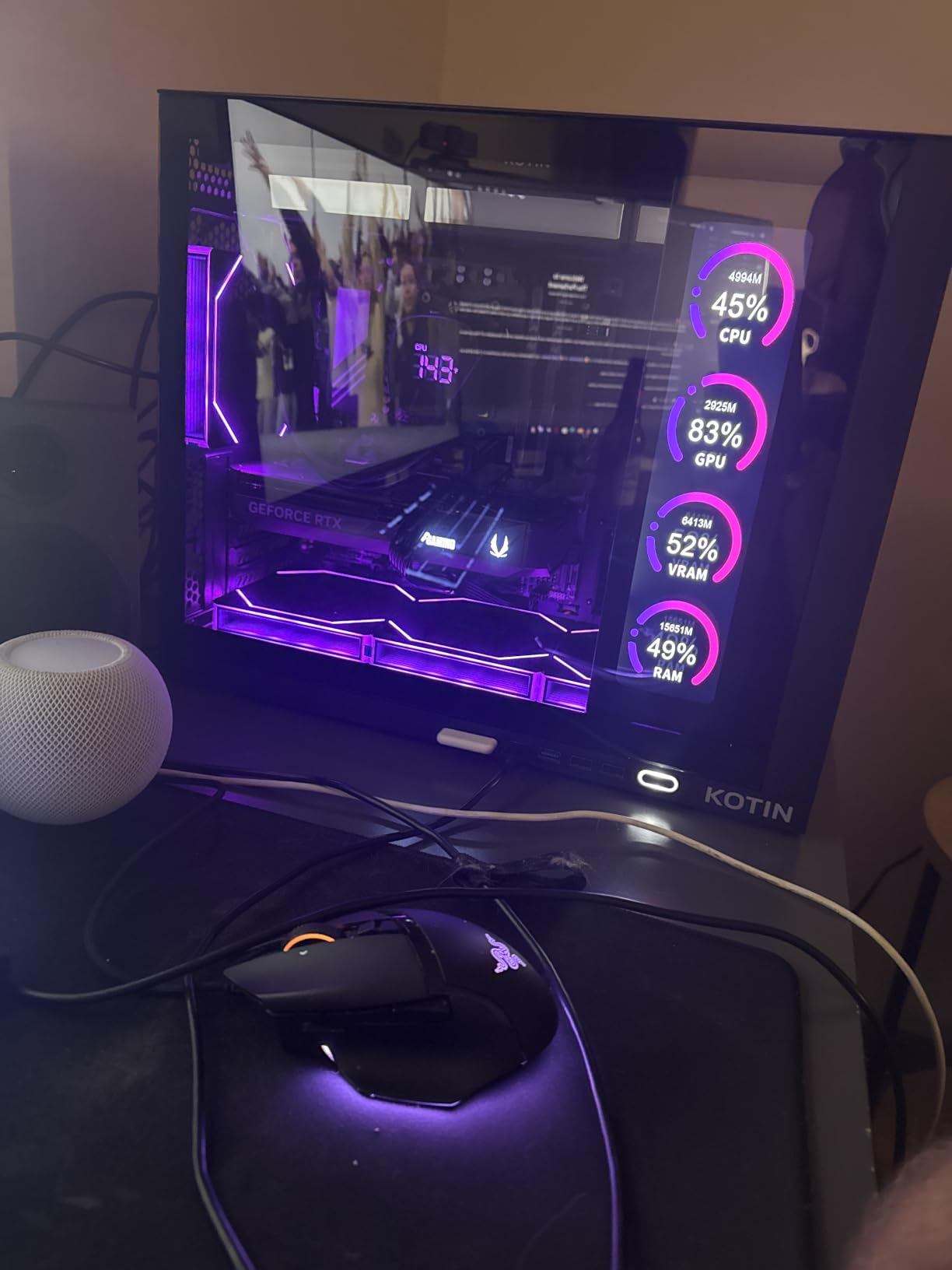
The reservations are worth taking seriously. The one-star share is the highest of any prebuilt here, and the recurring thread in reviews is quality-control variance rather than a single hardware fault. There are no integrated speakers, and the monitor must go into the lower horizontal GPU ports at the back, not the upper row.
Against the iBUYPOWER Element, which is our top pick, this machine has the better cooler, the bigger power supply, and the faster memory. The Element has more than thirty times the review count. For most people that trade favours the Element, and we would only pick this one if the built-in display genuinely appeals to you.
An 850W supply on a system with a 12GB card is headroom you may never use, and it does mean a future GPU upgrade will not force a power-supply swap. That is the argument for this machine, provided the built-in screen is the thing that sold you.
10. YAWYORE MX570: Best for Compact Desks
YAWYORE MX570
CPU: Ryzen 7 5700X
GPU: RTX 5060 8GB
Memory: 32GB DDR4 3200
Storage: 1TB NVMe
Pros
- Ryzen 7 5700X with RTX 5060 8GB and DLSS 4
- 32GB DDR4 across two matched modules
- 650W 80 Plus Bronze power supply
- Remote controls both lighting and fan speed
Cons
- 32GB is the memory ceiling with two slots
- DDR4 on the older AM4 platform
- Wired keyboard included but no mouse
Shortest tower here, and the only one where the remote control genuinely earns its place. Fan speed and RGB lighting both respond to a click rather than a software reboot, which is the sort of detail that matters when the machine lives under a desk in a bedroom.
On the inside it is a familiar and sensible combination: eight cores, 32GB of DDR4 across two matched modules, a 1TB NVMe drive, and a current-generation RTX 5060 with DLSS 4 multi frame generation. Its 4.5 average is among the highest in the group, and owners mention quiet operation and fast startup.
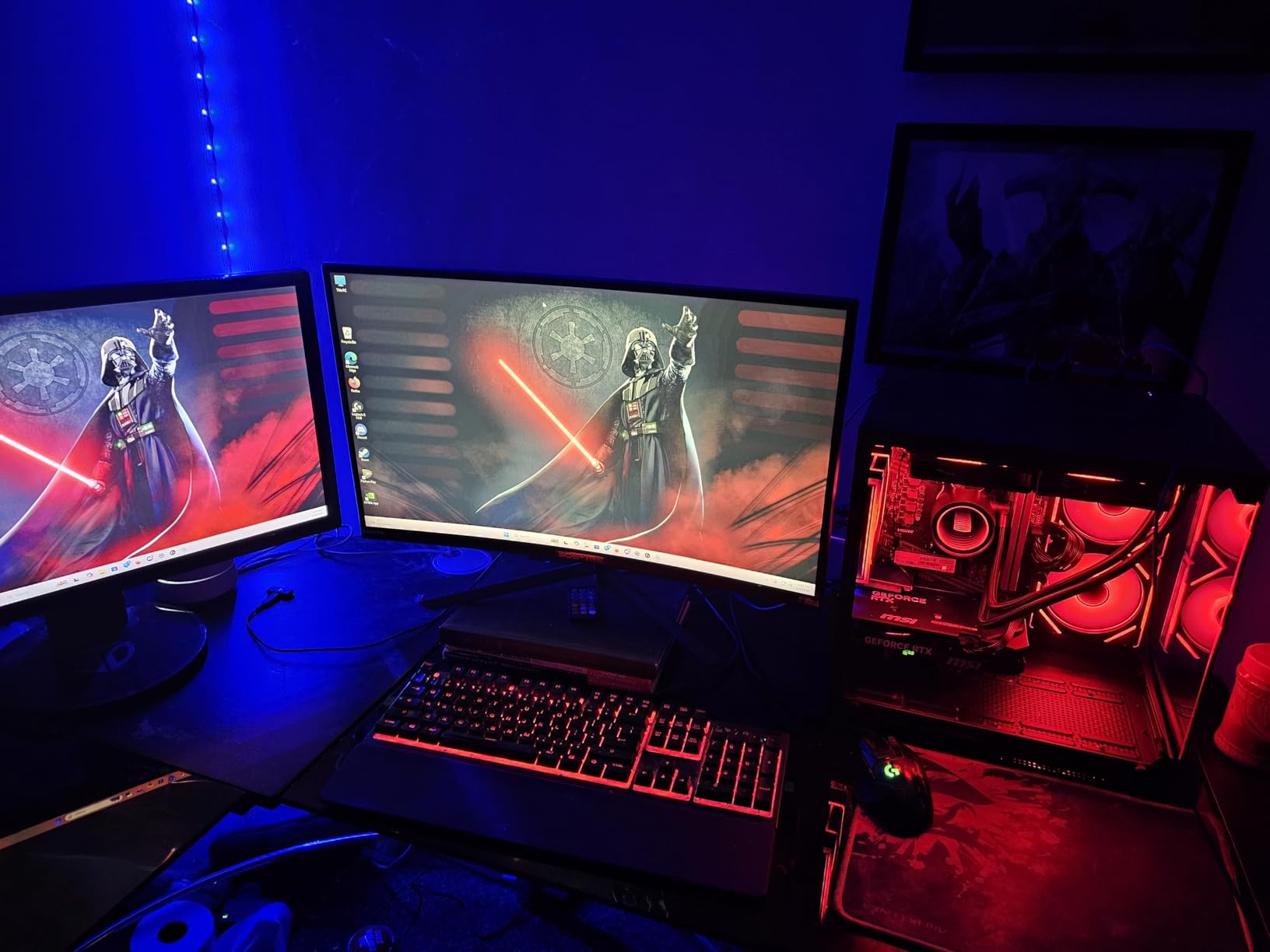
The trade-offs are the older platform. It is AM4 rather than AM5, so the CPU upgrade path is a dead end, and 32GB is the listed ceiling. If a shared family machine is what you are after, and the second player is younger or smaller, our kids gaming chairs roundup covers the seating side of a two-player setup that shares a room.
A wired QWERTY keyboard is in the box but no mouse, which matters if you already own a keyboard you like and were counting on the bundle to cover it. One review also reports a recurring graphics driver error that a clean reinstall cleared.
How to Choose Gaming PCs During Prime Big Deal Days
Performance and Graphics
Lead with the graphics card, because it decides what you can play at what settings and it is the hardest part to change later. An RTX 5060 or RX 560 class card is a 1080p machine, an RTX 5060 Ti or RTX 3060 Ti comfortably handles 1440p, and an RTX 5070 with 12GB of video memory is what you want for 4K. On the CPU side, eight cores is the current comfortable minimum, and anything from a Ryzen 7 7700 upward will not hold you back.
Match that to the games rather than to a number. The Olialia RTX 3060 Ti and the YAWYORE MX570 both target 1440p, while the Alienware Aurora and the KOTIN RTX 5070 are the picks for a 4K panel.
Upgradeability and Components
Look at the socket before anything else, because it decides your last upgrade. Three of these machines sit on AM5: the Skytech Crystal, the CyberPowerPC Gamer Master, and the KOTIN RTX 5070. That means a faster Ryzen can go in later without replacing the motherboard. AM4 machines, including the Olialia and the YAWYORE, are at the end of that road.
Then check the memory ceiling, which is where prebuilts quietly differ. The iBUYPOWER Element accepts 128GB, the CyberPowerPC 192GB, and the Thermaltake 128GB, while the Skytech Crystal, the Alienware Aurora, and the YAWYORE MX570 all list 32GB as the maximum. A 16GB starter like the CyberPowerPC’s should be treated as a first-year upgrade.
Size, Cooling, and Noise
Measure before you order. The iBUYPOWER Element is 20 inches deep and 36 pounds; the YAWYORE MX570 and the suevery SUV9 are compact by comparison. Cooling also tracks the case: liquid loops on the Element and the KOTIN run cooler under sustained load, while air-cooled boxes need a dust filter and a tidy desk to keep airflow moving.
Noise is a function of the cooler, not the sticker. If the machine will sit in a bedroom or a shared room, that is worth weighing carefully, and sizing the setup around the desk matters as much as the tower. Our guide to kids gaming desks covers the space side of it if the machine is going in a smaller room.
Display and Peripheral Compatibility
Every pick here has a dedicated graphics card with at least one HDMI and one DisplayPort, so a single monitor is never a problem. The KOTIN RTX 5070 and the Olialia RTX 3060 Ti both ship with an instruction to plug the cable into the lower GPU ports rather than the motherboard outputs, which trips up more first-time owners than any other step.
For networking, Wi-Fi 6 appears on the CyberPowerPC, the YAWYORE, and the suevery, while the iBUYPOWER, the Skytech, and the Thermaltake all list Wi-Fi in their specifications. Check that your monitor refresh rate is within what your cable and card support before you assume a 144Hz panel will run at 144Hz.
Condition, Seller, and Warranty
Most of these listings are sold direct by the manufacturer or the system integrator, and each carries a one-year warranty of some kind, so check whether yours is parts and labor or a manufacturer’s limited warranty. Dell’s Aurora includes onsite service, which is a different level of cover entirely from the rest of the field.
Read the box contents as carefully as the spec sheet. Several of these include a keyboard and mouse, one lists an operating system of DOS, and one does not include a mouse at all. A bundle that changes without notice is the easiest thing to overlook on a time-limited deal page.
How to Shop Gaming PC Deals During the Sale
Find the model number first, because these families ship many near-identical configurations and the technical details section is the only place it appears. Then check who sells and ships the machine, what is in the box, and whether the listing is new or renewed, since only those three answers tell you whether two listings on the same page are actually the same computer.
Most offers on an event like this need a Prime membership, and a free trial counts if you have not had one. Listings change through the event, so keep the model number somewhere you can search quickly rather than relying on a deal you saw an hour ago.
A short checklist before you commit:
- Confirm the exact model number, not just the brand and the graphics card
- Check memory type and stick count, and whether the memory ceiling is a limit
- Verify the storage capacity against the size of your game library
- Look at one-star and four-star shares of reviews, not just the average
- Confirm what ships in the box, including keyboard, mouse and operating system
- Read the warranty terms and check the case dimensions against your desk
Frequently Asked Questions
When does Amazon Prime Big Deal Days 2026 run?
Amazon Prime Big Deal Days 2026 runs October 6-7, 2026. Amazon opened a window of lead-up price drops before the event, and adds more during the two days themselves. Some offers return to full price once the window closes, so check the listing close to the date you plan to shop.
Do you need Prime to buy gaming PC deals during Prime Big Deal Days?
Most offers during Prime Big Deal Days require a Prime membership, and a free trial counts if you have not subscribed before. Gaming PC listings and their specifications are visible either way, so you can research the machine before deciding whether the membership is worth it for you.
Are Amazon Prime Big Deal Days gaming PC deals worth waiting for?
They are worth watching, but only with the specification sheet open. Compare processor, graphics card, memory type, and storage before anything else, because two listings with the same graphics card can differ completely underneath. The model number in the technical details is the one detail that settles it.
How do I know which gaming PC model an Amazon listing includes?
Look for a model number in the technical details section of the listing. Brands such as iBUYPOWER, Skytech, CyberPowerPC, and MSI each sell several near-identical configurations under the same family name, often with the same graphics card. The model number is the only reliable way to know which machine you are buying.
Should I choose a gaming PC with a dedicated graphics card?
Yes, for anything beyond casual browser games. Every machine in this roundup has a dedicated card, and the difference shows most in games that use ray tracing or upscaling. Integrated graphics are fine for office work, video calls, and light older titles, but not for modern releases.
What should I check before buying a gaming desktop?
Check the graphics card first, then memory type and stick count, then storage capacity against the size of your game library. Also confirm the case dimensions fit your desk, read what ships in the box, and look at the share of one-star reviews, which is where quality-control problems show up.
Final Verdict: Best Amazon Prime Big Deal Days Gaming PC Deals
Buy the iBUYPOWER Element if you want one machine that covers 4K gaming, streaming, and everything else, because no other pick on this list combines twelve cores, a 12GB RTX 5070, and the deepest owner-review history we found. The Skytech Crystal is the budget-friendly alternative: a Ryzen 7 7700 and RTX 5060 Ti for 1080p and 1440p, with the best rated build quality in the group.
The MSI Codex Z2 is the most versatile pick when a 2TB drive matters more than CPU headroom, and the Alienware Aurora is the one to buy if a 4K panel and onsite support outweigh the rest. The KOTIN RTX 5070 has the best specification sheet on paper. The CyberPowerPC Gamer Master is the choice for anyone planning to upgrade the processor, the Olialia RTX 3060 Ti has the highest rating here, the Thermaltake Quartz i5 suits a white setup, the YAWYORE MX570 fits a small desk, and the suevery SUV9 covers everyday computing on the smallest budget.
Whichever you settle on, note the model number before you order, check the one-star review share, and expect the listings to move around during October 6-7. The button on each section shows what the machine costs right now.