
Prime Day 2026 is right around the corner, and if you have been waiting to score a deal on a mechanical keyboard, this is your moment. Our team has been tracking price drops, comparing specs, and testing keyboards for months to bring you the absolute best Amazon Prime Day mechanical keyboard deals available this year.
Whether you want a budget-friendly entry point under $40, a wireless gaming board with rapid trigger, or a premium full-aluminum build that feels like it belongs on a CEO’s desk, we have something for every type of buyer. We dug through Reddit threads on r/MechanicalKeyboards and r/BudgetKeebs to cross-reference our picks with what real users actually recommend in 2026.
This guide covers eight keyboards ranging from $39 to $220, spanning every popular form factor from compact 75% boards to full-size layouts with number pads. Each pick includes switch type, connectivity options, sound profile notes, and the specific type of buyer it suits best. Let us get into the deals.
Table of Contents
Top 3 Picks for Prime Day Mechanical Keyboard Deals


AULA F75 Pro Wireless Tri-Mode
- 2.4GHz wireless + BT5.0
- Reaper linear switches
- 4000mAh battery
- 75% layout

Keychron Q6 Pro Full Aluminum
- Full aluminum body
- QMK/VIA programmable
- Double-gasket design
- Bluetooth wireless
Amazon Prime Day Mechanical Keyboard Deals in 2026
| Product | Specifications | Action |
|---|---|---|
| Ajazz AK820 75% Keyboard |
|
Check Latest Price |
 Redragon K556 RGB Full-Size Redragon K556 RGB Full-Size |
|
Check Latest Price |
 RK Royal Kludge R98 Pro 96% RK Royal Kludge R98 Pro 96% |
|
Check Latest Price |
| AULA F75 Pro Wireless 75% |
|
Check Latest Price |
 Keychron V6 Full-Size Knob Keychron V6 Full-Size Knob |
|
Check Latest Price |
 Keychron V5 Max Wireless 96% Keychron V5 Max Wireless 96% |
|
Check Latest Price |
 Keychron K2 HE Hall Effect Keychron K2 HE Hall Effect |
|
Check Latest Price |
| Keychron Q6 Pro Full Aluminum |
|
Check Latest Price |
1. Ajazz AK820 Pro 75% – Best Budget Prime Day Deal
Ajazz AK820 TKL 75% Hot Swappable Mechanical Keyboard with Volume Knob, Gasket Mount Wired Gaming Creamy Keyboard, Pre-lubed Linear Switch, South-Facing RGB, PBT Keycaps
75% layout (81 keys)
Gasket mount
Pre-lubed linear switches
South-facing RGB
Volume knob
USB-C wired
PBT double-shot keycaps
Pros
- Satisfying creamy thocky sound
- Excellent value under $40
- Smooth quiet linear switches
- Bright customizable RGB
- Hot-swappable 3-pin and 5-pin
Cons
- All-plastic construction
- No wireless capability
- RGB can burn out with extended app use
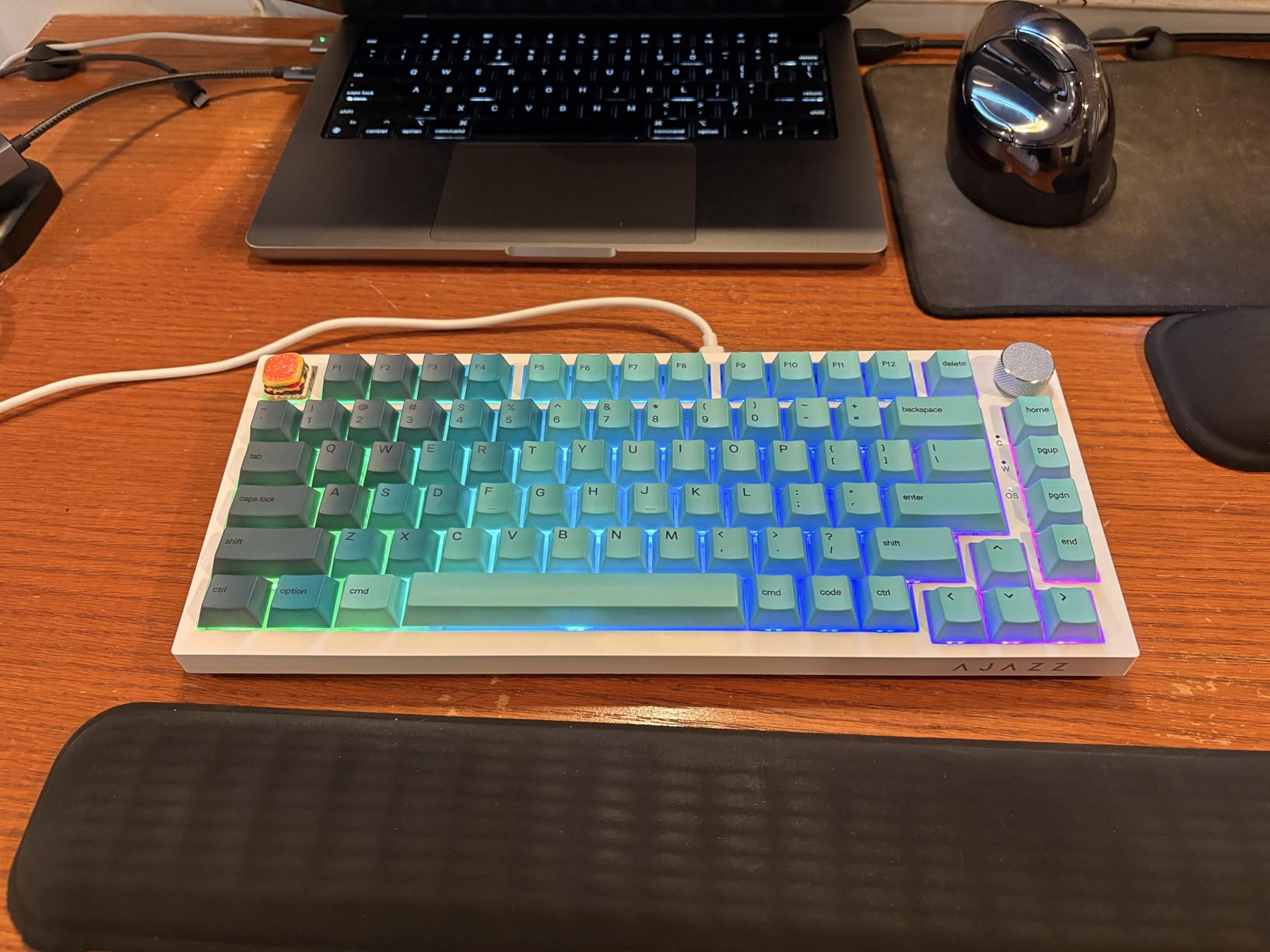
I picked up the Ajazz AK820 a few months back expecting a throwaway budget board, and honestly it shocked me. The gasket mount design combined with the pre-lubed sea salt moonlight linear switches produces a creamy, thocky sound that rivals keyboards costing three times as much. For under $40 on Prime Day, this is the kind of deal that makes you question why anyone pays more.
The volume knob is genuinely useful for daily work. I mapped it to control media playback and volume without thinking, and going back to a keyboard without one feels like a downgrade now. The 75% layout gives you function keys and arrow keys in a footprint that leaves plenty of desk space for your mouse.
The double-shot PBT keycaps resist oil and shine far better than I expected at this price. After weeks of heavy typing, mine still look brand new. The south-facing RGB throws 20 preset lighting modes that look vibrant without being garish in a professional setting.
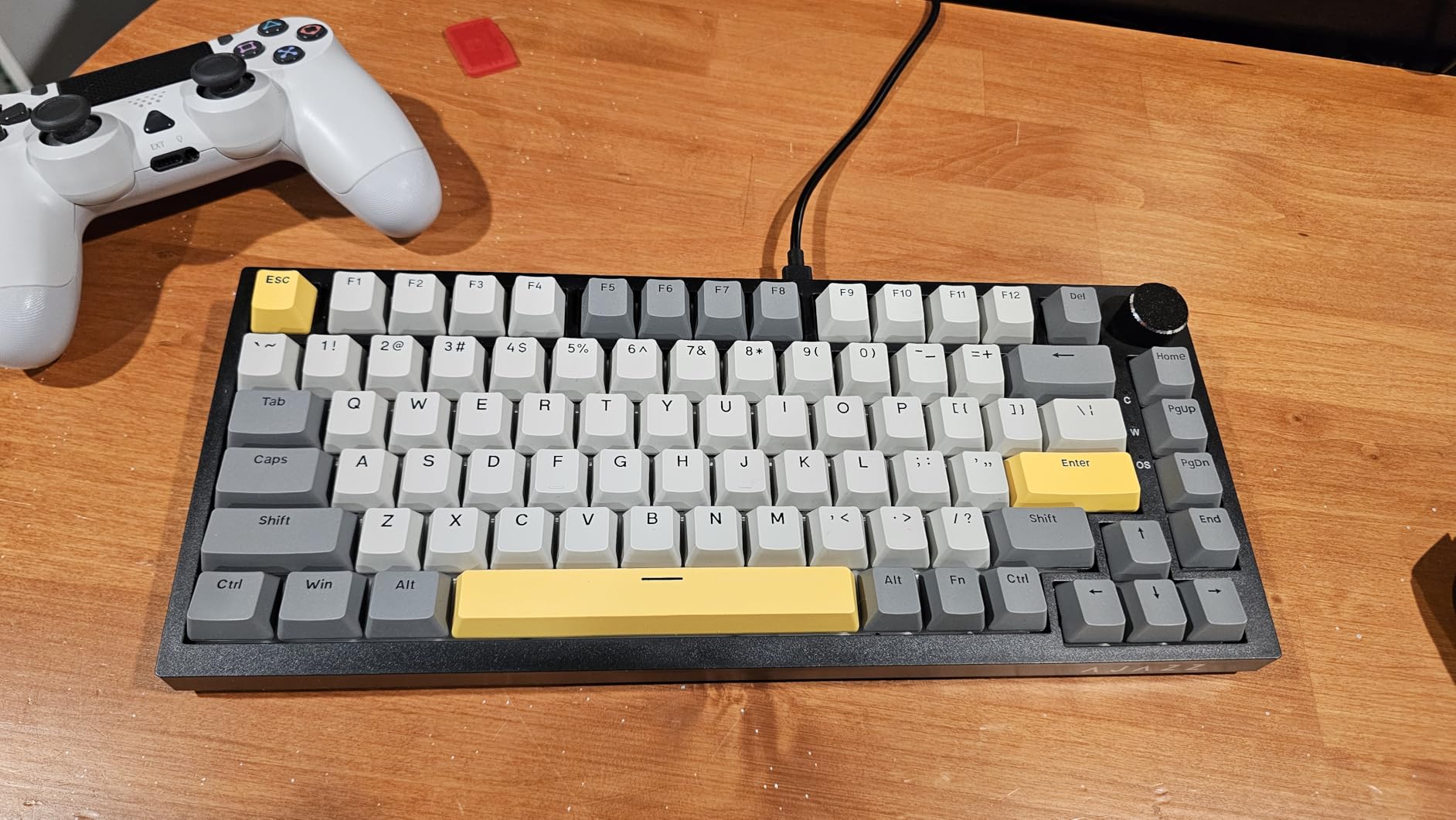
Hot-swappability is the real sleeper feature here. The AK820 supports both 3-pin and 5-pin switches, so you can swap in any MX-compatible switch you want as your taste evolves. I dropped in some tactile switches after a month, and the board handled them without a single issue.
The build is all-plastic, which is the main compromise at this price. That said, the ABS plastic used here feels dense and well-constructed. It does not flex or creak under pressure, and at 400 grams it stays put on the desk during intense typing sessions.
For whom it is good
This board is perfect for first-time mechanical keyboard buyers who want to experience gasket mount sound and feel without spending more than $50. It is also ideal for students, remote workers on a budget, and anyone who wants a secondary keyboard for a home office setup.
The hot-swappable PCB means it grows with you. Start with the stock linear switches, then explore tactile or clicky options as you learn your preferences. No soldering required.
For whom it is bad
If you need wireless connectivity for a clean desk setup, look elsewhere. The AK820 is USB-C wired only. Also, if you want a premium aluminum build, the plastic frame here will not satisfy you.
Heavy RGB customizers should be cautious too. Some users report LED burnout after extended use of the custom lighting app, so stick to the onboard presets for longevity.
2. Redragon K556 RGB – Best Full-Size Budget Deal
Redragon K556 Wired RGB Mechanical Gaming Keyboard, 104-Key Aluminum Board
104-key full-size
Aluminum alloy base
Brown tactile switches
Hot-swappable
RGB 20 presets
USB wired
Linux/Mac/Windows
Pros
- Tank-solid aluminum construction
- Excellent tactile brown switches
- Great RGB lighting
- Comes with spare switches
- 8k+ reviews and highly rated
Cons
- Software is buggy and unreliable
- Custom lighting does not persist
- No wrist rest area
The Redragon K556 is one of the most reviewed budget mechanical keyboards on Amazon with over 8,000 reviews, and there is a reason it keeps selling. Our team has used this board in various office setups, and the aluminum alloy base gives it a weight and solidity that punches well above its price class.
The brown tactile switches hit a sweet spot between typing and gaming. They give you a noticeable bump at actuation without the loud click of blue switches, which makes this board office-friendly. I typed full workdays on it without annoying anyone on calls.
Redragon includes spare switches in the box, which is a thoughtful touch that most budget manufacturers skip. If one switch dies or you want to try a different feel on specific keys, you have replacements ready to go without ordering anything extra.
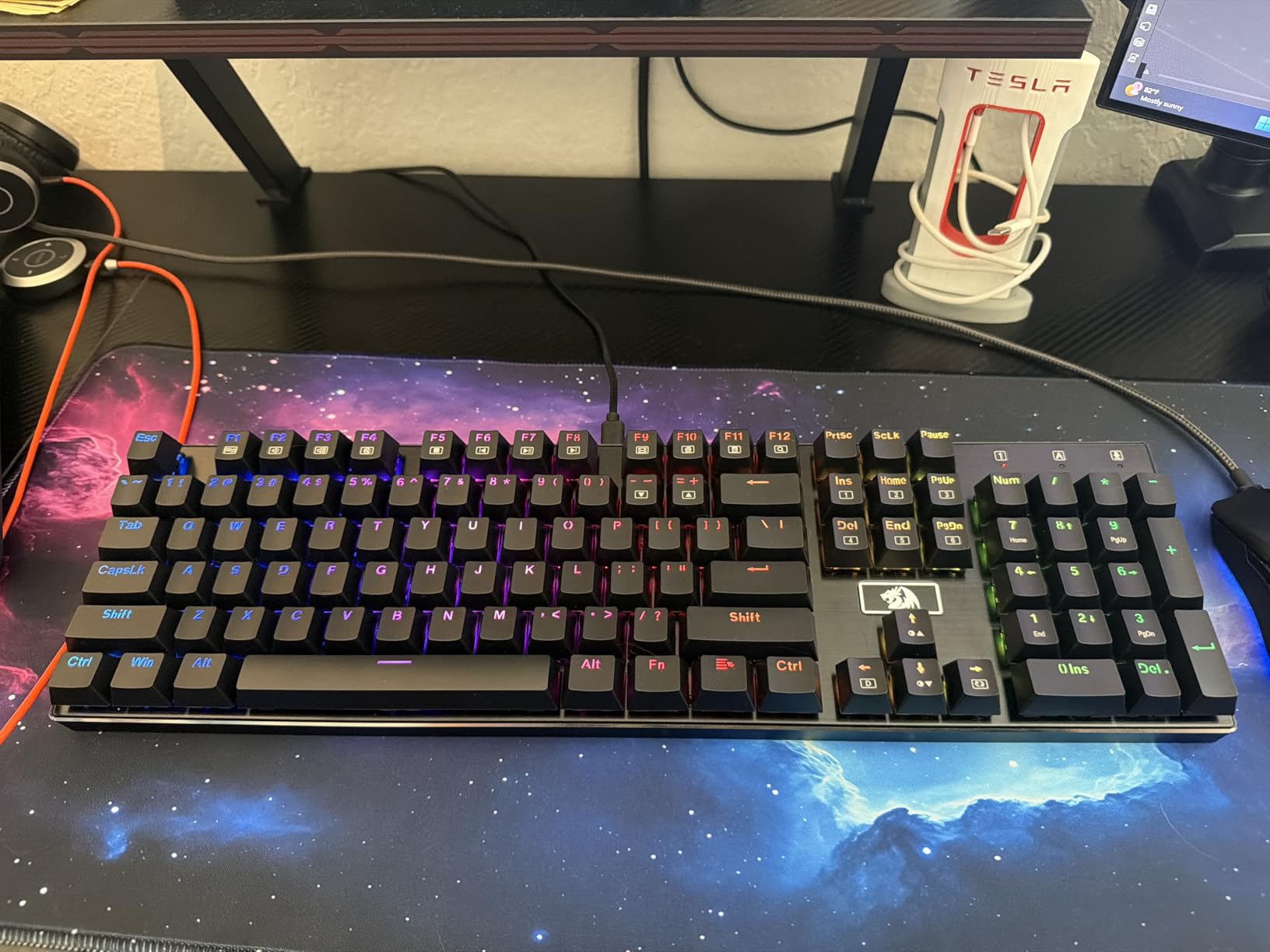
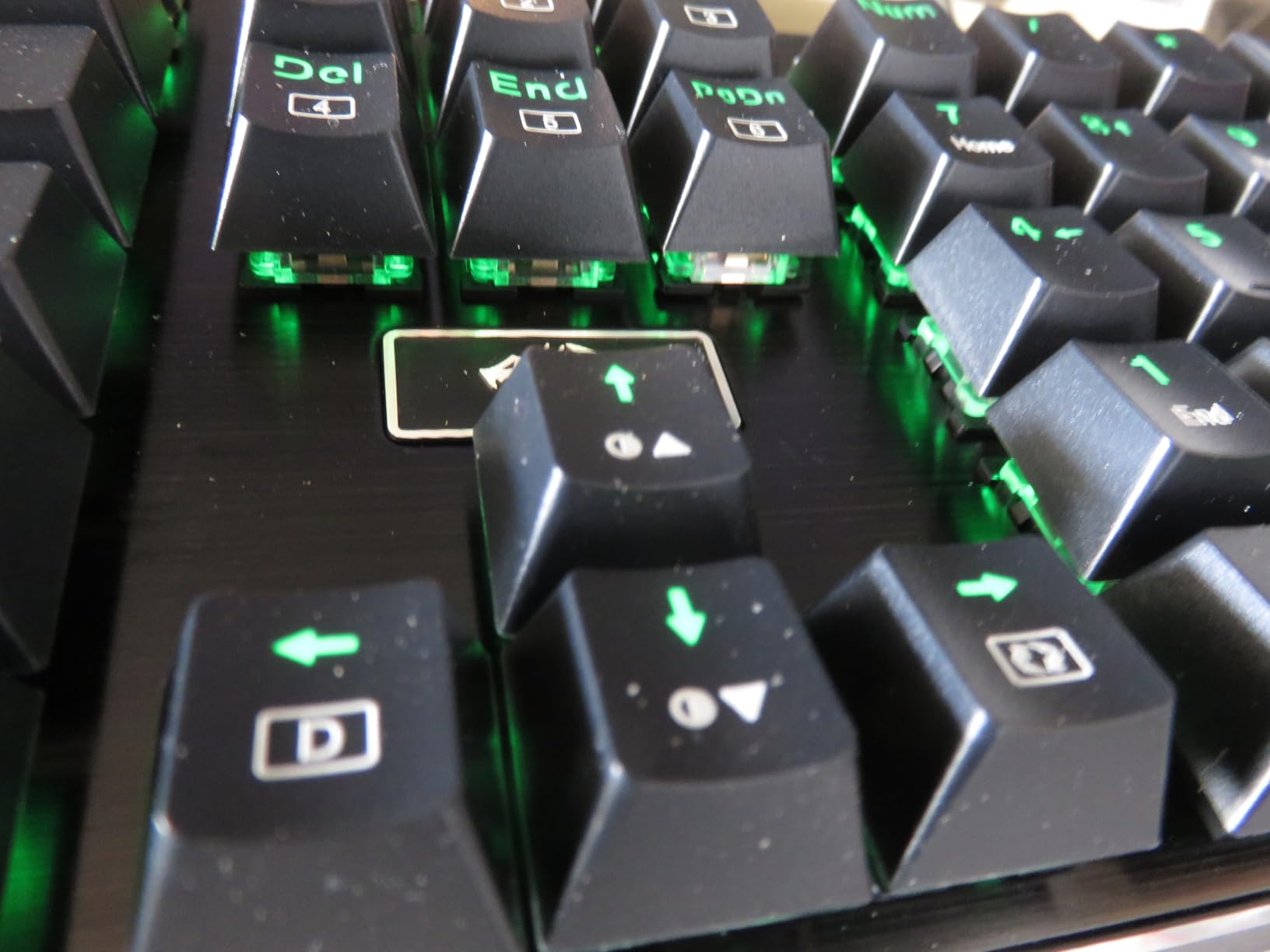
The 20 RGB preset modes cover everything from subtle single-color backlights to full rainbow wave effects. You cycle through them with keyboard shortcuts, no software needed. The brushed aluminum top plate catches the light beautifully and makes the board look far more expensive than it is.
The biggest weakness is the software. Redragon’s customization app is buggy, and custom lighting profiles often do not save properly after restart. My advice is to skip the software entirely and use the onboard controls. You get plenty of options without touching it.
For whom it is good
This board is built for anyone who needs a full-size keyboard with a number pad and wants solid construction without spending over $60. Accountants, data entry professionals, and anyone who uses the numpad daily will appreciate the complete 104-key layout.
It is also a great choice for Linux users. The K556 works plug-and-play across Windows, Mac, and Linux without needing any drivers for basic functionality.
For whom it is bad
If you want deep software customization for macros and per-key RGB programming, the buggy software will frustrate you. You are better off with a QMK/VIA board like the Keychron V6 for that level of control.
The full-size footprint is also wide. If you have a compact desk or travel frequently, a 75% or TKL board will serve you better.
3. RK Royal Kludge R98 Pro 96% – Best Compact With Number Pad
RK ROYAL KLUDGE R98 Pro Wired Mechanical Keyboard, 96% Creamy Gaming Keyboard RGB Backlit with Number Pad and Volume Knob, Gasket Mount, MDA Profile PBT Keycaps, Hot Swappable Pre-lubed Linear Switch
96% layout (98 keys)
Gasket mount
Pre-lubed cream linear switches
MDA profile PBT keycaps
Aluminum volume knob
USB-C wired
20+ RGB modes
Pros
- Creamy satisfying typing sound
- Compact layout keeps numpad
- MDA profile keycaps feel great
- Premium build weight
- Different volume knob design
Cons
- Some key wobble on Shift and Caps Lock
- Volume knob can feel stiff
- Tall without wrist rest
The RK Royal Kludge R98 Pro solves a problem that many keyboard buyers face. You want a number pad for work, but you do not want a massive full-size board eating up desk space. The 96% layout compresses everything into a footprint that is noticeably narrower than a standard 104-key board while keeping every key accessible.
The pre-lubed cream linear switches are the star of the show here. They produce a deep, creamy sound that sounds fantastic on recordings and feels buttery smooth under your fingers. I wrote several thousand words on this board and the typing experience held up beautifully across long sessions.
The gasket mount with five layers of sound-absorbing foam is what gives this board its premium acoustic profile. At around $70, you are getting sound dampening technology that was exclusive to $200+ keyboards just two years ago.
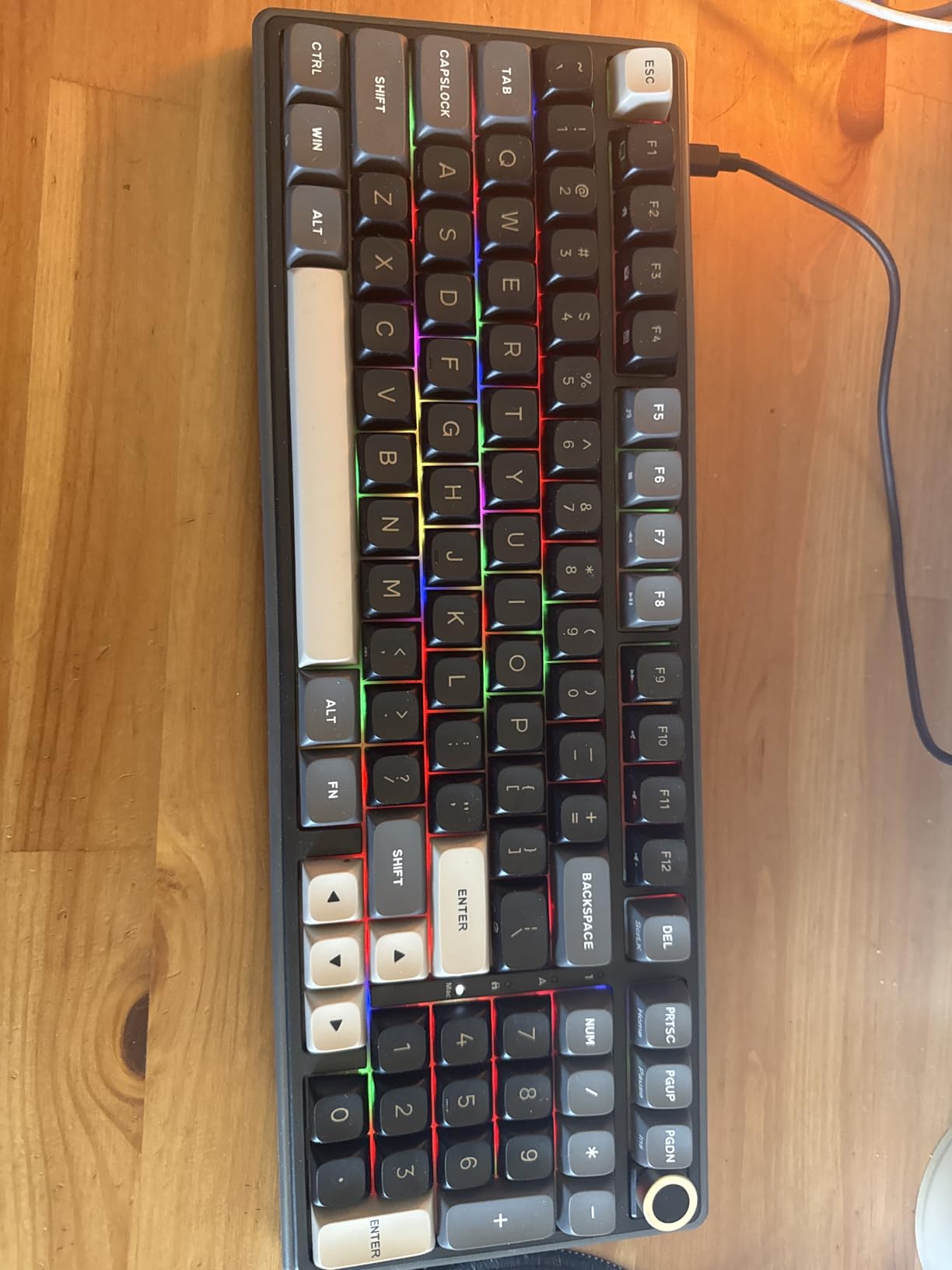
The MDA profile PBT keycaps deserve special mention. They have a sculpted shape that cradles your fingertips better than standard OEM profile caps. Once you type on MDA for a week, going back to flat or OEM profile feels noticeably less comfortable.
The detachable aluminum volume knob is a nice premium touch. It has a satisfying click between each step, and you can remove it if you prefer a cleaner look. The indicator lights for Num Lock, Caps Lock, Win Lock, and Mac mode are small but helpful for quick status checks.
For whom it is good
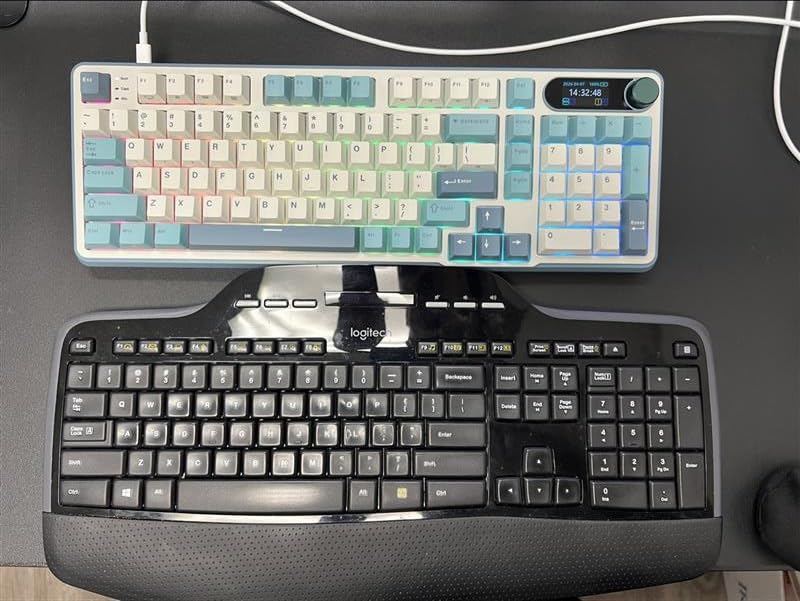
This board targets professionals who need a number pad for data entry or finance work but want a compact footprint. The 96% layout saves roughly two inches of width compared to full-size, which adds up when you are managing mouse space for productivity.
It is also an excellent pick for anyone who cares about typing sound. The creamy, thocky acoustic profile is satisfying without being disruptive in an office environment.
For whom it is bad
If you have large hands, the compressed 96% layout might feel cramped. The keys are packed more tightly than a standard full-size board, and the numpad sits closer to the main cluster. Some users report an adjustment period.
The board is also fairly tall without a wrist rest. If you type for extended periods, budget for an aftermarket wrist rest or consider a lower-profile option.
4. AULA F75 Pro Wireless – Best Tri-Mode Deal Under $70
AULA F75 Pro Wireless Mechanical Keyboard,75% Hot Swappable Custom Keyboard with Knob,RGB Backlit,Pre-lubed Reaper Switches,Side Printed PBT Keycaps,2.4GHz/USB-C/BT5.0 Mechanical Gaming Keyboards
75% layout (81 keys)
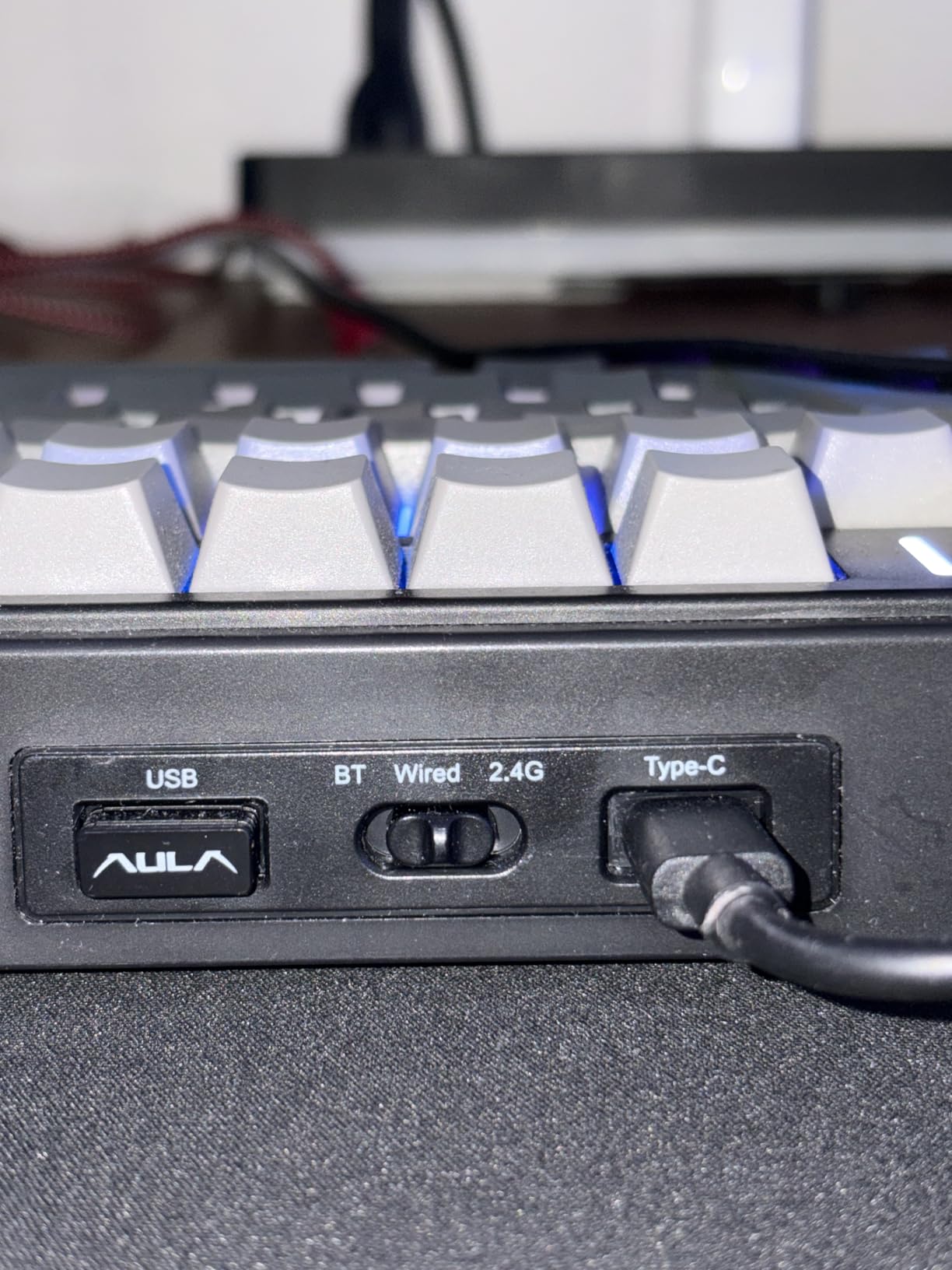
Tri-mode: 2.4GHz + BT5.0 + USB-C
Pre-lubed Reaper linear switches
4000mAh battery
5-layer silencer
Side-printed PBT keycaps
RGB 16.8M colors
Pros
- Exceptional premium build quality
- Smooth buttery typing feel
- Versatile tri-mode connectivity
- Great battery life
- Connects to 5 devices
- Volume and media knob
Cons
- Side-printed keycaps hard to see from top
- Can be loud for shared spaces
- Driver software has mixed reviews
The AULA F75 Pro is currently ranked number two in Amazon’s PC Gaming Keyboards category, and after using it for three weeks, I understand why. This board offers tri-mode wireless connectivity, a 4000mAh battery, pre-lubed switches, and a gasket mount design for under $70. The value proposition is borderline absurd.
I tested the 2.4GHz wireless mode for gaming and experienced zero perceptible latency. The Bluetooth 5.0 mode handled multi-device switching between my laptop, tablet, and phone without any dropped connections. You can pair up to five devices and toggle between them with a key combination.
The pre-lubed LEOBOG Reaper linear switches feel outstanding. They have a smooth, consistent travel with a deep thocky sound on bottom-out. The five-layer filling silencer does an impressive job of eliminating hollow echoes and ping that plague cheaper boards.
Battery life impressed me. With RGB at moderate brightness and mixed use of wireless modes, I got about five days before needing a recharge. The USB-C charging means you can top it up with the same cable you use for your phone or laptop.
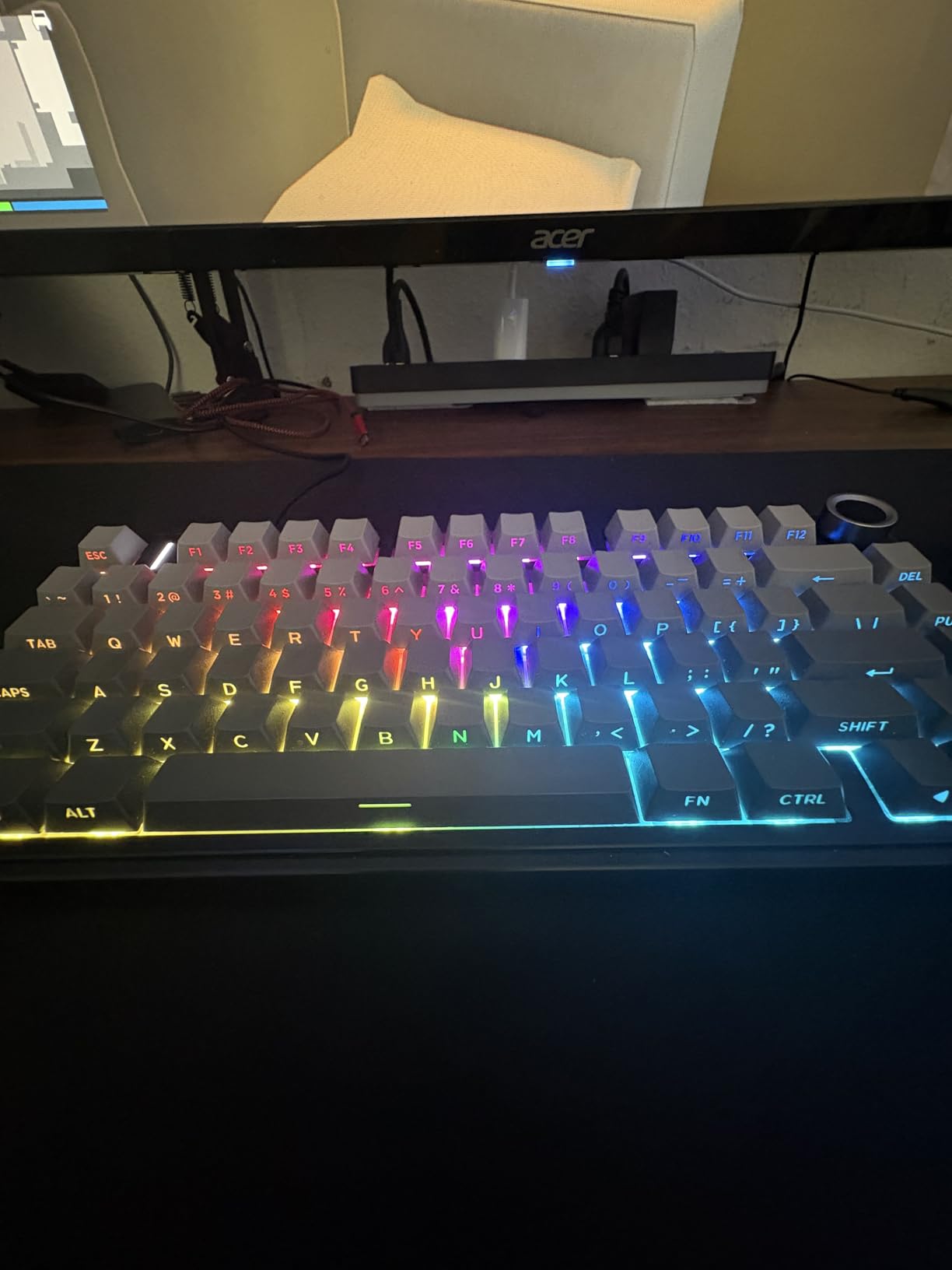
The multi-function knob handles volume, RGB mode switching, and gaming mode toggle. It clicks with a satisfying detent and feels like a component from a much more expensive keyboard. The N-key rollover ensures every keypress registers, even during fast-paced gaming.
For whom it is good
If you want wireless connectivity without paying Keychron prices, the F75 Pro is your best bet. The tri-mode setup makes it ideal for multi-device users who switch between a desktop, laptop, and mobile devices throughout the day.
Competitive gamers on a budget will appreciate the 2.4GHz mode with its responsive, lag-free performance. The 75% layout also leaves maximum room for mouse movement in FPS games.
For whom it is bad
The side-printed keycaps are a real issue if you hunt and peck or type in low-light conditions. The legends sit on the front face of each keycap rather than the top, making them hard to see from a normal viewing angle. Budget for replacement keycaps if this bothers you.
The board can also get loud during intense typing. While the sound profile is satisfying, it may disturb coworkers or roommates in shared spaces.
5. Keychron V6 Wired Knob – Best Full-Size for Professionals
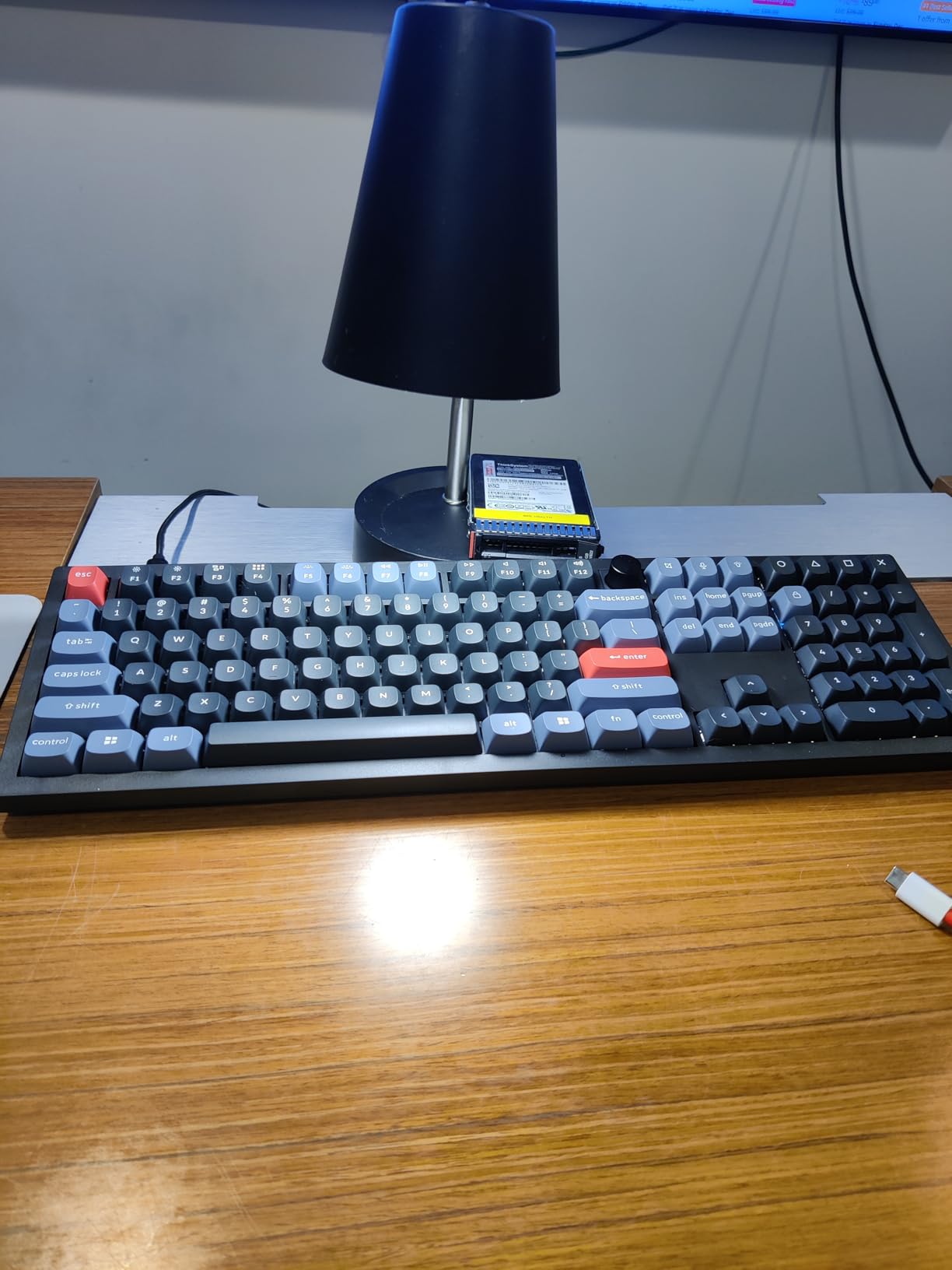
Keychron V6 Wired Custom Mechanical Keyboard Knob Version, Full-size QMK/VIA Programmable Macro with Hot-swappable Keychron K Pro Brown Switch Compatible with Mac Windows Linux Black (Non-Transparent)
108-key full-size
QMK/VIA programmable
K Pro Brown tactile switches
Double-shot PBT OSA keycaps
Screw-in stabilizers
Volume knob
USB-C wired
Mac/Win/Linux
Pros
- Tank-like build quality
- Silky smooth tactile typing feel
- Full QMK/VIA customization
- Excellent double-shot PBT keycaps
- Cross-platform compatibility
- Volume knob convenience
Cons
- No wireless capability
- Key legends not backlit
- Heavier than typical keyboards
The Keychron V6 is the keyboard I personally use as my daily driver, and I recommend it to every professional who asks me for a recommendation. The QMK/VIA open-source firmware gives you complete control over every key, layer, and macro without relying on buggy manufacturer software.
The K Pro Brown switches from Keychron are some of the best tactile switches I have typed on. They have a smooth bump that lets you know exactly when the key actuates, without the harsh resistance of heavier tactile switches. After eight hours of coding, my fingers still feel fresh.
The screw-in stabilizers on the larger keys are a detail that matters more than you might think. Spacebar, Enter, Shift, and Backspace all feel consistent and rattle-free. On cheaper boards, these keys are where you notice cost-cutting. Keychron gets them right.
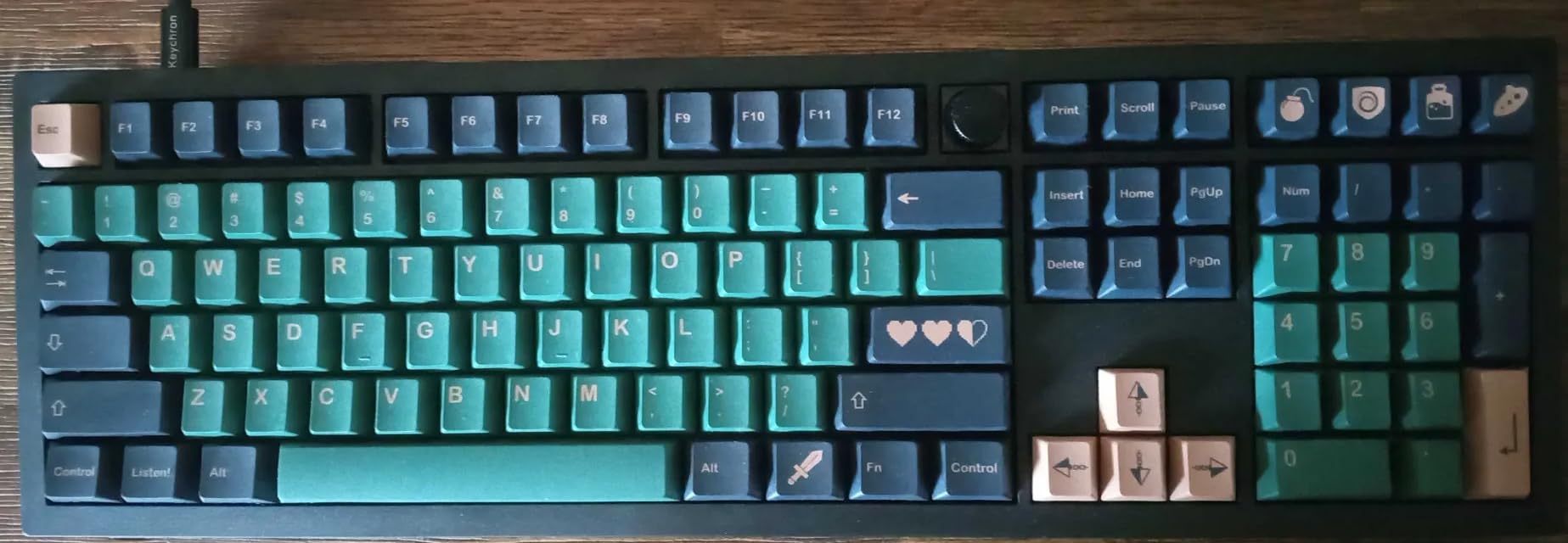
Customization through the browser-based VIA utility is a game-changer. You open a web page, plug in your keyboard, and remap any key or create custom layers in seconds. No software installation, no account creation, no bloatware. I remapped my Caps Lock to Ctrl and set up a function layer for media controls in about five minutes.
The double-shot PBT OSA profile keycaps have a subtle spherical dish that feels natural under your fingertips. They resist shine and oil buildup, which matters if you type all day. Keychron includes an extra keycap set for Mac users, covering both Windows and macOS layouts out of the box.
For whom it is good
Programmers, writers, and data professionals who spend all day typing will love this board. The tactile feedback from the K Pro Brown switches reduces typing fatigue, and the full QMK programmability means you can optimize the layout for your specific workflow.
Linux users should pay attention here. The V6 works flawlessly across Linux, macOS, and Windows without any driver issues. The browser-based VIA editor also runs on Linux, which is rare in the keyboard world.
For whom it is bad
If you need wireless, the V6 is wired-only. Keychron’s V5 Max or K2 HE from this guide would be better wireless alternatives. The south-facing RGB also means the key legends are not backlit, so you get edge lighting rather than shine-through legends.
The board is also heavy. That is normally a positive for stability, but if you need to carry your keyboard between locations regularly, the weight adds up.
6. Keychron V5 Max Wireless – Best 96% Wireless Deal
Keychron V5 Max Custom Wireless Mechanical Keyboard, 96% with Number Pad
96% layout (97 keys)
2.4GHz + BT5.1 + USB-C
Gateron Jupiter Red linear
QMK/VIA programmable
Gasket mount
OSA PBT keycaps
1000Hz polling
Pros
- Buttery smooth linear switches
- Whisper-quiet typing sound
- No software needed - web-based QMK
- Compact 96% layout with numpad
- Versatile tri-mode connectivity
- Excellent value for features
Cons
- Plastic frame not aluminum
- Some QC issues reported
- Small numpad 0 key size
RTINGS named a Keychron V series board the best budget mechanical keyboard in 2026, and the V5 Max takes that formula and adds wireless. Our team tested this board across gaming sessions, productivity work, and multi-device setups, and the 2.4GHz wireless mode performed identically to wired in every scenario.
The Gateron Jupiter Red linear switches are buttery smooth and whisper-quiet. They have a lighter actuation force than the K Pro Browns, which makes them ideal for fast typing and gaming. I noticed my typing speed actually increased slightly on these switches compared to tactile options.
The 1000Hz polling rate in 2.4GHz mode means this board reports its state to your computer a thousand times per second. For competitive gaming, that translates to tangible responsiveness. I could not detect any input lag compared to my wired keyboards.
The gasket mount design with sound-absorbing foam gives the V5 Max a deep, muted typing sound that is satisfying without being loud. The OSA profile PBT keycaps have excellent oil resistance and maintain their texture even after weeks of heavy use.
Bluetooth 5.1 lets you connect up to three devices and switch between them instantly. I moved between my work laptop, personal desktop, and iPad throughout the day without missing a beat. The QMK/VIA programming through the web-based Keychron Launcher means you can customize every key without installing any software.
For whom it is good
Multi-device users who want premium features at a mid-range price will find their match here. The tri-mode connectivity, QMK programmability, and compact 96% layout with numpad make this the most versatile keyboard on this list for under $110.
Competitive gamers who want wireless without sacrificing performance should look here first. The 1000Hz 2.4GHz mode delivers wired-level responsiveness.
For whom it is bad
If you want an aluminum frame, the plastic construction here will disappoint you. The Q6 Pro further down this list offers the full aluminum experience, but at more than double the price. A small number of users have reported QC issues including defective PCBs, so check your unit thoroughly when it arrives.
The numpad 0 key is smaller than standard, which takes some adjustment if you do heavy number entry. Consider the Q6 Pro for a full-size layout with standard key sizes.
7. Keychron K2 HE Hall Effect – Best Gaming Keyboard With Rapid Trigger
Keychron K2 HE Rapid Trigger Wireless Magnetic Custom Keyboard
75% layout (84 keys)
Hall Effect magnetic switches
Rapid trigger 0.2-3.8mm
2.4GHz + BT5.2 + USB-C
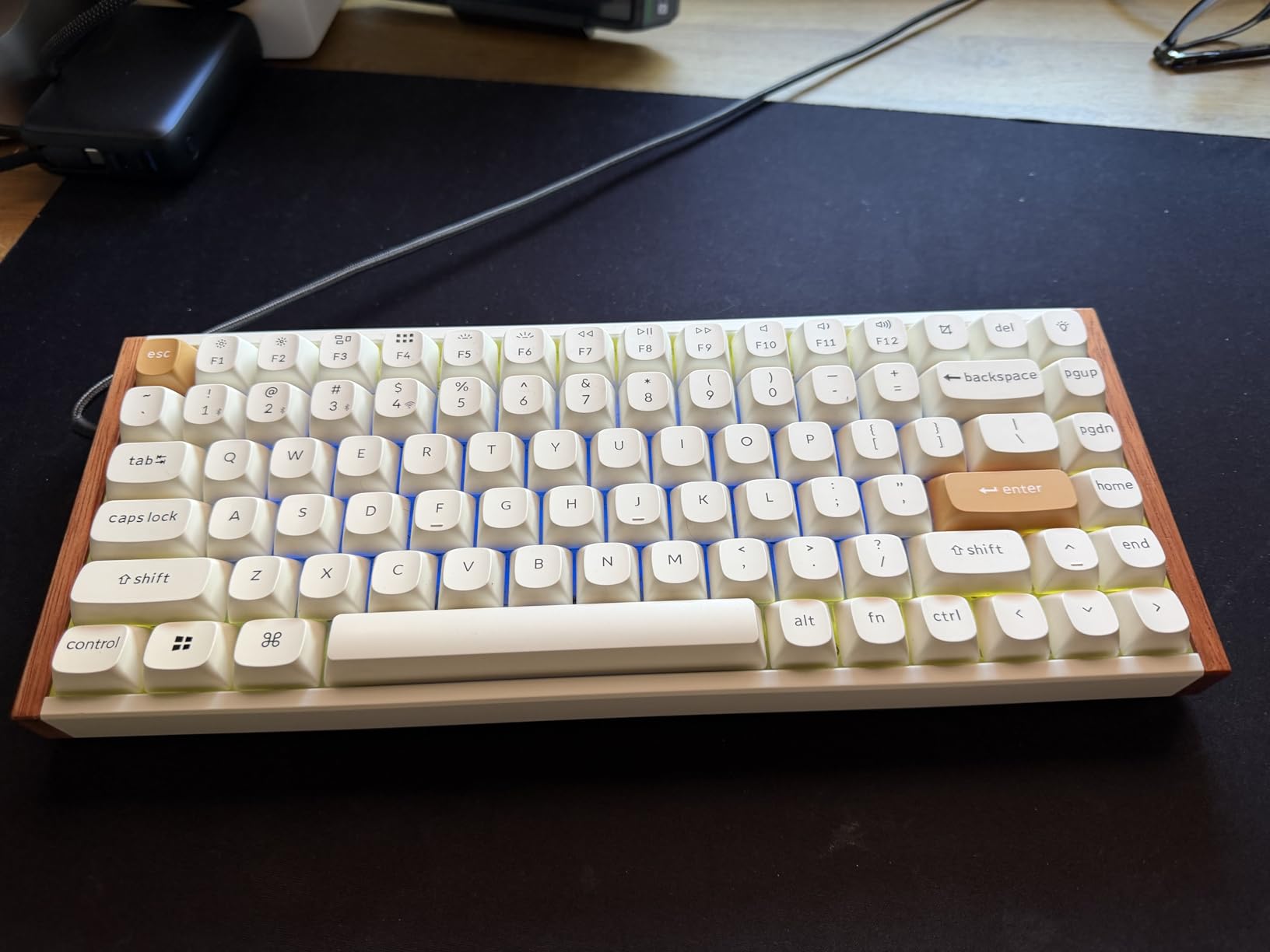
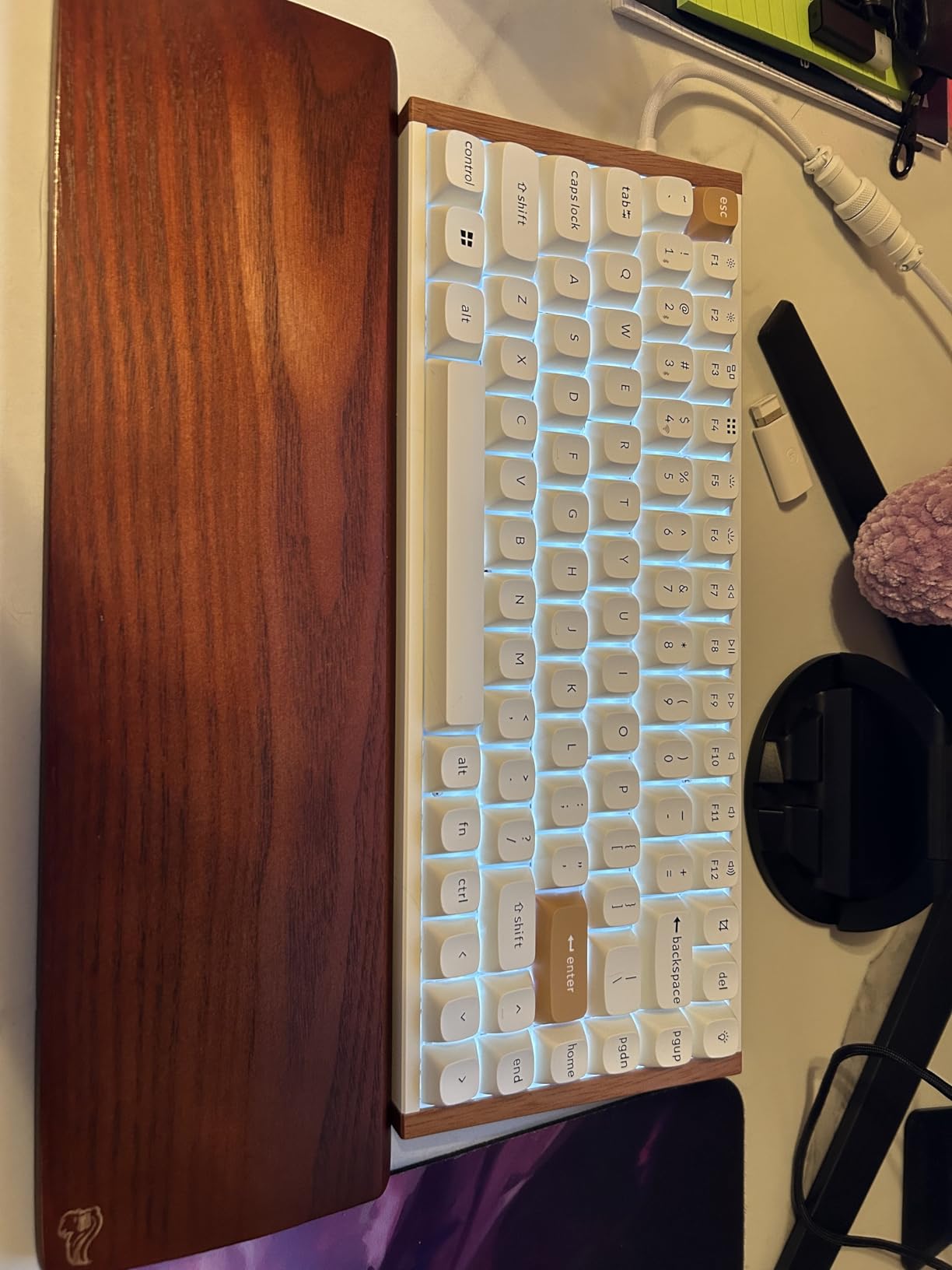
Aluminum + Rosewood frame
1000Hz polling
QMK programmable
Pros
- Adjustable actuation per key
- Rapid trigger for instant gaming response
- Premium aluminum and wood frame
- Satisfying thocky sound
- Tri-mode connectivity
- Web-based customization no bloatware
Cons
- Battery life around 25-48 hours
- Non-shine-through keycaps
- Cannot adjust settings wirelessly
The Keychron K2 HE uses Hall Effect magnetic switches, which is the same technology that made Wooting legendary in the competitive gaming community. Unlike traditional mechanical switches that actuate at a fixed point, magnetic switches let you adjust the actuation depth anywhere from 0.2mm to 3.8mm in 0.1mm increments.
Rapid Trigger is the feature that makes this board special for gaming. When enabled, the key registers a new keystroke the moment you start pressing again, even if you have not fully released the key. For movement-heavy games like Valorant and CS2, this translates to noticeably faster counter-strafing and movement adjustments.
The aluminum top frame with Rosewood siding is stunning in person. Photos do not do justice to how the wood grain catches light against the brushed metal. This is a keyboard you want on display, not hidden under a desk shelf.
The typing sound is a deep, satisfying thock that feels premium. The pre-lubed Gateron Double-Rail Magnetic switches have a smooth, consistent travel that works for both gaming and long typing sessions. I used this board for a full workday and then jumped into ranked matches without wanting to switch boards.
The 2.4GHz wireless mode delivers 1000Hz polling for competitive gaming, while Bluetooth 5.2 handles up to three devices for productivity work. The web-based Keychron Launcher lets you customize actuation points, rapid trigger settings, and key mappings without any software installation.
For whom it is good
Competitive gamers, especially in FPS titles, will get the most value from the adjustable actuation and Rapid Trigger. The ability to set movement keys to a shallow 0.3mm actuation while keeping ability keys deeper can genuinely improve in-game performance.
Enthusiasts who want a premium-feeling board with magnetic switch technology at a fraction of custom keyboard prices should look here. The aluminum and wood frame adds an aesthetic that no plastic board can match.
For whom it is bad
Battery life is the main weakness. Expect 25 to 48 hours depending on RGB usage and wireless mode. If you game daily, you will be charging this board every few days. The non-shine-through PBT keycaps also make it harder to find keys in low-light environments.
You also cannot adjust switch settings wirelessly. To change actuation depth or rapid trigger settings, you need to plug the board in via USB-C and access the web launcher. Plan your configuration ahead of wireless sessions.
8. Keychron Q6 Pro Full Aluminum – Best Premium Deal
Keychron Q6 Pro Full Aluminum Wireless Bluetooth Custom Mechanical Keyboard, Full-Size QMK/VIA Programmable Knob KSA Double-Shot PBT Keycap Hot-Swappable Brown Switch, Mac Windows Linux – Grey
Full-size 104 keys
Full 6063 aluminum body
Double-gasket design
K Pro Brown tactile switches
QMK/VIA programmable
Bluetooth wireless
KSA PBT keycaps
Programmable knob
Pros
- Exceptional full aluminum build
- Heavy premium feel with zero flex
- Great tactile feedback from K Pro Brown
- Double-gasket design for premium sound
- Full QMK/VIA programmability
- Beautiful RGB with 22 modes
Cons
- Software setup challenging for beginners
- No built-in fn-lock
- Color may differ from photos
- Some QC issues reported
The Keychron Q6 Pro is the keyboard I recommend to people who want a lifetime board. The full 6063 aluminum construction means this thing weighs close to four pounds and has zero flex, zero creak, and zero wobble. It feels like a piece of industrial equipment in the best possible way.
The double-gasket design reduces resonance and gives the Q6 Pro a deep, rich typing sound that fills out the low end beautifully. Combined with the pre-lubed K Pro Brown switches, every keystroke feels deliberate and satisfying. This is the kind of board that makes you want to type more.
The programmable knob on the top right corner handles volume by default, but through QMK/VIA you can map it to anything. I set mine to scroll through browser tabs, which sounds gimmicky until you try it and realize how much time it saves.
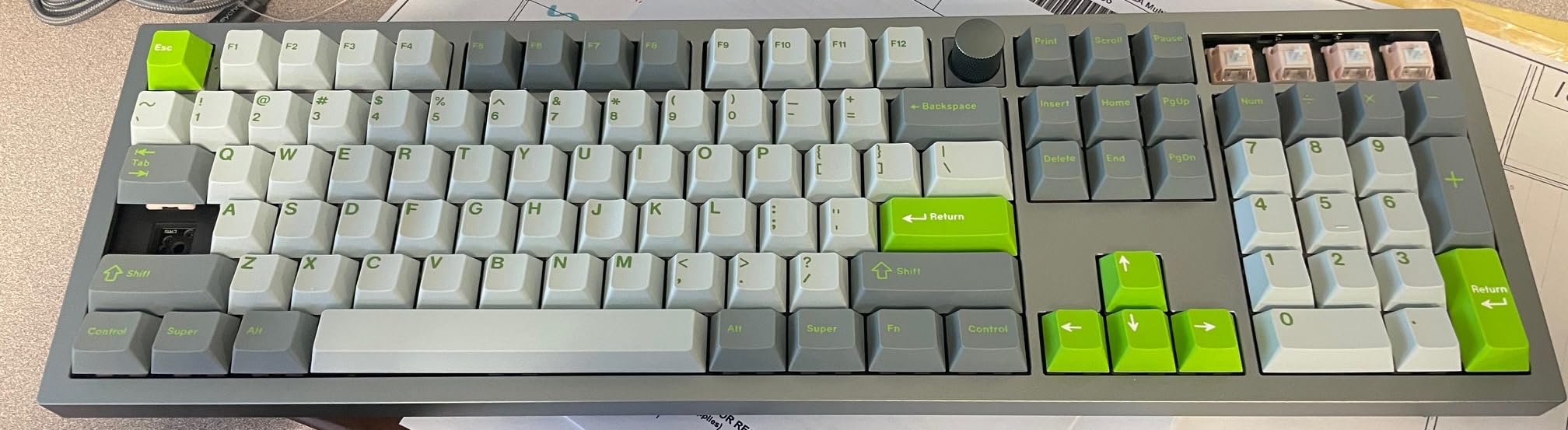
The 22 RGB lighting modes are the most extensive I have seen on a stock keyboard. The double-gasket design means the lighting has a softer, more diffused quality compared to boards with direct-mounted LEDs. It looks premium rather than gamer-flashy.
Bluetooth connectivity lets you pair with up to three devices, though the polling rate drops to 90Hz in wireless mode compared to 1000Hz wired. For typing and productivity work, this is completely unnoticeable. For competitive gaming, use the USB-C cable.
For whom it is good
Enthusiasts and professionals who want the best typing experience available and are willing to invest in a board that could last a decade will find their match here. The full aluminum construction and QMK/VIA support mean this board can evolve with your needs through switch swaps and firmware updates.
If you spend your entire workday at a desk and type extensively, the Q6 Pro justifies its price through comfort, durability, and customization. The double-gasket sound profile is genuinely therapeutic during long sessions.
For whom it is bad
The QMK/VIA setup has a learning curve that will frustrate non-technical users. If you just want a keyboard that works out of the box without any configuration, you are paying for features you will never use. The Redragon K556 or RK R98 Pro would serve you better at a fraction of the cost.
Some users have reported QC issues including defective units with non-working keys. At this price point, that is disappointing. Inspect your unit thoroughly when it arrives and take advantage of the return window if anything seems off.
Buying Guide: What to Look for in a Prime Day Mechanical Keyboard
Switch Type: Tactile, Linear, or Clicky
The switch type is the single most important decision you will make when choosing a mechanical keyboard. Reddit users on r/MechanicalKeyboards consistently cite switch confusion as the number one pain point for new buyers. Here is the breakdown.
Linear switches like the Gateron Reds and pre-lubed cream switches found in the AULA F75 Pro and RK R98 Pro offer smooth, consistent travel from top to bottom with no tactile bump. They are ideal for gaming because they actuate quickly and reset smoothly. They are also the quietest option.
Tactile switches like the K Pro Browns in the Keychron V6 and Q6 Pro give you a noticeable bump at the actuation point. You feel exactly when the key registers, which many typists prefer for accuracy. They split the difference between linear smoothness and clicky feedback.
Clicky switches produce an audible click sound at actuation. They are the loudest option and polarizing in shared workspaces. None of the boards in this guide use clicky switches, but many are hot-swappable so you can add them later.
Form Factor: Finding Your Layout
The form factor determines how much desk space the keyboard occupies and which keys are available. Full-size boards like the Redragon K556 and Keychron Q6 Pro include a number pad, function row, and navigation cluster. They are the most complete but also the widest.
96% boards like the RK R98 Pro and Keychron V5 Max compress the number pad closer to the main cluster, saving width while keeping every key. They are the sweet spot for users who need a numpad but want to save space.
75% boards like the Ajazz AK820, AULA F75 Pro, and Keychron K2 HE remove the number pad and compress the function row into a compact layout. They maximize mouse space for gaming and keep the footprint small for portability.
Connectivity: Wired vs Wireless vs Tri-Mode
Wired keyboards like the Ajazz AK820, Redragon K556, RK R98 Pro, and Keychron V6 offer zero latency and never need charging. If you do not move your keyboard and have a clean cable management setup, wired is perfectly fine.
Wireless keyboards with 2.4GHz dongles like the AULA F75 Pro, Keychron V5 Max, and K2 HE deliver near-wired performance with 1000Hz polling rates. They are ideal for gaming and clean desk setups.
Tri-mode boards that add Bluetooth on top of 2.4GHz give you the most flexibility. You can connect to your desktop via the dongle, pair your laptop and tablet via Bluetooth, and switch between all three instantly.
Hot-Swappable PCBs and Customization
Every single board in this guide is hot-swappable, meaning you can change switches without soldering. The community on r/BudgetKeebs strongly recommends hot-swappable boards because they let you experiment with different switch types cheaply.
If you buy a board with linear switches and later decide you want tactile feedback, you simply pull out the old switches and push in new ones. No tools beyond a switch puller (often included) are needed.
Linux Compatibility
A frequently overlooked factor is Linux compatibility. Most deal articles skip this entirely, but it matters to a loyal niche. Every Keychron board in this guide works flawlessly on Linux without drivers. The browser-based VIA and Keychron Launcher tools also run on Linux, which is rare in the keyboard world.
The Redragon K556 works plug-and-play on Linux for basic functionality, though the software customization options are limited. The Ajazz, RK, and AULA boards function as standard USB input devices on Linux without issues.
Sound Profile: The Community Cares About This
One thing that sets mechanical keyboard enthusiasts apart is their obsession with sound. Terms like “thocky” (deep, low-pitched), “creamy” (smooth and muffled), and “clacky” (sharp and high-pitched) are used to describe typing acoustics.
The gasket mount design found in the Ajazz AK820, RK R98 Pro, AULA F75 Pro, Keychron V5 Max, and Keychron Q6 Pro contributes significantly to sound quality. The foam layers between the PCB and case absorb hollow echoes and ping, producing that sought-after deep thock.
FAQs
What is the best mechanical keyboard to buy in 2026?
The best mechanical keyboard depends on your budget and needs. For under $40, the Ajazz AK820 offers incredible value with gasket mount sound. For wireless versatility, the AULA F75 Pro and Keychron V5 Max are top picks. For premium build quality, the Keychron Q6 Pro with full aluminum construction is hard to beat.
Are mechanical keyboards worth it?
Yes, mechanical keyboards are worth the investment for most users. They offer better typing feel, faster actuation for gaming, and can last 10 or more years compared to 1 to 3 years for membrane keyboards. Hot-swappable models let you change switches and keycaps to refresh the experience without buying a new board.
What is the best budget mechanical keyboard?
The Ajazz AK820 at around $40 is the best budget mechanical keyboard available on Prime Day. It features a gasket mount design, pre-lubed linear switches, hot-swappable PCB, and PBT keycaps. The Redragon K556 at around $53 is another excellent budget option with a full aluminum base and tactile brown switches.
How long do mechanical keyboards last?
Mechanical keyboards typically last 10 or more years with proper care. Individual mechanical switches are rated for 50 to 100 million keystrokes. Hot-swappable boards can last even longer because you can replace worn switches individually. PBT keycaps resist shine and wear better than ABS keycaps, extending the aesthetic lifespan.
Why are mechanical keyboards so expensive?
Mechanical keyboards cost more than membrane keyboards because each key uses an individual mechanical switch with a spring mechanism. Premium materials like aluminum frames, PBT keycaps, and gasket mount designs add to the cost. Features like QMK/VIA programmability, wireless connectivity, and Hall Effect magnetic switches further increase the price.
Conclusion
The best Amazon Prime Day mechanical keyboard deals in 2026 span every budget and use case. The Ajazz AK820 delivers gasket mount sound for under $40, the AULA F75 Pro gives you tri-mode wireless for under $70, and the Keychron Q6 Pro offers a premium full-aluminum build for enthusiasts who want a lifetime keyboard.
If we had to pick three, the Ajazz AK820 wins for budget buyers, the Keychron V5 Max takes the mid-range for its wireless versatility and QMK support, and the Keychron K2 HE dominates for competitive gamers who need Rapid Trigger technology. Check prices during Prime Day and act fast, because the best deals sell out within hours.