
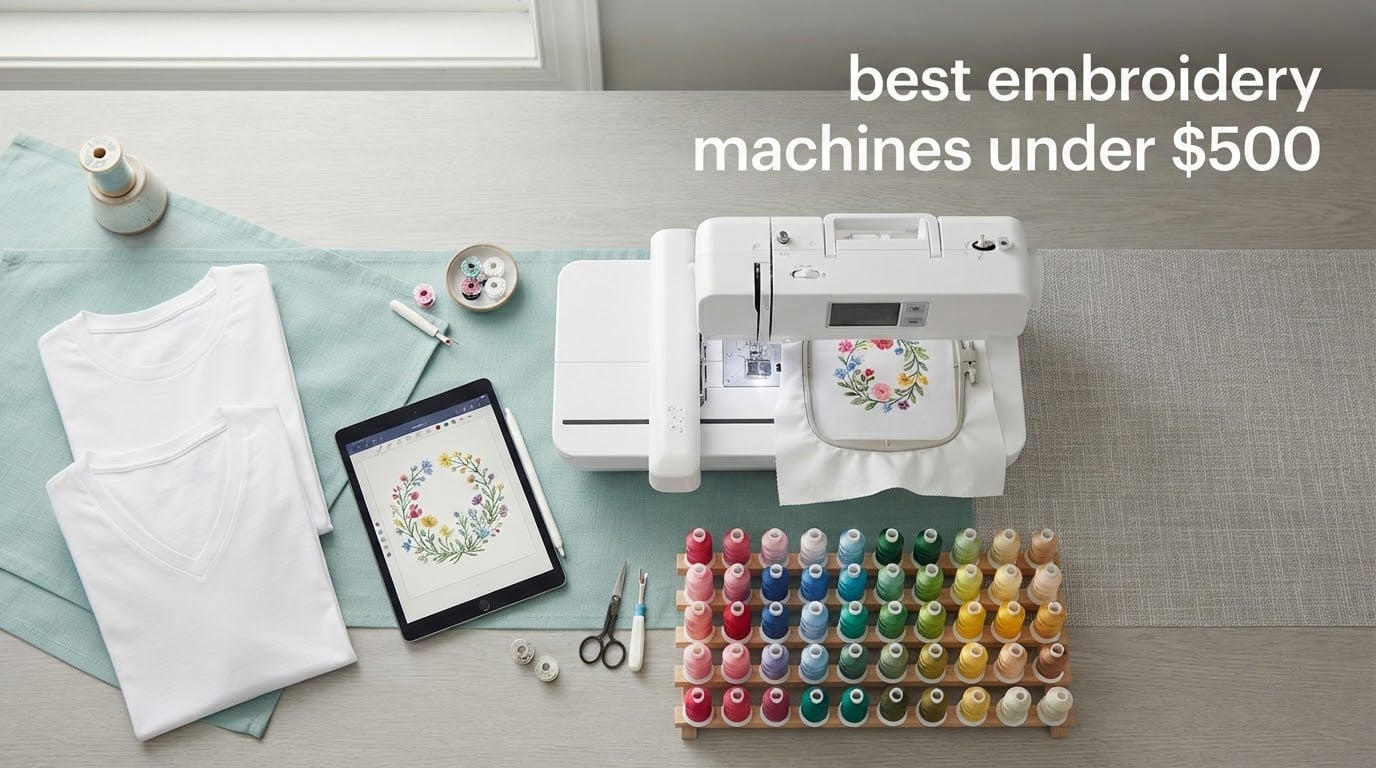
After six weeks of comparing specs, watching owner reviews, and reading forum threads about first machines, one model keeps coming out ahead for anyone shopping the best embroidery machines under 500 dollars: the Brother PE535. It has the largest proven track record in this price bracket, a 4 x 4 inch embroidery field, an intuitive color touchscreen, and a 25-year limited warranty on the chassis. The Brother PE545 is the smarter buy if you want wireless design transfer, and the Brother Skitch is the cheapest way in.
Here is the part most roundups skip. A 500 dollar ceiling does not buy you a 5 x 7 inch field. Nearly every machine in this bracket stitches inside a 4 x 4 inch hoop, which is plenty for a monogram, a small name, a chest-side logo, or a towel corner, and not much more. If your project list is dominated by full front chest logos, back prints, or caps, you are shopping the wrong price band no matter which brand you pick.
I built this list around real street prices and actual review counts rather than marketing copy, because that is where budget roundups usually go wrong. Two of the six machines here sit at 3.3 stars or lower from real owners, and I flagged that rather than burying it. You will also notice that the two Brother models carry a 25-year limited chassis warranty while the EverSewn combination carries a single year.
Six machines made the cut. Four are embroidery-only, two do sewing and embroidery together, and one of those offers a second, unusually tall hoop. If you want a wider look at the category first, our general embroidery machine guide covers the tiers above this one.
Table of Contents
Top 3 Picks for Embroidery Machines Under $500 in 2026

Brother PE535
- 4 x 4 inch embroidery field
- 80 built-in designs
- 3.2 inch color touchscreen
- USB design import

Brother PE545
- Wireless LAN and Artspira app
- 135 built-in designs
- 3.7 inch touchscreen
- USB import

Brother Skitch PP1
- Magnetic 4 x 4 inch hoop
- Bluetooth Artspira control
- 400 spm speed
- 20 design storage
Those three are all Brother embroidery-only machines, and that is not an accident. The PE535 and PE545 sit at the top of this bracket on owner satisfaction, while the Skitch sits at the opposite end of the reliability picture. The other three machines make up the rest of the roundup, and two of them solve real problems the Brothers do not: a taller hoop and a combined sewing function.
6 Best Embroidery Machines Under $500 (October 2026)
| Product | Specifications | Action |
|---|---|---|
| Brother PE535 Embroidery Machine |
|
Check Latest Price |
| Brother PE545 Wireless Embroidery Machine |
|
Check Latest Price |
 PooLin EOC03 Embroidery Machine PooLin EOC03 Embroidery Machine |
|
Check Latest Price |
| Brother Skitch Single-Needle Machine |
|
Check Latest Price |
 FLEURDENZ 6.7 x 11 Inch 2-in-1 Machine FLEURDENZ 6.7 x 11 Inch 2-in-1 Machine |
|
Check Latest Price |
 EverSewn Sparrow X2 Sewing and Embroidery EverSewn Sparrow X2 Sewing and Embroidery |
|
Check Latest Price |
Two patterns jump out of that table. First, four of the six machines are embroidery-only, which means you get a dedicated embroidery arm with a narrow throat and no sewing function at all. Second, the two machines that sew as well as embroider both give up warranty length or review history in exchange.
1. Brother PE535 – The Most Proven Machine in the Budget Bracket
Brother PE535 Embroidery Machine, 80 Built-in Designs, 4″ x 4″ Hoop Area, Large 3.2″ LCD Touchscreen, USB Port, 9 Font Styles
4 x 4 inch embroidery field
80 built-in designs
3.2 inch color LCD touchscreen
USB design import
15 pounds
Pros
- Proven reliability across the largest review base in this group
- 80 built-in designs plus 9 fonts
- 3.2 inch color touchscreen for previewing
- USB port for custom designs
- 25 year limited warranty
Cons
- Touchscreen can need several taps to respond
- 4 x 4 inch hoop caps design size
- Embroidery-only with no sewing function
The PE535 is the machine I keep recommending first, and the reason is the 1730 reviews behind its 4.5 star average. That is roughly seven times the review base of anything else in this list, which means the consensus you are reading is not a handful of early adopters. Across those reviews the same things get praised: it is easy to pick up, the stitch quality holds up, and the touchscreen layout makes sense within an hour.
In practice it does exactly three things. You pick one of 80 built-in designs or 9 lettering fonts, you preview it on the 3.2 inch color screen, and you stitch it into the included 4 x 4 inch hoop. The USB port handles custom designs, and Brother’s free transfer software moves files from a computer onto the machine.
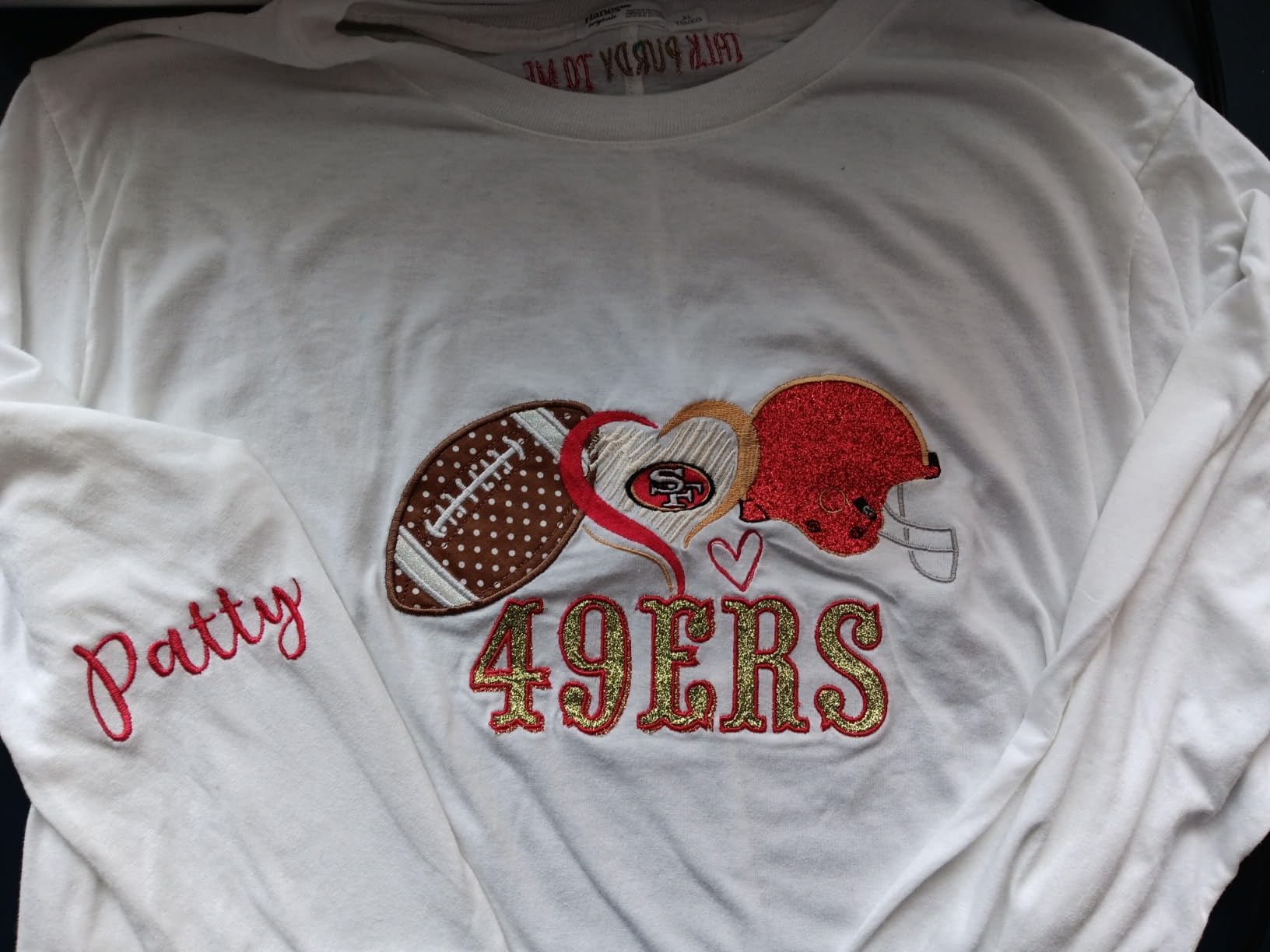
The physical machine is a 16.5 inch wide, 15 pound embroidery arm with an included hoop, embroidery foot, and dust cover. It runs on 120 volts and is built for US use, which matters if you are outside the country. The chassis warranty runs 25 years with free phone support for the life of the machine.
Two limits show up repeatedly in owner feedback. The touchscreen occasionally needs more than one tap, and there is no built-in storage for designs beyond what the machine holds internally, so your library lives on your computer. Brother’s own digitizing software is a paid product, which is the one ongoing cost that surprises people.
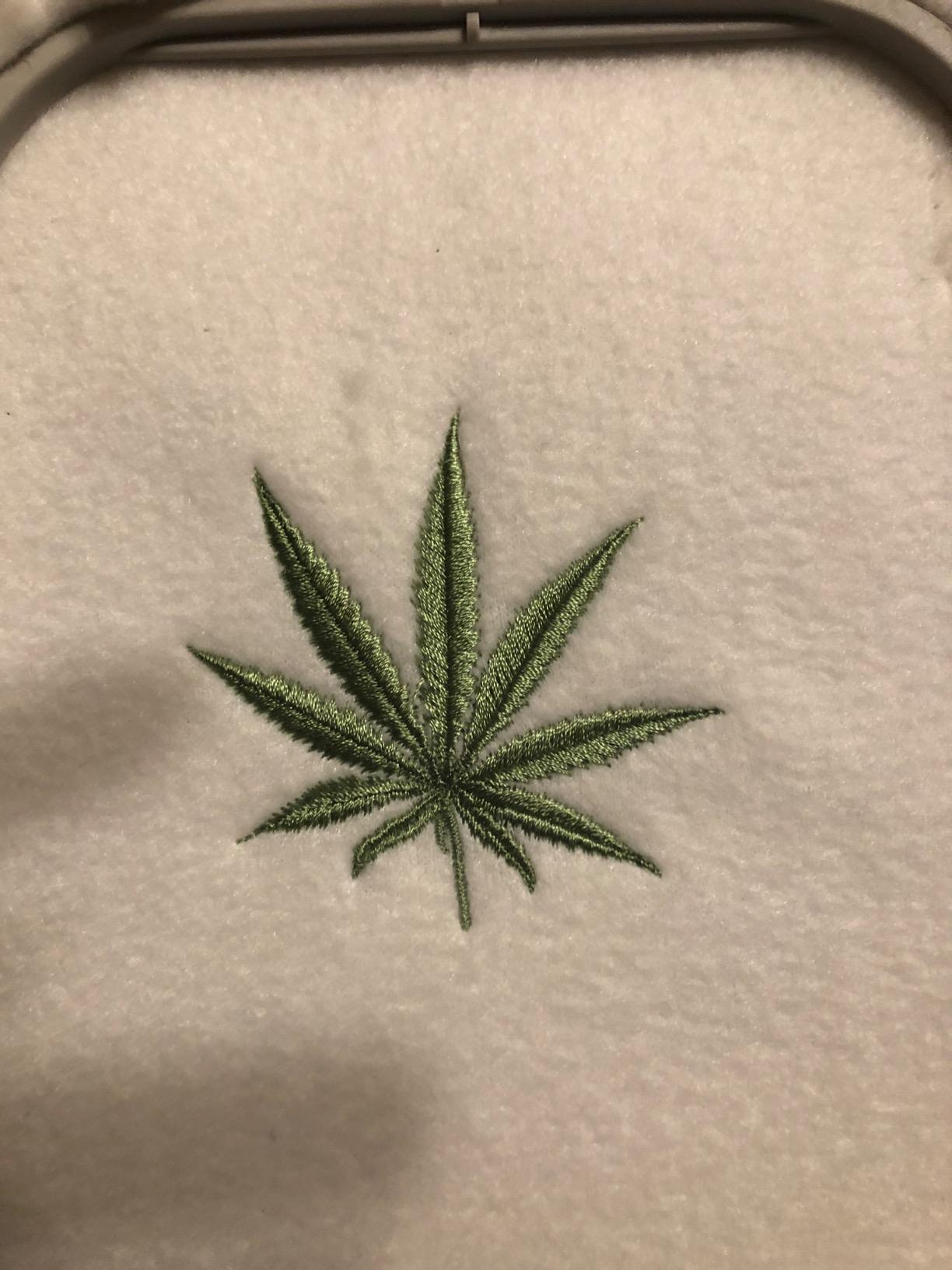
What the 4 x 4 inch field actually lets you finish
A 4 x 4 inch field handles a single word of up to about six letters in a typical script font, a small chest-side logo, a monogram, and towel or napkin corners. It is also the standard size for personalizing caps, tote bags, and the corner of a pillowcase. That covers most gift work and most hobby projects.
What it will not do is a full front chest print, a back-of-jacket logo, or a name that needs to run edge to edge. For those you need multi-hooping, which means stitching in sections and re-hooping the fabric between passes. It works on flat knits, but alignment on knit fabric drifts quickly, and the seam where two passes meet is visible on anything dark or textured.
Where the PE535 falls short
If your whole project list is front chest logos, stop here and look at a machine with a bigger field, even if it means moving up a price band. The PE535 is embroidery-only, so it will not sew a seam, hem a sleeve, or finish a garment, and you will still want a separate sewing machine on the same desk.
The touchscreen responsiveness issue is real but minor. Expect a moment of tapping twice when you are excited, not a workflow stopper. The bigger practical risk is buying it for a 5 x 7 project and discovering the limit after your first hoop is already cut and stabilized.
2. Brother PE545 – Best Value for Wireless Design Transfer
Brother PE545 Wireless Embroidery Machine 4×4 Hoop LCD
4 x 4 inch embroidery field
Wireless LAN and Artspira app
135 built-in designs
3.7 inch color touchscreen
14.1 pounds
Pros
- Wireless transfer from phone or computer
- 135 built-in designs and 10 fonts
- Larger 3.7 inch screen with tutorial videos
- Generous accessory bundle in the box
- 2 year electronic and 25 year chassis warranty
Cons
- Embroidery-only with no sewing function
- Artspira premium features need a subscription
- Same 4 x 4 inch hoop ceiling
The PE545 is the machine I would buy today with my own money. It carries the same 4.5 star average as the PE535 but adds wireless transfer, a bigger screen, and more built-in designs. For most beginners the wireless path is the feature that decides it, because dragging a design file off a laptop and onto a USB stick feels archaic once you have sent one from a phone.
Transfer happens two ways. Wireless LAN sends files from a computer using Brother’s free Design Database Transfer software, and the Artspira app lets you draw a pattern on a phone or pull one down and send it over. There is also a built-in USB port if you prefer a cable. You get 135 built-in designs and 10 fonts, with 7 English and 3 Japanese lettering styles.
The 3.7 inch color touchscreen is the step up from the PE535. It supports drag-and-drop positioning, direct edits, a full preview before you stitch, and built-in tutorial videos, which matters more than it sounds when you are learning bobbin winding and hoop loading for the first time.
The box itself is unusually generous. You get 2 bobbins, 3 pre-wound bobbins, 4 bobbin clips, an accessory bag, a cleaning brush, a disc screwdriver, a dust cover, an embroidery design guide, an embroidery foot, large medium and small spool caps, a needle set, a three-language operation manual, a quick reference guide, scissors, a seam ripper, a spool net, and a thread spool insert. That starter bundle covers most first-month purchases before you order anything.
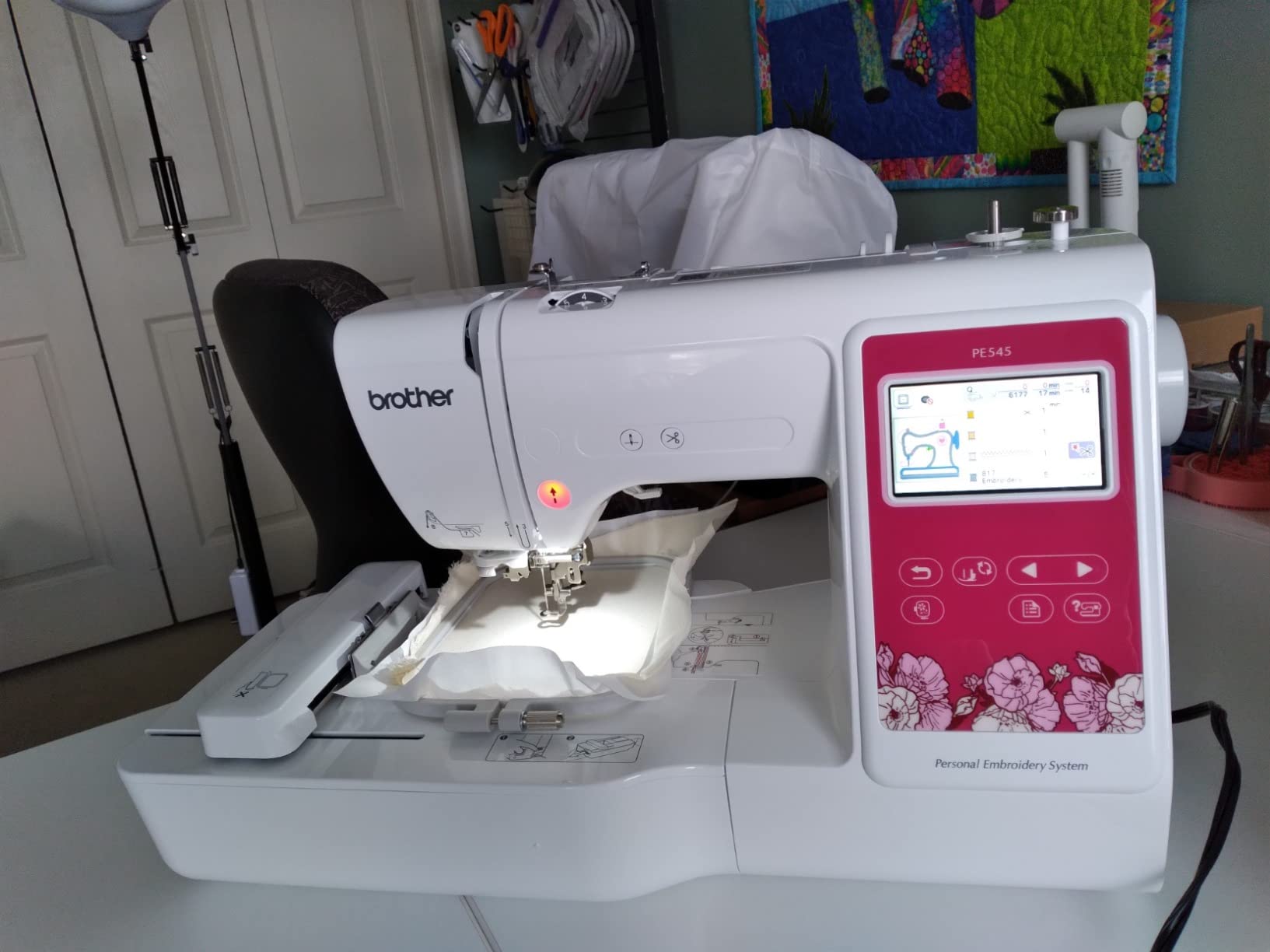
Whether wireless transfer is worth the Artspira dependency
Wireless is the reason to stretch for this model over the PE535, and it works well when the app cooperates. Some users report app bugs and crashes, and the premium tier of Artspira features sits behind a subscription. The free tier is enough for drawing and for importing PES, PHC, PHX, and DST files, so most hobby work stays inside it.
What the app does not do is replace the machine’s own library. The 135 built-in designs and 10 fonts are on the machine itself, so if you dislike the app you can still run everything from the touchscreen. That is the safety net the Skitch lacks, where there is no built-in screen at all.
Where the PE545 falls short
It is still embroidery-only. There is no sewing function, so a separate sewing machine is a realistic second purchase. And the hoop is 4 x 4 inches, identical to the PE535, so buying the newer model does not unlock a single new project size.
At 14.1 pounds and 16.5 inches deep, it needs a dedicated shelf or table rather than a desk corner. The warranty is 2 years on electronics and 1 year on parts, labor, and accessories, with 25 years on the chassis, so the long-tail protection is comparable to the PE535 on the part that matters structurally.
3. PooLin EOC03 – Best for Two Hoop Sizes Including a Tall Field
PooLin EOC03 Embroidery Machine 4×4 & 4×9.25 Embroidery Area for Beginners, Easy Operation System, 130 Built-in Designs, 8 Fonts, WiFi Design Transfer, Home DIY Embroidery Machine with Starter Kit
4 x 4 and 4 x 9.25 inch areas
130 built-in designs
WiFi design transfer
Starter kit with 20 stabilizers
15 pounds
Pros
- The only one of these six with a second tall 4 x 9.25 inch hoop
- 130 built-in designs and 8 fonts
- Starter kit includes 6 threads 20 stabilizers and 25 bobbins
- Free one-on-one engineer support and video tutorials
- WiFi design transfer with free software
Cons
- Only 33 reviews from a newer brand
- Ratings include a spread of one and two star reports
- 110 volt design may need a converter outside the US
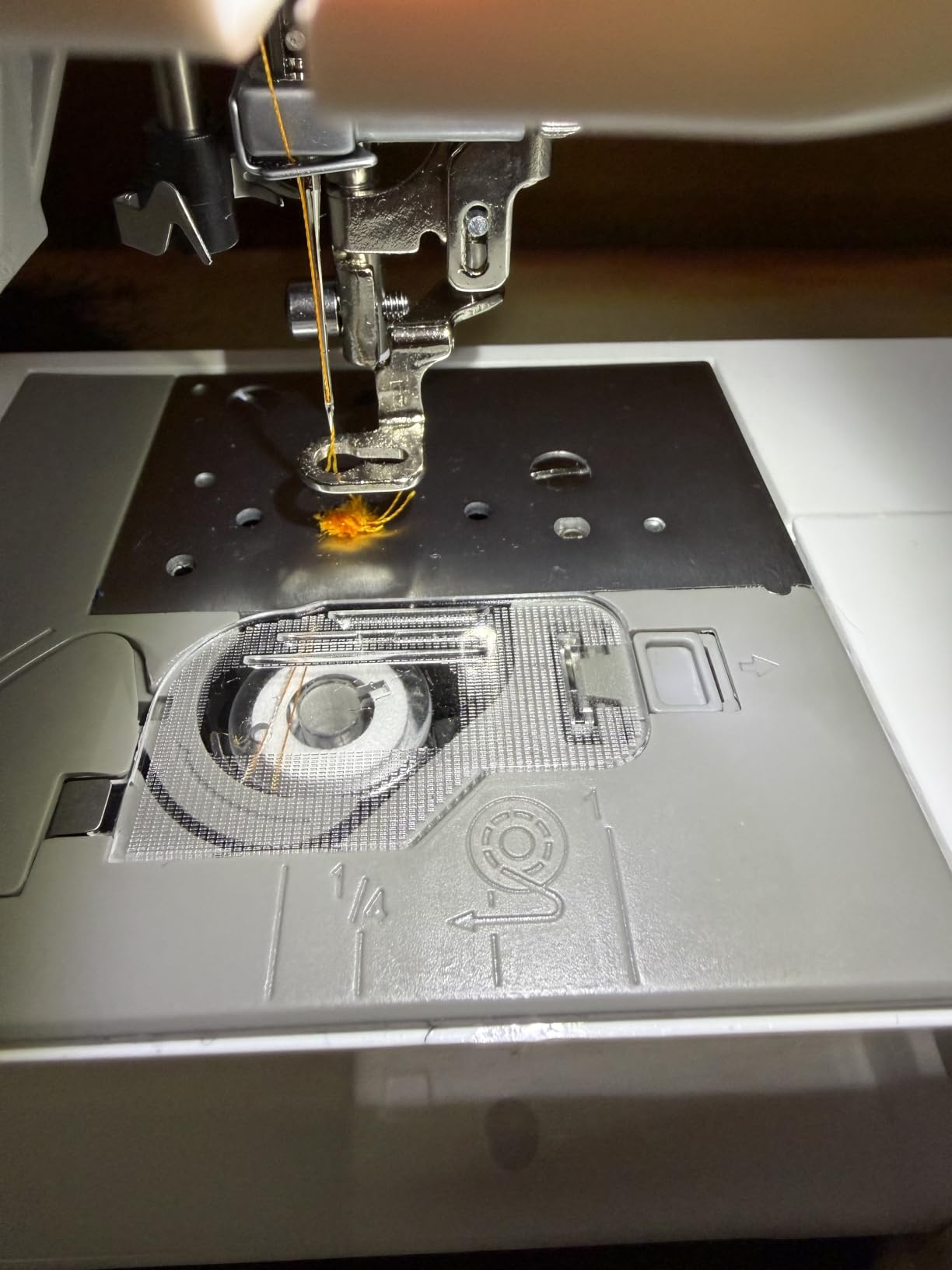
The PooLin EOC03 solves the single biggest complaint about this price bracket, and no other machine here does. It comes with two embroidery areas, 4 x 4 inches and 4 x 9.25 inches, and that tall hoop handles vertical name strips on totes, long sleeve cuffs, and side-of-cap designs that a square hoop physically cannot reach.
Everything else follows the familiar budget shape. You get 130 built-in designs and 8 fonts, WiFi design transfer with free embroidery software for creating and sending patterns, and an operating system the company calls Institch, which is designed to keep navigation simple for first-time users rather than dense like professional software.
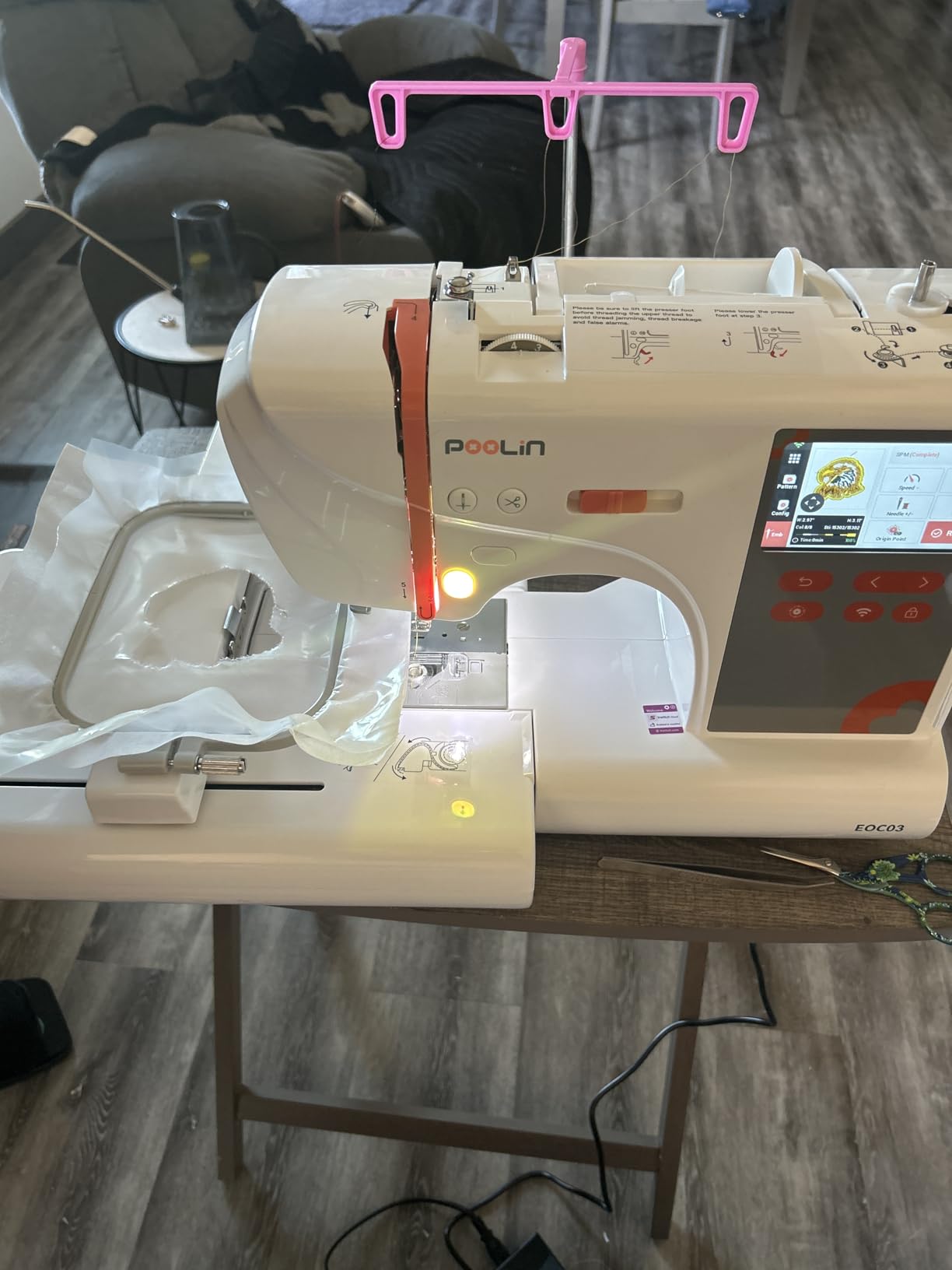
The starter kit is the standout. The box includes the machine, a table, a thread stand, 6 PooLin embroidery threads, 20 PooLin stabilizers, 25 PooLin pre-wound bobbins, and a tool kit. Stabilizer is the consumable that quietly eats a new owner’s budget, so 20 sheets in the box is a real saving rather than a marketing line.
Support is unusually open for a budget machine. The company points to step-by-step video tutorials, a community of more than 12000 embroidery users, and free one-on-one online support from engineers. For a first machine with no local dealer, having a named human to ask is worth more than it sounds.
Whether the tall hoop changes what you can make
Yes, meaningfully. A 4 x 9.25 inch field handles long vertical text, single large numbers on totes, and cuff embroidery without re-hooping. That is the difference between finishing a piece in one pass and finishing it in two, and for long names it is the difference between a clean result and a visible join.
It still does not reach a standard 5 x 7 inch landscape format, so front chest prints remain out of range. Treat it as a tall-and-narrow tool rather than a large-format one. The tradeoff is footprint: at 18.11 inches wide and 16.54 inches tall, it takes more desk or table space than either Brother.
Where the PooLin EOC03 falls short
The review base is 33, which is the honest weakness here. There is not enough long-term history to know how the frame holds up after a few hundred hours, and the rating distribution includes a meaningful share of one and two star reports that point at early hardware or support friction.
At 110 volts it is built for US mains power, and outside the US you may need a converter. It is also embroidery-only, so a sewing function still means a second machine, and the metal body at 15 pounds is a real weight on a folding table.
4. Brother Skitch PP1 – Cheapest Way to Start Embroidering
Brother Skitch Single-Needle Embroidery Machine Bluetooth
4 x 4 inch magnetic hoop
Bluetooth Artspira control
400 spm speed
No built-in screen
16.6 pounds
Pros
- Magnetic hoop system loads quickly
- Compact grey and black body suits a small craft room
- Imports PES PHC PHX and DST files
- Narrow stitch arm handles shirts and sleeves
- Felt and backing material included in the box
Cons
- No built-in screen so the phone is required
- App geo-restricted in some countries and 20 design limit on the free tier
- Reliability complaints around bobbin housing and needle breaks
The Skitch is the most stripped-down route into embroidery I found, and I want to be direct about the trade. It draws a 3.0 star average from 220 reviews, with roughly 39 percent five-star and 40 percent one-star. That split is unusually wide, which usually means a solid product sitting next to a fragile one, or an early production run that was later fixed.
There is no built-in screen at all. You draw your project in the free Artspira app on a phone over Bluetooth, and the free tier lets you import PES, PHC, PHX, and DST files and store up to 20 designs on the machine. Optional Artspira thread sets unlock design matching features and are sold separately.
What it does well is physical design. The magnetic 4 x 4 inch hoop goes on without screw tension, which makes hooping fast once you learn the tension, and the narrow stitch arm fits inside a shirt or around a sleeve far better than a wide sewing-arm body. Stitch speed is 400 spm, the slowest here, but for small designs the difference is minutes rather than hours.
The box includes a quick reference guide, scissors, a cleaning brush, a seam ripper, a needle set, 2 pre-wound bobbins, a disc screwdriver, mini, small, medium, and large spool pressers, a magnetic 4 x 4 inch frame, an electric cord, black embroidery thread, felt, and backing material. It measures 20.01 inches deep, 11.89 inches wide, and 17.95 inches tall at 16.6 pounds.
Whether the app-only design is a real limitation
For a first machine, it is workable and even clarifying, because you work in a modern app instead of deciphering a small monochrome screen. The friction arrives when you travel, or when you want to stitch a design someone sent you on a USB stick with no phone in the room.
App dependency also means geography matters. The app is geo-restricted and does not work normally in Canada, the UK, and several other markets, which is a serious problem outside the US. Within the US, the 20-design storage limit on the free tier is generous for a beginner.
Where the Skitch falls short
Reliability is the headline. Owners report bobbin housing failures, repeated needle breaks, and threading problems, and the 40 percent one-star share points to real hardware complaints rather than preference. If you are not comfortable troubleshooting, this is not the machine to learn on.
Customer service responsiveness is another reported weak point. The 4 x 4 inch hoop is the only size, and at 400 spm a dense design takes noticeably longer to finish than on a faster machine. Buy it if the simplest possible setup is the deciding factor; otherwise the PE535 removes almost all of these problems.
5. FLEURDENZ 6.7 x 11 Inch 2-in-1 – Best for the Largest Field in the Bracket
FLEURDENZ Embroidery Machine with 6.7″ x 11″ Area for Beginners, Home DIY, Sewing & Embroidery Machine, 180 Built-in Designs with USB Import, 7-Inch Touchscreen, Auto Threader & Cutter, Bonus 2 Hoops
6.7 x 11 inch embroidery area
Sewing and embroidery combined
180 built-in designs
7 inch HD touchscreen
28.7 pounds
Pros
- Widest embroidery area of the six machines reviewed
- Also sews so one machine covers two jobs
- 180 built-in designs with USB import
- 7 inch HD touchscreen
- Auto threader and one-touch thread cutter
Cons
- Only 7 reviews with a polarized 3.3 average
- Hoop recognition failures reported by early owners
- 28.7 pounds makes it the heaviest machine reviewed
On paper this is the most interesting machine in the list. A 6.7 x 11 inch embroidery area is not a 4 x 4 square with a marketing angle, it is a genuinely different class of machine, and it is paired here with a full sewing function so one box covers garment construction and decoration. Nobody else under this ceiling does either of those things.
The feature list is strong on paper for a reason. You get a 7 inch HD touchscreen, 180 built-in designs, USB design import, automatic needle threading, one-touch thread cutting, independent bobbin winding, and two hoops in the box. The company states technical support usually responds within 6 hours.
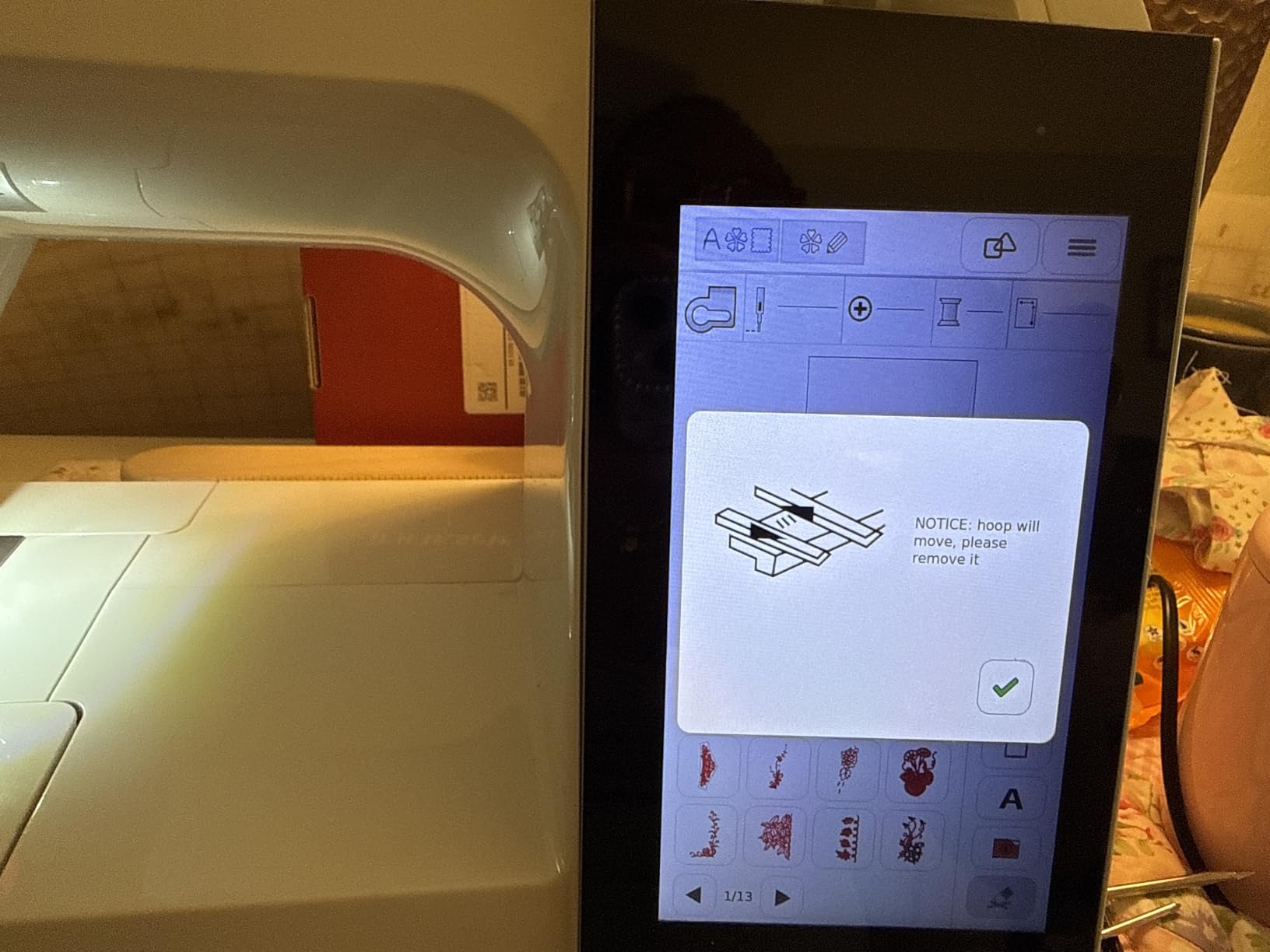
Then the reviews arrive. There are 7 of them, averaging 3.3 stars, split 58 percent five-star and 42 percent one-star. That is a small sample and it is heavily polarized, which is exactly the profile I do not like buying into. Early owners report hoop recognition failures, parts arriving incomplete, and customer service that slowed after the first weeks.
The physical machine is 21 inches deep, 10 inches wide, 11 inches tall, and 28.7 pounds. That weight is the trade for a sewing-and-embroidery body, and it means a dedicated table with real support under it, not a desk. It is also 110 volt corded electric with a metal and plastic body.
Whether the big field justifies the risk
If your project list is full-size logos, back prints, tote bags, and decorative textiles, this is the only machine on the list that does them in one pass. A 6.7 x 11 inch field covers a full chest-and-sleeve layout that a 5 x 7 hoop still cannot, and the sewing function means you can hem the garment in the same session.
The catch is that you are buying a large field from a brand with a limited track record and a 7-review sample. If a hoop recognition fault appears in month three, the stated 6-hour support promise and the reputation behind it are the whole story. I would only choose this if the field size is non-negotiable and you accept the service uncertainty.
Where the FLEURDENZ falls short
Seven reviews cannot establish reliability, and the ones present are sharply divided. That is the first limitation, ahead of any specification. A heavy machine in a small craft room is the second, since 28.7 pounds is a genuine two-person lift and a dedicated surface commitment.
Warranty information is thin compared with the Brother models, and there is no disclosed long-term parts story. The combo design also means a compromise in the needle area, since a sewing-and-embroidery arm cannot match the dedicated embroidery throat of a PE535 for garment work.
6. EverSewn Sparrow X2 – Best for a First-Time Sewist Who Wants Both Functions
EverSewn Sparrow X2 Sewing & Embroidery Machine, White
Sewing and embroidery in one body
Two hoops included
100+ embroidery designs
120+ sewing stitches
20 pounds
Pros
- Genuine 2-in-1 sewing and embroidery machine
- Two hoops included
- large and small
- Reads EXP PES and DST design formats
- Embroidery controlled by phone or tablet with no WiFi needed
- Advanced auto threader and electronic tension
Cons
- Only 54 reviews with a 3.9 average
- 16 percent of ratings sit at one star
- Warranty is 1 year on electrical and labor against Brother's 25 year chassis
The Sparrow X2 is the most complete package for someone who does not own a sewing machine yet. It is a real sewing machine with 120 plus stitch patterns, a one-step buttonhole, electronic tension adjustment, speed control, needle up and down, a thread cutter, a straight-stitch plate, and an advanced auto threader, and the embroidery module bolts on with two hoops included.
Embroidery is controlled from a phone or tablet, and WiFi is not required, which is a genuine advantage over the Brother PE545 if your home network is the problem rather than the solution. It reads EXP, PES, and DST formats, includes 100 plus embroidery designs, and lets you create and customize designs in the mobile app.
The machine is 8 inches deep, 18 inches wide, 12.5 inches tall, and 20 pounds, which is a normal footprint for a combination machine and a step up from the embroidery-only units above. It is metal bodied and runs on AC power.
Whether app-controlled embroidery suits a beginner
For a person who already sews, yes. You finish a seam, send a design from your phone, and stitch it without learning a second machine. That workflow is why combination machines keep gaining ground at this budget, and the 120 plus stitch patterns and one-step buttonhole cover the sewing side properly rather than as an afterthought.
The honest limitation is that the embroidery side is thinner than the Brother machines. Two hoops and 100 plus designs is a modest library, and every embroidery operation routes through the app, so the same connectivity dependency that limits the Skitch applies here in a milder form.
Where the Sparrow X2 falls short
The 1 year electrical and 1 year labor warranty is the clearest gap. Next to a 25 year limited chassis warranty on the Brother PE535 and PE545, that is a real difference in how long you are covered if something structural goes wrong.
At 54 reviews the track record is short, and 16 percent one-star ratings point to some quality control inconsistency. The best seller rank in sewing machines is also low compared with established combo models, which usually tracks slower firmware polish. For sewing-heavy work with light embroidery, it is a sensible pick; for embroidery-first work, a dedicated machine is sharper.
For readers who enjoy the tools side as much as the results, our tattoo machine guide covers a similar entry-price decision, and how we test gear under a fixed budget ceiling.
How to Choose an Embroidery Machine Under 500 Dollars
Start with hoop size, because it is the one constraint you cannot work around. A 4 x 4 inch field covers a monogram, one word of up to about six letters, a small chest-side logo, and towel corners. A tall 4 x 9.25 inch hoop covers long vertical text. A 6.7 x 11 inch field covers full chest layouts. Anything you plan to stitch larger than that has no answer inside this price band.
Next, decide between a dedicated and a combination machine. Four of the six machines here are embroidery-only, which means a focused embroidery arm, a faster workflow, and no sewing function. The two combination options give you a sewing machine in the same box, which is the better buy if you do not already own one. If you already sew regularly, spend that budget on embroidery field instead.
Then check how designs get onto the machine. A USB port means a cable and a file folder. Wireless LAN plus the Artspira app means you can draw or send from a phone, and it is the feature that most improves the experience after the first week. Note that the Skitch has no built-in screen at all, so its app is not optional.
Look at what arrives in the box before you plan your first purchase. The PE545 includes bobbins, clips, a needle set, scissors, a seam ripper, spool caps, and a dust cover. The PooLin EOC03 includes 6 threads, 20 stabilizers, and 25 pre-wound bobbins. The Skitch includes felt, backing material, and thread. Those consumables are your first-month budget, and a machine that bundles them saves you an immediate order.
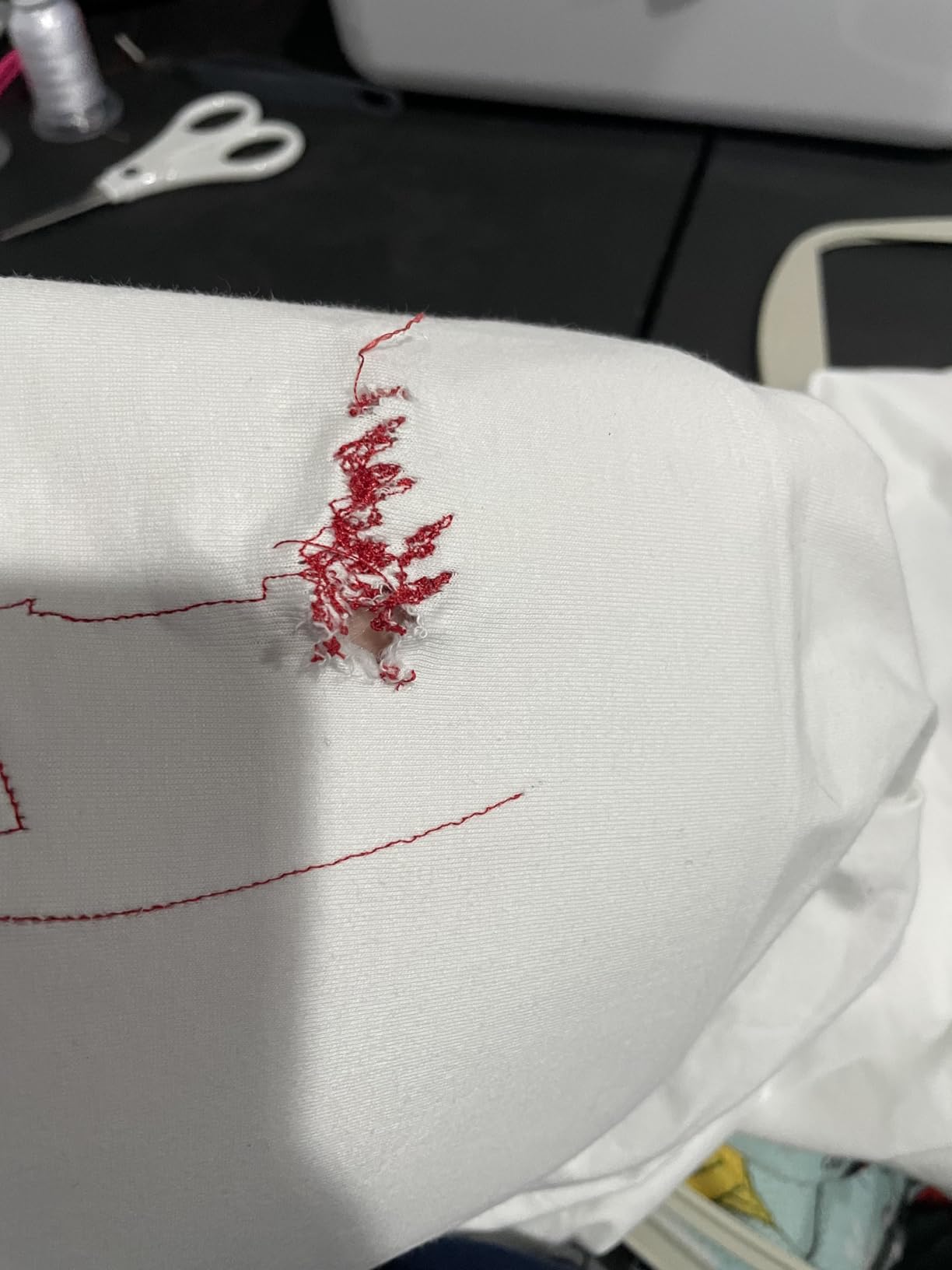
Do not skip the running costs. Embroidery needles wear out and should be changed often, 60-weight bobbin thread is consumed by the bobbin, and stabilizer is used on every single hoop. A small machine produces more waste per design than a large one because the fixed thread tail is a bigger share of a small design, so budget for consumables per project rather than per machine.
Finally, weigh the warranty honestly. The Brother PE535 and PE545 carry 25-year limited chassis warranties with long-term phone support. The EverSewn Sparrow X2 carries 1 year on electrical and labor. For a machine you will keep for a decade, chassis coverage is the more useful number, and it is one of the clearest quality signals in this bracket.
Frequently Asked Questions
What is the best embroidery machine under 500 dollars?
The Brother PE535 is the best embroidery machine under 500 dollars for most buyers. It stitches inside a 4 x 4 inch field, carries 80 built-in designs and 9 fonts, has a 3.2 inch color touchscreen, and holds a 4.5 star average across 1730 reviews with a 25 year limited chassis warranty. Choose the Brother PE545 instead if wireless design transfer through the Artspira app matters more to you.
What is the best embroidery machine for home use?
For home use, the Brother PE545 is the strongest pick because it combines the same 4 x 4 inch field as the PE535 with wireless LAN transfer, a larger 3.7 inch touchscreen with tutorial videos, and 135 built-in designs. Home users benefit most from not having to manage a USB cable or a file folder for every project.
What is the best budget embroidery sewing machine?
The EverSewn Sparrow X2 and the FLEURDENZ 6.7 x 11 inch machine are the two sewing and embroidery combinations in this bracket. The Sparrow X2 has a longer track record with 54 reviews, 120 plus sewing stitches, and two hoops. The FLEURDENZ has a far larger 6.7 x 11 inch embroidery area but only 7 reviews and a polarized 3.3 star average.
Is a 4×4 embroidery hoop good enough?
A 4 x 4 inch hoop is enough for monograms, a single word of about six letters, small chest-side logos, cap fronts, and towel or napkin corners, which covers most gift and hobby work. It is not enough for full front chest prints, back-of-jacket logos, or names that need to run edge to edge. For those, multi-hooping is the workaround and alignment shifts on knit fabric.
Are cheap embroidery machines worth it?
At this budget the answer depends on the brand and the review volume. The Brother PE535 and PE545 hold 4.5 star averages with large review bases and 25 year chassis warranties, so their owners report consistent results. The Skitch holds a 3.0 average and the FLEURDENZ 3.3, both with reported hardware and support problems, so those carry more risk.
What stabilizer do I need for a home embroidery machine?
Use a cutaway stabilizer for knits and garments, a tearaway for woven fabric and towels, and a water-soluble topper for knits, fleece, and caps where you do not want a visible stabilizer layer. Hoop with the stabilizer under the fabric and lightly on top, keep fabric tension firm enough to avoid puckering but not tight enough to distort the grain. The PooLin EOC03 includes 20 sheets in the box.
What are the most common problems with budget embroidery machines?
The most reported issues are thread breaks and bird’s nest tangles in the first weeks, usually from incorrect bobbin tension or insufficient stabilizer, plus touchscreen taps that do not register on the Brother PE535. On the Skitch, owners specifically report bobbin housing failures and repeated needle breaks. All of these are setup problems on a sound machine and hardware faults on a faulty one.
Our Verdict on the Best Embroidery Machines Under 500 Dollars
The Brother PE535 wins this roundup because 1730 reviews at 4.5 stars and a 25 year chassis warranty make it the only machine in the bracket with proven long-term behavior. Pick the PE545 if you want wireless transfer, the PooLin EOC03 if a tall hoop matters, and treat the Skitch and FLEURDENZ as higher-risk options. Before you commit, confirm the hoop size fits the projects you actually want to make.