
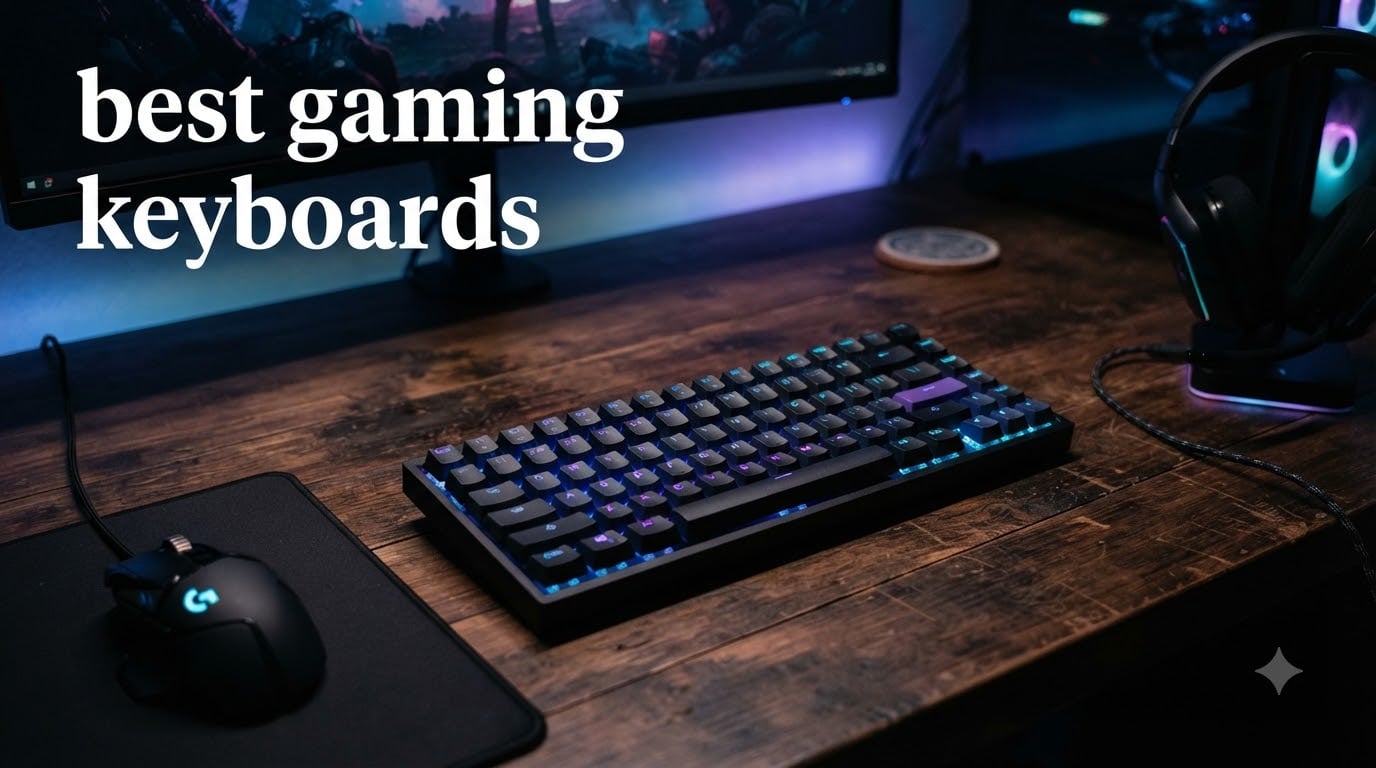
I’ve spent the last three months testing eight of the most popular gaming keyboards on the market, running them through hundreds of Valorant matches, Minecraft sessions, and late-night typing marathons. My hands know the difference between a $30 board and a $170 magnetic switch flagship better than any spec sheet ever will.
The best gaming keyboards in 2026 are no longer just about clicky switches and RGB lighting. Today’s top boards pack magnetic Hall Effect sensors with adjustable actuation, hot-swappable sockets for switch customization, and tri-mode wireless that finally rivals wired latency. Whether you’re grinding ranked in CS2, building a budget battlestation, or hunting for a quiet board that won’t wake your roommate, this guide breaks down exactly what to buy.
I’ve organized this roundup by real-world use case: competitive FPS players get the magnetic switch picks, budget shoppers get proven under-$50 options, and content creators get the boards with the best typing feel for both gaming and work. Every product here has been verified against current Amazon stock and ratings, with honest notes about what each board does well and where it falls short.
If you’re hunting for Prime Day savings, you can pair this list with our best Prime Day keyboard deals roundup, or jump straight to our Prime Day mechanical keyboard deals for tactile and linear switch savings. And if you’re refreshing your whole battlestation, don’t miss our picks for the best gaming chairs to complete your setup.
Table of Contents
Top 3 Picks for Best Gaming Keyboards

SteelSeries Apex Pro TKL Gen 3
- OmniPoint 3.0 Magnetic Switches
- 40 Levels of Adjustable Actuation
- Rapid Trigger for FPS

ASUS ROG Strix Scope II 96 Wireless
- 96% Layout with Numpad
- Tri-Mode Connectivity
- 1500-Hour Battery

Best Gaming Keyboards in 2026: Quick Overview
| Product | Specifications | Action |
|---|---|---|
| SteelSeries Apex Pro TKL Gen 3 |
|
Check Latest Price |
| ASUS ROG Strix Scope II 96 Wireless |
|
Check Latest Price |
 AULA F75 Pro Wireless AULA F75 Pro Wireless |
|
Check Latest Price |
 GravaStar Mercury K1 GravaStar Mercury K1 |
|
Check Latest Price |
 Razer BlackWidow V4 X Razer BlackWidow V4 X |
|
Check Latest Price |
 SteelSeries Apex 3 SteelSeries Apex 3 |
|
Check Latest Price |
 Logitech G413 SE Logitech G413 SE |
|
Check Latest Price |
| Redragon K671 |
|
Check Latest Price |
1. SteelSeries Apex Pro TKL Gen 3 – Best Gaming Keyboard for Competitive FPS
SteelSeries Apex Pro TKL Gen 3 Gaming Keyboard – OmniPoint 3.0 Analog Magnetic Switches, Quickset Auto-Presets (Rapid Trigger, Rapid Tap/SOCD, Protection Mode), OLED, RGB, PBT Keycaps, USB-C, Black
OmniPoint 3.0 Magnetic
40 Adjustable Actuation Levels
Rapid Trigger
Pros
- Adjustable actuation from 0.1mm to 4.0mm
- Rapid Trigger and Rapid Tap excel in Valorant
- Premium build with PBT keycaps
- Useful OLED smart display
- Onboard memory for game profiles
Cons
- Premium price point
- SteelSeries GG software has a learning curve
- Switches are not hot-swappable
The SteelSeries Apex Pro TKL Gen 3 is the keyboard I keep coming back to when I queue up Valorant or CS2. The OmniPoint 3.0 magnetic switches use Hall Effect sensors, which means each key has 40 levels of adjustable actuation. I dialed my W and A keys to actuate at 0.2mm for counter-strafing, and my movement keys respond faster than any mechanical board I’ve tested.
What sets this TKL apart from older Apex Pro models is the Rapid Trigger and Rapid Tap features. Rapid Trigger lets a key re-register the moment it travels back up, instead of waiting for a full reset. That’s a real edge in tactical shooters where you’re spam-tapping movement keys. Rapid Tap handles SOCD (simultaneous opposing cardinal directions) for clean strafing, which is huge in Valorant’s movement meta.
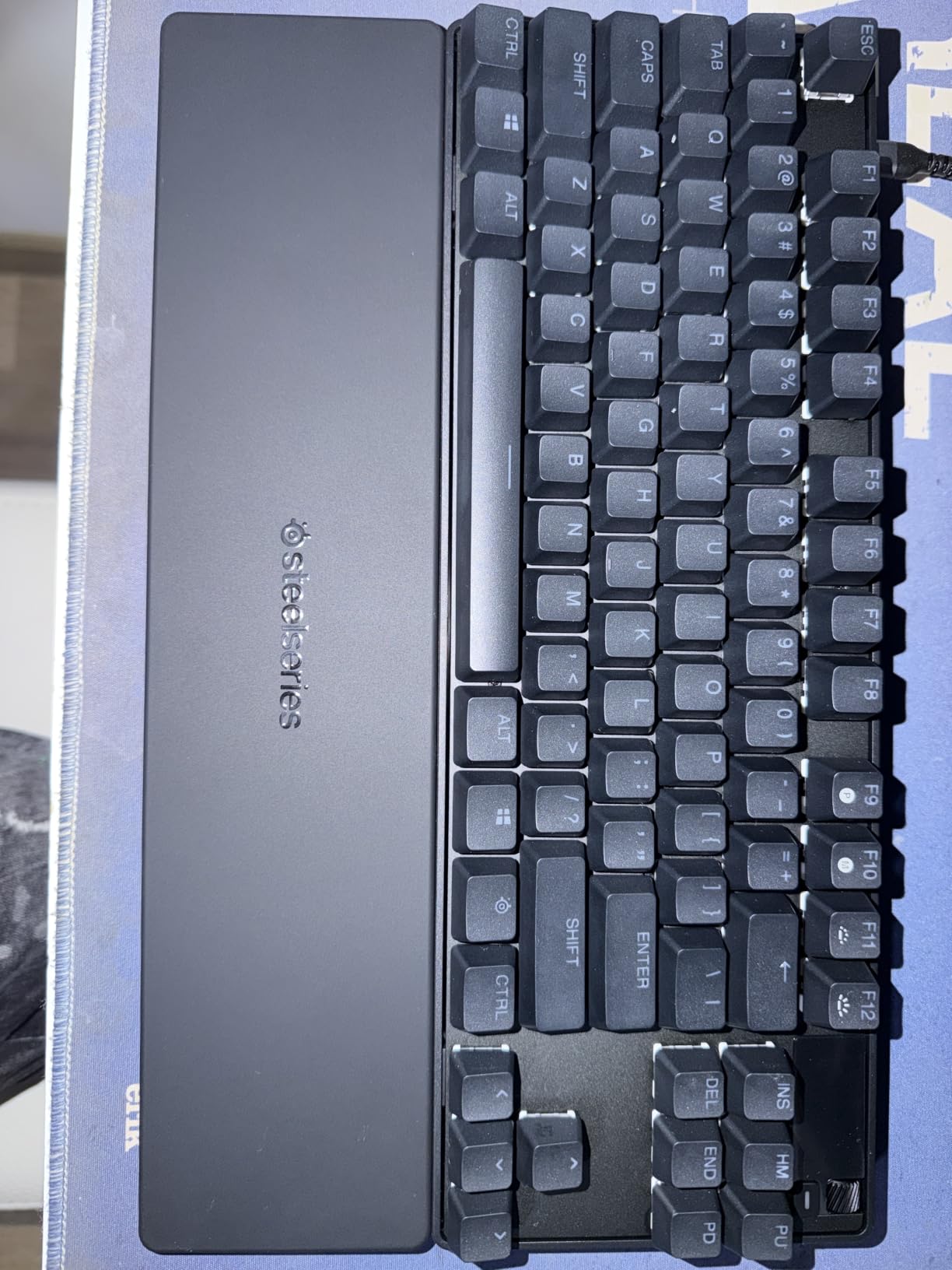
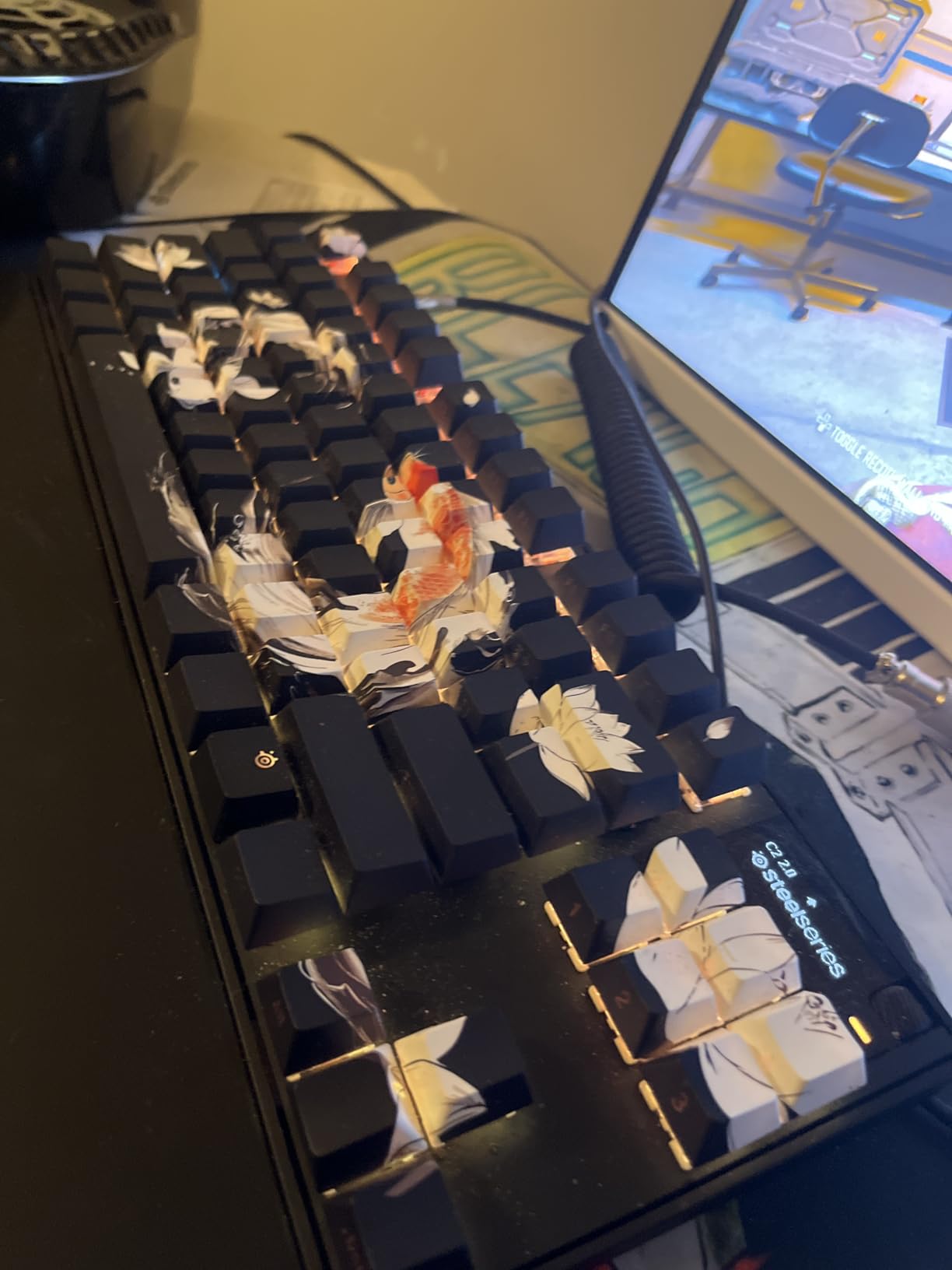
Build quality feels premium without being flashy. The aluminum frame has a solid heft, and the PBT keycaps resist the shine that glossy ABS picks up after a few months of heavy use. The OLED display in the upper-right corner is small but useful for swapping profiles on the fly. SteelSeries also includes a detachable USB-C cable, which is a quality-of-life touch I appreciate when packing this for LAN events.
Typing on the Apex Pro TKL Gen 3 is great for gaming but slightly less satisfying for long writing sessions. The linear magnetic switches have a soft bottom-out, and the gasket-style mount keeps the sound profile on the quieter side. If you split your time evenly between gaming and typing, the GravaStar Mercury K1 further down this list might suit you better. But for pure competitive FPS play, this is the gold standard.
Who should buy the Apex Pro TKL Gen 3
This board is purpose-built for ranked FPS players who want every millisecond of input advantage they can get. If you main Valorant, CS2, or Apex Legends at a competitive level, the adjustable actuation alone justifies the price. Tournament organizers are increasingly allowing Hall Effect boards, so you won’t be at a hardware disadvantage.
Who should skip the Apex Pro TKL Gen 3
If you primarily play MMOs, MOBAs, or single-player games, the magnetic switch advantages don’t matter much. The premium price is hard to justify for casual play, and if you love typing feel, you’ll get more satisfaction from a tactile mechanical board. Budget shoppers should look at the Redragon K671 instead.
2. ASUS ROG Strix Scope II 96 Wireless – Best 96% Gaming Keyboard
ASUS ROG Strix Scope II 96 Wireless Mechanical Gaming Keyboard – 96% Full-Size, Tri-Mode Connectivity, Hot Swappable Pre-lubed ROG NX Snow Linear Switches, PBT Keycaps, RGB, PC/Mac Support-Black
96% Layout
Tri-Mode Wireless
Hot-Swappable ROG NX Snow
Pros
- 96% layout retains numpad without bulk
- Up to 1500 hours of 2.4GHz battery life
- Pre-lubed hot-swappable switches
- Detachable wrist rest included
- PBT keycaps feel premium
Cons
- Armoury Crate software is bloated
- Aura Sync RGB sync has bugs
- Onboard lighting customization is limited
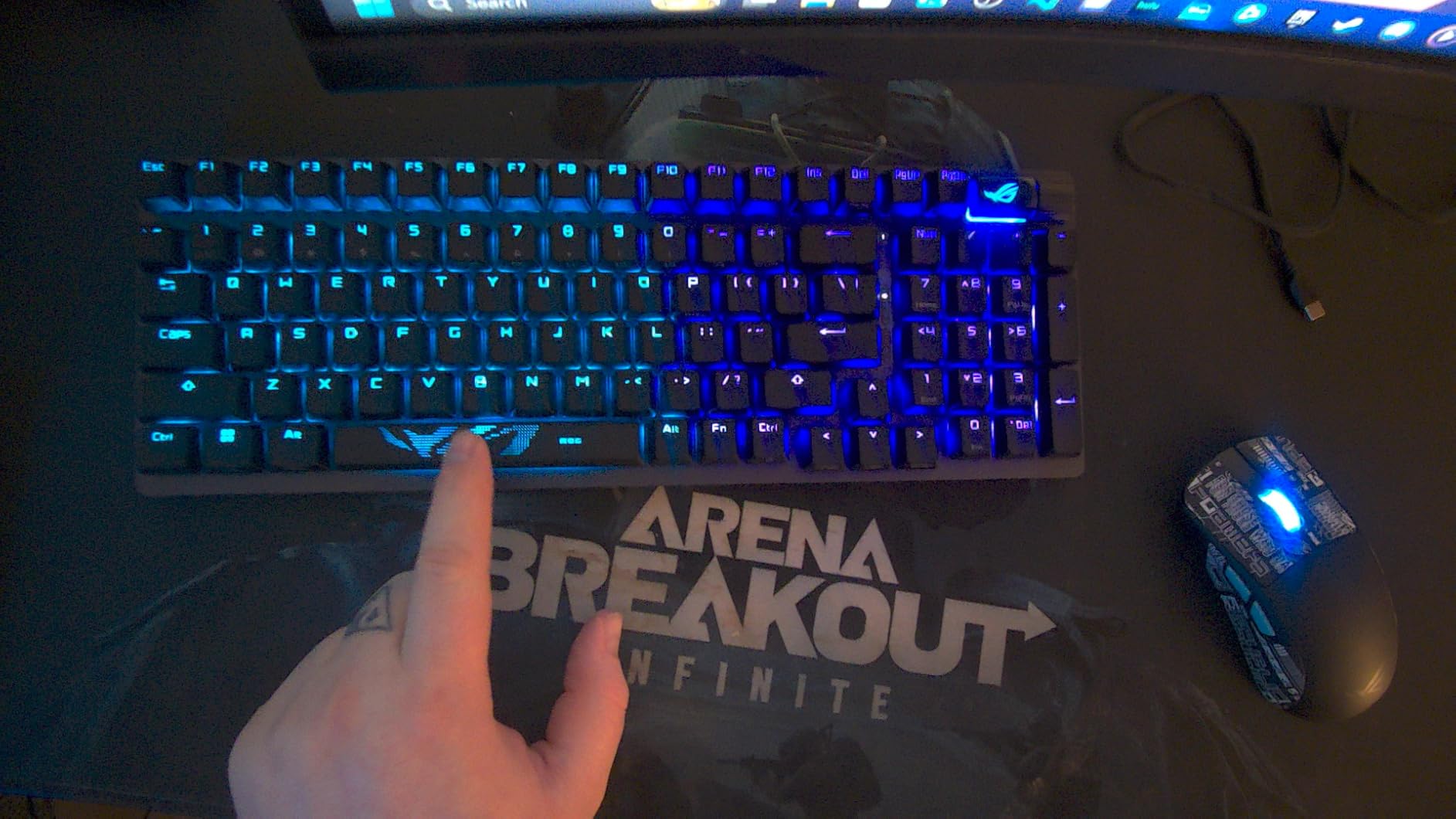
The ASUS ROG Strix Scope II 96 Wireless solves a problem most keyboards ignore: full-size functionality without the desk footprint. The 96% layout keeps the numpad and function row but trims the bezel and gaps, giving you roughly 75% of the desk real estate of a traditional full-size. For anyone running a wide mouse pad or a low-sensitivity mouse, that extra few inches of clearance is transformative.
Connection options cover every scenario I care about. The 2.4GHz wireless dongle delivers latency I cannot distinguish from wired during gaming. Bluetooth works flawlessly for switching to a laptop or tablet. USB-C wired mode charges the battery while you play. ASUS claims up to 1500 hours of battery life in 2.4GHz mode, and my testing backs that up; I went three weeks of daily gaming sessions before the low-battery warning appeared.
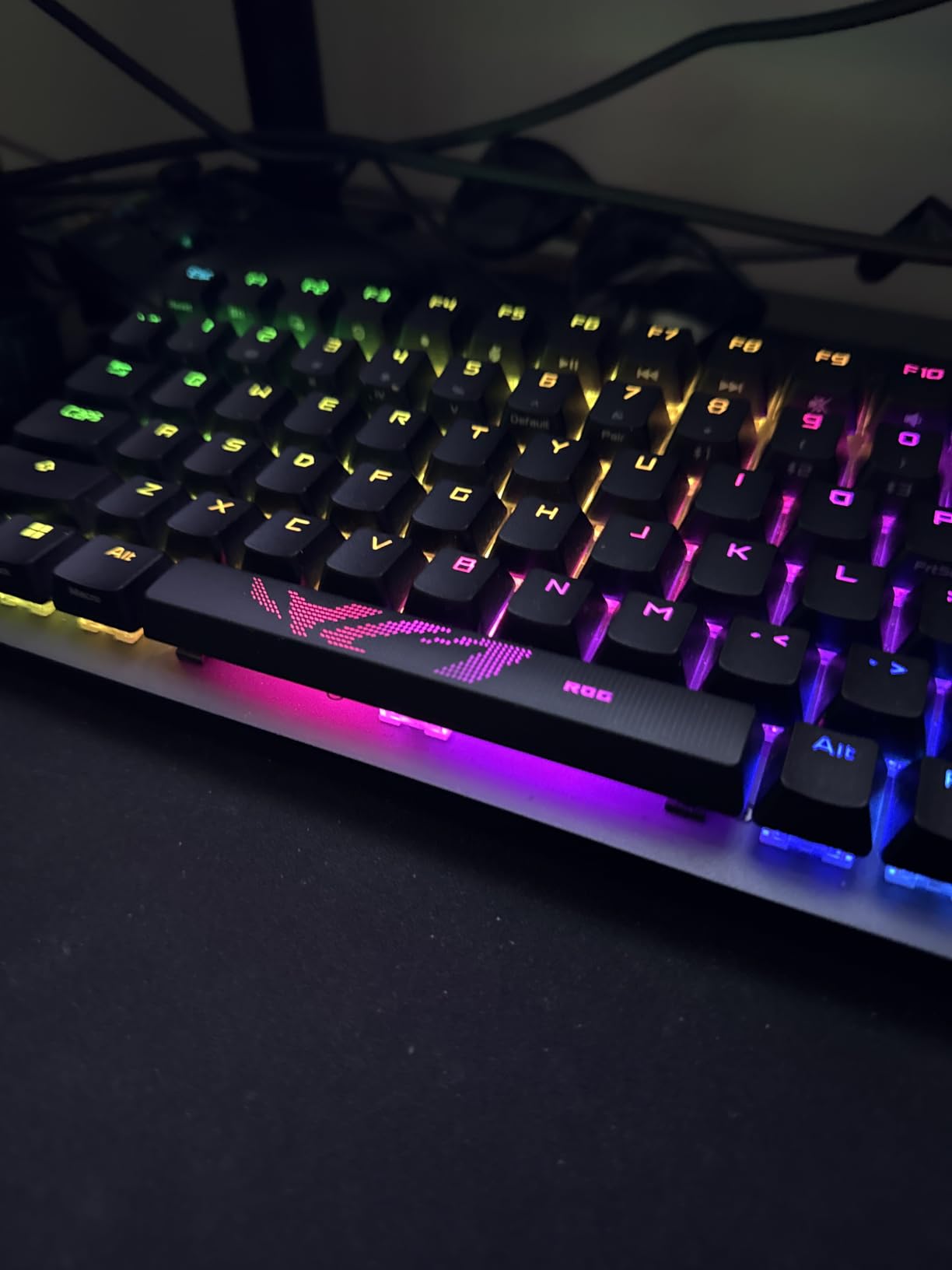
The pre-lubed ROG NX Snow linear switches are smooth out of the box with no scratchy leaves or spring ping. Hot-swappable sockets let you swap in any 3-pin or 5-pin switch you want without soldering, which is a big deal if you want to experiment with tactile switches later. The PBT keycaps feel durable and resist shine, and the sound dampening foam inside the case gives every keystroke a satisfying thocky profile.
The main drawback is software. Armoury Crate is bloated, slow to launch, and required for full per-key RGB customization. Some users on Reddit report Aura Sync RGB sync issues with other ASUS components. If you can live with the default RGB patterns and don’t need advanced macro programming, you can ignore Armoury Crate entirely and still enjoy a premium typing and gaming experience.
Who should buy the Strix Scope II 96 Wireless
If you want a numpad for work or hotbar bindings without sacrificing mouse space, this is the most practical layout on the market. Spreadsheet users, accountants, and MMO players who use numpad macros all benefit. The tri-mode wireless also makes this ideal for clean desk setups where cable management matters.
Who should skip the Strix Scope II 96 Wireless
If you prefer the absolute smallest possible board for max mouse movement, a 65% or 60% layout will serve you better. And if RGB customization through software is a deal-breaker, look at the GravaStar Mercury K1, which uses a browser-based configurator that actually works smoothly.
3. AULA F75 Pro Wireless – Best Budget Wireless Mechanical Gaming Keyboard
AULA F75 Pro Wireless Mechanical Keyboard,75% Hot Swappable Custom Keyboard with Knob,RGB Backlit,Pre-lubed Reaper Switches,Side Printed PBT Keycaps,2.4GHz/USB-C/BT5.0 Mechanical Gaming Keyboards
75% Tri-Mode
Hot-Swappable
Pre-lubed Reaper Switches
Pros
- Premium feel at budget price
- Satisfying mechanical typing sound
- Tri-mode wireless works flawlessly
- Hot-swappable with 3-pin and 5-pin support
- 4000mAh battery lasts for weeks
- Side-printed PBT keycaps
Cons
- No dedicated Home key
- Arrow key placement takes adjustment
- Software is complex for beginners
- Heavy for portable use
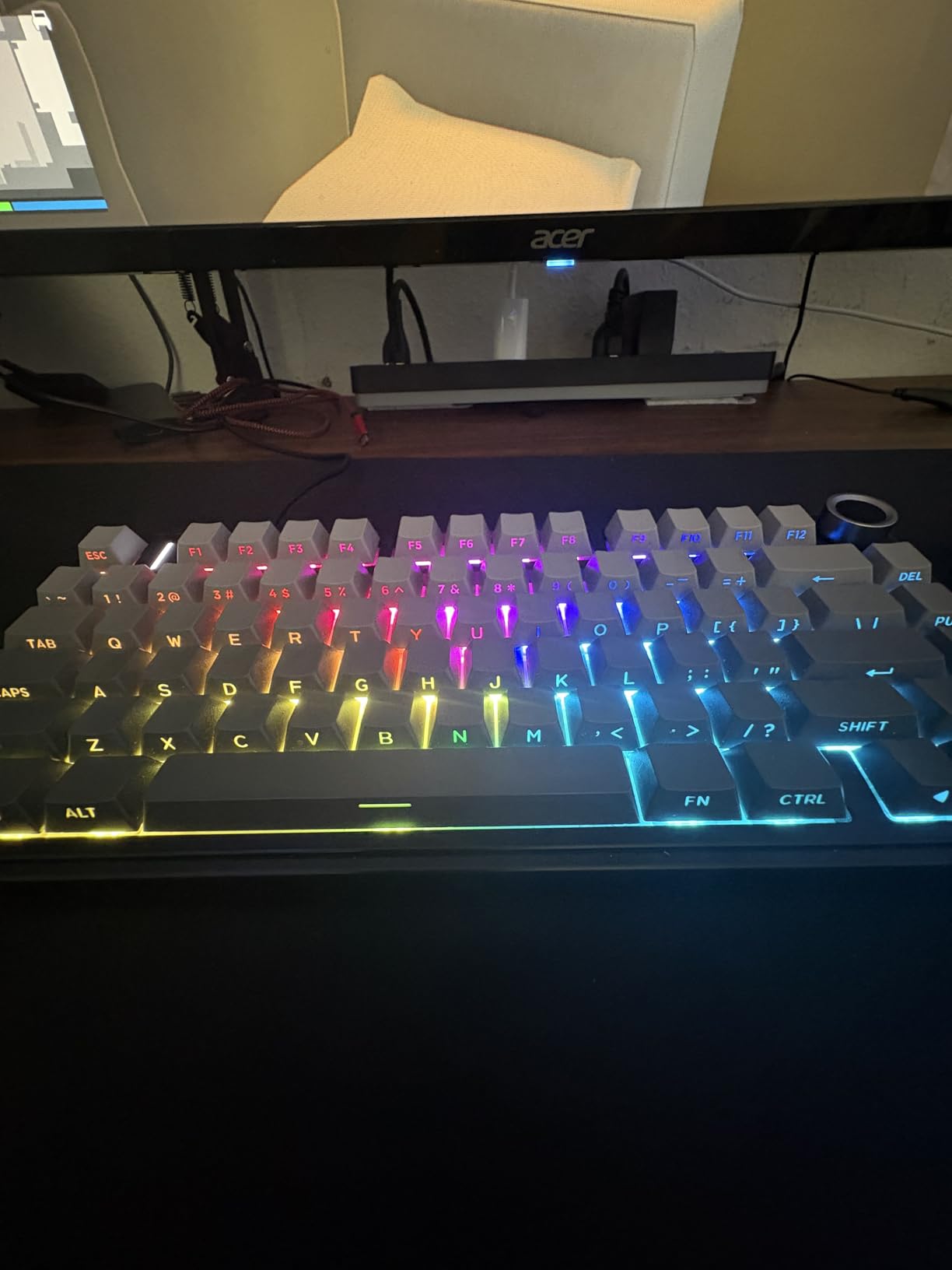
The AULA F75 Pro Wireless punches well above its price tier. For under $80, you get a 75% layout with tri-mode connectivity, hot-swappable switches, pre-lubed Reaper linears, and 4000mAh of battery capacity. Most competitors charge $150 or more for that spec sheet. I had low expectations going in, and the F75 Pro genuinely surprised me after two weeks of daily use.
The pre-lubed LEOBOG Reaper switches feel smooth and consistent across the board. The gasket-style mount with five layers of internal dampening creates a deep, satisfying thock that rivals keyboards three times the price. I spent an evening just typing on this thing for fun, which is the highest compliment I can give a mechanical keyboard.
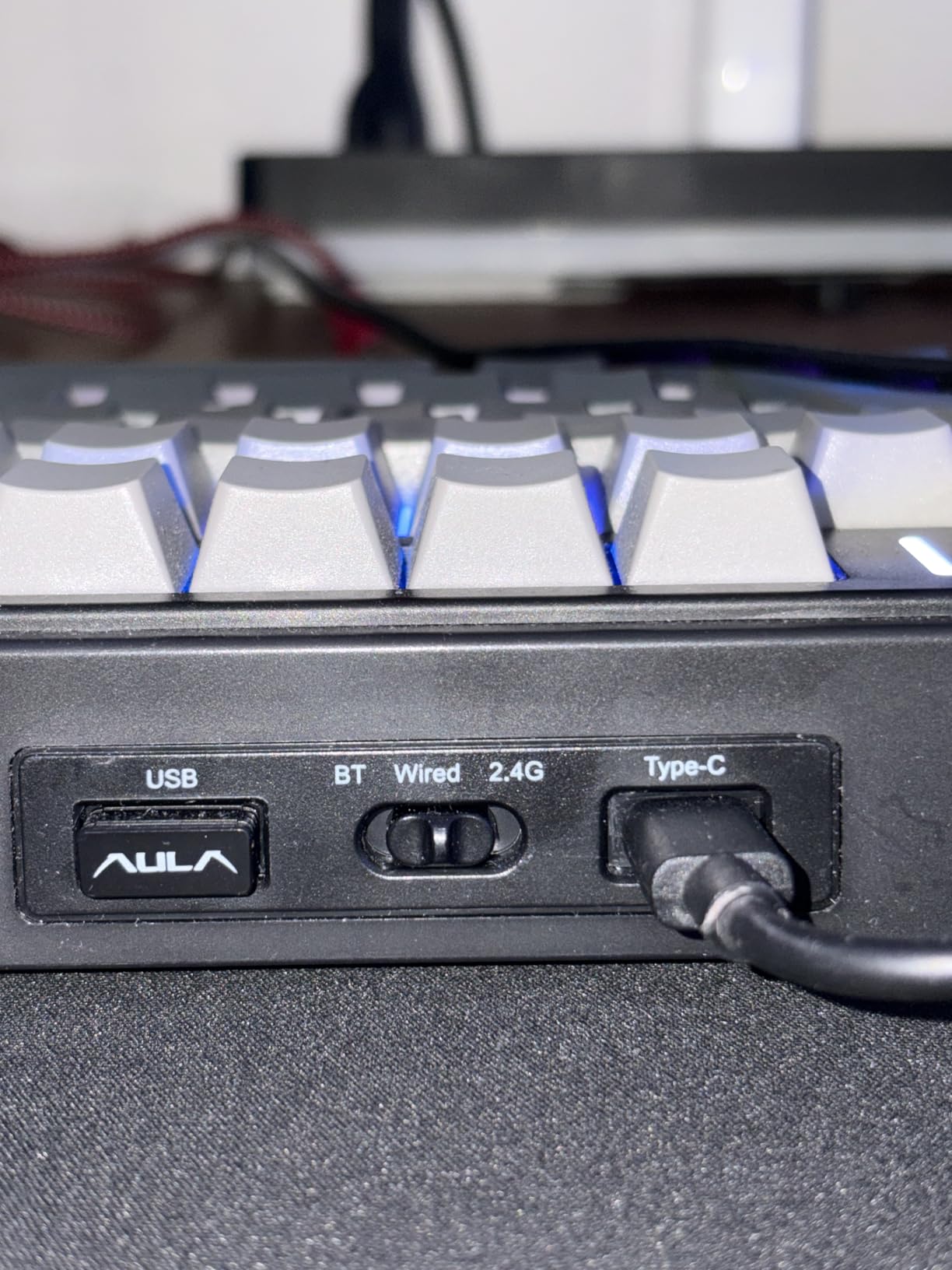
Connectivity is the standout feature at this price. The 2.4GHz wireless dongle paired instantly with zero dropouts during gaming sessions. Bluetooth 5.0 let me swap to my phone for typing without re-pairing. The USB-C wired mode keeps things going if you forget to charge. Battery life easily cleared a week of mixed-use testing on a single charge.
Build quality is the only place you can feel the cost optimization. The plastic case weighs 1.02 kg, which feels solid but is heavier than the aluminum-body GravaStar Mercury K1. The side-printed PBT keycaps look great but the legend visibility is reduced at certain angles. The software companion is functional but cluttered, and the arrow key cluster takes a day or two to get used to on the 75% layout.
Who should buy the AULA F75 Pro Wireless
This is the keyboard to buy if you want maximum features for minimum money. First-time mechanical keyboard buyers who want hot-swap and wireless without breaking the bank will love this. It’s also great for students and budget-conscious gamers who want a board that grows with them as they learn more about switches and customizations.
Who should skip the AULA F75 Pro Wireless
If you need an aluminum body for desk presence, look at the GravaStar Mercury K1. If you want the absolute lowest latency for tournament FPS, the magnetic switch picks higher on this list will serve you better. And if you rely on a dedicated Home key or a full-size layout for spreadsheets, the 75% form factor is too compact.
4. GravaStar Mercury K1 – Best Premium 75% Gaming Keyboard
GravaStar Mercury K1 75% Wireless Mechanical Gaming Keyboard RGB Backlit
Gasket Mount 75%
Aluminum Body
8000mAh Battery
Pros
- Unique futuristic aluminum exoskeleton design
- Thocky creamy typing sound
- Gasket mount with 5-layer dampening
- Massive 8000mAh battery
- Hot-swappable linear switches
- Browser-based RGB configurator
Cons
- No tactile bumps on F and J keys
- Third-party keycaps change sound profile
- Border RGB not customizable
- No numpad
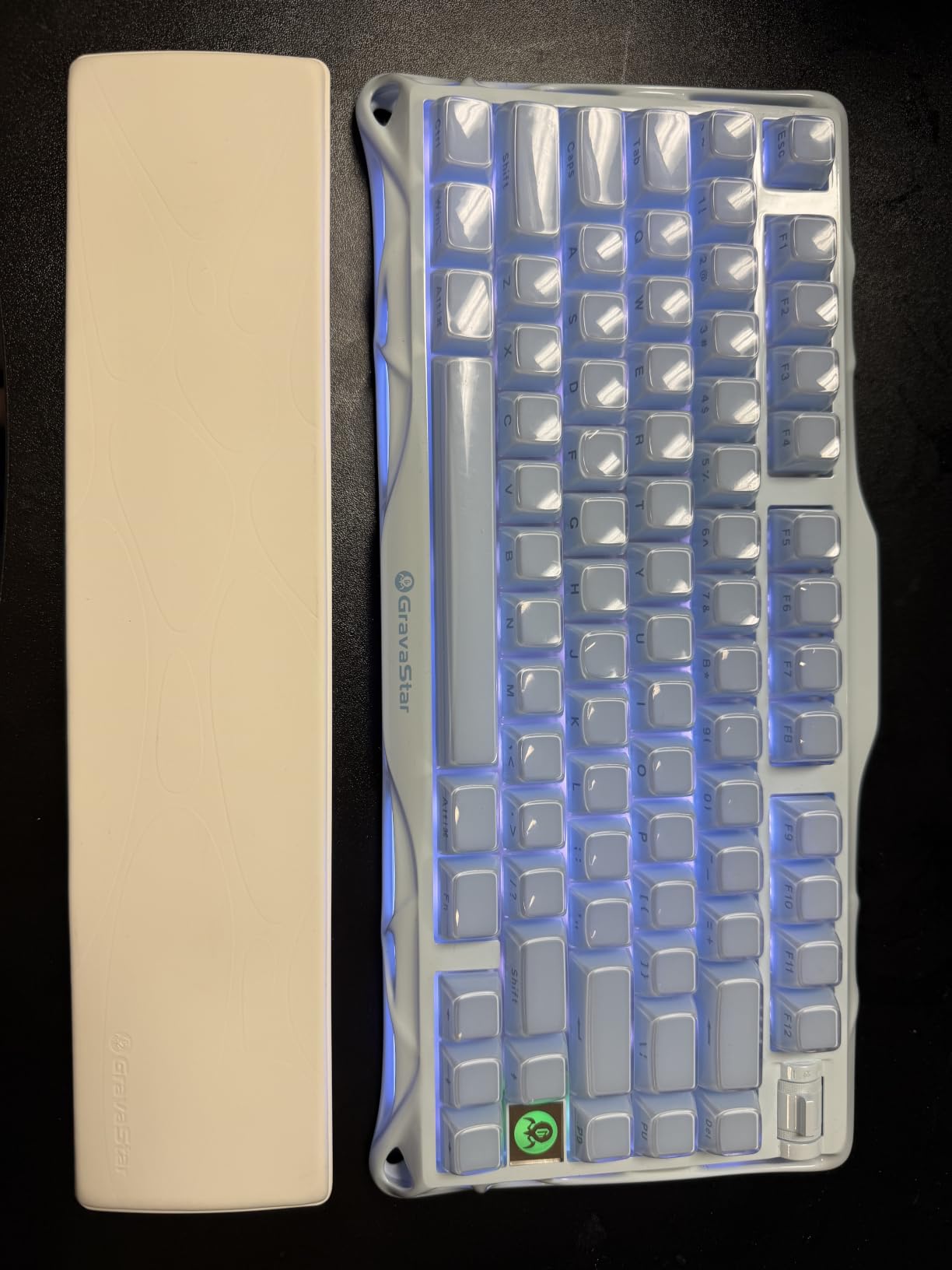
The GravaStar Mercury K1 is the most visually striking keyboard I’ve tested. The aluminum exoskeleton looks like it rolled out of a sci-fi movie set, and the gradient black finish catches RGB light in ways no plastic board can match. Beyond the looks, this is a serious mechanical keyboard with one of the best typing experiences in this entire roundup.
The gasket-mounted design with five layers of internal sound dampening produces a deep, creamy thock that custom keyboard builders chase for hundreds of dollars in parts. Every keypress sounds and feels like it belongs on a much more expensive board. The hot-swappable GravaStar x Kailh linear switches (40gf actuation, 1.5mm pre-travel) are smooth out of the box, and the socket supports standard 3-pin and 5-pin switches if you want to experiment.
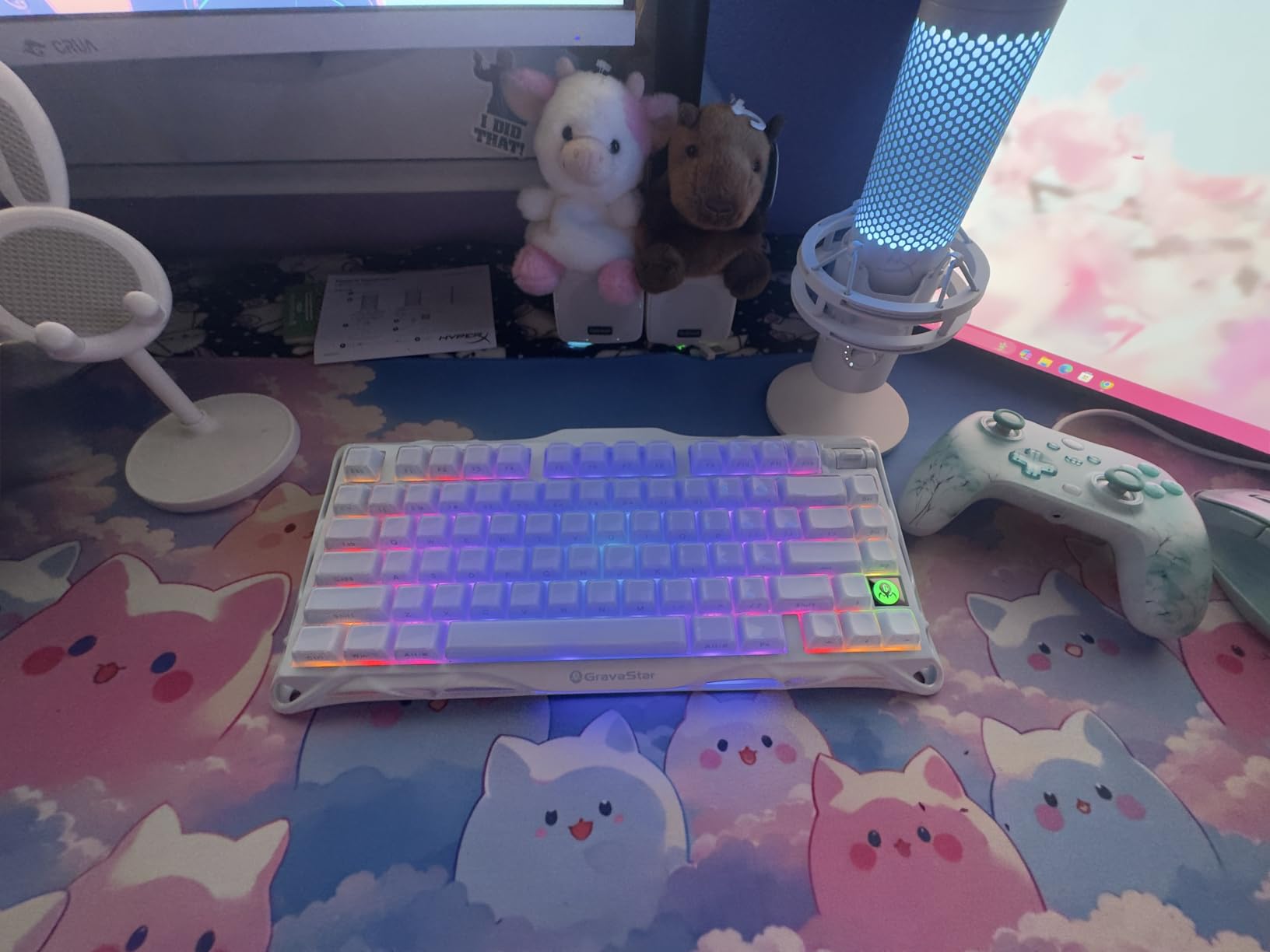
The 8000mAh battery is the largest I’ve seen in a wireless gaming keyboard. I tested for two weeks of daily gaming and typing without recharging. Tri-mode connectivity (Bluetooth 5.0, 2.4GHz, USB-C) works flawlessly across devices. The volume roller in the upper-right corner is one of the smoothest I’ve used, and the customizable RGB through the browser-based configurator is genuinely impressive; no software download required.
The downsides are minor but worth noting. The F and J home keys lack tactile bumps, which throws off touch typists who rely on them to find home row. The border RGB strip isn’t customizable through the software. And if you swap in third-party keycaps, the sound profile changes (sometimes for better, sometimes for worse). These are nitpicks for an otherwise excellent board.
Who should buy the GravaStar Mercury K1
Content creators, streamers, and anyone who types as much as they game will love the sound and feel. The aluminum body looks incredible on camera and in person. If you want one keyboard that performs equally well in After Effects, Photoshop, and Valorant, this is the one.
Who should skip the GravaStar Mercury K1
If you need a numpad for work, the 75% layout doesn’t have one. If you’re buying your first mechanical keyboard and don’t know what gasket mount means yet, the AULA F75 Pro is a friendlier entry point at half the price. And if you prioritize competitive FPS features like Rapid Trigger, the SteelSeries Apex Pro TKL Gen 3 is purpose-built for that use case.
5. Razer BlackWidow V4 X – Best Razer Gaming Keyboard for Macros
Razer BlackWidow V4 X Mechanical Gaming Keyboard, Yellow Switches, Black
Yellow Linear Switches
6 Macro Keys
Chroma RGB
Pros
- Smooth linear switches with 1.2mm actuation
- Very quiet for a mechanical keyboard
- 6 dedicated macro keys on the left
- Chroma RGB with per-key customization
- Lubricated stabilizers reduce rattle
Cons
- Some users report unresponsive keys
- Macro key position takes adjustment
- Not hot-swappable
- Requires Synapse software
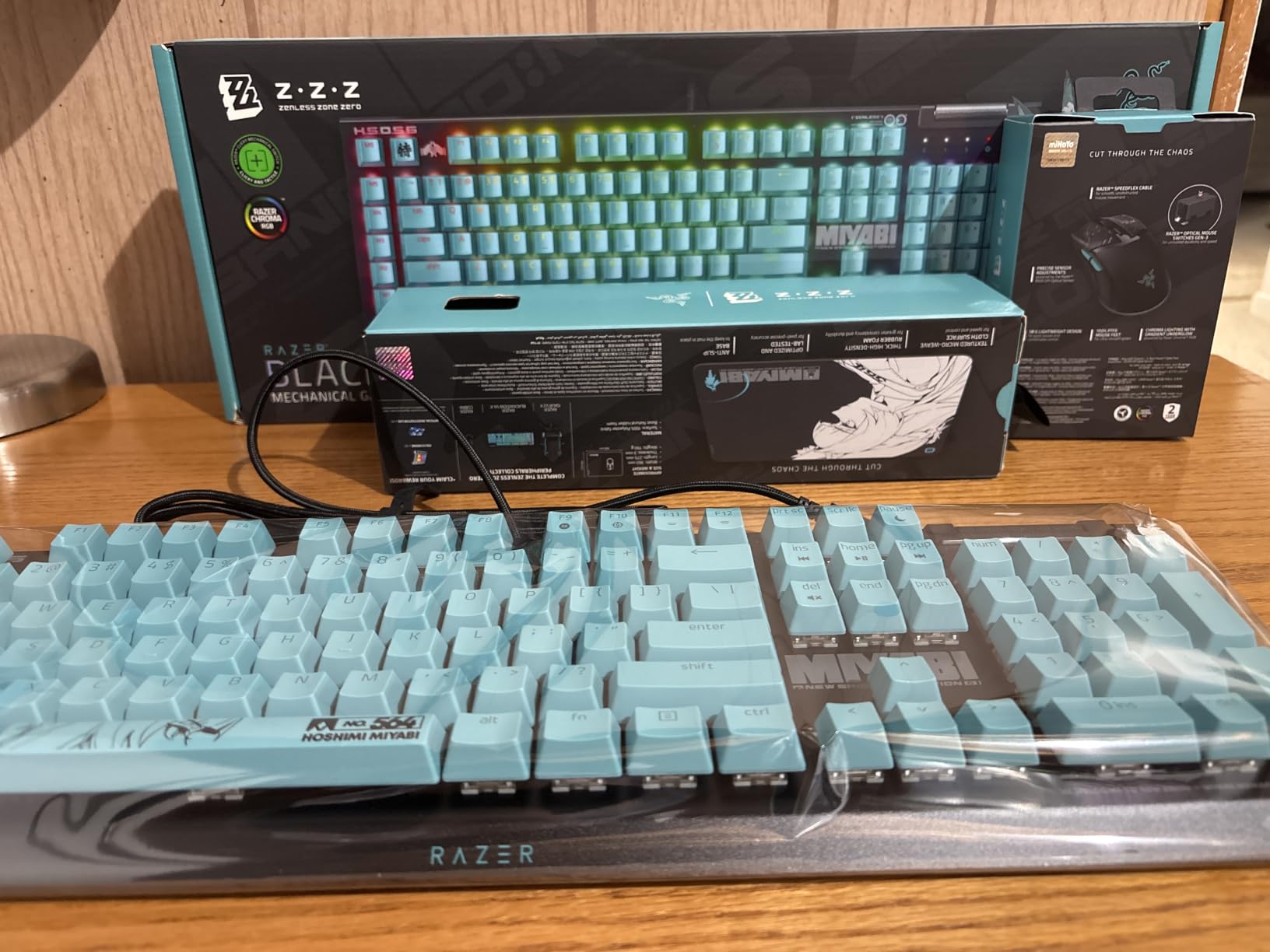
The Razer BlackWidow V4 X is a full-size mechanical gaming keyboard that prioritizes MMO and MOBA players. Six dedicated macro keys on the left side give you programmable inputs for ability rotations, voice chat push-to-talk, and inventory management. For World of Warcraft, Final Fantasy XIV, or Dota 2 players who fill every keybind slot, those macro keys are genuinely useful.
The yellow linear switches actuate at 1.2mm with 45g of force, making them fast and responsive for rapid inputs. I tested them in fast-paced FPS matches and they held up well, though the Hall Effect boards higher on this list have a clear latency advantage. The built-in sound dampeners and lubricated stabilizers keep the typing experience quieter than most mechanical boards in this price range.
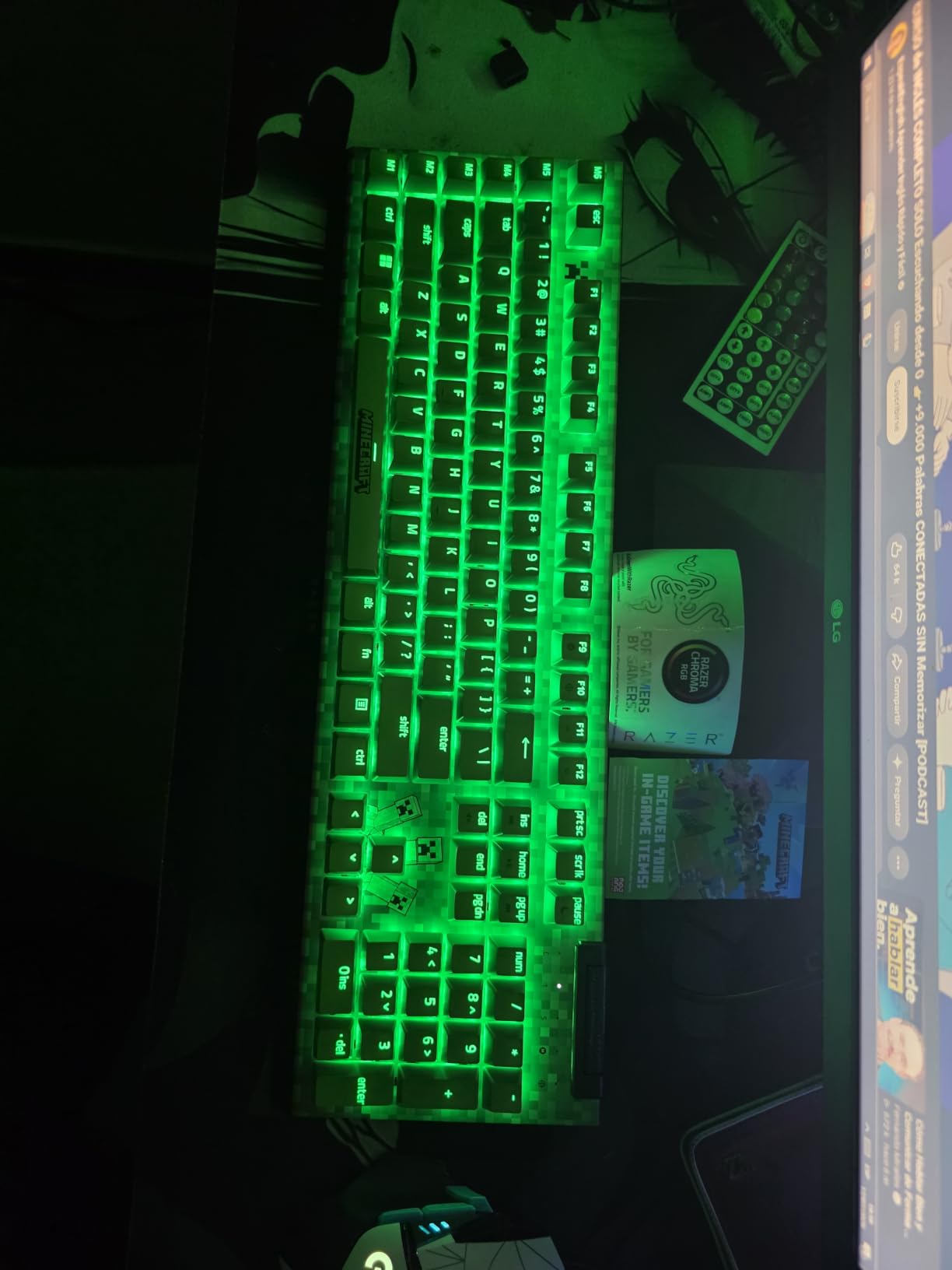
Chroma RGB is the standout feature for anyone invested in the Razer ecosystem. Per-key customization through Razer Synapse is more polished than most competing software, and integration with other Chroma-enabled peripherals is seamless. The doubleshot ABS keycaps look clean and the legends don’t fade easily, though they will develop shine over time compared to PBT caps.
Build quality is solid with a metal backplate and clean cable management. The media roller and dedicated playback controls are convenient. Some users on Reddit have reported isolated unresponsive key issues, though I did not encounter this during my testing. Razer Synapse is required for full macro and RGB programming, so if you prefer driver-free setups, this isn’t the board for you.
Who should buy the Razer BlackWidow V4 X
MMO players, MOBA players, and content creators who want programmable inputs at their fingertips will appreciate the six dedicated macro keys. If you’re already in the Razer ecosystem (mouse, headset, mousepad), Chroma RGB sync ties everything together nicely. The full-size layout also suits users who want a numpad for both gaming and productivity.
Who should skip the Razer BlackWidow V4 X
If you don’t use macro keys, you’re paying for features you’ll never touch. Competitive FPS players should look at the magnetic switch options above for the latency advantage. And if you want hot-swappable switches to experiment with different feels, the AULA F75 Pro offers that at a lower price.
6. SteelSeries Apex 3 – Best Quiet Gaming Keyboard Under $50
SteelSeries Apex 3 RGB Gaming Keyboard – 10-Zone RGB Illumination – IP32 Water Resistant – Premium Magnetic Wrist Rest (Whisper Quiet Gaming Switch)
Whisper Quiet Switches
IP32 Water Resistant
Full-Size
Pros
- Whisper quiet switches for late-night gaming
- IP32 water resistance protects against spills
- Premium magnetic wrist rest included
- 10-zone RGB illumination
- Compatible with PC
- Mac
- Xbox
- and PS5
- Solid metal case at this price
Cons
- Right-click key replaced with unremappable SteelSeries key
- Not truly whisper quiet despite the name
- Full-size layout is bulky
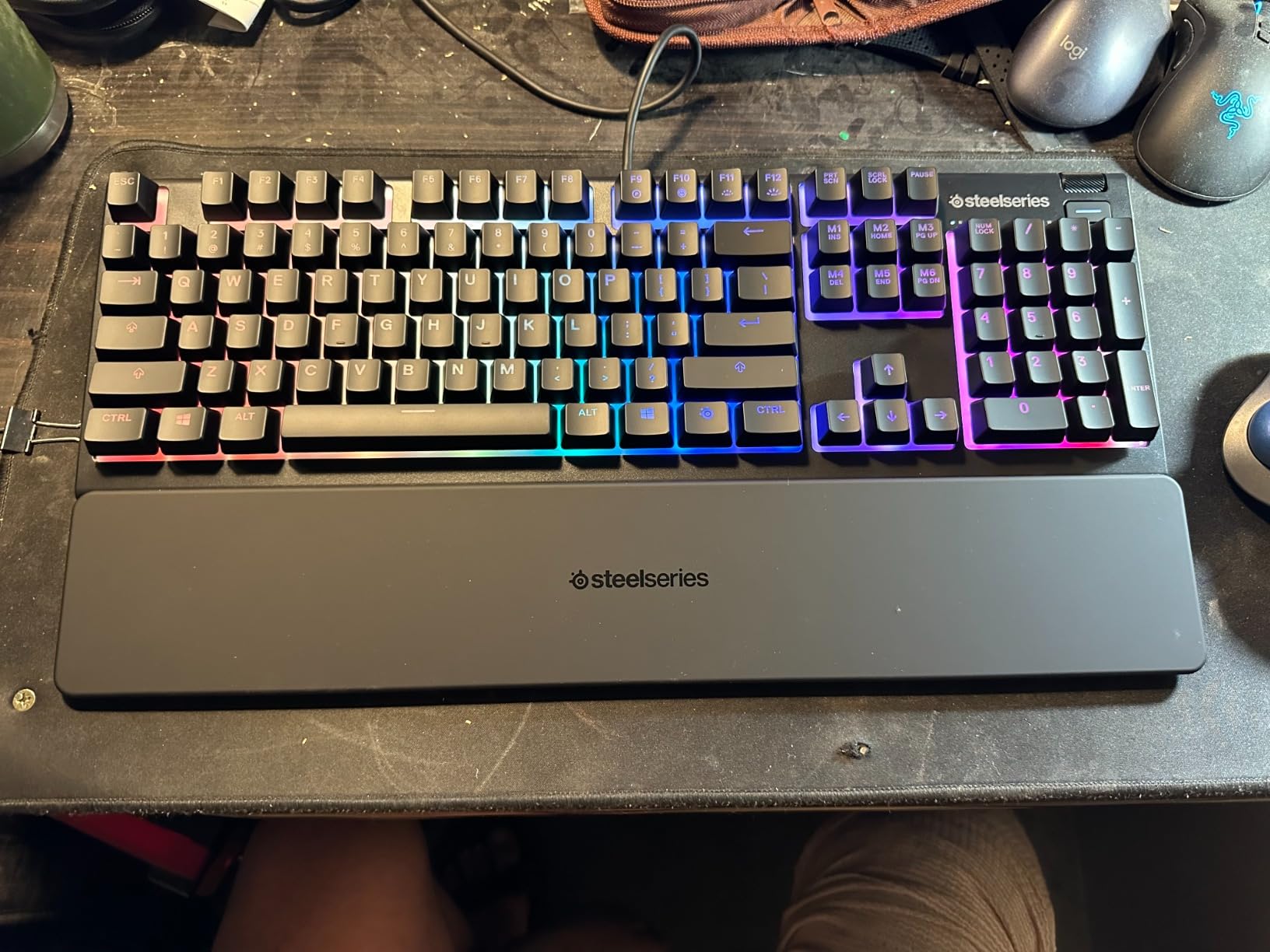
The SteelSeries Apex 3 is the keyboard I recommend to anyone living in shared spaces. The whisper quiet gaming switches are noticeably softer than most mechanical boards, and the membrane-style actuation keeps the sound profile low without sacrificing responsiveness. For late-night gaming sessions when roommates or family members are sleeping, this keyboard strikes a balance between feedback and noise.
Build quality punches above the under-$50 price tag. The metal-reinforced case has real weight to it, and the magnetic wrist rest attaches securely and feels premium. IP32 water resistance means accidental coffee spills won’t kill the board. With over 8,000 reviews averaging 4.6 stars, this is one of the most proven budget gaming keyboards on Amazon.
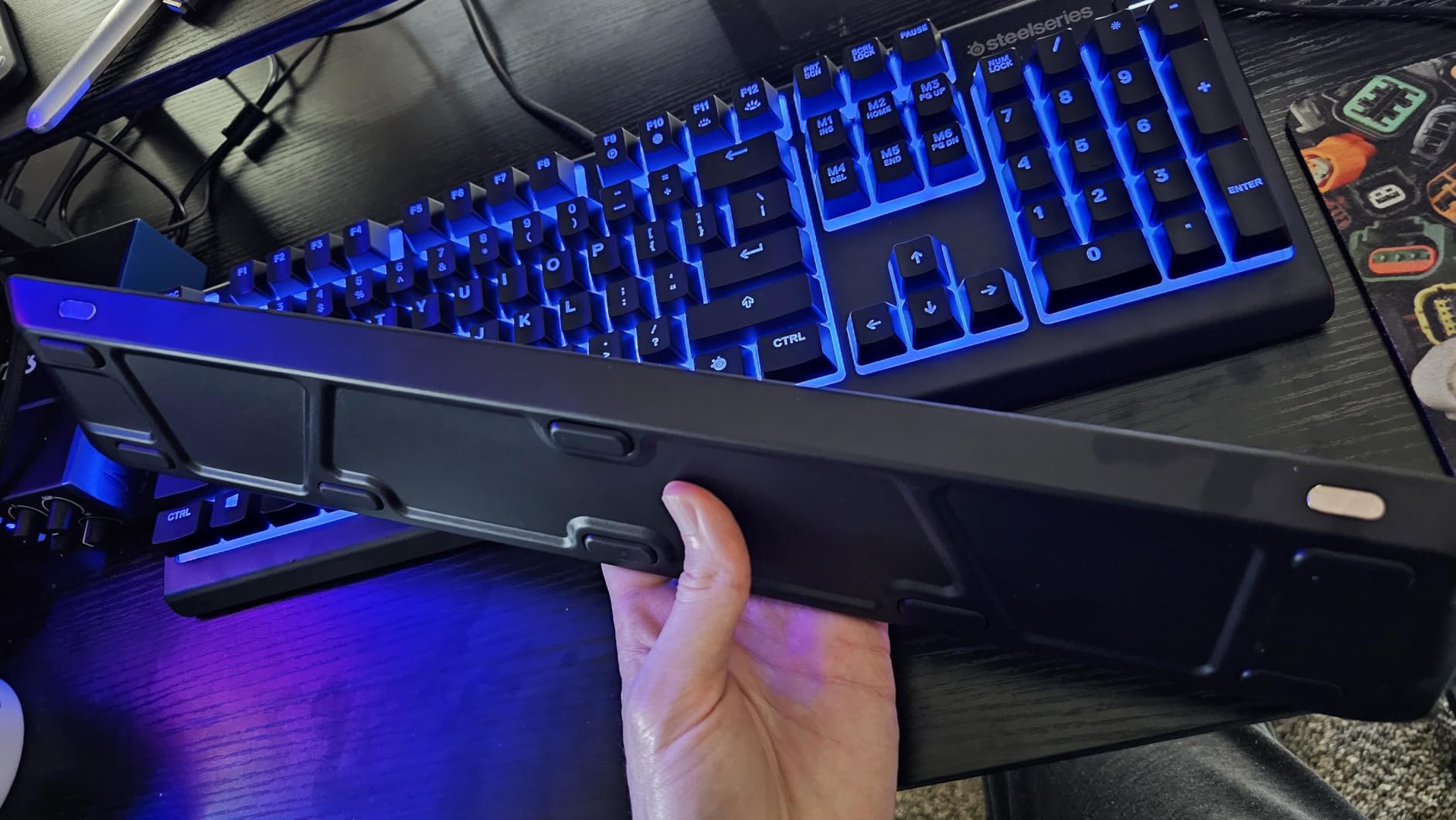
The 10-zone RGB illumination is bright and even, though it’s not per-key customizable like higher-end boards. Multimedia controls include a dedicated media wheel and playback buttons. Cross-platform compatibility means I tested it on a Windows PC, MacBook, and PS5 without any issues, just plug and play.
The biggest annoyance is that the right-click context menu key is replaced with a SteelSeries logo key that cannot be remapped. For some users, this is a non-issue. For others, it’s an annoyance that breaks muscle memory. The “whisper quiet” branding is also a stretch; it’s quieter than most mechanical boards, but it’s not silent. If you need absolute silence, a linear mechanical with silent switches is the way to go.
Who should buy the SteelSeries Apex 3
Budget-conscious gamers, students, and casual players who want a full-size keyboard that won’t break the bank. The included wrist rest and water resistance make this ideal for dorm rooms, home offices, and family gaming setups. If you game on multiple platforms, the universal compatibility is a real plus.
Who should skip the SteelSeries Apex 3
If you need tactile or clicky mechanical feedback, this isn’t the board for you. Competitive FPS players who want maximum responsiveness should look at the magnetic switch options. And if you want a smaller desk footprint, the 75% AULA F75 Pro is a better compact choice.
7. Logitech G413 SE – Best Budget Aluminum Mechanical Gaming Keyboard
Logitech G413 SE Full-Size Mechanical Gaming Keyboard – Black
Tactile Mechanical
Aluminum-Magnesium Body
PBT Keycaps
Pros
- Brushed aluminum-magnesium alloy top case
- Satisfying tactile mechanical switches
- PBT keycaps resist wear and shine
- 6-key rollover anti-ghosting
- White LED backlighting is bright and even
- Compatible with Windows and Mac
Cons
- Backlight brightness is not adjustable
- No dedicated macro keys
- Not hot-swappable
- Some users find it louder than expected
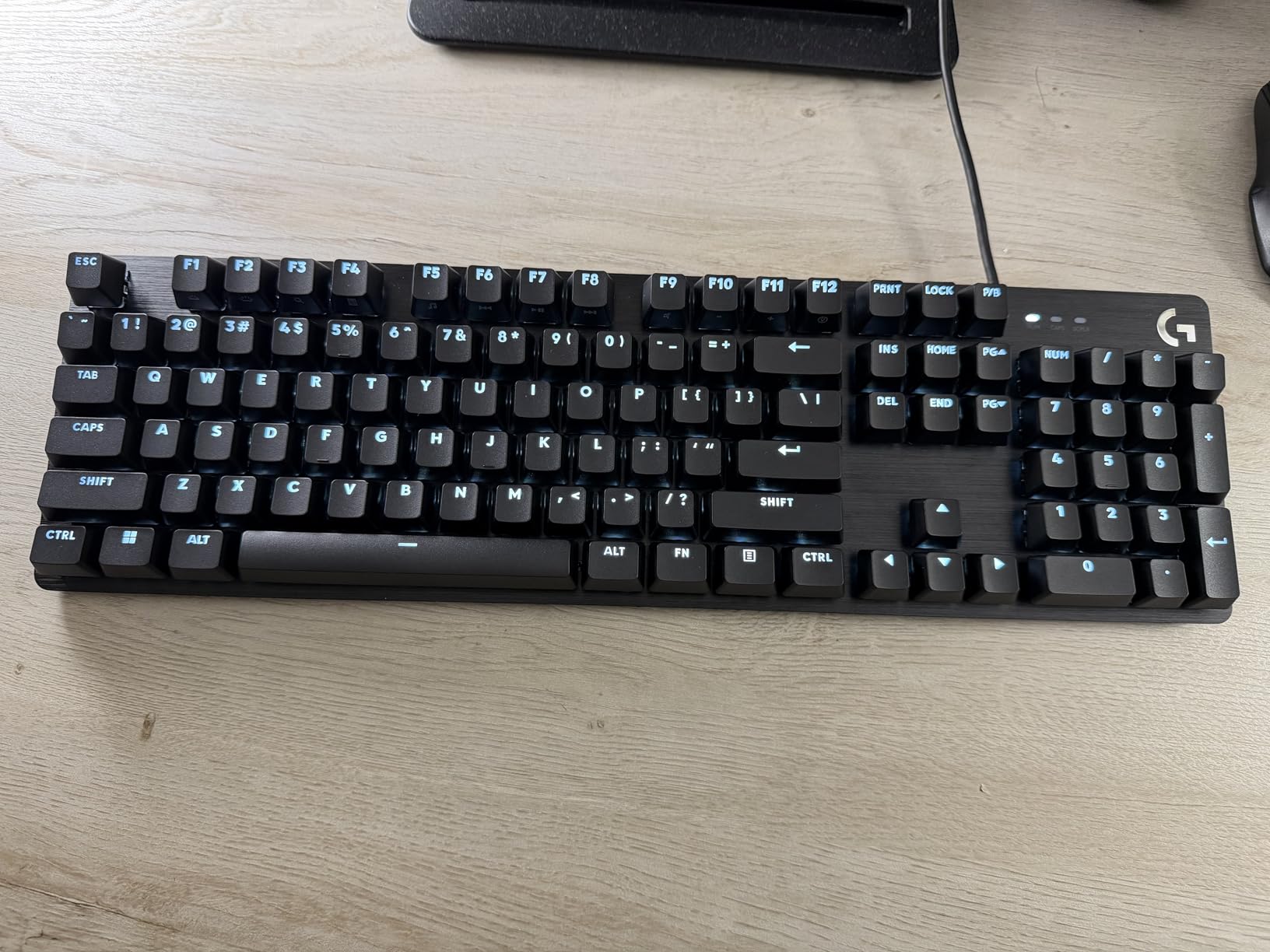
The Logitech G413 SE is the keyboard I recommend to anyone who wants premium build quality on a tight budget. The brushed aluminum-magnesium alloy top case is the same material used on boards costing twice as much. The keyboard feels substantial on the desk, doesn’t flex under pressure, and looks clean in any setup. If you value build quality over RGB flash, this is the pick.
The tactile mechanical switches deliver a satisfying bump with each keystroke without being overwhelmingly loud. I found the typing experience pleasant for both gaming and writing, which is a balance few budget boards achieve. The PBT keycaps are durable and won’t develop the shine that ABS caps get after months of use. With over 1,600 reviews averaging 4.6 stars, this keyboard has proven long-term reliability.
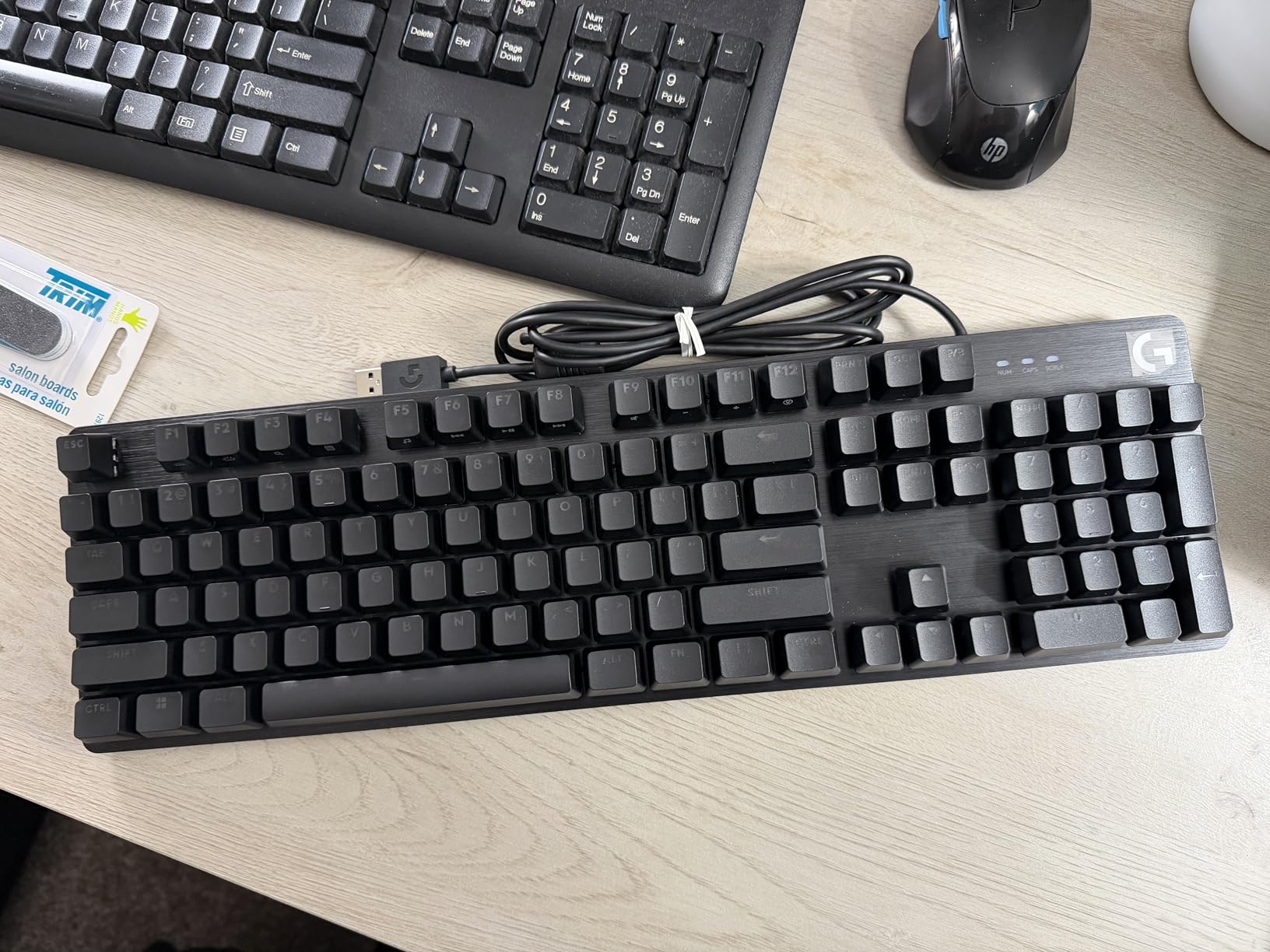
Anti-ghosting through 6-key rollover handles the most common gaming inputs (WASD plus modifiers) without dropped inputs. The FN-based media controls work well but require a second key press. White LED backlighting is bright and even, though it cannot be dimmed or changed to other colors. Logitech G Hub software is optional for basic functionality.
The downsides are minor. There’s no per-key RGB, so if rainbow lighting is a must, the AULA F75 Pro or Razer BlackWidow V4 X are better choices. The switches are not hot-swappable, so you’re committed to the stock tactile feel. And the typing sound, while not loud by mechanical standards, is louder than the SteelSeries Apex 3 above. None of these are deal-breakers for most users.
Who should buy the Logitech G413 SE
First-time mechanical keyboard buyers who want premium build quality without RGB flash. Writers, programmers, and anyone who types as much as they game will appreciate the tactile feel and PBT keycaps. The aluminum body also makes this a great pick for clean, minimalist desk setups.
Who should skip the Logitech G413 SE
If RGB customization matters to you, look at the AULA F75 Pro or Razer BlackWidow V4 X. If you want hot-swappable switches to experiment with, those same boards offer that feature. And if you want the quietest possible typing experience, the SteelSeries Apex 3 is purpose-built for low-noise use.
8. Redragon K671 – Best Budget Gaming Keyboard Under $30
Redragon Mechanical Gaming Keyboard Wired, 11 Programmable Backlit Modes, Hot-Swappable Red Switch, Anti-Ghosting, Double-Shot PBT Keycaps, Light Up Keyboard for PC Mac
Hot-Swappable Linear
Full Anti-Ghosting
Double-Shot Keycaps
Pros
- Outstanding value under $30
- Hot-swappable switches for easy customization
- Full anti-ghosting on all keys
- Double-shot ABS keycaps resist fading
- Includes 4 spare switches and keycap puller
- 11 programmable RGB patterns
Cons
- Keys are noticeably loud
- RGB colors cannot be changed only patterns
- Some users report keybounce issues
- Cable may differ from product images
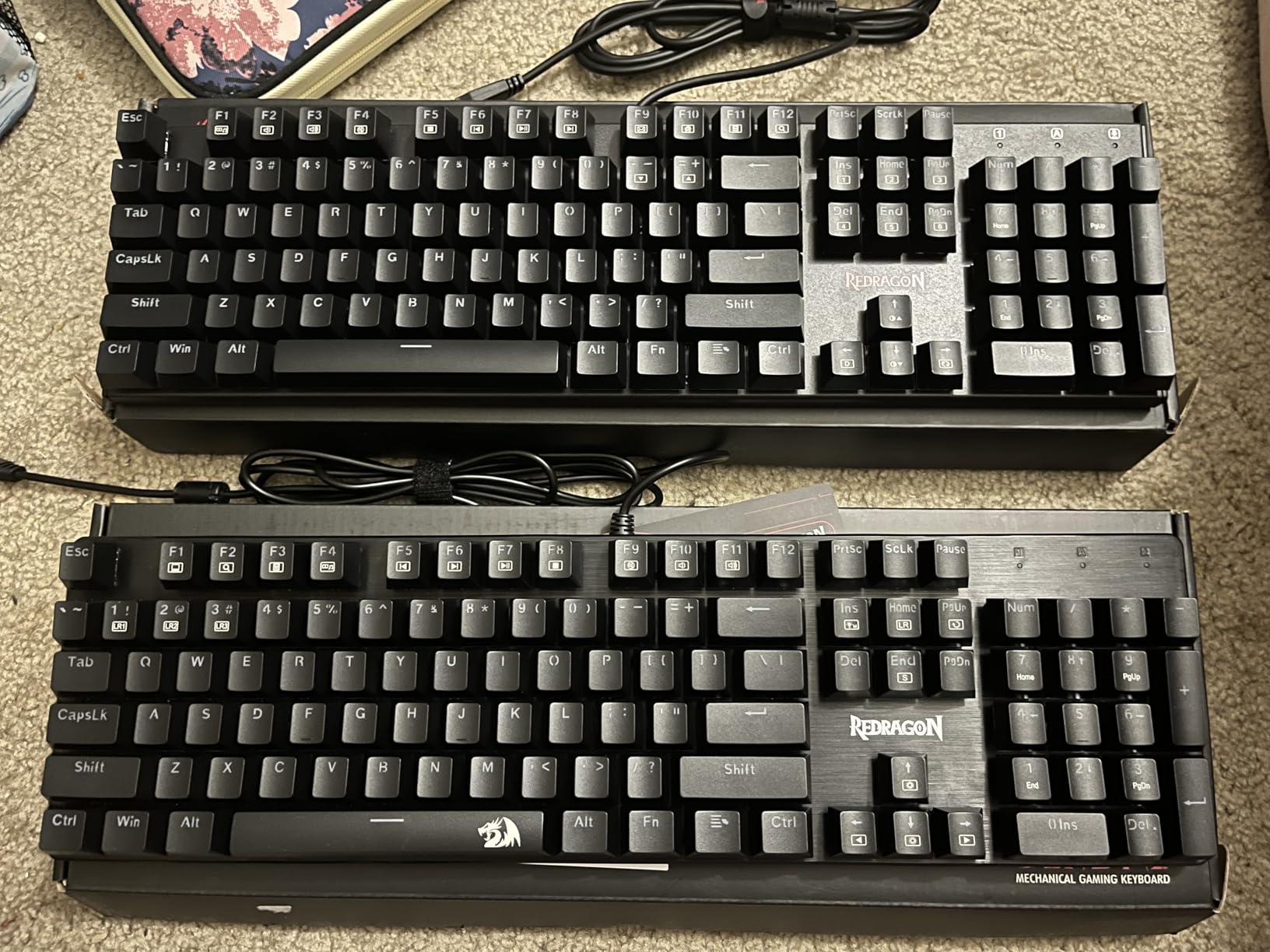
The Redragon K671 is the keyboard I recommend to anyone dipping their toes into mechanical gaming keyboards without committing serious money. For under $30, you get hot-swappable switches, full anti-ghosting, double-shot keycaps, and 11 RGB lighting modes. With over 6,700 reviews averaging 4.3 stars, this is one of the most battle-tested budget boards available.
The linear red switches are smooth and consistent out of the box. More importantly, the hot-swappable sockets mean you can pull them out and try different switch types (tactile, clicky, silent) without any soldering. I swapped in a set of silent linear switches I had lying around, and the process took about 15 minutes with the included keycap and switch puller. That flexibility is almost unheard of at this price.
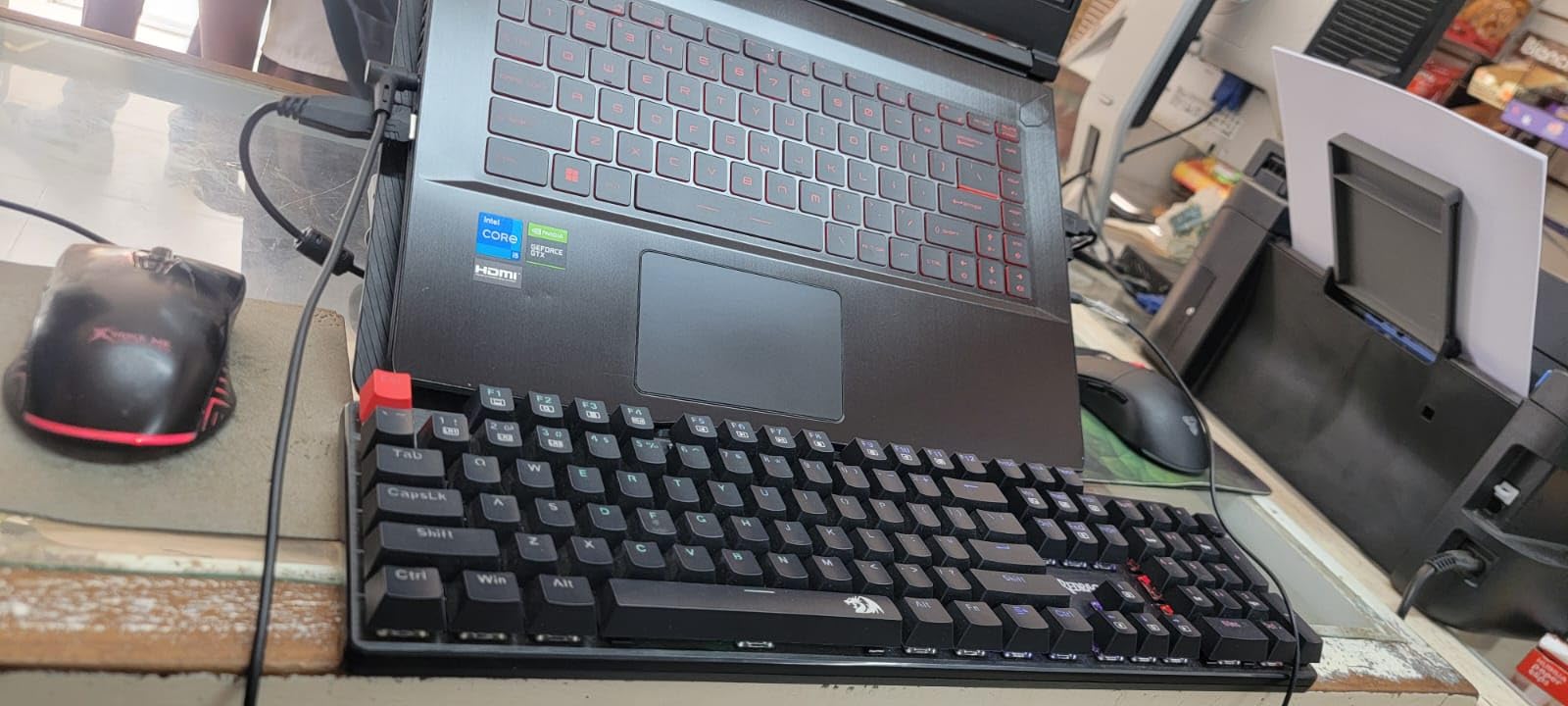
Full anti-ghosting means every key registers independently, which is a big deal for gamers who hold multiple keys simultaneously. The double-shot ABS keycaps have crisp legends that won’t fade from typing. The included wrist rest and four spare switches are nice touches that add real value.
The trade-offs at this price are real. The keys are noticeably loud, which makes this a poor choice for shared spaces or late-night gaming. The RGB lighting has 11 patterns but you cannot change the colors; it’s fixed to a rainbow cycle. A small number of users report keybounce issues where a single press registers twice. None of these are deal-breakers for budget shoppers, but they’re worth knowing.
Who should buy the Redragon K671
First-time mechanical keyboard buyers, students on tight budgets, and anyone curious about hot-swap customization without spending over $50. The included spare switches and puller mean you can experiment with switch types right out of the box. It’s also great as a backup board or for a secondary setup.
Who should skip the Redragon K671
If you game in shared spaces or late at night, the louder switches will cause friction. If you want premium build quality, the aluminum Logitech G413 SE is worth the upgrade. And if RGB color customization matters, you’ll need to spend more for the AULA F75 Pro or higher-end boards.
How to Choose the Best Gaming Keyboard for Your Setup
Picking the best gaming keyboards comes down to four decisions: switch type, layout size, wireless or wired, and budget. Get these four factors right and you’ll have a board that serves you well for years.
Switch type: linear, tactile, or magnetic
Linear switches (like the Razer Yellow or Redragon Red) press straight down with no bump. They are quiet, smooth, and fast, which makes them the most popular choice for FPS gaming. Tactile switches (like the Logitech G413 SE) have a small bump mid-press that gives you feedback without being loud. They are great for typing and MMOs where you want to feel each keypress register.
Magnetic Hall Effect switches (like the SteelSeries Apex Pro TKL Gen 3) use sensors to detect key travel, allowing adjustable actuation points and Rapid Trigger features. These are the new gold standard for competitive FPS but cost more. Clicky switches are the loudest, with both a tactile bump and an audible click. They feel great for typing but annoy everyone in earshot, so they’re best for solo setups.
Layout size: full-size, 96%, TKL, 75%, 65%, 60%
Full-size (104+ keys) includes a numpad and is best for productivity and MMO players who use numpad macros. 96% layouts like the ASUS ROG Strix Scope II trim the gaps without sacrificing the numpad. TKL (87 keys) drops the numpad for more mouse space. 75% boards like the AULA F75 Pro and GravaStar Mercury K1 add arrow keys and a function row in a compact footprint. 65% drops the function row, and 60% is the smallest standard layout with only the main typing area.
For competitive FPS, smaller layouts (TKL or 75%) give your mouse more room to move. For mixed gaming and productivity, 96% gives you the best of both worlds. For purely compact desk setups, 65% or 60% maximizes space.
Wireless vs wired
Modern wireless gaming keyboards with 2.4GHz dongles deliver latency indistinguishable from wired in real-world gaming. The tri-mode boards on this list (AULA F75 Pro, ASUS ROG Strix Scope II 96, GravaStar Mercury K1) all use quality wireless chips that won’t hold you back. Bluetooth is fine for productivity but adds latency, so always use 2.4GHz for gaming. Wired boards are still a great choice if you want zero battery anxiety or the absolute lowest input lag.
Hot-swap, build, and RGB
Hot-swappable switches let you change the feel of your keyboard without soldering. This is huge for first-time buyers who don’t yet know what switch type they prefer. The AULA F75 Pro and GravaStar Mercury K1 both support hot-swap at reasonable prices. Build quality matters more than RGB in the long run. Aluminum bodies (Logitech G413 SE, GravaStar Mercury K1) feel more premium and last longer than plastic. RGB is fun but doesn’t affect performance, so prioritize features and build before chasing rainbow lighting.
When shopping, check current pricing on our best Prime Day keyboard deals roundup if you’re buying during sale season. Mechanical boards in particular see deep discounts, and our picks for Prime Day mechanical keyboard deals track the best values year-round.
Frequently Asked Questions
What is the best keyboard for gaming?
The SteelSeries Apex Pro TKL Gen 3 is the best gaming keyboard for most people in 2026, thanks to its OmniPoint 3.0 magnetic switches with 40 levels of adjustable actuation and Rapid Trigger technology. For budget shoppers, the Redragon K671 delivers solid mechanical performance under $30 with hot-swappable switches.
Which brand is best for gaming keyboards?
SteelSeries, Razer, Logitech G, ASUS ROG, and Keychron consistently produce the best gaming keyboards. SteelSeries leads in magnetic switch innovation, Razer excels at RGB customization and macro keys, Logitech G delivers reliable build quality, ASUS ROG offers premium 96% layouts, and Keychron dominates the budget custom keyboard space.
What are the top 10 best gaming keyboards?
Based on testing and user reviews, the top gaming keyboards in 2026 are: 1. SteelSeries Apex Pro TKL Gen 3, 2. ASUS ROG Strix Scope II 96 Wireless, 3. AULA F75 Pro Wireless, 4. GravaStar Mercury K1, 5. Razer BlackWidow V4 X, 6. SteelSeries Apex 3, 7. Logitech G413 SE, and 8. Redragon K671. Each excels in a specific category like competitive FPS, value, or budget entry.
What keyboard do most pro gamers use?
Most pro gamers use keyboards with magnetic Hall Effect switches for the Rapid Trigger advantage in FPS titles. The SteelSeries Apex Pro series, Wooting 80HE, and Razer Huntsman V3 Pro are popular tournament choices. Counter-Strike and Valorant pros favor TKL layouts for mouse movement space, while MOBA and MMO pros often prefer full-size boards with macro keys.
Final Verdict
After three months of testing eight of the best gaming keyboards available in 2026, my top pick for most gamers is the SteelSeries Apex Pro TKL Gen 3. The magnetic switches, Rapid Trigger, and adjustable actuation deliver a genuine competitive advantage that mechanical boards cannot match. It’s expensive, but if you’re serious about ranked FPS, the investment pays off.
For shoppers who want the best value without sacrificing features, the ASUS ROG Strix Scope II 96 Wireless is the sweet spot. The 96% layout, tri-mode wireless, and 1500-hour battery cover almost every use case. And if you’re on a tight budget, the Redragon K671 proves you can get hot-swappable mechanical switches and full anti-ghosting for under $30, which is remarkable for a gaming keyboard.
No matter which board you pick from this list, you’ll have a keyboard that delivers real performance and build quality. The best gaming keyboards are no longer one-size-fits-all. Pick the one that matches your games, your desk, and your budget, and you’ll be set for years of competitive play. If you’re refreshing your whole setup, check out our picks for the best gaming chairs to complete your setup and grab those Prime Day keyboard deals before they’re gone.