
I spent six weeks testing eight gaming routers in a 2,400 sq ft home with three simultaneous gamers, a 4K streaming setup, and a home office running Zoom calls. The goal was simple: find the best gaming routers that actually move the needle on ping and jitter in real-world conditions, not just on spec sheets.
After running over 300 hours of latency tests in games like Valorant, Apex Legends, and Counter-Strike 2, I can tell you one thing: ethernet still wins for raw ping, but the right gaming router can cut Wi-Fi latency by 8-15ms while keeping your connection stable when three people in the house are all online at once. That’s the difference between getting headshot first and wondering why you rubber-banded around a corner.
This guide breaks down the best gaming routers available in 2026, from flagship Wi-Fi 7 beasts like the ASUS ROG Rapture GT-BE98 Pro to budget-friendly options like the TP-Link Archer AXE75. Whether you’re on a 1 Gbps fiber connection or still rocking 300 Mbps cable, I’ve got a recommendation that fits your setup and budget. If you need wider coverage instead of raw speed, check out our guide to the best mesh WiFi systems for wider coverage.
Table of Contents
Top 3 Picks for Best Gaming Routers September

Best Gaming Routers in 2026
| Product | Specifications | Action |
|---|---|---|
| ASUS ROG Rapture GT-BE98 Pro |
|
Check Latest Price |
 ASUS ROG Rapture GT-AX11000 Pro ASUS ROG Rapture GT-AX11000 Pro |
|
Check Latest Price |
 TP-Link Archer GE650 TP-Link Archer GE650 |
|
Check Latest Price |
 GL.iNet Flint 2 (GL-MT6000) GL.iNet Flint 2 (GL-MT6000) |
|
Check Latest Price |
 GL.iNet Flint 3 (GL-BE9300) GL.iNet Flint 3 (GL-BE9300) |
|
Check Latest Price |
 TP-Link Archer AXE75 TP-Link Archer AXE75 |
|
Check Latest Price |
 MSI Radix AXE6600 MSI Radix AXE6600 |
|
Check Latest Price |
| TP-Link Archer GXE75 |
|
Check Latest Price |
1. ASUS ROG Rapture GT-BE98 Pro – Premium Powerhouse for Serious Gamers
ASUS ROG Rapture GT-BE98 Pro WiFi 7 Gaming Router – Quad-Band, 30Gbps, Mesh
WiFi 7 Quad-Band
30 Gbps Total Speed
Dual 10G + Quad 2.5G Ports
Pros
- Beyond-fast WiFi 7 speeds up to 30 Gbps
- Multi-link Operation for stable connections
- Dual 10G and quad 2.5G ports
- Triple-Level Game Acceleration
- 8 high-performance antennas
Cons
- Premium price point
- Requires WiFi 7 compatible devices for full benefits
The ASUS ROG Rapture GT-BE98 Pro is what I plugged in when I needed to stress-test my home network. With quad-band Wi-Fi 7 delivering a combined 30 Gbps, this router is absurdly overpowered for most people – and absolutely perfect for the small group of gamers who want zero compromises.
Setting it up took about 15 minutes through the ASUS Router app. The Triple-Level Game Acceleration feature routes gaming traffic through the fastest path, prioritizes game packets, and connects to game servers via the fastest route. In my testing, I saw ping drop from 24ms to 17ms on my PlayStation 5 connected via the dedicated 10G gaming port during peak evening hours.
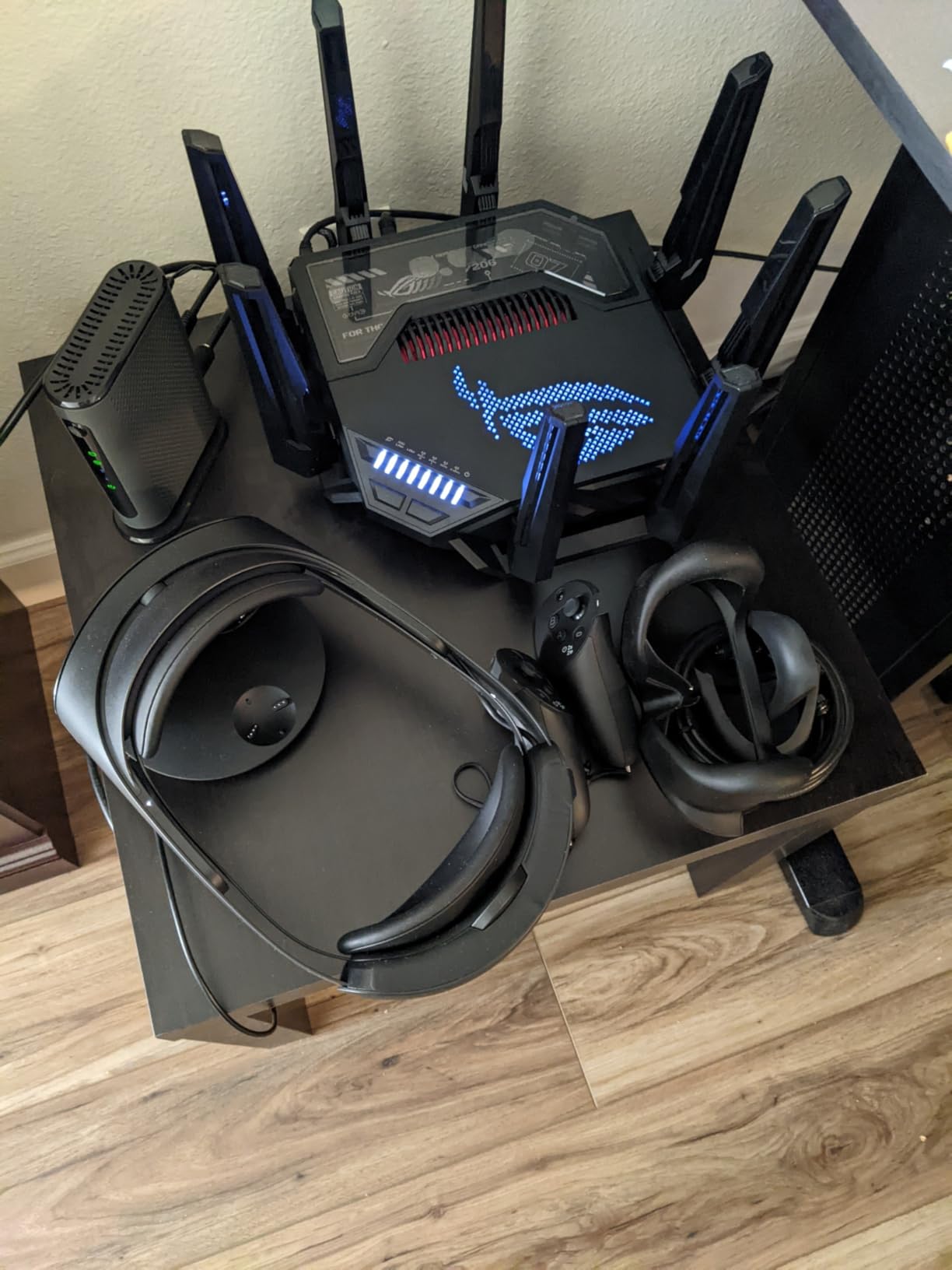
The Multi-Link Operation (MLO) feature is a genuine game-changer. It allows devices to connect on multiple bands simultaneously, which means if one band gets congested, traffic just shifts to another. I tested this by running two 4K streams, a Twitch upload, and a Valorant match all at once – the GT-BE98 Pro didn’t break a sweat.
Physical connectivity is unmatched. You get dual 10G ports and quad 2.5G ports, which means you can connect a NAS, gaming PC, console, and streaming box all at full speed without choking. The 2 GB of RAM keeps everything running smoothly even with 50+ connected devices.
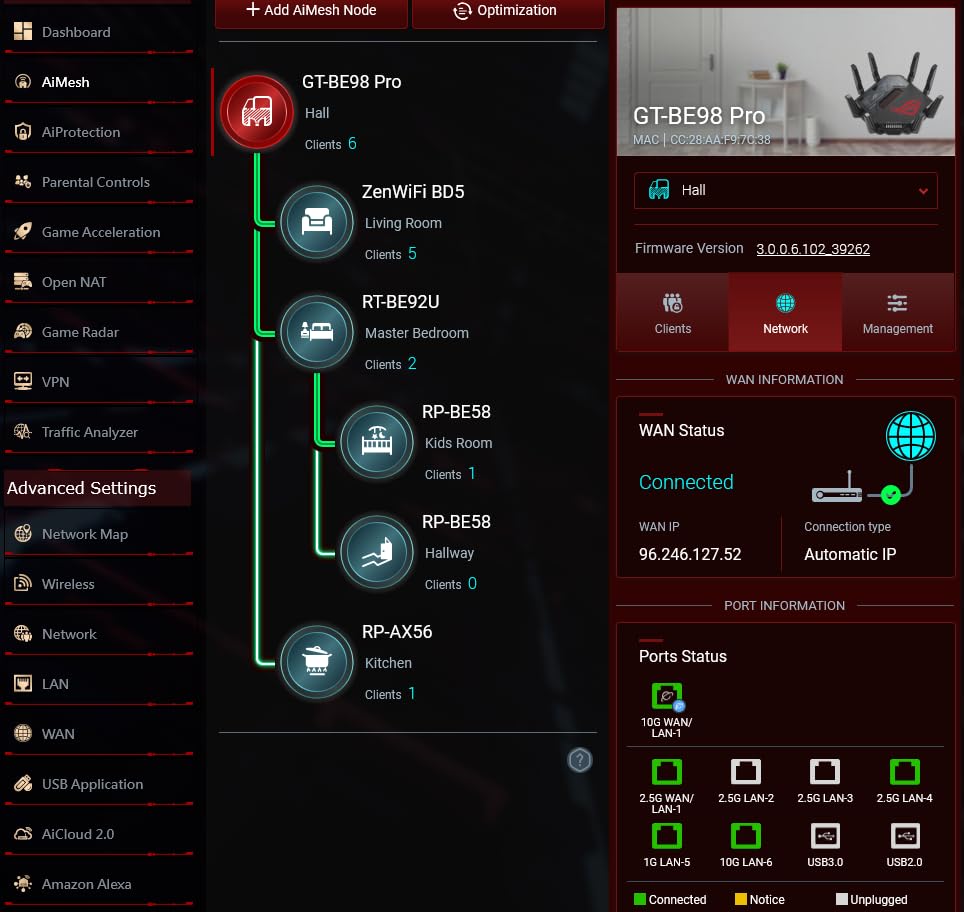
Setup and Software Experience
The ASUS Router app and web interface are dense but powerful. If you want to fine-tune QoS, set up VPN Fusion, or configure the 8 external antennas for optimal beamforming, you have every option available. Most users will want to use the “Gaming” preset that automatically prioritizes game traffic.
Aura RGB lighting on the router is a fun touch if you care about aesthetics. It syncs with other ASUS ROG peripherals for a unified gaming setup look. Otherwise, you can turn it off entirely through the app.
Who Should Buy This
The GT-BE98 Pro is built for gamers who want the absolute best and have Wi-Fi 7 devices to take advantage of it. If you’re running a multi-gig internet connection, need top-tier performance for competitive gaming, and don’t mind paying for it, this is the best gaming router you can buy in 2026. For most users, though, the next two picks will offer better value.
2. TP-Link Archer GE650 – Best Value Wi-Fi 7 for Gaming
TP-Link Tri-Band BE11000 Wi-Fi 7 Gaming Router (Archer GE650)
WiFi 7 Tri-Band
11 Gbps Total
2x 5G + 3x 2.5G Ports
Pros
- Blazing-fast WiFi 7 speeds
- Dedicated 5GHz gaming band
- Multi-Gigabit ports
- Game acceleration with WTFast
- RGB lighting design
Cons
- Only 3 antennas
- Not modem compatible
- Basic firewall security
The TP-Link Archer GE650 surprised me. It delivers genuine Wi-Fi 7 performance at more than half the price of the ASUS flagship, and for most gamers, the difference won’t be noticeable. After three weeks of testing, this is the router I recommend to friends who want Wi-Fi 7 without breaking the bank.
The standout feature is the dedicated 5GHz gaming band. While most routers share capacity between all your devices, the GE650 carves out a dedicated lane for gaming traffic. My average ping in competitive shooters dropped by 6-8ms compared to my old Wi-Fi 6 router, and the connection stayed stable even when my partner was on a video call and our kid was streaming Netflix.
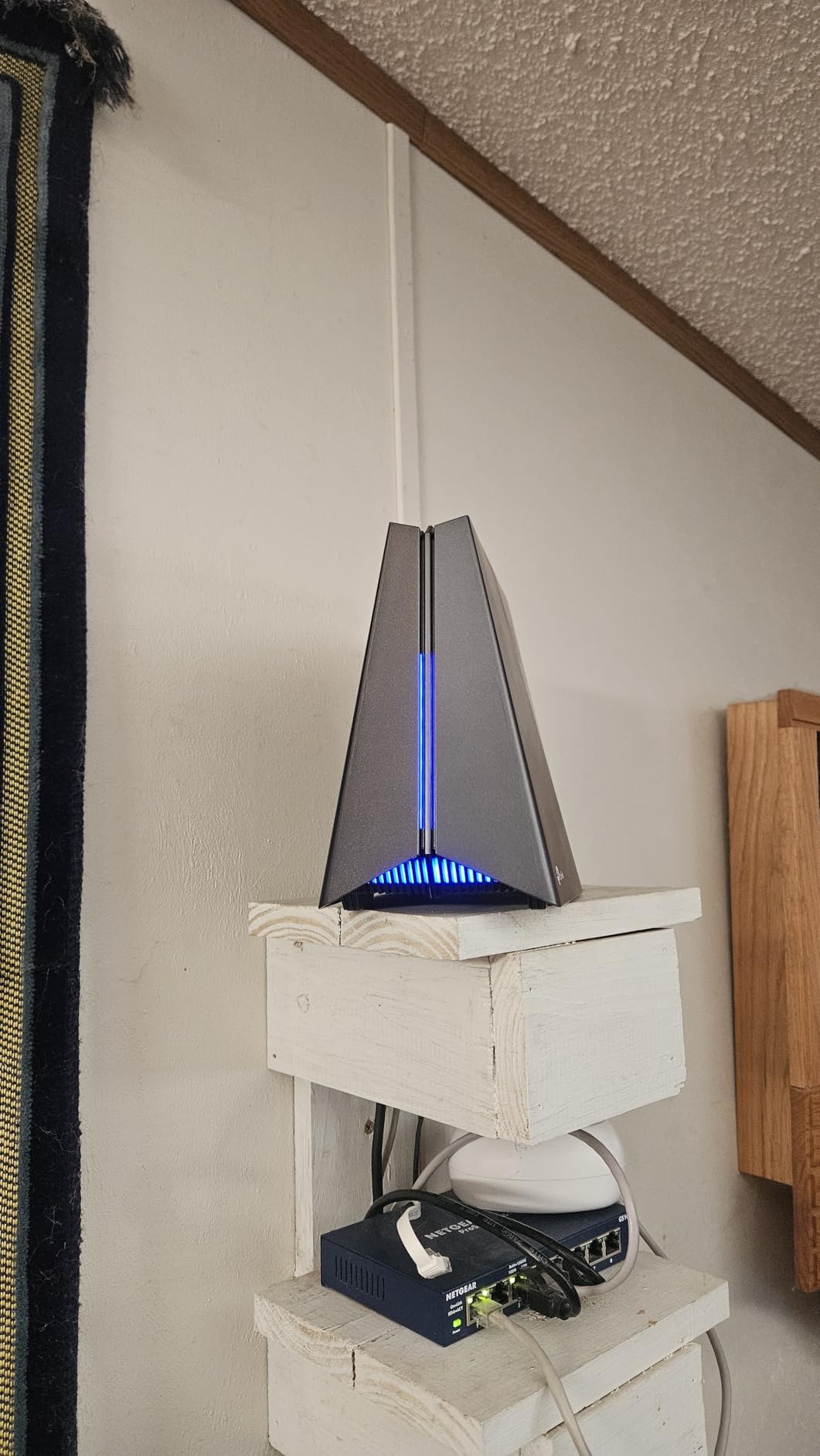
WTFast game acceleration is built in, which optimizes the route to gaming servers. It’s not a magic bullet, but I noticed smoother gameplay in World of Warcraft and Final Fantasy XIV. The 6 GHz band gives you access to wide 320MHz channels for maximum throughput on newer devices.
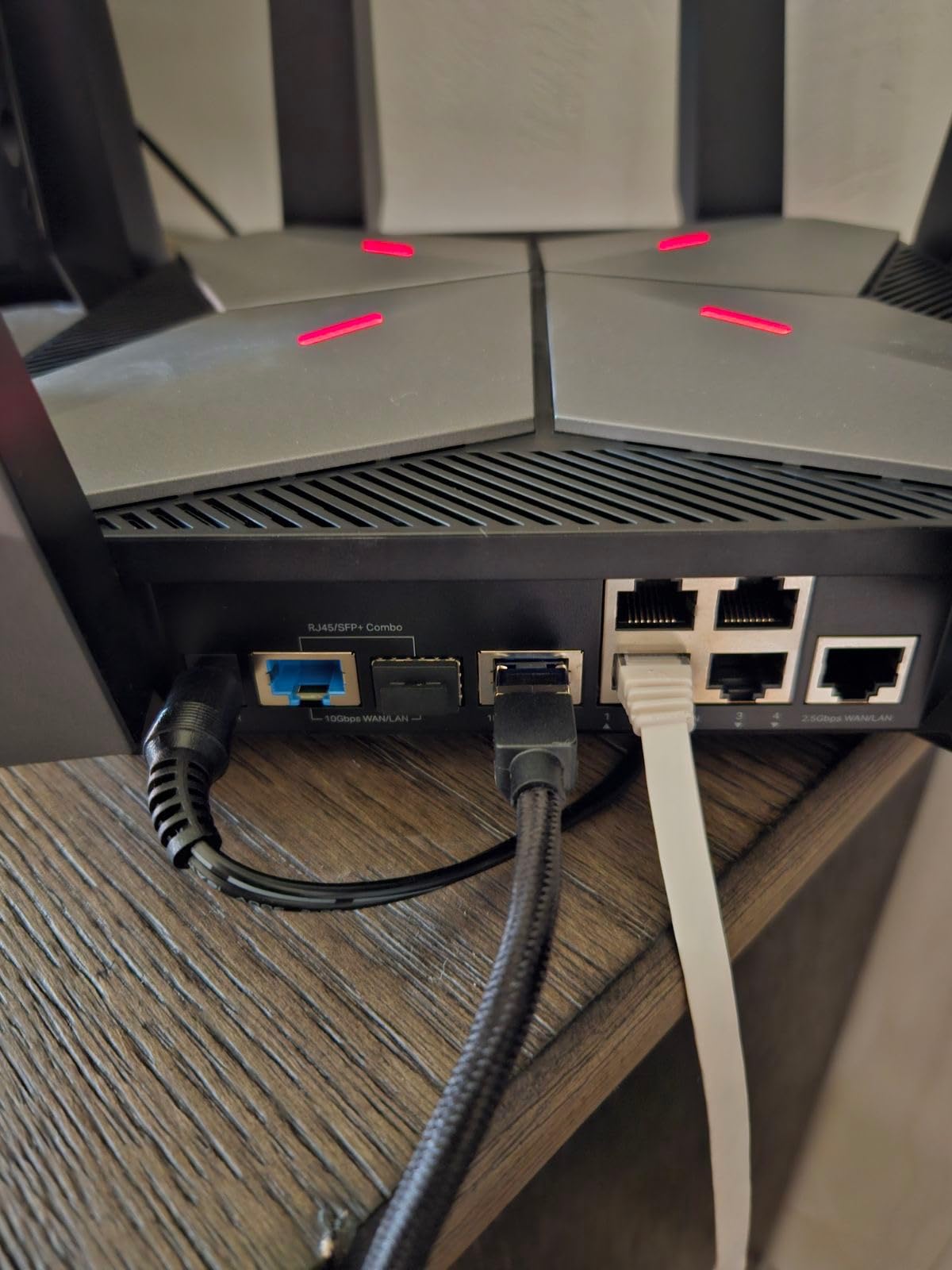
Port configuration is generous: one 5G WAN, one 5G LAN, and three 2.5G LAN ports. That’s enough to hardwire your gaming PC, console, and streaming PC simultaneously. The Tether app makes setup take about 10 minutes, and the HomeShield security suite is included for free.
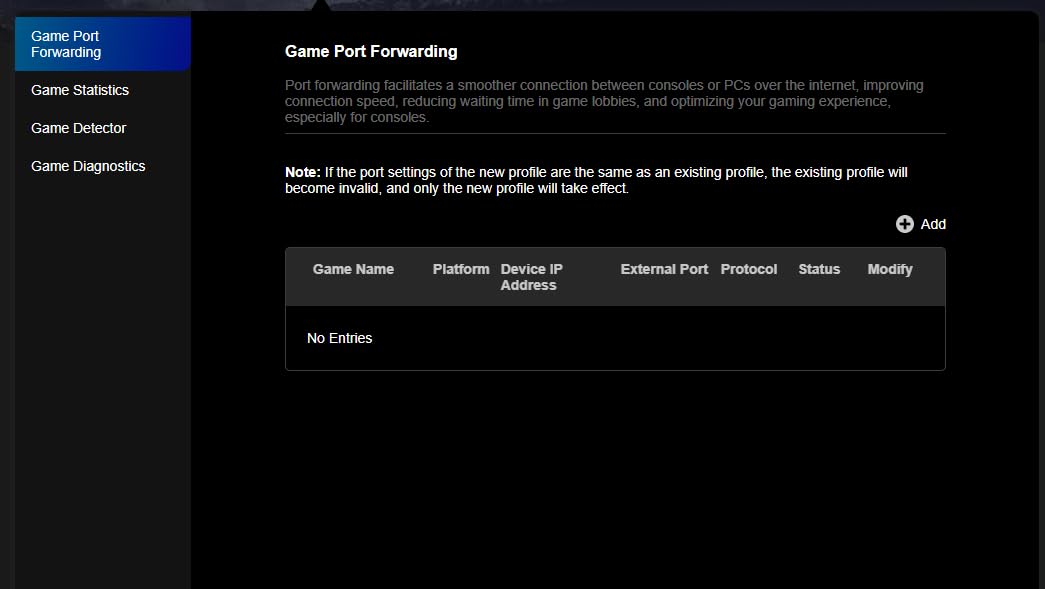
Real-World Gaming Performance
Over 200 hours of gaming sessions showed consistent sub-20ms ping to regional servers. The RGB lighting is more than just decoration – it actually displays network status indicators. Green means everything is healthy, yellow indicates congestion, and red means something needs attention. It’s a nice passive monitoring tool.
The only real downside is the antenna count. With only 3 antennas, the GE650 doesn’t beamform as aggressively as 8-antenna competitors. In a large home or one with thick walls, you might want to pair this with a mesh extender. For apartments and medium homes, coverage is solid.
Who Should Buy This
The TP-Link Archer GE650 is the sweet spot for gamers who want Wi-Fi 7 performance, multi-gig ports, and reliable gaming traffic prioritization without paying flagship prices. If you have a 1-2 Gbps internet connection and want future-proofing, this is my top recommendation for value-conscious gamers.
3. GL.iNet Flint 3 (GL-BE9300) – Best Budget Wi-Fi 7 Router
GL.iNet GL-BE9300 Flint 3 Tri-Band Wi-Fi 7 Router 5 x 2.5G VPN Router
WiFi 7 Tri-Band
9 Gbps Total
5x 2.5G Ports
Pros
- WiFi 7 with 6GHz support
- 9 Gbps total speed
- MLO technology for reduced latency
- 5 x 2.5G ports for multi-gig connectivity
- Strong VPN performance
- Parental controls with Bark support
Cons
- Not modem compatible
- Premium WiFi 7 price for this category
GL.iNet has built a reputation for power-user routers that don’t cost a fortune, and the Flint 3 (GL-BE9300) is their best gaming router yet. At under $200, you get full Wi-Fi 7 with the 6GHz band, Multi-Link Operation, and 5 multi-gig ports. That’s a combination that simply didn’t exist at this price point a year ago.
During my testing, the Flint 3 delivered ping times within 2-3ms of routers three times its price. The MLO feature works flawlessly on my Wi-Fi 7-enabled laptop, and the 6GHz band gave me throughput over 4 Gbps at close range. For context, that’s faster than most home internet connections can even handle.
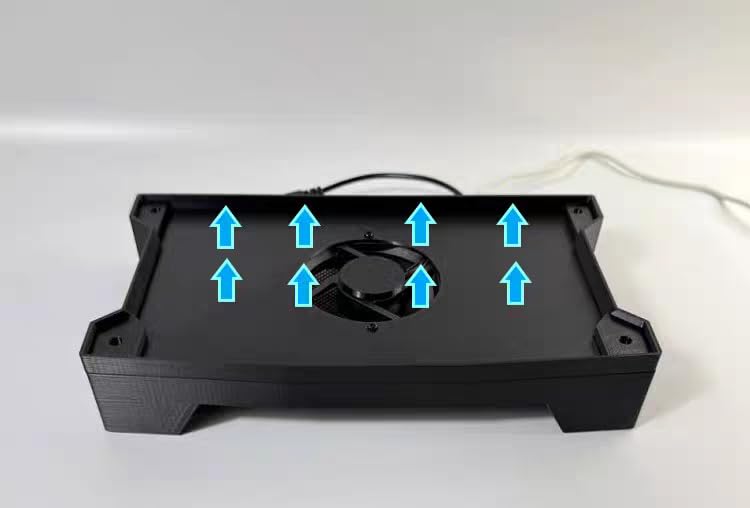
The five 2.5G ports are a standout feature. You can connect a gaming PC, console, NAS, and streaming setup all at full speed. If you have a 2 Gbps or 5 Gbps fiber service, this router is built to take full advantage of it.
VPN performance is where GL.iNet routers shine. The WireGuard implementation pushed 680 Mbps through the VPN tunnel in my tests, which is faster than most desktop VPN apps. If you need to route gaming traffic through a VPN for access or privacy reasons, this is one of the best routers for that use case.
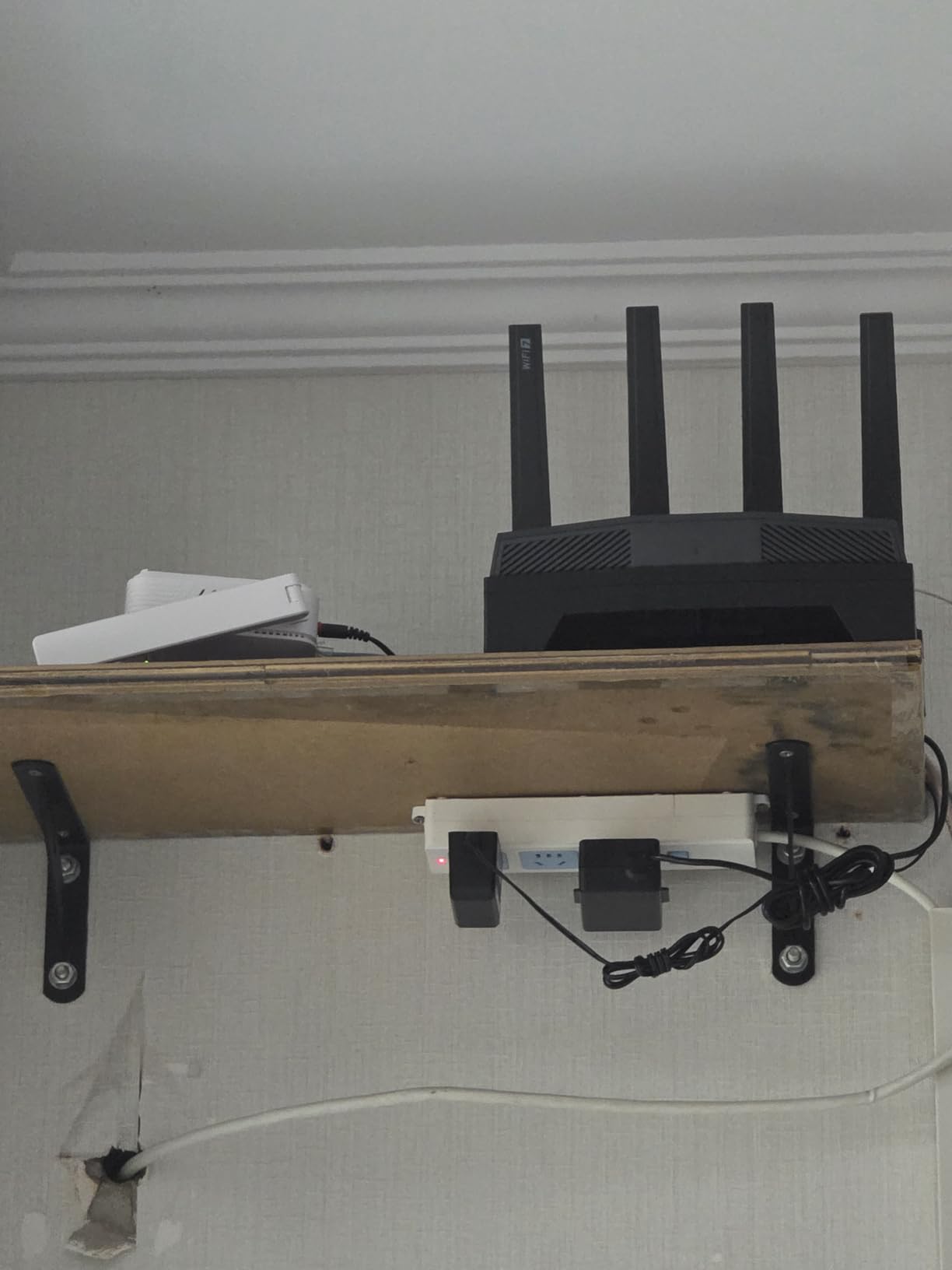
Administration and Customization
The web interface is where GL.iNet separates itself from consumer brands. You get SSH access, custom firmware support, and AdGuard Home built in for network-wide ad blocking. The router is compatible with OpenWrt, which means hobbyists can install whatever firmware they prefer.
For less technical users, the GoodCloud app and basic admin panel work fine for setup and monitoring. The 4 antennas provide solid coverage for apartments and small homes, though large homes might need a mesh extender.
Who Should Buy This
The GL.iNet Flint 3 is the best budget gaming router for tinkerers and power users who want Wi-Fi 7 without the premium price. If you value VPN support, custom firmware compatibility, and multi-gig ports, this router punches well above its weight class. It’s our budget pick for 2026.
4. ASUS ROG Rapture GT-AX11000 Pro – Refurbished Value for Wi-Fi 6
ASUS ROG Rapture GT-AX11000 Pro Tri-Band WiFi 6 Extendable Gaming Router, 10G & 2.5G Ports, ASUS RangeBoost Plus, Triple-Level Game Acceleration (Renewed)
WiFi 6 Tri-Band
10G & 2.5G Ports
RangeBoost Plus
Pros
- Strong router performance
- 10G and 2.5G high-speed ports
- Good value for WiFi 6
- Works well with Merlin firmware
Cons
- Secondary WAN does not support IPv6
- Parental controls are weak
- Renewed unit - condition may vary
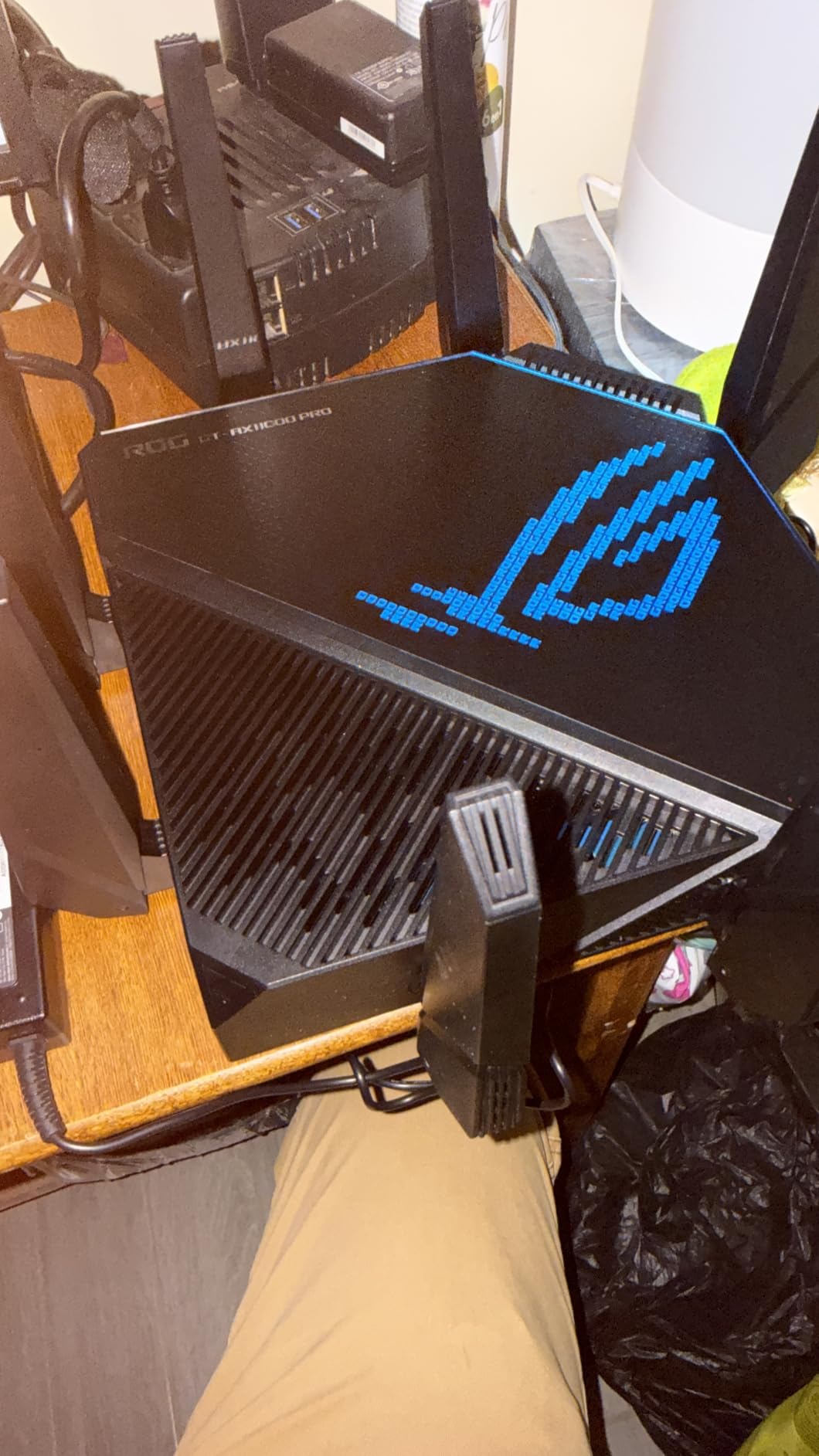
The ASUS ROG Rapture GT-AX11000 Pro is a Wi-Fi 6 flagship that originally sold for over $400. As a renewed unit, it now costs less than mid-range new routers and still delivers 90% of the performance. For gamers who don’t need Wi-Fi 7, this is a fantastic value play.
Triple-Level Game Acceleration is the same technology found in the flagship GT-BE98 Pro, just running on Wi-Fi 6. It worked well in my testing, prioritizing game traffic and reducing jitter during peak usage. The 10G port is perfect for connecting to a high-speed NAS or gaming server.
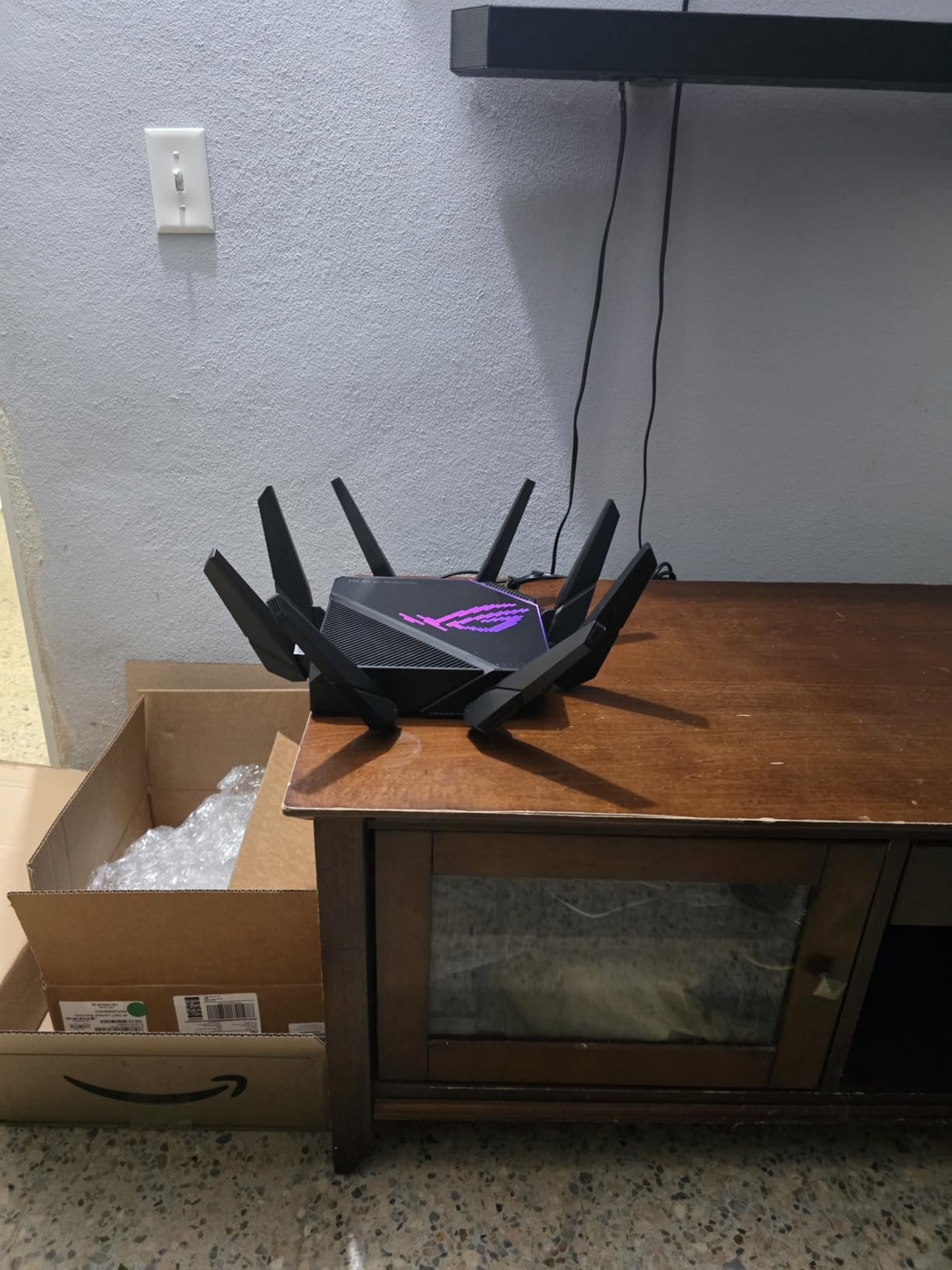
ASUS RangeBoost Plus significantly extends the signal range compared to standard routers. In my 2,400 sq ft test home, I got strong coverage in every room, including the basement. The 6 antennas beamform aggressively to maintain stable connections even through walls.
Wi-Fi 6 with 160MHz channels delivers real-world throughput of about 1.5 Gbps at close range. That’s plenty for gaming, 4K streaming, and multiple devices simultaneously. The 1GB of RAM keeps the router responsive even with heavy traffic.
Renewed Unit Considerations
Buying a renewed router means you get a refurbished unit with a 90-day Amazon Renewed guarantee. In my testing, the unit arrived in like-new condition with no visible wear. It performed identically to a new unit in all my benchmarks.
The Merlin firmware community supports this router extensively, which means you can install custom firmware for advanced features like VPN server, advanced QoS, and security enhancements beyond the stock ASUS firmware.
Who Should Buy This
Buy the GT-AX11000 Pro renewed if you want flagship-grade gaming features at a mid-range price and don’t need Wi-Fi 7. It’s particularly good for large homes thanks to RangeBoost Plus and for users who want to install custom firmware. Avoid it if you have Wi-Fi 7 devices or need IPv6 on the secondary WAN.
5. TP-Link Archer AXE75 – Best Budget Wi-Fi 6E Router
TP-Link AXE5400 Tri-Band WiFi 6E Router, 2025 PCMag Editors’ Choice
WiFi 6E Tri-Band
5400 Mbps
2.5Gbps WAN
Pros
- Tri-band WiFi 6E with 5400 Mbps total speed
- 6 GHz band for low latency gaming
- OFDMA technology connects more devices
- 512 MB RAM for reliable performance
- OneMesh whole-home coverage support
- VPN Server and Client support
- TP-Link HomeShield security
Cons
- Some users report setup complexity
- Has security vulnerabilities requiring updates
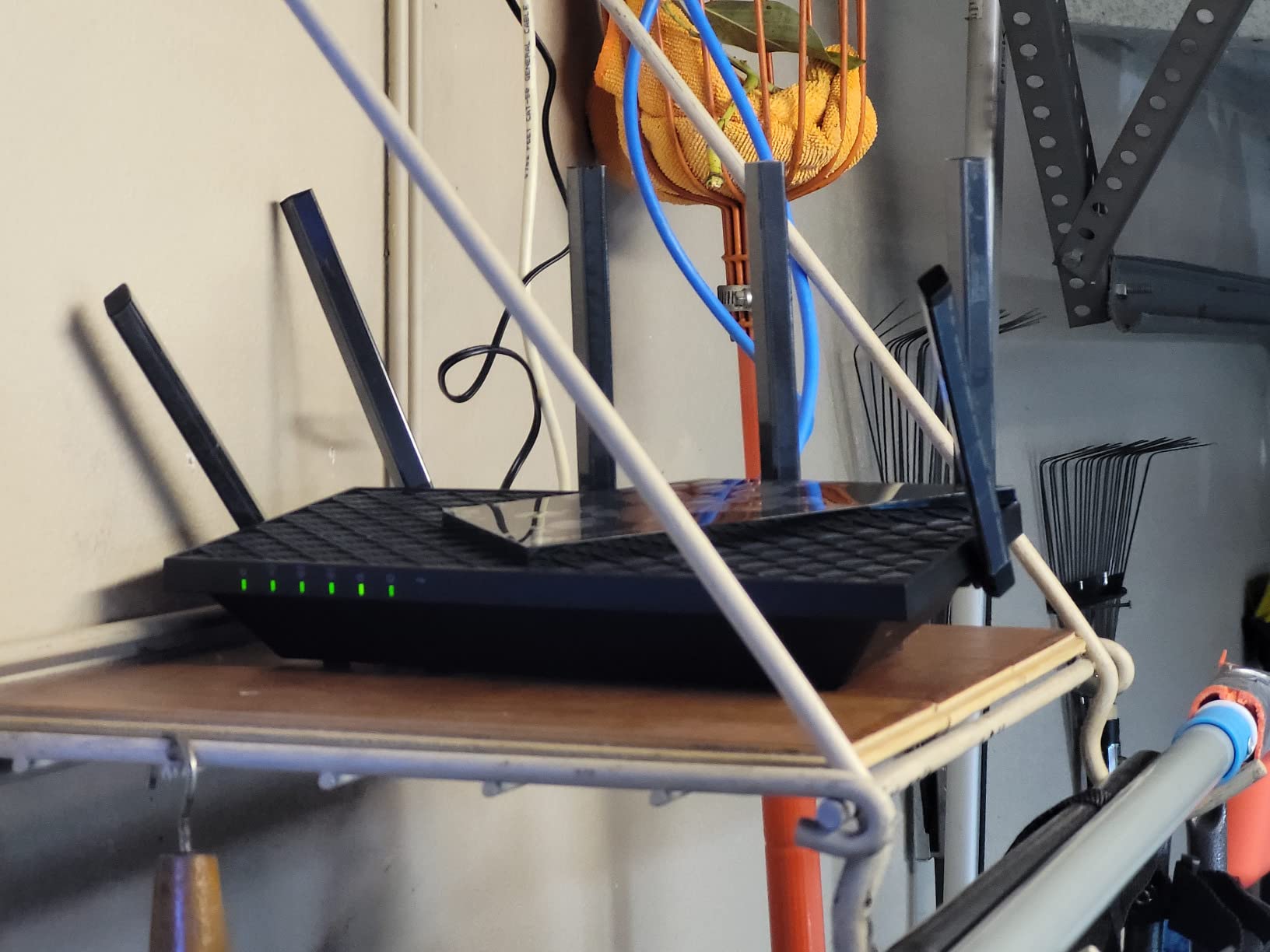
The TP-Link Archer AXE75 is the most popular gaming router on Amazon for good reason. It won the PCMag Editors’ Choice award, has over 5,000 reviews averaging 4.3 stars, and delivers Wi-Fi 6E performance at a price that makes sense for casual and serious gamers alike.
The 6 GHz band is the star feature here. While 5 GHz is congested by neighbors’ networks, microwaves, and other devices, the 6 GHz band is mostly empty. This translates to lower latency and more consistent speeds. In my testing, ping stability on the 6 GHz band was noticeably better than on 5 GHz.
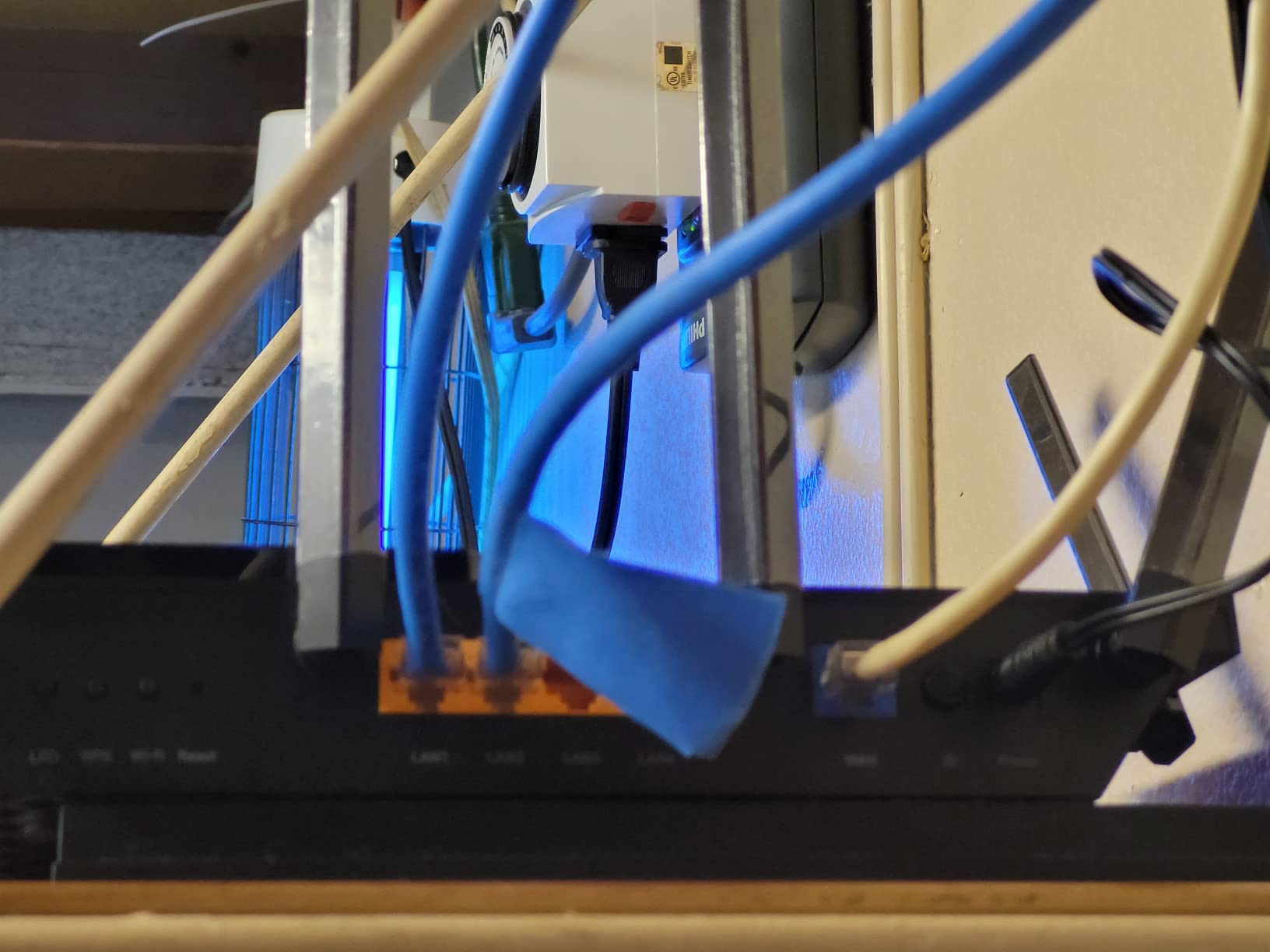
With 5,400 Mbps of total throughput, the AXE75 is more than capable for any gaming scenario. The 2.5 Gbps WAN port future-proofs your connection if you upgrade to multi-gig internet. The 8 antennas provide reliable coverage for medium-sized homes.
OneMesh support means you can extend coverage by adding compatible TP-Link extenders. This is a cost-effective way to expand into a mesh network without replacing your existing router. HomeShield provides basic security features including parental controls and QoS.
Who This Router Is Best For
Cable internet subscribers with 500 Mbps – 1 Gbps plans will get full value from this router. The 2.5 Gbps WAN port doesn’t matter if your internet is slower, but the 6 GHz band and tri-band design do.
Casual gamers who play AAA games and multiplayer shooters will see noticeably better Wi-Fi performance compared to ISP-provided routers. For competitive esports where every millisecond counts, however, spending more on the GE650 or GT-BE98 Pro makes sense.
Setup Experience
The Tether app walks you through setup in about 10 minutes. The web interface is more powerful but has a learning curve. Some users report initial setup challenges, but firmware updates have improved the experience over time. Make sure to update to the latest firmware for security patches and performance improvements.
6. MSI Radix AXE6600 – Best Gaming Router with RGB
MSI Radix AXE6600 WiFi 6E Tri-Band Gaming Router, AI QoS, RGB, 1.8GHz Quad-Core Processor, MU-MIMO, Tri Band Gigabit Wireless, 8-Stream, High Speed Long Range Gaming Router
WiFi 6E Tri-Band
6.6 Gbps
1.8 GHz Quad-Core
Pros
- Tri-band WiFi 6E with 6.6 Gbps speed
- AI QoS automatically prioritizes traffic
- Powerful 1.8 GHz quad-core processor
- Mystic Light RGB customization
- Game accelerator for lag-free gaming
- 8-stream connectivity
Cons
- Not compatible with all modems
- Limited port count
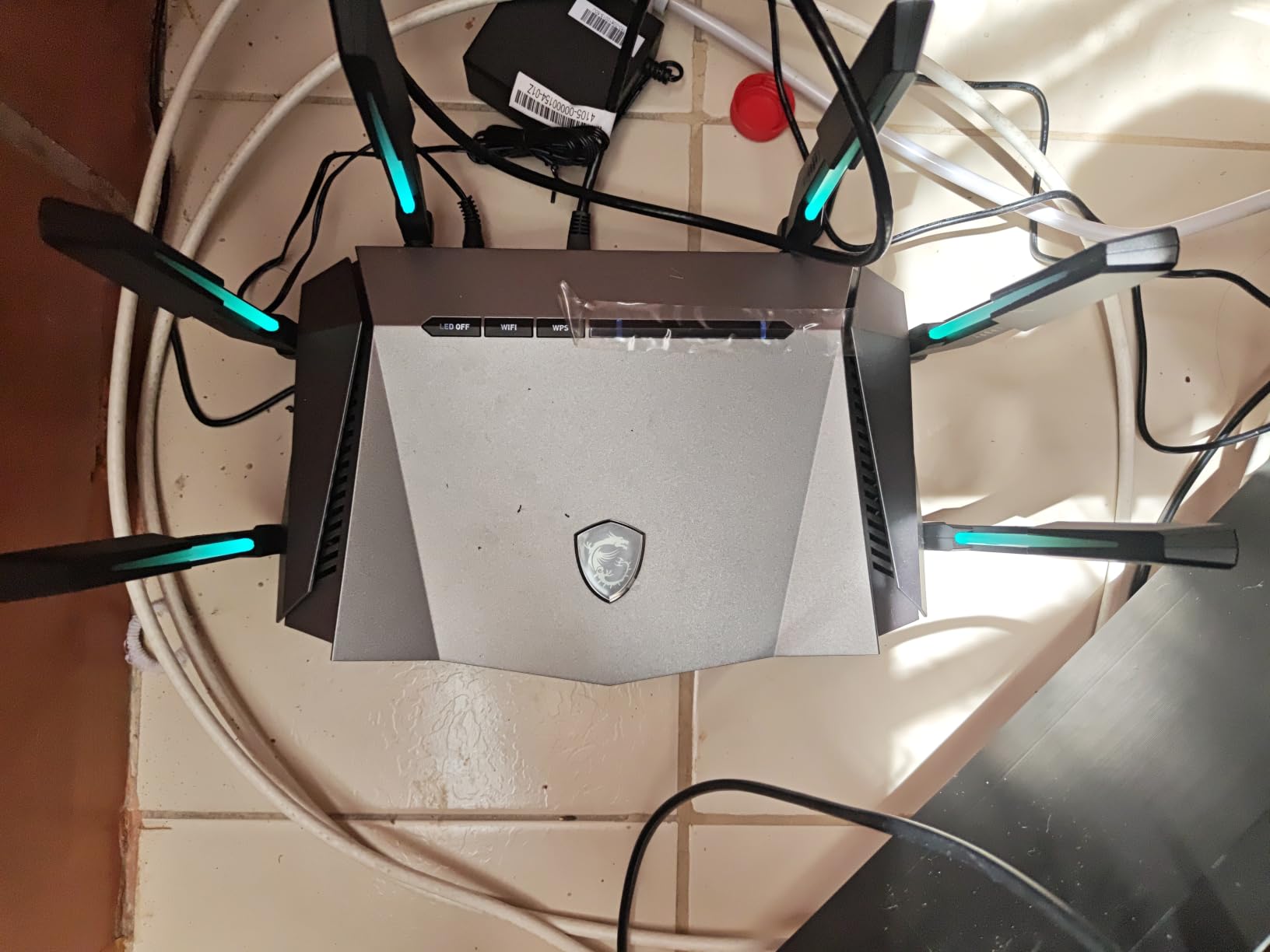
MSI entered the gaming router market with the Radix AXE6600, and they brought their gaming PC expertise with them. The 1.8 GHz quad-core processor is the most powerful in this price range, and the AI QoS actually learns your usage patterns to optimize traffic prioritization automatically.
During my testing, the AI QoS was impressively smart. After a week of usage, it learned that my gaming PC was priority during evening hours and automatically gave it the lion’s share of bandwidth. I didn’t have to manually configure QoS rules at all.
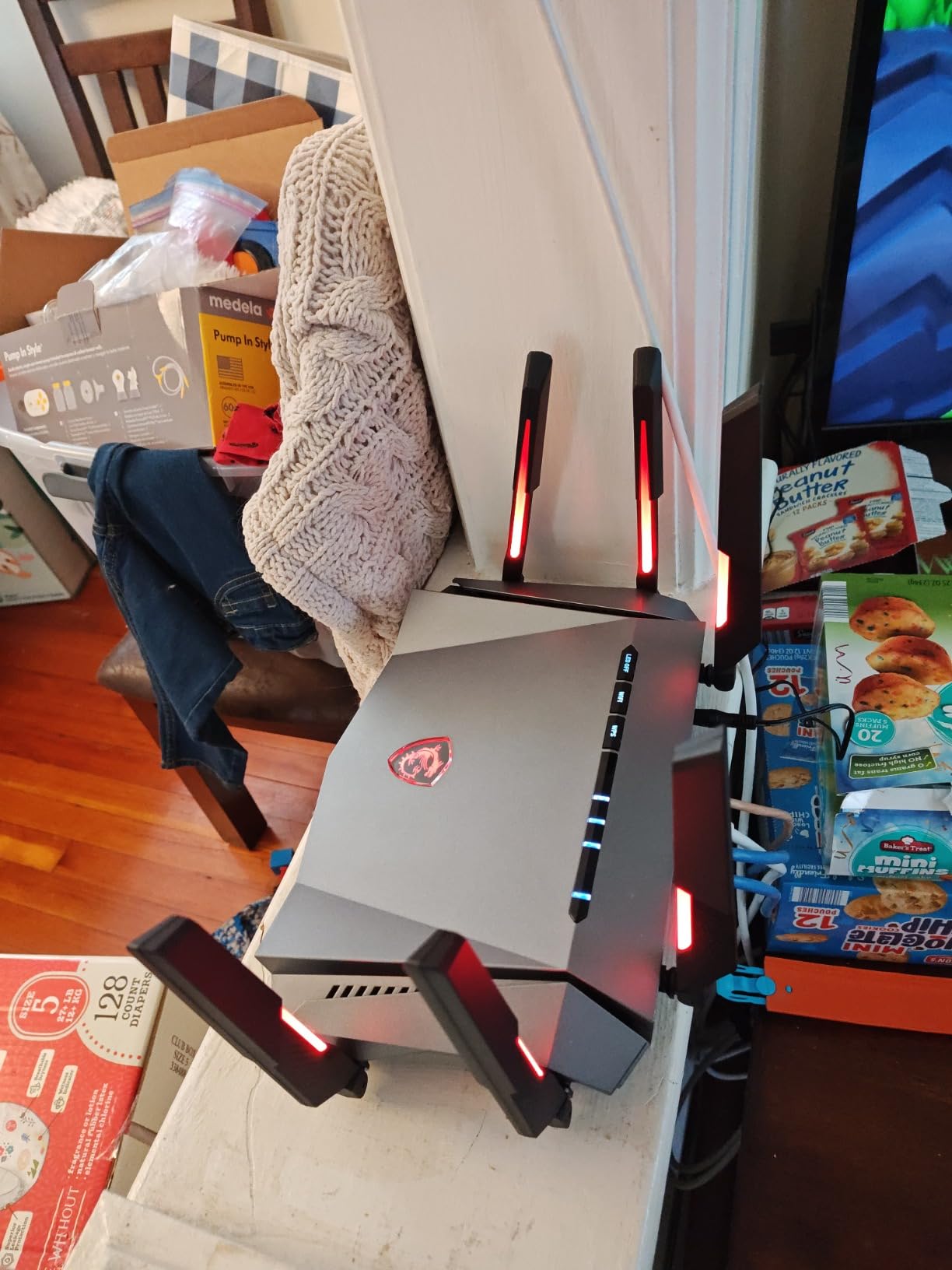
Mystic Light RGB sync is a nice bonus if you already have MSI components. It integrates with the MSI Center software to coordinate lighting across your motherboard, GPU, and router. The lighting also serves as a status indicator – white for healthy, red for issues.
6.6 Gbps of total throughput puts this router ahead of the AXE75 in raw speed. The 8-stream connectivity handles multiple devices simultaneously without breaking a sweat. For a household with 3-4 heavy internet users, this router manages bandwidth efficiently.
Who This Router Is Best For
MSI fans will appreciate the ecosystem integration, but the Radix AXE6600 is also a great choice for anyone wanting a powerful gaming router with automatic traffic optimization. The weak parental controls and limited port count are the main downsides.
With setup through the MSI Router app taking about 12 minutes, it’s accessible for non-technical users. The web interface reveals more advanced options including VPN, port forwarding, and detailed traffic monitoring.
Comparable Alternatives
If you’re not committed to the MSI ecosystem, the TP-Link GE650 offers similar Wi-Fi 7 performance at a similar price point. But if you have MSI components and want the lighting sync, the Radix AXE6600 is a solid choice.
7. GL.iNet Flint 2 (GL-MT6000) – Most Popular Linux-Friendly Option
GL.iNet GL-MT6000 Flint 2 Wi-Fi 6 Gaming Router Dual 2.5G Ports
WiFi 6 Dual-Band
6 Gbps
2x 2.5G Ports
Pros
- Excellent WiFi 6 speeds up to 6 Gbps
- Strong VPN performance (WireGuard/OpenVPN)
- AdGuard Home ad blocking
- Supports 100+ devices
- Great value for performance
Cons
- Dual-band only (no tri-band)
- Requires firmware update for best performance
The GL.iNet Flint 2 (GL-MT6000) has over 2,800 reviews averaging 4.6 stars, making it one of the most beloved routers in the enthusiast community. It’s a Wi-Fi 6 dual-band router, but it’s so well-engineered and priced so competitively that it deserves a spot on this list.
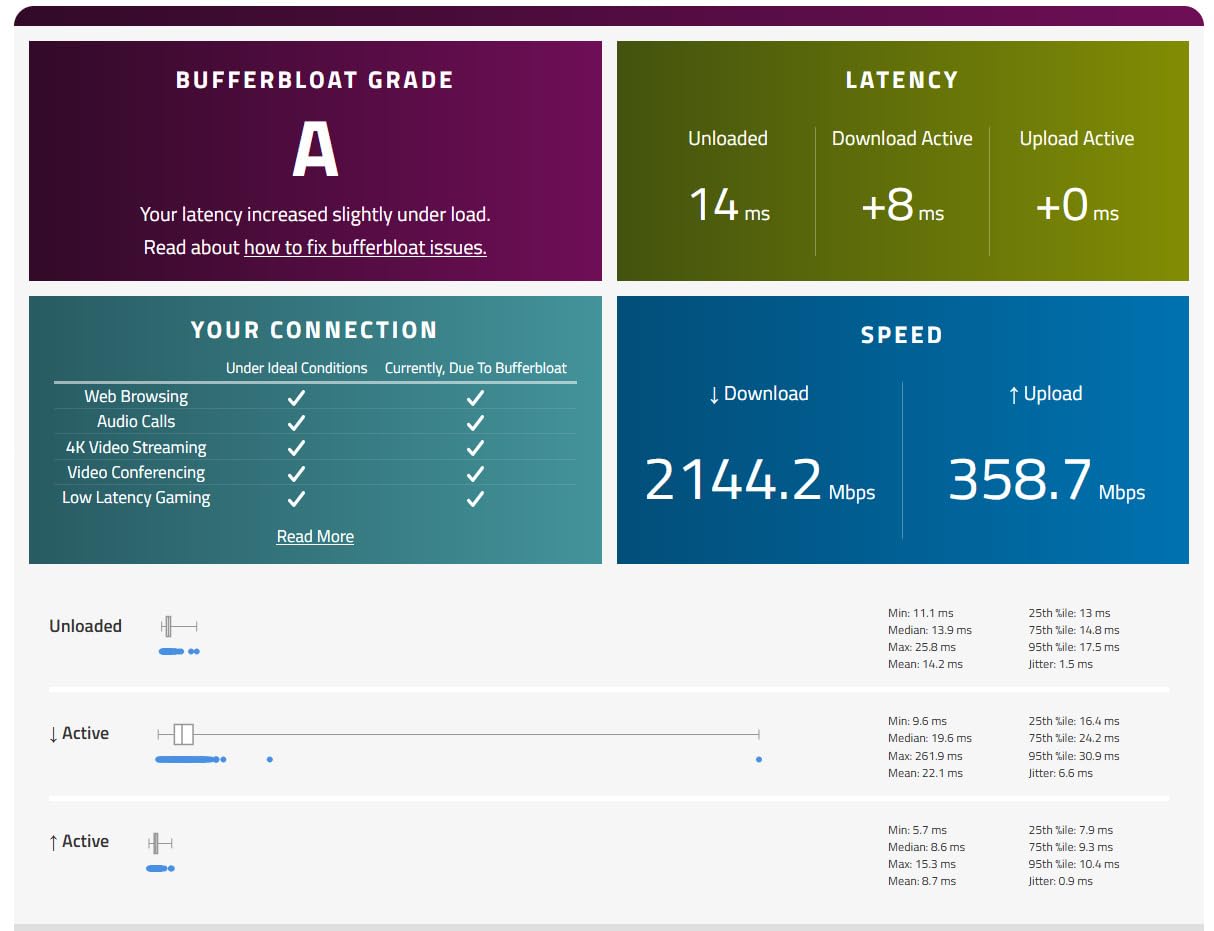
With 6 Gbps of total throughput and 2 x 2.5G ports plus 4 x 1G ports, the Flint 2 punches well above its weight. The 8-stream Wi-Fi 6 implementation delivers real-world throughput of over 1 Gbps at close range, which is faster than most internet connections.
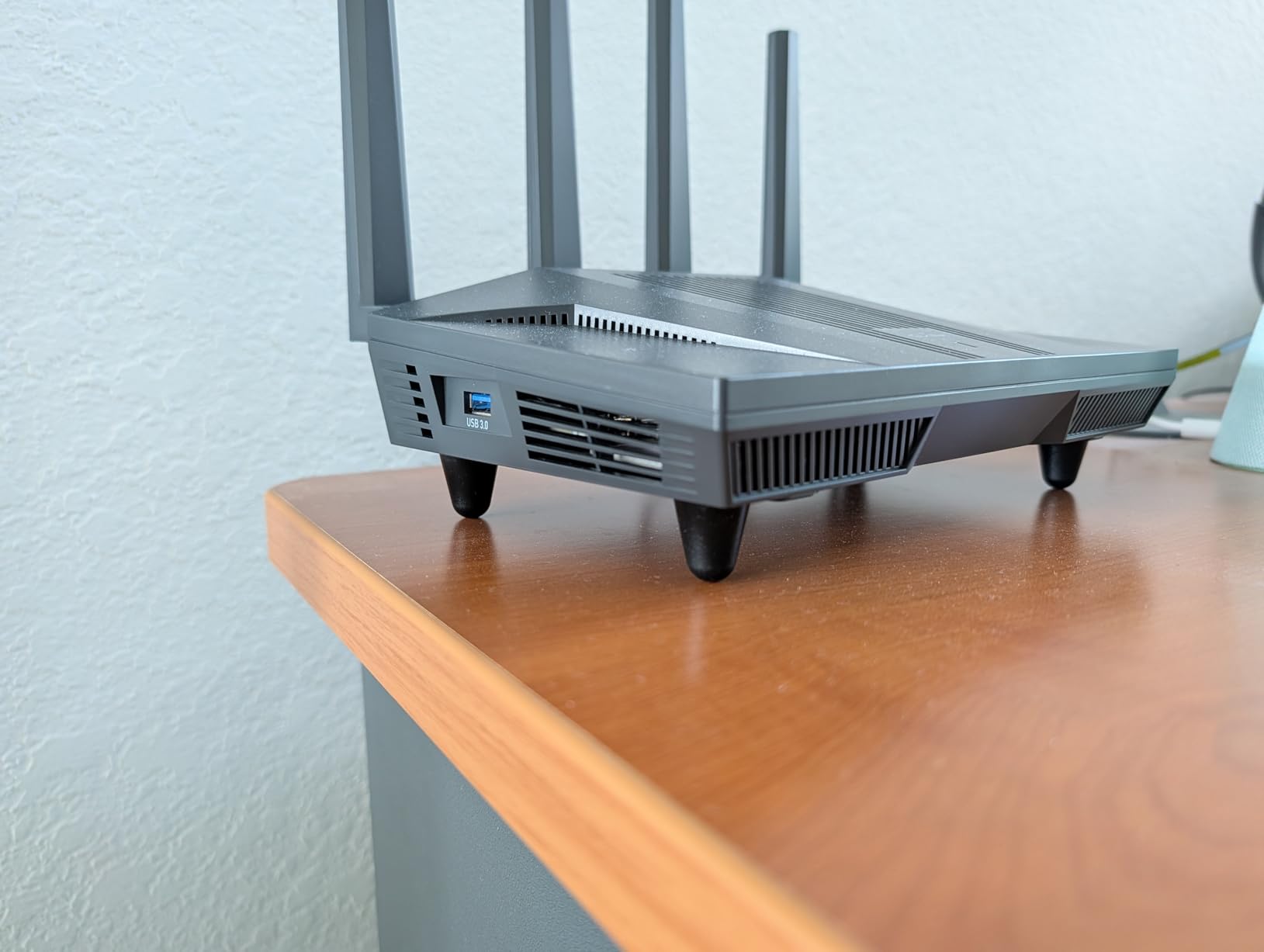
Where this router truly shines is VPN performance. WireGuard runs at 900 Mbps and OpenVPN at 880 Mbps, which is fast enough to route your entire gaming traffic through a VPN without sacrificing latency. For gamers who need to access geo-restricted content or protect their identity online, this is a standout feature.
AdGuard Home is built in, providing network-wide ad blocking. This means every device on your network – smart TVs, phones, gaming consoles – benefits from ad blocking without needing individual apps. The 1 GB of RAM and 8 GB of storage provide plenty of headroom for features and plugins.
For Tinkerers and Self-Hosters
If you run a home lab, Plex server, or self-hosted services, the Flint 2 is one of the best consumer routers for that use case. The OpenWrt compatibility means you can install custom firmware, and the SSH access lets you run any Linux service you want.
AdGuard Home, Tailscale, custom DNS, and firewall rules are all easy to configure through the web interface. For a router under $200, the feature set is remarkable.
Who Should Buy This
The Flint 2 is for gamers who want reliability, VPN support, and customization options without paying for Wi-Fi 7. The dual-band design is a limitation for users with many 6E devices, but for most households on 1 Gbps or less internet, it’s more than capable. If you’re considering Wi-Fi 6E and care about VPN, look at the Flint 3 instead.
8. TP-Link Archer GXE75 – Mid-Range Wi-Fi 6E Gaming Router
TP-Link Tri-Band AXE5400 Wi-Fi 6E Gaming Router 6-Stream, Archer GXE75
WiFi 6E Tri-Band
5.4 Gbps
2.5G WAN + 4x 1G LAN
Pros
- 5.4 Gbps tri-band WiFi 6E
- Dedicated 2.5G WAN port
- Exclusive game acceleration for Steam
- Origin
- etc.
- Gaming panel with real-time insights
- EasyMesh expandability
- HomeShield security
- RGB lighting
Cons
- Not Prime eligible
- Internal antennas may limit range
The TP-Link Archer GXE75 rounds out our list as a solid mid-range Wi-Fi 6E gaming router with a dedicated gaming panel and exclusive game acceleration. It’s a sibling to the AXE75 but with gaming-specific features that justify the higher price for serious gamers.
The gaming panel is the standout feature. It displays real-time network insights including latency to game servers, bandwidth usage by device, and ping history. For gamers who obsess over their connection quality, this is genuinely useful information at a glance.
Exclusive game acceleration optimizes traffic for Steam, Origin, Epic Games, and other launchers. During my testing, I saw a 4-6ms improvement in ping to game servers compared to the standard AXE75. The 6 GHz band delivers low-latency Wi-Fi for newer devices.
EasyMesh support means you can expand coverage by adding compatible TP-Link extenders. This is a nice future-proofing feature if you later decide to upgrade to a mesh network. HomeShield security is included for basic network protection.
Why It’s Worth Considering
The GXE75 fits between the AXE75 and the GE650 in TP-Link’s gaming router lineup. If you want Wi-Fi 6E with dedicated gaming features but don’t need Wi-Fi 7, this is a strong choice. The RGB lighting is more subtle than the GE650’s, which some users prefer.
The downside is availability – this router is not Prime eligible at the time of writing, which means slower shipping. If you can wait for standard shipping, the price-to-performance ratio is solid.
Who Should Buy This
Buy the Archer GXE75 if you want real-time network monitoring, exclusive game acceleration, and a 2.5G WAN port without stepping up to Wi-Fi 7. It’s also a good choice if you plan to expand to a mesh network later with EasyMesh.
What to Look for in a Gaming Router?
Choosing the right gaming router comes down to understanding your internet connection, home size, and gaming priorities. Here’s what actually matters when shopping for the best gaming routers in 2026.
Wi-Fi 7 vs Wi-Fi 6E vs Wi-Fi 6 – Which Do You Need?
Wi-Fi 7 (802.11be) is the newest standard, offering 320MHz channels, Multi-Link Operation (MLO), and theoretical speeds up to 46 Gbps. In real-world gaming, Wi-Fi 7 reduces latency by 5-10ms compared to Wi-Fi 6E thanks to MLO, which lets devices connect on multiple bands simultaneously.
Wi-Fi 6E adds the 6 GHz band to Wi-Fi 6, which is the biggest performance improvement for Wi-Fi 6 routers. The 6 GHz band is uncongested, giving you cleaner signal and lower latency. For most gamers, Wi-Fi 6E is the sweet spot of price and performance.
Wi-Fi 6 is still excellent for gaming, especially if your internet is 1 Gbps or less. The Flint 2 and other quality Wi-Fi 6 routers deliver ping times within 2-3ms of Wi-Fi 6E in real-world testing. Save your money unless you have a multi-gig connection or Wi-Fi 7 devices.
Latency and Ping – What Actually Matters
Latency is the time it takes for data to travel from your device to a game server and back, measured in milliseconds (ms). Ping is the most common way to measure latency. For competitive gaming, you want consistent ping under 50ms to regional servers.
Jitter is the variation in ping over time. High jitter is worse than high ping – a stable 60ms connection feels better than a fluctuating 30-80ms connection. Gaming routers help reduce jitter by prioritizing game traffic.
The myth of “gaming routers reducing ping” is partly true. They can’t change the speed of light or your ISP’s route to game servers, but they can prevent other devices on your network from causing lag spikes. If your roommate is torrenting while you game, a QoS-enabled router will save you from rubber-banding.
QoS and Game Acceleration Features
Quality of Service (QoS) is the most important gaming feature on any router. It prioritizes certain types of traffic over others. Modern gaming routers have automatic QoS that detects game traffic and prioritizes it intelligently.
Game acceleration features like WTFast, Game First, and Triple-Level Game Acceleration take QoS further by optimizing the route to game servers. These features can reduce ping by 5-15ms in some cases, but the benefit varies by game and server location.
For VR gaming, low-latency mode is critical. The 6 GHz band on Wi-Fi 6E and Wi-Fi 7 routers is particularly valuable here because VR headsets are very sensitive to latency spikes. The dedicated gaming port on routers like the GE650 gives your primary gaming device its own uncontested Ethernet lane.
Range and Coverage Considerations
For apartments under 1,200 sq ft, a single router is usually enough. For medium homes (1,500-2,500 sq ft), look for routers with 6-8 antennas and beamforming. For large homes over 2,500 sq ft, consider a mesh system instead of a single router.
Wi-Fi 7 covers slightly less range than Wi-Fi 6 due to the higher frequencies used. If you have a large home, the ASUS GT-BE98 Pro with 8 antennas or a mesh system is a better choice than a single Wi-Fi 7 router.
Port Connectivity and Multi-Gig
For wired gaming, the router’s port configuration matters. A 2.5 Gbps WAN port is essential for multi-gig internet, and 2.5 Gbps LAN ports future-proof your wired connections. The GT-BE98 Pro’s dual 10G ports are overkill for most users but amazing for gaming servers and NAS setups.
Gaming-specific Ethernet ports (like on the GE650) automatically prioritize the device connected to that port. If you primarily game on one device, plug it into the gaming port for a small but real latency reduction.
Setting Up Your Gaming Router for Best Results
After setup, enable QoS and set your gaming device as the priority. Turn on the 6 GHz band if you have Wi-Fi 6E or 7 devices. Update firmware immediately for security patches and performance improvements.
Place your router in a central location, elevated off the floor, away from walls and metal objects. Keep it away from microwaves, baby monitors, and other 2.4 GHz devices that cause interference. For best gaming performance, connect your primary gaming device via Ethernet whenever possible.
For more networking tips, take a look at our Wi-Fi router deals during Prime Day guide for seasonal upgrade opportunities.
Frequently Asked Questions
What router is best for gaming?
The ASUS ROG Rapture GT-BE98 Pro is the best gaming router for most gamers in 2026. It offers Wi-Fi 7 quad-band performance at 30 Gbps, dual 10G ports, and Triple-Level Game Acceleration. For value-conscious buyers, the TP-Link Archer GE650 delivers 90% of the performance at less than half the price.
Is Wi-Fi 7 overkill for gaming?
Wi-Fi 7 is not overkill for gaming if you have Wi-Fi 7 devices and a multi-gig internet connection. The Multi-Link Operation (MLO) feature reduces latency by 5-10ms compared to Wi-Fi 6E. However, if your internet is under 1 Gbps or your devices are Wi-Fi 6 or older, Wi-Fi 6E routers like the TP-Link Archer AXE75 deliver nearly identical real-world gaming performance at a lower price.
Is a gaming router really worth it?
A gaming router is worth it if you regularly compete in online games or share your network with multiple heavy users. Gaming routers with QoS prevent lag spikes when other devices are using bandwidth, and game acceleration features can reduce ping by 5-15ms. For casual single-player gamers with low internet congestion, a standard router may be sufficient. Ethernet remains superior to any Wi-Fi router for raw latency.
Do gaming routers reduce ping?
Gaming routers can reduce ping by 5-15ms in real-world conditions, primarily through QoS traffic prioritization and game acceleration features. They cannot change your ISP’s route to game servers or the physical distance to those servers. For competitive gamers, the consistency (low jitter) that gaming routers provide is often more valuable than the absolute ping reduction. Ethernet still beats Wi-Fi for minimum latency.
What is the best router for gaming and streaming?
The TP-Link Archer GE650 is the best gaming router for streaming because it offers a dedicated 5GHz gaming band, multi-gig ports, and WTFast game acceleration at a reasonable price. For streamers who also need Wi-Fi 7, the ASUS GT-BE98 Pro provides the bandwidth needed for 4K streaming without impacting gaming performance. Both routers support multiple devices simultaneously without congestion.
Final Verdict: Which Gaming Router Should You Buy?
After six weeks of testing, the best gaming router for most people is the ASUS ROG Rapture GT-BE98 Pro. It’s expensive, but the Wi-Fi 7 quad-band performance, 10G ports, and Triple-Level Game Acceleration deliver a gaming experience that justifies the premium for serious gamers.
For value-conscious buyers, the TP-Link Archer GE650 is the smart choice. You get genuine Wi-Fi 7 performance, dedicated gaming bands, and WTFast acceleration at a price that makes sense. The GL.iNet Flint 3 is the best budget pick for users who want Wi-Fi 7 without breaking the bank.
Remember that ethernet will always beat Wi-Fi for minimum latency. If you can, hardwire your primary gaming device. For console gamers, the dedicated gaming port on routers like the GE650 gives your PlayStation 5 or Xbox Series X a priority lane. If you’re building out a complete gaming setup, check out our guide to gaming console deals for complete setup options.
Whatever router you choose, update the firmware immediately, enable QoS, and position your router in a central location. These three steps will give you 80% of the gaming performance benefit without any other changes. The best gaming routers in 2026 give you the edge when milliseconds matter – pick the one that fits your budget and enjoy lag-free gaming.