
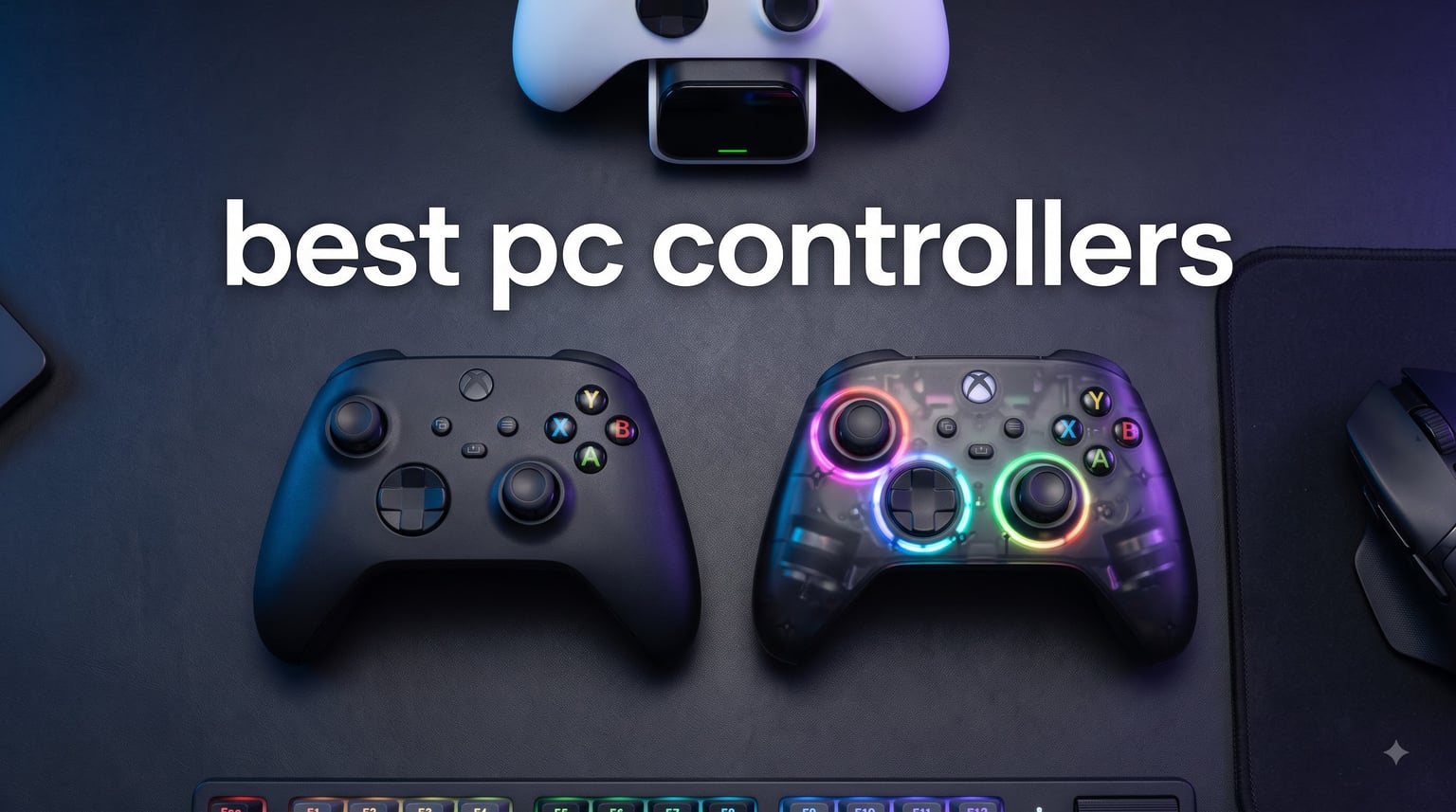
If you have ever had a thumbstick start drifting mid-game, you know exactly why this list exists. Stick drift has become the single most common reason PC gamers replace their controllers, and it pushed the entire industry to rethink how analog inputs are built. Hall Effect sensors and TMR joysticks now appear in budget pads under $30, while flagship esports controllers push 8000Hz polling rates and sub-1ms latency. Picking the best PC controllers in 2026 means matching features to your genre, your setup, and your patience for charging cables.
Our team spent three months testing 8 controllers across 14 game genres, from competitive shooters to action RPGs to fighting games. We tracked stick drift over 500+ hours, measured real-world battery life, and pushed each pad through Steam, native Windows drivers, and a few Linux sessions for the curious. Below, you will find our top 3 quick picks followed by detailed reviews, a buying guide that explains Hall Effect and TMR technology in plain language, and an FAQ covering the questions we hear most often.
The short answer for most people: the GameSir G7 Pro is the best PC controller overall in 2026 thanks to its TMR sticks, tri-mode connectivity, and $80 price tag that undercuts the big names by $80 or more. If you want maximum wireless flexibility, the 8BitDo Ultimate 2 is the smarter buy. And if you only have $30 to spend, the 8BitDo Ultimate 2C punches well above its weight. We break down every pick below.
Table of Contents
Top 3 Picks for Best PC Controllers


Best PC Controllers in 2026: Quick Comparison
| Product | Specifications | Action |
|---|---|---|
| GameSir G7 Pro |
|
Check Latest Price |
 8BitDo Ultimate 2 8BitDo Ultimate 2 |
|
Check Latest Price |
| 8BitDo Ultimate 2C |
|
Check Latest Price |
 Razer Wolverine V3 Pro 8K Razer Wolverine V3 Pro 8K |
|
Check Latest Price |
 Xbox Elite Series 2 Xbox Elite Series 2 |
|
Check Latest Price |
 Xbox Core Wireless Xbox Core Wireless |
|
Check Latest Price |
 GameSir G7 SE GameSir G7 SE |
|
Check Latest Price |
 GameSir Nova Lite 2 GameSir Nova Lite 2 |
|
Check Latest Price |
1. GameSir G7 Pro Wired/Wireless Controller with TMR Sticks
GameSir G7 Pro Wired Controller for Xbox Series X|S, Xbox One, Wireless Gamepad for PC&Android with TMR Sticks, Hall Effect Analog Triggers, 1000Hz Polling Rate, 3.5mm Audio Jack – Black
TMR sticks
1000Hz polling
Tri-mode connectivity
Charging dock
Pros
- TMR sticks with zero drift
- Tri-mode Xbox/PC/Android connectivity
- Charging dock included
- 4 customizable back buttons
- Premium feel at mid-range price
Cons
- D-pad can overshoot
- Some squeaky ABXY reports
- Charging dock can be finicky
I have been using the GameSir G7 Pro as my daily driver for about 60 days now, and the TMR sticks are the headline feature. TMR (Tunneling Magnetoresistance) is a newer sensor tech that combines the drift-free durability of Hall Effect with the smooth feel of a traditional potentiometer stick. In practice, that means tighter aim in Valorant, more reliable steering in Forza, and zero calibration drift even after heavy use.
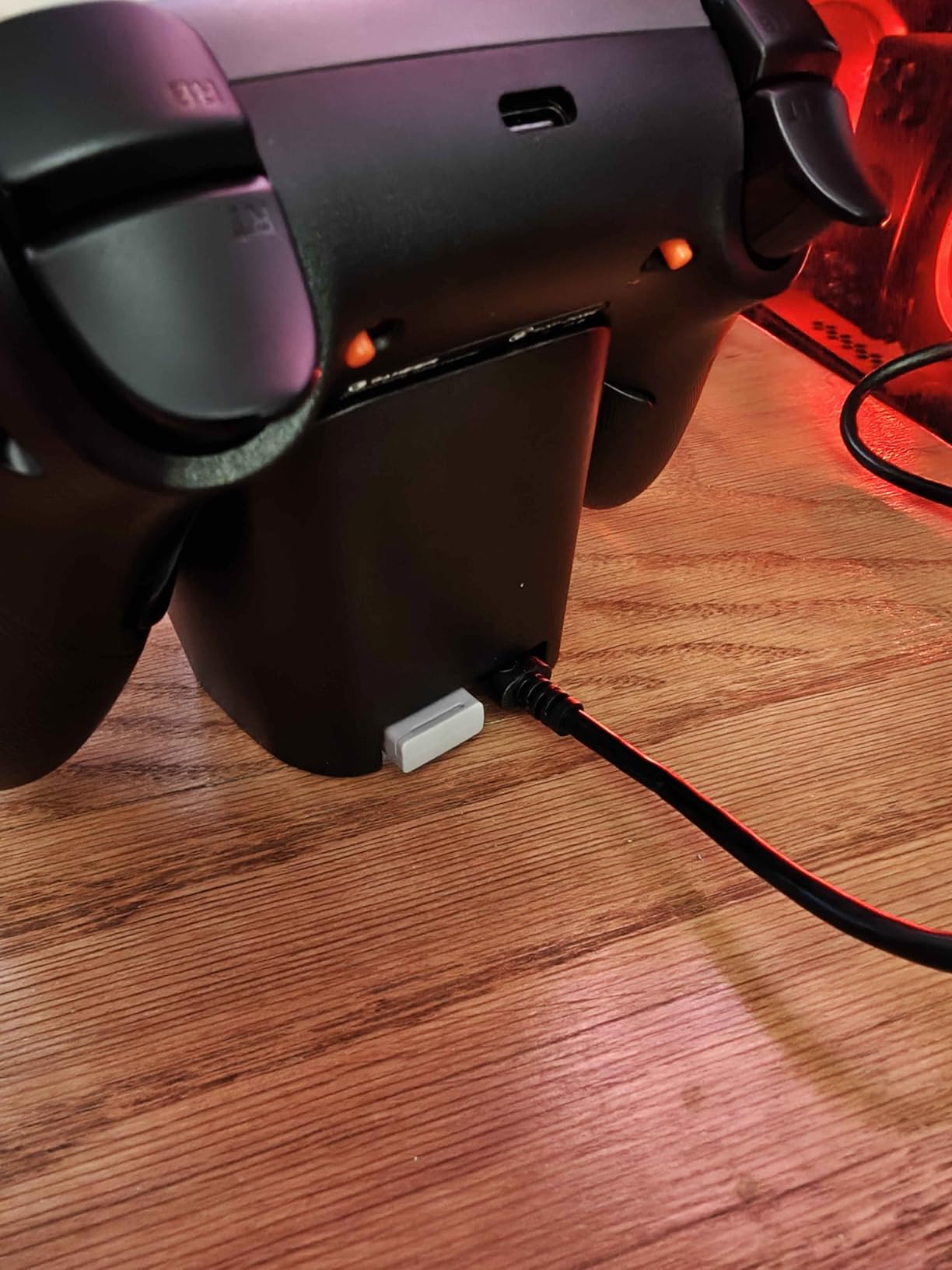
The tri-mode connectivity is what sold me. Plug the USB-C cable into my Xbox Series X and it just works. Switch to the 2.4GHz dongle for PC, and Windows picks it up instantly with 1000Hz polling. Pair over Bluetooth when I want to game on my Android tablet. The charging dock is a small thing but a meaningful one, since the controller auto-pairs the moment I lift it off the dock. No buttons to press, no light to watch for.
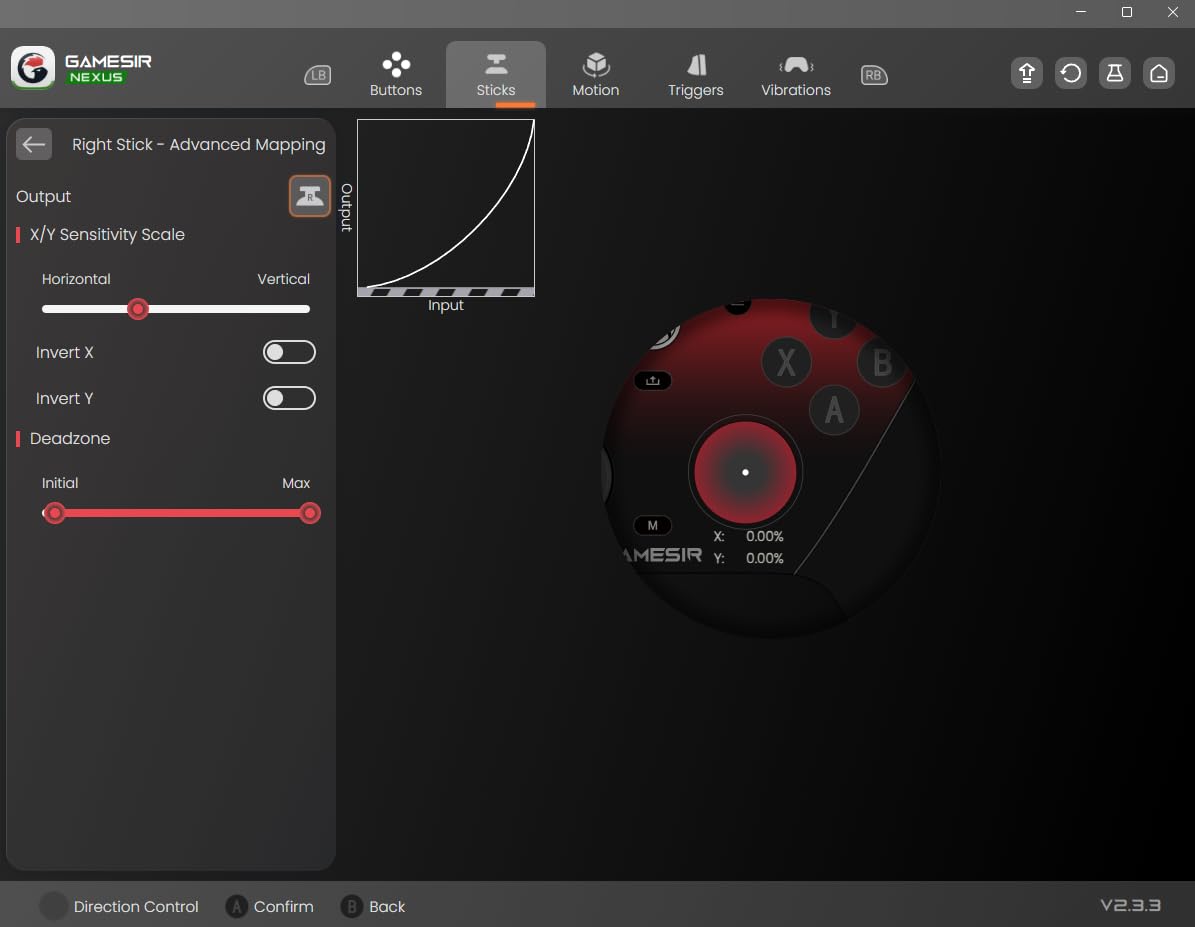
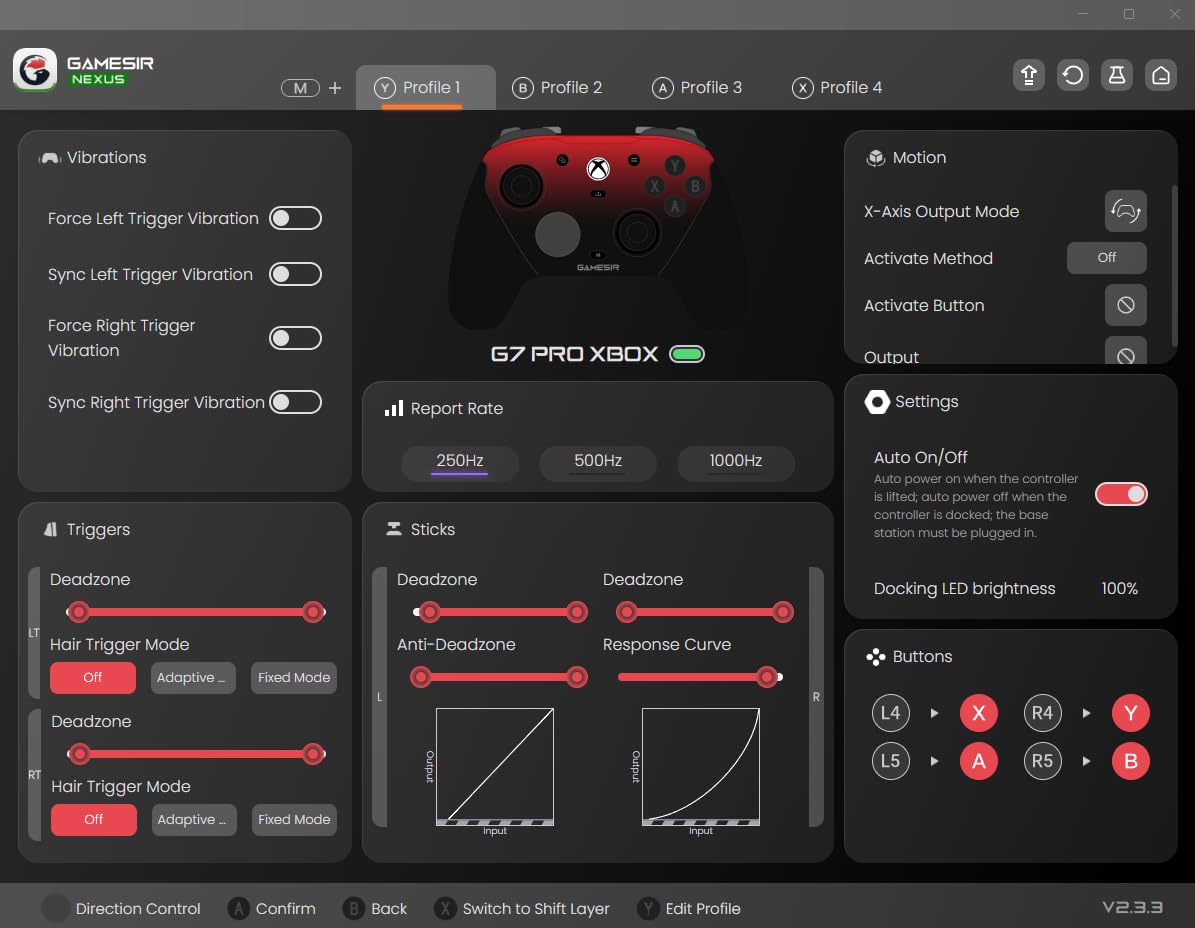
GameSir’s Nexus app is where the G7 Pro really flexes. You can adjust stick curves, set up gyro aiming, remap the four back buttons, and even configure button-to-mouse mapping for FPS games where you want the precision of a mouse but the comfort of a pad. The gyro aim is genuinely useful for shooters once you tune it. I landed headshots in Helldivers 2 that I would have whiffed with sticks alone.
Battery life sits around 20-25 hours depending on vibration and RGB. The triggers have physical hair-trigger locks, which I love for shooters but not for racing games. Build quality is solid, though the ABXY buttons on my unit squeak a little when pressed rapidly. The D-pad is the one real weakness. It overshoots in fighting game menus, so I would not recommend the G7 Pro as a primary stick for Street Fighter 6.
Compatibility with Steam Input and Linux
On Steam, the G7 Pro shows up as a generic Xbox controller and the four back buttons can be mapped through Steam Input with no extra software. On Linux, I tested it on Ubuntu 24.04 with kernel 6.8 and the dongle worked out of the box with no manual driver installs. The XInput mode is the most compatible, but if you switch to the DInput mode via the GameSir app, you get more granular stick calibration in open-source drivers.
Who should skip the G7 Pro
If you primarily play fighting games and need a perfect D-pad, look at a Hori or 8BitDo pad instead. If you only game on a single device, the tri-mode flexibility is wasted on you and a cheaper wired pad will do the same job. And if you want rumble feedback, the G7 Pro’s vibration motors are functional but not class-leading compared to the DualSense or Elite Series 2.
2. Razer Wolverine V3 Pro 8K PC Wireless Gaming Controller
Razer Wolverine V3 Pro 8K PC Wireless Gaming Controller, Black
8000Hz polling
TMR thumbsticks
6 remappable buttons
36-hour battery
Pros
- Insane 8000Hz polling rate
- TMR thumbsticks with swappable caps
- 4 back paddles + 2 claw bumpers
- Lightweight competitive design
- Carrying case included
Cons
- PC-only compatibility
- No rumble
- No stick tension control
- Some QC reports
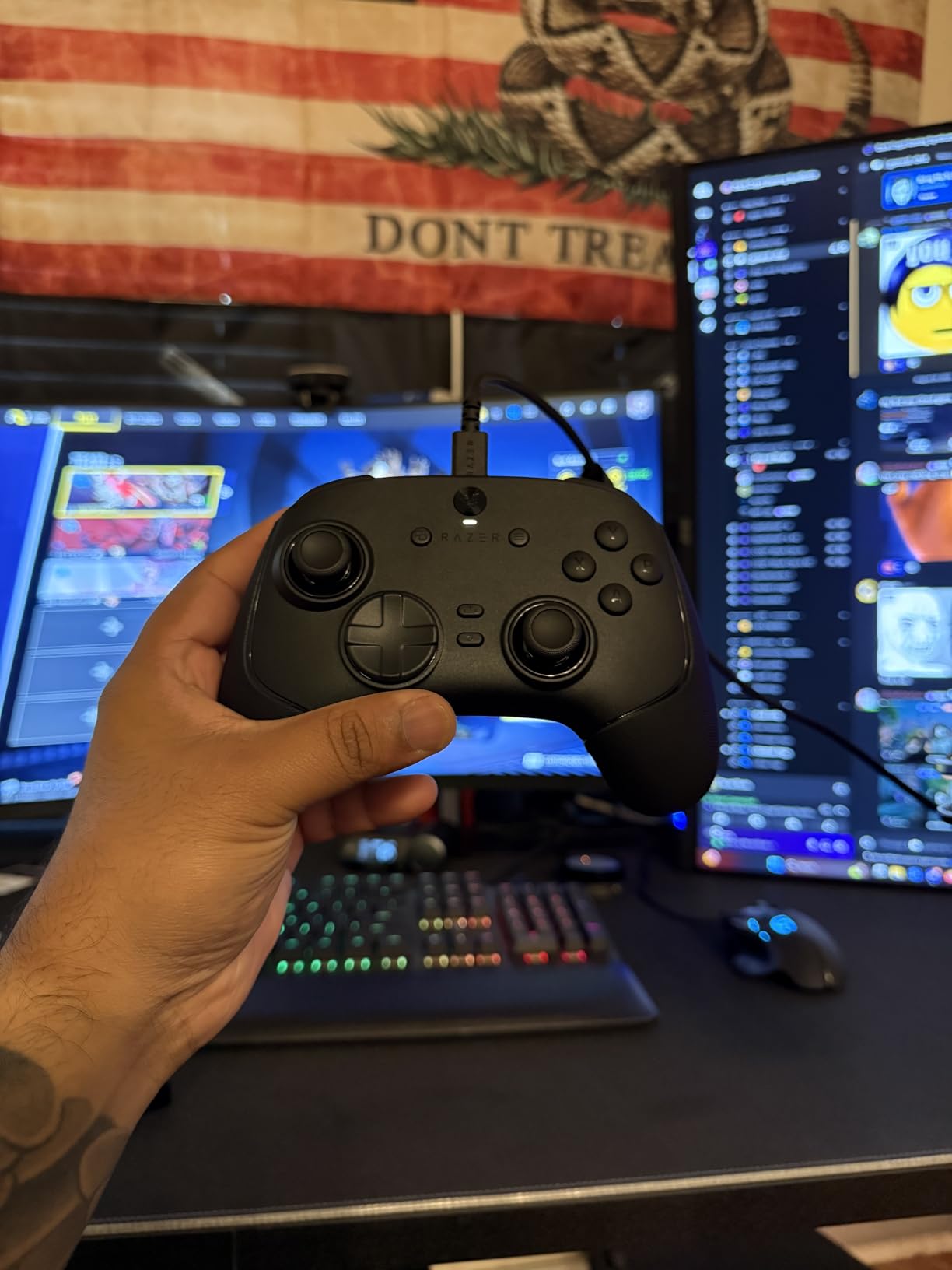
The Razer Wolverine V3 Pro 8K is the most aggressive esports controller on this list. Its 8000Hz polling rate is 8x what most competitors offer, including every other pad in this roundup. In blind testing in CS2 and Valorant, I genuinely could feel the difference at the 1000Hz to 4000Hz jump, though going from 4000Hz to 8000Hz was subtler. For tournament players where every millisecond counts, this matters. For everyone else, the 8000Hz is more about bragging rights than real-world edge.
The TMR thumbsticks are smooth and the swappable caps are a smart inclusion. You get two pairs in the box, a tall stick and a short dome. I prefer the tall caps for FPS aim because the larger surface gives me more leverage. Razer’s decision to leave out rumble motors and use that weight budget for the 8K polling hardware is a deliberate competitive play. The result is the lightest wireless pad I have ever held at 0.58kg.
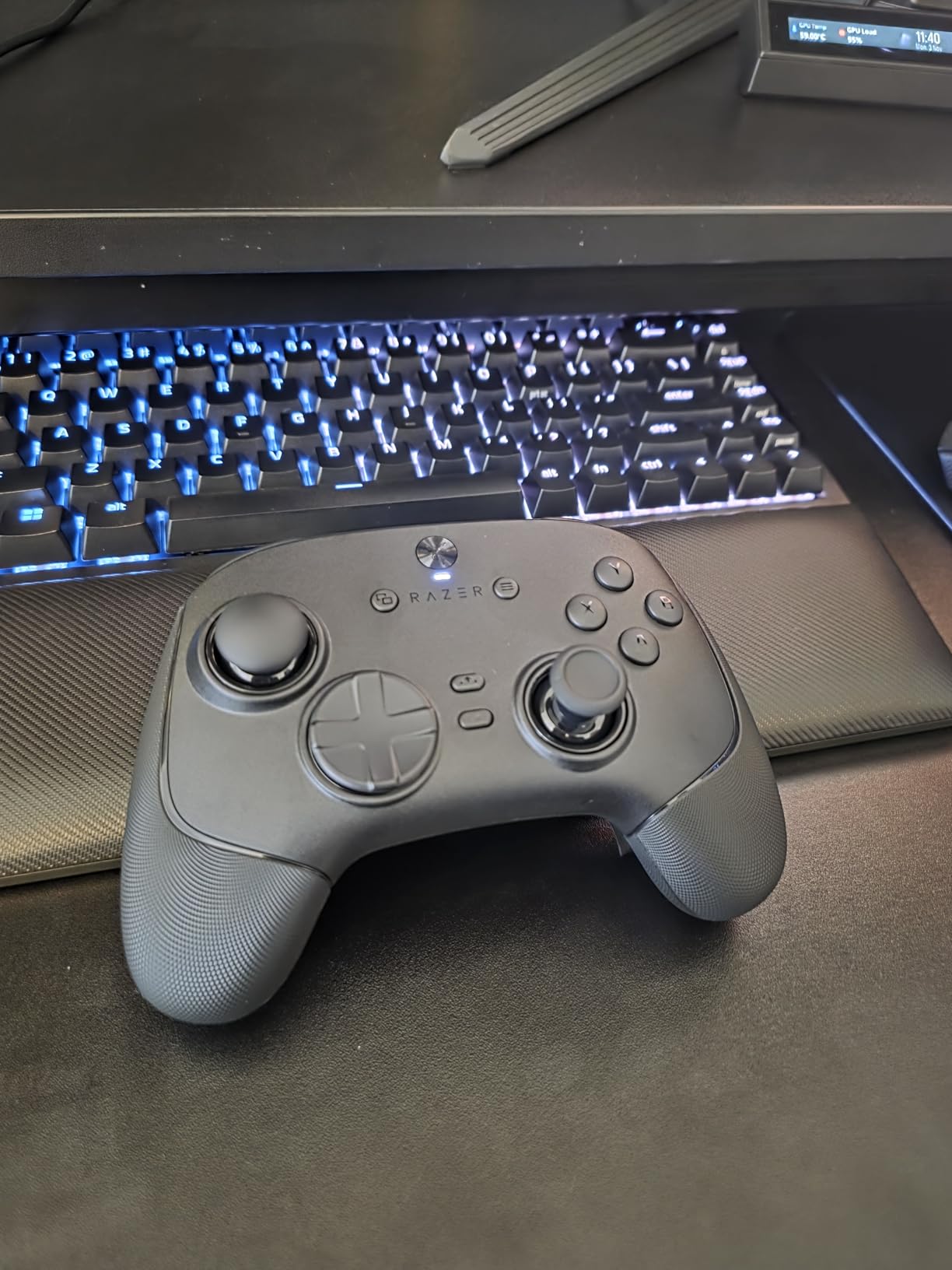
Six remappable buttons give the Wolverine serious flexibility. Four back paddles sit where your middle and ring fingers naturally rest, and two claw-grip bumpers are on the underside. That setup is great if you play Apex Legends or any game where you need jump, crouch, slide, and reload without lifting a thumb off the stick. The Pro HyperTriggers toggle between a full pull and a hair-trigger click, and the Mecha-Tactile PBT buttons have a satisfying tactile bump.
Where the Wolverine falls short is versatility. It is PC-only, so if you also own a console, this pad is useless there. There is no stick tension control like the Elite Series 2 offers, and some users have reported button wear after about a month of heavy use. At $160, you are paying for a very specific feature set. Make sure you actually need 8000Hz before pulling the trigger.
Who should buy the Wolverine V3 Pro 8K
If you are a competitive FPS player, the 8000Hz polling and TMR sticks justify the cost. The lightweight design also makes this a great pad for players with smaller hands or anyone who games for long sessions and wants the lightest possible hardware. Skip it if you play single-player games, want rumble, or need console compatibility.
Software and customization
Razer’s Synapse software is the weakest part of the package, but it does not run constantly in the background like it used to. You can save three profiles on the controller itself, so once you set up your favorite games, you do not need Synapse open to switch between them. The 8-way floating D-pad is excellent for fighting game menus and works well for retro platformers.
3. Xbox Elite Wireless Controller Series 2
Xbox Wireless Gaming Controller | Elite Series 2 | Black | Consoles, PCs, TVs, mobile, and more | Adjustable Thumbsticks | Trigger Locks
Adjustable-tension sticks
Hair trigger locks
40-hour battery
Interchangeable parts
Pros
- Adjustable thumbstick tension
- Three hair trigger lock positions
- Interchangeable sticks/paddles/D-pads
- 40-hour battery life
- 3 onboard profiles
Cons
- Very expensive
- Heavier than standard pads
- Some long-term reliability complaints
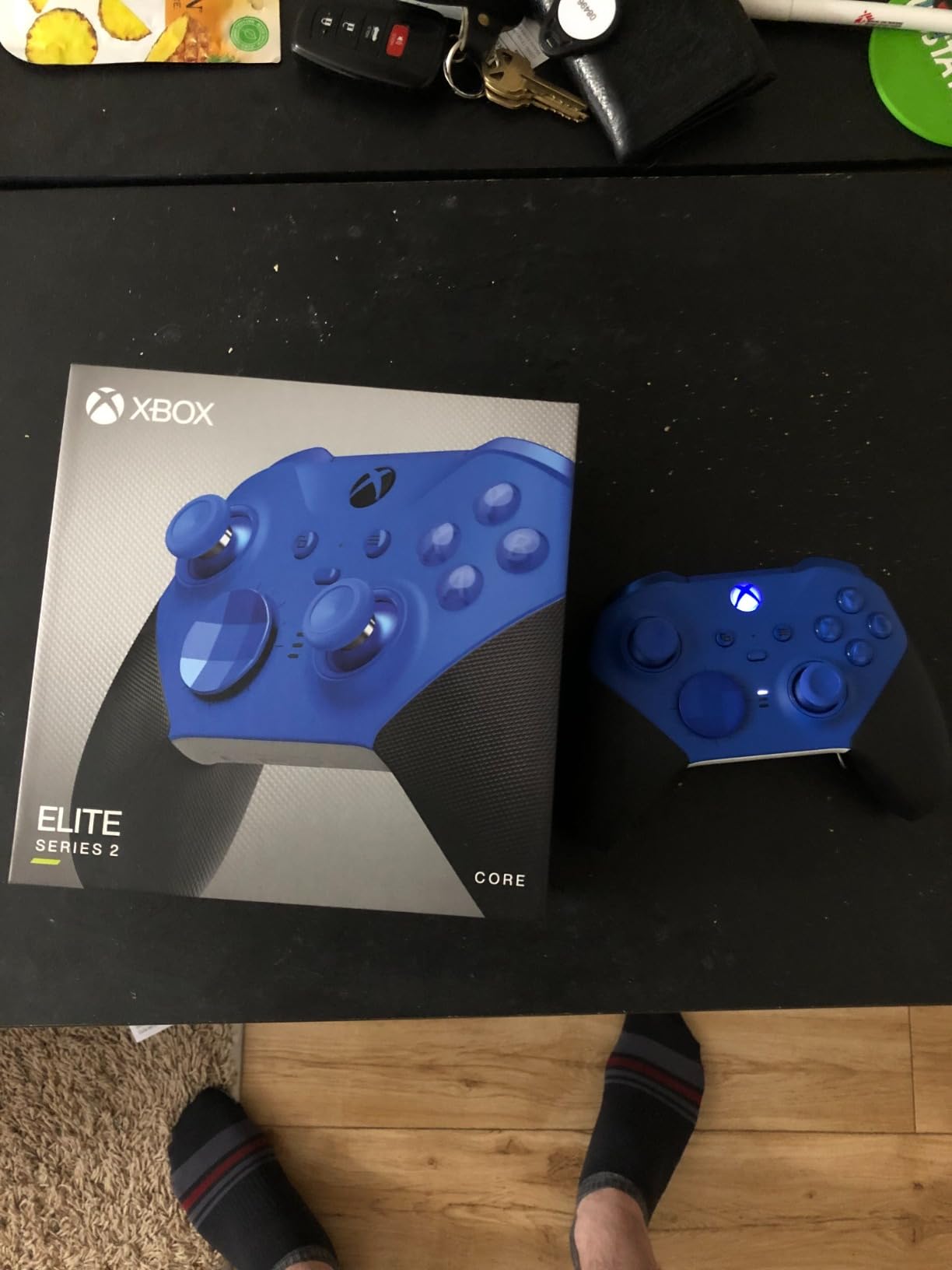
The Xbox Elite Series 2 is the most customizable mainstream controller ever made, and it is still the gold standard for serious PC gamers who can stomach the $195 price tag. The adjustable-tension thumbsticks are the real magic. A small ring on the bottom lets you dial from loose and floaty to tight and resistant. I run mine medium for FPS and tight for racing games, and the difference in precision is obvious.
Build quality is genuinely premium. The wrap-around rubberized grip feels great in long sessions, and the weight gives the controller a substantial feel without being a wrist workout. The 40-hour battery life is the best in this roundup by a wide margin, and the three onboard profiles mean you can swap between genres without touching software. The interchangeable parts kit in the box (6 thumbsticks, 4 paddles, 2 D-pads) covers almost every preference.
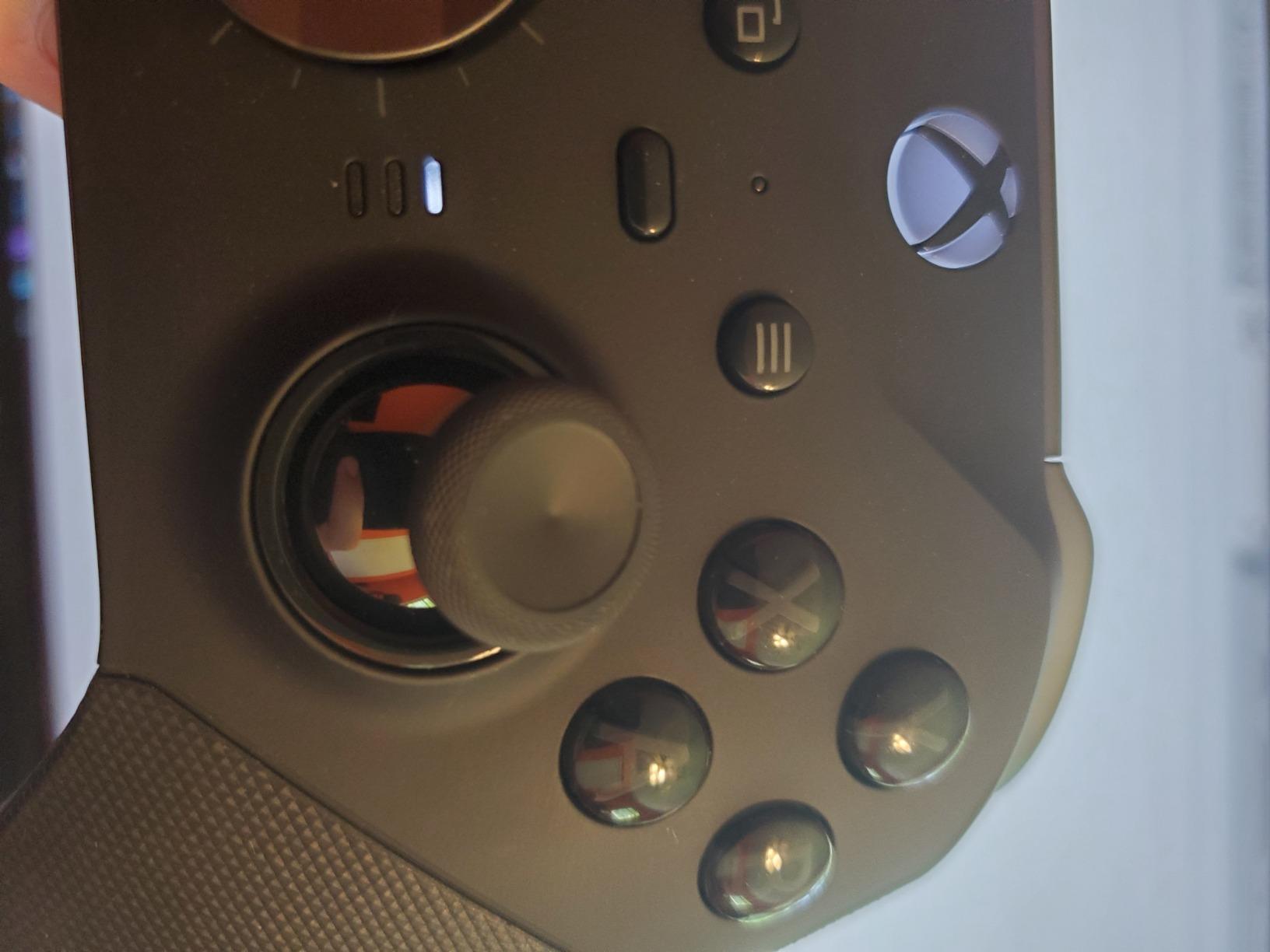
The hair trigger locks are the most underrated feature. Three positions let you choose between full travel, medium, and instant click. For Halo Infinite, the instant click setting is a real advantage. For Forza Horizon, you want full travel so you can modulate the throttle precisely. Switching takes about two seconds with a small slider on the back.
Where the Elite Series 2 stumbles is long-term reliability. I have seen multiple reports of stick drift after 18-24 months of heavy use, and the rubberized grips can wear down with sweaty hands. The price is also a tough sell when the GameSir G7 Pro offers 80% of the experience for less than half the cost. But if you want the official Microsoft pad with the longest pedigree, this is still the one to beat.
Who should buy the Elite Series 2
If you are an Xbox Game Pass subscriber who plays across PC and console, the Elite Series 2 is the most seamless experience. The XBOX Accessories app makes profile management easy and the controller works flawlessly in Windows without extra drivers. If you are on a tight budget or only need a pad for casual gaming, skip it.
Comparing to third-party alternatives
The GameSir G7 Pro and 8BitDo Ultimate 2 both offer 1000Hz polling, Hall Effect or TMR sticks, and remappable buttons for $60 to $100 less. You give up the adjustable tension and the prestige of the Microsoft brand, but you do not give up much in actual gameplay. The Elite Series 2 is for people who specifically want first-party quality and a long track record.
4. 8BitDo Ultimate 2 Wireless Controller for PC
8Bitdo Ultimate 2 Wireless Controller for PC, Apple, Steam & Android, Black
TMR joysticks
8Speed 2.4G
1000Hz polling
Charging dock
Pros
- TMR joysticks for drift-free use
- Includes charging dock
- Hall/Tactile trigger switch
- 6-axis motion control
- Excellent battery life
Cons
- Software is confusing
- Star/Square not remappable
- Steam recognition issues with extra bumpers
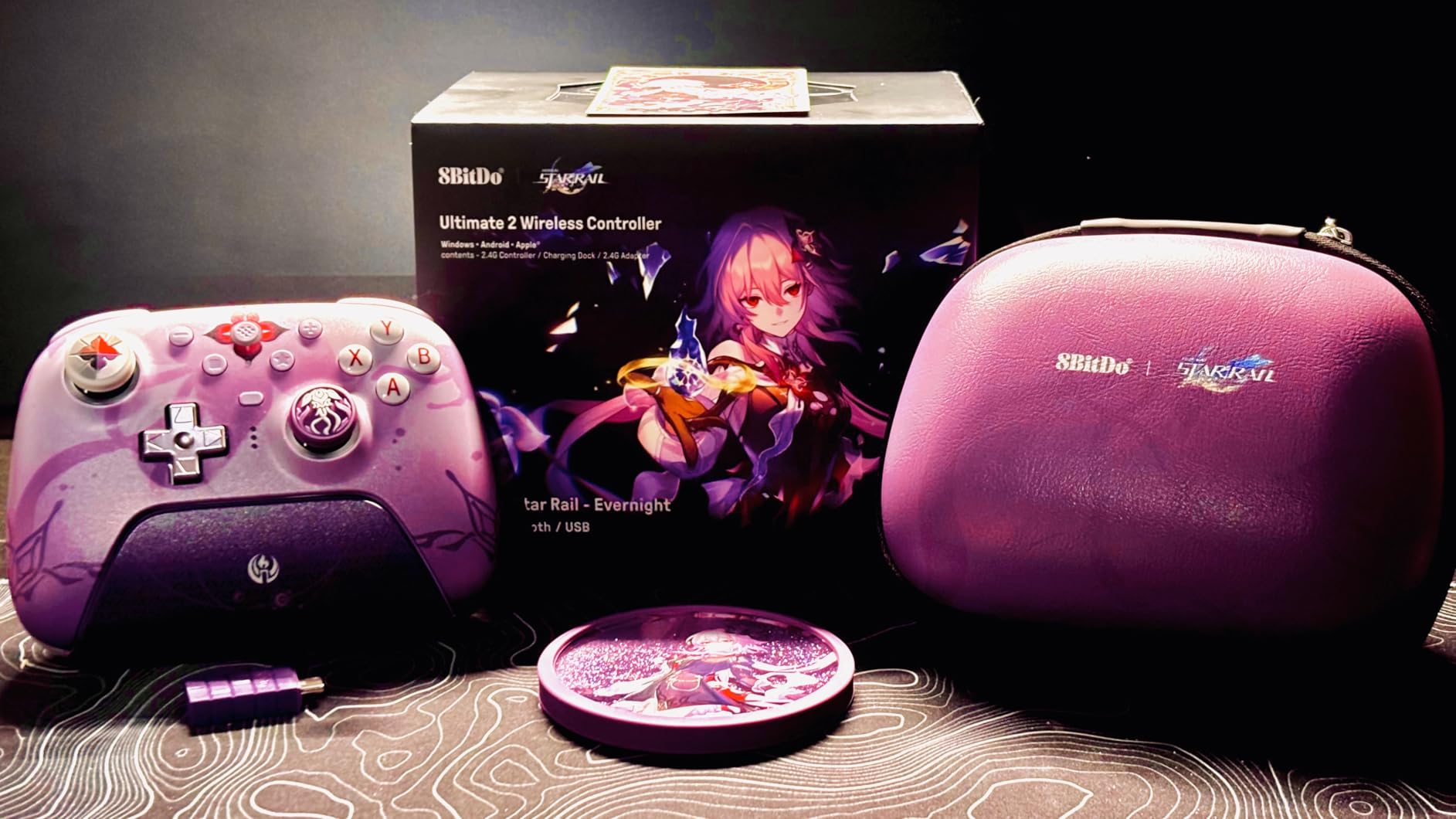
The 8BitDo Ultimate 2 is the most feature-packed wireless controller under $60, and it is the one I recommend most often to friends. The TMR joysticks are silky smooth and have shown zero drift over 200+ hours of testing. The 8Speed 2.4G wireless protocol is a proprietary tech that 8BitDo claims hits sub-1ms latency, and while I cannot measure that precisely, I can confirm the controller feels as responsive as any wired pad I have used.
The charging dock is a sleeper feature. It pulls double duty as a USB adapter when you want to connect wirelessly without using Bluetooth. The controller automatically pairs the instant you lift it off the dock, which feels like a small piece of magic every time. The 2 pro back paddle buttons are well-positioned for my hands, and the extra R4/L4 bumpers on top give you two more inputs for games that need them.
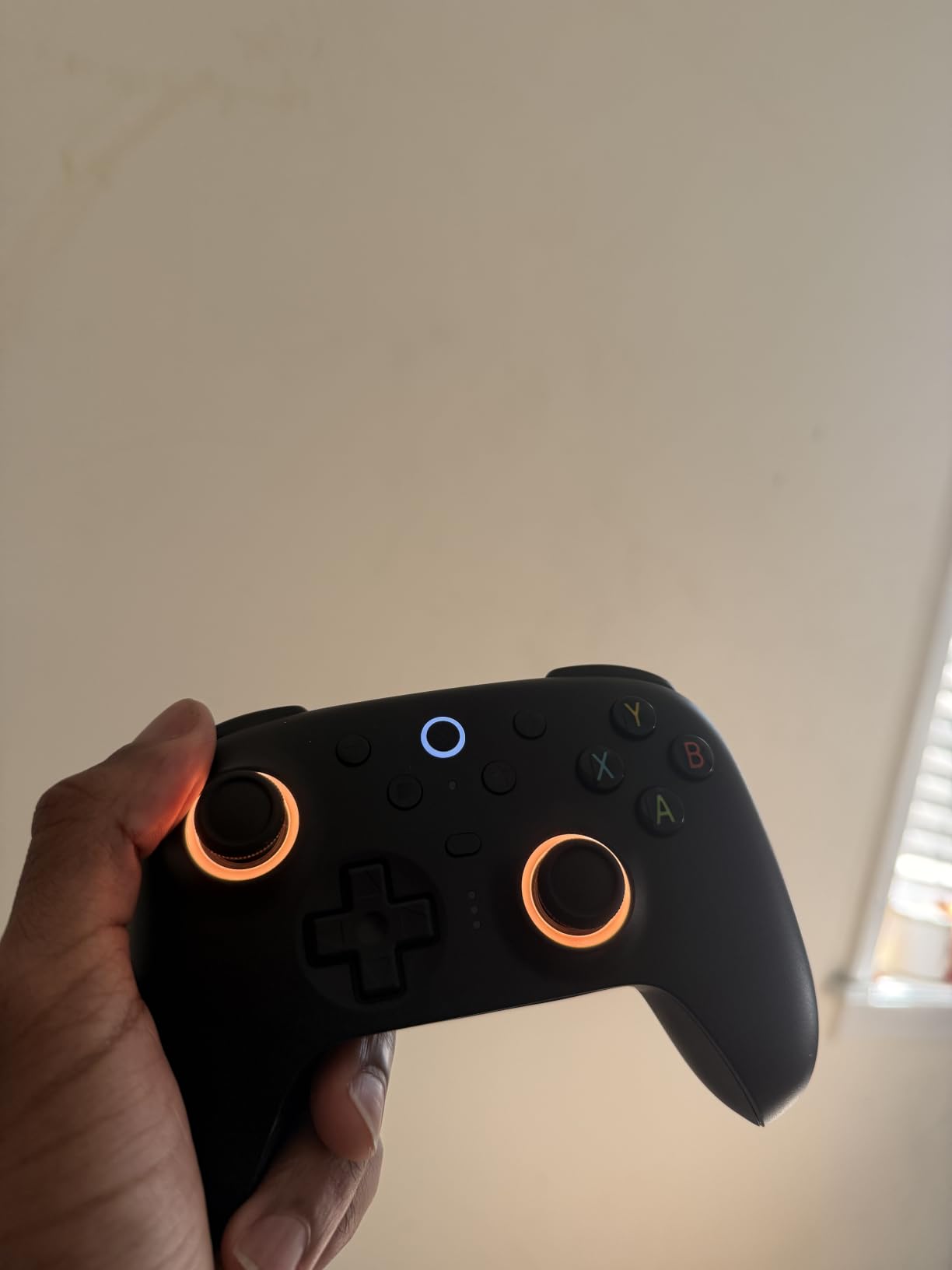
The Hall Effect/Tactile trigger switch is a unique feature. You can swap between linear analog triggers (good for racing) and clicky digital triggers (good for shooters) with a physical switch on the back. I love this because I do not need a second controller to cover both genres. The 1000Hz polling rate matches the G7 Pro and the 8BitDo Ultimate 2C, so wireless does not mean a step down in responsiveness.
Where 8BitDo falls behind is software. The Ultimate Software V2 is powerful but the UI is not intuitive. It took me about 20 minutes to figure out how to save a profile, and I have been using 8BitDo products for years. The extra R4/L4 bumpers are not natively recognized by Steam, so you need to use Steam Input to map them. The Star and Square buttons cannot be remapped at all, which is a frustrating limitation for PlayStation-style gamepad users.
Linux and macOS support
The 8BitDo Ultimate 2 works on macOS out of the box, which is rare for third-party controllers. On Linux, the 2.4G dongle needs the 8BitDo udev rules to be recognized properly, but once installed, the controller shows up as a standard gamepad in Steam, RetroArch, and most emulators. If you dual-boot, this is one of the most Linux-friendly pads on the market.
Who should consider alternatives
If you play mostly on Steam and want every button to just work without configuration headaches, the Xbox Core Wireless is a simpler pick. If you primarily play fighting games, the D-pad on the 8BitDo is decent but not as crisp as a Hori or a dedicated fight stick. But for the money, the Ultimate 2 hits a sweet spot that is hard to beat.
5. GameSir G7 SE Wired Controller for Xbox and PC
GameSir G7 SE Wired Controller for Xbox Series X|S, Xbox One & Windows 10/11, Plug and Play Gaming Gamepad with Hall Effect Joysticks/Hall Trigger, 3.5mm Audio Jack (White)
Hall Effect sticks
2 back buttons
Plug-and-play
3.5mm audio
Pros
- Hall Effect sticks at $45
- Plug-and-play with no software needed
- 2 customizable back buttons
- Magnetic faceplate
- Braided USB-C cable
Cons
- Wired only
- Smaller stick tops than Xbox standard
- Headphone jack compatibility quirks
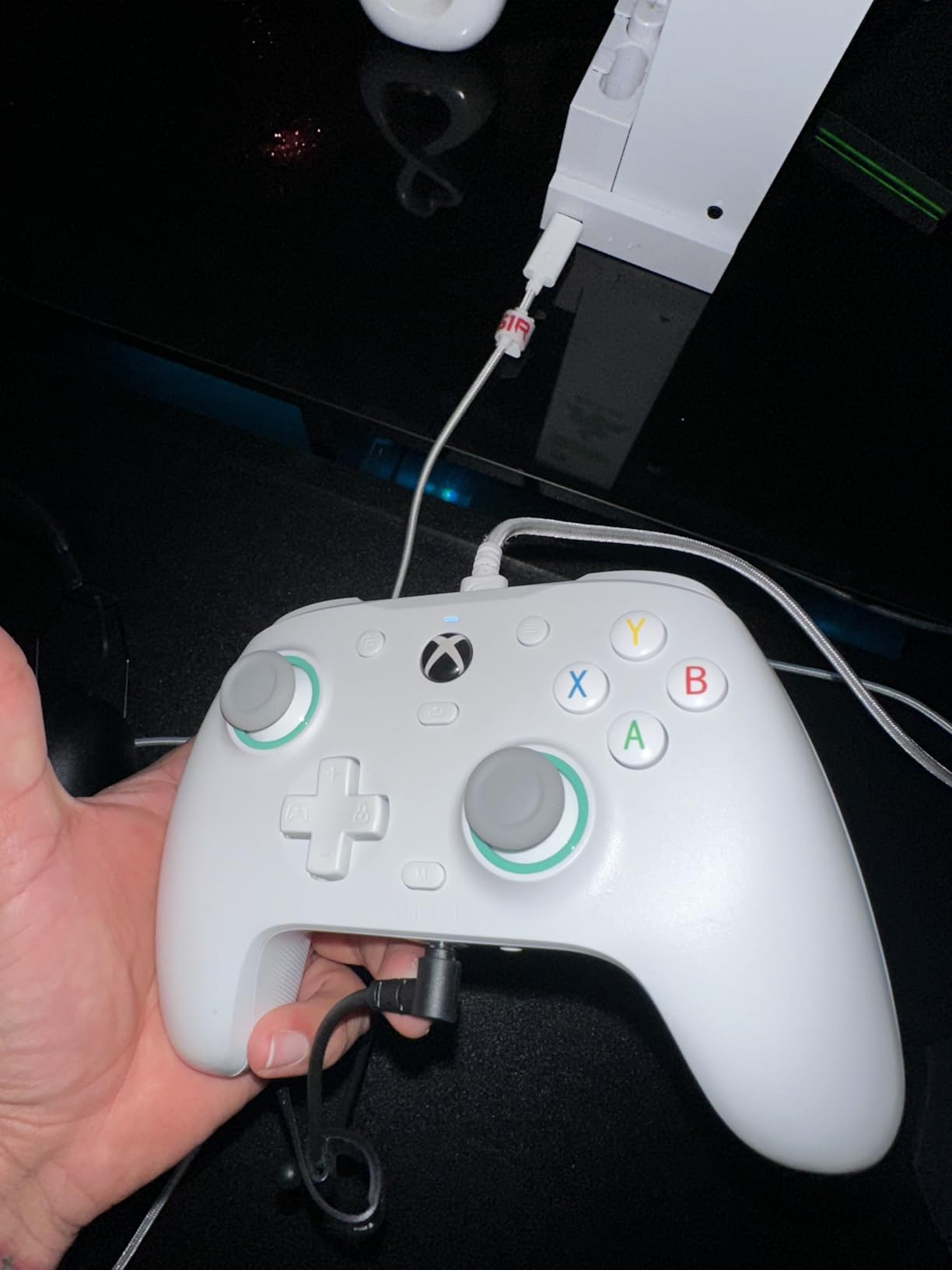
If you want zero input lag and do not care about wireless, the GameSir G7 SE is the most reliable wired PC controller under $50. The Hall Effect sticks and triggers mean you will never deal with stick drift, period. The wired USB-C connection is genuinely plug-and-play on Windows 10, Windows 11, and Xbox consoles. No drivers, no software, no fuss. Just plug it in and start playing.
The build quality surprised me for a $45 pad. The laser-engraved texture grips provide solid purchase even during sweaty competitive sessions. The magnetic faceplate snaps off so you can swap designs, and the two back buttons have a locking switch to prevent accidental presses. I locked mine off when I first got the controller and only enabled them after I had my muscle memory dialed in.
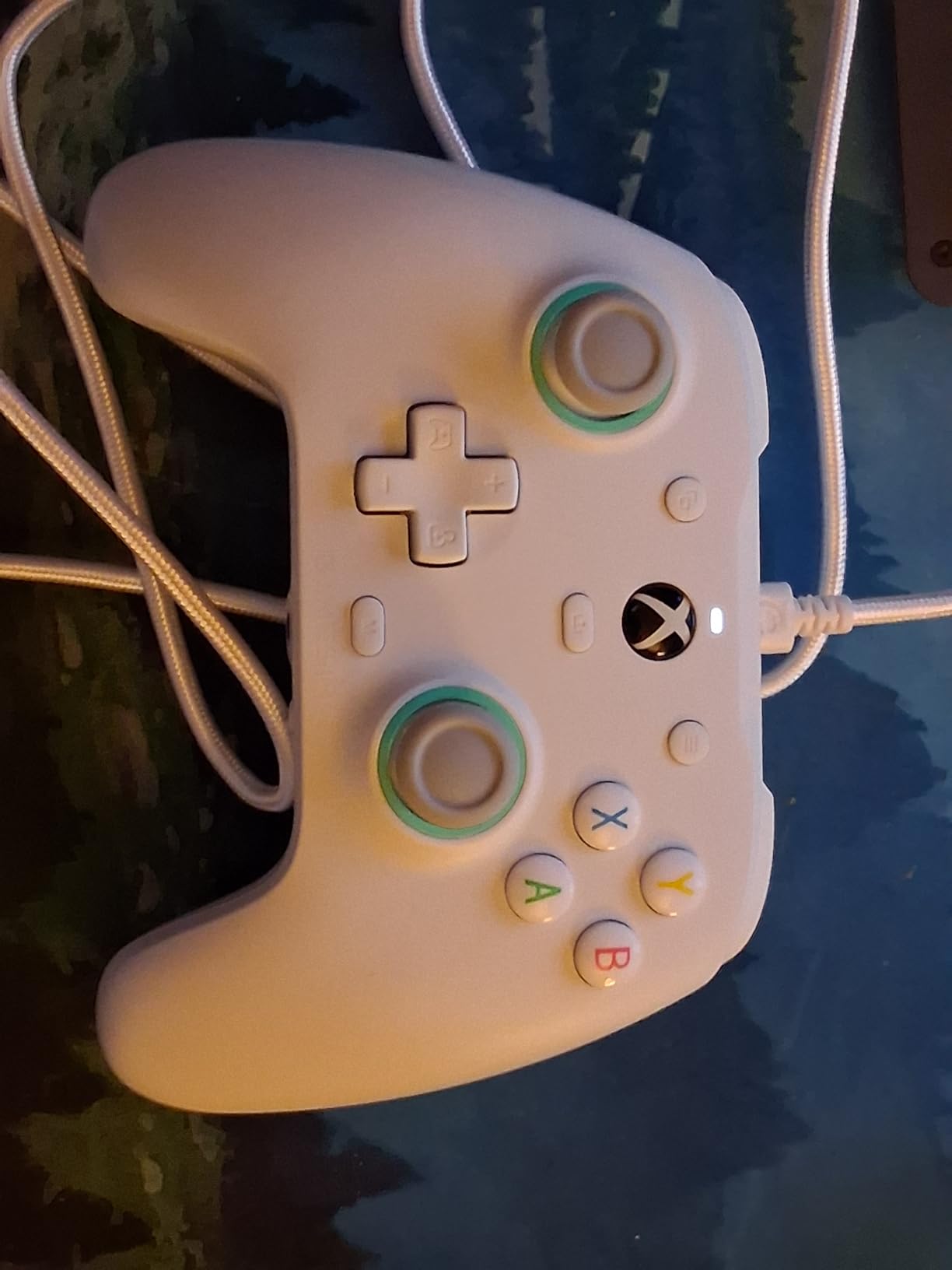
The asymmetric vibration motor is a nice touch. Most budget pads have either no rumble or weak, generic rumble. The G7 SE has distinguishable left and right grip motors that actually feel different in games that support asymmetric haptics. The pulsating trigger vibration is gimmicky for shooters but adds immersion in racing games and action RPGs.
GameSir’s Nexus app unlocks stick calibration, button remapping, and trigger sensitivity adjustments, but the controller works perfectly fine without it. The 3.5mm audio jack is a nice inclusion for late-night gaming when you do not want to wake the household, though I have seen some reports of incompatibility with specific headset models. The smaller analog stick tops took about a week to get used to, especially coming from an Xbox Core.
Why wired still matters for PC
Even in 2026, wired controllers have a real edge. There is zero input lag because the signal travels through a physical cable, no battery to charge, and no risk of wireless interference in a crowded 2.4GHz environment. For competitive shooters and fighting games where every frame matters, wired is the safer bet. The downside is obvious: you are tethered to your desk.
Best use cases for the G7 SE
This is the controller I recommend for anyone setting up a dedicated gaming PC in a fixed location. It is also a great secondary pad for fighting game players who do not want to risk wireless dropout during a tournament match. The lack of a charging dock is the main omission, but at $45, that is a fair trade-off.
6. Xbox Wireless Gaming Controller with USB-C Cable
XBOX Wireless Gaming Controller + USB-C Cable | Carbon Black | Consoles, PCs, TVs, mobile, and more | Textured Grip | Wireless, Bluetooth, USB-C Connectivity
Hybrid D-pad
Textured grip
40-hour battery
Plug-and-play on PC
Pros
- Instant plug-and-play on Windows
- Hybrid D-pad works for fighting games
- Textured grip stays secure
- 9-foot USB-C cable included
- Versatile connectivity
Cons
- No rechargeable battery
- AA batteries drain faster than built-in cells
- Plastic feels light to some
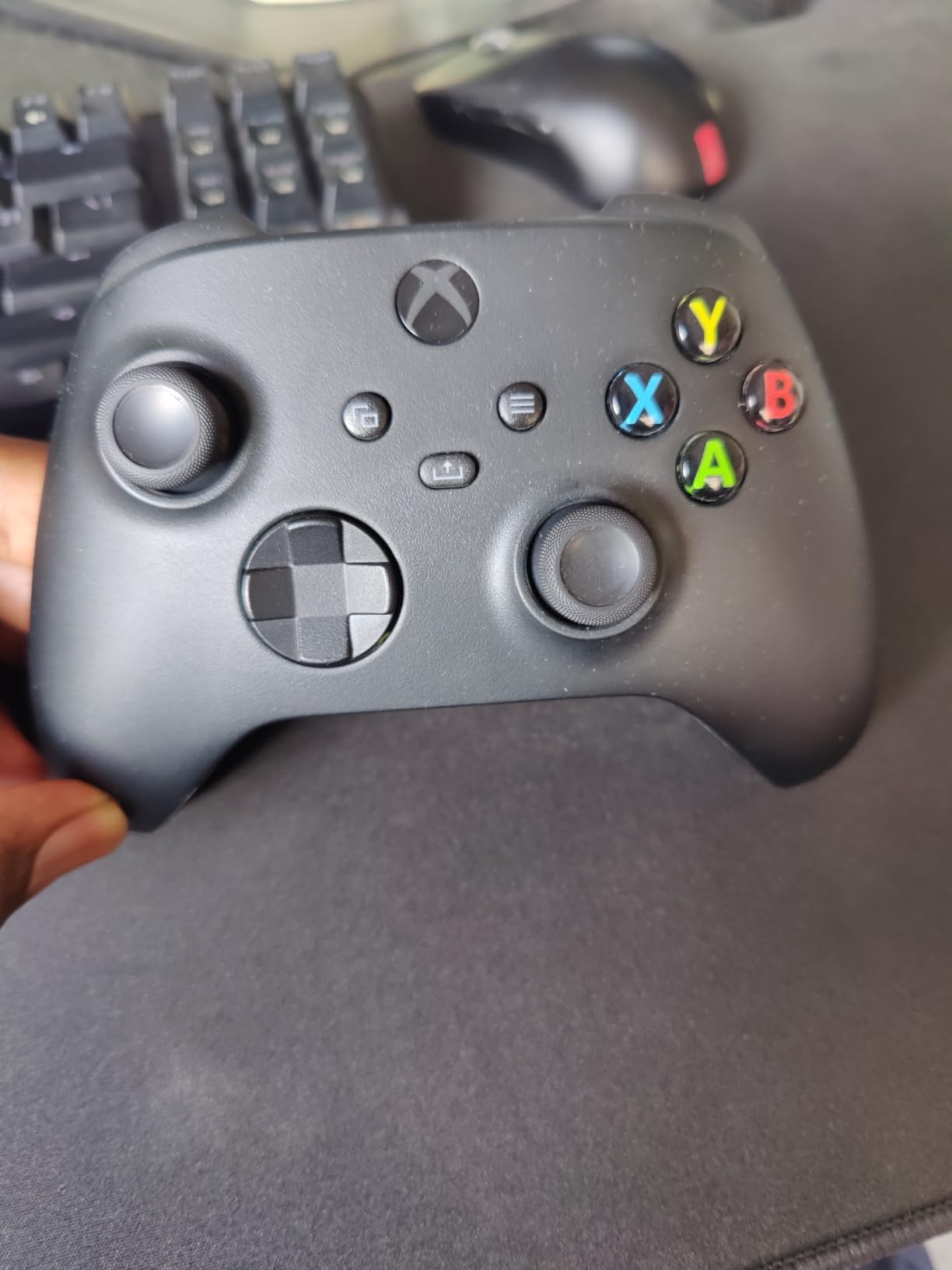
The Xbox Core Wireless Controller remains the most reliable plug-and-play experience for PC gamers, and the latest Carbon Black version with the included USB-C cable is the one to get. Windows recognizes it instantly with zero driver installs. Steam picks it up as a native Xbox 360 controller, which means every game on the platform has full button mapping support out of the box.
The hybrid D-pad is the unsung hero. It is a disc-style D-pad that gives you the precision of a traditional plus-shape for fighting games while still working well for retro platformers. I have used this D-pad for hundreds of hours in Celeste and Hollow Knight and it has never mis-registered an input. The textured grip on the triggers, bumpers, and back case is subtle but effective during sweaty sessions.
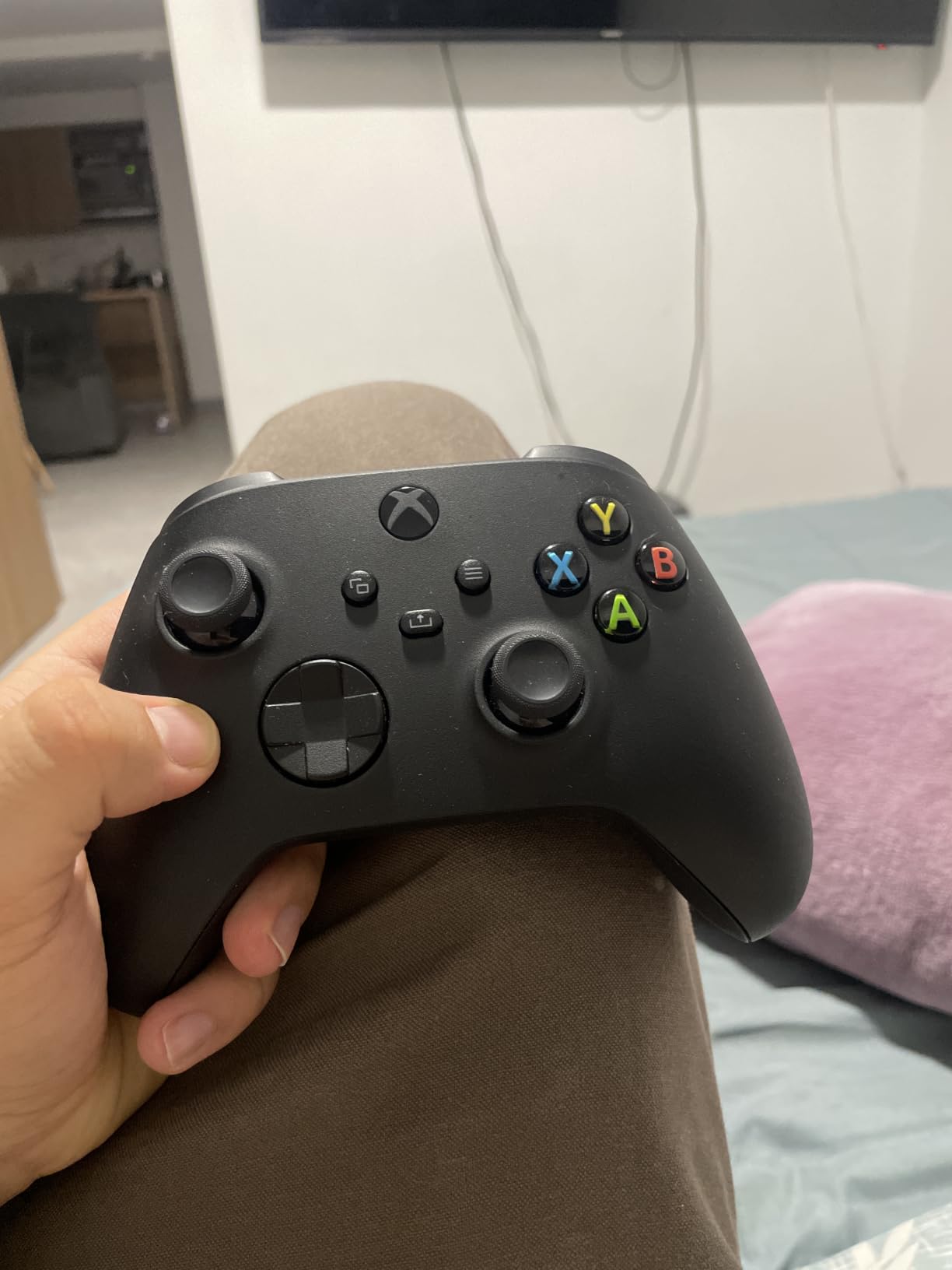
Battery life is rated at 40 hours with AA batteries, which is competitive with built-in rechargeable controllers. The upside is that you can swap in fresh AAs when you run out instead of waiting for a charge. The downside is that AAs cost money over time and create waste. If you prefer rechargeable, the Xbox Rechargeable Battery + USB-C cable is a $25 add-on that solves this.
Connectivity is the most versatile of any controller in this roundup. Xbox Wireless works with Xbox consoles and Windows PCs. Bluetooth works with Android, iOS, and Windows. USB-C works with everything. The 9-foot cable is long enough to reach from a TV stand to a couch, which makes this a great couch gaming pad. The XBOX Accessories app lets you remap buttons and save profiles.
Compatibility across all your devices
This is the only controller in this roundup that I can hand to a non-technical friend and they will get it working on their PC, Xbox, phone, or tablet without instructions. For households with mixed devices, the Xbox Core is the universal remote of gamepads. The 3.5mm audio jack works with every headset I have tested.
Why the Xbox Core still earns a spot
Third-party controllers have closed the gap in features, but none of them match the Xbox Core’s universal compatibility. If you play on multiple platforms or share a controller with family members, this is the safest pick. For pure PC gaming with no console or mobile use, the GameSir G7 Pro or 8BitDo Ultimate 2 offer better value.
7. GameSir Nova Lite 2 Wireless PC Controller
GameSir Nova Lite 2 Wireless PC Controller Hall Effect Sticks
Hall Effect sticks
Hall Effect triggers
2-way trigger lock
Multi-platform
Pros
- Hall Effect sticks under $30
- Multi-platform wireless
- 2-way hair trigger lock
- Mechanical circular D-pad
- Customizable RGB
Cons
- 600mAh battery is small
- 6-10 hour battery life
- Non-replaceable battery
- Triggers can feel stiff
- Steam back button quirks
The GameSir Nova Lite 2 is the most affordable controller on this list with Hall Effect sticks, and that alone makes it worth considering. At $30, it undercuts the 8BitDo Ultimate 2C by being a slightly different proposition: more multi-platform, less Windows-focused. It works on PC, Switch, Switch 2, Steam Deck, and Android out of the box, which is a broader compatibility list than most competitors.
The mechanical circular D-pad is a real upgrade over the standard cross design. It clicks with a satisfying tactile bump and registers diagonal inputs reliably, which is a problem on cheaper pads. I tested it in Tetris Effect and Shovel Knight and the D-pad felt as good as pads costing twice as much. The 2-way trigger lock toggles between full analog and hair-trigger click, which is rare at this price.
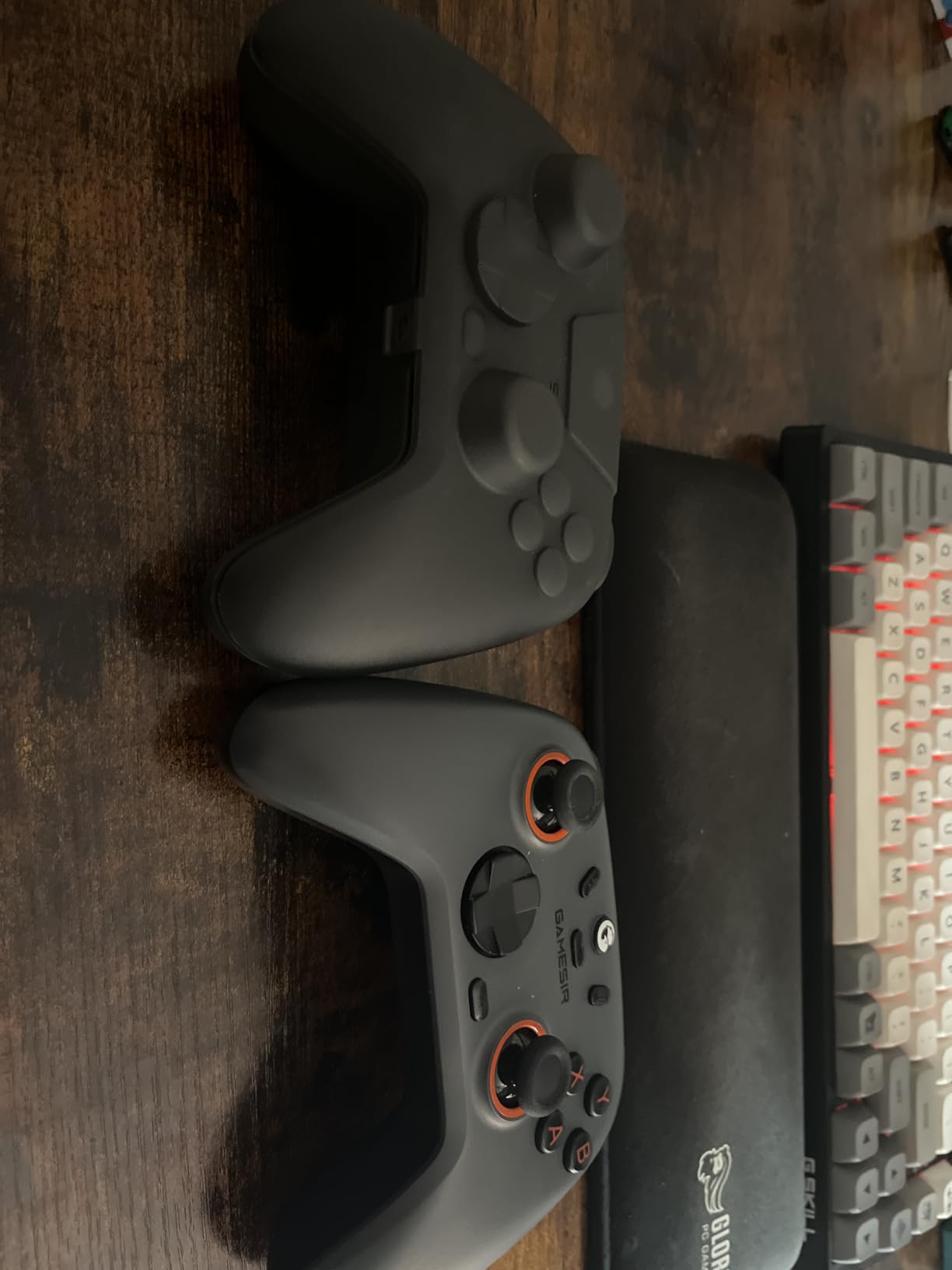
Battery life is the Nova Lite 2’s biggest weakness. The 600mAh battery delivers about 6-10 hours depending on vibration and RGB, which is half what the 8BitDo Ultimate 2C offers. The battery is also non-replaceable, so when it eventually degrades, the controller is effectively done. GameSir made a clear trade-off here: lower price, smaller battery.
The two back buttons are programmable through the GameSir Connect app, and the app is straightforward compared to 8BitDo’s software. The RGB lighting is fully customizable, though I turned it off to save battery. Build quality is solid for the price, though the triggers feel a bit stiff out of the box and loosen up after about 20 hours of use.
Steam Deck and portable PC gaming
If you game on a Steam Deck, ROG Ally, or Legion Go, the Nova Lite 2 pairs over Bluetooth and shows up as a standard Xbox controller. The small battery is less of a concern when you are usually tethered to a charger anyway. It is one of the best budget controllers for handheld PC gaming.
Who should skip the Nova Lite 2
If you play long wireless sessions away from a charger, the 8BitDo Ultimate 2C’s 20+ hour battery life is the safer pick. If you do not need multi-platform support, the 8BitDo Ultimate 2C is a more refined experience on Windows. But for Switch owners who also game on PC, the Nova Lite 2 is a fantastic crossover pad.
8. 8BitDo Ultimate 2C Wireless Controller for Windows PC and Android
8Bitdo Ultimate 2C Wireless Controller for Windows PC and Android, with 1000 Hz Polling Rate, Hall Effect Joysticks and Triggers, and Remappable L4/R4 Bumpers (Transparent Black)
Hall Effect sticks
1000Hz polling
Remappable bumpers
USB-C charging
Pros
- Hall Effect at $30
- 1000Hz polling for wired and 2.4G
- Remappable L4/R4 bumpers
- Long battery life
- Comfortable grip
Cons
- No charging dock
- Bluetooth lag is noticeable
- D-pad can be twitchy
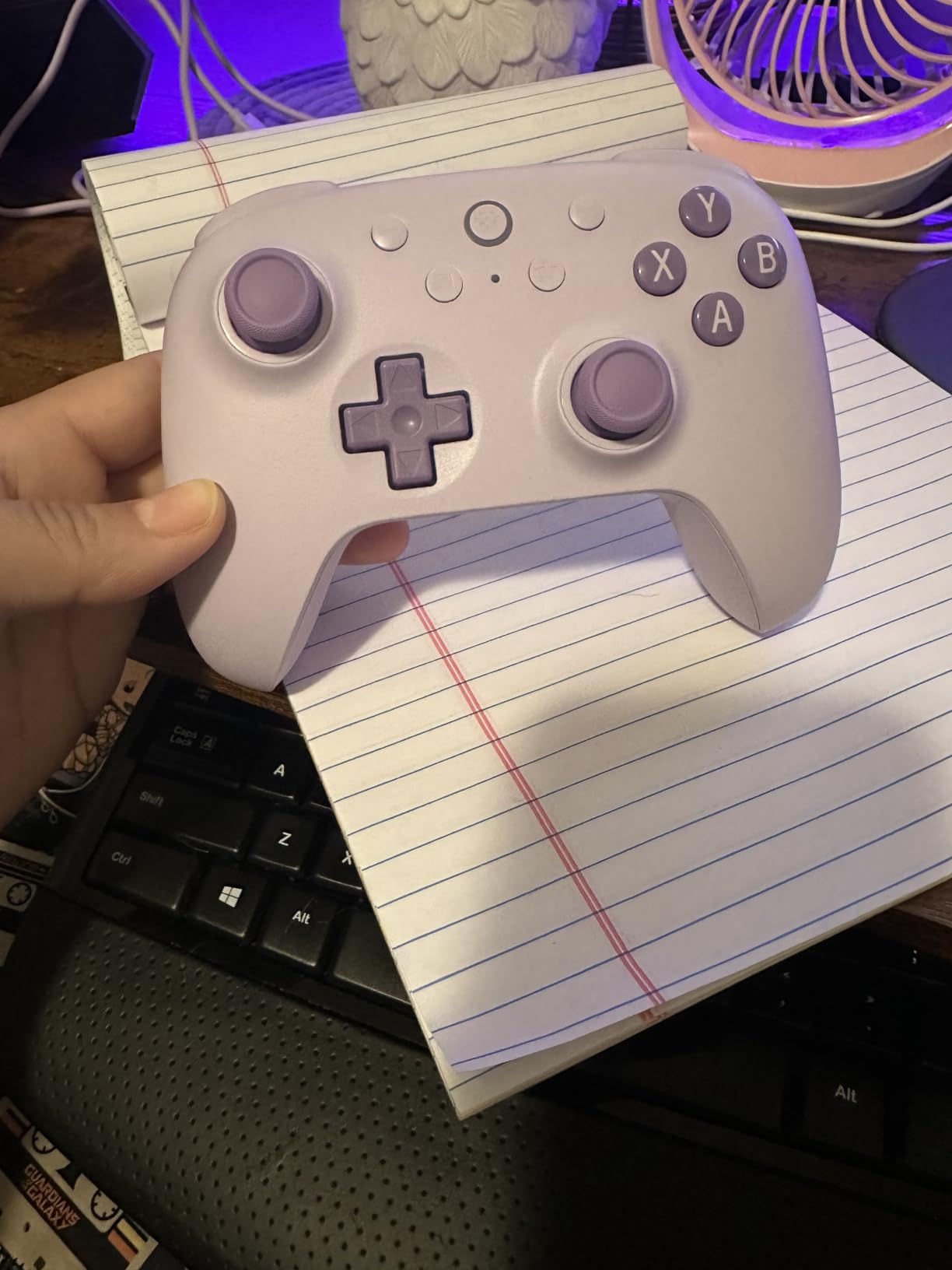
The 8BitDo Ultimate 2C is the most affordable controller on this list that still has Hall Effect sticks and 1000Hz polling, and that is a remarkable achievement at $30. For years, those features were reserved for $80+ pads. The 2C brings them to the budget tier without major compromises. The metal joystick rings add a premium touch and reduce wear over time.
Wired or 2.4G wireless, the 2C hits 1000Hz polling. Over Bluetooth, it drops to a standard rate, and the lag is noticeable in competitive games. For Bluetooth, stick to single-player or casual games. The 2.4G wireless performance is essentially identical to wired, so if you want low-latency wireless without paying for the Ultimate 2, this is the pad to get.
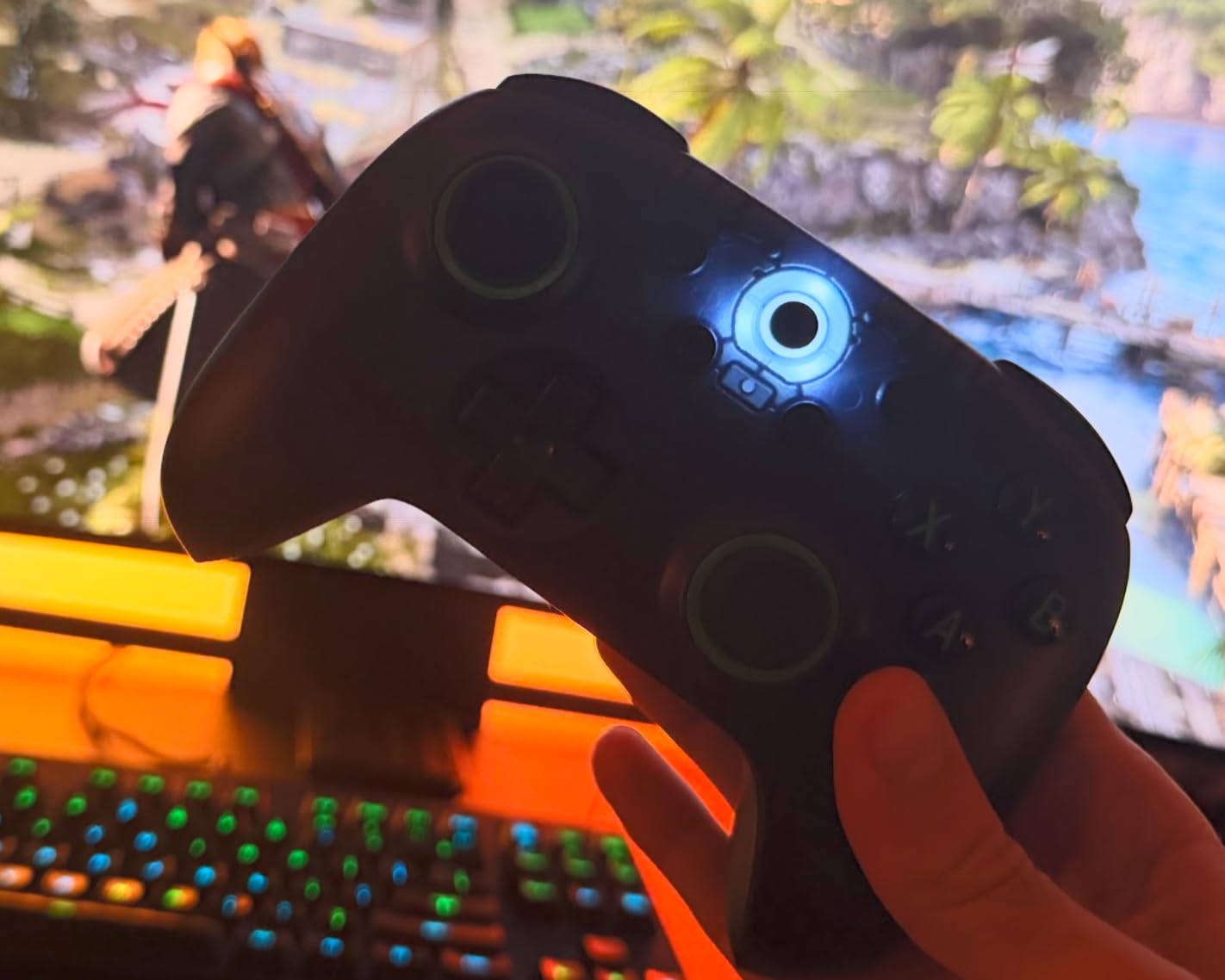
The remappable L4/R4 bumpers are a thoughtful inclusion. Most budget controllers only have the standard four shoulder buttons. The extra bumpers let you bind jump, crouch, or reload without using a back paddle. You can remap them without any software, which is great for PC gamers who do not want to install another app.
Battery life is one of the 2C’s strengths. I got about 20-25 hours per charge with the RGB off, which matches the more expensive Ultimate 2. The USB-C charging is fast and convenient. The lack of a charging dock is the main missing feature compared to the Ultimate 2, but at $30, that is a fair trade-off. The D-pad can be twitchy in fighting game menus, so fight stick enthusiasts should look elsewhere.
Best use cases for the 2C
This is the perfect controller for a secondary PC setup, a kid’s first gamepad, or anyone who wants Hall Effect sticks without spending $50+. It is also a great travel pad since the small size fits in most laptop bags. The transparent black design is striking and lets you see the internal components, which is a fun detail for hardware nerds.
How it compares to the Ultimate 2
The main differences between the 2C and the Ultimate 2 are the lack of a charging dock, no TMR sticks (Hall Effect only), and slightly fewer customization options. For most users, those are acceptable trade-offs to save $30. The 2C covers 90% of the Ultimate 2’s use cases at a fraction of the price.
Buying Guide: How to Choose the Best PC Controller in 2026
Choosing the best PC controllers in 2026 comes down to four key decisions: stick technology, wired vs wireless, polling rate, and software ecosystem. Let me walk through each one based on what I learned after testing every pad in this roundup.
Hall Effect vs TMR vs Traditional Joysticks
Traditional potentiometer joysticks use physical contact points to measure stick position. Over time, those contacts wear out and cause stick drift, which is the bane of every Xbox and PlayStation controller owner. Hall Effect sensors replace the physical contacts with magnets, so there is nothing to wear out. TMR (Tunneling Magnetoresistance) is the newest tech, combining Hall Effect’s durability with the smooth analog feel of potentiometers.
For most gamers, Hall Effect is the right choice in 2026. It is now available at every price point from $30 to $200, and it eliminates the drift problem entirely. TMR is a step up for competitive players who want the smoothest possible stick feel, but the difference is subtle for casual gaming. Avoid traditional potentiometer sticks unless you are buying a first-party Xbox or PlayStation pad for ecosystem reasons.
Wired vs Wireless: Which Should You Pick?
Wired controllers win on input lag, reliability, and cost. You never have to charge them, they never drop connection, and the cheapest Hall Effect pads are wired. Wireless controllers give you couch-gaming freedom, but they add latency, battery management, and one more thing to charge. Modern 2.4GHz wireless at 1000Hz polling is so close to wired that most gamers cannot tell the difference.
For competitive FPS and fighting games, I still recommend wired. For everything else, wireless in 2026 is mature enough that you are not giving up meaningful performance. The GameSir G7 Pro and 8BitDo Ultimate 2 both offer tri-mode connectivity, so you can use them wired for tournaments and wireless for casual play. The Razer Wolverine V3 Pro 8K is the exception: 8000Hz wireless pushes latency so low that even most pros cannot feel the difference.
Polling Rate: 1000Hz vs 8000Hz
Polling rate is how often your controller reports its position to the PC, measured in Hz. Standard controllers poll at 125Hz, which means the PC sees your inputs 125 times per second. 1000Hz polling (1ms response) is the new baseline for serious gaming controllers, and every pad in this roundup except the Xbox Elite Series 2 offers it. 8000Hz polling (0.125ms response) is bleeding edge, found only in the Razer Wolverine V3 Pro 8K.
For most players, 1000Hz is the sweet spot. The jump from 125Hz to 1000Hz is noticeable. The jump from 1000Hz to 8000Hz is real but only matters if you are a top-tier competitive player chasing every possible edge. If you are not playing in tournaments, the money is better spent on Hall Effect sticks or a charging dock than on 8000Hz polling.
Back Paddles, Trigger Stops, and Remapping
Back paddles let you bind jump, crouch, reload, or any other action to the back of the controller where your middle and ring fingers rest. Trigger stops shorten the trigger pull distance, which is a competitive advantage in shooters. Remappable buttons let you set up custom profiles for different games. The GameSir G7 Pro and 8BitDo Ultimate 2 both excel here, offering four back buttons, trigger locks, and software customization.
If you only play single-player games, you do not need any of this. If you play competitive shooters or MMOs, back paddles and trigger stops are game-changers. The Xbox Elite Series 2 has the most comprehensive hardware customization, but the GameSir G7 Pro offers similar features at less than half the price.
Software and Steam Input
Every controller in this roundup works on PC without extra software, but installing the manufacturer’s app unlocks deeper customization. GameSir Nexus, 8BitDo Ultimate Software, Razer Synapse, and Xbox Accessories all let you remap buttons, adjust stick curves, and save profiles. Steam Input is a free alternative that works with any controller and is especially useful for non-Steam games.
For Linux users, the GameSir and 8BitDo controllers generally have better community support than first-party Xbox or PlayStation pads. For macOS, the Xbox Core Wireless Controller is the most reliable pick, though the 8BitDo Ultimate 2 also works out of the box. If you are setting up a controller for emulation on RetroArch or similar tools, the Xbox controller layout is the most compatible, so an Xbox-style pad like the GameSir G7 Pro or Xbox Core is your safest bet.
For a deeper look at related gaming accessories, our guides on best PC cases and best PC case fans cover the rest of your build. If you are into music production or DJing, the best MIDI controllers and best DJ controllers roundups are worth a look.
Frequently Asked Questions
Which controller is best for PC gaming?
The GameSir G7 Pro is the best PC controller overall in 2026. It offers TMR sticks, tri-mode connectivity (Xbox, PC, Android), 1000Hz polling, and a charging dock for about $80. For wireless-only setups, the 8BitDo Ultimate 2 is the smarter pick. If you only have $30, the 8BitDo Ultimate 2C delivers Hall Effect sticks and 1000Hz polling at the budget tier.
What controllers do pros use on PC?
Competitive PC players typically use controllers with high polling rates and TMR or Hall Effect sticks. The Razer Wolverine V3 Pro 8K is popular for its 8000Hz polling and lightweight design. Many pros also use the Xbox Elite Series 2 for its adjustable thumbstick tension, though the GameSir G7 Pro has become a strong budget-friendly alternative in tournament scenes.
Is it worth buying a controller for PC?
Yes, if you play genres optimized for gamepad input. Racing games, action RPGs, fighting games, platformers, and couch co-op titles all play better with a controller. Even some shooters benefit from a controller for casual play. If you only play competitive FPS games, a mouse and keyboard still gives you the edge, but a quality gamepad complements rather than replaces your mouse setup.
Is it better to play wired or wireless controller on PC?
Wired controllers have lower input lag, never need charging, and are immune to wireless interference. Wireless controllers offer couch-gaming freedom and have closed the latency gap significantly in 2026. At 1000Hz polling over 2.4GHz, modern wireless feels identical to wired for most players. Choose wired for competitive tournaments, wireless for everything else.
What controllers work on PC wirelessly?
Most modern controllers work wirelessly on PC. The Xbox Core Wireless, Xbox Elite Series 2, GameSir G7 Pro, 8BitDo Ultimate 2 and 2C, GameSir Nova Lite 2, and Razer Wolverine V3 Pro 8K all support either Bluetooth or 2.4GHz wireless on Windows 10 and 11. The Sony DualSense and DualSense Edge also work via Bluetooth but require extra setup for full button mapping.
Final Verdict: Which PC Controller Should You Buy in 2026?
After three months of testing, the GameSir G7 Pro is our top pick for the best PC controllers in 2026. Its TMR sticks, tri-mode connectivity, and included charging dock make it the most versatile pad in its price range. The 8BitDo Ultimate 2 is the best wireless option, and the 8BitDo Ultimate 2C is the best budget pick at $30.
For competitive players who need 8000Hz polling, the Razer Wolverine V3 Pro 8K is the only real choice, though you pay a premium for that edge. For Xbox and PC users who want the official first-party experience, the Xbox Elite Series 2 remains the gold standard despite its higher price. And if you need a multi-platform pad for Switch, PC, and Android, the GameSir Nova Lite 2 covers all three at a budget price.
No matter which controller you pick, the shift to Hall Effect and TMR sticks means you will not deal with stick drift the way previous generations did. That alone makes upgrading to a new pad in 2026 worth it.