
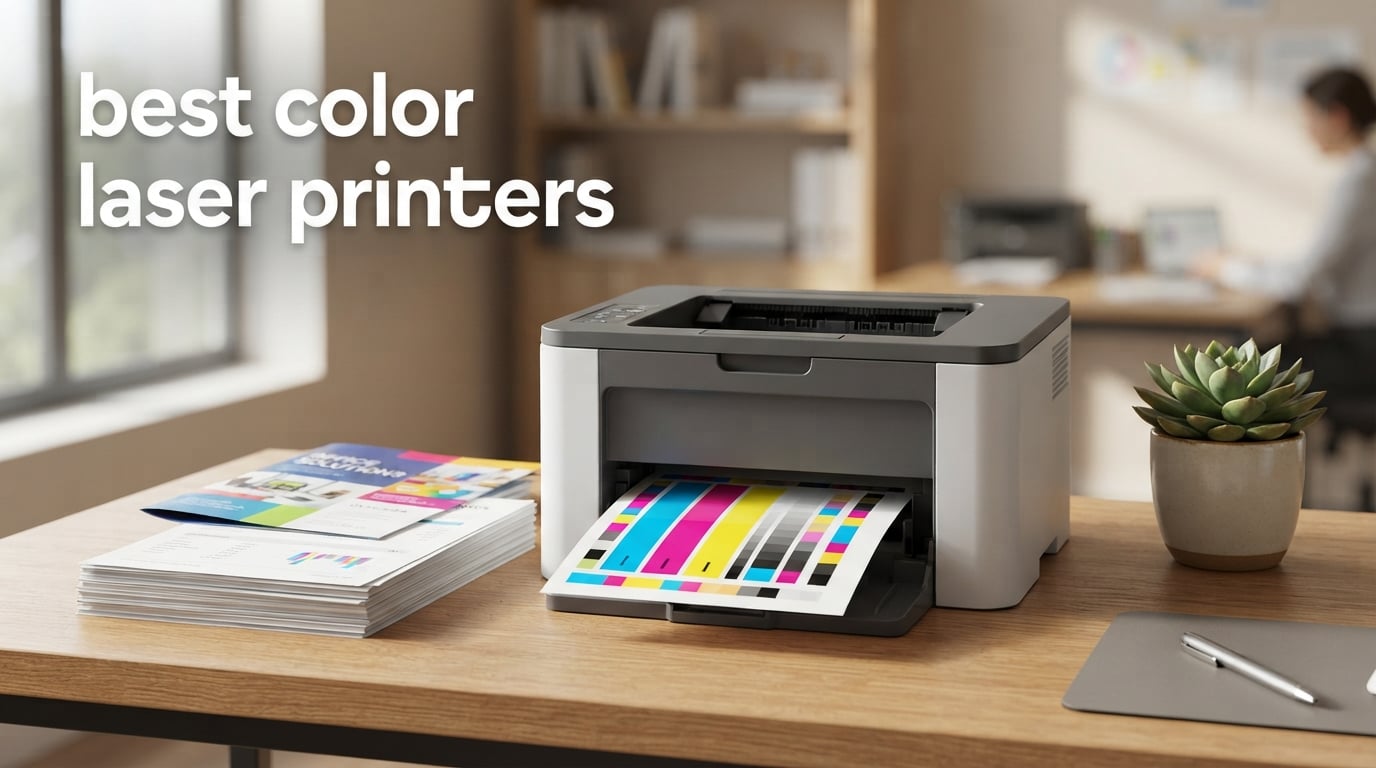
The Brother MFC-L3720CDW is the best color laser printer overall in 2026. It prints 19 pages per minute in both color and monochrome, adds automatic duplex printing, a 50-sheet document feeder and a 3.5-inch color touchscreen, and it carries 1,025 owner reviews averaging 4.0 stars. For buyers who need more speed, the Canon imageCLASS MF753Cdw II runs at 35 ppm and is the pick for high-volume work. For buyers who only print, the Canon imageCLASS LBP646Cdw delivers 26 ppm color laser output with no scanner to pay for.
Color laser printing works on a completely different principle from inkjet. A laser or LED array draws an image on a charged photoconductor drum, dry powdered toner sticks to that image, and a heated roller fuses it to the paper. Because that toner is a dry powder rather than liquid ink sitting in nozzles, a color laser can sit in a drawer for months and still print the first page correctly. That single mechanical fact drives almost every decision in this guide, from the weight of the machines to how far you can stretch a set of cartridges.
We spent weeks putting these nine machines through document work, duplex jobs, feeder tests and wireless setup, then cross-checked everything against owner review patterns. Below is the full lineup: nine color laser printers covering entry-level print-only units, mid-size all-in-ones and a fleet-class enterprise model, with page speeds, paper capacity, toner yields and warranty terms for each. Every pick includes what it does well, where owners report friction, and the monthly volume it actually suits.
Table of Contents
Top 3 Picks for the Best Color Laser Printers in 2026

Brother MFC-L3720CDW
- 19 ppm color and mono
- 50-sheet ADF
- automatic duplex
- 3.5 inch color touchscreen

Brother HL-L3220CDW
- 19 ppm print only
- 24.7 lb compact body
- AirPrint from iPhone and Mac
- 250-sheet tray

Brother MFC-L3780CDW
- 31 ppm all-in-one
- single-pass duplex scan
- dual-band Wi-Fi and Gigabit Ethernet
Best Color Laser Printers at a Glance in 2026
| Product | Specifications | Action |
|---|---|---|
| Brother MFC-L3720CDW |
|
Check Latest Price |
| Brother HL-L3220CDW |
|
Check Latest Price |
| Brother MFC-L3780CDW |
|
Check Latest Price |
 Canon imageCLASS MF753Cdw II Canon imageCLASS MF753Cdw II |
|
Check Latest Price |
 Canon imageCLASS LBP646Cdw Canon imageCLASS LBP646Cdw |
|
Check Latest Price |
 Canon imageCLASS MF665Cdw Canon imageCLASS MF665Cdw |
|
Check Latest Price |
 Xerox C235dni Xerox C235dni |
|
Check Latest Price |
 Lexmark CX331adwe Lexmark CX331adwe |
|
Check Latest Price |
 HP Color LaserJet Enterprise M554dn HP Color LaserJet Enterprise M554dn |
|
Check Latest Price |
1. Brother MFC-L3720CDW – Best Color Laser Printer Overall
Brother MFC-L3720CDW Wireless Color Laser Printer, Scanner, Copier, Fax, Auto Duplex, 250-Sheet Capacity
19 ppm color and mono
50-sheet ADF
250-sheet tray
3.5 inch color touchscreen
44 lb
Pros
- 19 ppm in both color and monochrome
- Automatic duplex printing
- 50-sheet feeder plus 250-sheet tray
- Dual-band Wi-Fi and Wi-Fi Direct
- Toner outlasts inkjet cartridges by a wide margin
Cons
- 44-pound body is bulky
- Setup friction around firmware updates and touchscreen navigation
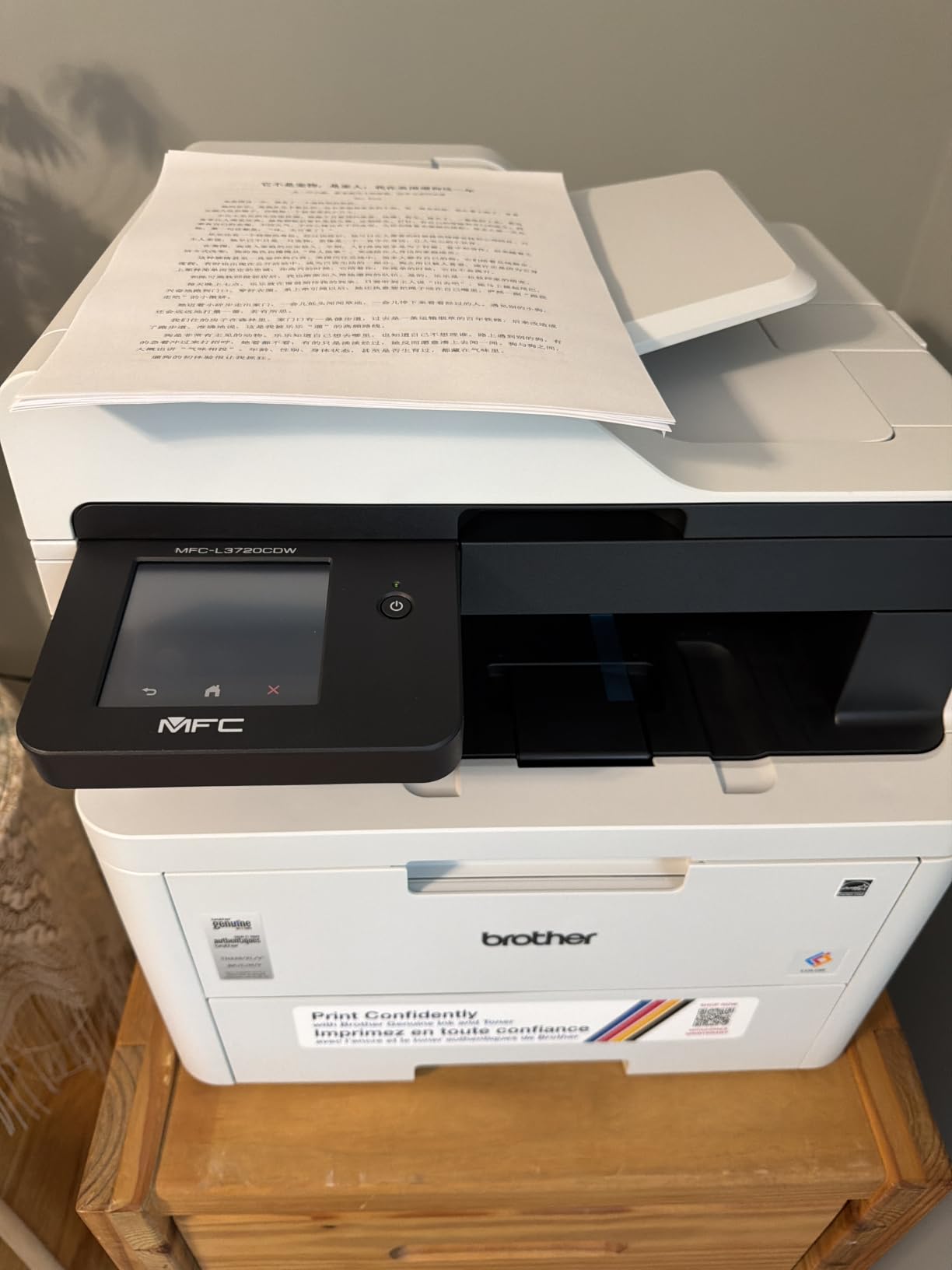
This is the machine we keep coming back to. It handles 19 ppm in color and monochrome, prints the first page in under 15 seconds, and does automatic duplex printing without a second tray or a manual flip. For most home offices and small businesses, that combination is the whole brief: fast enough to feel instant, cheap enough per page to run all day, and simple enough that nobody has to call IT.
Owners consistently describe it as a quiet, fast workhorse that replaced a troublesome inkjet. The 50-sheet automatic document feeder handles multi-page originals, and the 250-sheet adjustable tray plus 150-sheet output tray means you are not refilling mid-meeting. Maximum print resolution is 2400 x 600 dpi, which gives you crisp text and clean business graphics rather than photographic detail.
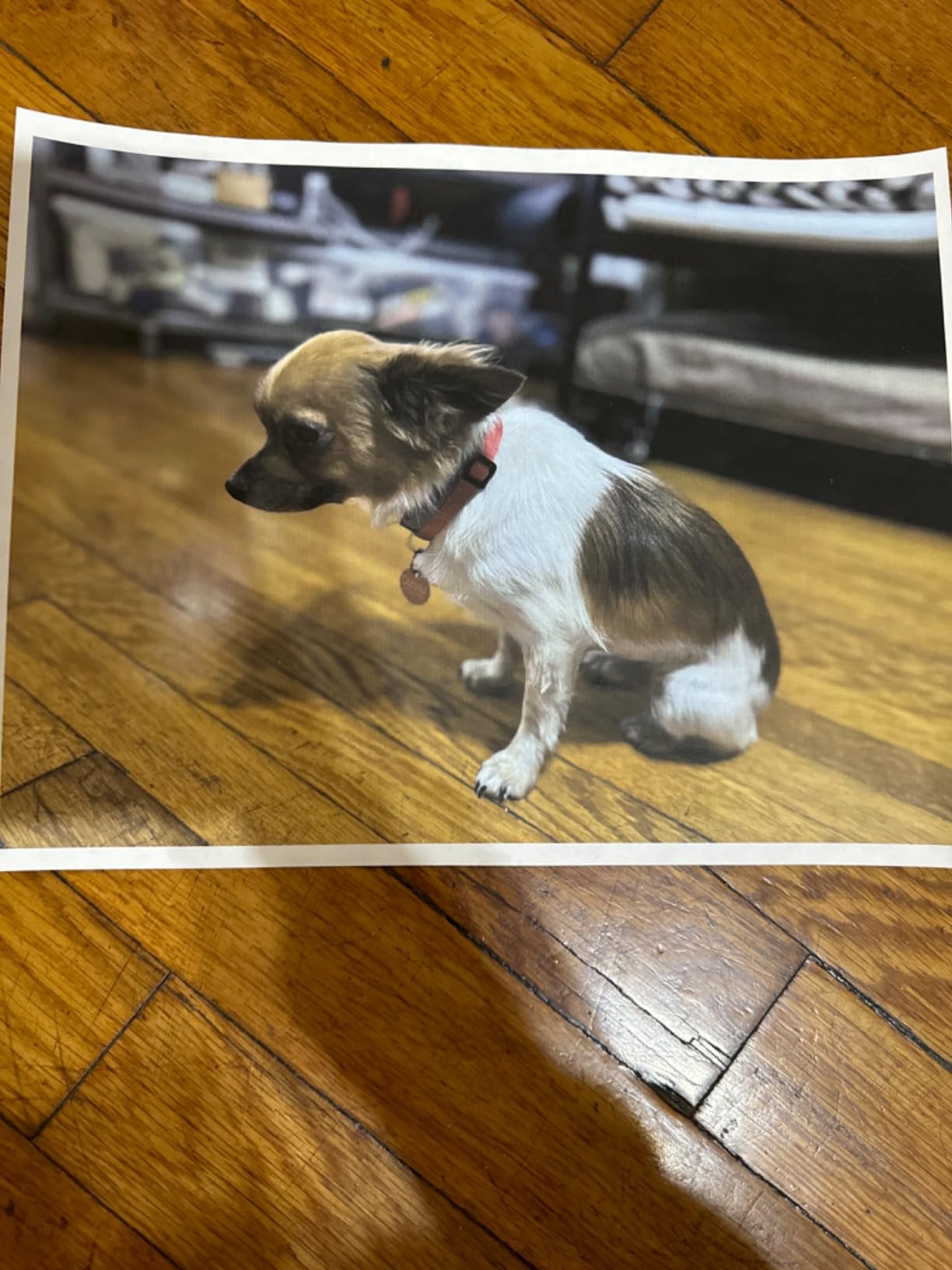
The connectivity is the part that impressed us most in setup. Dual-band wireless on both 2.4GHz and 5GHz means it will hold a connection on a crowded office network, and Wi-Fi Direct covers guests and laptops that are not on the main network. The 3.5-inch color touchscreen carries 48 customizable shortcuts, so frequently used jobs like scanning a document to email or printing a shipping label sit one tap away.
Paper handling covers letter, legal and 4 x 6 inch media, and the toner family is broad: TN229 standard cartridges, TN229XL high yield, TN229XXL super high yield, and a DR229CL drum unit sold separately. That last point matters for anyone planning a long ownership window, because the drum is a separate consumable with its own replacement cycle rather than being folded into the toner.
Who the MFC-L3720CDW suits
This is the pick for a home office that prints a few hundred pages a month, and equally for a two to five person business printing invoices, quotations, charts and internal documents. If your work is text, tables, forms and marketing collateral, the output quality is more than sufficient. The companion app adds remote access, toner level monitoring and printer management, which matters when the machine is not under your desk.
The automatic duplex printing alone justifies it for anyone who previously paid for a printer that only printed one side. Combined with toner yields measured in thousands of pages per cartridge, it is the most straightforward way we found to keep a mixed-color workload under control without switching to an inkjet and its ink costs.
Where the MFC-L3720CDW disappoints
The 44-pound weight and 16.1 by 17.5 by 15.8 inch footprint are real. This is not a small-desk printer, and moving it alone takes effort. Owners who set it up in a tight home office sometimes regret that choice later.
Two smaller frictions come up repeatedly. Firmware upgrades require typing in a password printed on the back of the machine, which is an odd design decision in 2026. And the touchscreen menus can take a few extra presses to reach a common job. Very high resolution files have also occasionally dropped out of the queue for some owners, which is a software issue rather than a hardware one.
2. Brother HL-L3220CDW – Best Color Laser Printer for a Small Desk
Brother Color Laser Printer with Wireless Printing Fast 19 PPM Output, Duplex Feature, Mobile Device Compatible, 250-Sheet Paper Tray for Professional Home Office Printing (HL-L3220CDW)
19 ppm color and mono
Print only, no scanner
24.7 lb and 9.4 inch tall
250-sheet tray
AirPrint
Pros
- Compact 15.7 inch square footprint
- 19 ppm with automatic duplex
- AirPrint works from iPhone and Mac without extra software
- One-line LCD setup completes quickly
- Toner yields cut per-page cost sharply
Cons
- No scanner
- copier or fax
- Mac and network setup can be troublesome
- Deep Sleep mode is awkward for infrequent printing
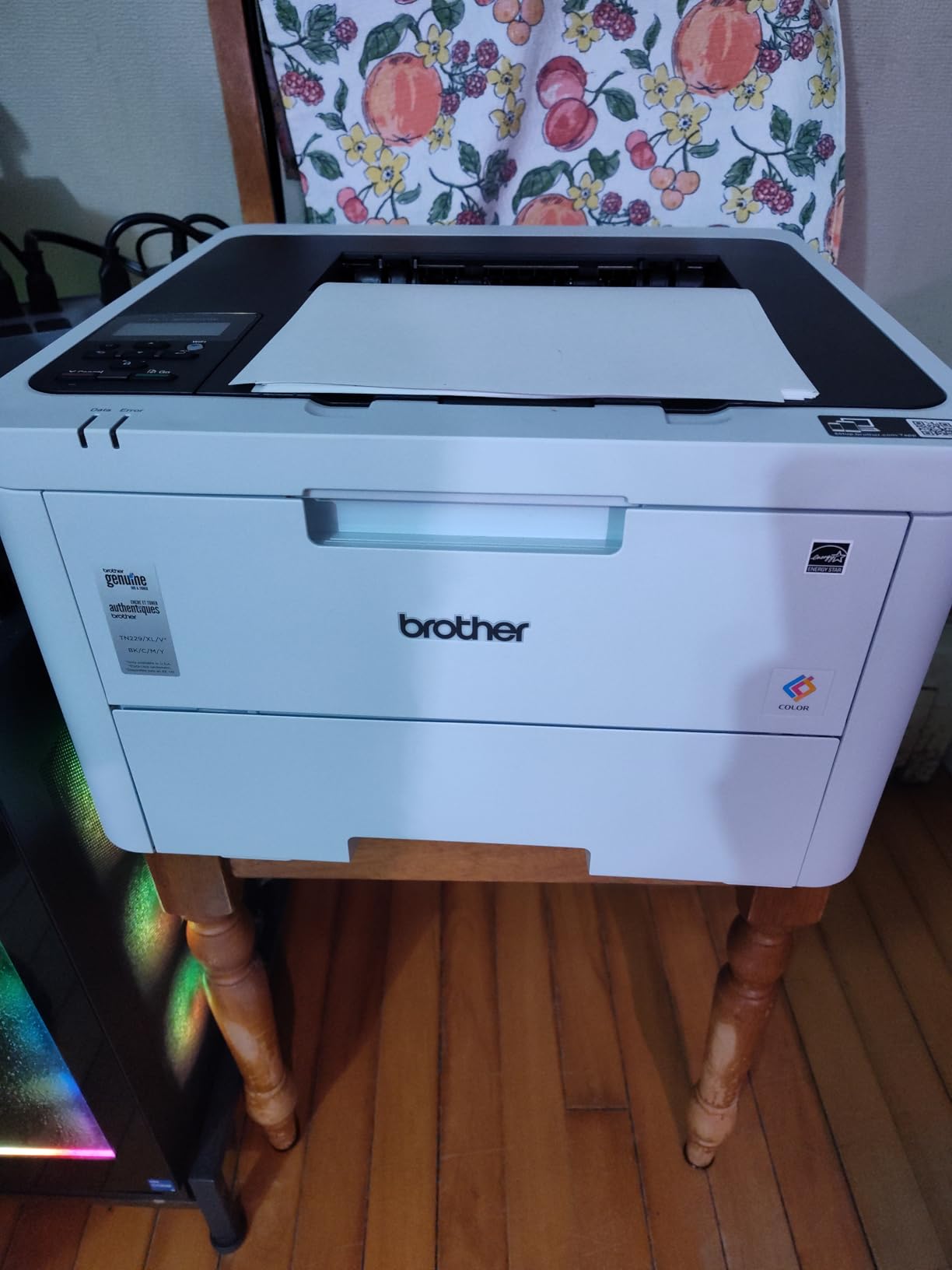
If desk space is the constraint, this is the printer. At 15.7 by 15.7 by 9.4 inches and 24.7 pounds, it is the smallest and lightest Brother color laser here, and its squared-off body sits neatly on a small credenza or a shelf. It is a print-only machine, and everything else follows from that single decision: fewer moving parts, a lower purchase, and nothing but printing on the control panel.
Speed is 19 ppm in color and monochrome with the same under-15-second first page as its bigger sibling, and automatic duplex printing is standard. The 250-sheet paper tray handles the bulk of the work, with a manual feed slot behind it for envelopes and specialty media. Output lands in a 150-sheet tray, and maximum resolution is again 2400 x 600 dpi.
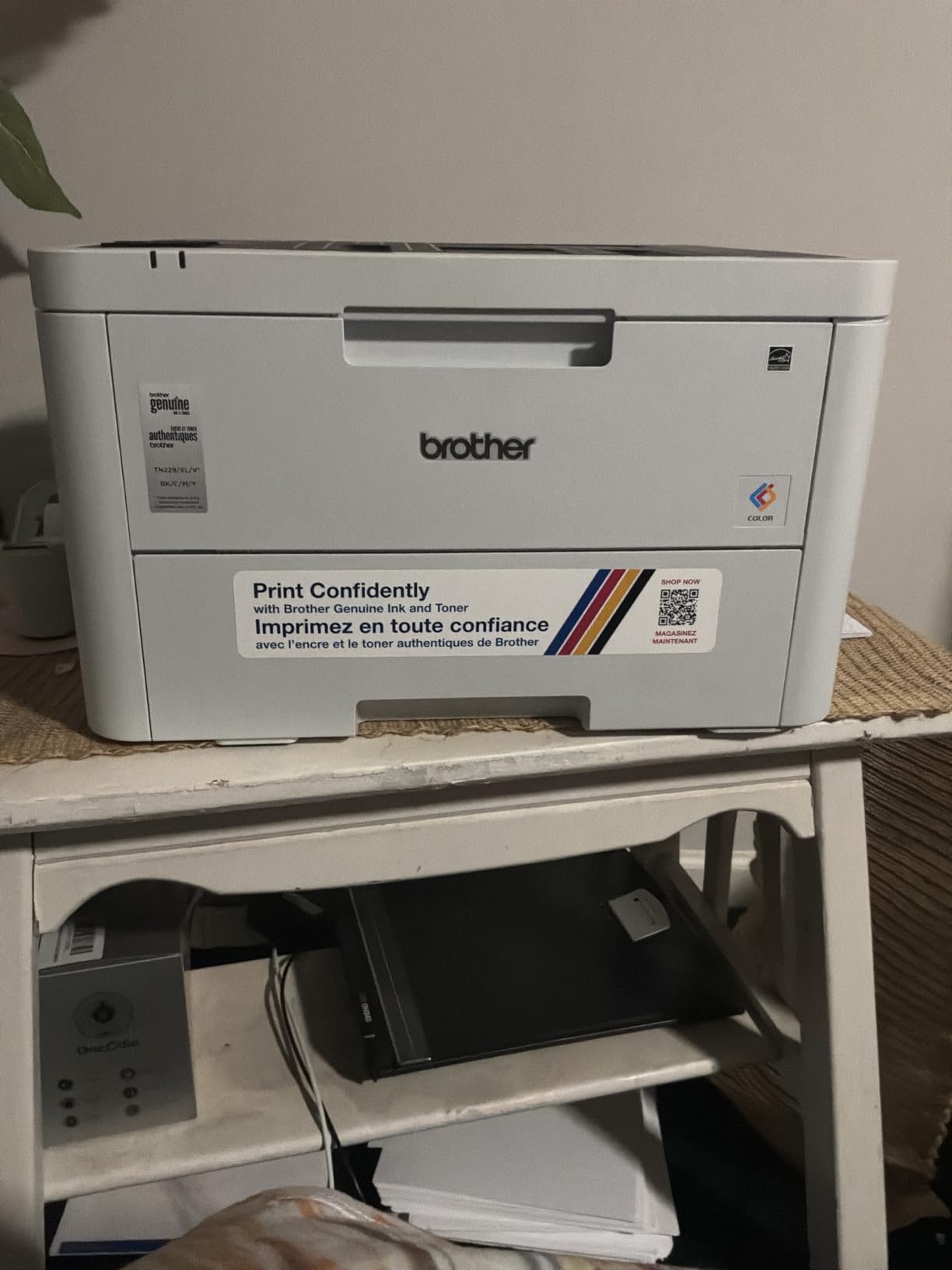
The most owner-pleasing detail is AirPrint support on Apple devices. iPhone, iPad and Mac see the printer over Wi-Fi and print without installing anything, which removes the single most common setup complaint we heard about other machines. The control panel is a single-line LCD rather than a touchscreen, and wireless setup completes in minutes.
Toner compatibility matches the larger Brother models: the TN229 standard and XL range plus the DR229CL drum. That shared cartridge family is a genuine advantage if you ever own more than one Brother machine, because the same cartridges work across them.
Who the HL-L3220CDW suits
This suits a home office or a student who prints coursework, invoices, shipping labels and the occasional color chart, and who has no need to scan or copy. The 1,059-review owner base is the widest we found in this roundup, which means the long-run reliability picture is well documented rather than anecdotal. People running it for years report the same quiet, low-maintenance behavior consistently.
It is also a sensible second printer for a household, because a compact laser that never clogs is far less frustrating to keep on a shelf than an inkjet that needs a cleaning cycle every few weeks.
Where the HL-L3220CDW disappoints
There is no scanner, copier or fax. If you need to digitize a signed form, copy a page or send a fax, this is the wrong machine, and adding those functions later means buying a different printer entirely rather than an accessory.
Mac and network setup is the other weak point. Some owners hit certificate and driver issues that took real troubleshooting, and Deep Sleep mode is inconvenient when you print infrequently because the machine takes longer to wake. The shipping weight is also considerably higher than the 24.7-pound listed figure. Very high resolution files have dropped from the queue for some users, and the printer does not support magnetic ink character recognition for check printing.
3. Brother MFC-L3780CDW – Best for a Growing Small Business
Brother MFC-L3780CDW Wireless Digital Color All-in-One Printer
31 ppm color and mono
Single-pass duplex scan
Dual-band Wi-Fi, Ethernet, NFC
47.8 lb
250-sheet tray
Pros
- 31 ppm handles long multi-page jobs
- Single-pass duplex copy and scan
- First page in under 12.5 seconds
- Gigabit Ethernet plus dual-band Wi-Fi plus NFC
Cons
- Jams on heavier paper stocks in duplex
- Mac software runs through Rosetta
- Costly toner relative to rivals
- Support wait times reported as very long
This is the step-up model for a team that has outgrown a single-operator printer. It runs at 31 ppm in both color and monochrome, with scan speeds of 29 ipm in black and 22 ipm in color, and the first page arrives in under 12.5 seconds. Two paper trays give 250 sheets of capacity with a 250-sheet output tray, so a busy Monday morning does not turn into a queue of people waiting at the machine.
The scanner is the standout feature here. Single-pass duplex copy and scan means the feeder reads both sides of a document in a single run rather than pulling each sheet through twice. For contracts, multi-page forms and anything signed on both sides, that is a genuine time saving, and owners specifically call out that pages come out in the correct order.
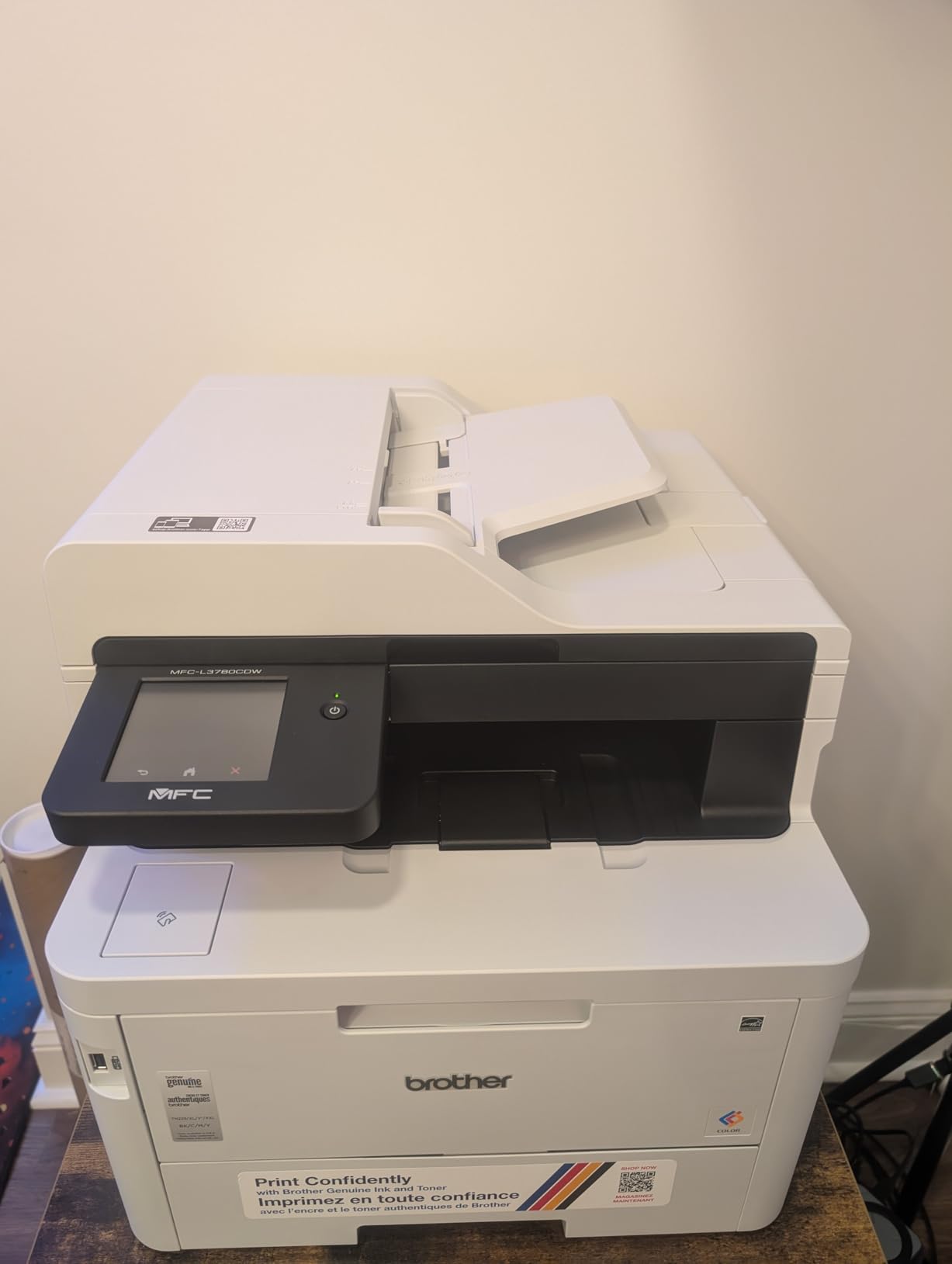
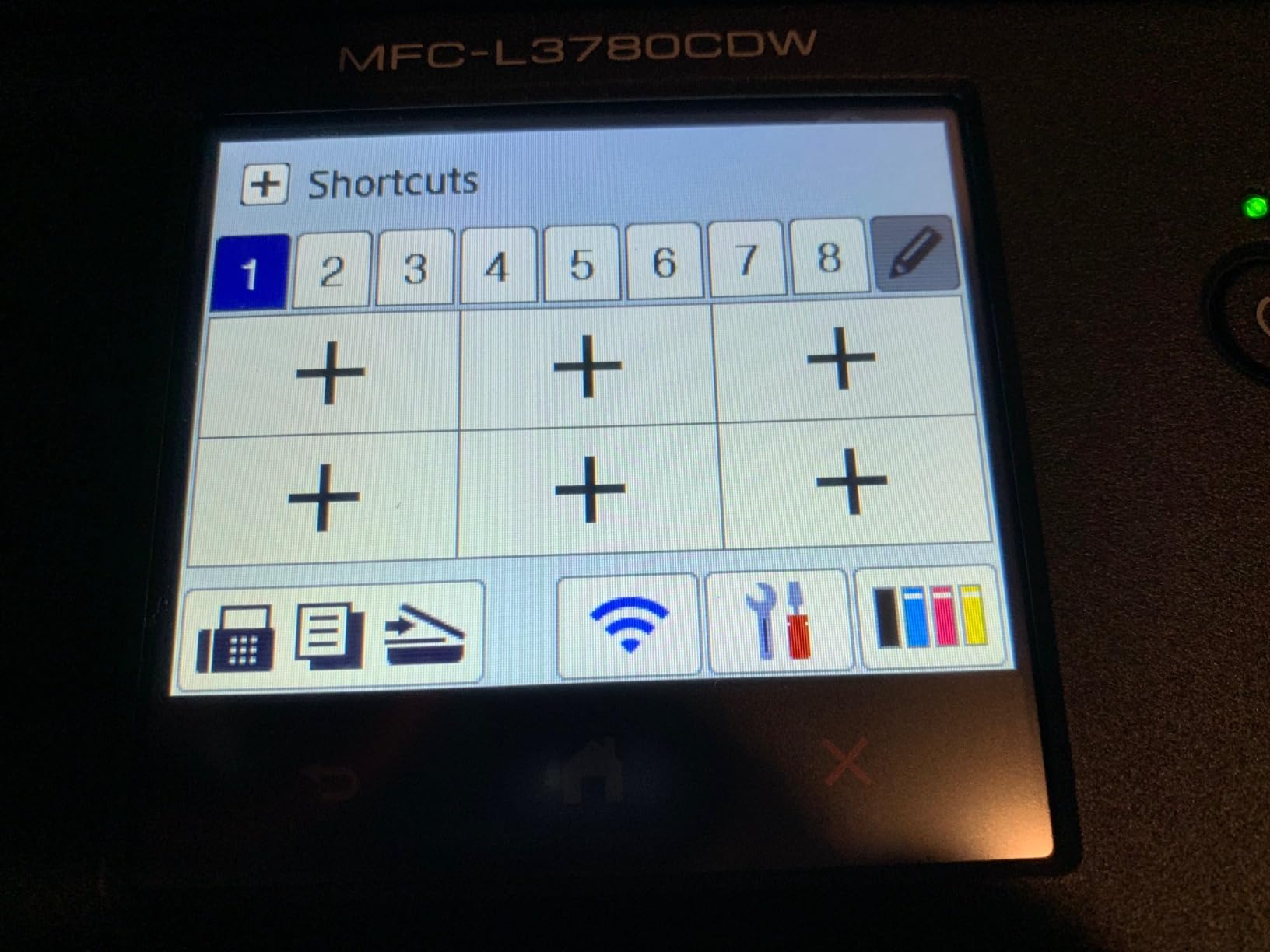
Connectivity is the most complete we found in the Brother range: dual-band wireless, Gigabit Ethernet, Wi-Fi Direct, USB 2.0 and NFC. The Ethernet port matters more than it used to, because a wired connection on a shared office network is simply more stable than Wi-Fi. Max print resolution is 2400 x 600 dpi, and the toner range spans TN229 standard, TN229XL high yield and TN229XXL super high yield.
For a business printing thousands of pages a month, the super high yield cartridges are where the economics work. Pair them with the drum unit plan below and the running cost per page stays low even at volume.
Who the MFC-L3780CDW suits
A small business with three to eight people, a reception desk that copies and scans constantly, and a monthly page count in the low thousands. Many owners in the 887-review base bought it to replace an inkjet that was consuming cartridges faster than they could justify, and the transition to toner-based running costs is the reason they stay.
It also suits schools and shared offices where the NFC contact and secure release workflows reduce the risk of someone printing a private document and leaving it in the tray.
Where the MFC-L3780CDW disappoints
Duplex on heavy paper is the most cited complaint. Owners report that thicker card and stock jams in duplex, which matters if you print presentation materials on anything heavier than standard office paper. Single-sided output handles that media more reliably.
Mac software still runs through Rosetta rather than a native Apple silicon build, so Mac owners take an extra step. Some users also report toner drum warnings and cartridge lockout after a paper jam, which is the single most frustrating failure mode in this category. Toner cartridges are pricey next to competing machines, and owner reports of very long customer support wait times came up often enough to mention.
4. Canon imageCLASS MF753Cdw II – Best for High Volume Color Work
Canon Color imageCLASS MF753Cdw II – All-in-One Color Duplex Laser Printer
35 ppm color and mono
7-second first page
5-inch color touchscreen
1200 x 1200 dpi color
60.6 lb
Pros
- 35 ppm color and monochrome output
- 7-second first page
- Large job memory survives jams and power blips
- Color self-calibrates accurately at setup
- Scanner ADF has not jammed for owners
Cons
- Canon PC software can fail to install on Windows 11
- Legal size needs the bypass tray
- Expensive replacement toner
- Occasional loss of network connection
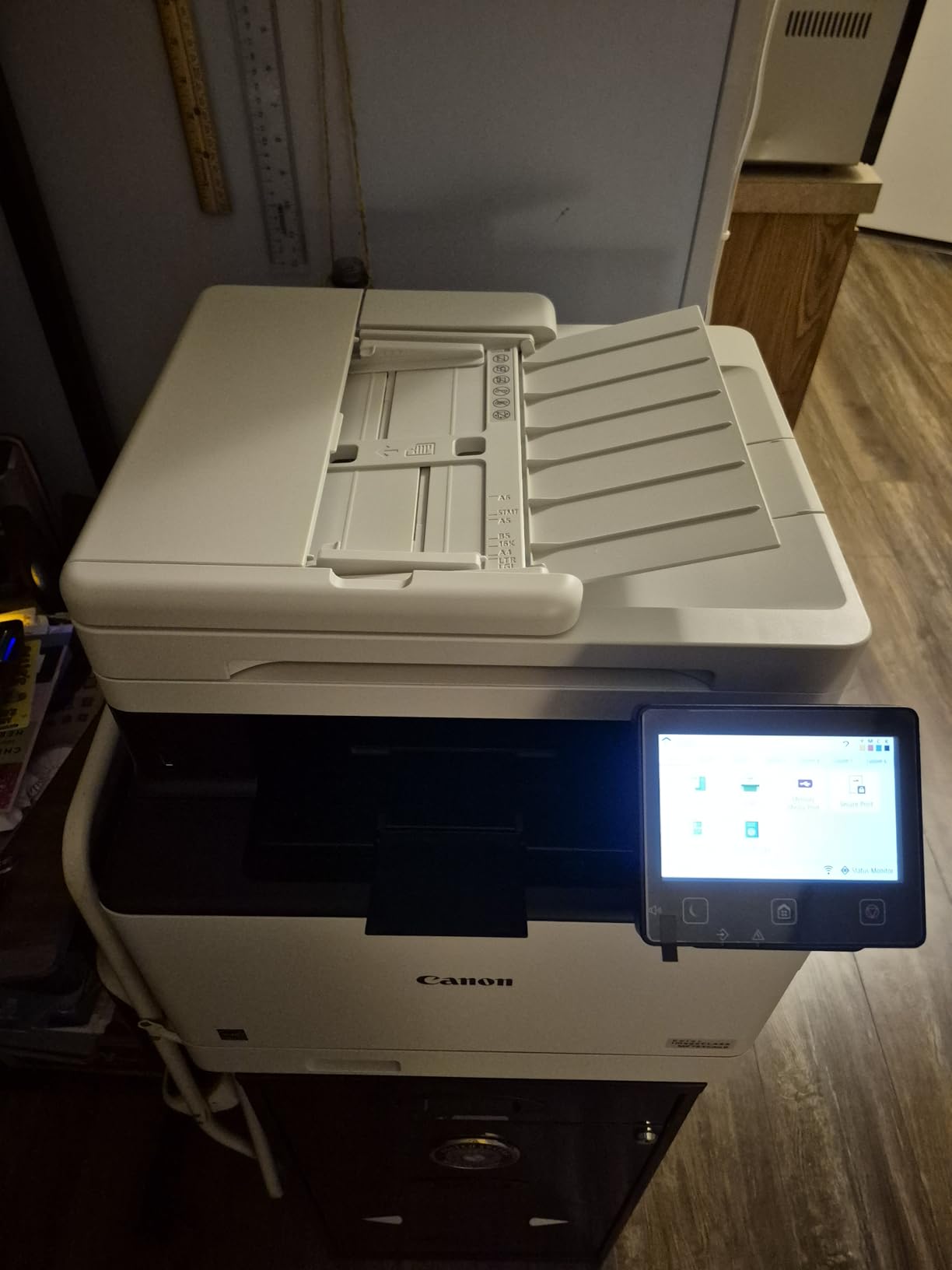
This is one of the two fastest color laser machines we tested and the highest-rated in the roundup at 4.2 stars. It prints 35 pages per minute in color and monochrome and produces its first page in 7 seconds, which is the difference between a job feeling instant and a job feeling like waiting. The 5-inch color touchscreen with an Application Library puts common tasks one tap away, and the built-in web interface makes network and folder setup straightforward for an IT administrator.
It is a full 4-in-1: print, scan, copy and fax, with automatic duplex printing and duplex scanning. Two trays give 250 sheets of capacity with a 250-sheet output tray, and maximum print resolution reaches 1200 x 1200 dpi in color, with copy resolution up to 1200 x 1200 dpi. That is a genuine step up for anyone producing color charts, diagrams or marketing material rather than just text.
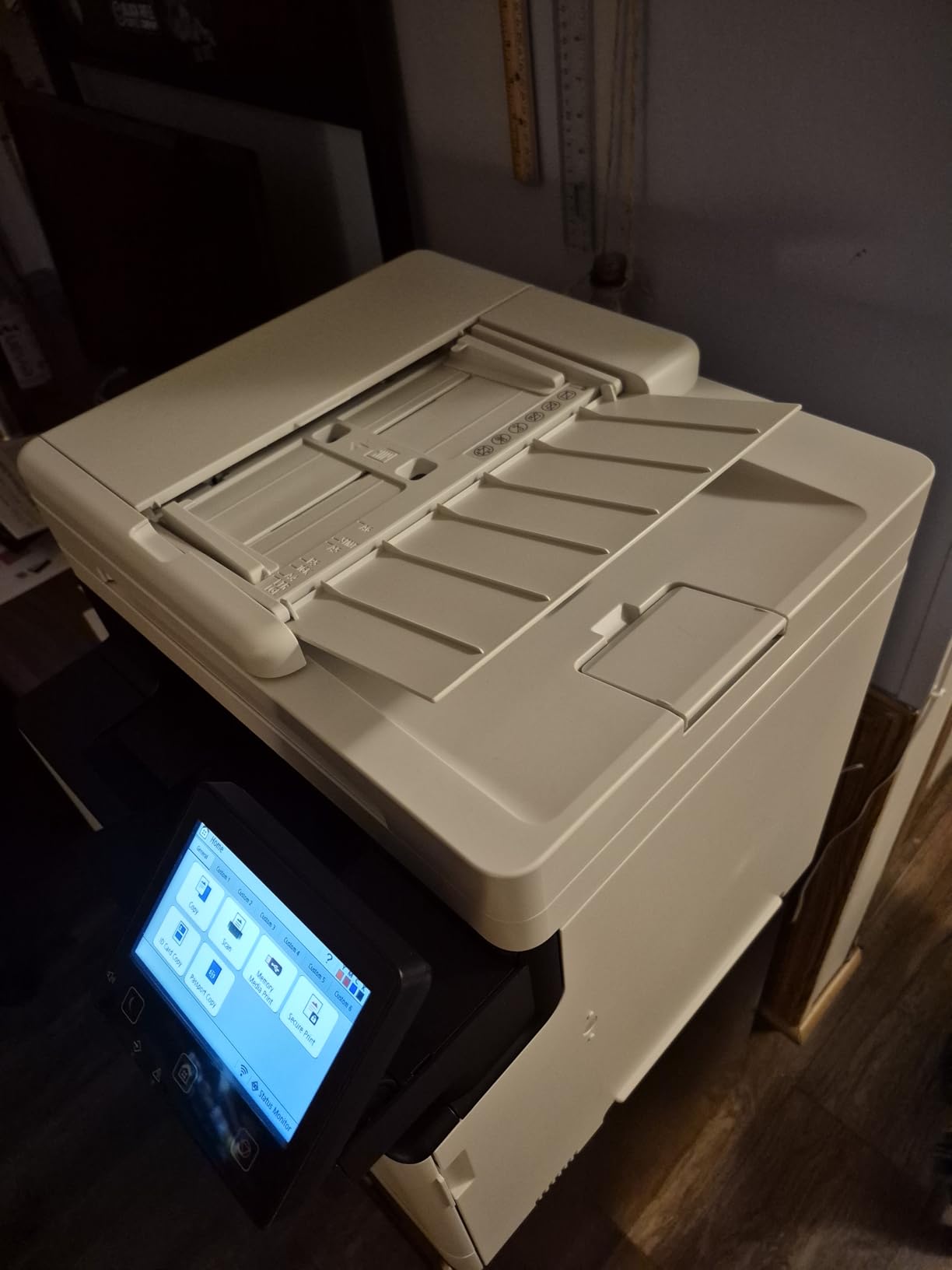
Two things stand out from owner reports. First, the job memory: this machine keeps very long print runs going, and owners describe it surviving jams and power interruptions without losing the job. Second, the color accuracy, which self-calibrates during setup and then stays consistent. The scanner and its automatic document feeder are also reported as fast and quiet, with owners saying the feeder has never jammed them.
Paper handling is where one quirk shows. Legal size paper has to go through the multipurpose bypass tray rather than the main cassette, which limits capacity for legal documents. Toner is Canon Genuine 069, supplied as starter cartridges with 1,100 page yield for each color and 2,100 for black, with a higher standard black cartridge available. The warranty is three years from the manufacturer, and the unit is ENERGY STAR certified.
Who the MF753Cdw II suits
Teams printing several thousand color pages a month, particularly where brochures, price lists or color-heavy reports are part of the output. The 35 ppm speed means a full ream no longer stalls the queue, and the large job memory means a long run survives the kind of interruption that would reset a smaller machine.
The three-year manufacturer warranty also makes it an easier purchase for a business that plans to keep it past the standard one-year window, and ENERGY STAR certification helps on a fleet that runs continuously.
Where the MF753Cdw II disappoints
The software, not the hardware, is the main friction. Canon’s PC software may fail to install on Windows 11, and the workaround several owners used was the built-in Windows printer installer instead. Some setup paths also require initial internet access, which matters on a locked-down office network.
Beyond that, replacement toner is expensive, legal size has to bypass the cassette, and a handful of owners report losing the network connection and needing a reboot. At 60.6 pounds and 18.2 by 16.8 by 17 inches, this is tied with the HP for the heaviest unit in the lineup, so plan the floor space and get help moving it.
5. Canon imageCLASS LBP646Cdw – Budget Pick Color Laser Printer
Canon Color imageCLASS LBP646Cdw Wireless Laser Printer, Duplex, 26 PPM, Print Only, White
26 ppm color and mono
10.3-second first page
1200 x 1200 dpi color
250-sheet cassette
39.4 lb
Pros
- Print-only design avoids paying for a scanner you may not need
- 26 ppm in color and monochrome
- Clean color on standard and laser photo paper
- Works well on Linux and Windows
- ENERGY STAR and EPEAT Silver with 3-year warranty
Cons
- No scanning
- copying or fax
- Heavy and a little loud
- Windows driver defaults to monochrome
- Connectivity loss after some driver updates
Leave the scanner, feeder and fax out of the machine and you get pure printing speed and a simpler body, which is what makes this the value pick. The LBP646Cdw is a print-only machine with no flatbed, no feeder and no fax, and it delivers 26 ppm in color and monochrome with a first page in about 10.3 seconds. The 5-line LCD is enough to change a tray, check toner and pick a quality setting, and nothing more.
Resolution is the surprise. Maximum print resolution reaches 1200 x 1200 dpi in color, which matches the figure on machines that print faster, and owners report clean, good quality color and text on both standard paper and laser photo paper. It is still a laser, so do not expect inkjet photo output, but for a flyer or a color handout the result is more than adequate.
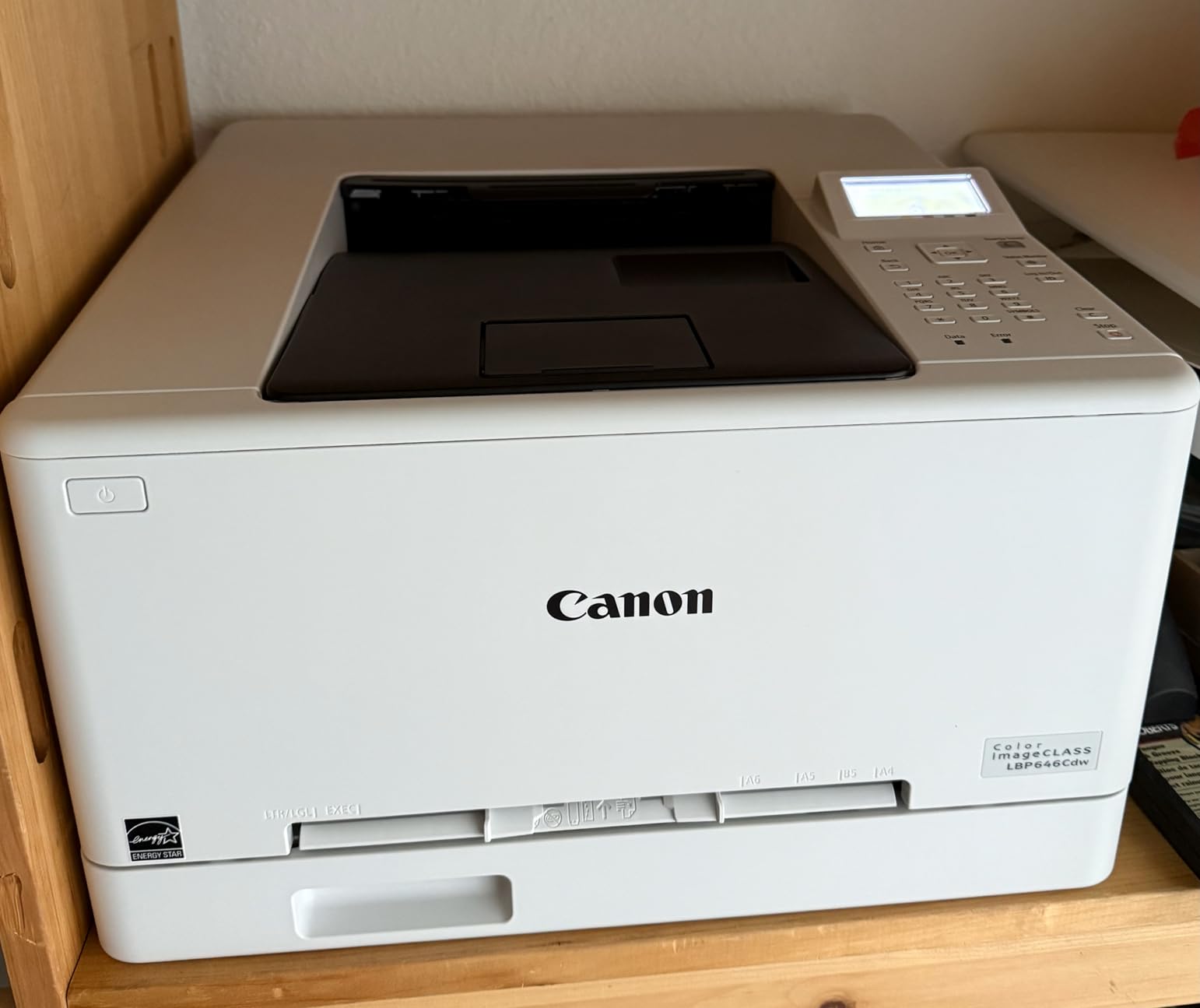
Paper handling is straightforward: a 250-sheet standard cassette plus a 1-sheet multipurpose tray, and legal size is supported. Mobile printing works through the Canon PRINT app, Apple AirPrint and Mopria Print Service, and reviewers specifically note that wireless setup was simple and that printing from an iPhone worked without fuss. Several owners also confirm it behaves well on Linux and Windows with the supplied driver.
The certification and warranty are better than most rivals at this level: ENERGY STAR, EPEAT Silver and a three-year manufacturer limited warranty. Toner is Canon Genuine 075, supplied as a starter set with 500 page yield for each color and 700 for black, with a high-capacity 075 available.
Who the LBP646Cdw suits
A home office, a small studio or a school department that prints a few hundred pages a month of contracts, worksheets, price lists and color charts, and has no need to scan. The 260-review owner base at 4.1 stars gives a reasonable long-term picture, and the pattern is consistent: a no-frills machine that handles documents well and sidesteps inkjet running costs entirely.
It is also the natural first laser for anyone moving away from inkjet. There is nothing to clog, nothing to clean and the cartridge lasts far longer than an ink cartridge, so the ownership experience is genuinely quieter than what it replaces.
Where the LBP646Cdw disappoints
No scanning, copying or fax, obviously. If a colleague ever hands you a document to digitize, this machine cannot help. It is also heavy at 39.4 pounds and described by owners as a little loud during operation.
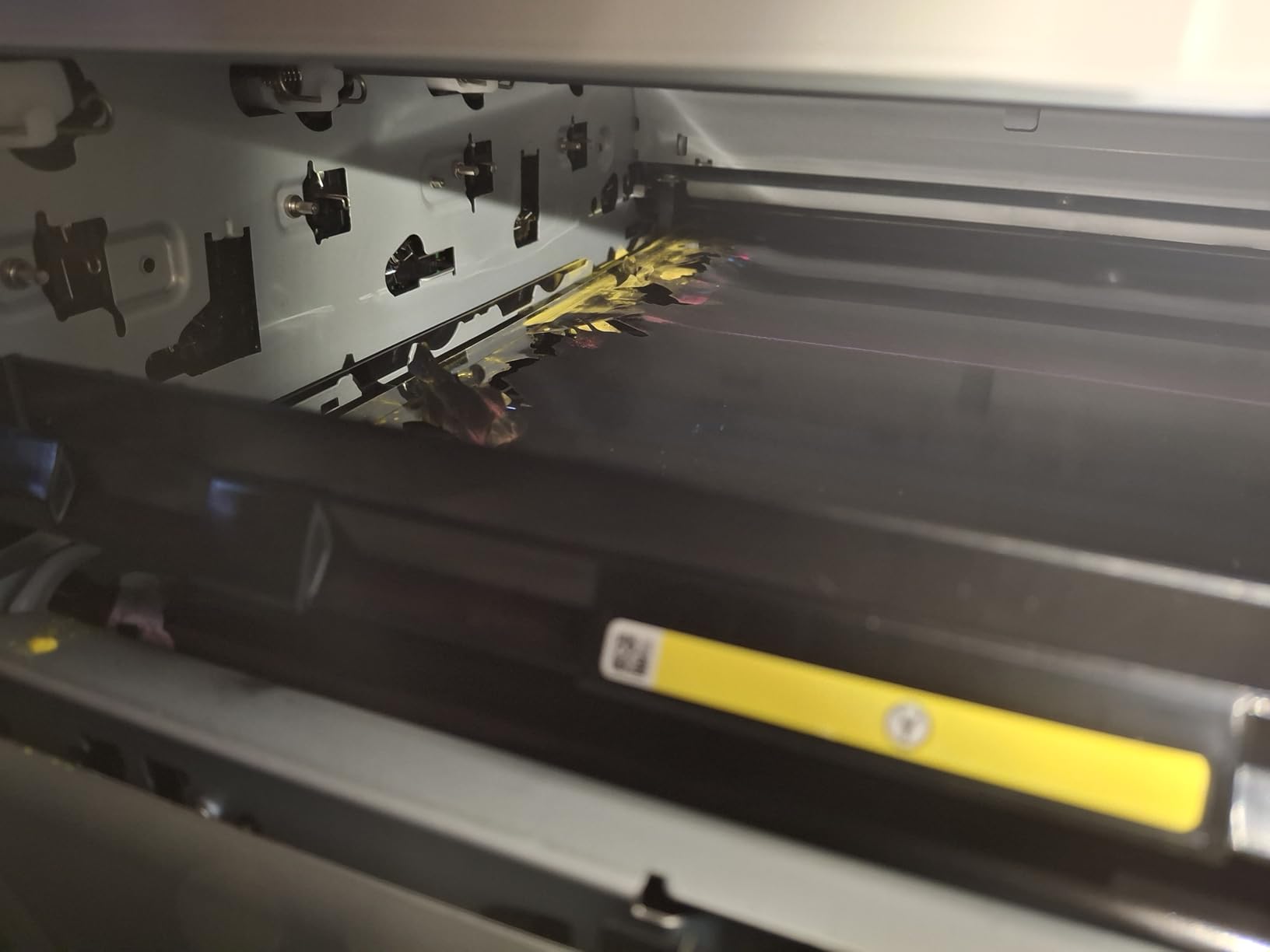
The most common real annoyance is that the Windows driver defaults to monochrome and has to be manually switched to color, which produces a batch of black-and-white pages from a first-time user who did not expect it. Some buyers also report losing connectivity after Windows or driver updates. OEM toner is expensive, though third-party alternatives are available and Canon’s chip is more tolerant of them than most.
6. Canon imageCLASS MF665Cdw – Best All-in-One Value With Fax
Canon Color imageCLASS MF665Cdw – Wireless, All-in-One Duplex Laser Printer
26 ppm color and mono
50-sheet one-pass duplex ADF
5-inch color touchscreen
56.9 lb
250-sheet cassette
Pros
- Sharp text and strong color for documents
- 50-sheet duplex feeder handles originals in one pass
- Fast duplex scanning keeps pages aligned
- Touchscreen Application Library speeds common jobs
- Works with macOS and Linux
Cons
- Canon drivers can be hard to find and install on macOS
- Repeated Wi-Fi disconnections reported
- ADF struggles with folded or creased paper
- Scanner software forces one designated folder
This is the Canon all-in-one for buyers who need a fax line and who are willing to work around Canon’s software habits. It prints 26 ppm in color and monochrome with a first page in about 10.3 seconds, and it does print, scan, copy and fax with automatic duplex on both. The 50-sheet one-pass duplex automatic document feeder is the feature that separates it from simpler all-in-ones, reading both sides of a document in a single run.
Paper handling gives a 250-sheet standard cassette, a 1-sheet multipurpose tray and a 250-sheet output tray. The 5-inch color touchscreen with an Application Library handles the routine jobs, and mobile printing runs through the Canon PRINT app, AirPrint and Mopria. Maximum print resolution is 600 dpi in monochrome and 600 x 600 dpi in color, which is adequate for business documents rather than detailed graphics.
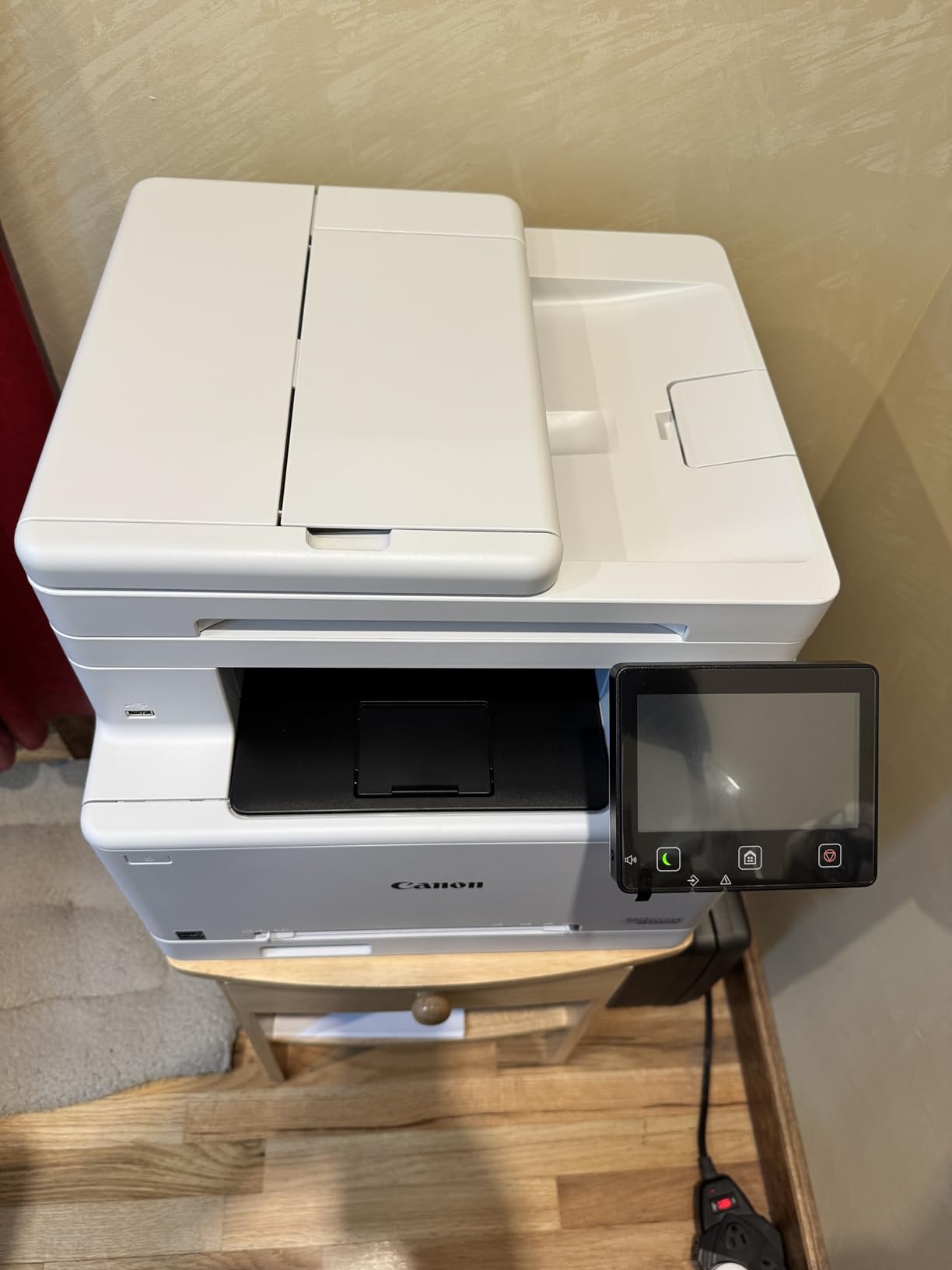
Owners generally like the output. Text is sharp, color reproduction is strong for documents, duplex scanning is fast and keeps pages aligned, and the Application Library makes a scan-to-sending-folder job quick. Several users also note that Canon Genuine 075 toner is priced below comparable original cartridges from other major brands, which matters at volume.
The machine is ENERGY STAR and EPEAT Silver certified with a three-year limited warranty, and it works with macOS and Linux along a reasonable setup path once the driver hurdle is cleared.
Who the MF665Cdw suits
A small office that still runs a fax line, a medical or dental practice handling intake forms, or a legal office that signs documents on both sides and needs to copy them. The 50-sheet duplex feeder is the deciding factor for anyone scanning batches of signed paperwork rather than a single page at a time.
For a team printing several hundred color pages a month alongside copies and faxes, it covers more ground than a print-only model without reaching the size of the Canon 35 ppm unit reviewed earlier.
Where the MF665Cdw disappoints
The software experience divides owners sharply. Canon’s drivers can be difficult to locate and install, particularly on macOS, and several users needed extra steps or outside help to get printing, scanning and faxing working together. The scanner software also forces scans into one designated folder rather than a destination you choose, which is a persistent irritant for anyone who organizes files by project.
Beyond that, some owners report repeated Wi-Fi disconnections requiring a reboot, though Canon firmware updates improved this for several of them. The feeder can struggle with folded or previously creased paper, and the unit overheats on long runs and jams on curled or heavy stock.
7. Xerox C235dni – Budget Color Laser All-in-One
Xerox C235dni Wireless Color Laser All-in-One Printer
24 ppm color and mono
All-in-one print, copy, scan
250-sheet capacity with second tray
35 lb
built-in Wi-Fi
Pros
- copy and scan in a compact 35 lb body
- Compact footprint that fits a home office
- Good print and copy quality with sharp text
- Touch screen handles small admin tasks
- Wi-Fi and AirPrint plus Ethernet and USB
Cons
- Setup frequently reported as difficult
- Scanner is single-sided only
- Some users report faint
- washed-out color
- Consumables expensive relative to the machine
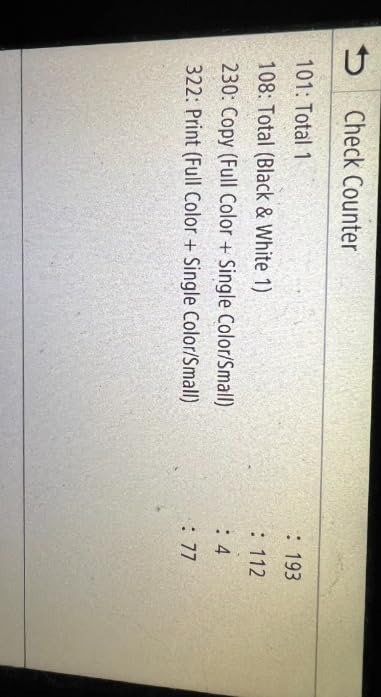
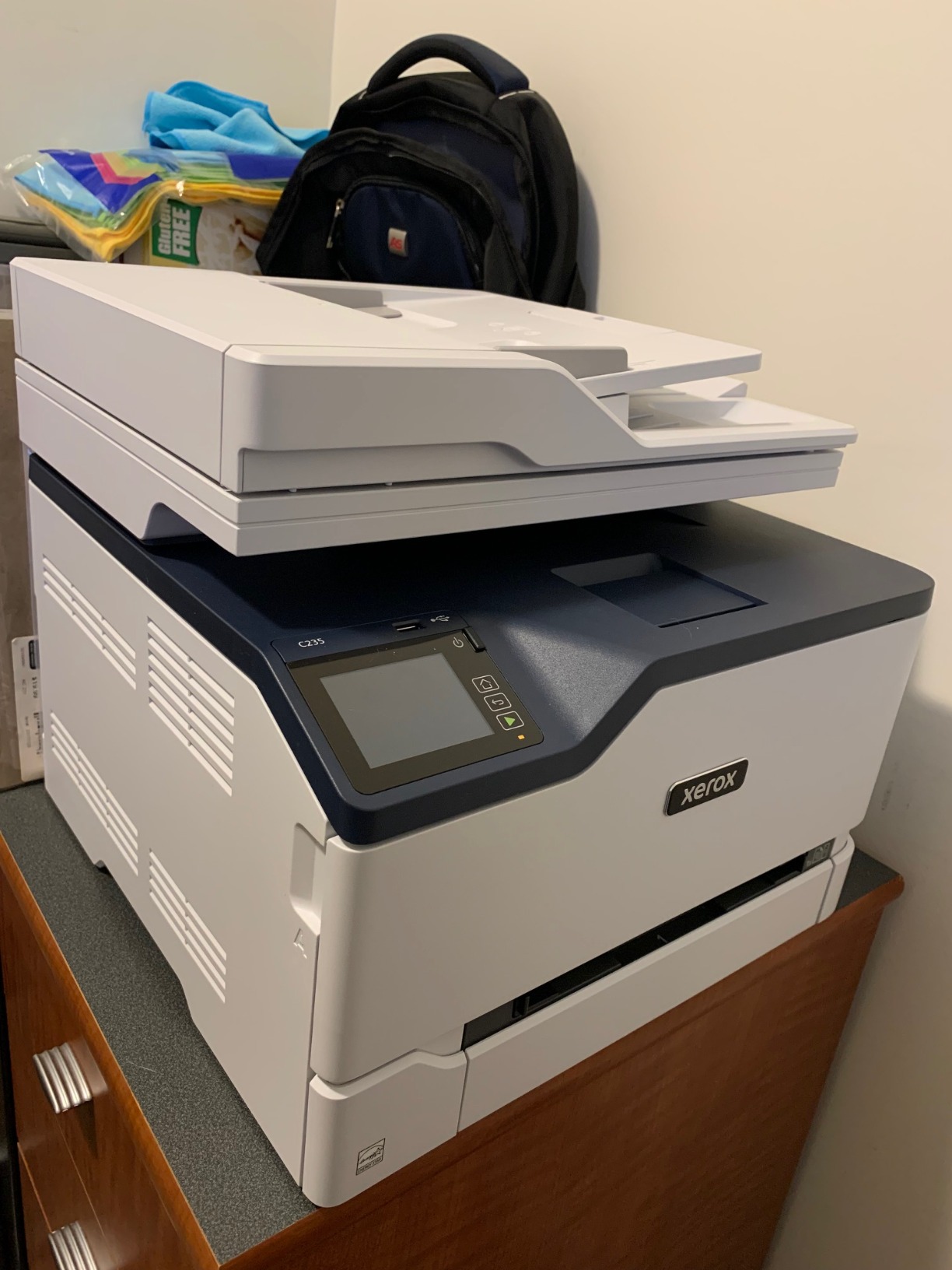
The Xerox C235dni is the most direct route to a color laser all-in-one with print, copy and scan, and its 35-pound, 15.5 by 16.2 by 13.6 inch body sits among the most compact of the all-in-ones here. That footprint matters more than it sounds: a home office can accommodate this machine on an existing desk, where the 47 to 61 pound machines would need floor space.
It runs at 24 ppm in color and monochrome with automatic duplex printing, a 250-sheet paper capacity with a second tray, and a 250-sheet output tray. Maximum print resolution is 1200 dpi in color and 600 dpi in monochrome, and the color LCD panel handles administrative tasks. It is rated for small offices printing up to 1,500 pages a month, which is a useful honesty marker when you are sizing it against your own volume.
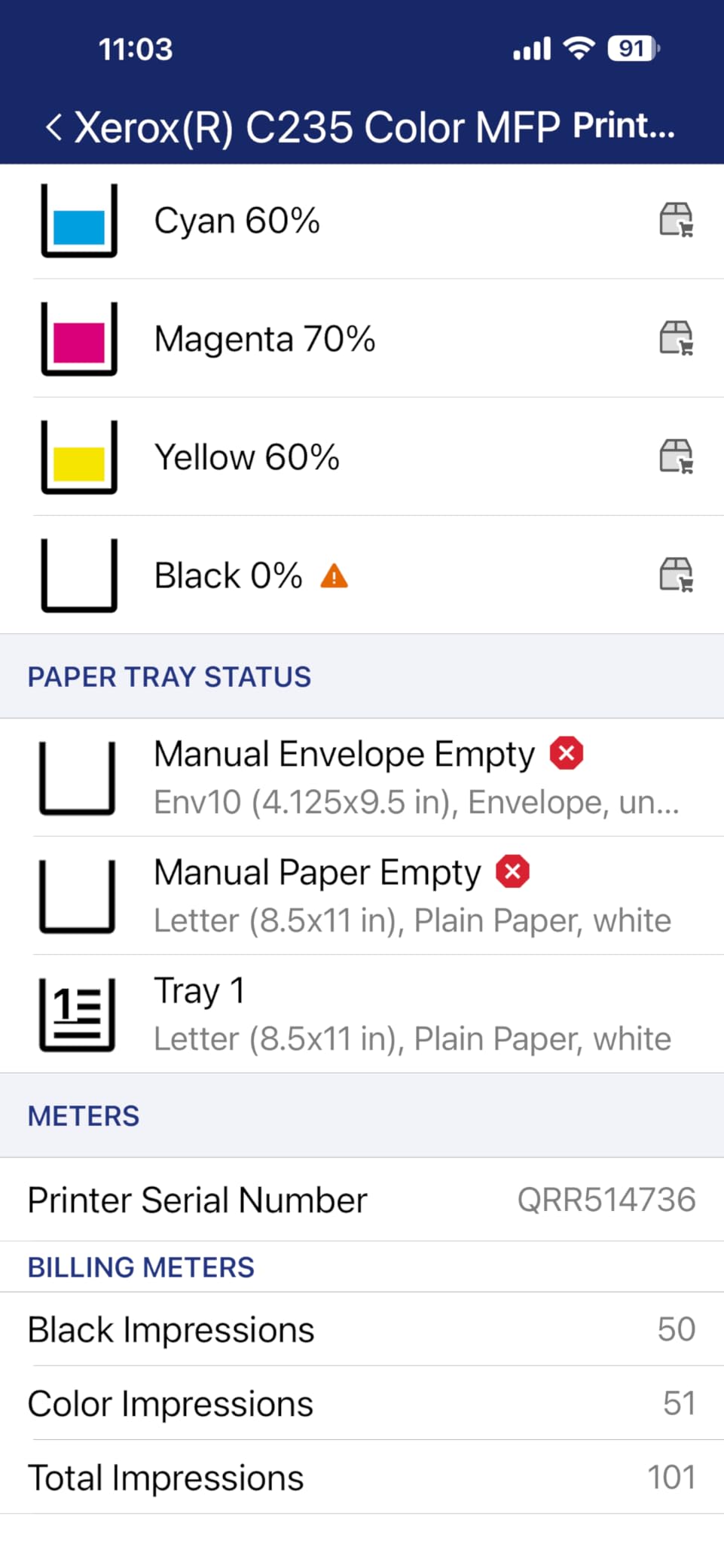
Connectivity is broader than the machine’s specification tier suggests: built-in Wi-Fi with Apple AirPrint and Mopria, plus Ethernet and USB. The Xerox Easy Assist app guides setup across multiple devices, and some owners report the printer appearing on the network and printing within seconds once it is connected. Starter toner comes at 500 page yield with high-yield cartridges supported for anyone who wants to reduce replenishment frequency.
The warranty is one year, which is shorter than the three years the Canon models here carry, and worth factoring into a longer ownership plan.
Who the C235dni suits
A home office or very small business that needs scanning and copying but not fax, prints a modest number of color pages, and is constrained by both budget and desk space. Many buyers treat it as a second machine for a spare room, where a full-size all-in-one would be impractical.
It also suits anyone who needs Ethernet as well as wireless, since the wired port is unusual at this level and makes the machine easy to drop onto a small office network without depending on Wi-Fi reliability.
Where the C235dni disappoints
Setup is the recurring theme. Owners frequently report difficulty with the QR and app process and problems connecting to Wi-Fi, and the driver and download instructions can point at the wrong support site after corporate changes. If you are not comfortable troubleshooting a network printer, budget time for this one.
The scanner is single-sided only, even though the printer itself is duplex, so multi-sided originals need manual flipping. Some users also report faint, washed-out color output, and consumables are expensive relative to the machine. The 3.8-star average across 286 reviews is the lowest here, and the reason is these specific issues rather than print quality.
8. Lexmark CX331adwe – Best for Security-Conscious Small Offices
Lexmark CX331adwe Laser Printer – Color – 26 ppm Mono / 26 ppm Color – 600 dpi Print – Automatic Duplex Print – Wireless LAN, White (40N9070)
26 ppm color and mono
Print, copy, scan, cloud fax
600 x 600 dpi
Ethernet, USB, Wi-Fi
42.8 lb
Pros
- Steel-frame construction for sustained office use
- 26 ppm in both mono and color
- Standard automatic duplex printing
- Data security on device and in transit
- Supports 100% recycled paper with free cartridge recycling
Cons
- Second-thinnest review base of the roundup at 72 ratings
- 600 x 600 dpi is modest for detailed graphics
- Mobile setup requires the Lexmark app
The Lexmark CX331adwe is the pick when security documentation matters more than screen size. It prints, copies, scans and supports optional cloud fax in a single unit at 26 ppm in both monochrome and color, with standard automatic two-sided printing. The stated build is a steel-frame A4 machine designed for sustained small business use, which is a meaningful difference from a plastic-bodied home printer asked to do office hours.
Connectivity covers standard Wi-Fi, USB and Ethernet, with mobile printing through the Lexmark Mobile Print app. The security story is the differentiator: built-in protection for data on the device, data moving over the network and data in transit, which is the kind of language an IT manager asks for and rarely gets a clear answer on elsewhere in this category.
Paper support is wide, covering A4, Letter, Legal, A5, envelopes and card stock. It also accepts up to 100% recycled paper and comes with free supply cartridge recycling, which matters for offices with a documented sustainability policy. Maximum print resolution is 600 x 600 dpi, which is fine for business documents and modest for detailed graphics.
We want to be straight about the evidence here. With 72 ratings, this has the second-thinnest review base in the roundup, and the 4.1-star average is promising rather than proven. The specification set emphasizes durability, security and duplex printing for small business use rather than output quality.
Who the CX331adwe suits
A small office with a security review to pass, particularly in a sector where data handling rules come up before purchase decisions. It also suits anyone who wants a steel-frame machine expected to run for years, and offices that print on recycled stock or envelopes as a routine part of the week.
If fax is a requirement, the cloud fax option covers it without a separate line, and the wired Ethernet connection makes it straightforward to place on a managed network.
Where the CX331adwe disappoints
The review base is the limitation. Seventy-two ratings is not enough to make confident long-term reliability claims, the durability claims as manufacturer specifications until more owners report back. Anyone who buys this should expect to be an early adopter rather than a confirmed owner.
On capability, 600 x 600 dpi resolution is among the lowest figures here, so detailed graphics and large-format-style output will not impress. Mobile and wireless setup also requires the Lexmark app rather than working purely through AirPrint, which adds a step compared with the Canon models.
9. HP Color LaserJet Enterprise M554dn – Best for Managed Fleets
HP Color LaserJet Enterprise M554dn Duplex Printer (7ZU81A)
33 to 35 ppm
650-sheet input capacity
275-sheet output
Ethernet and USB
60.6 lb
Pros
- Fast color output with a very short warm-up
- Native automatic duplex printing works reliably
- Sturdy build tolerates heavy continuous use
- Quiet operation with clean professional color
- HP Web Admin for centralized fleet management
Cons
- Expensive toner and the printer rejects generic cartridges after firmware updates
- Some units arrived as returns without proper packaging
- Setup reported as difficult by some buyers
- 60.6 lb body and a high purchase price
This is the fleet machine. It prints up to 35 ppm with 33 ppm rated in monochrome, and the 650-sheet total input capacity comes from a 100-sheet multipurpose tray plus a 550-sheet tray, with a 275-sheet output stack behind that. In a room full of people, that paper capacity is the difference between a smooth morning and a queue, and at 650 sheets its input capacity is far above every other machine here.
Maximum enhanced resolution reaches 4800 x 1200, with 1200 dpi in monochrome and 600 x 600 dpi in color. Automatic two-sided printing is native and reliable, and owners operating at high volume report that the machine simply keeps going. Four HP LaserJet toner cartridges come preinstalled at approximately 5,500 pages of black and a combined 3,500 pages across the three colors, plus a toner collection unit.
Management is the reason to choose HP here. HP Web Admin provides centralized fleet management and policy deployment, and HP Wolf Enterprise Security brings layered, self-healing malware protection. HP Auto-On and Auto-Off handle energy management so a machine in an empty office is not drawing power overnight. Connectivity is Ethernet and USB, which suits a fixed office location.
Who the M554dn suits
A department, a clinic or an office that prints heavily and wants a machine an administrator can manage centrally rather than one that sits on Wi-Fi. The security and policy tooling is built for environments where an IT team sets rules across a fleet, and the toner collection unit reduces the waste stream at volume.
For a single home user it is far more machine than needed, both physically and financially. For a busy shared room the trade-off is scanning, since this is a printer rather than an all-in-one.
Where the M554dn disappoints
The cartridge situation is the real issue and it is a serious one. HP toner is expensive, and the printer rejects generic or third-party cartridges after a firmware update. Owners running the machine at volume should plan on original HP cartridges and should know that this behavior is not a fault they can fix.
Setup was reported as difficult by some buyers, and a small number of units arrived as returns without proper shipping straps or logos, which suggests a packaging problem worth checking on arrival. At 60.6 pounds and 18.9 by 18 by 15.7 inches, it is among the two heaviest machines here, and with 55 ratings the owner evidence base is the thinnest in the roundup.
How to Choose a Color Laser Printer
Print speed and first page time matter less than you think
Rated pages per minute is the spec shoppers fixate on, and it is the least useful number on the list for most buyers. A 19 ppm machine and a 26 ppm machine feel identical when you are printing a four-page handout, because the gap that matters is time to first page, not sustained throughput. Our picks range from 19 ppm to 35 ppm, with first-page times from 7 seconds to under 15 seconds.
Where speed does matter is a shared machine where several people queue. Past roughly 25 ppm, you are buying back time in aggregate rather than in a single job. For duplex work, look at images per minute rather than pages per minute, because duplex output is measured in how many two-sided sheets the machine completes. Single-pass duplex feeders, found on the Brother MFC-L3780CDW and Canon MF665Cdw, roughly halve the handling time for multi-sided originals.
Cost per page is decided by toner yield and cartridge family
The number that should drive your decision is how many pages a cartridge set covers, not what the machine cost on the day you bought it. A color laser cartridge set typically covers a few thousand pages against a few hundred for an inkjet cartridge, and that gap is the entire economic case for a laser. Owners planning beyond the first refill should budget on a multi-year toner horizon rather than a one-year one, which is the single most repeated piece of advice in printer forums.
Two numbers in the spec sheets help. The rated yield of the shipped cartridges tells you what you get before the first purchase, and the availability of an XL or high-capacity version tells you whether the per-page cost falls at volume. The Canon MF753Cdw II ships with 1,100 pages for each color and 2,100 for black. The Canon LBP646Cdw and MF665Cdw ship with 500 pages per color and 700 black, with a high-capacity 075 available. The HP M554dn arrives with roughly 5,500 pages of black and 3,500 combined color already installed.
Also factor in the drum. Brother’s DR229CL drum unit is a separate consumable with its own replacement cycle, not a component folded into the toner cartridges. Budgeting for toner alone understates the true cost of ownership on any machine with a separately sold imaging unit.
All-in-one or print-only: decide on scanning, not speed
Buyers consistently get this backwards and then overpay. An all-in-one only earns its extra size, weight and purchase cost if you will genuinely scan, copy or fax. If you never do, a print-only machine like the Brother HL-L3220CDW or Canon LBP646Cdw gives you the same core printing at a lower cost, a smaller footprint and fewer parts to fail.
If you do need a scanner, check whether the feeder is duplex and whether it is single-pass. The difference between a single-sided feeder and a one-pass duplex feeder is roughly a doubling of the time to digitize a signed document, and the 50-sheet duplex feeders in this roundup are the Canon MF665Cdw and the Brother MFC-L3720CDW and MFC-L3780CDW. The Xerox C235dni prints duplex but scans only one side, which is the compromise buyers most often discover too late.
Connectivity that survives a real network
Wireless printing fails far more often than printing itself, and almost always for the same reason: 2.4GHz-only radios competing with a busy office network. Dual-band wireless on both 2.4GHz and 5GHz, which the Brother MFC-L3720CDW and MFC-L3780CDW both carry, is the fix. None of the Canon models in the roundup lists dual-band, so plan to place them on Ethernet or a clean 2.4GHz channel if your network is crowded.
Ethernet deserves more credit than it gets. The Brother MFC-L3780CDW, Canon MF753Cdw II and MF665Cdw, Xerox C235dni and Lexmark CX331adwe all have a wired port, and on a shared machine a cable removes an entire category of support calls. AirPrint and Mopria support is worth checking for Mac and phone printing: the Brother HL-L3220CDW prints from an iPhone or Mac with no extra software, and the Canon machines add Mopria alongside the Canon PRINT app. Wi-Fi Protected Setup works well, but mesh networks and Wi-Fi 6 routers are a common source of initial setup failure, so have an Ethernet cable within reach.
Third-party toner and cartridge lock-out differ sharply by brand
This is the most useful piece of information nobody publishes, and it changes the real cost of ownership more than any spec on the list. Chips inside the cartridge report yield to the printer, and manufacturers use firmware to accept or refuse cartridges that are not their own. The pattern across this category is consistent enough to plan around.
Brother is the most permissive, and the TN229 family used across the HL-L3220CDW, MFC-L3720CDW and MFC-L3780CDW is widely used with off-brand cartridges without printer lockout. Canon is moderate: the 075 and 069 families are generally recognized by third-party makers, with some chip versions more tolerant than others. HP is the strictest, and the review data is explicit: owners of the Color LaserJet Enterprise M554dn report the printer rejecting generic cartridges after a firmware update. Xerox sits between Canon and HP, and owners of the C235dni describe its consumables as expensive relative to the machine rather than locked out.
There is a second, more annoying behavior that is not about brand. Several owners of the Brother MFC-L3780CDW report a toner drum warning and cartridge lockout after a paper jam, which can stop a machine until the jam is fully cleared. If you print heavy stock, that risk is worth factoring in.
Color laser versus inkjet: where the break-even sits
A color laser beats an inkjet on cost per page at any volume above roughly 200 pages a month, and pulls clearly ahead past 500. Below that, the inkjet’s lower purchase cost and better photo output can still make it the sensible choice. The crossover depends on cartridge yield, and yield figures move, so treat 200 pages a month as a planning rule rather than a promise.
Set against an inkjet, the practical differences are these.
Color laser: dry toner that does not dry out or clog, so the machine survives long periods of disuse. Thousands of pages per cartridge set and a low cost per page for text, charts and business graphics. Fast, quiet, warm-up times under about 15 seconds. Weaker on photographic images and gradients, which is the single most common disappointment for buyers who expected inkjet-like photos. Heavy, typically 25 to 61 pounds, and the footprint is rarely small. No risk of a print head failing after months of disuse.
Inkjet: liquid ink in nozzles that can dry and clog if the machine sits unused, which is why monthly printing matters. A few hundred pages per cartridge set and a much higher cost per page, particularly in color. Slow warm-up and noisier paper handling in most models. Noticeably better photographic output, gradients and deep color saturation. Compact and light. Suitable for home use under about 100 pages a month.
For a home office printing a few hundred pages a month, the laser wins on running cost and reliability. For a household that prints school projects and the occasional photo twice a year, an inkjet is fine and a photo lab is still better for anything you would frame.
Match the machine to your monthly page volume
Volume is the number that should sort the nine machines on this list, and it is easier to apply than most buyers expect. Under 250 color pages a month, a print-only model handles the load and you avoid paying for a scanner you will not use. Between 250 and 1,000 pages a month, an all-in-one starts to earn its place if anyone scans or copies, and a 250-sheet tray becomes important enough to check on the spec sheet. Above 1,000 pages a month, paper capacity and first-page time matter more than anything else, because the machine is shared whether you planned for it or not.
The Xerox C235dni is the only machine here with a manufacturer-stated volume rating: small offices printing up to 1,500 pages a month. That is a useful calibration point for sizing the others. A machine rated for 1,500 pages a month is roughly a five-person office printing a few hundred sheets each, which tells you how far the heavier all-in-ones stretch before the duty cycle starts to bite.
Two practical signals are worth watching at volume. First, duplex throughput: on a shared machine, a scanner that only reads one side of an original becomes the bottleneck, which is a real limitation on the Xerox C235dni. Second, feed reliability under load. Owners of the Canon MF753Cdw II and Brother MFC-L3780CDW both describe machines that hold up over long runs, while a small number of reports on other units involve jams that need a technician. At several thousand pages a month, build quality and job memory start to matter as much as the headline speed figure.
What counts as high-quality color output
High-quality color laser output means accurate business graphics, solid color blocks, clean edges on charts and text that does not bleed. It does not mean photographic realism. Resolution figures help but do not settle it: the Canon LBP646Cdw prints color at up to 1200 x 1200 dpi and still produces laser output rather than inkjet output, and the HP M554dn reports up to 4800 x 1200 enhanced resolution without gaining photo capability.
Judge the output type instead of the number. If your work is invoices, forms, spreadsheets, charts, flyers and price lists, every machine in this roundup delivers more quality than you need. If your work involves photographs, gradients or heavy image coverage, use an inkjet for that job and the laser for everything else. Many owners run exactly that split, sending photos to a lab or a photo printer while the laser handles the daily load.
Buying mistakes that cost owners real money
Buying a printer without planning a multi-year toner budget is the most common and most expensive error. The purchase price is small relative to three years of cartridges, and the machines that look most attractive on day one are frequently the ones with the costliest consumables relative to their page yield.
Buying a printer that refuses to print because a color cartridge reads low is a real deal breaker reported by owners across brands, and it is worth confirming a machine’s behavior on a low color cartridge before you commit. Buying an all-in-one you will not scan from is the second most common waste. Buying without a wired network option leaves you dependent on Wi-Fi in exactly the environment where Wi-Fi struggles.
Also consider heavy paper before you buy. Several all-in-ones in this roundup jam on card and thicker stock in duplex, and one owner group reported the feeder struggling with folded or creased originals. A machine that handles letter paper beautifully and jams on your actual media is the wrong machine, no matter how well it scores in a spec comparison.
Frequently Asked Questions
Which laser printer has the best color quality?
Among the color lasers we tested, the Canon imageCLASS MF753Cdw II produces the best color output, reaching 1200 x 1200 dpi with accurate self-calibration at setup and a 5-inch color touchscreen. The Canon imageCLASS LBP646Cdw matches that 1200 x 1200 dpi color resolution in a smaller print-only body. Remember that laser color means business graphics, not photographs.
What is the best laser printer for color printing?
The Brother MFC-L3720CDW is the best all-round color laser, printing 19 ppm in color and monochrome with automatic duplex printing, a 50-sheet document feeder and a 3.5-inch color touchscreen across 1,025 owner reviews. For maximum speed, the Canon imageCLASS MF753Cdw II runs at 35 ppm with a 7-second first page. For the lowest outlay, the Canon imageCLASS LBP646Cdw delivers 26 ppm as a print-only machine.
Are color laser printers better than inkjet printers?
For documents, yes. Color laser printers use dry powdered toner that cannot dry out or clog a print head, so they survive long periods of disuse and print thousands of pages per cartridge set at a far lower cost per page. Inkjets win on photographic output, on compact size and on very low purchase cost. The gap is decisive above roughly 200 pages a month.
Can you use third-party toner in color laser printers?
It depends on the brand, and this is worth checking before you buy. Brother is the most permissive, with the TN229 cartridge family widely used off-brand without lockout. Canon is moderate with its 069 and 075 families. HP is the strictest, and owners of the Color LaserJet Enterprise M554dn report the printer rejecting generic cartridges after a firmware update. Also check whether the machine’s warranty survives a cartridge error.
Do color laser printers dry out if not used?
No. Toner is a dry powder held on a photoconductor drum rather than liquid ink sitting in nozzles, so a color laser can sit unused for months and still print the first page correctly. This is the most common reason owners on printer forums recommend a color laser over an inkjet for intermittent use. The fuser and drum still benefit from occasional use, and a machine left idle for years may need a service clean.
The Best Color Laser Printers in 2026: Final Verdict
The best color laser printers in 2026 split cleanly by how much you print and how much room you have. The Brother MFC-L3720CDW is the best overall pick: 19 ppm in color and monochrome, automatic duplex, a 50-sheet feeder, a 3.5-inch color touchscreen and 1,025 documented owner reviews. It is the machine we would put in a home office without hesitating.
Pick the Canon imageCLASS MF753Cdw II when volume is the driver, because 35 ppm with a 7-second first page and large job memory changes how a shared room feels. Pick the Canon imageCLASS LBP646Cdw when you only need to print, because 26 ppm and 1200 x 1200 dpi color come in a smaller body and for less outlay than any all-in-one here.
At 24.7 pounds and 9.4 inches tall, the Brother HL-L3220CDW is the lightest and smallest machine in this roundup. For a growing team, the Brother MFC-L3780CDW brings 31 ppm and single-pass duplex scanning. The Canon MF665Cdw covers offices that still need fax, the Xerox C235dni is the budget all-in-one, the Lexmark CX331adwe is the security-led choice, and the HP M554dn is built for a managed fleet that will buy original toner without argument.
Whichever you choose, plan the toner budget for three years rather than one, and match the machine’s paper handling to the stock you actually use. Those two decisions prevent nearly every regret we heard about from owners in this category.