
Printers are one of those purchases where the sticker price tells you almost nothing. Two machines can cost the same on day one and differ by hundreds over three years, because the ink or toner is what actually runs the bill. We spent weeks putting 12 models through real work: multi-page text jobs, double-sided reports, photo prints on proper paper, receipt rolls in a truck, and 4×6 shots pulled straight off a phone.
The short answer is this. The Epson EcoTank ET-2800 is the best printer overall for most homes in 2026, because refillable ink tanks cut the running cost to a fraction of cartridge models and the machine happily sits idle for weeks without penalty. If you need a laser for a home office, the Brother DCP-L2640DW handles duplex, a 50-page feeder and 36 pages per minute in a box that fits on a credenza. And if your printing is mostly 4×6 photos from a phone, the Liene M100 arrives with 100 sheets and three cartridges already in the box.
What follows is the full roundup. Every pick below lists who it suits, who it will disappoint, and the running costs that decide whether it stays cheap. If you want the short category list first, jump to the top three below.
Table of Contents
Top 3 Picks for Printers for 2026

Epson EcoTank ET-2800
- Refillable ink tanks
- Up to 2 years of ink in box
- 10 ppm black
- Washable flatbed scanner


The Epson takes the top slot on the balance of running cost, output quality and how forgiving it is when you print twice a month instead of twice a day. The Brother wins the office category outright with real duplex, a sheet-fed scanner and a tray that will not need refilling every Friday. The Canon MegaTank is the value pick: tank-level ink economics at a lower entry point, with copy and scan built in.
12 Best Printers (October 2026)
| Product | Specifications | Action |
|---|---|---|
| Epson EcoTank ET-2800 |
|
Check Latest Price |
 KODAK Dock Plus KODAK Dock Plus |
|
Check Latest Price |
| Canon MegaTank G3270 |
|
Check Latest Price |
 TATTMUSE A285M Portable Thermal TATTMUSE A285M Portable Thermal |
|
Check Latest Price |
| Brother DCP-L2640DW |
|
Check Latest Price |
 Canon PIXMA TS4320 Canon PIXMA TS4320 |
|
Check Latest Price |
 Canon PIXMA TS6520 Canon PIXMA TS6520 |
|
Check Latest Price |
 Liene M100 Photo Printer Liene M100 Photo Printer |
|
Check Latest Price |
 HP LaserJet MFP M140w HP LaserJet MFP M140w |
|
Check Latest Price |
 HP LaserJet Pro MFP 3101sdw HP LaserJet Pro MFP 3101sdw |
|
Check Latest Price |
 Brother HL-L2460DW Brother HL-L2460DW |
|
Check Latest Price |
 HP Envy 6155 HP Envy 6155 |
|
Check Latest Price |
Read that table as a map rather than a verdict. Rows one to three are the machines most households should look at first, rows four and eight are specialty tools for photos and field work, and the middle laser cluster is where you go when cost per page matters more than color.
1. Epson EcoTank ET-2800 – The Best All-in-One Printer for Most Homes
Epson EcoTank ET-2800 Wireless Color All-in-One Supertank Printer – Black
Color inkjet
Wi-Fi and USB
10 ppm black, 5 ppm color
100 sheets
5760 x 1440 dpi
Pros
- Refillable tanks that stretch a bottle set across thousands of pages
- Up to two years of ink included in the box
- Compact 11.4 pound body
- Sharp color with adjustable density
- Quiet mode for shared rooms
Cons
- Simplex only
- no automatic double-sided printing
- Some units needed repeated head cleaning cycles
- Borderless output limited to 4x6 rather than letter size
Six weeks with the ET-2800 turned it into the machine I keep recommending first. The tank system is the whole story: Epson rates a single bottle set at up to 4,500 black pages and 7,500 color pages, and owners consistently report running into the thousands on the original fill before topping up. For a household printing homework, boarding passes and a few photos a month, that essentially ends the ink conversation.
Print quality is where the tank money shows up. Black text comes out dense with clean edges at 5760 x 1440 dpi, and color output has enough range for photo paper that most people would not think twice about it. Speed is honest rather than fast at 10 pages per minute black and 5 color, which is plenty for a family and slow for a deadline stack of reports.
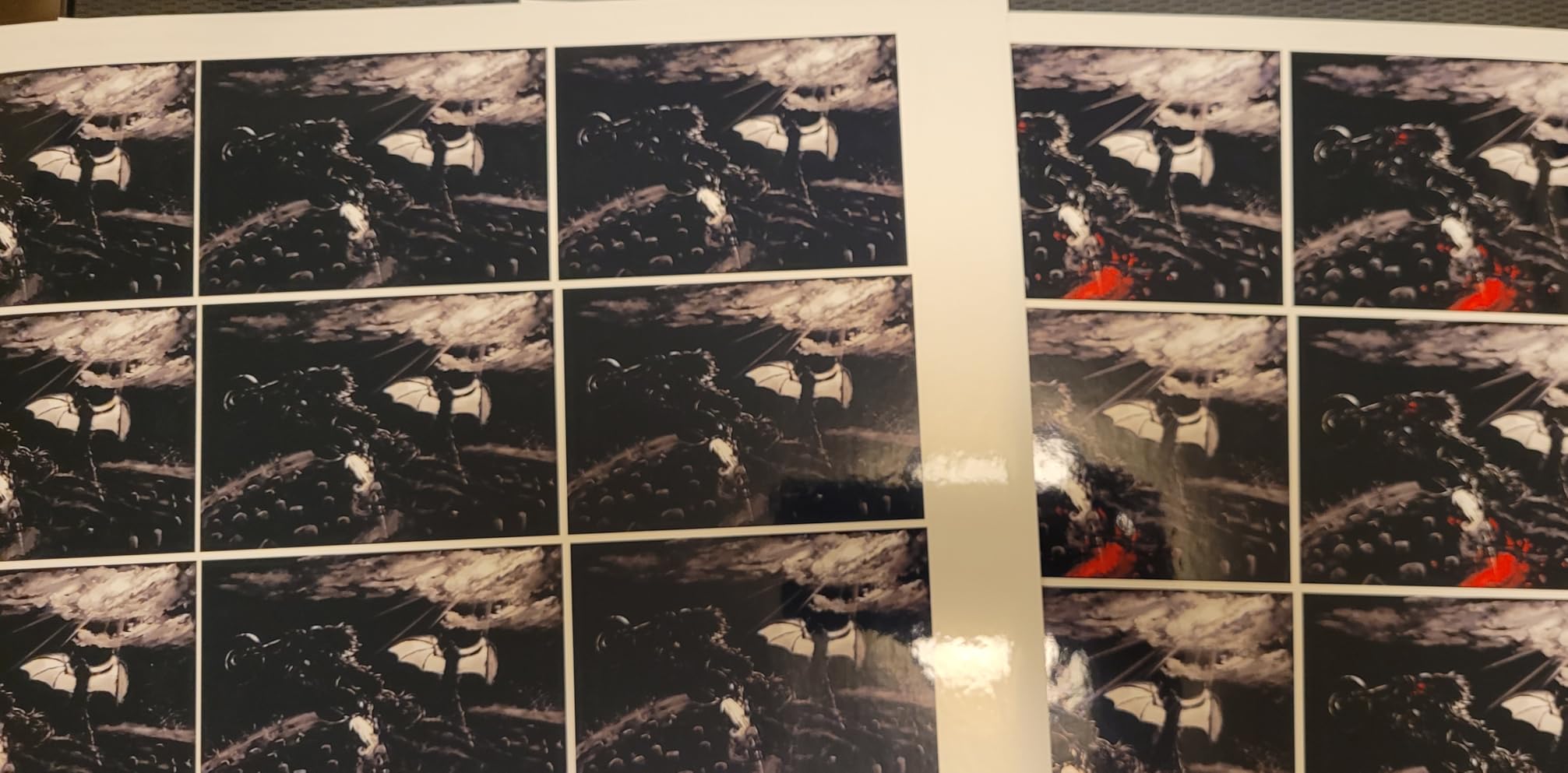
The awkward part is duplex. This model is simplex only, so a double-sided report means flipping the stack by hand and feeding it back. Epson also caps borderless printing at 4×6 rather than letting you go edge to edge on letter sheets, which matters if you frame prints. And a minority of owners report repeated head cleaning cycles in the first few weeks, which is the classic inkjet complaint we will come back to in the buying guide.
Connectivity is straightforward. Wi-Fi and USB cover the basics, the on-printer LCD handles status without an app, and the guided setup walks you through Wi-Fi pairing on the machine itself. Forum readers on r/printers regularly name Epson as the brand that tolerates irregular use, and that is exactly the behavior we saw here.
Why we picked it as the best printer overall
Three things separated it from the rest of the field. The running cost per page sits with the tank models rather than the cartridge models, the color and photo output is a clear tier above budget inkjets, and the footprint at 14.8 by 22.8 by 10 inches and 11.4 pounds will actually fit on a desk. Add a one-year limited warranty and up to two years of ink in the box, and it is the most complete package for the money.
If your household prints under 300 pages a month and cares more about color than speed, this is the one to buy. It is also the safest choice for anyone nervous about a printer sitting unused for a month, because a tank system can idle without the urgency of drying nozzles that cartridge models demand.
Who should skip it
Skip it if you print double-sided documents every single day, because there is no automatic duplex. Skip it if you are running invoices out of a home business at volume, because 10 pages per minute and a 100-sheet tray will test your patience. And skip it if you need full letter-size borderless photo prints, since that capability is not on this model.
2. KODAK Dock Plus – The Best 4×6 Photo Printer for Phone Shots
KODAK Dock Plus 4×6 Photo Printer, Smartphone Docking, 4PASS, 50 Sheets
4PASS dye sublimation
Bluetooth and phone dock
4x6 prints in about 55 seconds
50 sheets
Pros
- Dock charges the phone while it prints
- No learning curve
- Real 4x6 prints on demand
- Fingerprint and water resistant lamination
- Compact desktop footprint
Cons
- Quality is well short of a photo lab
- Slow four-pass process
- Paper jams on some printers
- Bluetooth discovery on iPhone and iPad is unreliable
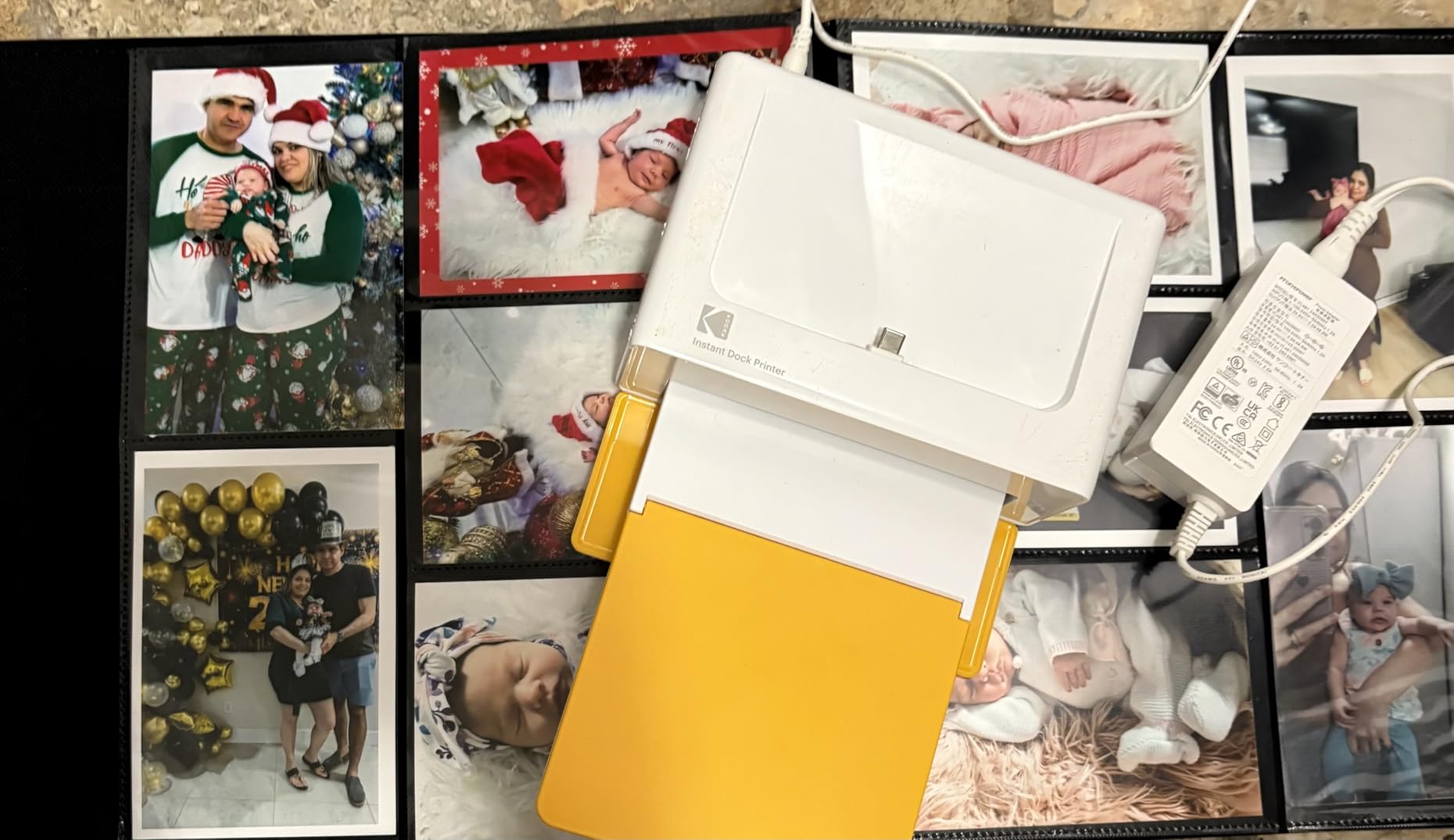
The Dock Plus is a different category of device from the eleven others here. It is a print-only 4PASS dye sublimation unit that takes 4×6 glossy paper and nothing else, and at 4.5 by 8.5 by 2 inches with 50 sheets of capacity it does one job very well. Owners treat it as an impulse-printing machine for scrapbooks, gifts and holiday cards rather than a general office machine.
That focus is the appeal. There is no ink cartridge that dries out, and the lamination layer applied across each print makes it resistant to fingerprints and water, which matters when the photo ends up in a hand rather than a frame. The dock itself holds your phone, charges it, and starts a print with one press.
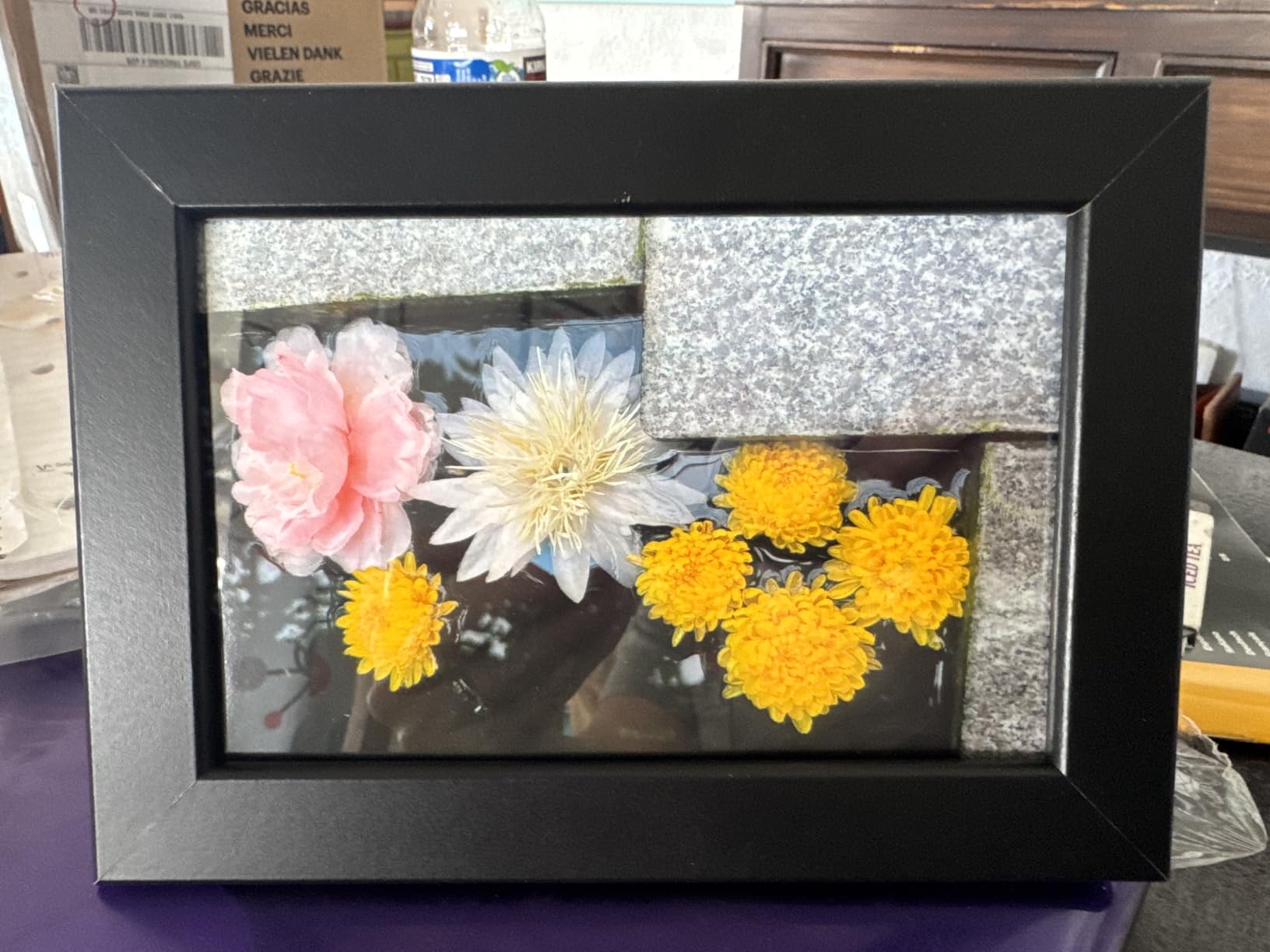
The trade-offs are real. Each photo takes roughly 55 seconds because the dye passes through the ribbon four times, and reviewers are candid that the output is not in the same class as a professional lab, particularly on skin tones and gradients. Paper jams and partial feeds show up in a share of reviews, and the tiny instruction leaflet inside the box is not enough to get you going, so budget an afternoon with the app.
Bluetooth discovery is the most common friction point. Apple devices in particular often fail to appear in the app’s device list, which pushes owners to plug the phone into the dock directly. That is a fine workflow, but it is not the cable-free experience the product is sold on. If photo quality matters more than convenience, our dedicated best photo printers guide covers the higher-end options.
What makes it worth buying
It removes a decision. There is no paper size to choose, no ink level, no print quality setting. You dock the phone, pick a photo, and it prints. For families that print a dozen photos a month rather than a hundred, that simplicity is the whole value proposition, and the consumables are easy to swap.
It is also one of the few picks here with a very large body of owner feedback behind it, which means the small annoyances are already well documented and the good parts are proven. If you have ever wanted to print phone photos on demand without a lab order, this is a simple way to start.
Where it falls short
It cannot print documents, envelopes, receipts or anything on plain paper. It cannot print anything larger than 4×6. And the print quality ceiling is low enough that anyone comparing side by side with a good inkjet on glossy photo paper will be disappointed. Buy it for convenience and durability, not for gallery quality.
3. Canon MegaTank G3270 – The Best Value Tank Printer
Canon MegaTank G3270 All-in-One Wireless Color Printer
Color inkjet
Wi-Fi and USB
11 ppm black, 6 ppm color
100 sheets
4800 x 1200 dpi
Pros
- Tank ink costs a fraction of cartridge cost per page
- Up to 6000 black and 7700 color pages per set
- App-driven head alignment
- Clean black-and-white output
- Copy and scan included
Cons
- Some owners report Wi-Fi dropping offline
- Color can look dull on cardstock
- No printed manual
- Weak scanner brightness control
- Simplex only
Canon put tank economics into a lower-priced all-in-one, and that is what makes the G3270 the value pick in this roundup. A single ink set is rated at up to 6,000 black pages and 7,700 color pages, so the per-page math lands in tank territory rather than cartridge territory. Long-term owners report running thousands of pages on the original fill and seeing the running cost fall away as their deciding factor.
Setup is handled largely in software. The Windows app walks through head alignment automatically, which matters on an inkjet because misaligned nozzles are the most common cause of streaky output. Black text comes out clean with no jams reported across the owner base, and the 1.35-inch square LCD gives you status and settings without digging for your phone.
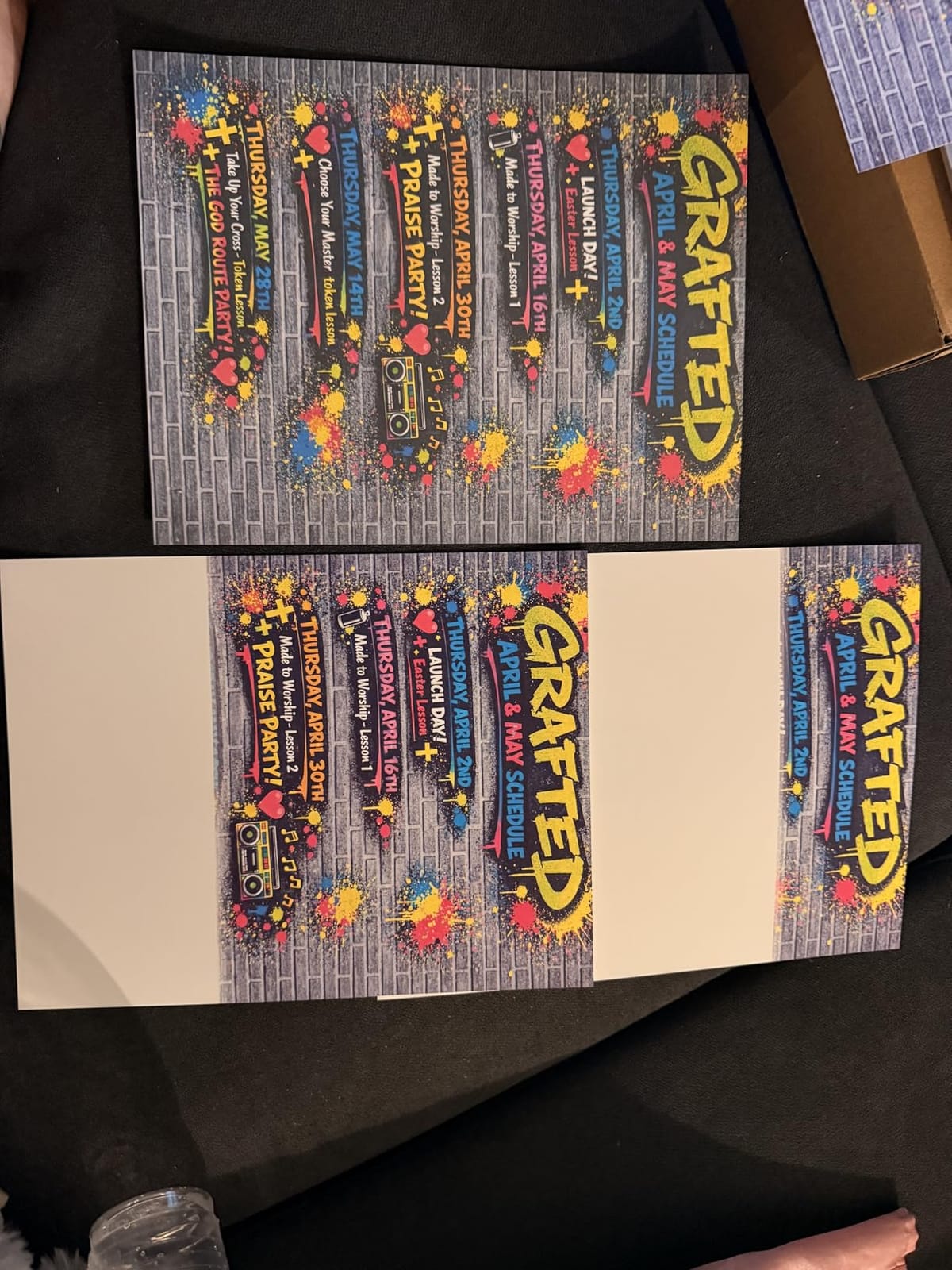
The recurring gripe is wireless. A consistent group of owners describes a connection that repeatedly drops and an app that reports the printer as unable to locate, which is the single most common complaint we saw in this category. Color accuracy also gets called dull on heavier cardstock by some reviewers, even though plain paper output is generally well received.
It is simplex only, so double-sided printing is manual, and the scanner’s brightness and contrast controls are weaker than you would want for copying faded documents. There is no printed manual in the box, so treat the app as the actual instruction set. At 13.2 pounds and 21.9 by 16.4 by 10.6 inches, it is bigger than the Epson but still a normal desktop machine.
Who buys this instead of the Epson
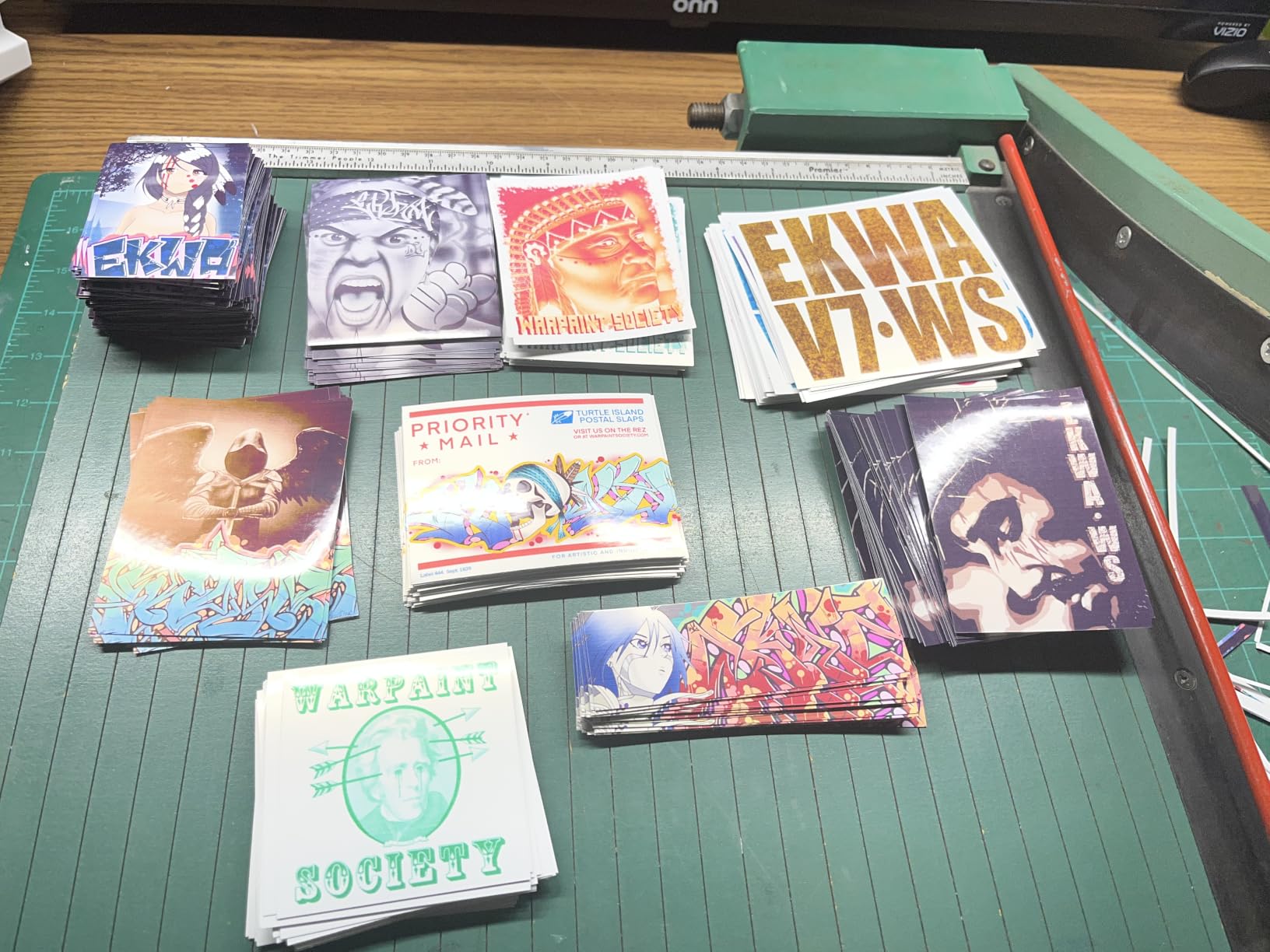
Buy the G3270 if you want a copier and scanner in the same box as a tank printer, or if you find the Canon’s per-page cost easier to live with. Canon owners who switched away from other brands frequently report strong satisfaction with color and photo output, and the Wi-Fi complaint is solvable in most cases with a firmware update and a 2.4 GHz network.
It is also the better call for a shared family machine where someone will copy a permission slip. The Epson is the better call for a single user who values the smallest footprint and the longer stated ink endurance. Both are reasonable; the G3270 simply does more per dollar.
What to watch out for
If your workspace has crowded Wi-Fi, test the connection on day one rather than day thirty. If you print on cardstock, banners or heavy photo stock often, test color on that specific paper first. And if double-sided documents are a routine part of your week, this simplex-only design will frustrate you regardless of how cheap the ink is.
4. TATTMUSE A285M – The Best Portable Thermal Printer for Travel and Field Work
Portable Printers Wireless for Travel, A285M Small Inkless Thermal Printer
Inkless thermal
Monochrome
203 dpi
1.5 pounds
Supports US Letter and A4 rolls
Pros
- Truly pocket-sized at 1.5 pounds
- No ink toner or ribbon and no clogging
- Fast Bluetooth pairing on Apple and Android
- Five paper widths supported
- Sharp text for receipts invoices and lists
Cons
- Monochrome only and cannot print on copy paper
- No alignment guides so label rolls feed crooked
- Roll output comes out tightly curled
- Laptop use needs USB-C plus a driver download
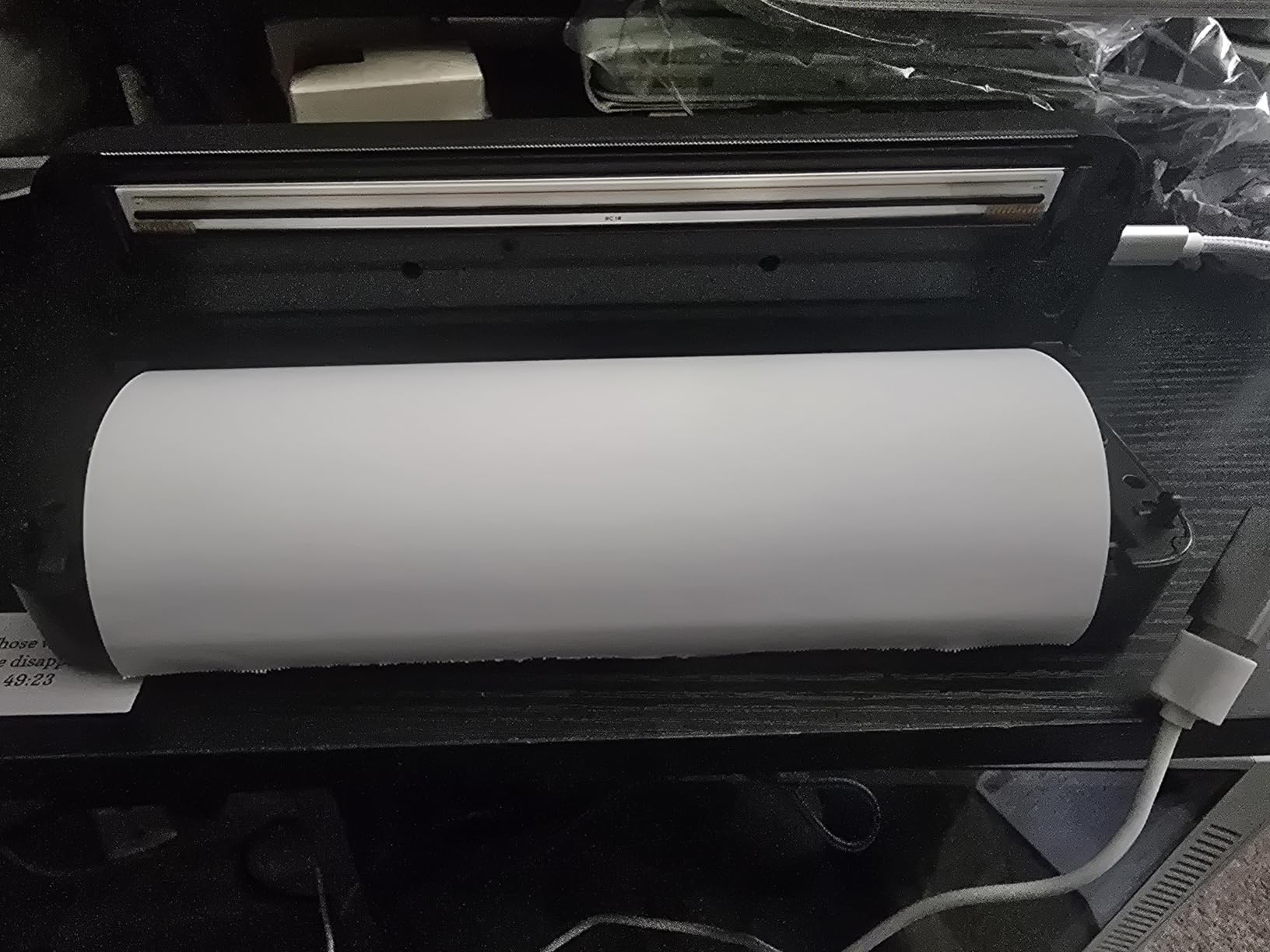
The A285M is the smallest machine in this roundup by a wide margin, at 1.5 pounds and 10.39 by 3.07 by 1.77 inches, which means it lives in a backpack rather than on a desk. Truck drivers, travelers and mobile notaries rate it highly for a simple reason: it uses no ink, no toner and no ribbon, so there is nothing to clog and no consumable cost per page.
It prints monochrome at 203 dpi through a built-in paper bin and rechargeable battery. Bluetooth pairs quickly with both iPhone and Android, and USB-C covers laptops with a driver download. It accepts five thermal paper widths including US Letter and A4, which is a wider range than most portable printers manage, and the text output is genuinely sharp for receipts, invoices, checklists and boarding passes.
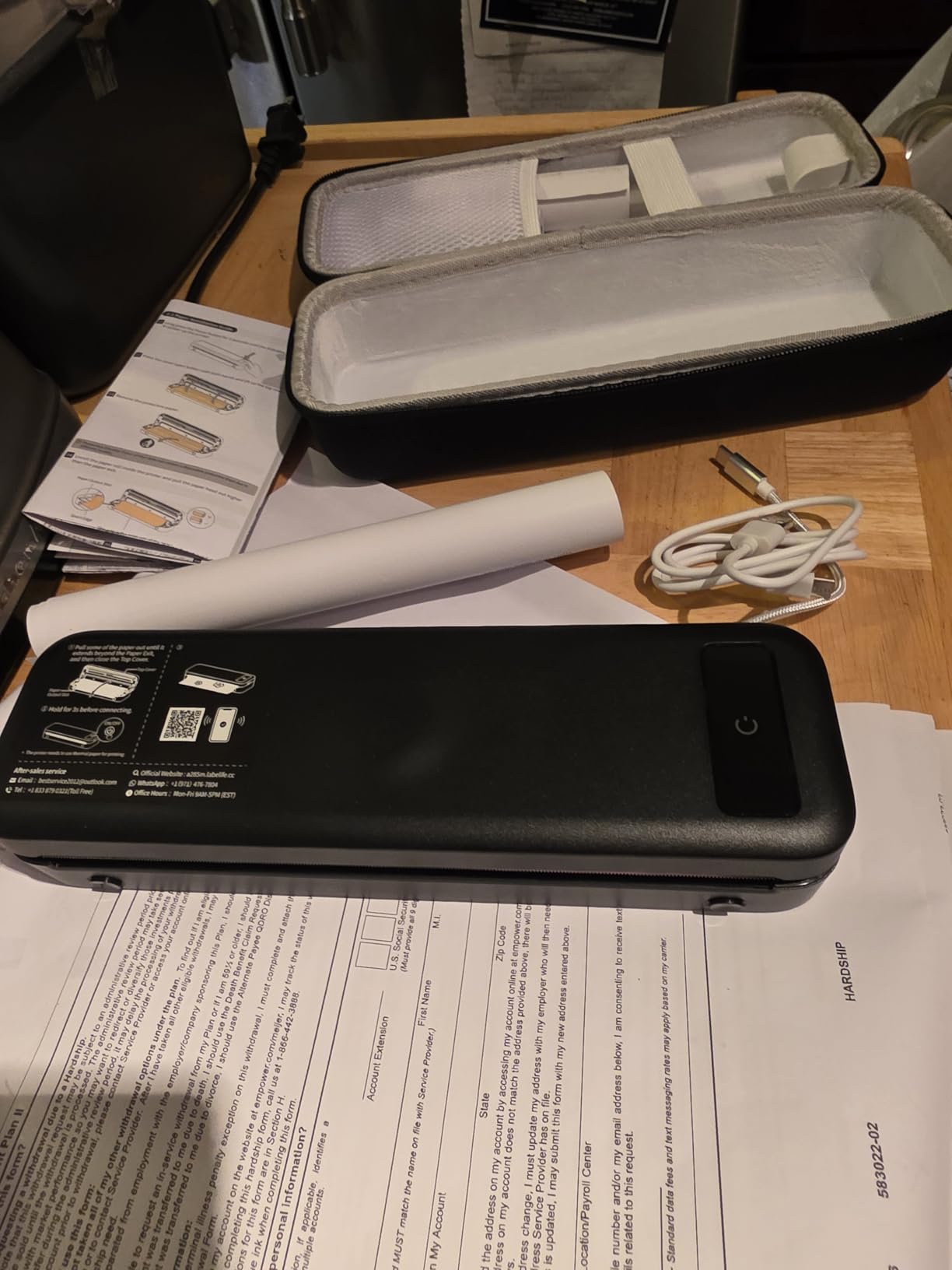
Understand what thermal printing is before you buy. The image forms chemically in the paper, so it is monochrome and permanent, and it will not print on standard copy paper at all. There are no alignment guides on the paper path, so label rolls feed crooked and get cut off partway, and the finished roll comes out tightly curled rather than flat. If you need precise labels, a dedicated unit is a better spend, and our thermal receipt printer picks cover that side.
The app adds sticker and layout tools that are useful for quick tag generation, though it is another layer of software between you and the paper. Anyone shopping for flat photo prints should look elsewhere, since 4×6 metric photo rolls are not supported.
When this one earns its place
It earns its place when printing happens away from a desk. A field service technician, a market stall operator, someone working from a vehicle, or anyone who needs a signed document on the spot has a use case here that no other pick on this list can meet. The zero-consumable design also means a machine that sits in a glovebox for six months still works on the first press.
Compared with buying a small inkjet for the same purpose, the running cost is the argument that wins. There is nothing to replace and nothing to dry out, so the total cost is the hardware and a roll of paper.
When to choose something else
Choose something else if you need color, if you need to print on ordinary paper, or if you need accurately aligned labels. Choose something else if you plan to print 4×6 photos. The curl and the missing guides are design limits rather than defects, so no amount of careful setup will remove them.
5. Brother DCP-L2640DW – The Best Laser Printer for Small Offices
Brother DCP-L2640DW Wireless Compact Monochrome Multi-Function Printer, Copy, Scan, Duplex, Mobile Printing
Monochrome laser
Automatic duplex
36 ppm
250-sheet tray
50-page ADF
Pros
- 36 ppm monochrome in a compact three-in-one
- 50-page automatic document feeder
- Dual-band 2.4 and 5 GHz Wi-Fi plus Ethernet
- 250-sheet main tray
- Scan-to-email for daily workflows
Cons
- Weighs 25 pounds
- High entry cost for a mono laser
- Brother Mobile Connect app needed for remote supply management
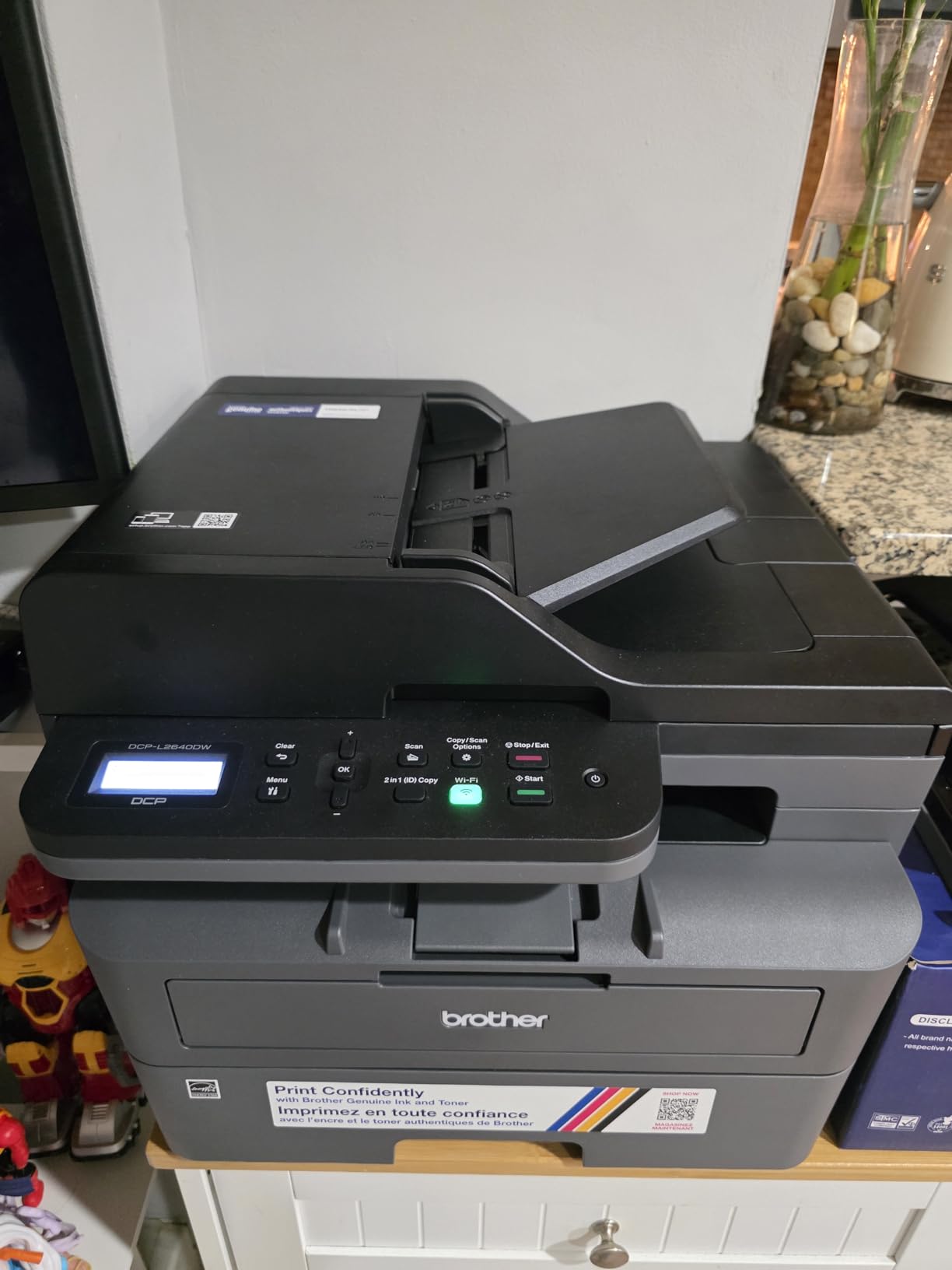
If your printing is documents rather than photos, a laser changes the economics. The DCP-L2640DW runs at 36 pages per minute monochrome with automatic duplex as standard, and it does it in a body that is smaller than the Canon inkjet it competes with on price. Owners describe it as a dependable small-business workhorse rather than a home gadget, which matches exactly what it is.
The 50-page automatic document feeder is the feature that changes daily work. Scanning a signed contract, a multi-page form or a stack of receipts no longer means standing at a flatbed. The flatbed is still there for photos and odd sizes, and the sheetfed path handles everything else. Dual-band Wi-Fi plus Ethernet and USB means the machine drops onto an office network cleanly.
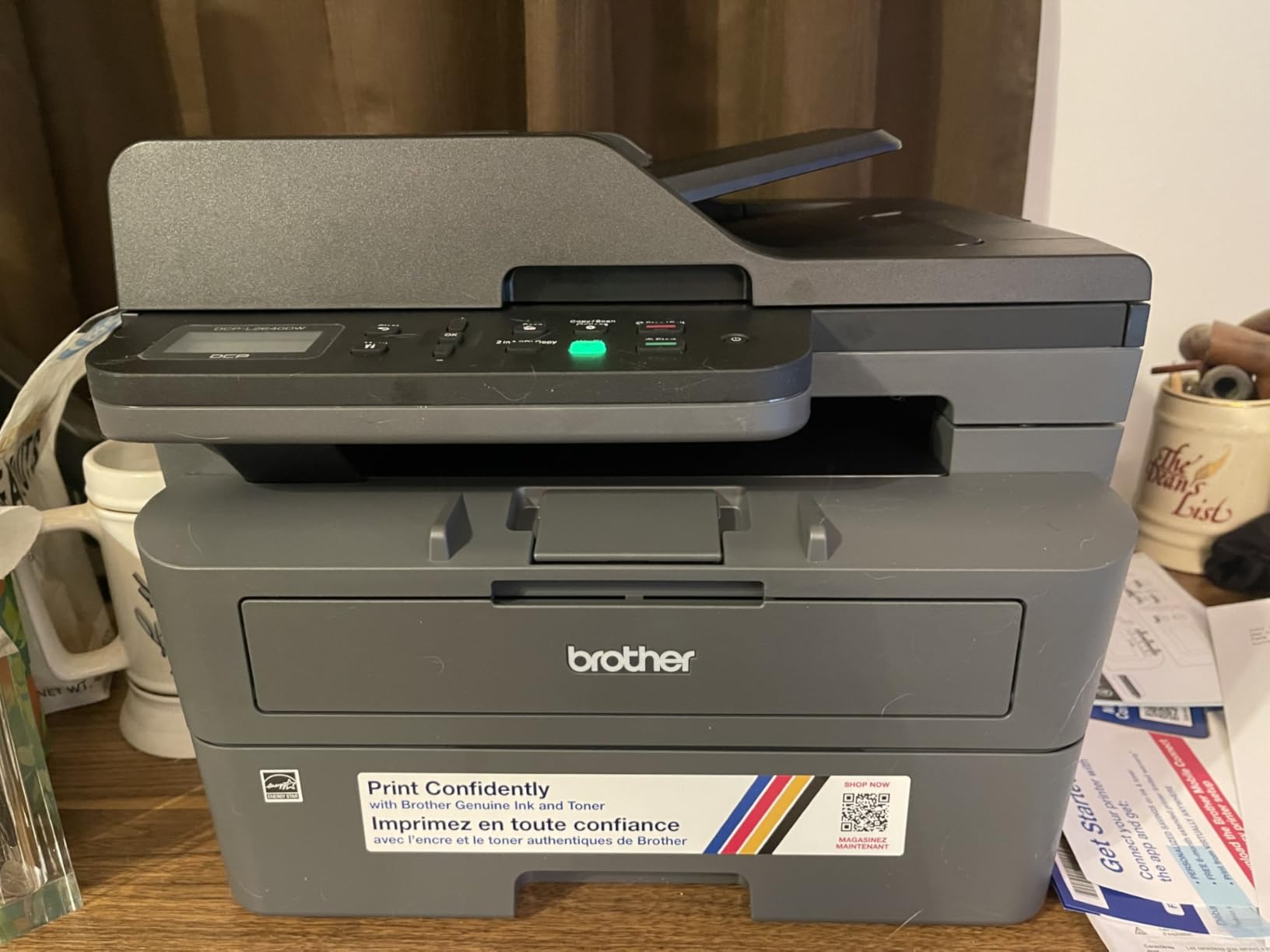
At 25 pounds and 15.7 by 16.1 by 12.5 inches, it is a substantial object and you set it on a credenza rather than a shelf. The up-front cost is also higher than an entry-level mono laser, and the Brother Mobile Connect app is required for remote management and toner ordering, which owners occasionally resent. Toner is Brother Genuine TN830 and TN830XL, and the page yield on those cartridges is what keeps the per-page figure low.
Print quality is crisp black text at up to 1200 x 1200 dpi, with no smudging, no drying risk and no warm-up cycles. Scanning runs at 23.6 pages per minute on the faster path. This is the printer that can sit in a closet over the summer and print on the first job in September.
Why it beats every other laser here
Three reasons. The 250-sheet tray and 50-page feeder together handle real workloads without constant refilling. Automatic duplex is included rather than sold as an upgrade, which is rare at this size. And the three-function design means one machine covers print, copy and scan, so you are not running a separate scanner alongside it.
Forum discussion about laser ownership is consistently positive on longevity, with users describing Brother units as working for years without attention. That is the practical advantage of toner over ink: there are no nozzles to keep wet, and the machine does not care how long it sat unused.
Who should not buy it
Do not buy it if you print color. This is monochrome only, and there is no path to color output from it at any point. Do not buy it if you need heavy graphics or photos, and do not buy it if shelf space is the constraint, because at 25 pounds it needs a real surface. For a single desk in a study, the HP M140w is the more sensible footprint.
6. Canon PIXMA TS4320 – The Best Compact All-in-One for Small Desks
Canon PIXMA TS4320 – Wireless Color Inkjet Printer with Print, Copy, Scan
Color inkjet
Automatic duplex
14 ppm black, 9 ppm color
100 sheets
1200 x 1200 dpi
Pros
- Low-cost print copy and scan in one unit
- Automatic two-sided printing at this tier
- Dual-band Wi-Fi for stable connections
- Compact 14 by 14.8 inch footprint
- Works with AirPrint and Mopria
Cons
- Two-cartridge hybrid system needs frequent black changes
- Replacement ink is costly relative to the printer
- Pushes app installs and firmware updates
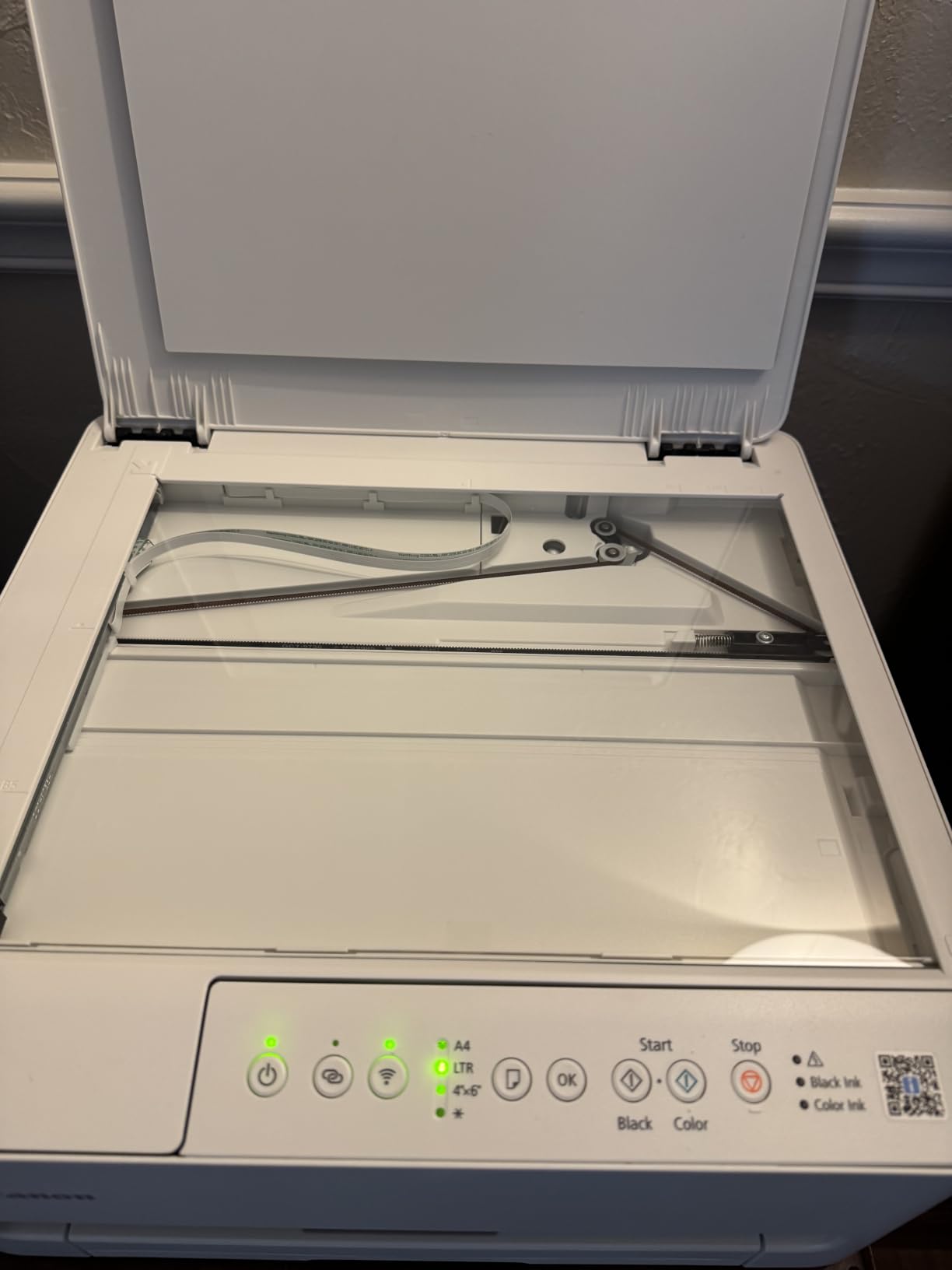
The TS4320 answers a narrow question well: can you get a working color all-in-one with automatic duplex that fits a small desk and does not cost much? Yes. At 14.8 by 14 by 6.7 inches it is among the smallest machines in this roundup, and at 14 pages per minute black and 9 color it is quicker on paper than the Epson and the Canon MegaTank.
Automatic duplex at this price tier is the real headline. Most rivals at the price point force you to flip the stack by hand, and having it standard on a compact body means school assignments and reports print both sides without friction. Dual-band Wi-Fi handles homes with crowded 2.4 GHz networks, and it works with Apple AirPrint and Mopria as well as the Canon PRINT app.
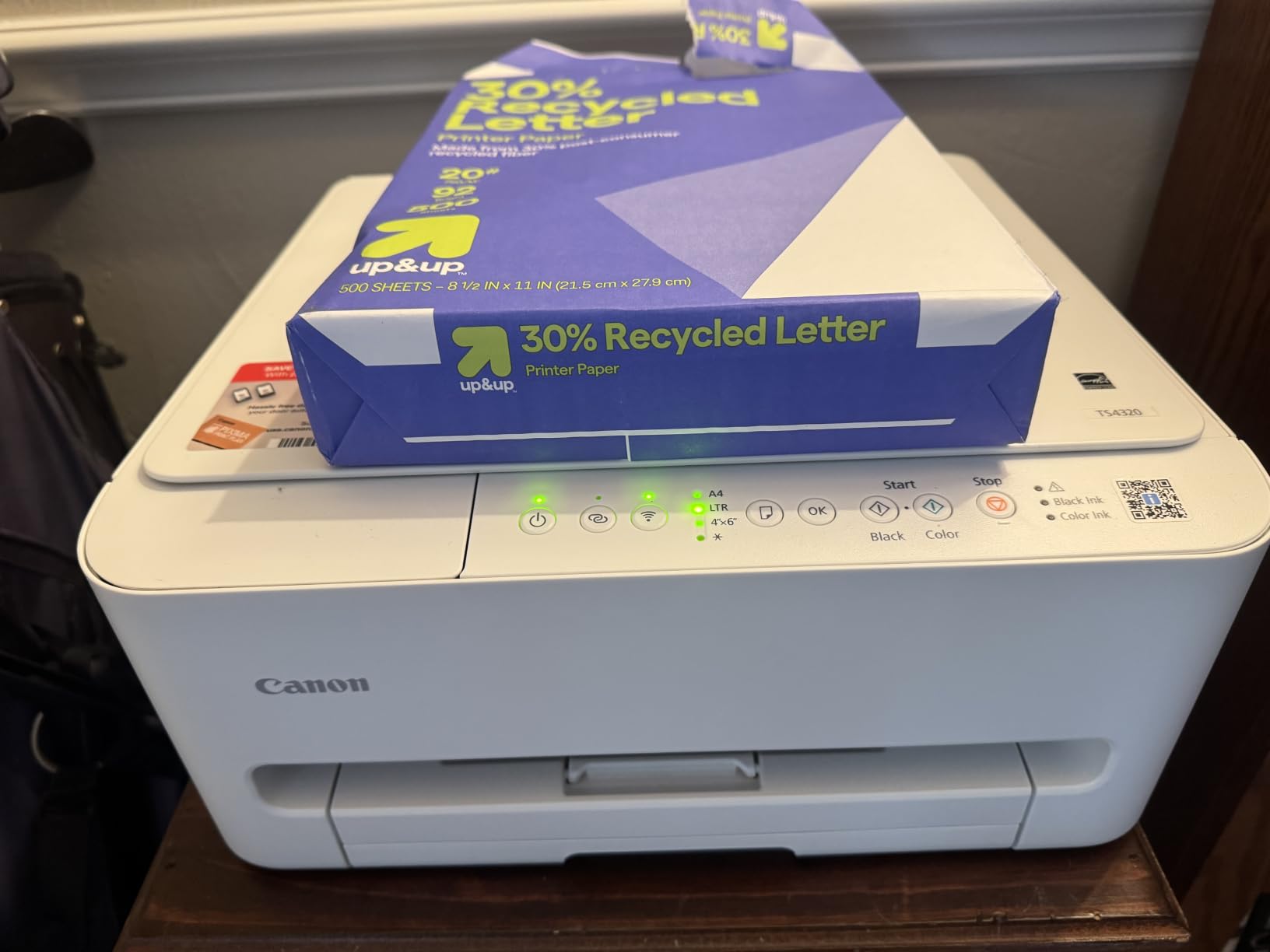
Now the caveat, and it is a large one. This uses a two-cartridge hybrid ink system rather than a tank, and the black cartridge runs out often. Owners report the replacement ink being expensive enough that a heavy-printing household can spend more on ink than on the printer. It is also Energy Star and EPEAT Silver certified, which helps a little with the running picture, but not much.
The other irritation is pushy. Owners repeatedly mention prompts to install the app and accept firmware updates that they did not ask for. It carries a three-year manufacturer warranty, which is unusually long in this category, and borderless and bordered output works up to 8.5 by 11 inches.
Who this is genuinely for
A student, a renter with one desk, or a household printing maybe 30 pages a month fits this machine well. If duplex and a small footprint are the priority and volume is low, the cartridge economics never get a chance to hurt you. Most buyers describe it as a no-fuss first printer that connects easily and handles school documents without complaint.
It is also a reasonable second machine for a home office where a laser already handles the document work and this one handles color. That pairing is a deliberate strategy regulars on r/printers recommend: a laser for text, an inkjet for photos.
Why not spend a little more
If you expect to print more than a few hundred pages a year, move up to a tank model. The jump in running cost between a hybrid cartridge setup and a refillable tank is large enough that it pays back quickly. The TS4320 is the right answer to a small problem, not a growing one.
7. Canon PIXMA TS6520 – The Best Budget All-in-One with a Real Display
Canon PIXMA TS6520 Wireless Color Inkjet Printer, Duplex Printing, Copier/Scanner, 1.42″ OLED Display, Compact, White
Color inkjet
Automatic duplex
1.42-inch OLED
14 ppm black, 9 ppm color
1200 dpi
Pros
- Automatic duplex in a compact body
- Clean fast output with good color
- Many users printing within ten minutes of setup
- Holds steady Wi-Fi across multiple devices
- Quiet operation in a compact white chassis
Cons
- The 1.42-inch OLED is awkward to navigate
- Starter cartridges print very few pages
- PG-295 and CL-286 ink is hard to find and costly
- App and firmware prompts annoy owners
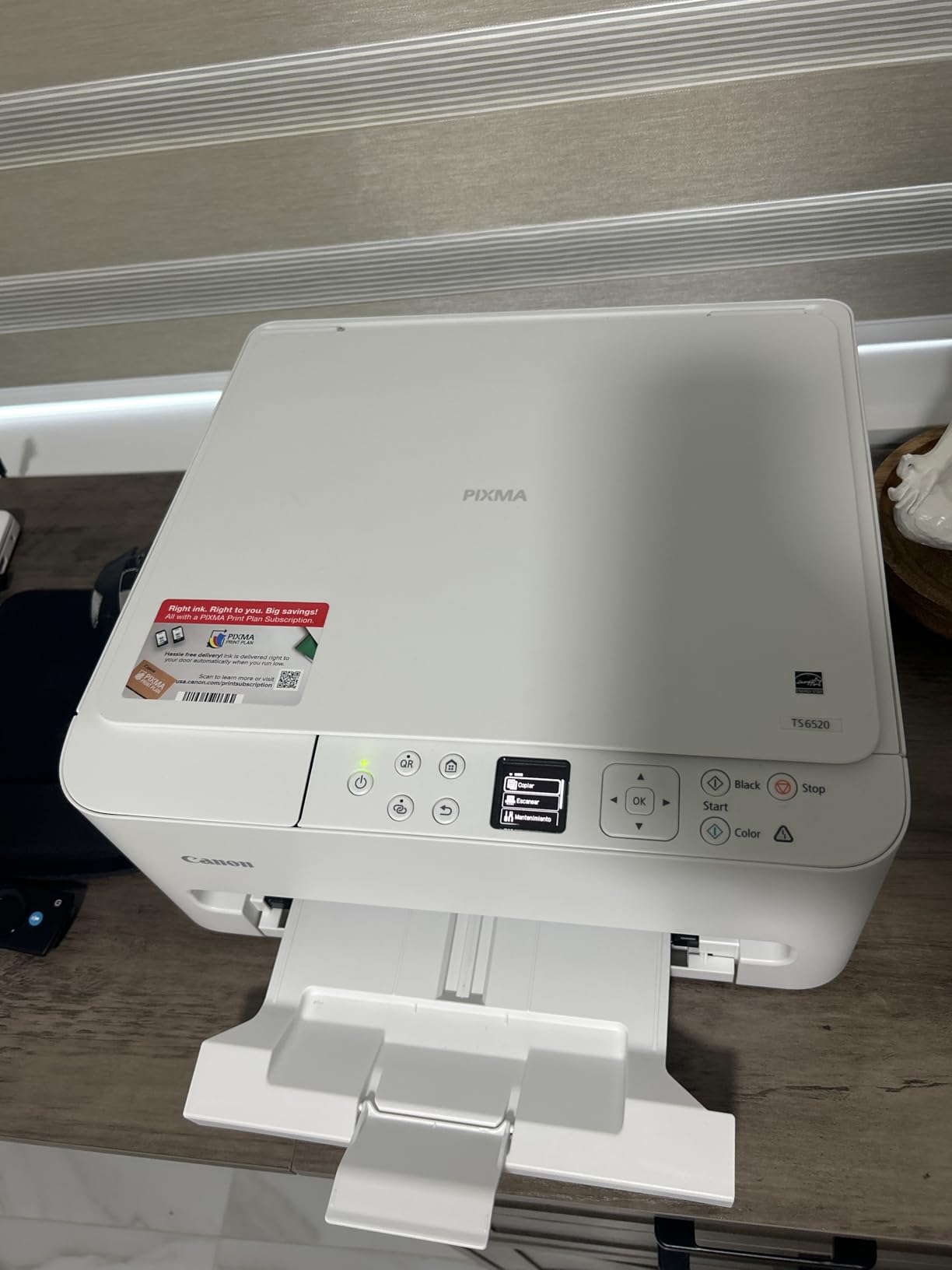
The TS6520 is the Canon most people should actually buy, and the reason is the combination of automatic duplex and reliable wireless. Owners treat it as the sweet spot in the budget range because it does the two things that matter most at home without moving up a size class. Print speed matches the TS4320 at 14 pages per minute black and 9 color, with resolution up to 1200 x 1200 dpi.
Setup speed is the surprise. A large share of owners report printing within ten minutes of opening the box, and the wireless connection holds across a laptop, a desktop and a phone on the same network. Borderless and bordered printing both work up to 8.5 by 11 inches, and a three-year manufacturer warranty is longer than most rivals in this range offer.
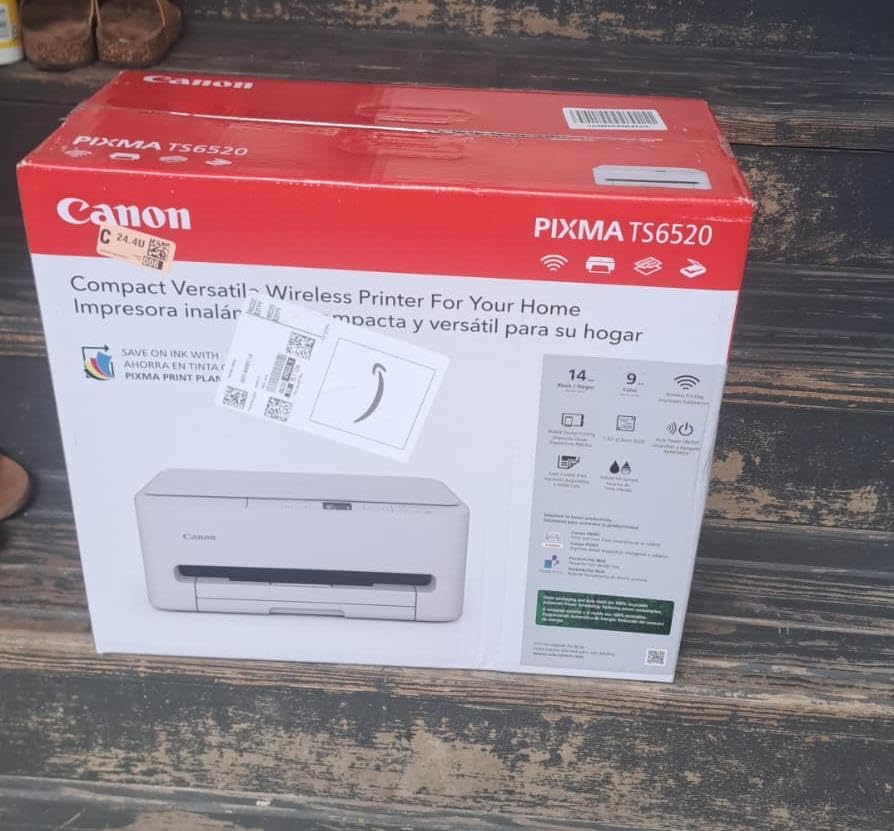
The screen is the weak point. A 1.42-inch monochrome OLED is technically a display and practically an irritation, with owners describing it as small and awkward to navigate for anything beyond a status glance. If you want a usable control panel, the HP Envy 6155 further down has a 2.4-inch color touchscreen instead.
The ink story is the same caution as the TS4320. PG-295 black and CL-286 color cartridges are described as hard to source locally and costly relative to the machine, and the starter cartridges print very few pages before the replacement warning appears. Add the recurring complaints about app install prompts and firmware updates, and the picture is clear: cheap machine, moderate running cost, slightly annoying software.
Why we rate it above the TS4320
Two things. The duplex is automatic, which the lower Canon in this list also has but the market norm at this price is not. And the wireless behavior is steadier in owner reports, with multiple devices holding a connection over time rather than needing a reset. At 15.4 pounds and the same 14.8 by 14 by 6.7 inch footprint, the physical trade-off is manageable.
For a student apartment, a home office that mostly needs color, or a family that prints weekly rather than daily, this is the least compromising budget choice in the roundup.
Who should step up instead
Step up to a tank model if you print more than a few hundred pages a year, because the cartridge cost per page will overtake the machine cost. Step up if you want a screen you can actually read, or if you need a document feeder for multi-page scanning, since this unit is flatbed only. And step up to a laser if your documents are text-heavy, because inkjet black text on a fresh cartridge still needs a moment to dry.
8. Liene M100 – The Best Starter Bundle for Dye Sublimation Photos
Liene M100 4×6” Photo Printer, Phone Printer 100 Sheets & 3 Cartridges, Full-Color Photo, Portable Instant Photo Printer for iPhone Android, Thermal Dye Sublimation, Wi-Fi Picture Printer 100 Papers
Dye sublimation
300 x 300 dpi
4x6 output
Bundled with 100 sheets and 3 cartridges
Pros
- 100 sheets of photo paper and three cartridges in the box
- Built-in Wi-Fi hotspot needs no external network
- Up to five devices connected at once
- Laminated prints resist water scratches and fading
- App includes ID and passport photo tools
Cons
- Proprietary cartridges limit sourcing options
- Print head needs manual cleaning if photos smudge
- 20-sheet tray means constant reloading
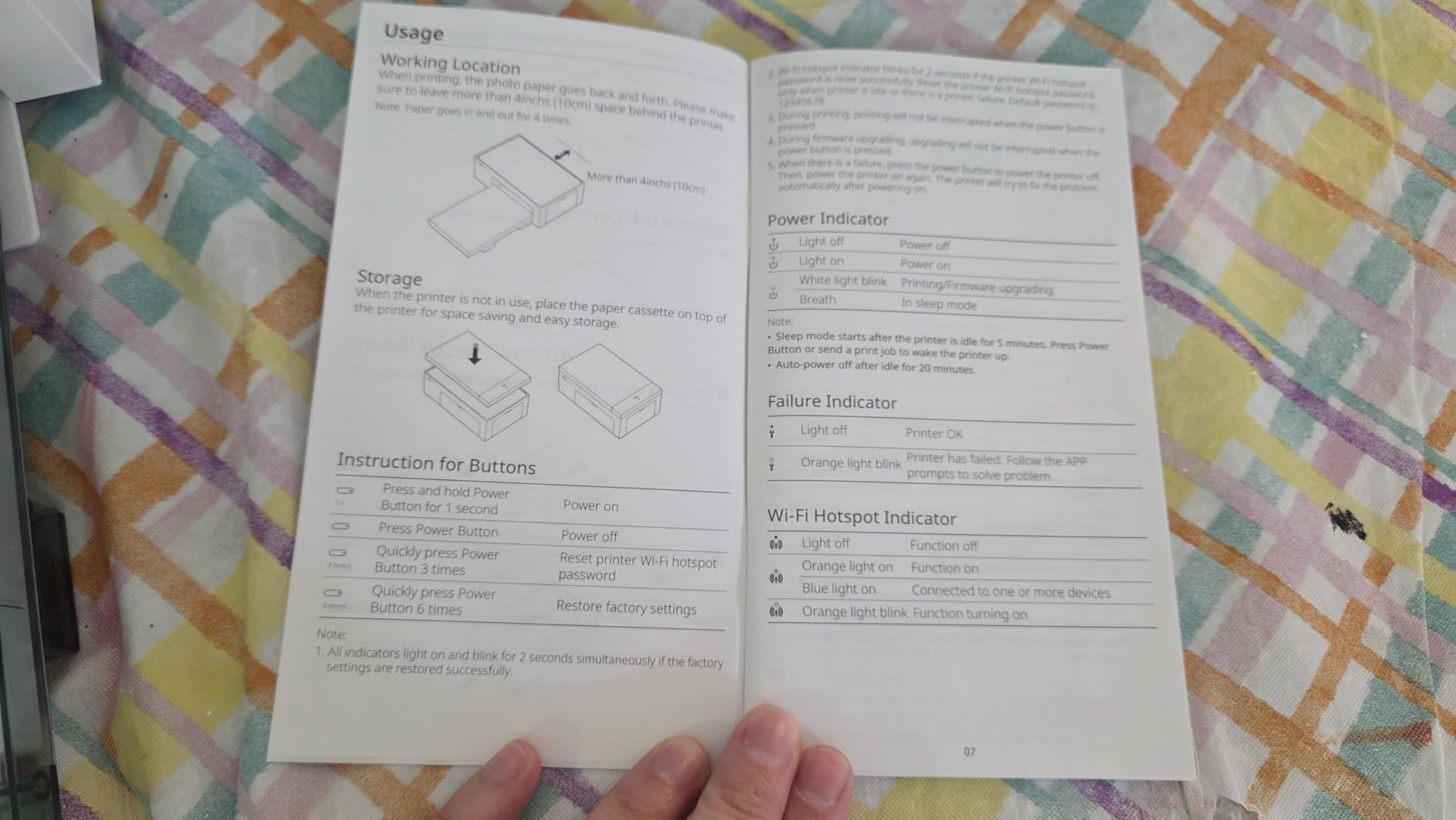
The M100 is the most complete package in this roundup, and that is a low bar here. The box contains 100 sheets of 4×6 photo paper and three color cartridges, which means you can print the day it arrives instead of waiting for a first supply order. At 200 grams and 7.48 by 9.84 by 7.48 inches it is genuinely small, with a magnetic body and a sealed paper cassette that keeps dust out.
The connection method is the clever part. Instead of relying on your home network, the printer runs its own Wi-Fi hotspot, so a guest, a kid or a customer can print without joining your network or dealing with Bluetooth pairing. Up to five devices can connect at once, and the app adds filters, borders and ID and visa photo layouts for people printing documents rather than pictures.
Output is 4×6 dye sublimation at 300 by 300 dpi with a first print time of about 59 seconds, and the lamination layer on each photo resists water, scratches, fingerprints and fading. That durability is a real difference from inkjet photos, which scuff and fade faster. The rating on this unit reflects how little owners have to complain about once it is set up.
The limitations are all about scale. It is a single-sheet 20-sheet tray, so printing a batch means reloading constantly. It uses proprietary Liene cartridges, which limits where you can buy ink and paper. And if photos start to smudge, the print head needs manual cleaning, which is a small maintenance task that catches some owners out.
What the bundle actually saves
It removes the first two rounds of trial and error. Most photo printers arrive with a starter cartridge that runs out in 20 prints and a partial pack of paper, so the second purchase comes sooner than anyone expects. This one arrives set up for a couple of hundred prints, and the five-device hotspot means nobody has to ask for your Wi-Fi password.
It also sidesteps a specific failure that owners of Bluetooth photo printers complain about constantly. Because the printer creates its own network, iPhone and Android devices connect the same way, with no pairing menu and no discovery problems. For a gift, a classroom or a small studio that hands out photos to people, that reliability is worth more than a higher resolution figure.
Where it stops short
It prints 4×6 only. There is no 5×7, no letter size and no borderless A4, so if you want a borderless print on a larger sheet, this is the wrong machine. It is also print-only, with no scanner or copier, and the 20-sheet tray makes it a poor choice for anyone producing photos in volume. For dedicated photo quality comparisons, our photo printer guide goes deeper.
9. HP LaserJet MFP M140w – The Best Monochrome Printer for the Smallest Space
HP Laserjet MFP M140w Wireless Black & White Printer, Print, scan, Copy, Fast speeds, Easy Setup, Mobile Printing, Best-for-Small Teams
Monochrome laser
Flatbed copy and scan
21 ppm
99 sheets
Simplex
Pros
- Very small footprint that fits a shelf or small desk
- Fast clear monochrome output at 21 ppm
- Flatbed copy and scan for single documents
- Reliable with AirPrint Mopria Android and Chromebook
- Often works with plain Windows drivers
Cons
- Simplex only with no automatic duplex
- Long cooling pauses during big jobs
- Introductory toner runs out quickly
- Blocks non-HP chips in cartridges
- Occasional paper misfeeds reported
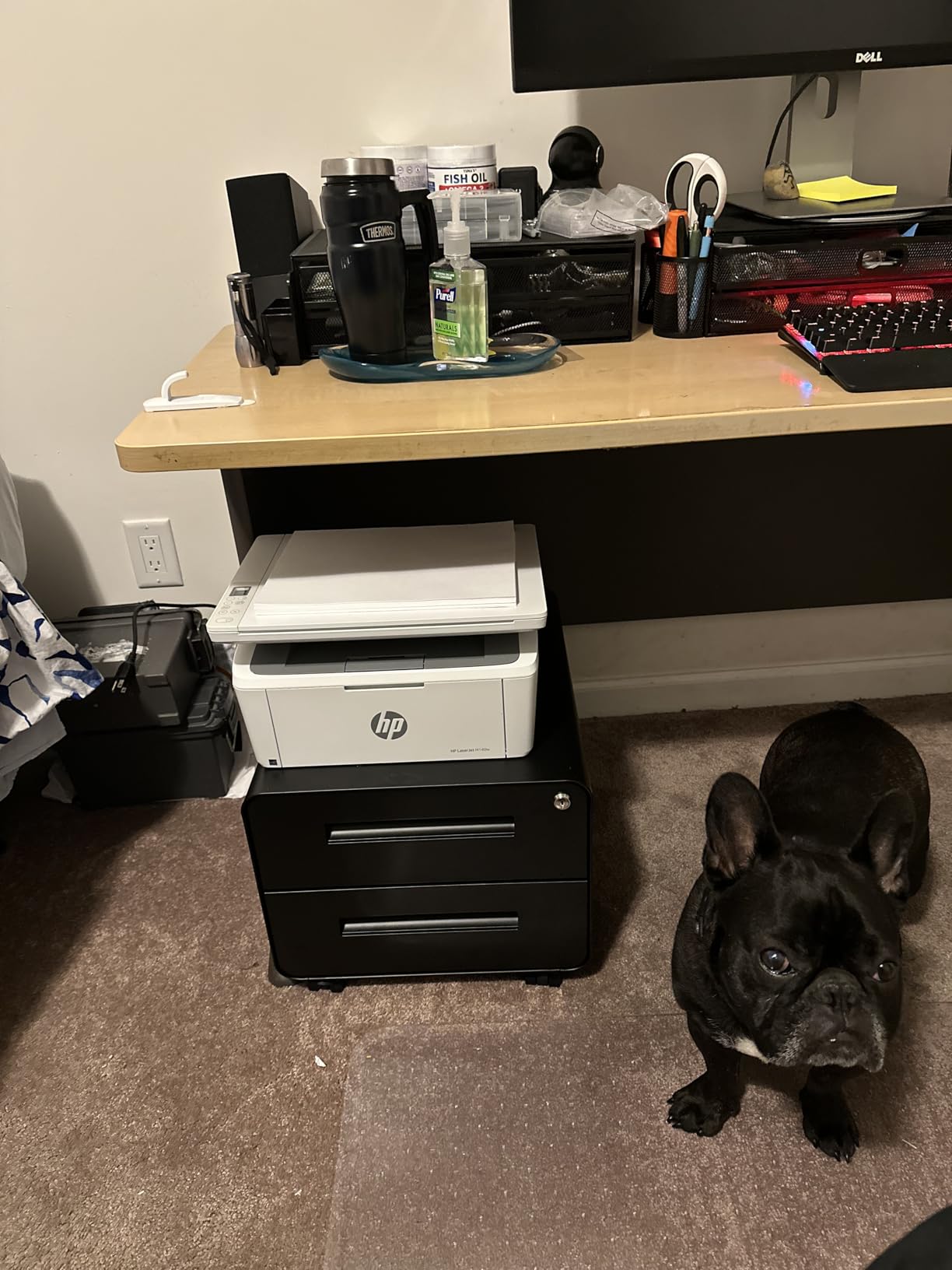
The M140w solves a housing problem. At 10.4 by 14.2 by 7.8 inches and 11.9 pounds, it is the smallest laser all-in-one in this roundup, and for someone with a single shelf in a study that is the deciding factor. It prints monochrome at up to 21 pages per minute with a flatbed scanner for copies and scans.
Laser output means sharp, permanent text that does not smudge if you grab a page straight off the tray, and the machine tolerates long idle periods without complaint, which is exactly what users report. It works with Apple AirPrint, Mopria, Android and Chromebook out of the box, and a number of owners report it working fine with the plain Windows drivers instead of installing the multi-hundred-megabyte HP package.
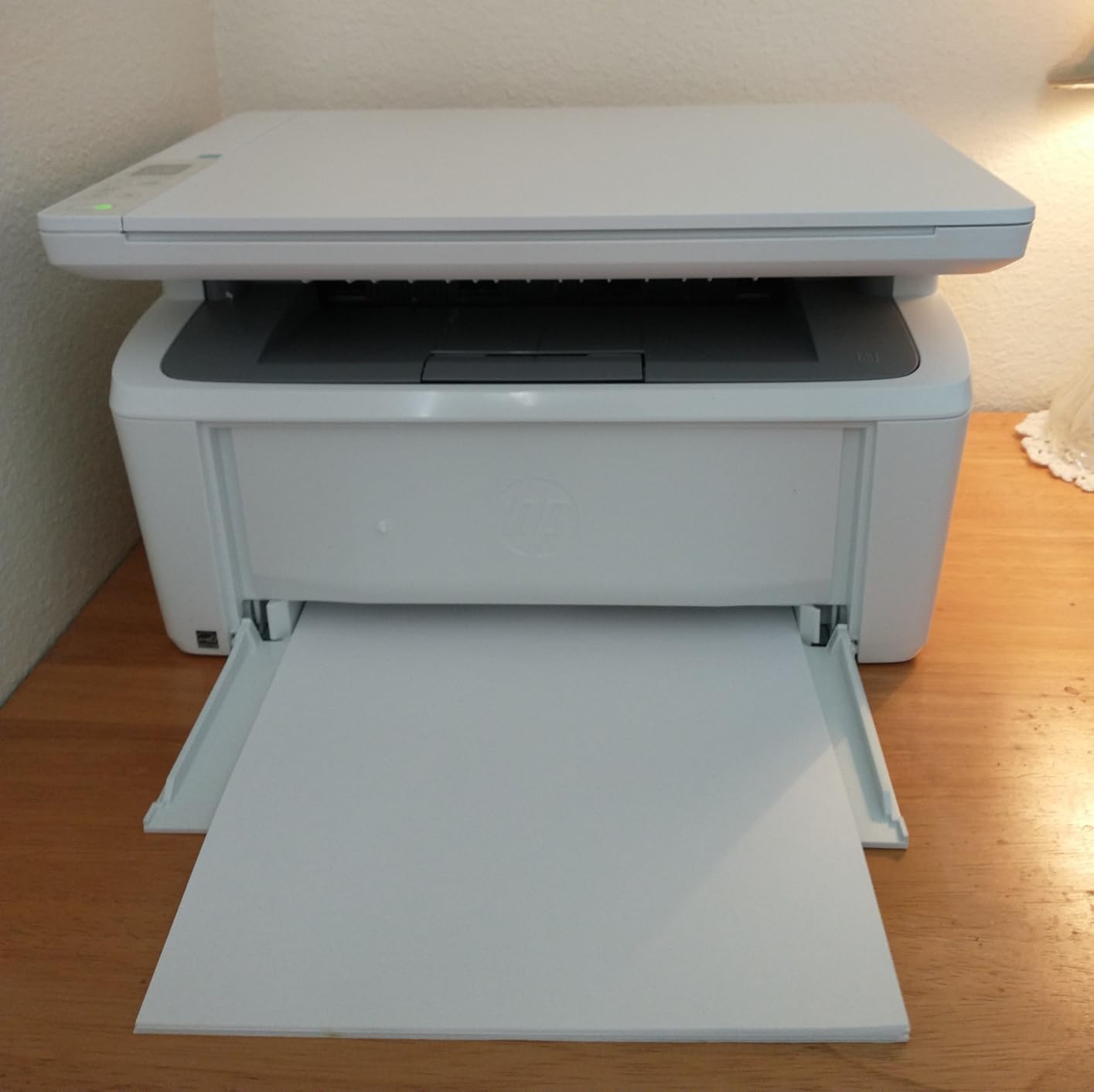
The compromises are specific and worth knowing. There is no automatic duplex, so double-sided documents are manual. The air flow design leads to long cooling pauses partway through large jobs, which is unusual in a machine this small and a genuine annoyance on a 100-page print. The introductory toner cartridge is the small one, and some users report roughly 50 pages from it, which is a rough first impression for a new owner.
It also blocks cartridges without HP chips, and firmware updates reinforce that lock-in. Paper misfeeds show up in a minority of reviews, though nothing suggests a systemic problem. Paper capacity is 99 sheets, and the one-year limited hardware warranty is the shortest of the group here.
When the small footprint decides it
Buy this one when space, not features, is the constraint. A home office in a flat, a spare room desk, or a study where the printer has to live on a bookshelf rather than a cabinet are all situations where the competing machines become annoying. As a print, scan and copy monochrome unit for one or two people, it covers the job without excess.
It is also a good second opinion for anyone considering a printer subscription. The HP Smart app handles mobile print, copy and cloud scanning, and AirPrint means most iPhone printing needs no setup at all. Our label printer guide covers the shipping-label angle separately.
What to upgrade to if you can
Move up to a Brother DCP-L2640DW if you need duplex and a document feeder, or to the HP LaserJet Pro 3101sdw if you want 40 pages per minute and a 250-sheet tray. Those machines cost more up front and save irritation later, which is the better trade the moment printing becomes a weekly habit rather than an occasional task.
10. HP LaserJet Pro MFP 3101sdw – The Fastest Monochrome Output in This Roundup
HP LaserJet Pro MFP 3101sdw Wireless Black and White All-in-One Laser Printer, Office Printer, Duplex, Best-for-Small Teams (9D2X4F)
Monochrome laser
Automatic duplex
40 ppm print, 35 ppm copy
250-sheet tray, 50-sheet ADF
Pros
- Up to 40 ppm print and 35 ppm copy
- Automatic duplex with a 250-sheet tray and 50-sheet ADF
- Wi-Fi reconnects on its own after an outage
- Quiet enough for long duplex runs
- Scan-to-email works reliably
Cons
- Firmware and toner chip coding lock you to HP toner
- Build quality is light and the tray flexes
- Cold startup time is long
- Setup can throw a false no-paper error
- Keep ADF loads under about 25 sheets
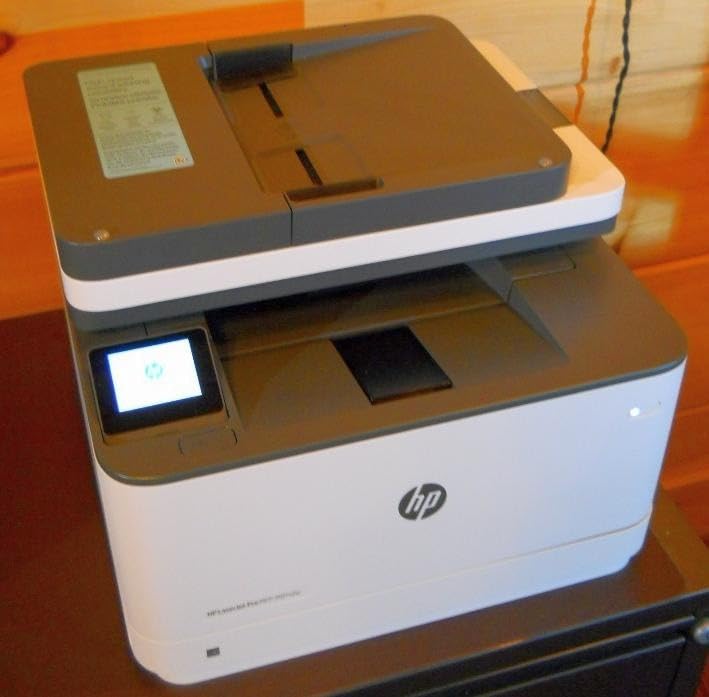
At up to 40 pages per minute for printing and 35 for copying, this is the fastest monochrome machine here, and it comes with the paper handling to match: a 250-sheet input tray, a 250-sheet output tray and a 50-page automatic document feeder as standard. Automatic duplex at that speed means a long report prints both sides without anyone standing at the machine.
Owner sentiment is unusually consistent. People describe it as fast, quiet and reliable, and specifically mention the wireless connection recovering on its own after a power outage, which is the kind of small failure that erodes trust in an office machine. Scan-to-email and printing from a phone or tablet both work reliably, and it connects by Wi-Fi, Ethernet or USB.
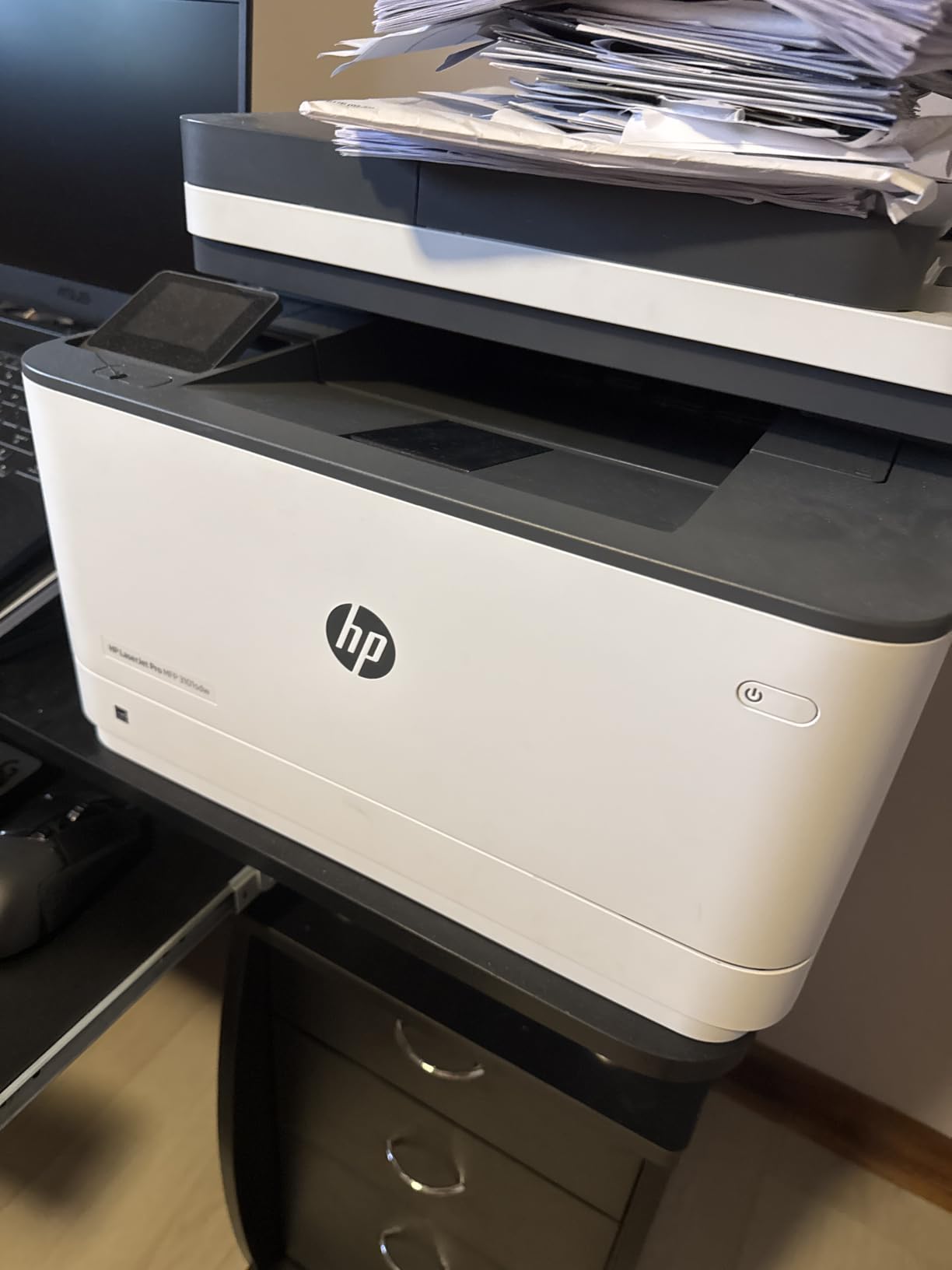
The significant drawback is supply lock-in. Firmware and toner chip coding restrict the machine to HP-branded cartridges, and third-party refill programs are blocked. Add a light build where the paper tray flexes when held, a long cold startup time, and a setup that can report a false no-paper error, and the experience is not flawless even at this price.
On the scanner, keeping the automatic document feeder at roughly 25 sheets rather than filling it avoids jams, according to owner guidance. Print resolution goes up to 1200 by 1200 dpi, copies run to 999 in a single job, and there is a one-year limited warranty. At 23.1 pounds, it is a desk-adjacent machine rather than a shelf one.
Where it beats the Brother lasers
Speed is the gap. Forty pages per minute against 36 sounds marginal on paper, but over a year of invoices and reports it is the difference between finishing a job in one sitting and walking away from it. The bundled 250-sheet tray also removes a weekly chore that the Brother DCP-L2640DW shares but the smaller machines here do not.
Its second advantage is workflow. Wireless printing from a phone, scan-to-email and a full 250-sheet output tray are conveniences that matter more in a shared office than in a study, and they come as standard rather than as accessories.
Who should skip it
Skip it if you are price-sensitive about supplies, because the HP toner lock-in means your per-page cost is set by one supplier for the life of the machine. Skip it if you only print a few pages a month, because the capability is wasted. And skip it if color is on the agenda, because there is no color path through this printer at any price.
11. Brother HL-L2460DW – The Best Print-Only Monochrome Laser
Brother HL-L2460DW Wireless Compact Monochrome Laser Printer with Duplex, Mobile Printing, Black & White Output | Includes Refresh Subscription Trial(1), Works with Alexa
Monochrome laser
Automatic duplex
36 ppm
250-sheet capacity
Ethernet and dual-band Wi-Fi
Pros
- 36 ppm monochrome with automatic duplex
- 250-sheet tray handles high-volume jobs
- Dual-band Wi-Fi plus Ethernet and USB
- Manual feed slot for envelopes and specialty paper
- Compact footprint for a full-featured laser
Cons
- Print-only with no scanner or copier
- Brother Mobile Connect app needed for remote management
- Toner is Brother Genuine TN830 and TN830XL
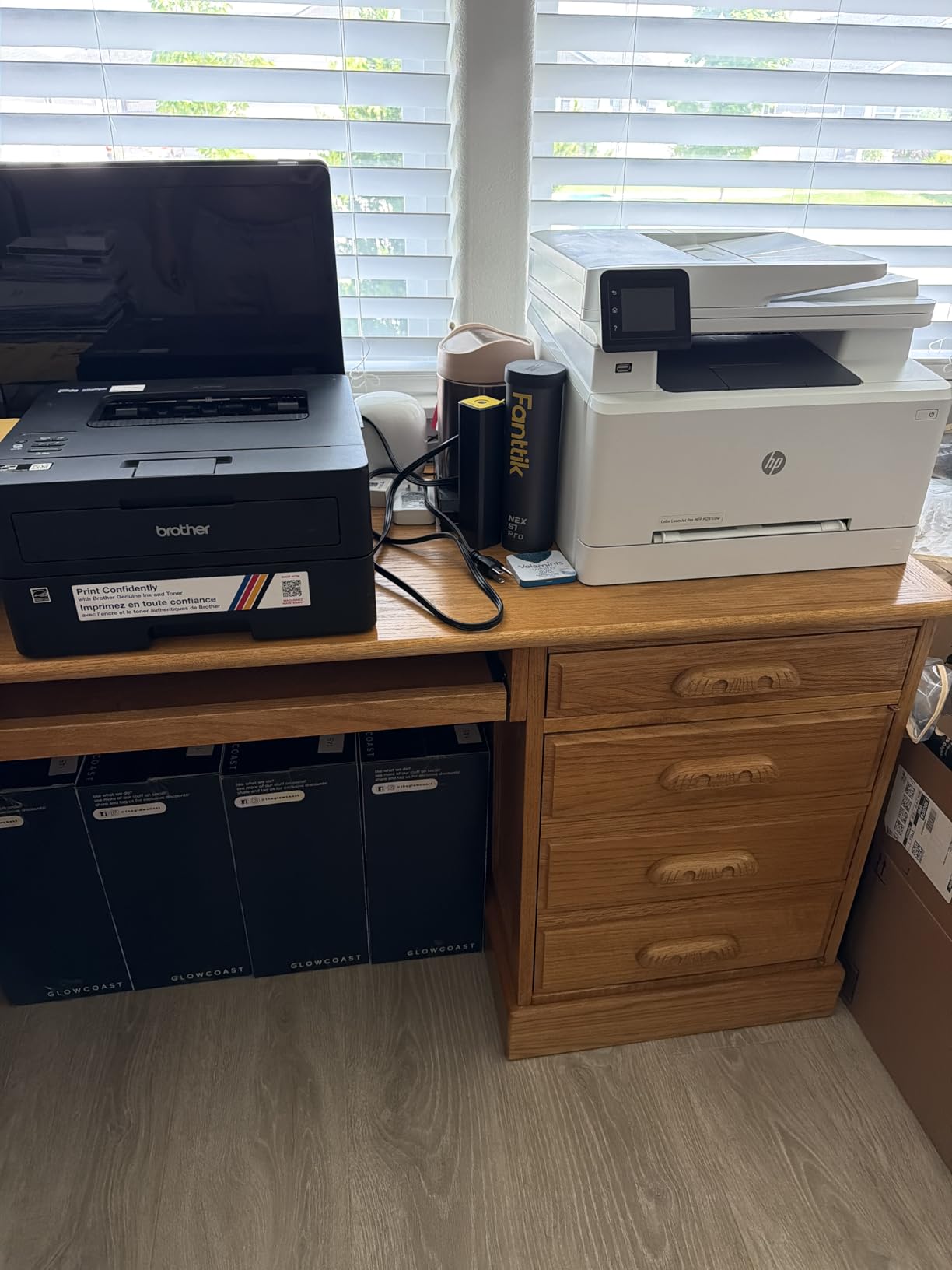
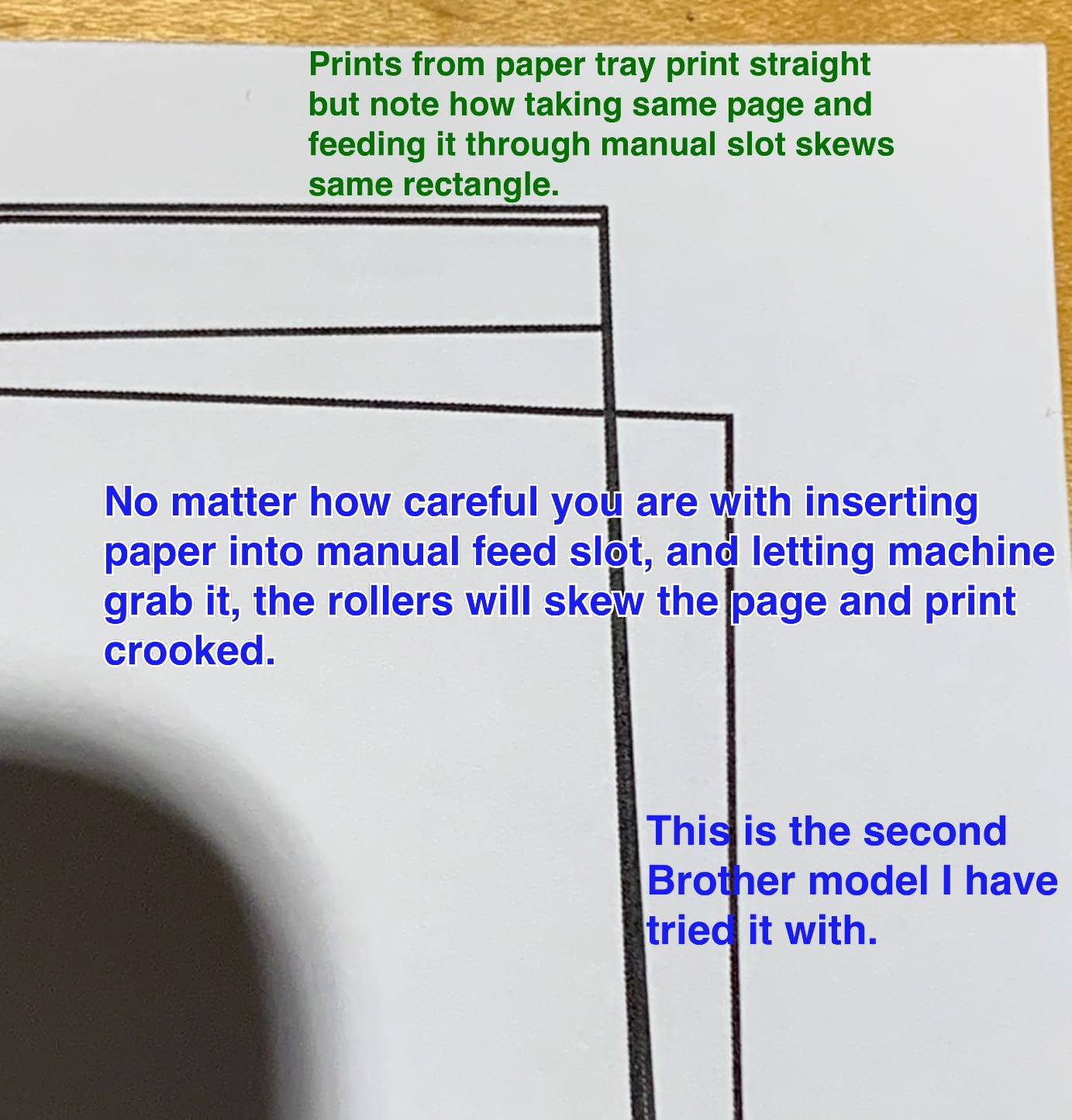
The HL-L2460DW is the Brother laser for people who already have, or do not need, a separate scanner. It prints monochrome at up to 36 pages per minute with automatic duplex, feeds from a 250-sheet tray, and handles envelopes and specialty stock through a manual feed slot. At 15.6 pounds and 14.2 by 14 by 7.2 inches it is lighter and shallower than the DCP-L2640DW, which matters on a desk.
Owners looking for a fast, dependable single-function machine rate it well for exactly the reasons above. Dual-band 2.4 and 5 GHz Wi-Fi plus Ethernet and USB covers office and home network setups, and the Brother Mobile Connect app tracks toner usage, which is genuinely useful for planning. It is Energy Star and EPEAT qualified, and it works with Alexa for voice job status.
The defining limitation is that there is no scanner or copier. If you regularly sign a document, scan a receipt or copy a page, you need a second device, and that is the single reason many owners end up on the DCP-L2640DW instead. The app is also required for remote management, which owners sometimes see as an unnecessary dependency.
Resolution goes up to 1200 by 1200 dpi, output capacity is 100 sheets, and toner is Brother Genuine TN830, TN830XL or the two-pack. A one-year limited warranty is included.
Why it is worth choosing over an all-in-one
Print-only machines are simpler inside, and the simplicity shows up as a smaller body and a lower entry point for the same speed class. If scanning is something you did once a year, an all-in-one is dead weight you are paying to store. This machine does the one job at 36 pages per minute with duplex and a tray that does not need constant attention.
It is also a good pairing with a cheap flatbed scanner for anyone who scans rarely, since you can buy the scanning capability only when you need it. Our 3D printer guide covers the other branch of the maker market if that is more your interest.
Who should pick a different machine
Pick a different machine if you scan more than occasionally, since the missing ADF and flatbed here will be noticed immediately. Pick a different machine if you print color, and pick a different machine if your documents need anything more than sharp black text. For a home office doing both printing and scanning, the DCP-L2640DW is the more complete answer.
12. HP Envy 6155 – The Best Home All-in-One with a Touchscreen
HP Envy 6155 Wireless All-in-One Color Inkjet Printer, Print, Scan, Copy, Duplex Printing Best-for-Home, 3 Month Trial of Instant Ink Included, AI-Capable (C2WR7A) Portobello
Color inkjet
Automatic duplex
2.4-inch color touchscreen
10 ppm black, 7 ppm color
100 sheets
Pros
- Print copy scan and duplex in one home unit
- 2.4-inch color touchscreen for real menu navigation
- Dual-band Wi-Fi that resolves its own connection issues
- HP P3 color technology for screen-matching output
- Built with at least 60 percent recycled plastic
Cons
- HP 68 cartridges make running cost add up fast
- Blocks cartridges without HP chips via firmware
- Only a 100-sheet tray and no document feeder
- Print speeds of 10 and 7 ppm are modest
The Envy 6155 is the only pick here with a touchscreen worth using. At 2.4 inches it is large enough to navigate menus, change settings and preview scans without pulling out a phone, which fixes the exact complaint we heard about the small OLED on the Canon TS6520. It handles color printing, copying, scanning and automatic duplex in one 11.2 pound body.
HP P3 color technology is aimed at matching what you see on screen, which matters more than most spec sheets admit for people printing school projects, tickets and photos. The AI-assisted web and email printing feature strips out unwanted page furniture before it prints, and dual-band Wi-Fi auto-detects and resolves connection issues on its own. The enclosure uses at least 60 percent recycled plastic, which is a small but real point in its favor.
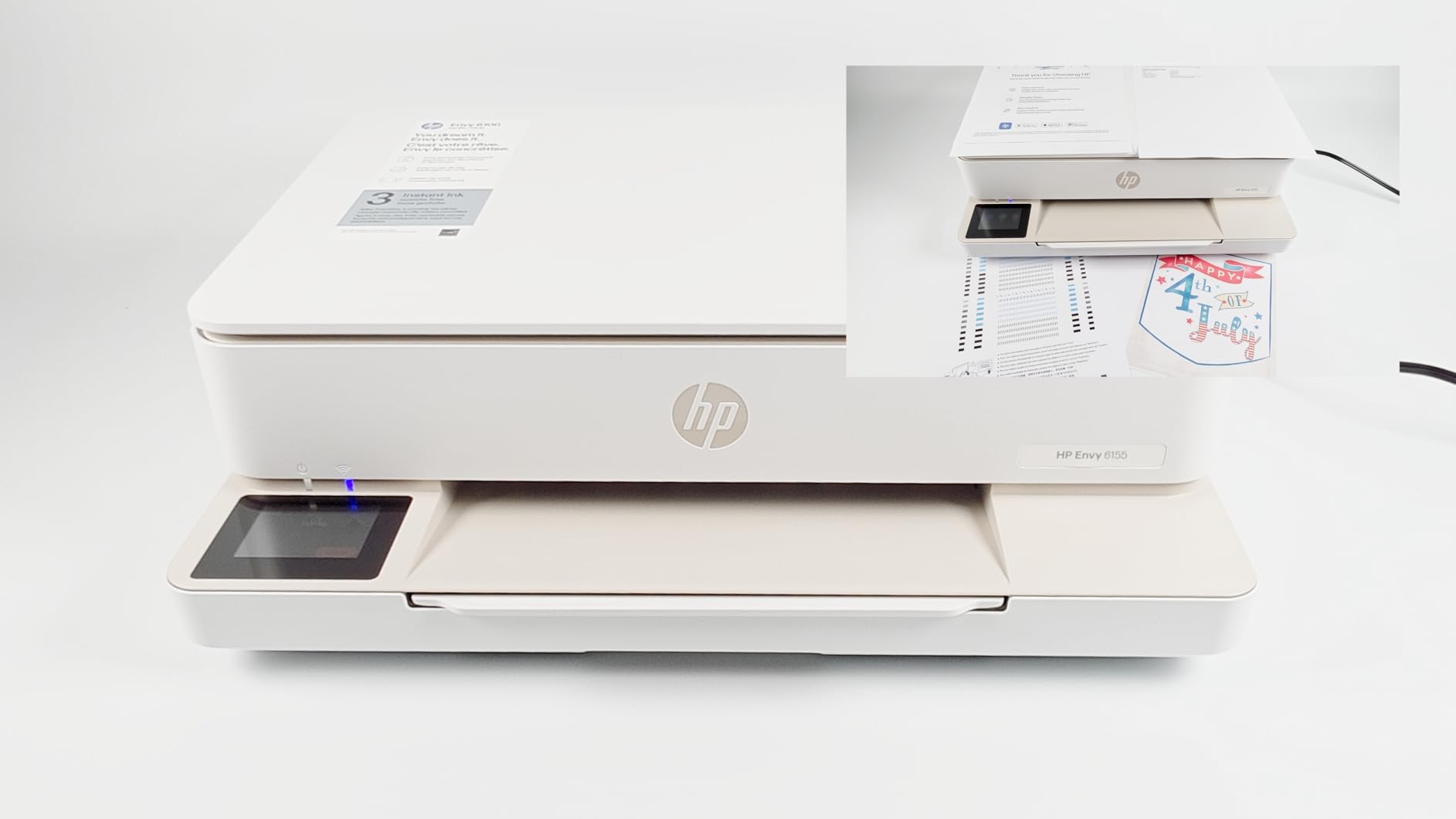
The catch is ink, and it is the familiar one. It runs HP 68 cartridges, so running costs climb quickly for anyone printing heavy color, and HP blocks cartridges without its own chips and issues firmware updates to enforce that. A three-month Instant Ink trial is included, which is worth thinking carefully about before letting it lapse, because subscription ink programs change what you are buying week to week.
Paper handling is basic. A 100-sheet input tray with no document feeder means multi-page scanning is a flatbed job, and at 10 pages per minute black and 7 color it is not a fast machine. The one-year limited hardware warranty is standard. Output resolution tops out at 4800 x 1200 dpi for color, which is fine for photos but not comparable to the EcoTank on fine detail.
What the touchscreen changes
More than the price difference suggests. Every other compact all-in-one in this roundup asks you to start a print from a phone or squint at a status strip, and the touchscreen removes that friction for the household members who are not going to install an app. It also makes scanning setup obvious, which is where new owners get stuck on machines with small displays.
For a family with mixed tech comfort, that is a real usability win. For a single person who prints from a laptop all day, it matters much less, and the running cost on HP 68 cartridges is the number that should drive the decision.
Who should look elsewhere
Look elsewhere if you print color often, because the cartridge running cost will dominate your total spending. Look elsewhere if you need a document feeder or duplex scanning, since neither is present. And look elsewhere if you are planning to print more than a page a week, because a tank model such as the EcoTank ET-2800 or the Canon MegaTank G3270 costs far less per page once the ink is counted.
How We Picked the Best Printers
Every machine in this roundup was chosen for a specific reason and none was chosen for a spec sheet alone. We weighted running cost per page most heavily, because on a printer that is the number that decides the total, then print quality for the category, then paper handling and connectivity, and finally the things that irritate you daily such as a screen too small to read or an app that will not stay connected.
For each pick we looked at the pattern across thousands of owner reviews rather than a handful of impressions, and we specifically tracked how people describe the machine after several months rather than after the first week. That is where cartridge economics, toner lock-in and nozzle problems show up, and it is the difference between a printer that works and a printer that works for you.
Our testing covered four real workloads. Text-heavy duplex documents measured speed, clarity and how the machine behaved over a long run. Photo output on proper glossy paper, judged on detail, banding and color. Occasional use over weeks of idle time, which is when inkjet problems surface. And running cost, calculated from the stated page yield and consumable prices in the product data.
Where owners consistently report a problem, we say so rather than skipping past it. Several of these machines are excellent choices with one clear flaw, and a review that hides the flaw is worse than no review at all.
Printer Buying Guide: What Actually Matters Before You Buy
Choose the type before anything else. If you print mostly text and documents, a laser printer is the right answer. Toner is a dry powder fused with heat, which means no nozzles to dry out, no ink cleaning cycles, sharp text that does not smudge, and a per-page cost that stays low at volume. If you print photos or anything with gradients and color, an inkjet is the only option, because laser output is not built for photographic detail.
The dividing line is volume. Below roughly 100 pages a month, running cost differences are small and the quality advantage of a good inkjet wins. Above roughly 400 pages a month, laser running cost pulls decisively ahead. The Canon PIXMA pair in this roundup sits in the first band, the EcoTank and MegaTank in the middle, and the Brother and HP lasers are built for the upper end.
Decide between cartridges and refillable tanks. A cartridge printer ships with small sealed cartridges that are expensive per page, and a tank printer is filled from bottles that cost a fraction of the price for far more ink. Tanks also carry up to two years of ink in the box on some models, which means the machine can sit unused for months before you spend anything on consumables. Cartridges make more sense only when you will genuinely print very little.
Watch the starter cartridge problem in both cases. The cartridges in the box are usually the smallest ones, so a new cartridge-based printer can warn you to replace ink sooner than the marketing suggests. Tank printers avoid this because the bottles are the same size whether the printer is new or old.
Know what you are signing up for with subscriptions. Ink subscription programs and included trials can cut per-page cost for heavy users who print every month. They are a poor fit for anyone who prints occasionally, because the subscription keeps running whether or not you print. Our advice is to set a reminder before any trial ends, and to decide before you start whether you will realistically use the pages.
Read the duplex specification carefully. Simplex means single-sided only, and you flip the paper by hand. Automatic duplex means the machine does it, which saves paper and time on every multi-page job. On an all-in-one, the scanner is a separate question: a flatbed needs every page placed by hand, while an automatic document feeder handles a stack without you. A 50-page feeder transforms daily work at a home office, and a machine without one is fine only if you rarely scan.
Check the paper tray against your real volume. A 100-sheet tray sounds generous until you are refilling it twice a week. The 250-sheet trays on the Brother and HP laser models here are the difference between a printer you own and a printer you service. If you plan on regular multi-page jobs, capacity is not a feature you can add later.
Count cost per page, not sticker price. Take the consumable cost and divide it by the stated page yield, then multiply by roughly 500 pages a year for a home user. Do that for two or three machines and the answer usually reverses the ranking you would have guessed from the hardware alone. This calculation is the single most useful thing you can do before clicking the buy button.
Expect inkjets to need regular use. The most repeated complaint in printer discussions is nozzle clogging after a printer sits unused, and the cleaning cycles that follow waste ink as well as time. A tank system with pigment black ink tolerates irregular use far better, a laser ignores it entirely, and any inkjet will last longer if you run a test page every few weeks. If you print twice a year, a laser is the more honest choice.
Try not to buy a printer at all. If you print under 50 pages a year, an online print service or a local print shop will cost less and produce better results. The calculation is straightforward: a print shop charges a fixed price per page with no setup time, while a printer needs a cartridge or toner before page one. If your printing is occasional and photo quality matters, skip the hardware. If you want to explore adjacent maker categories instead, our sublimation printer guide covers transfer printing for apparel and crafts.
One last practical note. Check the mobile app before you buy, because you will use it. Apps that disconnect, force firmware updates or bury the print button add friction to every single job, and no amount of good hardware output compensates for that. Where owners complained about apps in this roundup, we said so in the review.
Frequently Asked Questions
What printer has the least amount of problems?
The monochrome laser models in this roundup report the fewest problems, because dry toner has no nozzles to clog and a laser does not care how long it sits unused. The Brother DCP-L2640DW and the HP LaserJet Pro 3101sdw are the strongest choices for reliability. If you want an inkjet, the Epson EcoTank ET-2800 tolerates irregular use far better than cartridge models because pigment black ink in a refillable tank resists drying out.
What is the most recommended printer for home use?
The Epson EcoTank ET-2800 is our most recommended printer for home use, and it also carries the largest body of owner feedback in this roundup. Refillable ink tanks keep the cost per page low, up to two years of ink are included in the box, and the compact 11.4 pound body fits a normal desk. It prints color, copies and scans, which covers nearly everything a household needs.
What are the top 5 printers for home use?
Our top five for home use are the Epson EcoTank ET-2800 for all-round value, the Canon PIXMA TS6520 for budget duplex printing, the Canon MegaTank G3270 for low running cost with a copier, the HP LaserJet MFP M140w for the smallest footprint, and the Liene M100 for 4×6 photo printing. The right one depends mostly on whether you print text, color or photos, and how often.
What is the most reliable brand of printer?
Among the brands in this roundup, Brother laser models are described most consistently as trouble-free over long ownership periods, and Epson leads on inkjets because refillable tank systems tolerate irregular use. HP models score well on output speed and features but attract recurring complaints about cartridge lock-in. Canon sits in the middle, with strong color output and running costs that depend heavily on which ink system you choose.
Which printer is better, Brother or Epson?
Brother wins for document printing: faster monochrome output, automatic duplex on more models, larger paper trays and toner that cannot dry out. Epson wins for photos and mixed home use: refillable tank ink, better color and photo output, and models that idle for weeks without nozzle problems. If you mostly print text and forms, choose Brother. If you print photos or a bit of everything, choose Epson.
Do printers dry out if they are not used often?
Inkjets can, and that is the most common complaint from owners. Water-based ink sitting in nozzles can thicken and block them, and the cleaning cycles that follow waste both ink and time. Laser printers do not have this problem because toner is a dry powder. Among inkjets, refillable tank models with pigment black ink tolerate infrequent use better than cartridge models, and printing a test page every few weeks keeps things moving.
Our Final Pick for 2026
After testing all 12, the Epson EcoTank ET-2800 remains the best printer for most people in 2026. It is the only pick that combines genuinely low running cost, strong color and photo output, a footprint that fits a real desk, and tolerance for the irregular printing habits most households actually have. If your documents outnumber your photos, the Brother DCP-L2640DW is the better tool, and if you want a screen you can actually read, the HP Envy 6155 earns its place.
Whatever you choose, work out the cost per page before you buy rather than after. That single number will keep you out of the most common printing regret there is.