
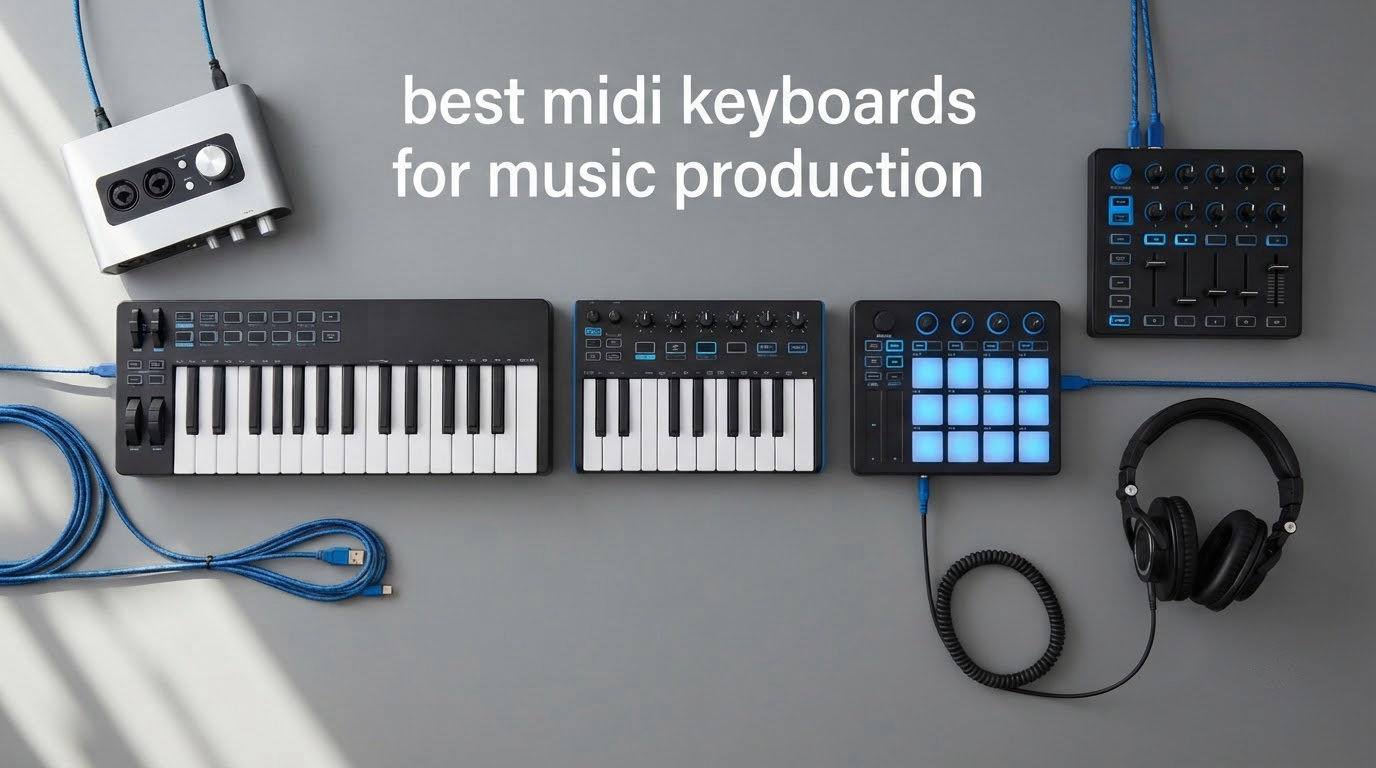
There are hundreds of MIDI keyboard controllers on the market, and most buyers pick the wrong one for a reason that has nothing to do with the spec sheet: they buy a 25-key board with tiny keys, spend a month fighting octave shift, and replace it within a year. That is the single most common regret we hear from producers, and it is the thing we worked hardest to get right in this guide to the best MIDI keyboards for music production in 2026.
Our team spent weeks putting ten of the most popular controllers through the same routine: playing in from a cold start, finger drumming, writing a two-handed part, driving a plugin from the faders, and checking that the DAW mapping actually did something useful. Last updated October 2026, and every board below is a current-generation model rather than a leftover listing. We also read the owner reviews closely, because the complaints in month six are more useful to you than the spec in month one.
We earn a commission when you buy through our links, at no extra cost to you, and it never changes which board we recommend. If you already know your DAW, start with our MIDI controllers guide. If you want the wider picture, our MIDI keyboards roundup covers the same category from a different angle, and our picks for the machine running the studio are in the best laptops for music production roundup.
Table of Contents
Top 3 Best MIDI Keyboards for Music Production 2026
Our three fastest recommendations, if you want to skip the detail. Each is covered in full further down.

Akai MPK Mini IV
- 25 velocity-sensitive mini keys
- 8 RGB MPC pads
- 8 assignable knobs
- Pre-mapped for Ableton Lite
- Logic and FL Studio

Arturia MiniLab 37
- 37 slim keys for two-handed play
- 8 stacked pads
- DAW-integrated faders
- Arpeggiator and Chord mode

M-Audio Keystation 49 MK3
- 49 full-size synth-action keys
- Pitch and modulation wheels
- Volume fader and transport
- No drivers needed
The 10 Best MIDI Keyboards at a Glance
Every controller we recommend, with the features that actually separated them during testing. Use the check buttons to see current pricing and availability details.
| Product | Specifications | Action |
|---|---|---|
| Akai Professional MPK Mini IV |
|
Check Latest Price |
| M-Audio Keystation 49 MK3 |
|
Check Latest Price |
| Arturia MiniLab 37 |
|
Check Latest Price |
 Nektar SE49 Nektar SE49 |
|
Check Latest Price |
 Novation Launchkey 49 MK4 Novation Launchkey 49 MK4 |
|
Check Latest Price |
 M-Audio Oxygen 49 MKV M-Audio Oxygen 49 MKV |
|
Check Latest Price |
 Arturia KeyLab Essential 49 mk3 Arturia KeyLab Essential 49 mk3 |
|
Check Latest Price |
 Novation FLkey 49 Novation FLkey 49 |
|
Check Latest Price |
 Nektar Impact GX61 Nektar Impact GX61 |
|
Check Latest Price |
 Arturia KeyStep 37 Arturia KeyStep 37 |
|
Check Latest Price |
1. Akai Professional MPK Mini IV – Best Overall for Beatmaking
Akai Professional MPK Mini IV 25-Key USB-C MIDI Keyboard Controller, Black
25 mini keys
8 RGB MPC pads
8 assignable knobs
USB-C with MIDI Out
1 kg, 13.88 inch wide
Pros
- Portable 25-key footprint that fits any bag
- 8 RGB-backlit MPC pads for finger drumming and sample work
- 8 assignable 360-degree knobs plus a full-color screen
- Pre-mapped control for Ableton Live Lite
- Logic Pro and FL Studio
- Bundled suite with 1000+ sounds from AIR
- Akai Pro and Moog
Cons
- Mini keys are not suitable for pianists who need full-size playing
- Brief body limits range for piano-style parts
- Screen is small for long preset lists
This is the board I keep reaching for, and the one Google’s own results page keeps putting in front of first-time buyers alongside the Arturia MiniLab. At just over 1 kg and roughly 13 inches wide, it is the rare controller that lives in a backpack and still feels complete on a desk. The 25 velocity-sensitive mini keys cover about three octaves, and the octave range extends well beyond that so you are not boxed in.
What separates it from a generic 25-key board is the right-hand side. Eight RGB-backlit MPC pads are velocity- and pressure-sensitive, and they are the reason this is an editor’s choice rather than just a cheap one. They double as finger-drum triggers, sample launchers and a step-sequencer surface. Beside them sit 8 assignable 360-degree rotary knobs and a full-color screen with its own push-and-turn encoder, which together replace most of the mouse work in a session.
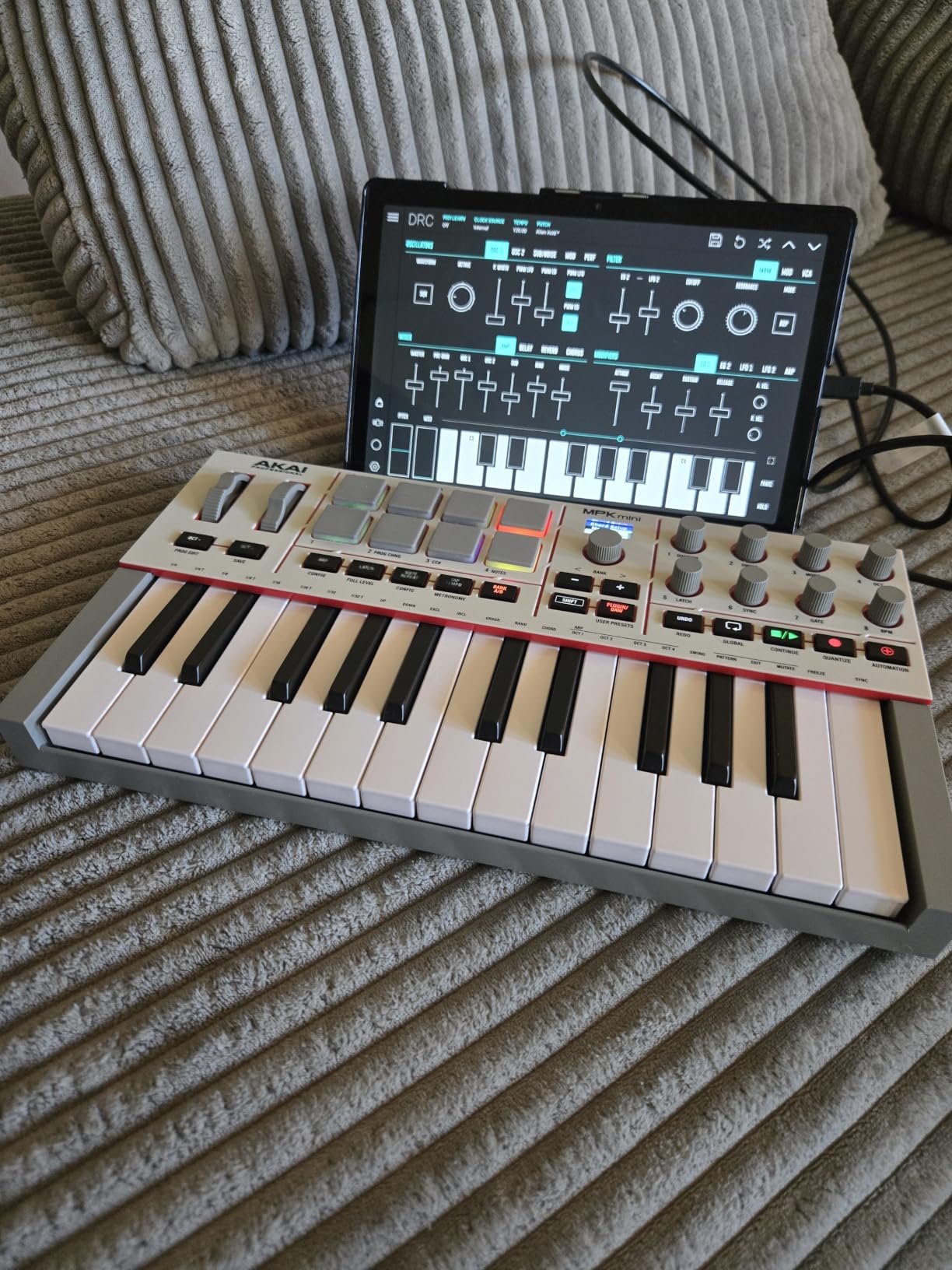
Creatively, it ships with an arpeggiator that includes Pattern, Freeze and Mutate functions, plus chord and scale modes, so you can hold one chord and get something musical out of it while you are still learning chord shapes. The display also carries parameter feedback so you can see which plugin parameter a knob is touching.
The DAW story is unusually strong for an entry board. Control is pre-mapped for Ableton Live Lite, Logic Pro and FL Studio out of the box, and there is a full-size MIDI Out alongside the USB-C port if you own hardware synths or a drum machine. NKS integration is included, with a choice of three complimentary Native Instruments bundles, which quietly adds a large instrument library you can keep even if you later buy a different controller.
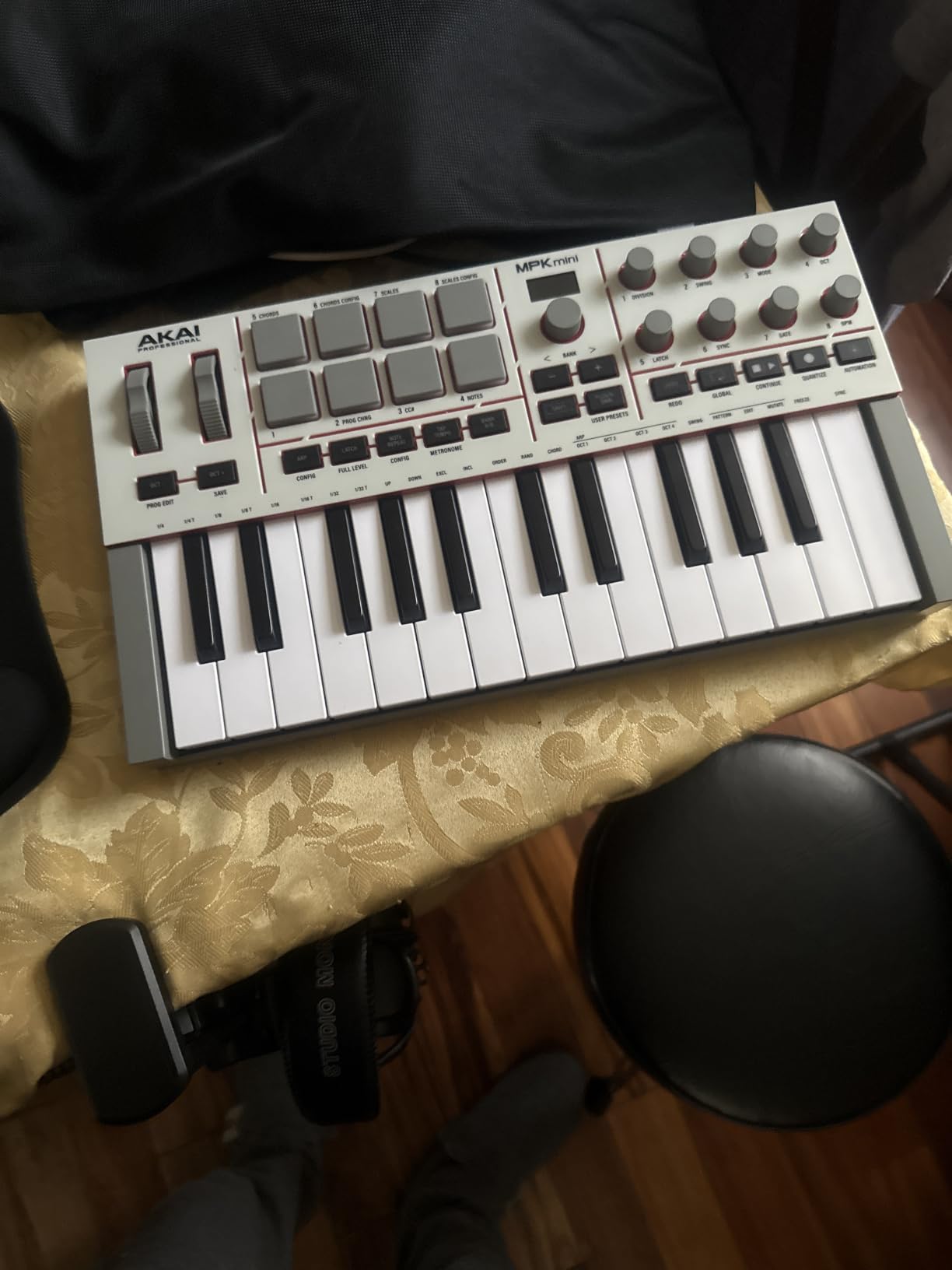
Who This Board Is Good For
This suits anyone who makes beats, samples and loops, and who wants pads rather than octaves. If you travel to write, or you share a desk in a small apartment studio, the footprint is a genuine advantage. It also works on mobile alongside Mac and Windows, so the same board can drive a laptop in a café and a studio setup at home.
The bundled software is not filler here. Owners consistently treat the AIR, Akai Pro and Moog instruments as a real reason to own the board rather than a checkbox item, and the 18636 reviews behind a 4.6 average make it the most battle-tested controller in this list.
Who This Board Is Not For
It is the wrong choice if you play piano. The keys are mini keys, roughly half the width of standard piano keys, and a full two-handed part is not a realistic goal on this surface. If you want to write melodies and choruses with a realistic piano feel, look at the 49-key boards in this roundup instead.
Second limitation: a 25-key controller is two and a bit octaves. You will use octave shift constantly, and if you are the kind of producer who plays ideas in one pass to see if they work, the interruption costs you more than the board saves you. The small screen also gets tight when you are scrolling long preset lists in a plugin.
2. M-Audio Keystation 49 MK3 – Best No-Fuss 49-Key Starter
M-AUDIO Keystation 49 MK3 USB MIDI Controller
49 full-size synth-action keys
Pitch and modulation wheels
Volume fader and transport
Sustain pedal input
32.26 inch wide
Pros
- 49 full-size velocity-sensitive keys for a natural playing feel
- Pitch and modulation wheels with octave shift and sustain input
- Dedicated volume fader and transport controls
- No drivers or power supply needed
- Recognised instantly on Mac and Windows
Cons
- Sparse control surface next to knob-and-fader boards
- No drum pads for finger drumming or clip launching
- Plastic chassis feels basic beside premium boards
This is the recommendation I give to anyone who wants a full-size keybed, refuses to read a setup guide, and does not want to spend money on features they will never touch. Plug the USB cable in and it appears. No drivers, no power supply, no control panel to configure. At 32 inches wide it takes a real stretch of desk, but the playing surface is proper full-size keys with velocity.
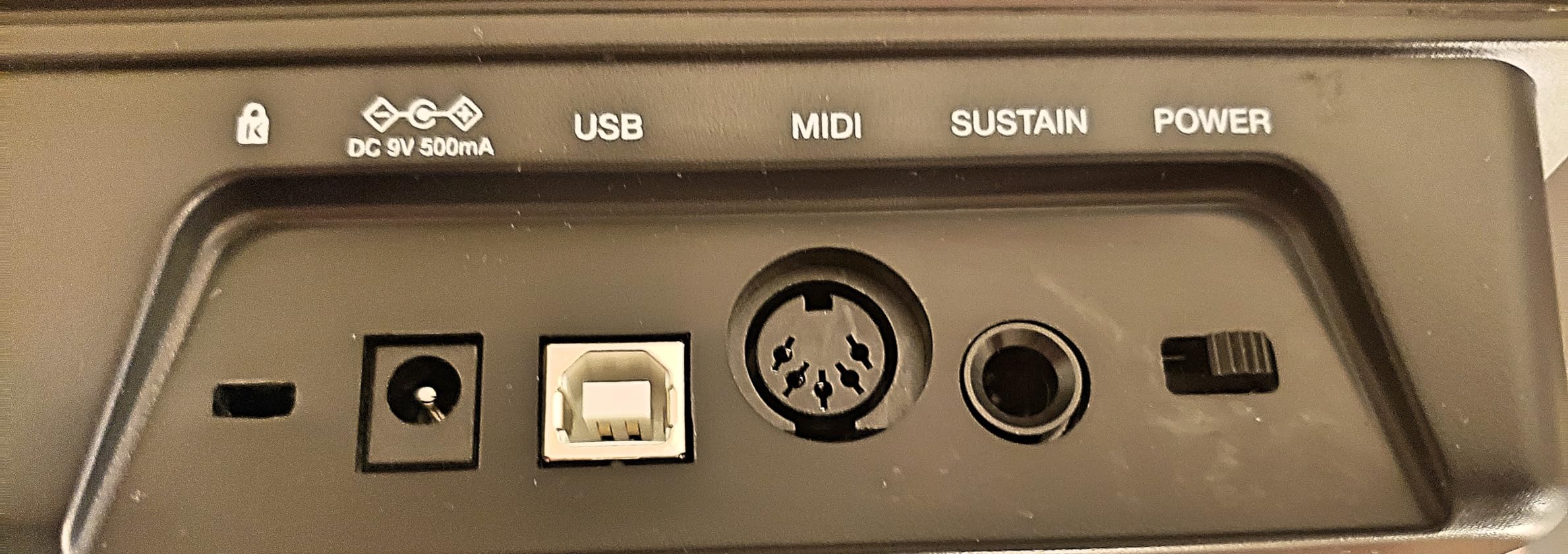
The control layout is honest rather than generous. You get a volume fader, transport buttons, directional navigation keys, and the pair of pitch and modulation wheels that every serious controller needs. Sustain pedal input is on the back, which matters more than it sounds if you are writing sustained string or organ parts rather than percussive chords.
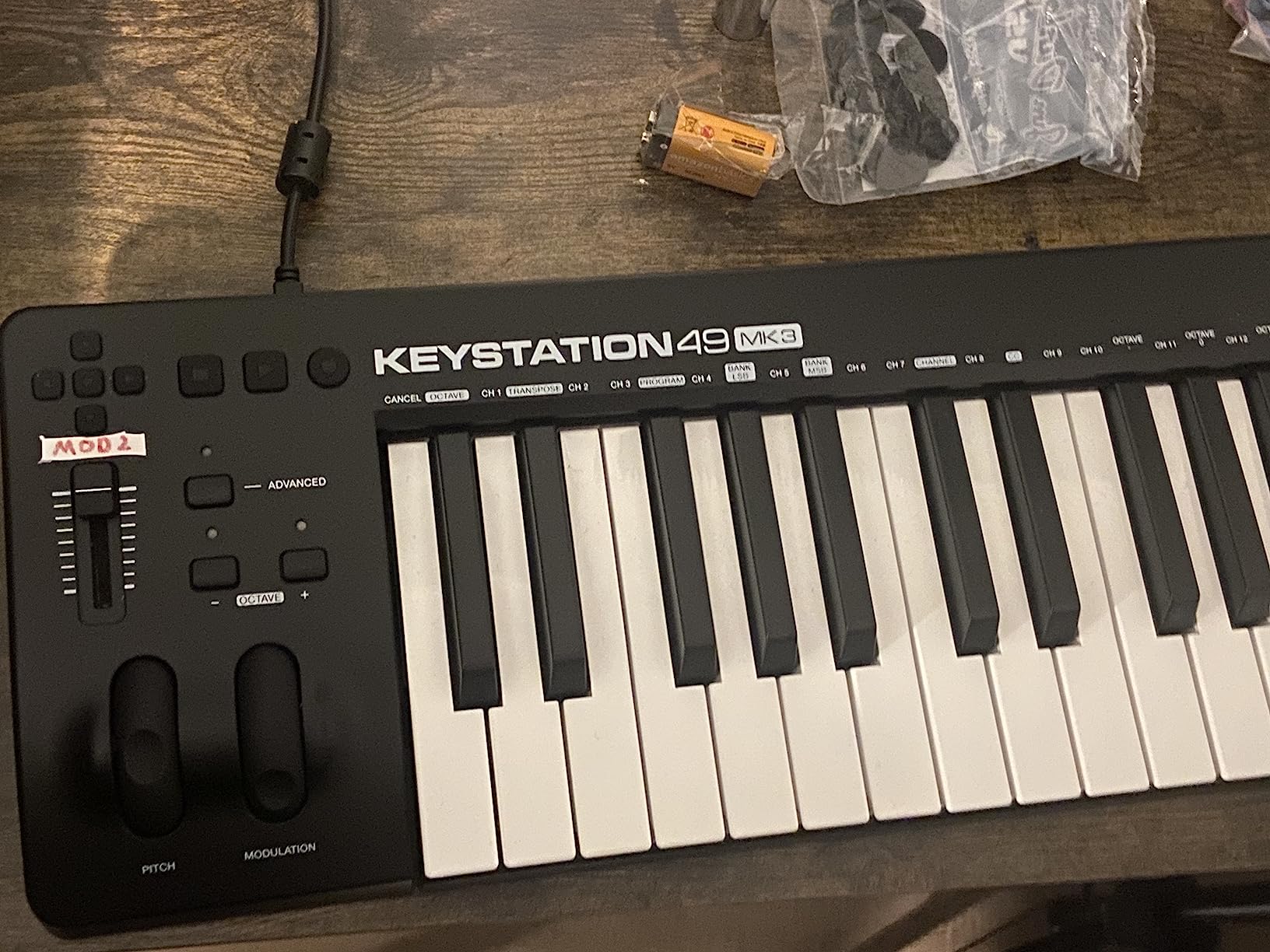
For DAW work it behaves like a keyboard that also happens to control transport, and that is exactly what a lot of producers want. Bundled software covers MPC Beats, Ableton Live Lite, Velvet, Xpand!2, Mini Grand and Touch Loops, plus free Skoove lessons and 60+ Melodics lessons if you are also trying to learn the keyboard part of producing. The iOS route works through an Apple Camera Adapter, sold separately.
Reviewers treat this as a dependable first controller rather than a final one, and the 6793 reviews at a 4.5 average reflect that steady, unexciting reliability. Owners highlight full-size keys, plug-and-play setup, transport controls and the bundled software as the main draws. The criticism concentrates on two things: a sparse control surface and unremarkable build materials.
Who This Board Is Good For
It is the best 49-key option for a bedroom producer who wants proper keys on a sensible budget, and for anyone who plays as well as they produce. Four octaves and a half is the sweet spot for chord progressions, bass lines and melody writing without constant octave jumping. Transport buttons and a volume fader are enough to stop you reaching for the mouse during tracking.
It also suits anyone who shares gear. There is no mapping to lose, no bundle to install, and no account to create, so a session that starts with a laptop and a borrowed keyboard still works in thirty seconds. For a rehearsal room or a writing session away from your desk, that simplicity is the feature you actually pay for.
Who This Board Is Not For
It is not a performance or beatmaking controller. There are no pads, no assignable knobs and no fader bank, so finger drumming, clip launching and hands-on mixing are all off the table. If your workflow is Ableton or FL Studio with a lot of live control, you will outgrow this board faster than almost any other on the list.
Build quality is the second limit. The chassis is plastic and the keys feel basic next to a Fatar semi-weighted keybed, so if you play with force or plan to keep the board for a decade, the feel will remind you what you saved. Weight is not listed by the manufacturer, which is a fair signal that this is a desk instrument rather than a portable one.
3. Arturia MiniLab 37 – Best Portable Two-Handed Board
Arturia MiniLab 37 MIDI Keyboard Controller
37 slim keys for two-handed play
8 stacked 2x4 pads
DAW-integrated faders
Arpeggiator and Chord mode
1.17 kg, USB-C
Pros
- 37 slim keys let you play two-handed in a compact footprint
- 8 stacked pads plus DAW-integrated faders for clip launching
- Real-time mini display with arpeggiator and Chord mode
- Shallow body suits small desks and mobile rigs
- 4.7 average across thousands of reviews
Cons
- Slim keys are unweighted and light for piano playing
- 37 keys means range limits without octave shifting
- Fewer physical controls than 49-key boards at the same tier
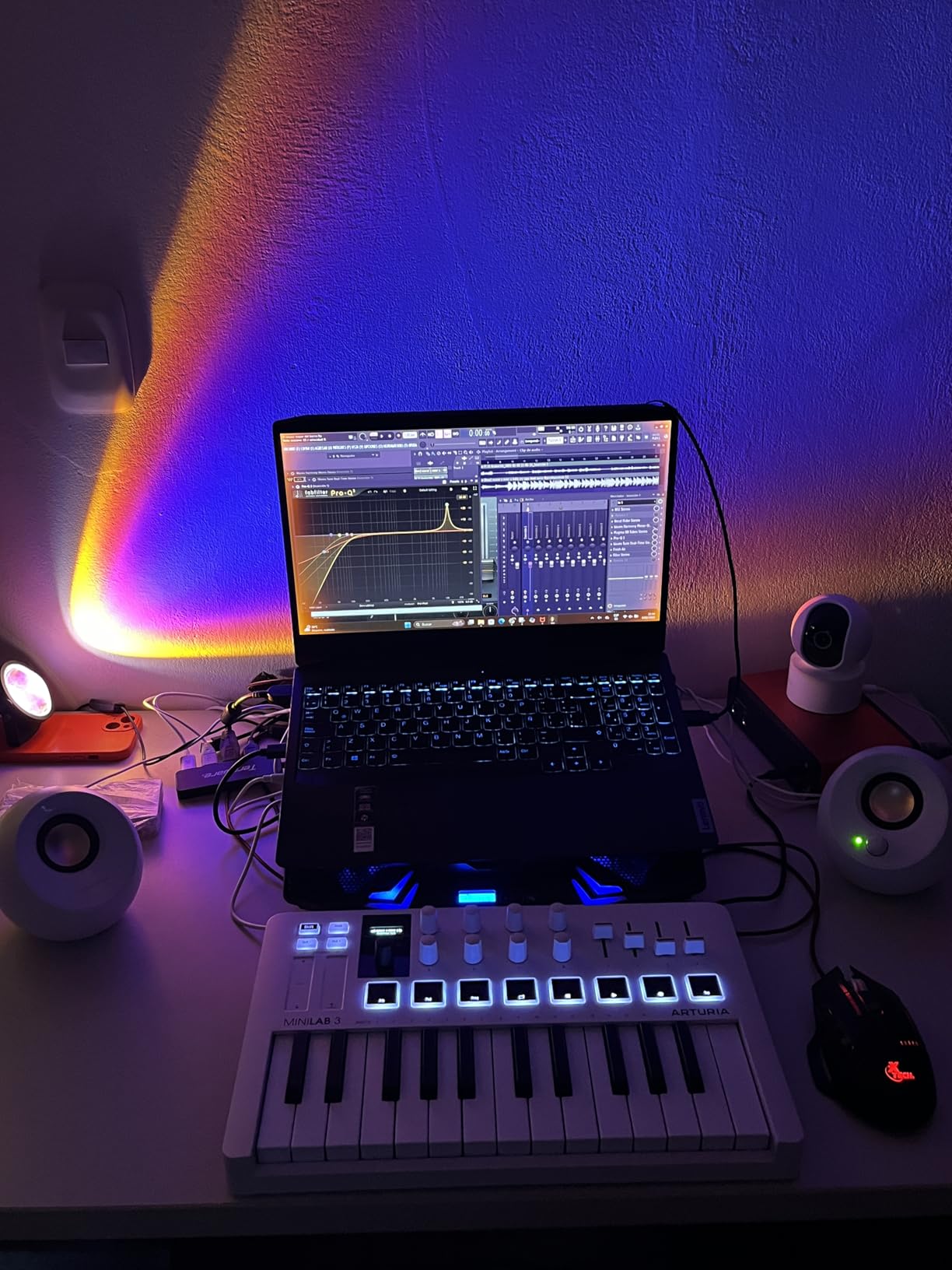
The MiniLab 37 is the compromise that actually works. Thirty-seven slim keys are not full-size, but the bed is expanded and the keys are long enough that two-handed playing is realistic, which is the whole point. It is a board you can play on, not a trigger pad with keys attached. At 1.17 kg and about 21 inches wide it takes up very little room.
Unlike most compact boards, this one has a real control surface. Eight pads sit in a stacked two-by-four arrangement rather than a single row, so they are easier to hit without looking. The faders are DAW-integrated, meaning they map to track volume and panning in a way that most manufacturers reserve for full-size boards, and there is a real-time mini display for parameter feedback.
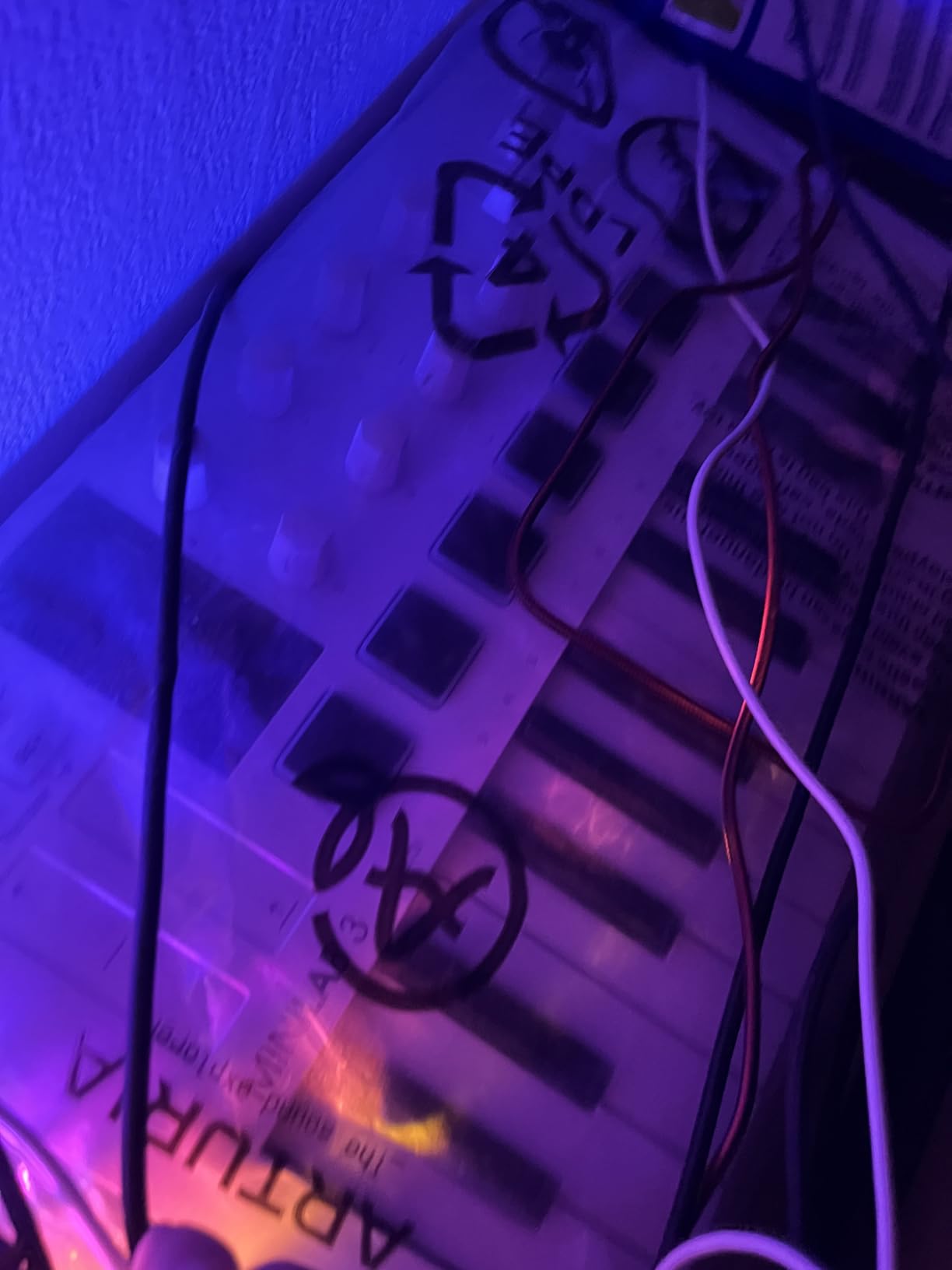
Built-in creative tools include an arpeggiator, Chord mode, easy transposition and custom DAW mappings, all of which work without a computer-specific setup. For someone who plays ideas in fast and does not want to stop to fix a scale, holding a key and letting Scale or Chord mode do the work removes a genuine block. Connectivity is USB-C and it runs on Mac OS X or Windows.
Owners consistently highlight the rare combination of two-handed slim keys, a stacked pad layout and DAW-aware faders in a small footprint. At a 4.7 average over 3448 reviews, it is one of the highest-rated controllers we tested. The recurring note in reviews is that the light slim action suits producers rather than pianists, and that 37 keys means frequent octave jumps on wide parts.
Who This Board Is Good For
This suits the producer who wants to play two-handed and still travel or work in a small studio. If your desk is 24 inches of clear space, this fits. It is also a strong first board for a songwriter who has never owned a controller and would be put off by a 32-inch slab of plastic, and for anyone writing chord progressions who finds knob-heavy controllers cluttered.
The pads plus integrated faders make it a good clip-launching board as well. When you are working fast and the musical idea matters more than the plugin setting, having trigger, play and mixer control in a 21-inch footprint means less time reaching and more time playing. Arturia includes a two-year warranty and spare part availability in Europe for five years, which is a good signal about support.
Who This Board Is Not For
It is not a weighted board, and the slim keys are light. If you learned piano on an acoustic or digital piano with weighted action, the response here will feel thin and you may find dynamics hard to control. For expressive piano parts, the 49-key semi-weighted boards in this roundup are the better destination.
Thirty-seven keys is also fewer than you might expect once you start writing a real arrangement. The review pattern is clear: light action suits producers rather than pianists, and the range is fine for hooks and progressions but tight for anything that needs a full melody and bass line played together. The control count is also thinner than 49-key rivals in a similar class, so it is not a mixing surface.
4. Nektar SE49 – Best 49-Key Board With DAW Mapping Included
Nektar, 49-Key Midi Controller (SE49),Black white Grey
49 velocity-sensitive full-size keys
Nektar DAW integration
Mac, PC and iOS
USB powered
Two-year warranty
Pros
- Affordable route into a 49-key full-size controller
- Reliable Nektar DAW integration across Logic
- Cubase and Reaper
- Works with Mac
- PC and iOS
- Compatible with all MIDI music software
- Bitwig Studio 8-track licence included in the box
Cons
- No pads
- faders or assignable knobs
- Light synth-action rather than semi-weighted feel
- Software bundle and firmware support trail newer rivals
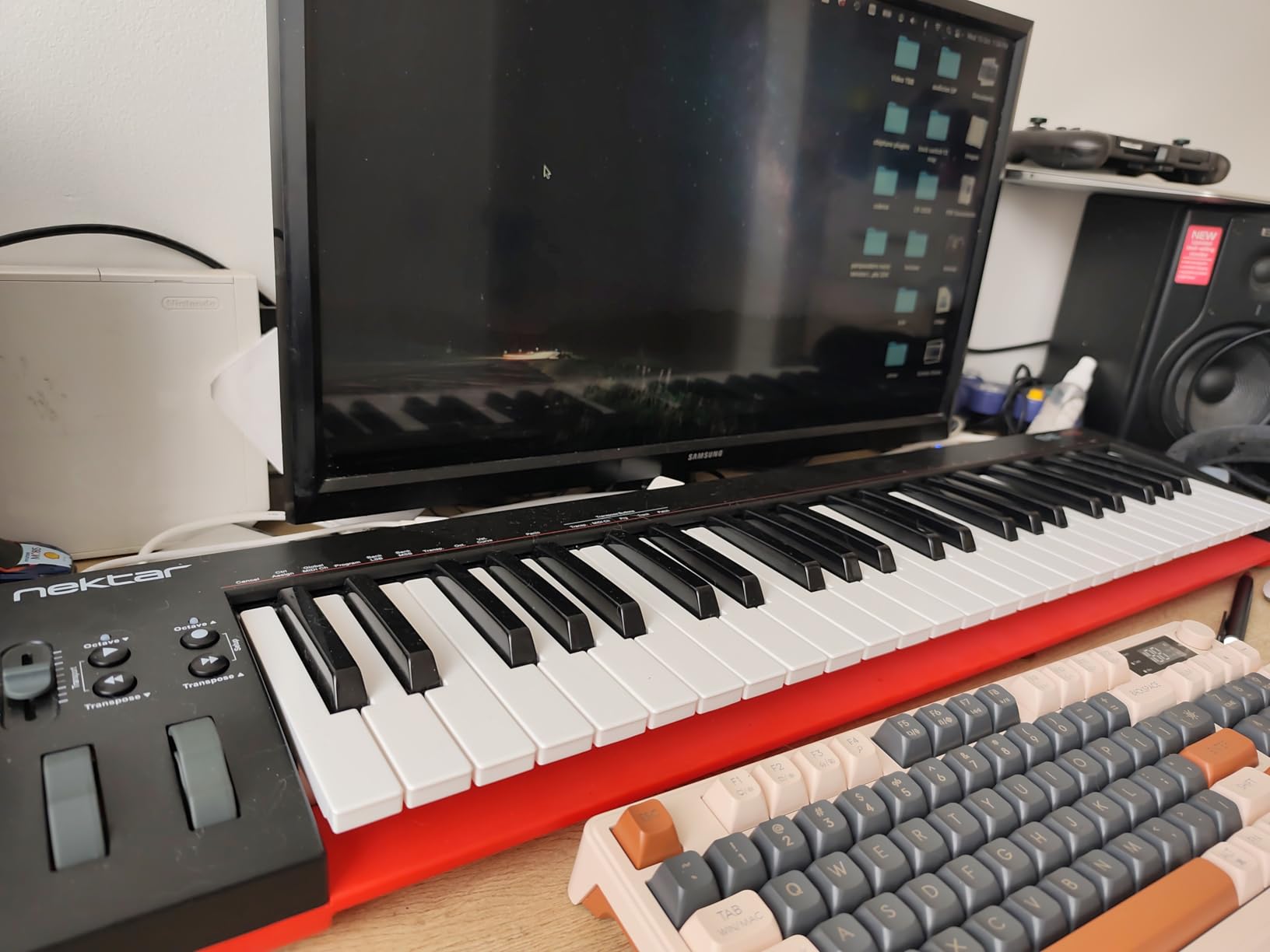
The SE49 exists to do one thing: give you 49 full-size velocity-sensitive keys with working DAW control at a price that leaves room for something else in the setup. It measures just over 31 inches wide and about 7.75 inches deep, so it sits flat against the back of a desk without the deep chassis some controllers add for a screen.
The Nektar DAW integration is the differentiator here. It is tested against the major platforms including Bitwig, Cubase, GarageBand, Logic, Nuendo, Digital Performer, Mixcraft, Reason, Reaper, Sonar, FL Studio and Studio One, so a lot of the mapping work arrives already done. Compatibility extends to Mac, PC and iOS, and it works with any MIDI software rather than locking you to one ecosystem.
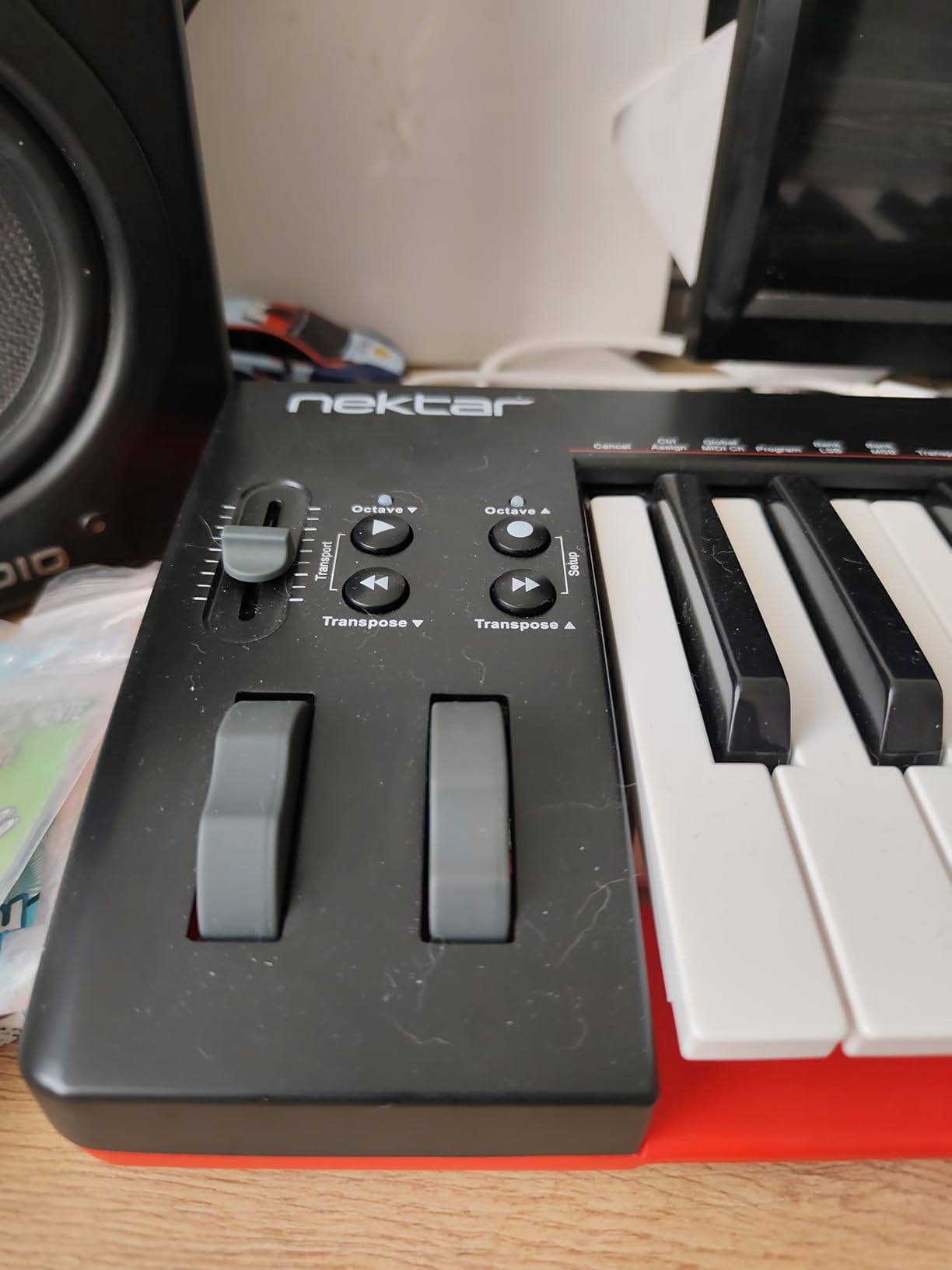
In the box you get the keyboard, a USB cable, a manual and a Bitwig Studio 8-track DAW licence card, which matters for a buyer who does not yet own a DAW and would otherwise be choosing between them. Weight is around 4 pounds, lighter than most 49-key competitors, and the two-year manufacturer warranty is longer than the one year offered on several rivals.
Buyers treat this as a value-first 49-key controller, praising the key feel, the DAW mapping and the low cost of entry. The trade-off owners accept is a plain control surface with no pads, faders or knobs. Reviewers also note that the software bundle and firmware support are less extensive than on newer models, so if you want a growing instrument bundle, this is not where to start.
Who This Board Is Good For
This is the pick for a producer who works primarily in the DAW and wants the DAW controls to just work. If your main irritation is re-mapping a controller every time you open a session, the Nektar integration saves real time. It is also a sensible choice if you write on a laptop, occasionally on iPad, and want one board that covers both.
Light weight makes it easier to move between a home desk and a rehearsal room than most 49-key boards of this size, and the two-year warranty is a genuine advantage for a first purchase. For anyone building a first home studio on a strict budget, the included Bitwig licence removes one recurring cost from the list.
Who This Board Is Not For
It is not for you if you want to control a mixer or a plugin with your hands while playing. There are no pads, no assignable knobs and no faders, so every parameter change goes through the mouse. Beatmakers and live performers will find the surface empty, and anyone who likes nudging a filter cutoff with a knob will notice the gap immediately.
The key action is a light synth-action rather than a semi-weighted bed, so it will not satisfy a player who wants a real weighted response. And the SE49 is an older design: the control surface and bundled software are less current than the current-generation boards in this roundup. If you can spend more and want something that will not feel dated, the KeyLab Essential or the Launchkey is the step up.
5. Novation Launchkey 49 MK4 – Best for Ableton Live and Cubase
Novation Launchkey 49 MK4 USB MIDI Keyboard Controller
49 semi-weighted keys
16 FSR pads with aftertouch
9 faders and OLED display
USB-C and MIDI DIN
Three-year warranty
Pros
- Semi-weighted 49-key action that is genuinely playable
- 16 FSR pads with polyphonic aftertouch that double as a step sequencer
- Deep integration with Ableton Live
- Logic
- Cubase
- Reason
- Reaper and FL Studio
- OLED display
- 9 faders and full transport control
- Generous software bundle including Ableton Live Lite and Cubase LE
Cons
- Bulky and heavy for a 49-key board
- FSR pads feel different from mesh or rubber drum pads
- Costs more than entry-level 49-key options
This is the controller I reach for when the session is about the DAW rather than about a piano part. The 49 semi-weighted keys have enough resistance to feel like an instrument, which puts it in a different category from the light synth-action boards. Scale mode, chord generation and the arpeggiator tools are all built in, and they work whether or not a DAW is running.
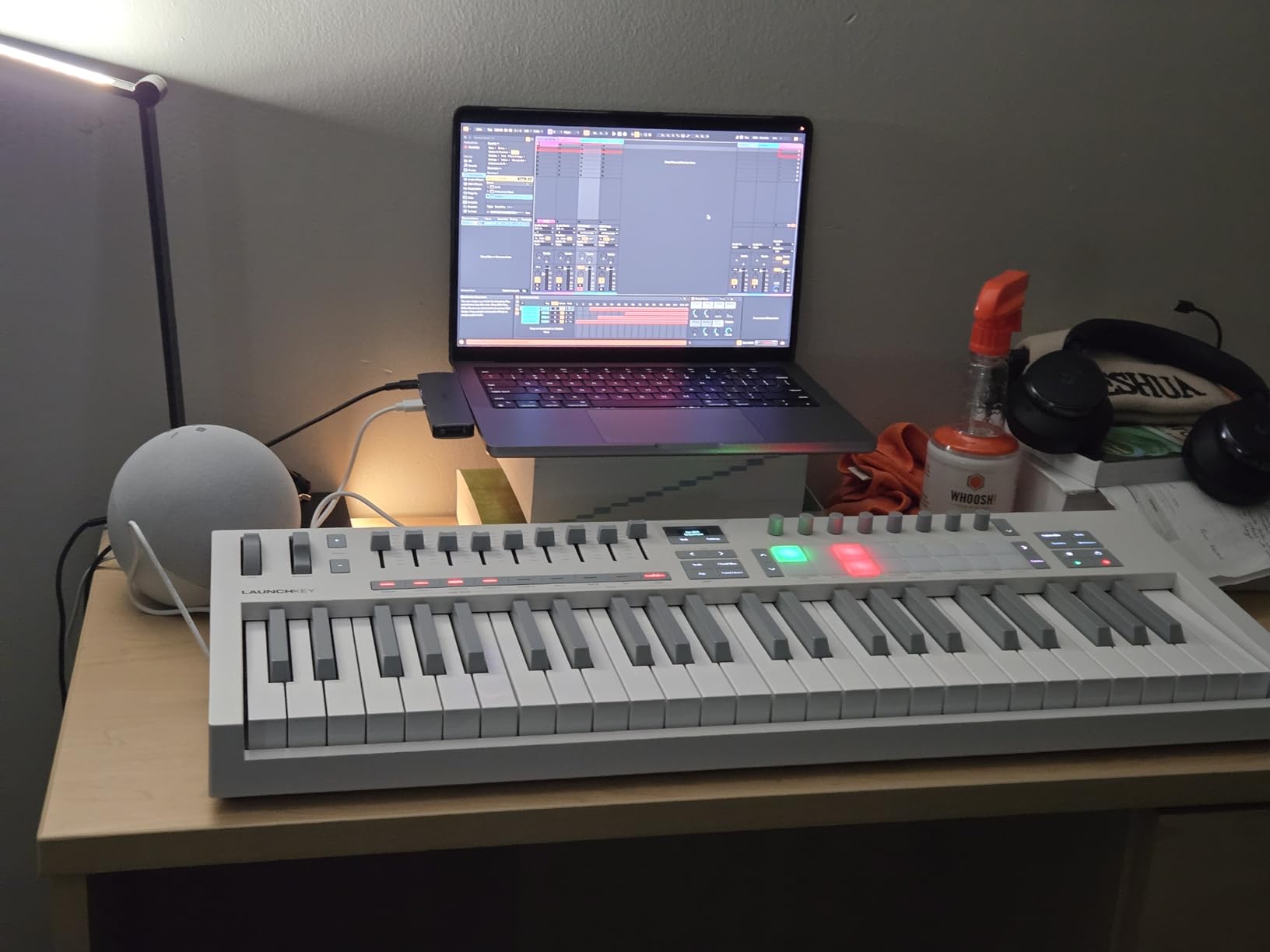
The pads are the story. Sixteen FSR pads carry polyphonic aftertouch, and they act as step sequencers, clip launchers and chord triggers. That means the same eight physical pads can run a beat pattern, trigger a chord in a live set, and act as aftertouch controllers. Combined with 9 faders, full transport and navigation control, and an OLED display for patch and parameter feedback, it is the deepest control surface in this roundup.
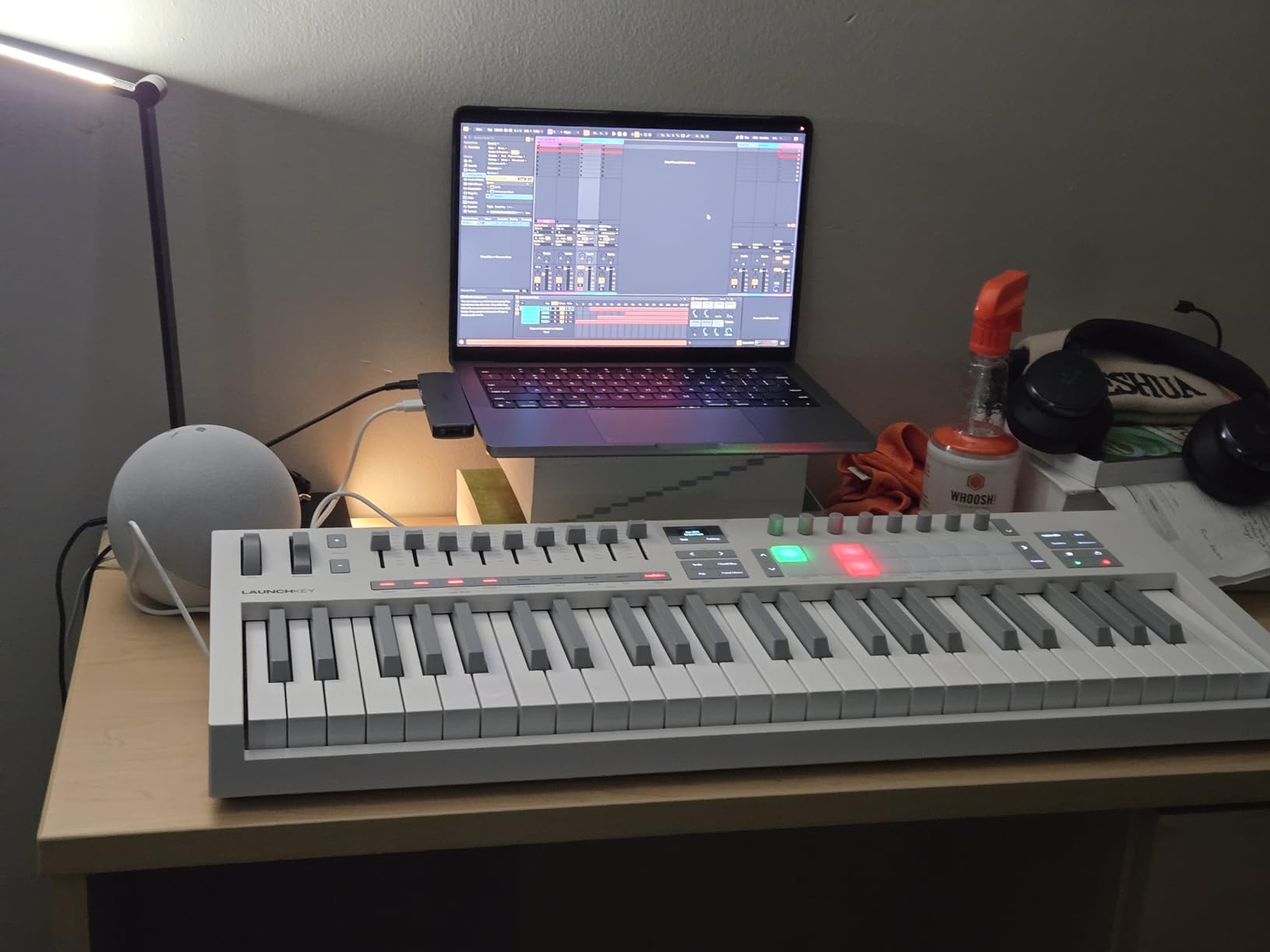
DAW integration is broad rather than locked. Ableton Live, Logic Pro, Cubase, Reason, Reaper, FL Studio and Ardour are all supported, and the board is NKS-ready. Connectivity covers USB-C and MIDI DIN, so it can drive a hardware synth chain as well as a computer, and the bundled software includes Ableton Live Lite, Cubase LE and premium content.
Owners rate the Launchkey 49 MK4 as a premium all-in-one, praising the semi-weighted action, the polyphonic aftertouch pads and the depth of DAW integration. The main reservations concern size and the FSR pad feel compared with mesh-headed pads. At 9 pounds and 14.76 inches deep it is a substantial object, and the three-year warranty is one of the longest here.
Who This Board Is Good For
It is built for the producer who mixes and arranges with hands on the controller. Nine faders and a transport section are the correct tools for riding levels and moving between sections of a track, and the OLED tells you what each control is pointing at without a full-screen computer glance. Ableton and Cubase users in particular get mapping that is deep out of the box.
It also suits live performers. Polyphonic aftertouch, chord triggers, scale mode and MIDI DIN output mean the board can run a set without a laptop screen in view. The three-year warranty and broad software bundle make it a safer long-term buy than a cheaper board you replace in two years.
Who This Board Is Not For
It is not portable, and that is the honest drawback. Nearly 15 inches deep and 9 pounds means it lives in one place, and moving it between a home desk and a studio is a two-person job depending on your setup. If your desk space is limited, or you want a controller that goes in a case, look at a compact 37-key board instead.
Second, FSR pads are pressure-sensitive surfaces rather than velocity-sensitive drum pads with a physical head. They respond to pressure beautifully for aftertouch work, but drummers coming from a pad controller will notice the difference immediately. And the price sits well above entry 49-key options, so if you only need keys and transport, this is more board than you need.
6. M-Audio Oxygen 49 MKV – Best Control Surface With Faders
M-AUDIO Oxygen 49 MKV USB MIDI Keyboard Controller
49 full-size piano-style keys
8 pads, 8 knobs, 9 faders
Smart Chord and Smart Scale
6.7 lb, 32.04 inch wide
Pros
- Full 49-key layout with piano-style velocity response
- Two banks of 8 backlit beat pads with Note Repeat
- 8 assignable knobs and 9 assignable faders for hands-on control
- Smart Chord
- Smart Scale and arpeggiator modes with auto-mapping
- Native Instruments Kontrol Standard integration with Komplete bundles
Cons
- Chassis and keys feel plasticky and heavy to move
- Bundled software needs a download card and account setup
- No display
- so less visual feedback than LCD-equipped rivals
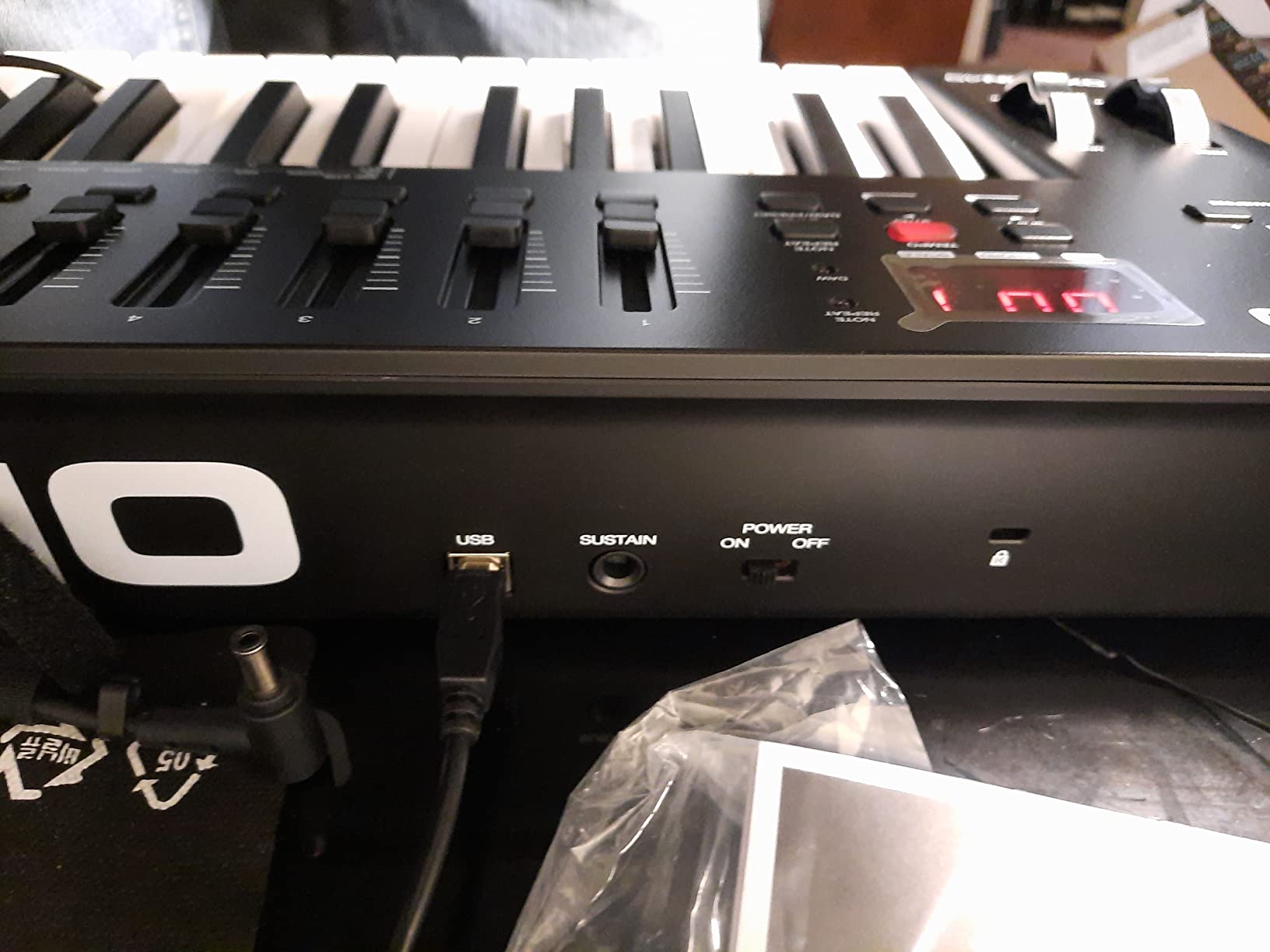
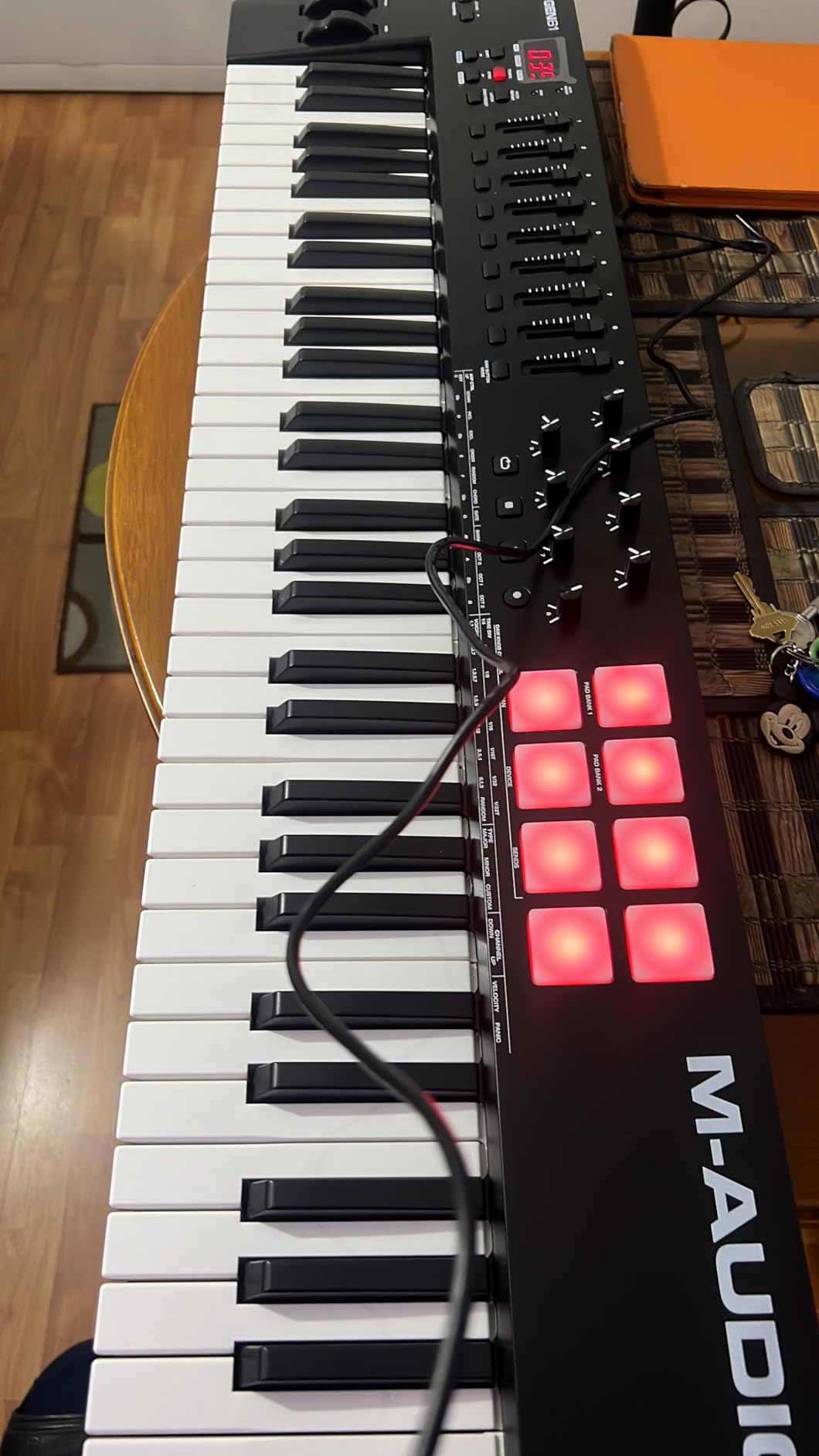
The Oxygen 49 MKV is the one to buy when mixing is part of the job rather than something you do at the end. Nine assignable faders and 8 assignable knobs is a mixer in front of you, and combined with the 49 full-size piano-style velocity-sensitive keys it means you can ride a level and play a part in the same pass. Pitch and modulation wheels and a sustain pedal input are on the board as standard.
There are two banks of 8 backlit velocity-sensitive beat pads with Note Repeat, so sixteen pads in total. In practice we used them for clip launching, soundboard triggering and quick one-shot ideas, and Note Repeat in particular makes fast rolls easy to capture without a mouse. Smart Chord, Smart Scale and the arpeggiator with auto-mapping speed up writing for players who are not strong on theory.
Native integration is a genuine feature here rather than a badge. Kontrol Standard support and a choice of three complimentary Komplete 15 Select bundles mean hardware control of those plugins out of the box. The rest of the software covers MPC Beats, Ableton Live Lite, Hybrid 3, Mini Grand and five Akai Professional MPC Expansion packs, and the board runs on Mac and Windows over USB.
Owners frame the Oxygen 49 MKV as the most complete control surface in its class, highlighting the pads, faders, smart modes and the NKS support. The weaknesses they note are build quality and the lack of an integrated display. It weighs 6.7 pounds and measures 32.04 inches wide by 9.6 inches deep, so it is full-size in every sense.
Who This Board Is Good For
This suits producers who mix in the box and want physical control of volume and panning while tracking. Nine faders with assignable knobs means you can build a control surface for a specific mix and save the mapping, which is the sort of thing that quietly speeds up an afternoon of work. Producers who mix in Logic, FL Studio, Ableton or Reaper will find the auto-mapping does most of the setup.
It is also a good fit for hybrid producers who use a hardware drum machine or a MPC-style workflow alongside a DAW, since the pads cover triggering as well as control. For anyone who wants a single board to write, trigger and mix on, the feature density here is hard to argue with at this tier.
Who This Board Is Not For
Build quality is the main reservation. Owners consistently describe the chassis and keys as plasticky, and at 6.7 pounds it is not a board you will carry around casually. If you want something that feels premium in the hand, the KeyLab Essential with its Fatar keybed or the Launchkey’s semi-weighted action feels more substantial.
There is no screen. That means no on-hardware parameter readout, so if you like seeing what a knob is controlling at a glance, you will be looking at the computer. The bundled software also requires a download card and account setup, which adds friction the first time. And it is a big board: 32 inches wide is a permanent desk commitment.
7. Arturia KeyLab Essential 49 mk3 – Best Software Bundle
Arturia KeyLab Essential mk3 — 49 Key USB MIDI Keyboard Controller with Analog Lab V Software Included
49 Synth-Action keys on a Fatar keybed
8 RGB pads, 9 faders, 9 encoders
2.5-inch LCD
Analog Lab V with 2000+ presets
6.1 lb
Pros
- Fatar keybed with a springy
- responsive semi-weighted feel
- Analog Lab V with 2000+ presets plus two high-end pianos
- 9 faders
- 9 encoders and 8 RGB pads across six user banks
- Custom DAW scripts for Ableton Live
- Logic Pro X
- FL Studio
- Cubase and Bitwig
- Bright 2.5-inch LCD that is easy to read at a glance
Cons
- Bundled software install and configuration is a steep first-time hurdle
- No polyphonic aftertouch at this price tier
- Wood-effect side panels look cheap on every model
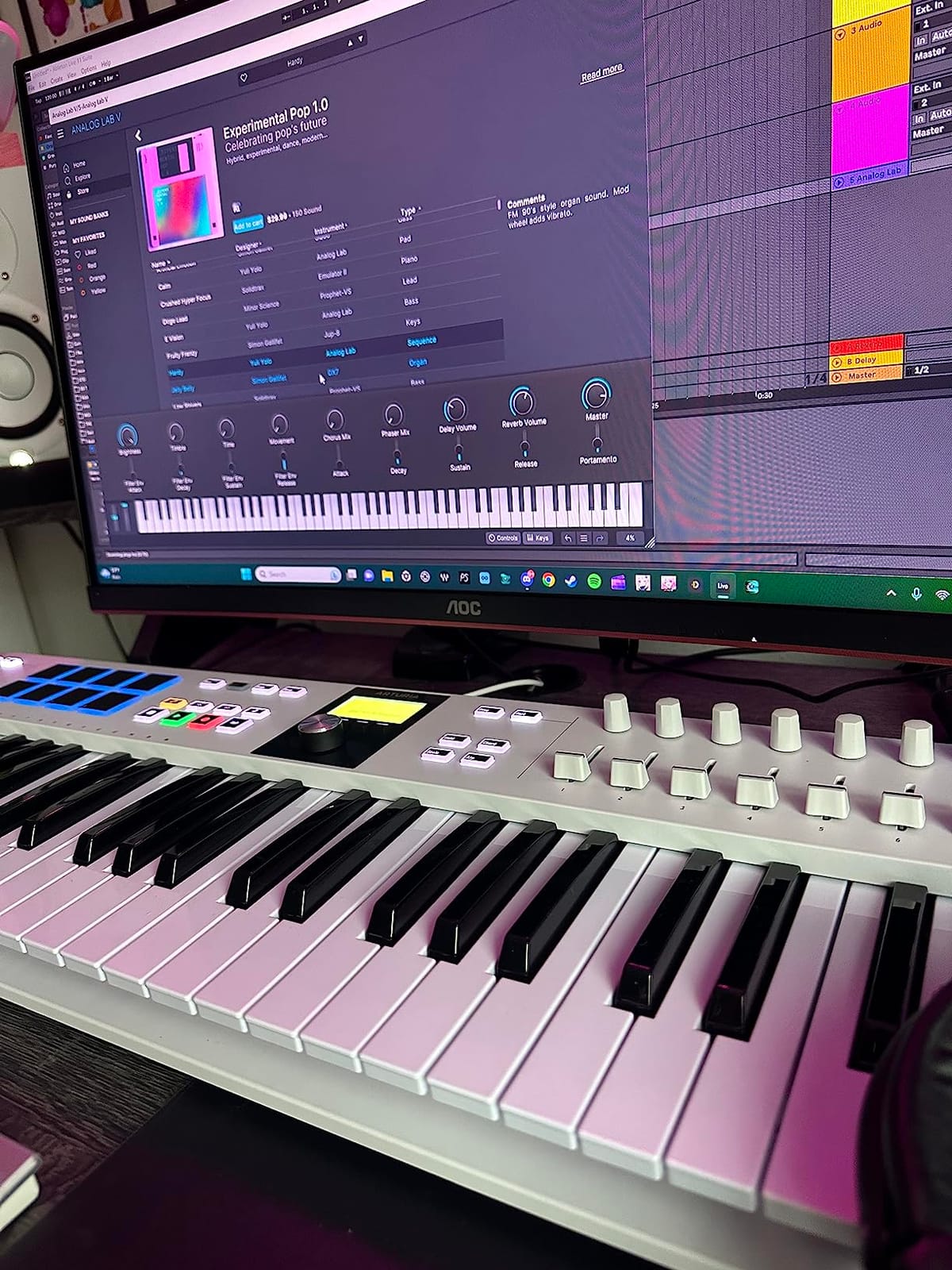
The KeyLab Essential is the board where the software carries a large share of the value. Analog Lab V alone is usually sold as a subscription instrument suite, and here it comes with more than 2000 presets plus UVI Model D and Native Instruments The Gentleman pianos. For a producer starting from nothing, that library is worth more than the hardware cost in practical terms.
Hardware-wise it is a proper semi-weighted 49-key board on a Fatar keybed, which is the springy, responsive action long-term owners of the KeyLab line consistently praise. The control surface is deep: 9 faders, 9 encoders, 8 velocity- and pressure-sensitive RGB-backlit pads and a 2.5-inch LCD, organised into 6 user-programmable banks so you can switch between a mixing layout and a sound-design layout instantly.
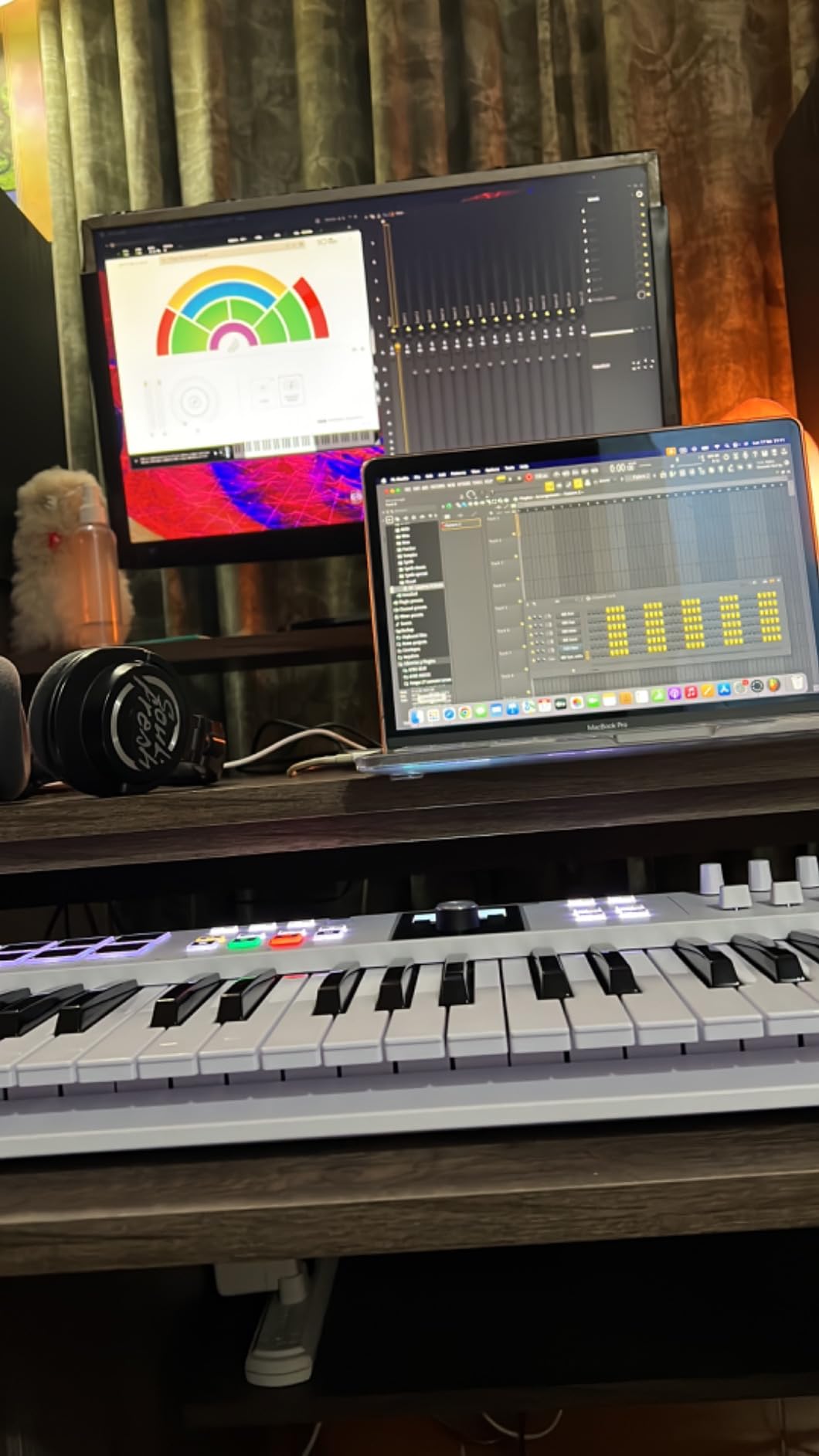
Creative and integration features include Scale Mode, Chord Mode and a multi-mode arpeggiator, plus custom DAW control scripts for Ableton Live, Logic Pro X, FL Studio, Cubase and Bitwig. Loopcloud and Melodics subscriptions are included as well, so the first-run experience is genuinely well stocked. At 6.1 pounds and 31.1 inches wide it is a desk instrument with a reasonable footprint.
Buyers call this the best value controller in its class, emphasising the Fatar keybed, responsive faders and knobs, and the size of the software bundle. Recurring cons are the initial software setup curve and the absence of polyphonic aftertouch. It carries a two-year manufacturer warranty.
Who This Board Is Good For
This is the pick for a producer building a first home studio who needs sounds as much as they need keys. The combination of a semi-weighted Fatar keybed, a real fader bank and a full instrument suite means you can make finished-sounding work on day one without shopping for plugins. It suits Mac or Windows users working in any of the major DAWs, thanks to the custom control scripts.
It also works for anyone who wants a single board for writing and mixing. Six programmable banks mean you can dedicate a whole bank to a mix and another to instrument control, and the bright LCD is readable in a lit room, which is a real improvement over no display at all.
Who This Board Is Not For
There is no polyphonic aftertouch, which matters if you plan to lean on expressive playing. If channel aftertouch from a weighted board is something you want to explore, the Launchkey 49 MK4 pads or a dedicated expression controller are the route. The wood-effect side panels also look cheap and are fitted to every model in the range, a cosmetic gripe owners mention often.
Be honest with yourself about the software side. Owners report the installation and configuration as a steep first-time hurdle, because bundles with multiple vendors, licence keys and account logins are rarely one-click. If you want a controller that is playable the second it is plugged in, the Keystation 49 MK3 is the friction-free alternative.
8. Novation FLkey 49 – Best for FL Studio
Novation FLkey 49 USB MIDI Controller Keyboard
49 semi-weighted keys
16 RGB pads with Sequencer Mode
9 faders and 8 encoders
Native FL Studio mapping
USB-C and MIDI out
Pros
- Maps instantly to the FL Studio mixer and Channel Rack with no manual assignment
- 16 RGB pads with Sequencer Mode
- Two Pad mode
- Trigger FPC and SliceX
- Nine faders and 8 encoders bring mixer
- panning and automation off the screen
- Scale mode plus three chord modes help non-pianists write quickly
Cons
- Encoder automation tied to stock FL Studio instruments without script editing
- Stock velocity curve feels stiff until adjusted in settings
- Semi-weighted action is not favoured by serious pianists
If FL Studio is your DAW, this is the board that will save you the most setup time, and that is not a small thing. The FLkey 49 maps to the mixer and Channel Rack immediately on connection, with no manual assignment and no script edits. Transport and score-logic buttons cover undo, redo, quantise and the metronome, which is more of the daily click traffic handled than most controllers manage.
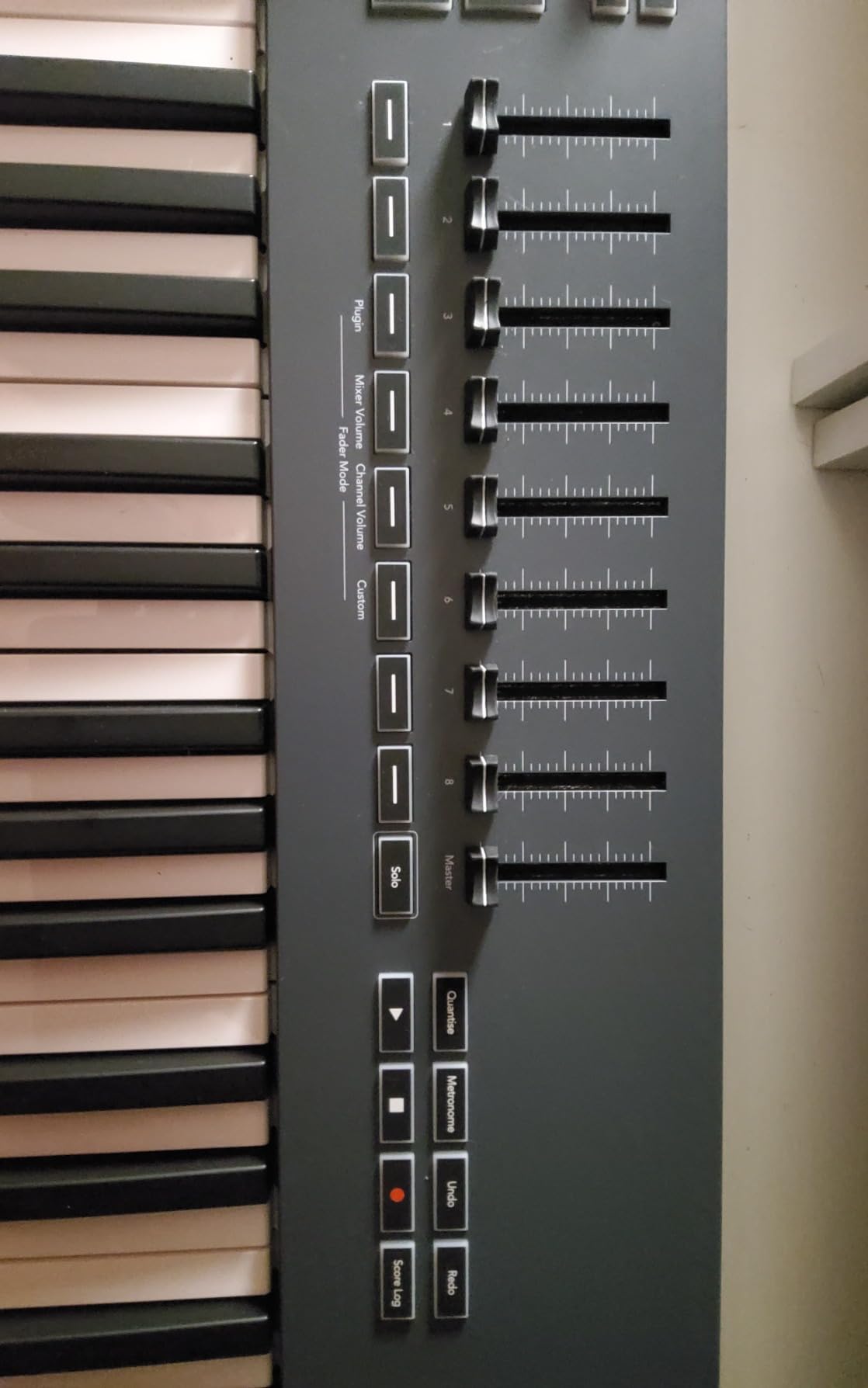
The 16 RGB backlit pads are the second reason FL Studio users rate it so highly. Sequencer Mode maps the pads to the step sequencer directly, Two Pad mode gives a layered off-grid feel for finger drumming, and Trigger FPC and SliceX turn the pads into a sample slicer for chopping audio. Nine faders and 8 encoders handle volume, panning and on-the-fly automation, and pitch and modulation wheels are present.
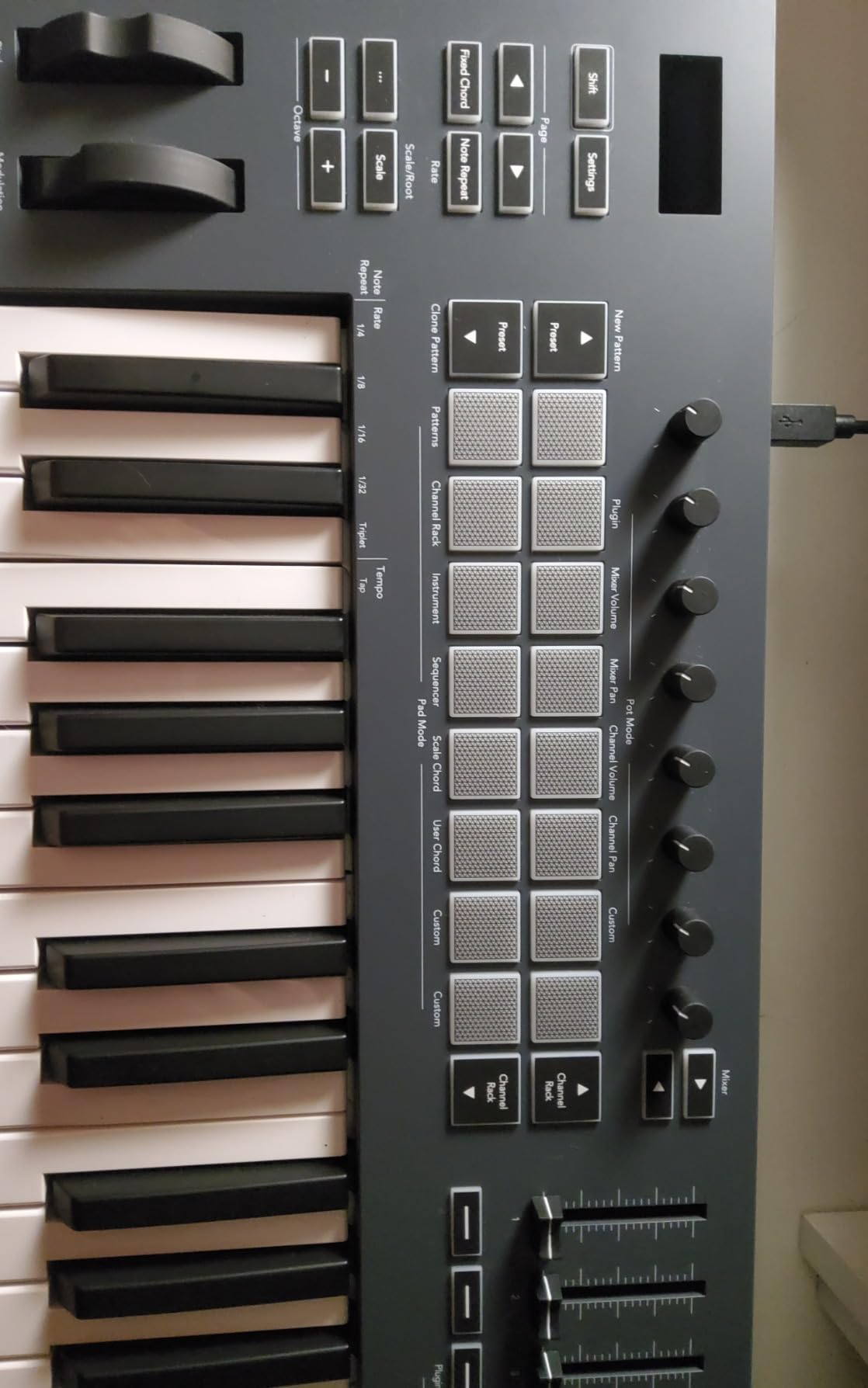
Underneath it is a proper instrument: 49 semi-weighted velocity-sensitive keys, USB-C connectivity, 5-pin MIDI out for hardware gear, and a three-year manufacturer warranty. Scale mode plus three chord modes let you hold one key and get a full harmonic part, which is how a lot of producers without piano training get melodies down quickly. It weighs 6.8 pounds.
FL Studio owners describe the FLkey 49 as a workflow transformer, thanks to the instant mapping, pad-based sequencing and preset browsing from the hardware. The most cited gripe is the restricted pot automation for non-FL plugins, plus a default velocity curve that needs tuning in settings.
Who This Board Is Good For
This is for FL Studio producers, specifically ones who do not want to maintain a control mapping. If you open a session and the mixer, Channel Rack and transport are already under your hands, you will finish sessions faster and think about music instead of routing. The pads also make it a good finger-drumming surface, which FL Studio users rely on heavily.
Chord and scale modes are a quiet strength for producers who are not pianists, and the 5-pin MIDI out means the board is not dead weight if you later add a hardware synth. A three-year warranty is a good match for the price. If you are on FL Studio and want pads plus instant mapping, this is the controller to buy.
Who This Board Is Not For
The single biggest caveat: encoder automation is tied to stock FL Studio instruments and cannot be MIDI-learned for third-party plugins without editing scripts. If you build your sounds in Kontakt, Serum or a plugin of your own, expect a mapping session. That is the price of the instant setup, and it is a real trade for a DAW-locked workflow.
It is also locked in spirit. If you ever change DAW, a lot of the value disappears and you are left with a semi-weighted 49-key board plus pads. Second, the stock velocity curve feels stiff until you adjust it, and the semi-weighted action is not favoured by serious pianists, who will find the keys require effort to actuate.
9. Nektar Impact GX61 – Best 61-Key Range in a Light Package
Nektar Impact GX61 USB MIDI Controller Keyboard
61 full-size synth-action keys
14 assignable buttons
Pitch and modulation wheels
USB powered
6 lb, 38 inch wide
Pros
- Five octaves of full-size velocity-sensitive keys at a light 6 pounds
- USB powered with no external adapter
- 14 MIDI assignable buttons plus transport controls
- Plug-and-play with Logic
- Reaper
- Kontakt and Serum
- Bundled sustain pedal
- dust cover and Bitwig 8-track licence
Cons
- Key stiffness varies slightly between keys
- Open-faced wheel bearings can collect dust over time
- No pads
- faders or assignable knobs
Five octaves is the number that changes how you write. With 61 full-size velocity-sensitive synth-action keys you can lay a full arrangement under a melody without octave shifting, which is the exact problem that ends many 25-key and 37-key relationships. The catch is width: at 38 inches this is a genuinely large instrument, and it needs a real desk or a stand.
What it gives up is everything beyond keys and buttons. There are 14 MIDI assignable buttons plus transport controls, on-board pitch bend and modulation wheels, and octave and transpose controls, but no pads, no faders and no assignable knobs. If you want a full production surface, this is not it. If you want to play parts, it is excellent value for the range.
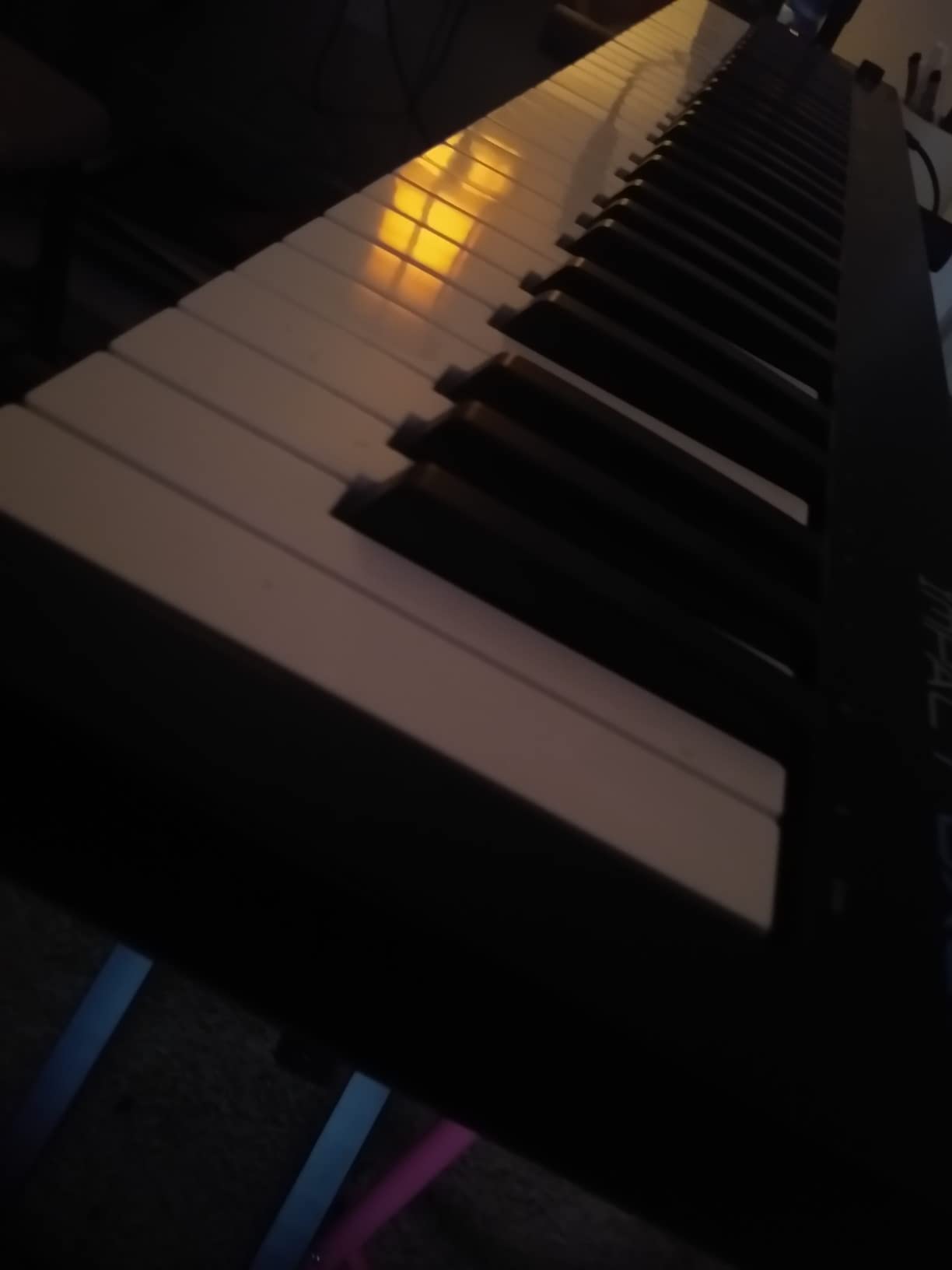
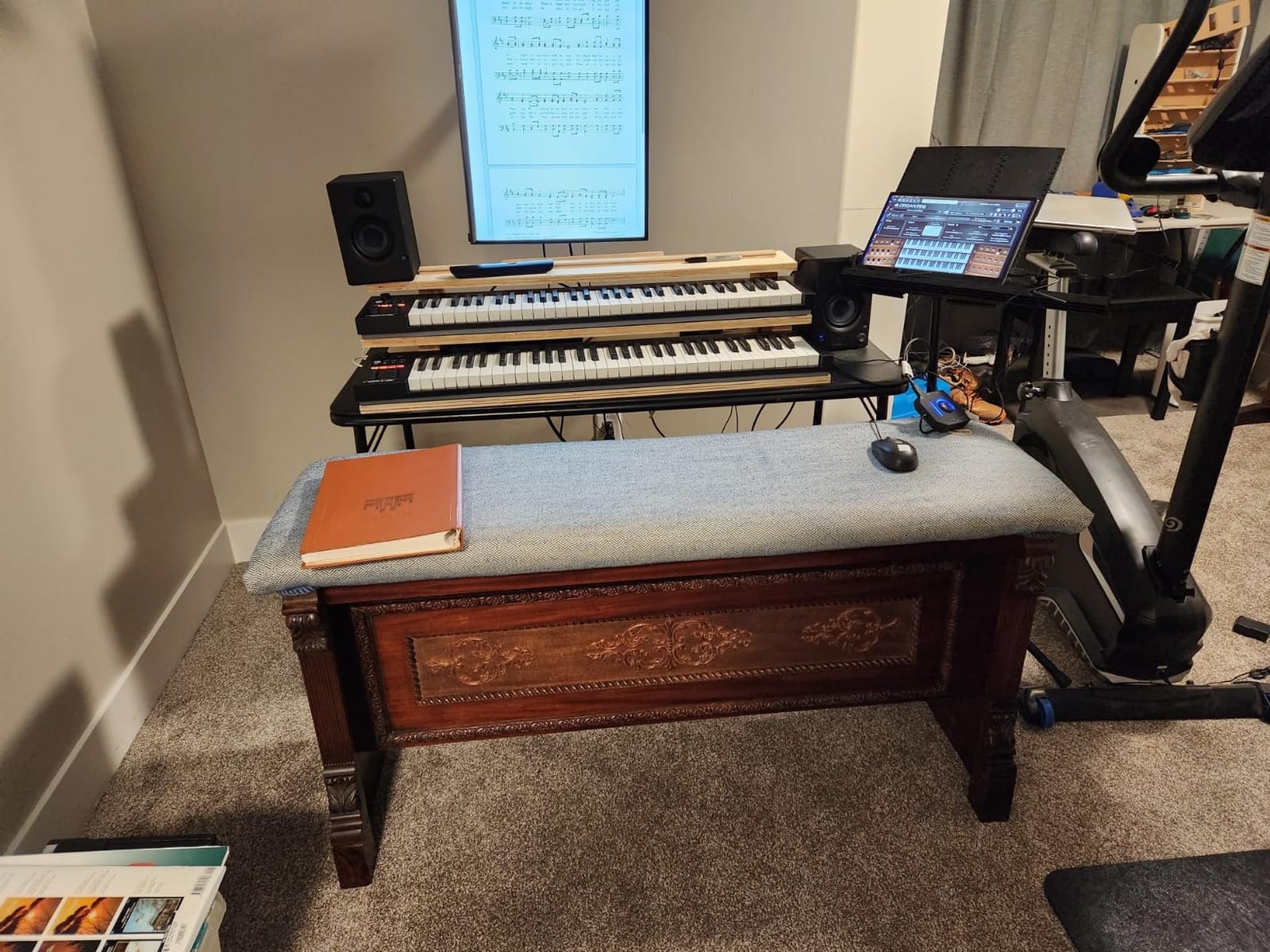
What makes the GX61 interesting is how it is used. Owners frequently pair it with a larger, heavier keyboard as a portable 61-key substitute, praising its light weight, solid build and no-latency response over USB. It is USB powered with no external adapter, works on Mac, PC and iOS, and Nektar DAW integration covers the major platforms. The bundled sustain pedal and dust cover are a nice touch that most competitors skip.
It carries a two-year manufacturer warranty and ships with a Bitwig Studio 8-track licence. The most repeated caveat in reviews is inconsistent key stiffness across the keybed, which bothers experienced players more than hobbyists, plus open-faced wheel bearings that can collect dust over time.
Who This Board Is Good For
This suits anyone who arranges in a DAW and needs a wide playable range without the cost or weight of a weighted board. At 6 pounds it is light enough to move to a rehearsal or a gig, which is unusual for a 61-key controller. Nektar support is also consistently called out by owners as a reason to stay with the brand.
It works well as a companion for someone who already owns a smaller board and plays piano parts, and for producers who write with a hardware synth as the sound source and the DAW for recording. Plug-and-play behaviour with Logic, Reaper, Kontakt and Serum means you can spend the session making music rather than configuring a controller.
Who This Board Is Not For
Key stiffness varies slightly from key to key, and experienced players notice that unevenness when playing a fast part. If you are a trained player chasing consistent dynamics, this is a genuine drawback, and it is the caveat owners raise most. Beginners and hobbyists are far less likely to run into it.
There is also no control surface beyond buttons, so mixing and plugin control stay on the mouse, and there are no pads for finger drumming. And with 38 inches of width plus 2.75 inches of height, you need desk space and a stand. If your setup is a small apartment studio, a 49-key board is a better physical fit even if the range is tighter.
10. Arturia KeyStep 37 – Best Controller-Sequencer for Hardware Synths
Arturia KeyStep Controller & Sequencer, 37 Key
37 Slimkeys with aftertouch
64-step polyphonic sequencer
16-mode arpeggiator with Mutate
MIDI DIN, sync I/O and 4 CV outputs
2.4 lb
Pros
- Polyphonic 64-step sequencer with pattern chaining
- rare at this level
- 16-mode generative arpeggiator plus a Mutate function for instant variation
- Slim 37-key action includes aftertouch for expression
- MIDI DIN
- sync I/O and 4 configurable CV outputs for modular work
- Light at 2.4 lb and only 21.5 inch wide
Cons
- Build quality is lighter and more hollow than the previous KeyStep
- Buttons are clicky compared with the rubber buttons on earlier models
- Capacitive pitch and mod strips sit close together
- No velocity- or pressure-sensitive drum pads
The KeyStep is the odd one out in this roundup because it is not only a controller. It carries a polyphonic 64-step sequencer with pattern chaining built in, and the sequencer records bend and wheel automation, so you can build a part once and then vary pitch and modulation on the pattern. Very few controllers at this size include that, and it changes how you work: you can generate ideas without a DAW running.
The arpeggiator is 16-mode with a Mutate function that generates variations on what you are playing, and the 37 velocity-sensitive Slimkeys include aftertouch, which is unusual on a board this portable. Onboard chord and scale play modes mean a single held chord can become a progression. Analog Lab Intro with 500+ sounds is included, so it is usable standalone as well as with a computer.
Connectivity is the standout. Alongside USB-C MIDI and MIDI DIN there is sync I/O, a pedal input and 4 CV outputs for Pitch, Gate, Mod 1 and Mod 2, configurable as velocity, aftertouch or mod wheel. Pitch and modulation are capacitive touch strips rather than wheels. At 2.4 pounds and 21.5 inches wide, it is the most portable board here and a two-year warranty is included.
Owners treat the KeyStep as an ideas machine, using the arpeggiator, polyphonic sequencer and Mutate to turn held chords into evolving patterns, and they value the CV outputs for modular work. The recurring criticism is the cheaper-feeling chassis and clickier buttons compared with the previous KeyStep generation. Its 117 reviews are the smallest sample in this roundup, so treat the consensus as early rather than settled.
Who This Board Is Good For
This is the pick for anyone who owns hardware. The CV outputs, MIDI DIN, sync I/O and pedal input mean it can sit in a modular or semi-modular rig and act as a controller and sequencer rather than needing a computer. For a hardware synth owner, that is a capability no other board in this list provides.
It also suits producers who want to sketch ideas away from the desk. The built-in sequencer and arpeggiator mean you can capture a pattern on a sofa, export MIDI later and finish the arrangement in your DAW. At 2.4 pounds it travels anywhere, and the slim keys with aftertouch give you more expression than most mini-key boards.
Who This Board Is Not For
It is not for mixing or deep DAW control. There are no drum pads, no fader bank and no assignable knob array, so this is a creative input device rather than a control surface. The capacitive pitch and mod strips also sit close together and need a learning curve compared with separated wheels.
Build quality is the second limit. Owners report a lighter, more hollow-feeling chassis and clickier buttons than the previous KeyStep generation, and there are no velocity- or pressure-sensitive drum pads to fall back on for beatmaking. It is also slim-key weighted only by aftertouch, not by a semi-weighted bed, so pianists wanting resistance will not find it here.
How to Choose a MIDI Keyboard for Music Production
Every board above sends MIDI data and nothing else. The differences that matter day to day are how many keys you have, how the keys feel, what else is on the surface, and how much friction there is between the board and your DAW. Work through these in order and the choice makes itself.
How many keys do you actually need
Match the key count to how you write, not to how much money you have. A beatmaker triggering samples and chord stabs needs very little range. An arranger writing full parts needs enough to play a melody and a bass line together. A pianist writing scored music needs 88 keys or a weighted 61 that behaves like an instrument.
Is a 25-key controller enough? Only for one-handed playing, sample triggering and step-sequencer work. Almost every producer who starts there reports regretting it within months, and the standard advice from people who moved up is to go straight to 49 keys. Is 49 enough? For most home studio work, yes. Four octaves and a half covers chord progressions, bass lines and melodies without shifting constantly.
Between 49 and 61, the deciding question is whether you arrange in the DAW. If you play in two-handed parts with a bass line and melody together, 61 keys saves you constantly. If you sequence and play hooks and chords, 49 is more comfortable and takes less desk space.
Key action: the choice pianists get wrong
Synth-action keys are light and fast, with no resistance beyond the key switch. They suit beatmakers and anyone recording fast rhythmic input. Semi-weighted keys add a spring stage, which is the balance point most people want: enough weight to play dynamics, enough speed to record in time. Hammer-action and Fatar keybeds go further toward a real piano feel at the cost of speed and money.
Match the action to the job. Writing for a piano part and learning theory, weighted keys are better for muscle memory. Finger drumming hi-hats and programming by feel, light keys are better. If you play piano at all, avoid mini keys entirely, which is the advice that recurs most often in producer forums.
Pads, faders and encoders decide how much you touch the mouse
Pads are for triggering and clip launching, faders for mixing and automation, encoders for plugin parameters. Boards with none of these, like the Nektar SE49, are keyboard-plus-transport devices. Boards with all three, like the Oxygen 49 MKV, are control surfaces. Neither is wrong, but they suit different producers and there is no point buying faders you will never use.
Also check the display. A small screen or OLED changes how you work, because you can see the parameter a knob is controlling without moving your eyes to the monitor. Boards with no display, including the SE49 and the Oxygen 49 MKV, ask you to guess or to look away from your playing hand.
DAW compatibility: check before you buy, and check for switching
Most controllers speak plain class-compliant MIDI, so any of these will send notes to Logic, FL Studio, Ableton Live, Reaper, Cubase, Studio One or Bitwig. What differs is the mapping. A controller with custom scripts for your DAW gives you transport, mixer and plugin control on the hardware. A DAW-locked board gives you excellent control in one application and much less in another.
The Nektar boards ship with integration for a wide list of DAWs, the Arturia KeyLab Essential includes custom scripts for Ableton Live, Logic Pro X, FL Studio, Cubase and Bitwig, and the Novation Launchkey supports the major platforms including Cubase, Reason, Reaper and FL Studio. The FLkey 49 is the most locked-in: superb in FL Studio, weaker everywhere else, particularly for third-party plugin control.
Think about switching risk before buying something DAW-locked. If there is a real chance you will move to a different DAW, a broad controller protects your investment in a way a locked one does not.
Connectivity, USB power and Bluetooth latency
Almost every board here is USB powered with no external adapter, which means one cable and no power brick. For connecting to hardware, a 5-pin MIDI Out matters, and the MPK Mini IV, Launchkey 49 MK4, FLkey 49 and KeyStep all include one. The KeyStep adds sync I/O and four CV outputs, which is what makes it useful in a hardware-only rig.
Bluetooth MIDI is the trap. It is convenient on a sofa, but the wireless round trip adds latency that makes precise timing impossible for anyone recording in time. If you intend to record MIDI, use USB. Bluetooth is fine for triggering presets while you listen, not for capture. You do not need a separate MIDI interface, because USB on these boards is class-compliant and appears as a MIDI port.
Total cost of a first home studio
A controller is one line in a budget that beginners usually underestimate. You also need a DAW, some virtual instruments, an audio interface if you are recording audio rather than only MIDI, monitors or headphones, and a stand if your desk is not deep enough. Adding a DAW and a solid instrument bundle to a mid-range controller is often a larger outlay than the controller itself.
That is why bundles matter so much in this category. The KeyLab Essential 49 mk3 ships with Analog Lab V, two pianos, Loopcloud and Melodics; the MPK Mini IV includes 1000+ instruments and a choice of Native Instruments bundles; the Nektar boards include a Bitwig Studio 8-track licence. A board that solves your software problem on day one is worth more than a bare board that leaves you shopping.
What to buy when you outgrow 25 keys
Most 25-key owners upgrade to 49 keys, and the people who went straight there wish they had done it sooner. When you make that move, prioritise a full-size keybed over pads, and a DAW with broad mapping over a DAW-locked board, because the next upgrade is usually a control surface rather than a bigger keyboard.
Keep the 25-key board if it travels. The MPK Mini IV is a genuinely useful second controller for triggering while your hands play, and pad controllers pair well with a main keyboard rather than replacing it. If your desk cannot hold a 49-key board, a 37-key slim board is the practical middle step rather than a compromise.
Before you commit, think about what your music needs that your current setup lacks. If it is range, add keys. If it is mix control, add faders. If it is ideas on the move, add pads. Buying the wrong upgrade is the most common wasted spend in home studios, and the controllers above cover those three needs distinctly.
Frequently Asked Questions
Which keyboard is best for music production?
For most home studio producers, the M-Audio Keystation 49 MK3 is the best starting point because it gives you 49 full-size velocity-sensitive keys, transport controls and pitch and modulation wheels with no setup. If you want pads and a beatmaking workflow in a bag, the Akai MPK Mini IV is the better answer, and if you want a control surface with faders, the M-Audio Oxygen 49 MKV is the strongest of the ten we tested.
Which company makes the best MIDI keyboards?
Arturia and Novation make the strongest controllers in the current generation. Arturia covers the widest range, from the portable MiniLab 37 to the KeyLab Essential 49 mk3 with its Fatar keybed and large software bundle. Novation is the deepest for DAW control, with the Launchkey 49 MK4 supporting Ableton Live, Logic, Cubase, Reason, Reaper and FL Studio. Akai and M-Audio lead on value and pads at the budget end.
Should I get a 25 or 49 key MIDI keyboard?
Get 49 keys unless you play strictly one-handed. A 25-key board is right for triggering samples, running a step sequencer and holding chords while your other hand works the mouse, but most producers who start there report regretting it within months because of constant octave shifting. Forty-nine keys covers chord progressions, bass lines and melodies without interrupting your playing.
Do you need a MIDI keyboard for music production?
Yes, if you record or arrange in a DAW, because a MIDI keyboard is the fastest way to capture realistic, editable musical ideas with dynamics and timing you could never draw with a mouse. It also lets you change the instrument or fix the notes later without re-recording. It is genuinely optional only if you work exclusively with mouse-drawn, step-sequenced patterns.
Is a 25 key MIDI keyboard enough?
It is enough for beatmakers and performers who trigger samples, run step sequencers and play one-handed chord progressions, and for that workflow it is compact and portable. It is not enough for writing melodies and bass lines together, because two and a bit octaves forces constant octave shifting. If you play piano at all, check the key width too, since 25-key mini keys are roughly half the size of standard keys.
Is 49 keys enough for a MIDI controller?
For most home studio work, 49 keys is the sweet spot. Four octaves and a half is enough to play chord progressions, bass lines and melodies in one pass without shifting octaves, and it keeps the board to a manageable desk width of roughly 31 to 32 inches. Move to 61 keys only if you routinely arrange full parts with melody and bass played together.
Which MIDI keyboard is better, 49 keys or 61 keys?
Choose 61 keys if you arrange in the DAW and play two-handed parts, because five octaves lets you lay a full arrangement under a melody without octave shifting. Choose 49 keys if you sequence beats, write hooks and progressions, or have limited desk space, since 49-key boards are narrower and generally lighter. The Nektar Impact GX61 gives you 61 keys at about 6 pounds, so the range does not have to mean extra weight.
Final Verdict: Which MIDI Keyboard Should You Buy
The Akai MPK Mini IV is our top pick and the editor’s choice for music production in 2026, because it is the only 25-key board here that does not feel like a compromise: pads, eight assignable knobs, a real display and pre-mapped control for Ableton Live Lite, Logic Pro and FL Studio, at a weight you can carry anywhere.
For most people reading this, though, the honest answer is a 49-key board. The M-Audio Keystation 49 MK3 is the friction-free start. The Arturia KeyLab Essential 49 mk3 is the better long-term buy if you want a semi-weighted Fatar keybed and a large software bundle. The Novation Launchkey 49 MK4 is the one to own if you want faders, pads with aftertouch and deep mapping in Ableton or Cubase. The Nektar Impact GX61 covers the 61-key range without much extra weight, and the Arturia KeyStep is the pick if your gear is hardware rather than software.
Check the current details for each board below, and use the full MIDI keyboards roundup if you want to compare these against more of the market. Whatever you choose, buy the key count and key width that match how you actually play, and buy it for the DAW you use now, not the one you might use later.