
I have spent the better part of three years testing MIDI keyboards in my home studio, and if there is one thing I learned, it is that the right controller completely changes how you make music. The wrong one just sits on your desk collecting dust. The best MIDI keyboards feel like an extension of your hands, not a piece of plastic you fight with every time you open your DAW.
Our team compared 8 of the most popular MIDI keyboard controllers available in 2026, ranging from ultra-portable 25-key units to full 61-key workstations. We tested each one with Ableton Live, FL Studio, and Logic Pro to see how the DAW integration actually holds up in real sessions, not just in marketing materials.
Whether you are a bedroom producer looking for your first controller or a seasoned beat maker wanting to upgrade, this guide breaks down exactly what each keyboard does well and who it is built for. We cover key feel, pad responsiveness, software bundles, connectivity, and the real-world issues you will not find on the spec sheet.
Table of Contents
Top 3 Picks for Best MIDI Keyboards

Novation Launchkey 49 MK4
- 49 semi-weighted keys
- 16 FSR pads with aftertouch
- Scale and Chord modes
Best MIDI Keyboards in 2026
| Product | Specifications | Action |
|---|---|---|
| Novation Launchkey 49 MK4 |
|
Check Latest Price |
 Arturia MiniLab 3 Arturia MiniLab 3 |
|
Check Latest Price |
 Akai MPK Mini IV Akai MPK Mini IV |
|
Check Latest Price |
 M-Audio Keystation 49 MK3 M-Audio Keystation 49 MK3 |
|
Check Latest Price |
 Novation FLkey 49 Novation FLkey 49 |
|
Check Latest Price |
 M-Audio Oxygen Pro 49 M-Audio Oxygen Pro 49 |
|
Check Latest Price |
 Nektar Impact GX61 Nektar Impact GX61 |
|
Check Latest Price |
 NI Komplete Kontrol M32 NI Komplete Kontrol M32 |
|
Check Latest Price |
1. Novation Launchkey 49 MK4 – Best Overall MIDI Keyboard for DAW Integration
Novation Launchkey 49 MK4 USB MIDI Keyboard Controller
49 semi-weighted waterfall keys
16 FSR pads with polyphonic aftertouch
8 encoders and 9 faders
Scale and Chord modes
Pros
- Semi-weighted waterfall-style keys feel premium
- 16 FSR pads with polyphonic aftertouch
- Deep integration with all major DAWs
- Scale and Chord modes keep you in key
- Excellent software bundle included
Cons
- Heavier at 9 pounds
- FSR pads may need adjustment for finger drummers
The first time I plugged the Novation Launchkey 49 MK4 into Ableton Live, I was struck by how little manual mapping I had to do. Novation built this controller with DAW integration as the core feature, not an afterthought. The transport controls, mixer faders, and pad assignments all worked right out of the box without me digging through settings menus.
The 49 semi-weighted, waterfall-style piano keys are a noticeable step up from the synth-action keys on cheaper controllers. They have enough resistance to feel expressive when you are playing melodies, and the waterfall design makes glissandos comfortable. I tested it across piano, synth, and organ virtual instruments, and the keybed responded consistently well in each context.
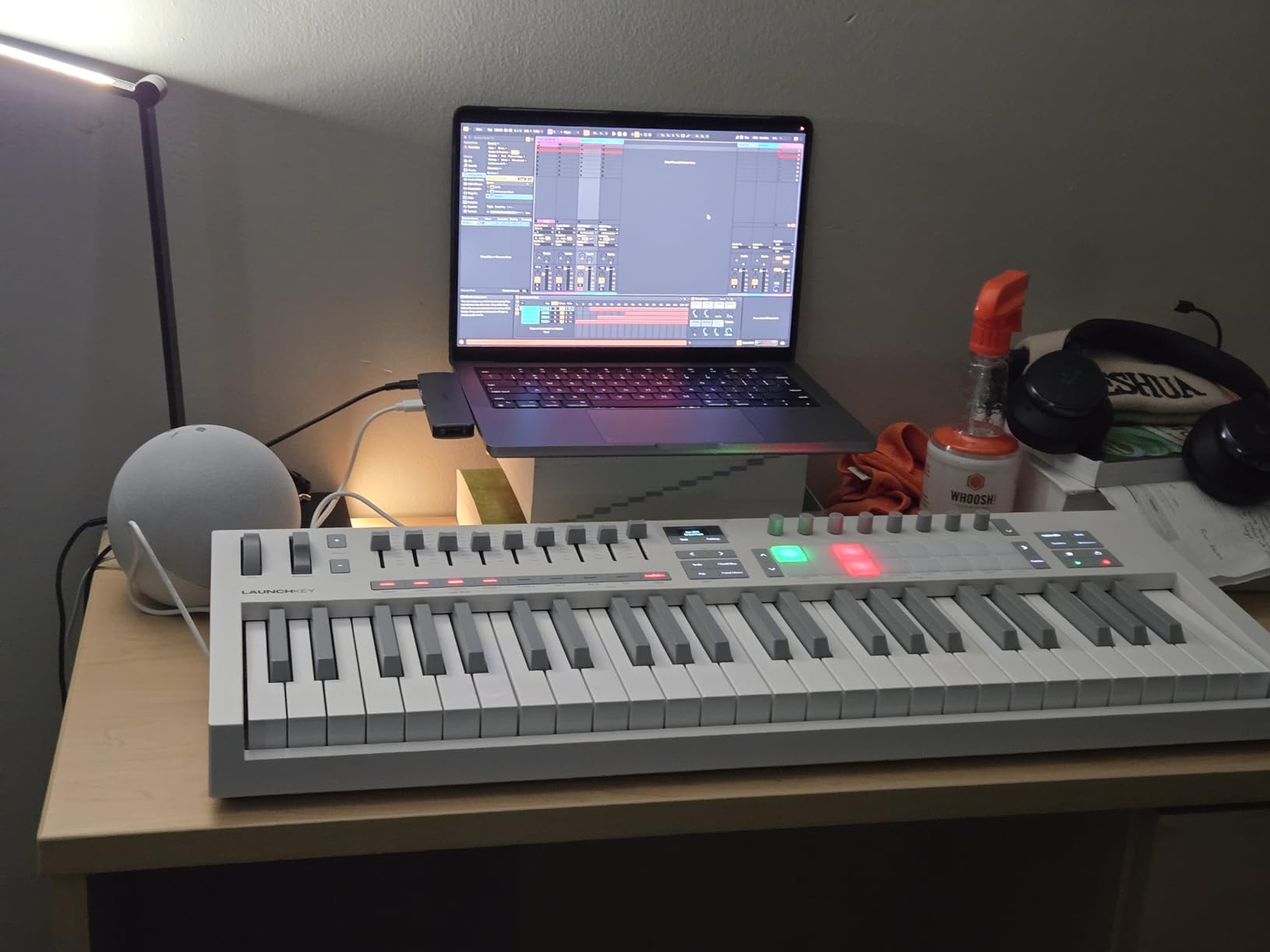
What sets the Launchkey 49 MK4 apart is the 16 FSR pads with polyphonic aftertouch. You can use them for finger drumming, but they also work as step sequencers, clip launchers, and chord triggers. The polyphonic aftertouch means you can press harder on a held note to add expression, which is something I usually only see on much more expensive controllers.
The Scale and Chord modes are genuinely useful, not gimmicks. Scale mode locks the keyboard to whichever scale you select, so you literally cannot hit a wrong note. Chord mode lets you trigger full chords from a single key press. I found both features especially handy when sketching out ideas quickly before a full arrangement session.
On the software side, Novation includes Ableton Live Lite, Cubase LE, and sounds from GForce, Klevgrand, Orchestral Tools, and Native Instruments. That is enough to start producing right away. The controller also works with Logic Pro, Reason, Reaper, FL Studio, and Ardour, so you are not locked into one DAW.
For Whom This Keyboard Is Perfect
The Launchkey 49 MK4 is built for producers who want a controller that handles every part of their workflow without compromise. If you switch between playing melodies, finger drumming, mixing, and launching clips, this keyboard does all of it well. The 49-key size hits the sweet spot for most home studio setups where desk space is limited but you still want two-hand playing capability.
What to Watch Out For
At 9 pounds, this is one of the heavier controllers in its class. If you plan to carry it between a studio and live gigs regularly, the weight adds up. The FSR pads also feel different from traditional MPC-style pads and may take some adjustment if you are used to Akai’s pad response. Some finger drummers report needing a few sessions to dial in the velocity curve to their liking.
2. Arturia MiniLab 3 – Best Value MIDI Controller for Producers
Arturia MiniLab 3 Universal MIDI Controller, White
25 slim velocity keys
8 RGB velocity and pressure pads
8 encoders and 4 faders
USB-C and MIDI Out
Pros
- Excellent build quality for the price
- Comprehensive control surface with pads
- encoders
- and faders
- Outstanding software bundle included
- Capacitive touch pitch and mod strips
- MIDI Out for hardware synths
Cons
- Slim keys may not suit players with larger hands
- Limited to 25 keys for complex arrangements
The Arturia MiniLab 3 is the controller I keep recommending to friends who are just starting out or who want something compact for a secondary setup. At its price point, the build quality is genuinely impressive. The housing feels solid, the knobs have a nice resistance to them, and nothing about it screams budget.
What surprised me most is how much control Arturia packed into this small footprint. You get 25 velocity-sensitive slim keys, 8 RGB pads, 8 rotary encoders, 4 faders, and an arpeggiator. That is more hands-on control than some keyboards that cost twice as much. The mini display and clickable browsing knob let you navigate sounds without touching your mouse.
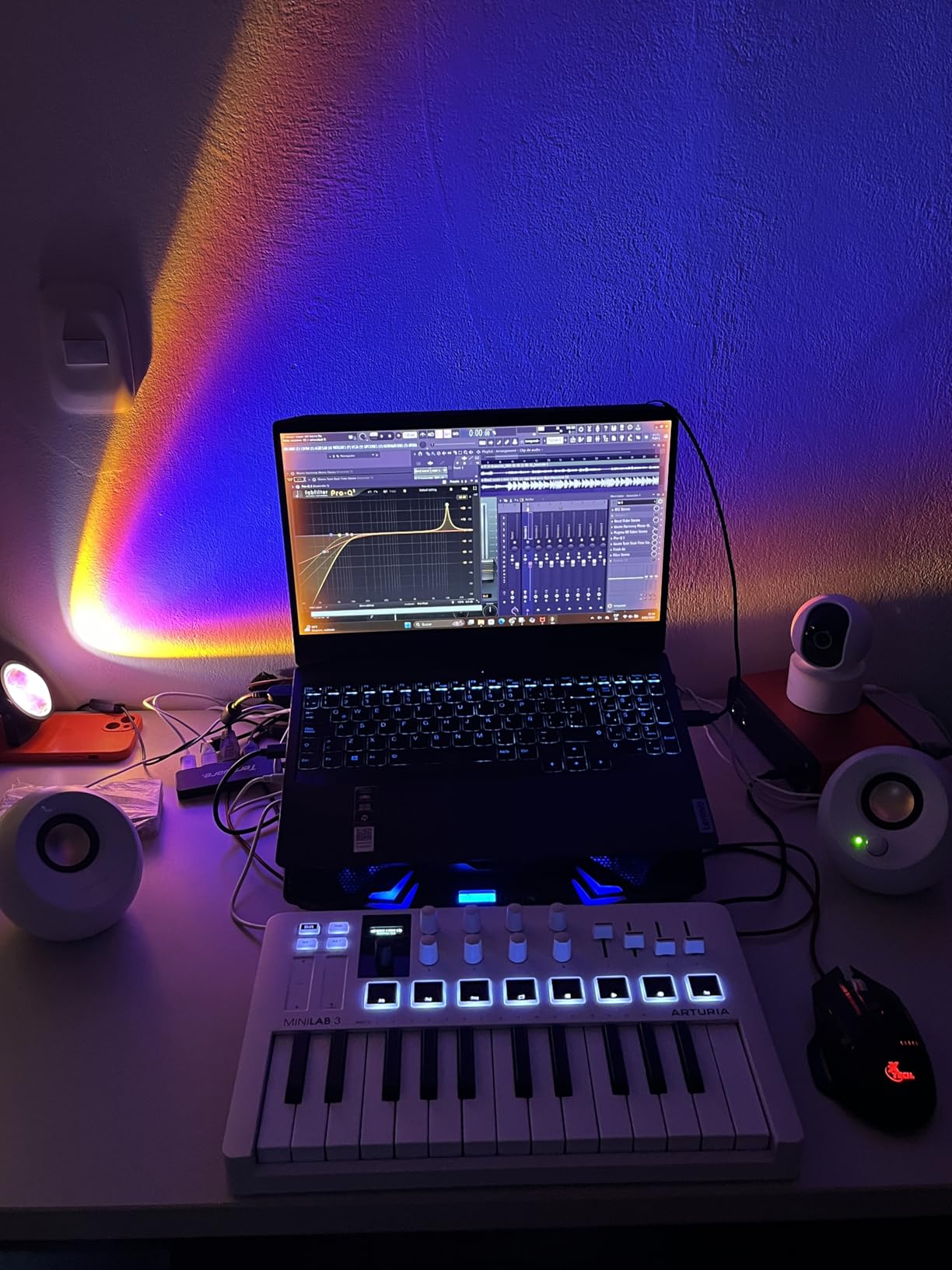
The software bundle is where the MiniLab 3 really punches above its weight. Arturia includes Ableton Live Lite, Analog Lab Intro (which gives you access to hundreds of synth and keyboard sounds), and UVI Model D (a sampled grand piano). For someone building their first studio, this bundle alone could keep you occupied for months.
The capacitive touch sensors for pitch bend and modulation take some getting used to. Instead of traditional wheels, you get touch strips that respond to finger movement. I found them precise once I adapted, but if you are coming from a keyboard with physical wheels, there is a learning curve.
Arturia backs this controller with a 5-year warranty, which tells you they stand behind the build quality. The MIDI Out port means you can connect it directly to hardware synthesizers without needing a computer in the chain, which is a feature I did not expect at this price.
For Whom This Keyboard Is Perfect
The MiniLab 3 is ideal for bedroom producers, travelers, and anyone with limited desk space who still wants a full control surface. If your workflow involves tweaking synth parameters, programming drums, and playing simple melodies, this keyboard covers all of those bases without taking up your entire desk. It is also a great secondary controller if you already have a larger keyboard in your main studio.
What to Watch Out For
The 25 slim keys are functional but will frustrate anyone trained on piano. Two-handed playing is out of the question at this size, and the slim key width takes adjustment if you have larger fingers. If you plan to play complex chord voicings or piano pieces, you will want to look at a controller with more and larger keys.
3. Akai Professional MPK Mini IV – Best Budget MIDI Keyboard for Beat Makers
Akai Professional MPK Mini IV 25-Key USB-C MIDI Keyboard Controller, Black
25 mini velocity keys
8 MPC pads with RGB
8 assignable 360-degree knobs
USB-C connectivity
Pros
- Iconic MPC pads are best in class for finger drumming
- USB-C for modern connectivity
- Full-color screen for navigation
- Arpeggiator with Pattern
- Freeze
- and Mutate
- Massive software bundle with 1000-plus sounds
Cons
- Mini keys are very small for melodic playing
- No built-in sounds
- requires software synths
Akai practically invented the MPC workflow, and the MPK Mini IV brings that legacy to a compact keyboard controller. When I tested the 8 MPC pads, they delivered the same satisfying, responsive feel that made Akai’s standalone units legendary. If finger drumming is a core part of your production style, these pads alone justify the purchase.
The 25 mini keys are velocity-sensitive, which means they respond to how hard you press. That said, they are small. I would not recommend this keyboard if your primary focus is playing piano-style melodies. But for entering basslines, simple chord stabs, and synth lines into your DAW, they get the job done.
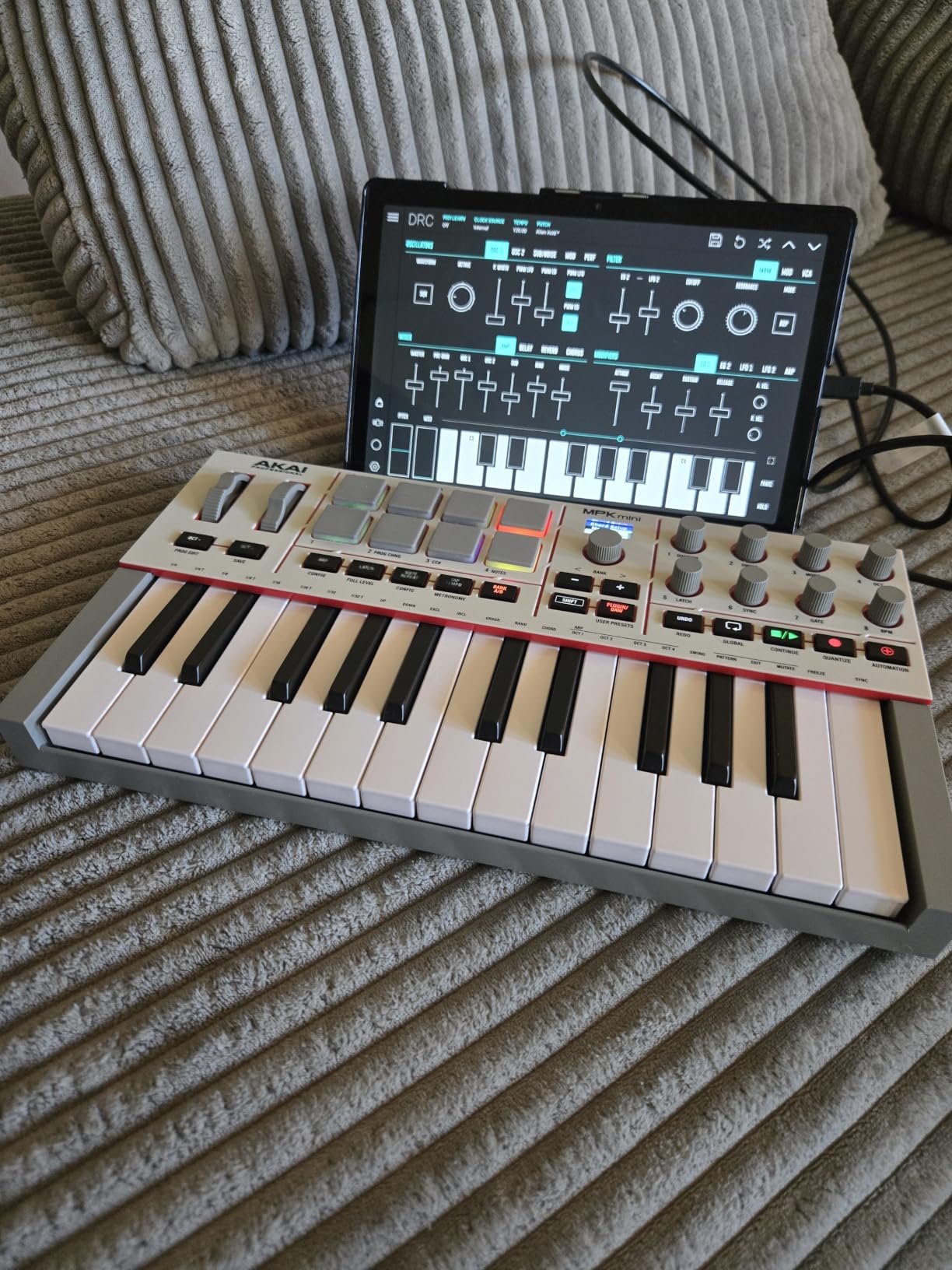
The full-color screen is a welcome addition that previous MPK Mini generations lacked. You can navigate sounds, adjust settings, and see parameter values without looking at your computer monitor. The 8 assignable 360-degree knobs give you real-time control over whatever parameters you map them to in your DAW.
Akai includes a serious software package: over 1000 pro-grade drums, keys, synths, bass, and FX sounds from AIR, Akai Pro, and Moog. You also get Ableton Live Lite 12, pre-mapped DAW integration for Logic Pro and FL Studio, a 30-day Melodics trial, and 2 months of Splice. The arpeggiator with Pattern, Freeze, and Mutate functions adds creative possibilities beyond basic note triggering.
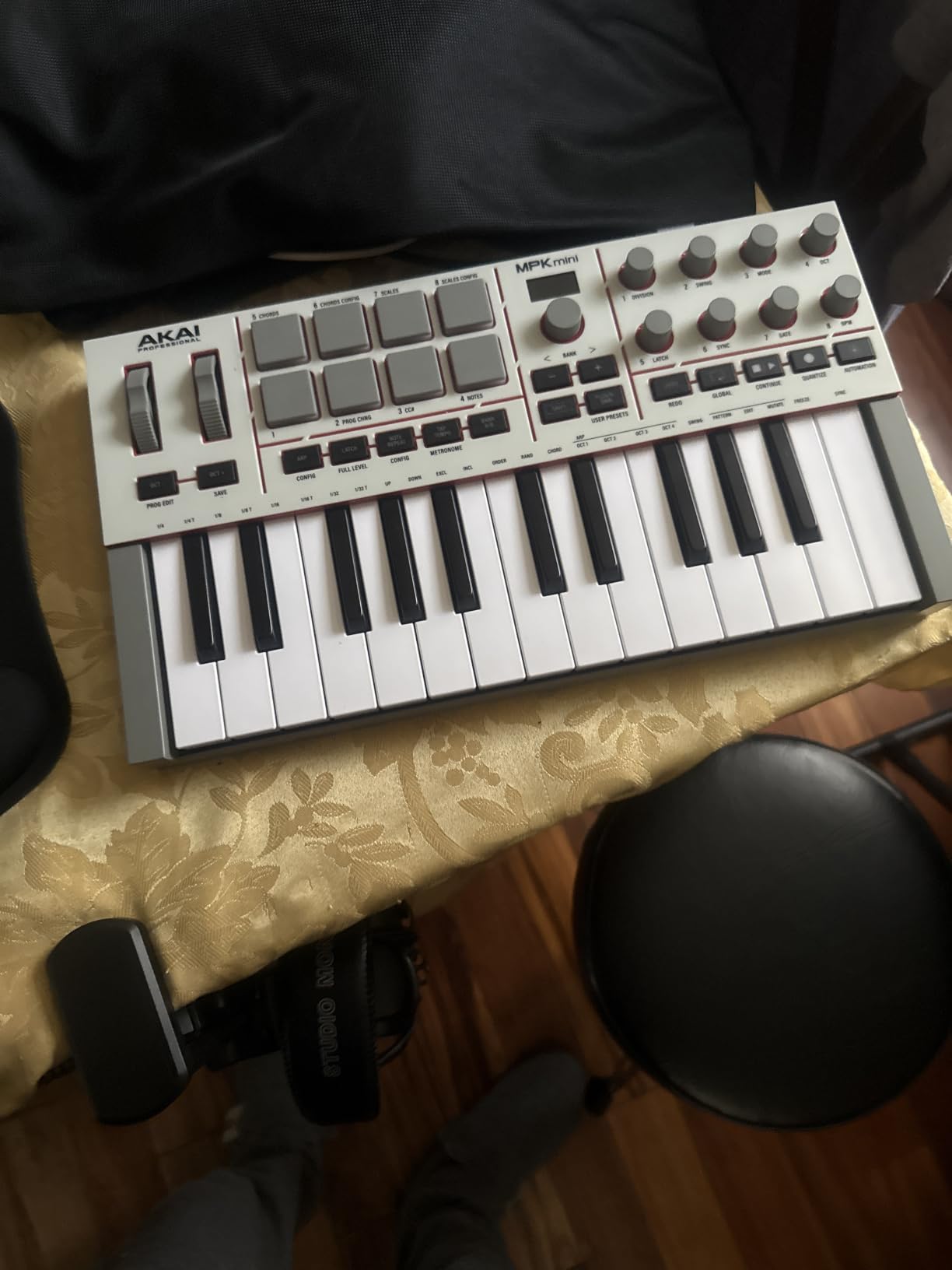
The USB-C connectivity is a nice modern touch, and the controller is bus-powered, so you only need one cable. It also features a full-size MIDI Out port, which means you can sequence external hardware without needing a separate interface. At roughly 1 kilogram, it is one of the most portable options on this list.
For Whom This Keyboard Is Perfect
The MPK Mini IV is built for beat makers and hip-hop producers who prioritize pad performance over keyboard playing. If your workflow centers around finger drumming, sample chopping, and programming drums, the MPC pads will feel like home. It is also the best option on this list for producers who want something small enough to throw in a backpack for sessions on the go.
What to Watch Out For
The mini keys are genuinely tiny, and players with larger hands will struggle with accuracy. This keyboard has no built-in sounds, so it is completely dependent on your computer and software instruments to make noise. If you want something that works standalone, you need to look elsewhere. The 25-key limit also means you will be using octave buttons frequently for anything outside a two-octave range.
4. M-Audio Keystation 49 MK3 – Best MIDI Keyboard for Beginners
M-AUDIO Keystation 49 MK3 USB MIDI Controller
49 full-size velocity keys
Pitch and modulation wheels
Volume fader and transport controls
Sustain pedal input
Pros
- 49 full-size keys feel natural for piano players
- True plug-and-play with no driver installation needed
- iOS compatible with camera adapter
- Excellent included software suite
- Very affordable for 49 keys
Cons
- USB only
- no MIDI Out port
- Keys are synth-action not weighted
- Windows setup can need extra configuration
The M-Audio Keystation 49 MK3 is the keyboard I wish I had started with. It strips away the complexity and delivers exactly what a beginner needs: 49 full-size, velocity-sensitive keys that feel like a real instrument. No pads, no encoders, no overwhelming control surface. Just a solid keyboard that does its job without getting in your way.
The full-size keys are the biggest selling point here. When I compared them side by side with mini-key controllers, the difference in playability was immediately obvious. You can play proper two-handed chord shapes, and the key spacing matches a standard piano. For anyone learning keyboard technique alongside production, this matters a lot.
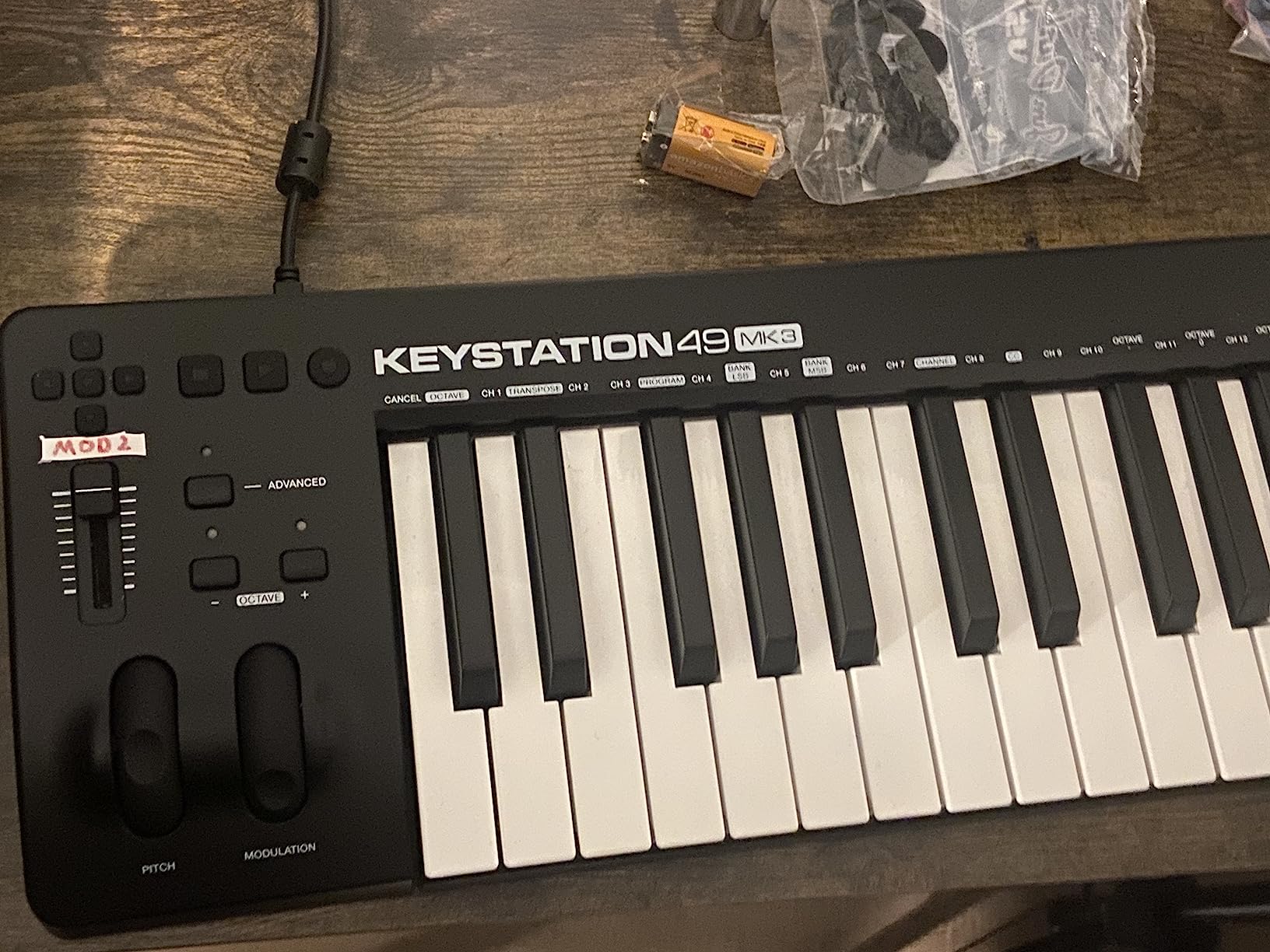
Setup was genuinely plug-and-play on my Mac. I connected the USB cable, opened Ableton Live, and the keyboard was recognized instantly. No driver downloads, no configuration menus. The volume fader, transport buttons, and octave controls all mapped automatically to my DAW without any manual assignment.
The included software suite is generous: MPC Beats, Ableton Live Lite, Velvet (electric piano), Xpand2 (multitimbral workstation), Mini Grand (acoustic piano), and Touch Loops (sample content). You also get free lessons from Skoove and over 60 app-based lessons from Melodics. For a beginner who does not own any software yet, this bundle covers a lot of ground.
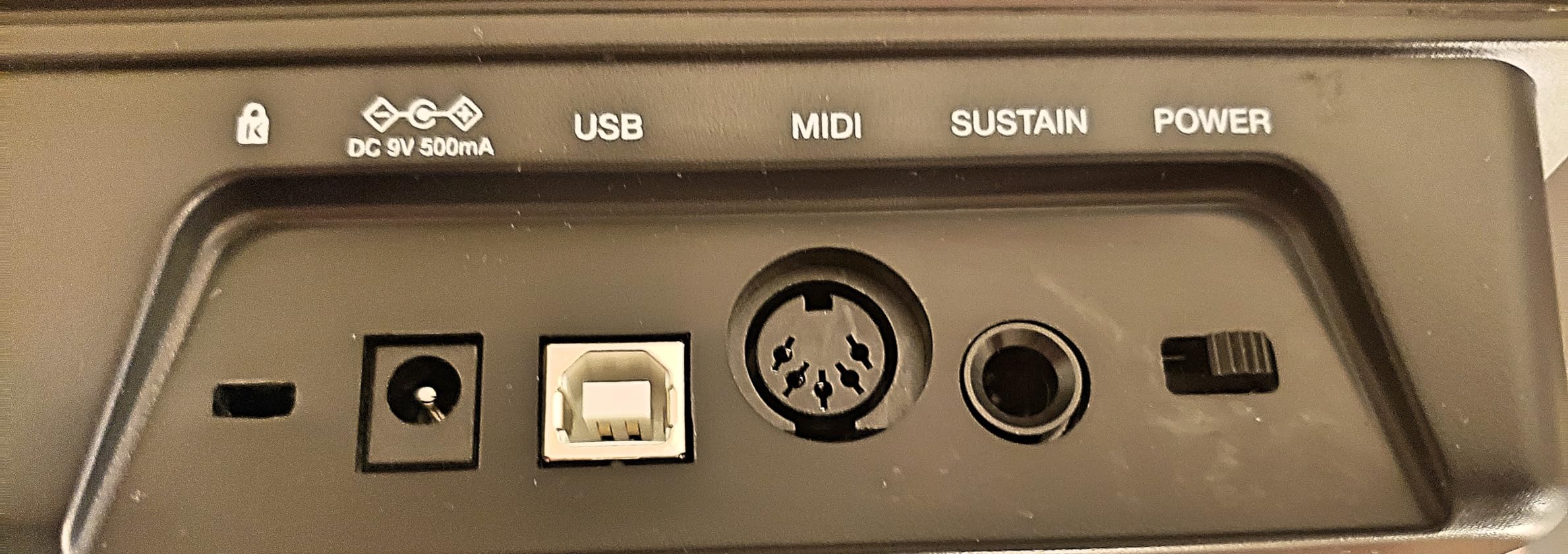
The pitch and modulation wheels are ergonomically positioned and have a smooth, predictable response. There is also a sustain pedal input, which lets you add expression to piano parts the way you would on a real keyboard. At 4.8 pounds, it is lightweight enough to move around but stable enough to stay put on a desk.
For Whom This Keyboard Is Perfect
The Keystation 49 MK3 is the best MIDI keyboard for beginners who want to focus on playing rather than programming. If you are coming from piano lessons or want to learn keyboard skills while producing music, the full-size keys and simple layout will support that journey. It is also an excellent choice for schools, podcast studios, and anyone who needs a no-frills controller that just works.
What to Watch Out For
The keys are synth-action, not weighted, so they will not replicate the resistance of a real piano. If you are a trained pianist looking for authentic hammer action, this is not it. The USB-only connectivity means you cannot connect directly to hardware synths without a USB-to-MIDI interface. Some Windows users report needing extra configuration steps to get everything recognized properly.
5. Novation FLkey 49 – Best MIDI Keyboard for FL Studio
Novation FLkey 49 USB MIDI Controller Keyboard
49 semi-weighted keys
16 velocity-sensitive RGB pads
8 knobs and 9 faders
FL Studio integration
5-pin MIDI Out
Pros
- Full native FL Studio integration with no manual mapping
- Sequencer Mode maps pads to FL Studio step sequencer
- Scale and Chord modes built in
- USB-C connectivity with MIDI Out for hardware
- 6-month FL Studio trial included
Cons
- FL Studio specific
- less versatile with other DAWs
- Limited stock availability
If FL Studio is your DAW of choice, the Novation FLkey 49 is purpose-built for it in a way no other controller on this list can match. Every button, fader, and pad maps directly to FL Studio functions with zero manual configuration. I opened FL Studio, plugged in the FLkey, and the mixer faders, channel rack controls, and transport buttons were all live immediately.
The Sequencer Mode is the standout feature. It maps the 16 RGB pads directly to FL Studio’s step sequencer, so you can program drum patterns by tapping pads instead of clicking grid squares with your mouse. For beat makers who live in the step sequencer, this changes the entire workflow. It feels like using an MPC but with full FL Studio integration underneath.
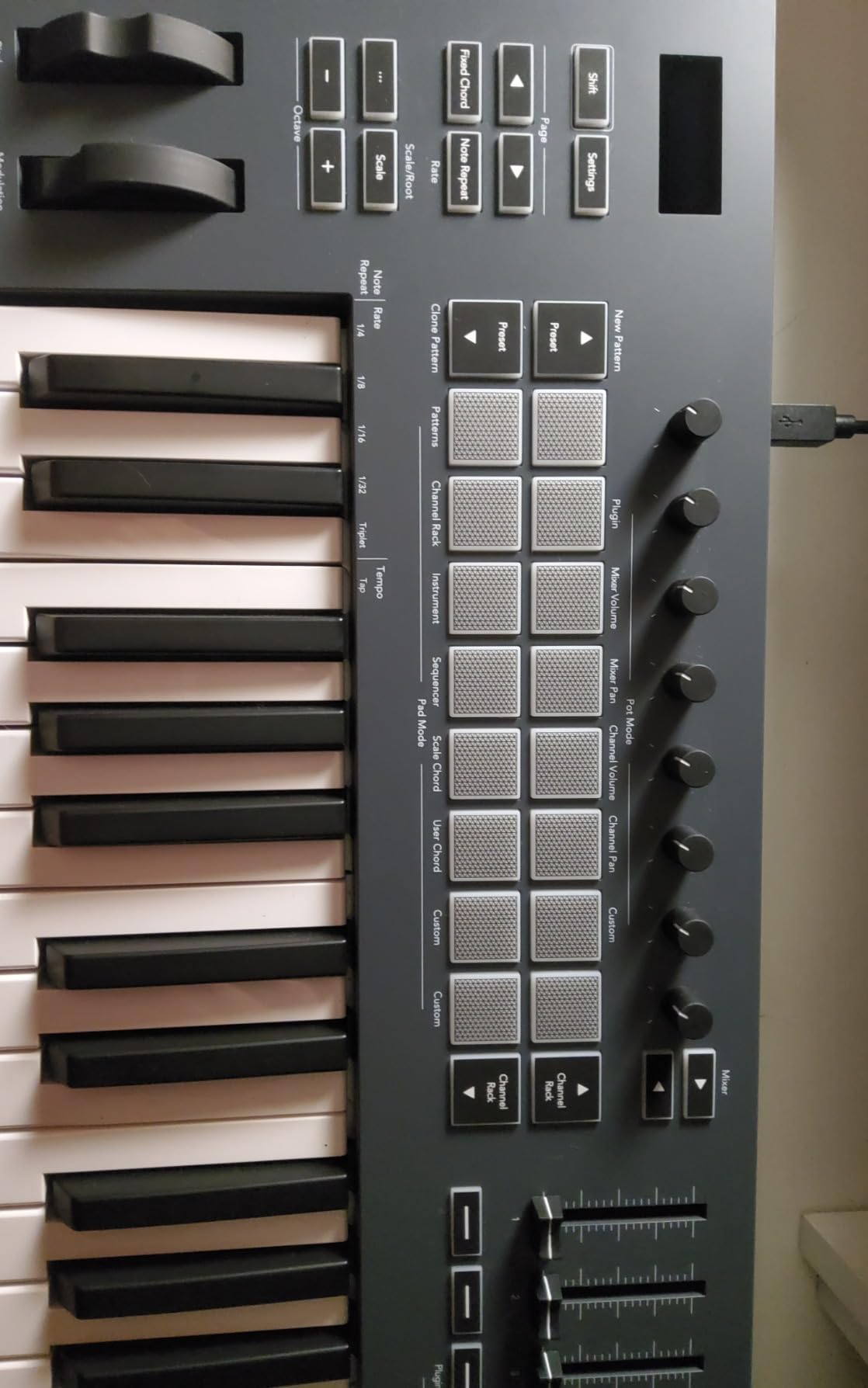
The 49 semi-weighted keys provide a solid playing surface for melodies and chord progressions. They are not as premium as the Launchkey MK4 keybed, but they are a definite step up from budget synth-action keys. The Scale mode ensures every note you play is in key, and the three Chord modes let you trigger complex chord voicings from a single key press.
The 8 knobs and 9 faders give you hands-on control over the FL Studio mixer and channel rack. You can adjust volume, pan, and plugin parameters without reaching for your mouse. Transport controls for play, stop, record, undo, redo, quantize, and metronome are all laid out clearly across the top panel.
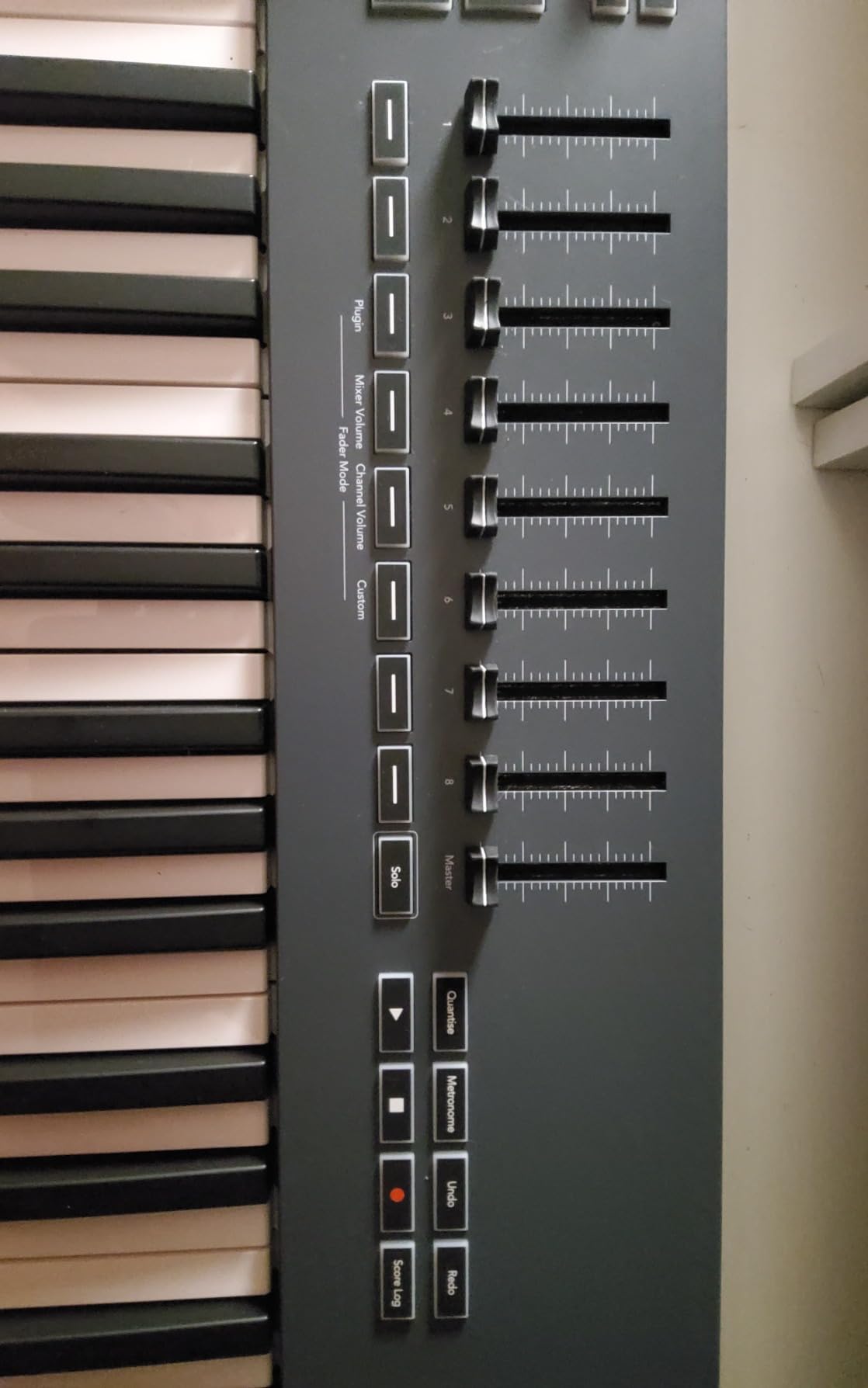
Novation includes a 6-month FL Studio trial, which is a smart inclusion if you are still deciding whether FL Studio is the right DAW for you. The USB-C connectivity is modern and reliable, and the 5-pin MIDI Out means you can control external hardware synths and drum machines alongside your software instruments.
For Whom This Keyboard Is Perfect
The FLkey 49 is the obvious choice for FL Studio producers who want a controller that mirrors their DAW workflow. If you spend most of your time in the channel rack, step sequencer, and mixer, this keyboard puts all of those controls under your fingers. It is especially powerful for hip-hop, electronic, and trap producers who rely on pattern-based beat making.
What to Watch Out For
This controller is designed specifically for FL Studio, and that specialization cuts both ways. While it works with other DAWs as a generic MIDI controller, you lose the deep integration that makes it special. If you switch DAWs or use multiple platforms, a more versatile controller like the Launchkey 49 MK4 may serve you better. Stock availability has also been consistently tight, so it may require patience to find one in stock.
6. M-Audio Oxygen Pro 49 – Best MIDI Controller with Aftertouch and Pads
M-AUDIO Oxygen Pro 49 USB MIDI Keyboard Controller
49 semi-weighted keys with aftertouch
16 RGB drum pads with Note Repeat
8 knobs, 9 faders, Smart Chord
5-pin MIDI Output
NKS Integration
Pros
- Aftertouch adds expressive control over sustained notes
- 16 assignable drum pads with Note Repeat and Smart Chord
- Comprehensive control surface with knobs
- faders
- and buttons
- 5-pin MIDI Out for hardware connections
- NKS integration with Native Instruments ecosystem
Cons
- Platform specs list Windows only despite Mac compatibility
- Stock availability can be inconsistent
- Heavier and bulkier than simpler controllers
The M-Audio Oxygen Pro 49 is the feature-packed powerhouse of this lineup. When I first unboxed it, I was struck by how much functionality M-Audio squeezed into a sub-$300 controller. Aftertouch on the keys, 16 assignable RGB pads, 8 knobs, 9 faders, Smart Chord, Smart Scale, an arpeggiator, and 5-pin MIDI Out. This is a workstation-class control surface at a mid-range price.
The aftertouch is the feature that impressed me most. Aftertouch lets you press a key harder after the initial strike to add modulation, filter sweeps, or other expression to a sustained note. It is a feature usually reserved for premium keyboards, and having it on a controller at this price point is significant. I mapped it to filter cutoff on a synth patch, and the real-time expressive control was excellent.
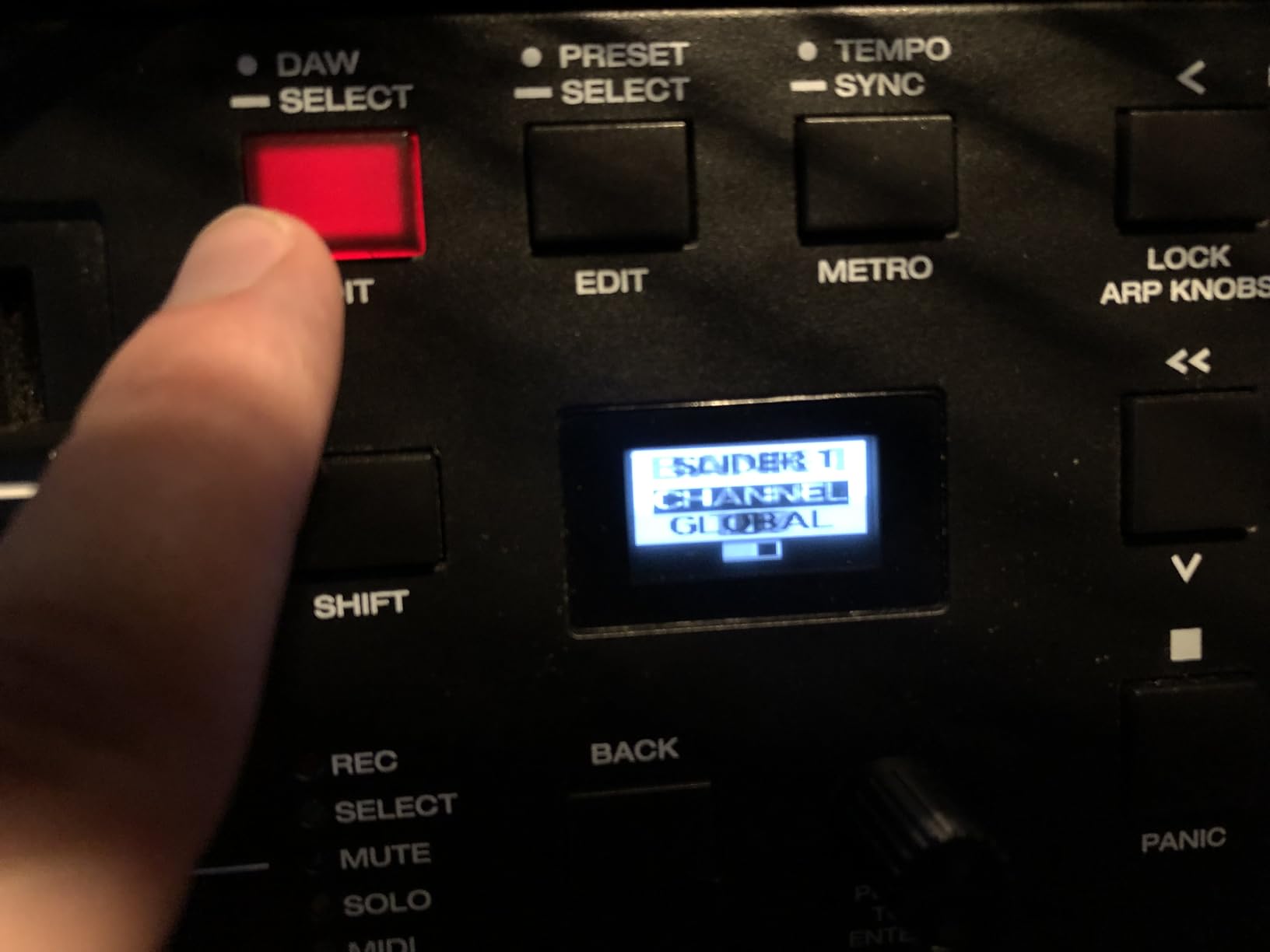
The 16 RGB-backlit drum pads are velocity-sensitive and include Note Repeat, which automatically re-triggers a note at a set tempo. Combined with the Smart Chord function (which builds full chords from a single note) and Smart Scale mode (which locks the keyboard to a chosen scale), the Oxygen Pro 49 provides creative tools that speed up the writing process considerably.
The NKS (Native Kontrol Standard) integration is a major advantage if you use Native Instruments plugins. The auto-mapping handles plugin parameters automatically, so knobs and faders control the right things without manual assignment. M-Audio even includes a complimentary NKS bundle where you can choose between Komplete 15 Select Beats, Band, or Electronic.
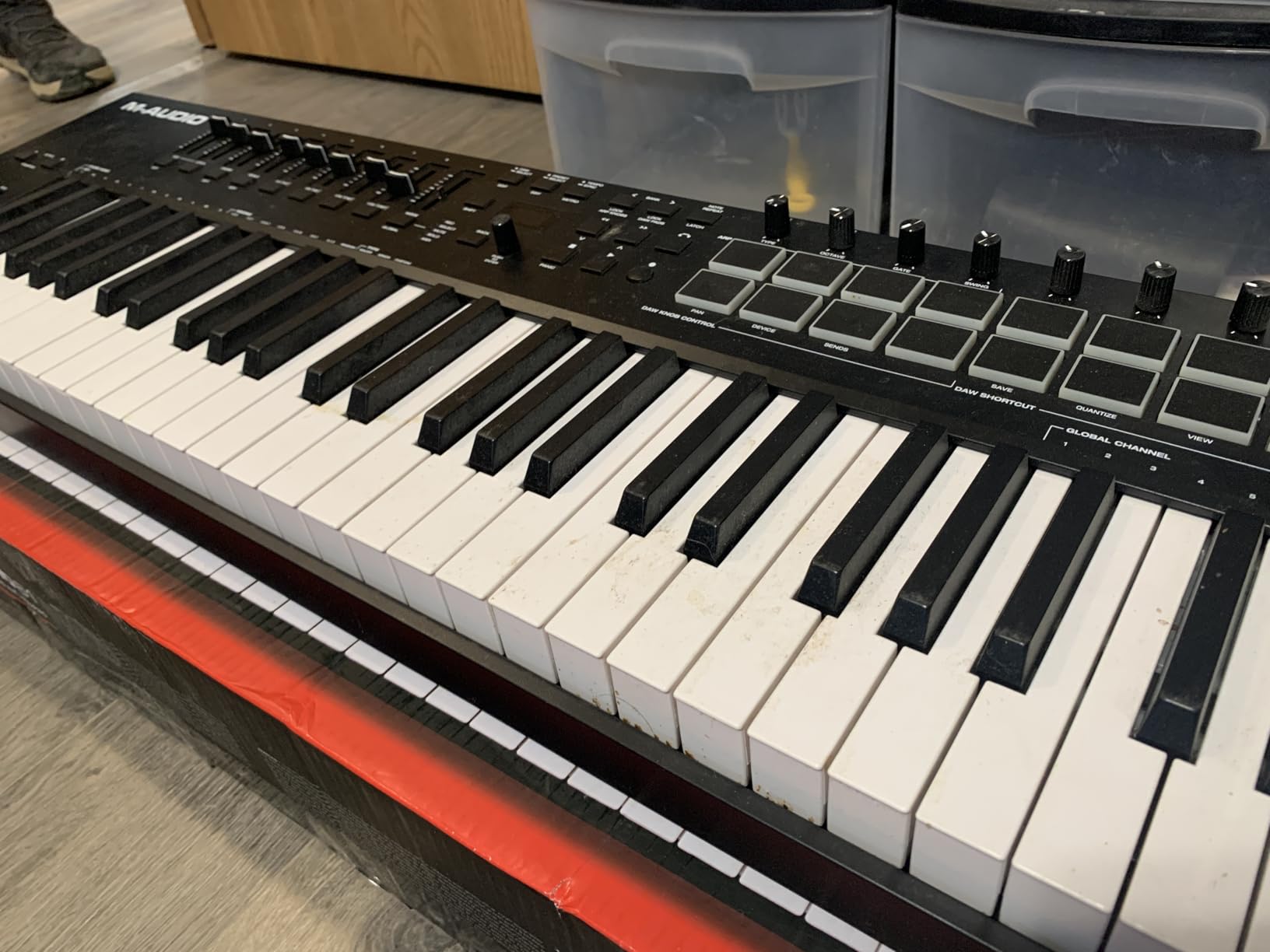
The 5-pin MIDI Output is essential if you work with hardware synthesizers, drum machines, or modular gear. You can sequence external instruments directly from the keyboard without routing through your computer. The included software package covers MPC Beats, Ableton Live Lite, and AIR Music Tech virtual instruments, giving you a solid starting toolkit.
For Whom This Keyboard Is Perfect
The Oxygen Pro 49 is built for producers who want every possible control option in a single controller. If your workflow involves playing expressive synth parts (where aftertouch matters), programming drums, mixing, and controlling hardware synths, this keyboard handles all of it. It is especially well-suited for producers invested in the Native Instruments ecosystem thanks to the NKS integration.
What to Watch Out For
The spec sheet officially lists Windows as the platform, though the controller does work with Mac. This labeling quirk has caused confusion for some buyers. The sheer number of controls means there is a steeper learning curve compared to simpler keyboards like the Keystation. At over 9 pounds, it is also one of the heavier options here, and stock levels have been inconsistent, which may limit availability.
7. Nektar Impact GX61 – Best 61-Key MIDI Keyboard for the Money
Nektar Impact GX61 USB MIDI Controller Keyboard
61 synth-action velocity keys
14 MIDI assignable buttons
Pitch and modulation wheels
Includes Bitwig 8-Track DAW
Pros
- 61 keys give you full two-handed playing range
- Excellent build quality with stainless steel construction
- 14 assignable buttons for DAW control
- Mac
- PC
- and iOS compatible
- USB bus-powered with single cable setup
Cons
- Keys are not weighted
- takes adjustment time
- Not Prime eligible
- 2-year warranty is shorter than some competitors
The Nektar Impact GX61 gives you 61 keys at a price where most competitors offer 25 or 49. When I set it up on my desk, the first thing I noticed was how much musical freedom that extra octave provides. You can play bass lines with your left hand and melodies with your right without reaching for octave buttons every few seconds.
The 61 synth-action keys have velocity sensitivity and a responsive, springy feel. They are not weighted, so they will not replicate a piano experience, but for synth and electronic music production, the fast action works well. I played everything from bass lines to lead parts and found the keybed consistent and reliable across velocity ranges.
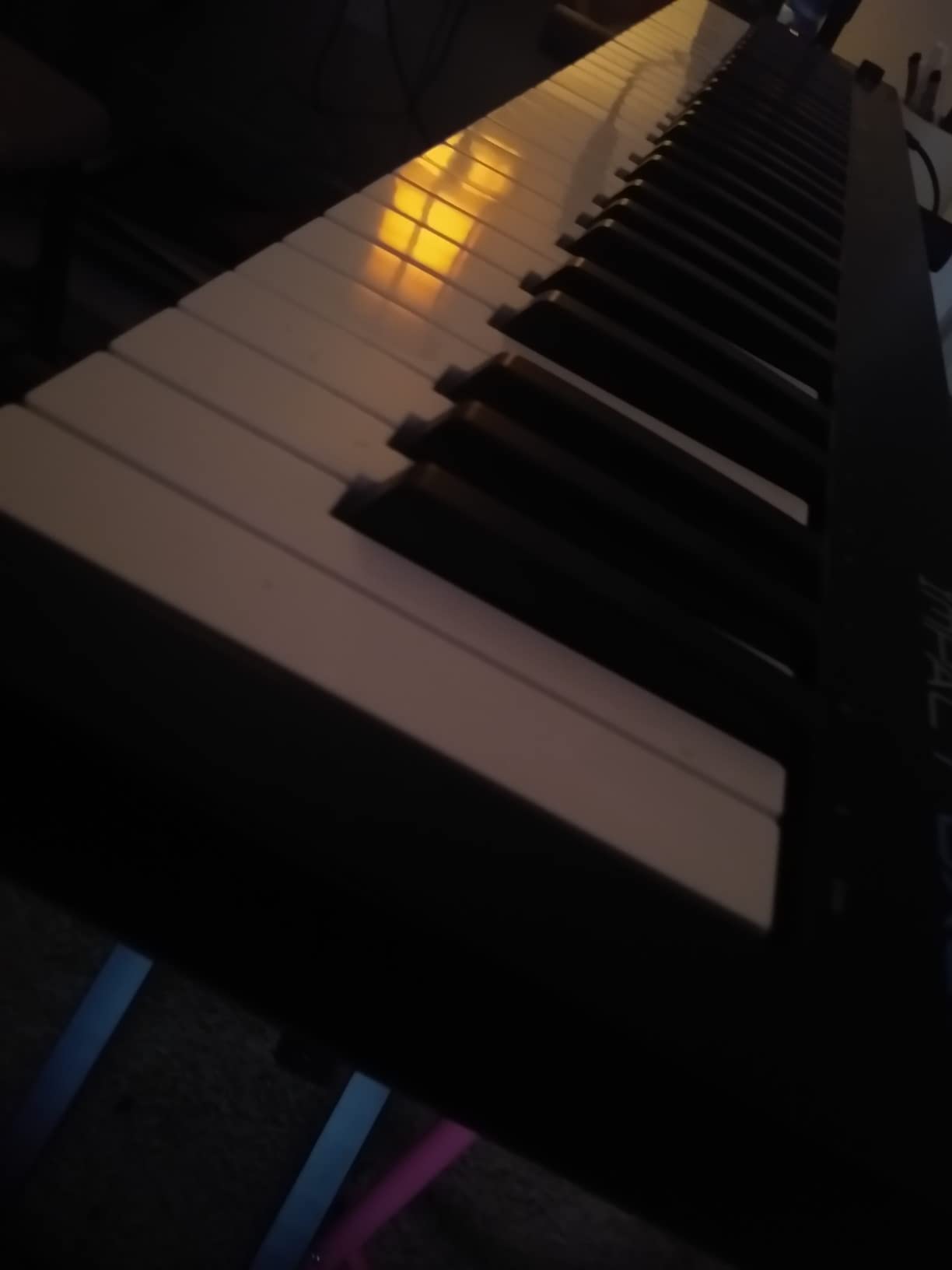
The 14 MIDI assignable buttons are where the GX61 punches above its weight class. Nektar’s DAW integration maps these buttons to transport controls, track navigation, and other functions automatically. I tested it with Ableton Live and Bitwig, and the integration was smooth. You can also use the buttons to trigger patches, octave shifts, and other custom assignments.
Nektar includes Bitwig 8-Track DAW with the keyboard, which is a strong alternative to Ableton Live if you want to try something different. The bundle also comes with a piano-style sustain pedal and a dust cover, which are practical extras that add real value. The stainless steel construction feels durable, and at 6 pounds, the keyboard is solid without being unwieldy.
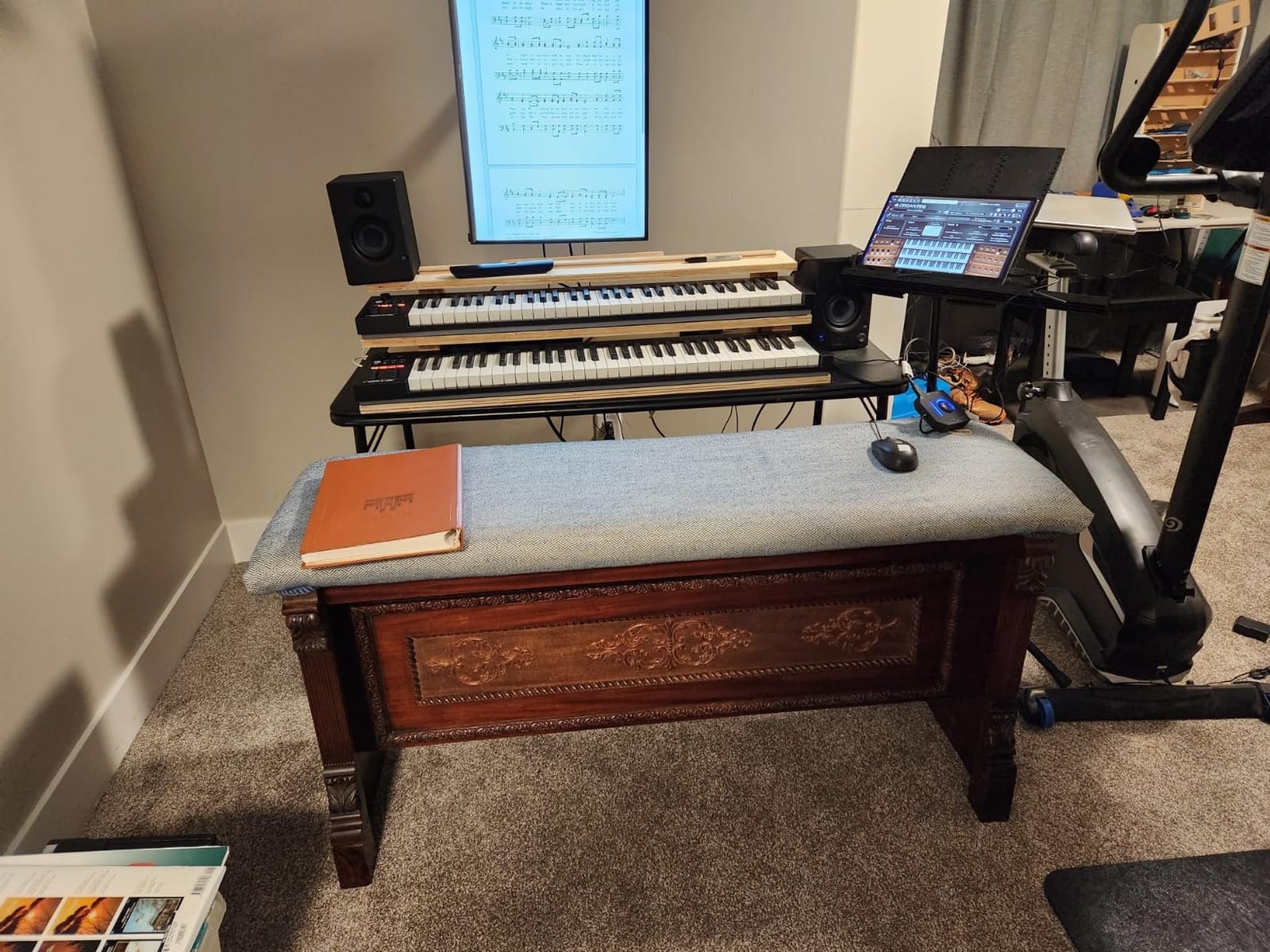
The iOS compatibility is a feature I tested by connecting the GX61 to an iPad. It worked as a class-compliant MIDI controller without any additional drivers or power supply. If you produce music on iOS apps like GarageBand, Cubasis, or NS1, the GX61 gives you a full 61-key controller for mobile sessions.
For Whom This Keyboard Is Perfect
The GX61 is the best choice for producers who need maximum key range without spending a fortune. If you play piano-style parts, compose arrangements that span multiple octaves, or want a single controller for both melodic playing and DAW control, the 61-key layout provides room to work. It is also an excellent pick for mobile and iOS producers who need a full-size keyboard.
What to Watch Out For
The unweighted keys take some adjustment if you are coming from a piano background. They have a light, springy feel that works for electronic music but may not satisfy players who want physical key resistance. The keyboard is not Prime eligible, so shipping may take longer than Amazon Prime customers expect. The 2-year warranty is decent but shorter than Arturia’s 5-year coverage on the MiniLab 3.
8. Native Instruments Komplete Kontrol M32 – Best Portable MIDI Keyboard for NI Users
Native Instruments Komplete Kontrol M32 Controller Keyboard (26154)
32 compact keys
Touch-sensitive knobs
OLED display for parameters
USB 2.0 bus powered
Komplete Kontrol software
Pros
- Seamless integration with Native Instruments ecosystem
- OLED display shows parameter values in real time
- Touch-sensitive knobs for intuitive control
- Extremely lightweight at 1 kilogram
- Includes Maschine Essentials and Ableton Live 10 Lite
Cons
- 32 compact keys are small for melodic playing
- Limited stock availability
- No pads for finger drumming
The Native Instruments Komplete Kontrol M32 is designed for producers already living in the NI ecosystem. When I connected it to Komplete Kontrol software, the integration was immediate and deep. The touch-sensitive knobs automatically mapped to whatever instrument I had loaded, and the OLED display showed parameter names and values without me needing to look at my screen.
The 32 compact keys strike a middle ground between the 25-key mini controllers and the 49-key full-size options. They are small, but having 32 keys instead of 25 means less octave-button jumping. I found them workable for entering melodies, bass lines, and simple chord shapes, though they are not ideal for complex two-handed playing.
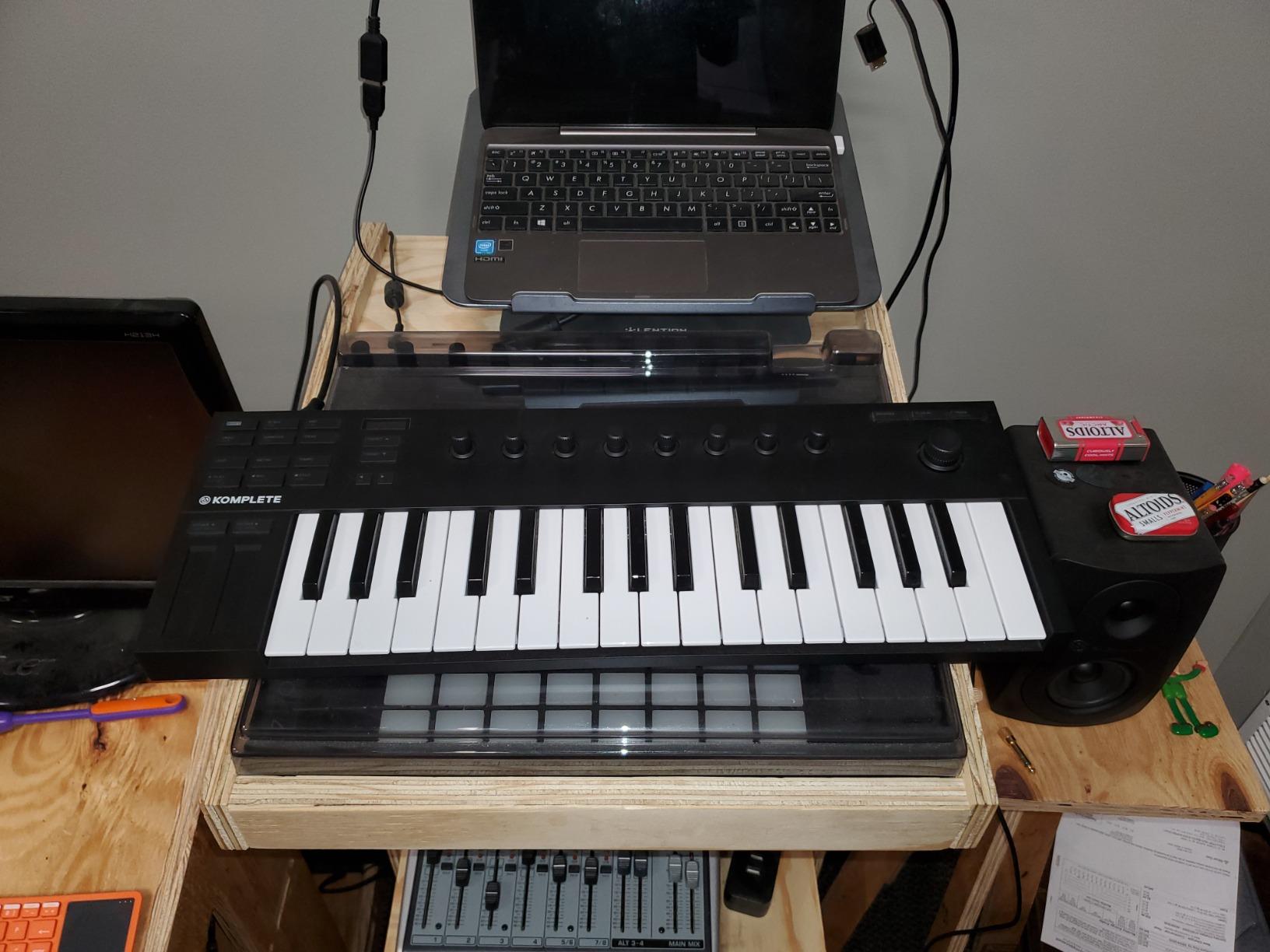
The OLED display is more useful than I expected. It shows the current parameter being adjusted, the value, and the preset name. When you are tweaking synth parameters with the knobs, having that visual feedback on the controller itself means you can keep your eyes on the keyboard instead of constantly checking your monitor.
The software package is extensive. You get Komplete Kontrol software (the browser and integration layer), a collection of Komplete instruments and effects, Maschine Essentials (a groove production environment), and Ableton Live 10 Lite. If you are building a production setup around Native Instruments instruments, the M32 is the natural controller choice.
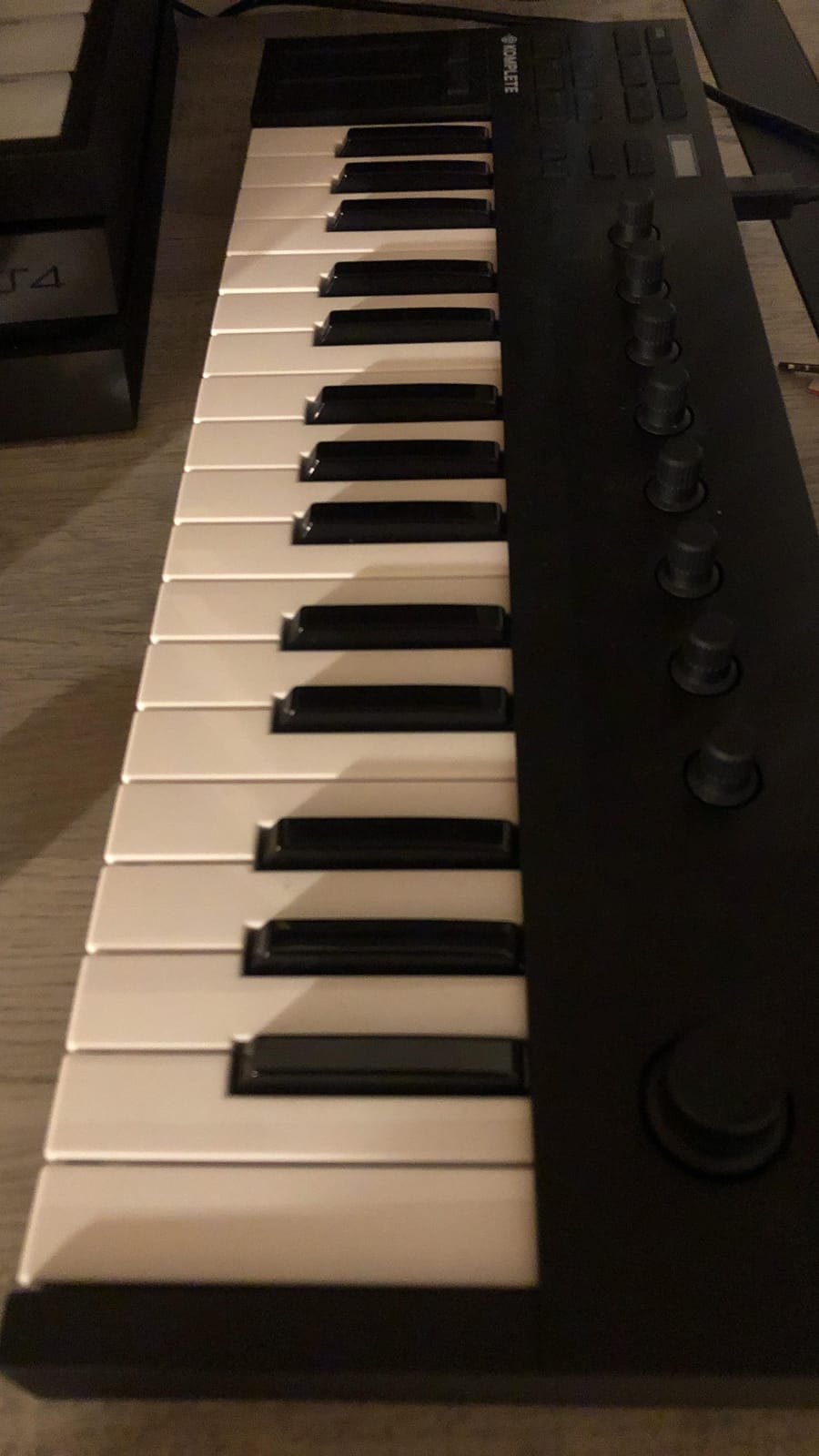
At just 1 kilogram, the M32 is one of the lightest controllers on the market. The stainless steel build feels solid despite the low weight. USB 2.0 bus power means a single cable handles both data and power, which is ideal for mobile setups. The dimensions make it small enough to fit in a backpack or on the smallest of desks.
For Whom This Keyboard Is Perfect
The Komplete Kontrol M32 is the clear choice for producers who use Native Instruments instruments and software. If you own Komplete packs, use Maschine, or rely on NI synths like Massive or Serum, the deep integration and NKS compatibility will streamline your workflow dramatically. It is also a great option for mobile producers who need maximum portability without sacrificing software control.
What to Watch Out For
The 32 compact keys are small, and the lack of drum pads means you cannot do finger drumming on this controller. If your production style involves pad-based beat making, you will need a separate pad controller or a different keyboard entirely. Stock availability has been consistently low, so finding one may require patience. The USB 2.0 connection is also older than the USB-C standard found on newer controllers.
How to Choose the Best MIDI Keyboard
Choosing the right MIDI keyboard comes down to matching the controller’s capabilities to your specific production style. After testing all 8 keyboards on this list, I can tell you that there is no single best option for everyone. The best MIDI keyboard for you depends on your DAW, your playing style, your desk space, and your budget.
Key Count: How Many Keys Do You Actually Need?
This is the most common question on music production forums, and the answer depends entirely on how you work. Here is a practical breakdown based on my testing experience:
25 keys are ideal for beat makers and producers who mainly program drums, bass lines, and simple melodies. You will use octave buttons frequently, but the compact size is perfect for small desks and travel. The Akai MPK Mini IV and Arturia MiniLab 3 both shine in this category.
32 keys offer a slight breathing room over 25 and reduce octave-button pressing. The Native Instruments Komplete Kontrol M32 sits in this sweet spot for portable producers.
49 keys are the sweet spot for most home studios. You get enough range for two-handed playing of chords and melodies without the keyboard dominating your desk. The Novation Launchkey 49 MK4 and M-Audio Keystation 49 MK3 are excellent choices here.
61 keys give you a full five-octave range for complex arrangements, piano-style playing, and live performance. The Nektar Impact GX61 delivers this range at a competitive price. If you compose orchestral music or play piano parts regularly, this is the minimum key count I recommend.
88 keys replicate a full piano and are best for trained pianists and composers who need the complete range. These are large, heavy, and typically more expensive. None of the keyboards on this list are 88-key models, but if that is what you need, look at the M-Audio Keystation 88 or Native Instruments Komplete Kontrol S88.
Key Action: Synth, Semi-Weighted, or Weighted?
The key action type determines how the keys feel under your fingers, and it affects your playing experience more than any other specification.
Synth-action keys are spring-loaded and light. They respond quickly, which is great for fast synth lines and electronic music. They do not replicate piano feel at all. The M-Audio Keystation 49 and Nektar GX61 use synth action.
Semi-weighted keys add some resistance to simulate a more authentic playing feel without the full heft of piano keys. They are the middle ground between speed and expression. The Novation Launchkey 49 MK4, FLkey 49, and M-Audio Oxygen Pro 49 all use semi-weighted action.
Weighted keys use hammer mechanisms to replicate acoustic piano feel. They are heavier, more expensive, and best for pianists. No controller on this list uses fully weighted keys, but look for terms like “hammer-action” if that is what you need.
Pads, Knobs, and Faders: What Controls Matter?
Think about your workflow. If you are a beat maker, drum pads are non-negotiable. The Akai MPK Mini IV and M-Audio Oxygen Pro 49 both have 16 pads that support finger drumming and sample triggering. If you are a synth tweaker, rotary encoders matter more. The Arturia MiniLab 3 offers 8 encoders plus 4 faders in a compact package.
For mixing-heavy workflows, faders are essential. The Novation Launchkey 49 MK4 and M-Audio Oxygen Pro 49 both offer 9 faders that map directly to DAW mixer channels. If you primarily play melodies and do not need extensive mixing controls, a simpler keyboard like the M-Audio Keystation 49 keeps things focused.
DAW Compatibility and Integration
Most MIDI keyboards work with any DAW as generic controllers, but some offer deep, pre-mapped integration that saves hours of setup time. Novation is the leader here, with the Launchkey series supporting Ableton Live, Logic Pro, Cubase, Reason, Reaper, FL Studio, and Ardour out of the box. The FLkey 49 takes this further with FL Studio-specific integration that maps every control to FL Studio functions.
The Native Instruments Komplete Kontrol M32 is the natural choice if you use NI plugins, as the NKS standard ensures consistent mapping across all compatible instruments. The M-Audio Oxygen Pro 49 also supports NKS for this workflow.
Connectivity: USB, MIDI DIN, and iOS
All the keyboards on this list connect to your computer via USB. The question is what else you need. If you work with hardware synthesizers or drum machines, a 5-pin MIDI Out port is essential. The Novation Launchkey 49 MK4, FLkey 49, Arturia MiniLab 3, Akai MPK Mini IV, and M-Audio Oxygen Pro 49 all include MIDI Out.
For iOS music production, look for class-compliant USB controllers that do not require dedicated drivers. The M-Audio Keystation 49 and Nektar GX61 both work with iPads using Apple’s Camera Connection Kit. This is a growing area that many producers overlook.
Software Bundle Value
The included software can add significant value, especially for beginners who do not yet own a DAW or plugin collection. Arturia’s MiniLab 3 bundle (Ableton Live Lite, Analog Lab Intro, UVI Model D) and Akai’s MPK Mini IV bundle (1000+ sounds from AIR, Akai Pro, and Moog) are particularly strong. A DAW alone can cost as much as some of these keyboards, so the bundled software should factor into your decision.
Frequently Asked Questions
What is the best MIDI keyboard on the market?
The Novation Launchkey 49 MK4 is the best MIDI keyboard on the market for most producers. It offers 49 semi-weighted keys, 16 FSR pads with polyphonic aftertouch, deep integration with all major DAWs, and Scale and Chord modes. It balances playability, control surface features, and software value better than any other controller in its price range.
Should I get a 25 or 49 key MIDI keyboard?
Get a 25-key keyboard if you primarily make beats, program drums, and produce electronic music where you enter melodies one hand at a time. Get a 49-key keyboard if you want to play two-handed chord progressions, compose piano-style parts, or need more range without constantly pressing octave buttons. For most home studio producers, 49 keys is the sweet spot.
Which MIDI keyboard is best for beginners?
The M-Audio Keystation 49 MK3 is the best MIDI keyboard for beginners because it offers 49 full-size, velocity-sensitive keys at an affordable price with true plug-and-play simplicity. The included software bundle (MPC Beats, Ableton Live Lite, free Skoove and Melodics lessons) gives new producers everything they need to start making music immediately.
Do I need weighted keys for a MIDI keyboard?
You only need weighted keys if you are a trained pianist or plan to practice piano technique through your MIDI controller. Most electronic music producers use synth-action or semi-weighted keys because they are faster, lighter, and more affordable. Weighted keys add cost and weight that most bedroom producers do not need.
How do I connect a MIDI keyboard to my DAW?
Most modern MIDI keyboards connect via a single USB cable that handles both data and power. Plug the USB cable into your computer, open your DAW, and the keyboard should be recognized automatically if it is class-compliant. For keyboards with 5-pin MIDI Out, you will need a USB-to-MIDI interface or a hardware synth with MIDI input to use that connection.
Wrapping Up
After testing all 8 controllers extensively, the best MIDI keyboards in 2026 come down to matching the tool to your workflow. The Novation Launchkey 49 MK4 stands out as the best overall choice for its premium keybed, FSR pads with aftertouch, and unmatched DAW integration. The Arturia MiniLab 3 delivers the best value with a complete control surface and outstanding software bundle in a compact frame. And the Akai MPK Mini IV wins on budget with iconic MPC pads that beat makers will love.
For FL Studio users, the Novation FLkey 49 is purpose-built and unbeatable. Beginners should start with the M-Audio Keystation 49 MK3 for its full-size keys and plug-and-play simplicity. And if you need maximum key range, the Nektar Impact GX61 gives you 61 keys at a price that is hard to beat.
Take an honest look at how you actually make music, pick the keyboard that fits that workflow, and you will have a controller that stays on your desk instead of in a closet. Any of the 8 keyboards on this list will serve you well for years of music production.