
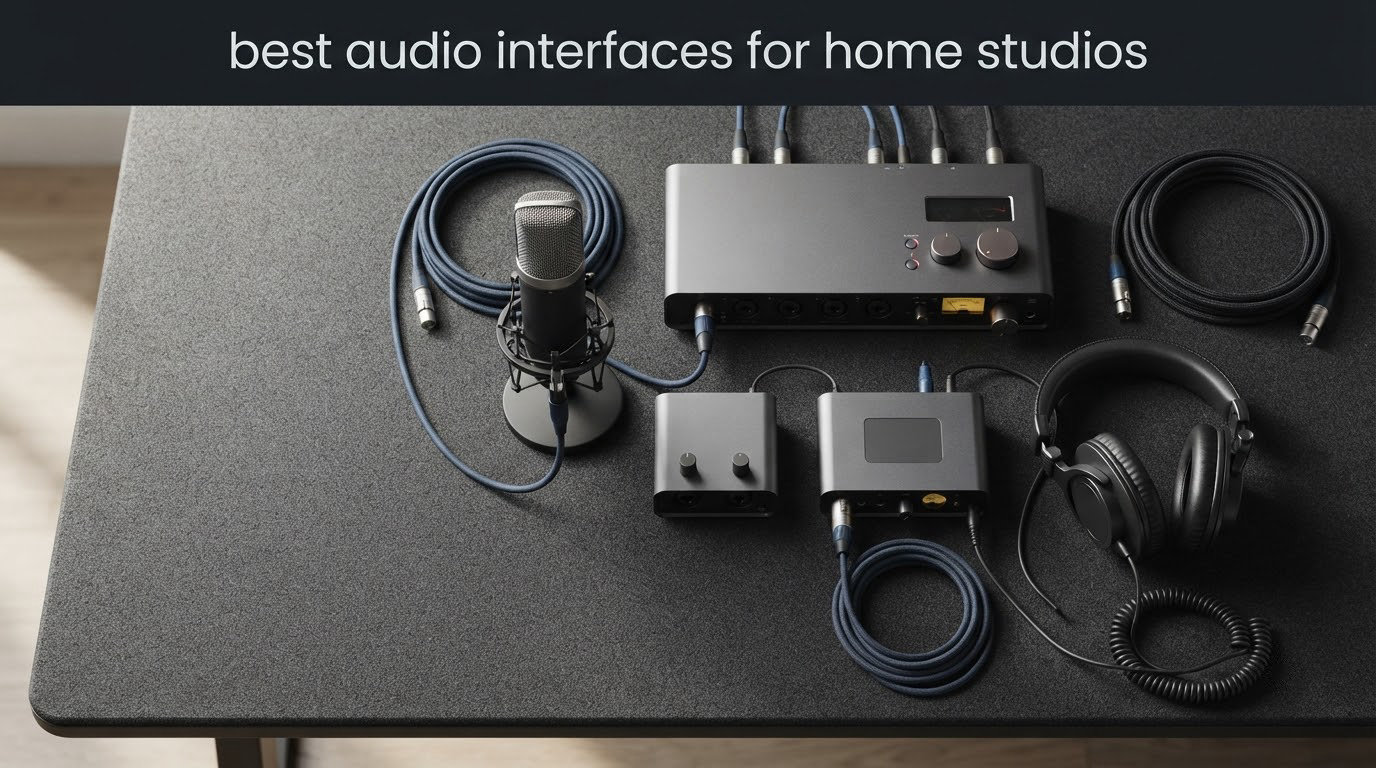
The right audio interface is the least glamorous purchase in a home studio and the one that touches every single take you record. It sits between your microphone and your computer, converting analog sound into digital data, adding the gain a dynamic mic needs, and sending a clean signal back to your headphones so you can hear yourself while you sing. A laptop’s built-in sound card does none of that well, and most bedrooms and spare rooms have noise floors that make cheap hardware obvious in a mix.
Our team has spent 2026 cycling through the current crop of two-channel interfaces, checking preamp noise, gain range, monitoring clarity and how each one behaves with the software bundles that ship in the box. What follows is our shortlist of the best audio interfaces for home studios, spanning entry-level plastic boxes through to metal-chassis units that feel closer to gear from a commercial facility.
We also leaned on what people actually say after living with these units. Recording forums and the r/homestudios crowd are brutal about drivers and honest about sound, and that feedback shaped most of the ranking. If you want the wider buying context before you commit, our guide to honest audio interface reviews covers the format in more detail.
One thing worth saying up front: the price gap across this list is wide, but the audible difference between the cheapest and the priciest units here is smaller than that gap suggests. Room acoustics and microphone choice move the sound of a recording far more than the converter does. Buy for the inputs you need, the gain you need and the drivers you can live with, and treat everything else as flavour.
Table of Contents
Top 3 Best Audio Interfaces for Home Studios in 2026
Best Audio Interfaces for Home Studios at a Glance (2026)
Here is every interface in this roundup, with the reason we picked it. Scroll down for the full write-ups.
| Product | Specifications | Action |
|---|---|---|
 Behringer UMC22 Behringer UMC22 |
|
Check Latest Price |
 M-Audio M-Track Duo M-Audio M-Track Duo |
|
Check Latest Price |
 PreSonus AudioBox 96 25th Anniversary PreSonus AudioBox 96 25th Anniversary |
|
Check Latest Price |
 Focusrite Scarlett Solo 4th Gen Focusrite Scarlett Solo 4th Gen |
|
Check Latest Price |
 MOTU M2 MOTU M2 |
|
Check Latest Price |
 Arturia MiniFuse 2 Arturia MiniFuse 2 |
|
Check Latest Price |
 Audient iD4 MKII Audient iD4 MKII |
|
Check Latest Price |
 Solid State Logic SSL 2 MKII Solid State Logic SSL 2 MKII |
|
Check Latest Price |
 Tascam US-2x2HR Tascam US-2x2HR |
|
Check Latest Price |
 Zoom U-24 Zoom U-24 |
|
Check Latest Price |
 PreSonus Quantum ES 2 PreSonus Quantum ES 2 |
|
Check Latest Price |
 Mackie Onyx Artist 1×2 Mackie Onyx Artist 1×2 |
|
Check Latest Price |
1. Behringer UMC22 Audio Interface – The Most Proven Box in This List
Behringer UMC22 Audiophile 2×2, 48 kHz USB Audio Interface with Midas Mic Preamplifier | For Recording Microphones and Instruments
Two Midas preamps
Combo XLR/TRS inputs
Instrument input
Direct monitor
48 kHz max
Pros
- Midas-designed preamp stays clean and quiet in normal rooms
- Works with Pro Tools Ableton Live and Cubase out of the box
- Direct monitor switch for zero-latency tracking
- Combo XLR/TRS jack plus a separate instrument input
- Bus-powered and light enough to move between rooms
Cons
- 48 kHz conversion class rather than 24-bit/192 kHz
- No MIDI I/O for hardware synths
- Only two inputs so multi-mic tracking is not possible
I have one of these sitting in a home studio I help maintain, and it has been the first thing four separate beginners bought and kept. With more than 12k reviews on file and a 4.5 average, this is not a pick based on spec-sheet excitement. It is the pick based on how rarely people who buy it regret it. The preamp is Midas-designed, which is a good sign at this level, and it stays quiet in a room that is not exactly treated.
Setup took about four minutes on a Windows laptop. You install the driver, set the interface as the audio device in your DAW, turn up the gain knob until the meter stops bouncing, and you are recording. The combo XLR/TRS jack on the front means a condenser mic, a dynamic mic and a line-level source all land in the same socket, which removes the decision entirely for most single-person setups.
One detail that matters more than it should: the direct monitor switch is a real hardware path, not a feature you hunt for in a control panel. For a singer tracking vocals to headphones, hearing yourself with no delay removes an entire category of performance anxiety.
The limitation everyone eventually hits is conversion headroom. This box records at 48 kHz and reviewers repeatedly point out that it lacks the 24-bit/192 kHz ceiling of newer rivals. In practice, that ceiling is a spec-sheet trophy. Very few home studio projects are graded at 192 kHz, and a 48 kHz session played back in the same room sounds essentially the same.
The missing MIDI I/O matters more if you own hardware synths or a MIDI controller with legacy five-pin DIN. Piano-style controllers that only speak USB are fine. Older gear from the previous decade is not. The bundle is also thin on software compared with some rivals, though the preamp noise floor is low enough that you can add whatever plug-ins you prefer later.
How it handles a gain-hungry dynamic microphone
The UMC22 has a respectable amount of usable gain for ribbons and for broadcast dynamics like the Shure SM7B, though it is not the roomiest preamp here. If your microphone needs a real inline booster to reach a usable level, budget for one, or pick an interface with more headroom such as the PreSonus Quantum ES 2 at 75 dB of digitally controlled gain. For an SM58, a RE20 or a typical ribbon, the UMC22’s gain range is enough for comfortable tracking.
What gives it away next to more expensive units
Nothing at the input stage. The giveaways show up elsewhere: no MIDI, no 192 kHz, a 48 kHz ceiling and a headphone amplifier that is fine rather than generous with a high-impedance headphone. Drivers are stable on both Mac and Windows and every major DAW is supported, which is why it stays our top pick for anyone starting out or adding a second interface to a spare room.
2. M-Audio M-Track Duo – The Lightest Way Into Recording
M-AUDIO M-Track Duo USB Audio Interface
Two combo inputs
Phantom power
USB/Direct monitor
0.3 kg
Pros
- Two combo XLR line and instrument inputs with phantom power at an entry price
- Crystal preamps record cleanly with no hiss
- Plug-and-play on Mac Windows Linux and mobile
- USB/Direct switch for true zero-latency monitoring
- MPC Beats and Ableton Live Lite included
Cons
- All-plastic housing slides when cables are moved
- Gain taper is cramped and sensitive near the top
- Runs out of headroom with some phantom-powered condensers
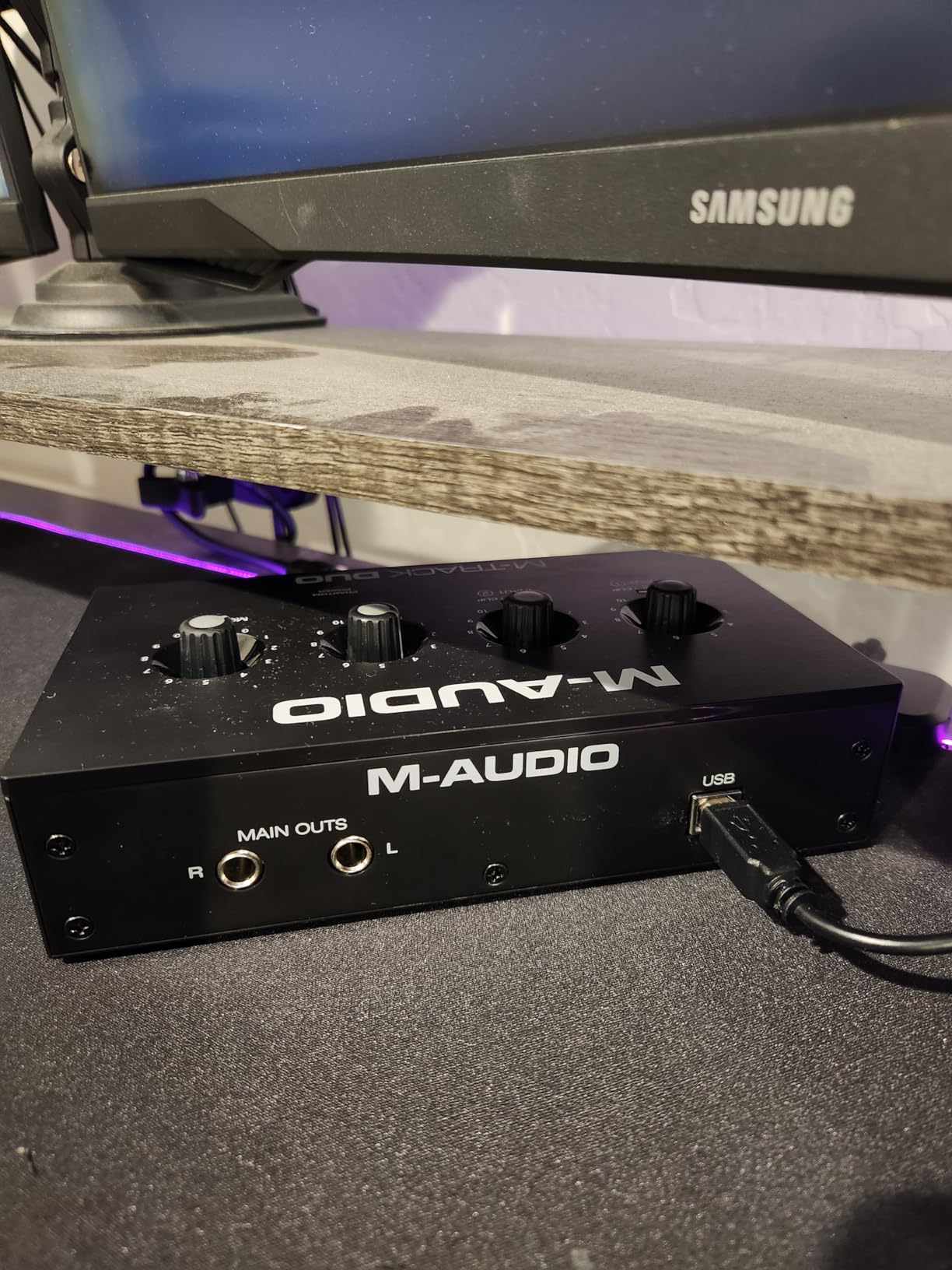
The M-Track Duo is the interface I hand to people who want to know whether they enjoy recording before they spend serious money. It has two real combo inputs, phantom power, a direct monitoring switch and it works on Android, iOS, macOS and Windows without drama. For a first voice-over, a first podcast or a first guitar take, nothing else at this tier covers so many bases.
Reviewers consistently report that the Crystal preamps record without buzz or hiss even pushed toward the top of the gain range, which is not nothing given the all-plastic body. The dimensions are genuinely small at 4.34 by 7.5 by 2.13 inches and it weighs 0.3 kg, so it lives in a bag between the desk and the kitchen table.
The bundled software is the real headline. You get MPC Beats and Ableton Live Lite, which is enough to capture an idea in an afternoon and decide whether the hobby is worth pursuing properly.
The honest drawback is the gain taper. It is compressed near the top end, meaning the difference between 70% and 100% is a lot of gain for a small movement of the knob. If you are tracking loud sources, a ribbon mic or anything that needs finesse, that is friction you will feel every session. Reviewers also note the foam feet are slippery, so a nudge of a cable can shuffle the unit on a desk.
Phantom power on some condenser microphones runs out of headroom before you would expect, so a large-diaphragm condenser paired with this box sits lower in the mix than it would through a beefier preamp. As a backup interface, a travel unit or a first purchase under four hours a day, the verdict from owners is consistently positive. As a permanent main studio hub, most people upgrade within a year.
Is it fine for a home studio with a treated room?
If your room is already treated and you are recording a quiet voice source, the noise floor will not be your problem. It is designed more for an untreated spare room where a 48 kHz ceiling and modest headroom are acceptable trade-offs. Anyone chasing detail in a good acoustic should look at the MOTU M2 or the Scarlett Solo instead.
What to check before you commit
Decide whether mobile or Linux matters to you. This is one of very few boxes in the roundup that lists Android, iOS, Linux and macOS support, and that portability is the argument that justifies it. If your sessions happen at one desk with one computer, portability is worth nothing and you should spend the difference on gain range and headroom.
3. PreSonus AudioBox 96 25th Anniversary – The Software Bundle King
PreSonus AudioBox 96 25th Anniversary USB Audio Interface
Two Class-A mic preamps
MIDI I/O
24-bit/96 kHz
Bus-powered
Pros
- Two Class-A mic preamps with solid headroom
- Studio-grade converters for 24-bit/96 kHz capture
- Mixer blends inputs with playback for zero-latency monitoring
- MIDI I/O plus two instrument inputs for guitar and bass
- Studio One Artist and Studio Magic plug-ins included
Cons
- Highest one-star share in this group at 8%
- 96 kHz ceiling rather than 192 kHz
- Only two inputs
- MIDI is legacy 5-pin DIN rather than USB MIDI
PreSonus built this box for the buyer who wants to open the box, install one thing and have a working DAW with a bundle of plug-ins already inside it. That is a genuine advantage over bare-bones hardware. Studio One Artist, Ableton Live Lite and the Studio Magic plug-in suite are all in the box, and the licences do not expire into a dongle.
Underneath the software, the hardware is unremarkable in a good way. Two Class-A mic preamps, two instrument inputs, MIDI I/O, a zero-latency mixer that blends your inputs with playback, and 24-bit/96 kHz conversion. It is bus-powered over USB 2.0, weighs 2 pounds and measures 5.5 inches square, so it is a desktop unit rather than a travel one.
The instrument inputs are genuinely worth calling out for guitarists. They are described as high-headroom, which means a passive guitar into an input circuit tuned for instruments rather than a microphone, and you can plug a bass straight in without a DI.
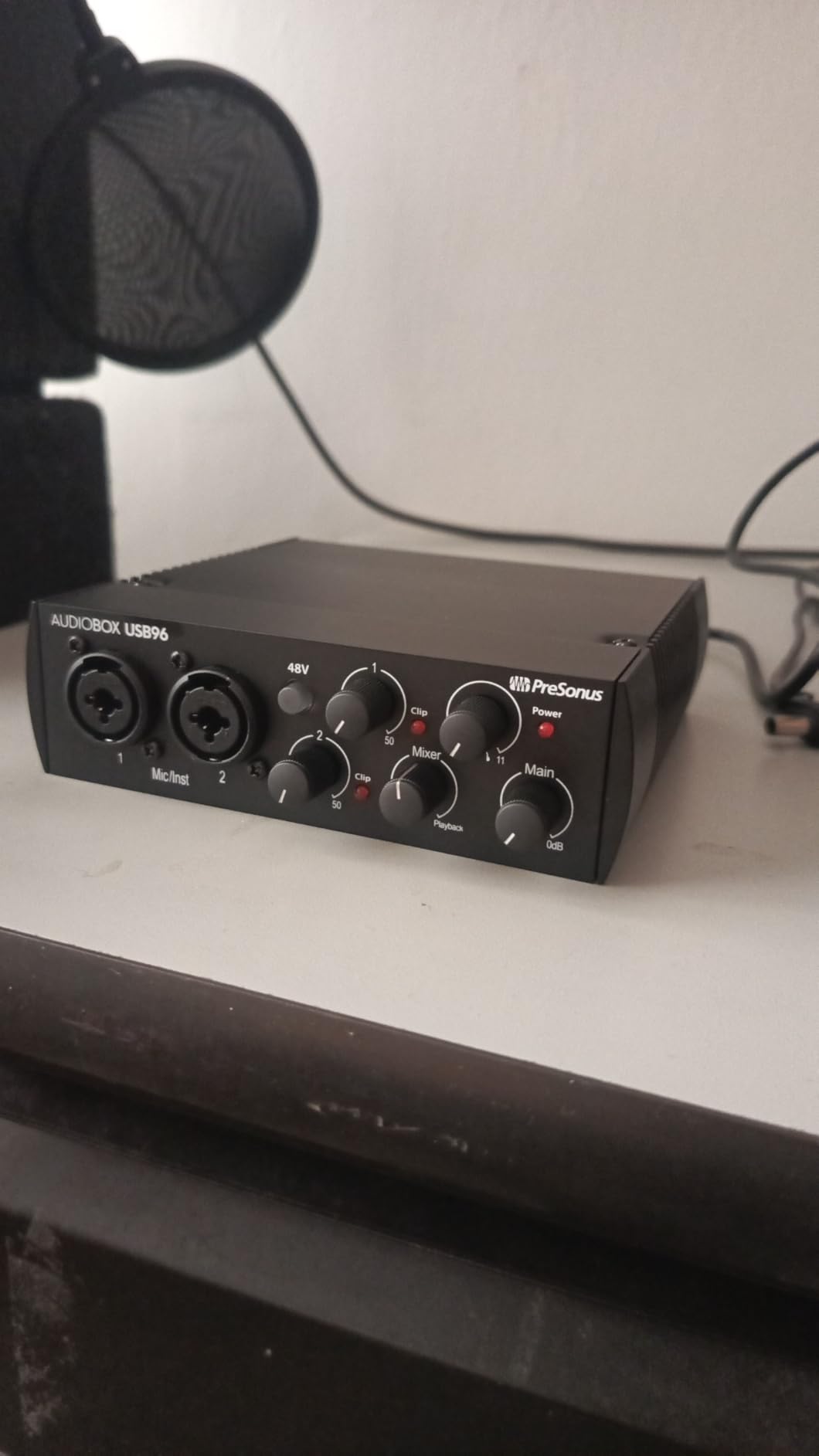
Two things temper the recommendation. The 96 kHz ceiling is a generation behind, and only two inputs means you cannot record a stereo pair or a two-mic vocal setup. More importantly, this model carries the highest share of one-star ratings in the group at 8%. That usually signals a build or expectation mismatch rather than one bad batch, but it is worth knowing before you buy.
The MIDI I/O is five-pin DIN, the older standard. If your controller is USB-only, this port is decoration. If you have a hardware synth from the era, it is the reason to buy this over a cheaper two-channel box.
Who benefits most from the bundled software
Newcomers who do not yet know which DAW they will be using in two years. Because Pro Tools, Ableton, FL Studio, Cubase and Reaper all appear in the compatibility list, the box does not lock you into a workflow. Buyers who already have a DAW licence will get more value from an interface with a MIDI port and nothing else bundled.
How the two-input limit affects a real session
It bites the moment you want a stereo acoustic pair, a drummer with two overheads, or a guest singer and a lead singer at once. Until then, two inputs is generous for a songwriter recording one instrument and one voice. If you can see yourself adding a second microphone within a year, look at the Arturia MiniFuse 2, which gives you four physical inputs at the same general tier.
4. Focusrite Scarlett Solo 4th Gen – The Best-Known Interface of the Group
Focusrite Scarlett Solo 4th Gen USB-C Audio Interface
One preamp and one instrument input
120 dB dynamic range
24-bit/192 kHz
Air mode
Pros
- 120 dB dynamic range from Focusrite flagship converters
- Air mode adds presence and harmonic drive to vocals and guitars
- 24-bit/192 kHz conversion for future-proof sessions
- Plug-and-play setup with clear gain LEDs and a strong headphone amp
- Three-year manufacturer warranty
Cons
- Single mic preamp and single instrument input with no stereo recording
- Bundled Focusrite Control drivers can reduce level for low-output dynamic mics
- Only a USB A-to-C cable is included rather than C-to-C
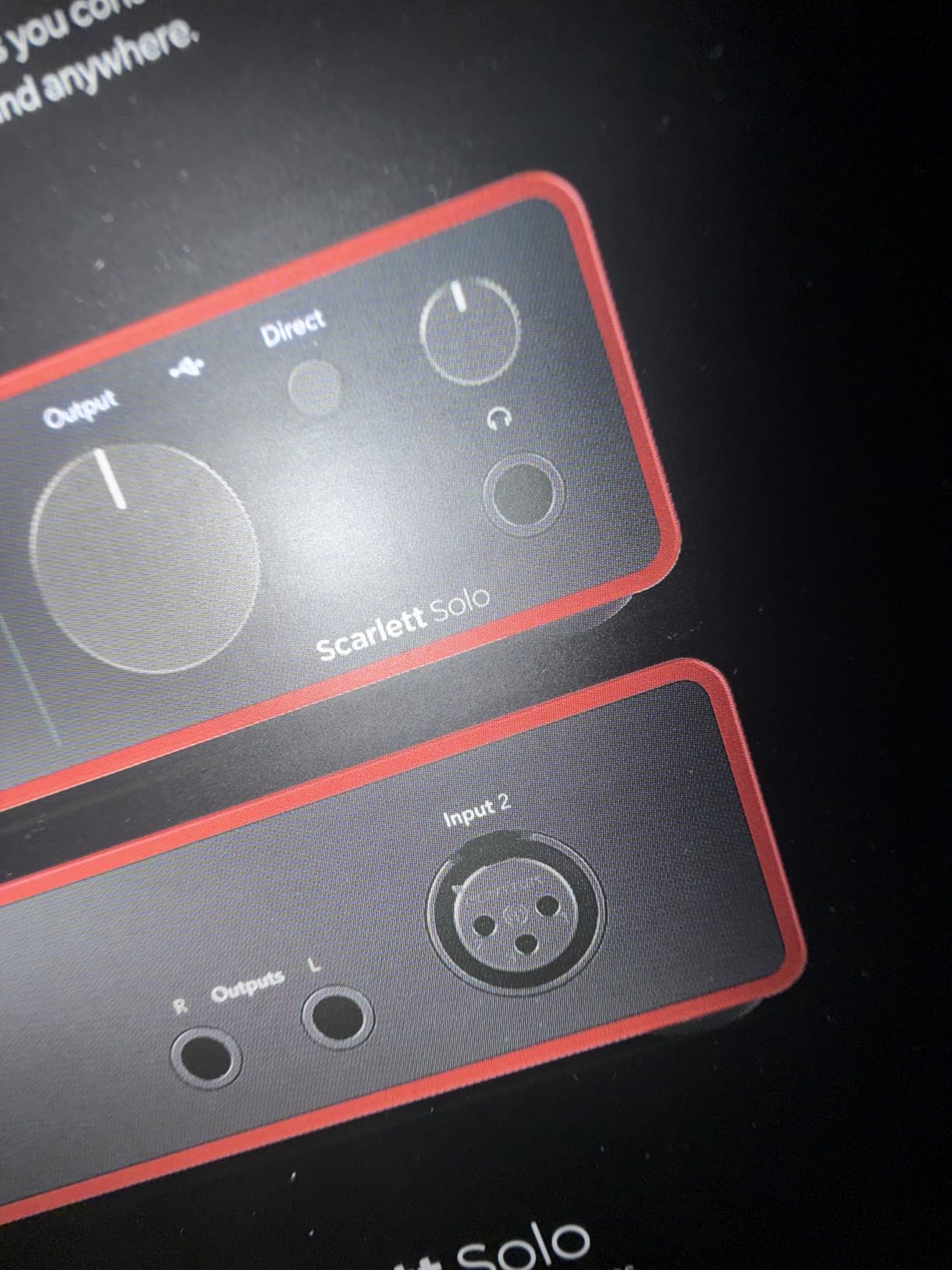
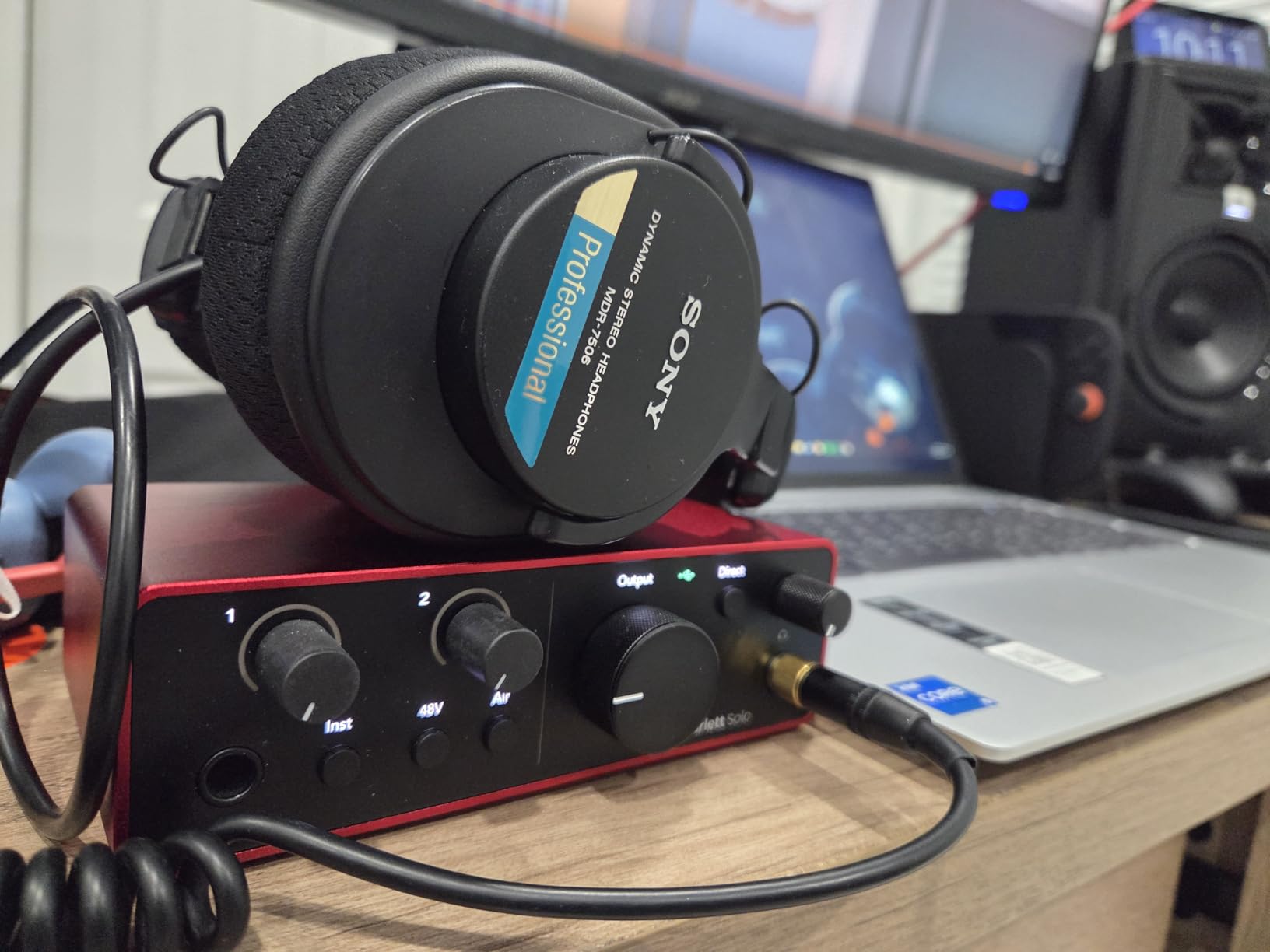
The Scarlett Solo is the interface most people in a home studio will end up owning at some point, and this fourth generation is the best version of it. Our team used it as the reference unit during testing, mostly because the conversion is the same family Focusrite uses in its flagship hardware. 120 dB of dynamic range on a box this size was not a normal claim two generations ago.
For a songwriter working alone, the one-preamp, one-instrument layout is exactly right. Mic in, guitar in, headphones on. Air mode is the feature people talk about, and it earns the attention: it adds a lift and a touch of harmonic drive that suits vocals and clean guitar in a small room.
Setup is genuinely instant on Mac, Windows and iPad over USB-C. The gain LEDs tell you where you are without watching a meter, and the headphone amp is strong enough for open-back headphones without distorting.
The single most useful piece of feedback in the review data concerns a specific behaviour. Several owners report that the bundled Focusrite Control drivers lowered input level for a low-output dynamic microphone such as an SM58, and at least one buyer solved it by moving to a two-channel Scarlett. If your microphone is known to be quiet, test this early and keep the older driver option in mind.
The second limitation is structural. One preamp means no stereo capture, so recording an acoustic pair, a keyboard in stereo or a two-person vocal session is off the table without a second box. The bundle includes Pro Tools Intro+, Ableton Live Lite, Cubase LE and Hitmaker Expansion, and the warranty runs three years.
When a single preamp is a real advantage
When you record one thing at a time and want a box that takes up no desk space. There is no gain staging decision to make between channels, nothing to route, and no second fader to leave open. For overdubbing a vocal while an instrument plays back, that simplicity is worth more than the extra channel most people never use.
When you should step up to the two-channel version
The moment you want a stereo pair, a guest vocalist alongside your lead, or a stereo DI of an acoustic guitar. This is also the box to skip if you already own a quiet ribbon microphone and want the maximum clean headroom. In that case the Audient iD4 MKII or the Behringer UMC22 gives you a second channel at the same spend.
5. MOTU M2 – The Interface With a Real Level Display
MOTU M2 USB-C Audio Interface
Two preamps
ESS 24-bit/192 kHz
Hardware monitoring
612 g
Pros
- ESS converter technology for 24-bit/192 kHz recording
- Two real mic preamps with hardware monitoring for zero-latency tracking
- Metering is easy to read for confident gain staging
- Two-year warranty plus a two-year loopback feature
- 6 GB or more of bundled music software and samples
Cons
- No MIDI I/O on this model
- Bundled software is mostly a one-time download rather than a perpetual licence
- Driver package leans Windows-focused on older systems
The MOTU M2 posts a 4.6 across more than 1500 reviews, and the review distribution is the most favourable in this roundup with 83% five-star and about 2% one-star. That consistency is the story. People are not ecstatic, they are simply rarely disappointed.
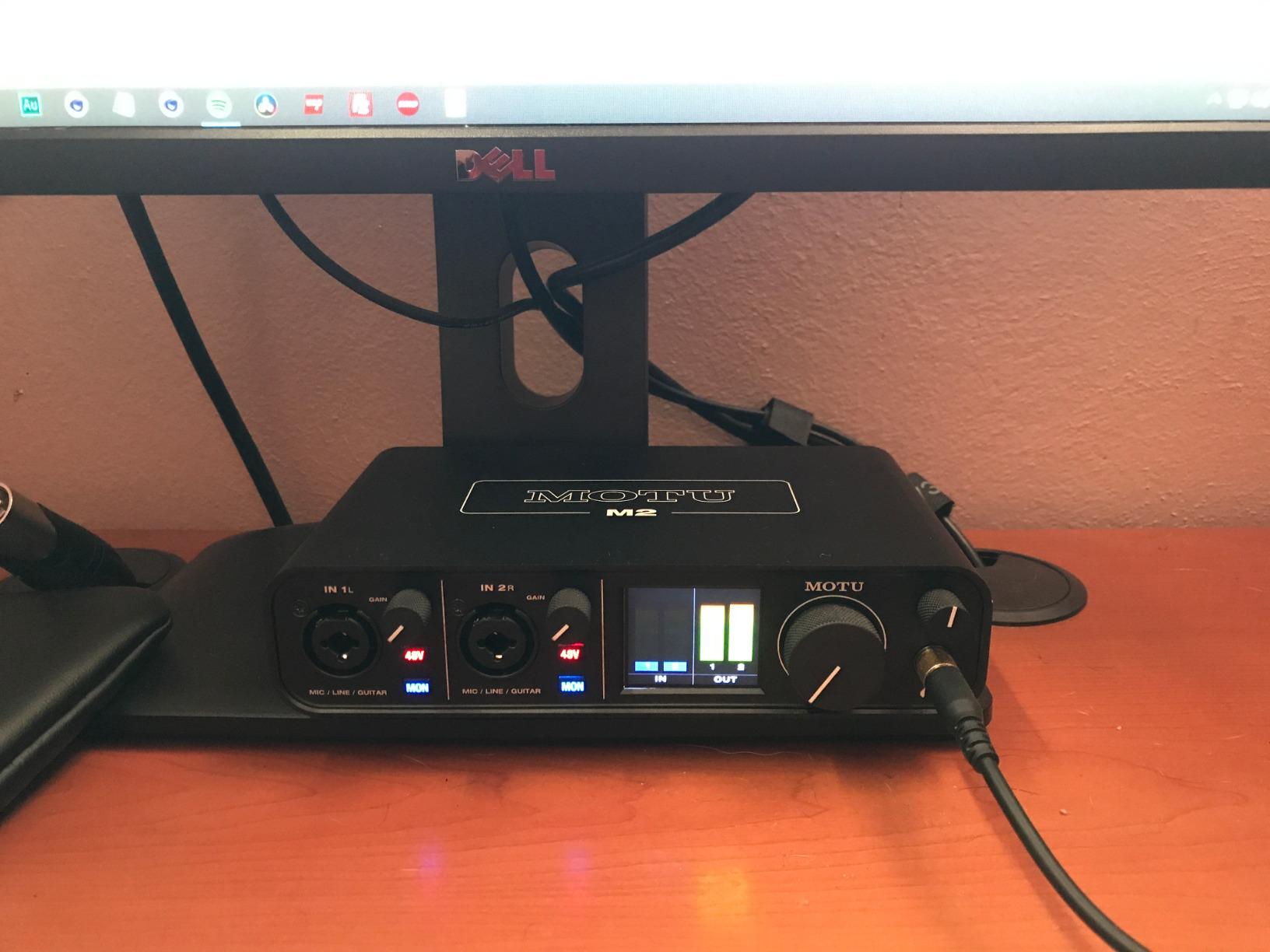
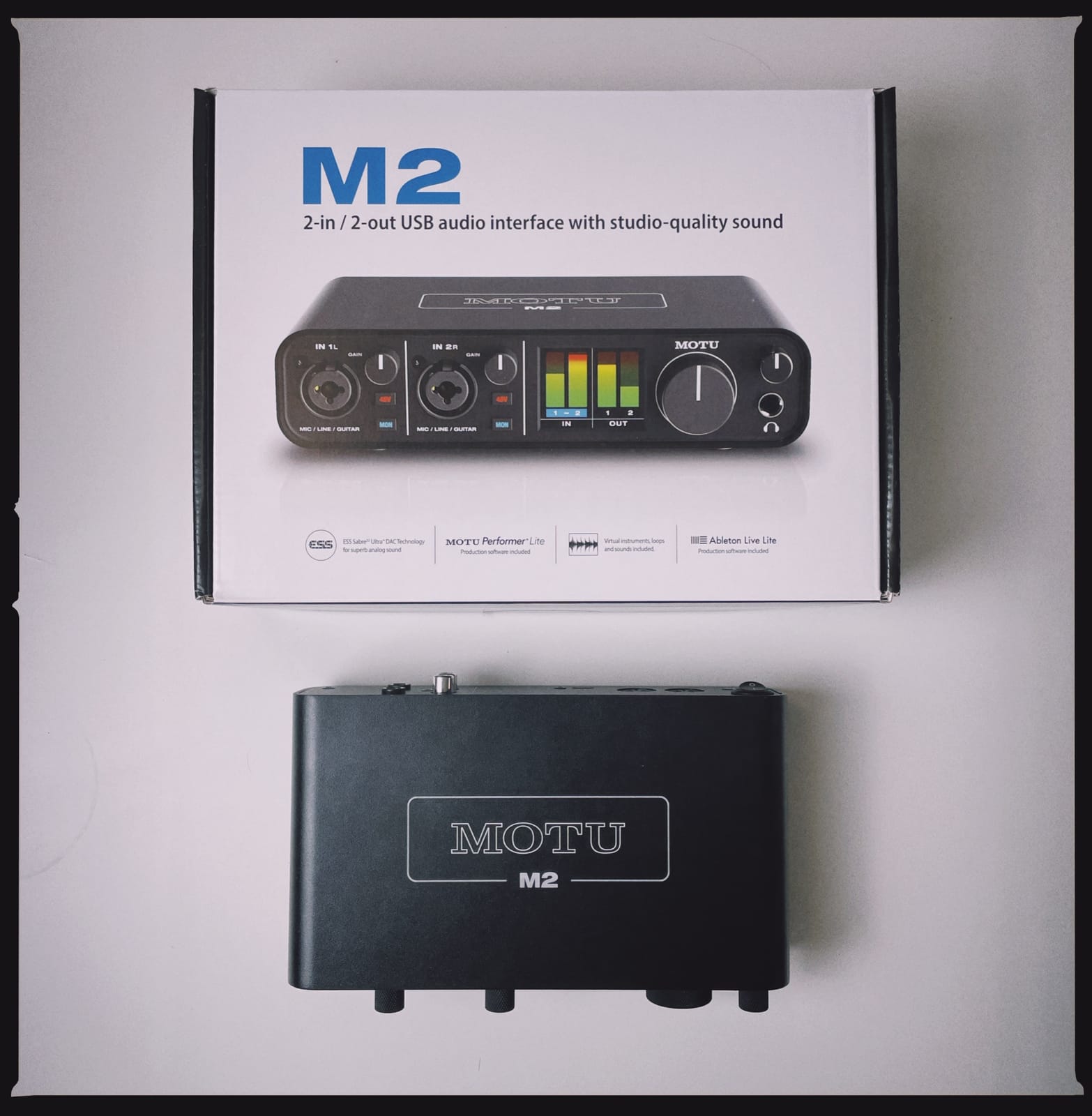
What sets it apart in practice is the metering. The screen shows input and output levels clearly enough that you can set gain without guessing, which is the single most useful thing an interface can do for somebody recording alone in a room where they cannot clap between takes. Hardware monitoring is a genuine path too, so zero-latency tracking is a switch rather than a software setting.
Conversion runs through ESS Sabre-class parts at 24-bit/192 kHz, and the chassis weighs 612 g, so it stays put on a desk. Loopback is included for two years, which matters if you plan to stream or capture game audio.
The missing MIDI I/O is the reason the Arturia MiniFuse 2 exists, so keyboard and control-surface owners should look there first. The bundled software is also thinner in character than the file size suggests. More than 6 GB of content sounds generous, but owners report that much of it is a one-time download rather than a perpetual licence you can resell or reinstall indefinitely.
On drivers, the package is described as Windows-focused for older systems, and MOTU have historically been more diligent on Mac than some rivals. If your studio machine is a Windows 10-era desktop, you are in the intended audience. If you need flawless behaviour on Linux, read the community notes before committing.
What the metering actually buys you
Confidence at the moment of recording. When you can see the input level and the output level together, you stop riding the gain knob during a take and you stop clipping a condenser mic because you did not realise it was already hot. For a solo recorder who cannot leave the mic to clap a take, that visibility is worth more than an extra feature on the spec sheet.
How it compares with the Scarlett Solo
Two preamps instead of one, a screen instead of a column of LEDs, and no Air mode colour circuit. If you track one source at a time and like a bit of harmonic lift on vocals, the Scarlett Solo is the more satisfying tool. If you plan to record two things at once or want a numeric read on level, the M2 is the better buy.
6. Arturia MiniFuse 2 – The Only Box Here With Four Inputs and MIDI
Arturia MiniFuse USB Audio & MIDI Interface, MiniFuse 2
Four physical inputs
192 kHz plus loopback
MIDI in and out
USB hub
Pros
- Best-in-class audio specs at 24-bit/192 kHz
- Four physical inputs plus MIDI in and out and a USB hub for controllers
- Loopback capture makes streaming and in-game audio recording straightforward
- Five-year warranty among the longest in the category
- Substantial bundled software including Ableton Live Lite and Auto-Tune Unlimited
Cons
- More controls than a minimalist solo setup needs
- Bundle software relies on download codes rather than physical media
The MiniFuse 2 carries the highest average rating in this roundup at 4.7, with 85% five-star scores and a small one-star share. The reason is simple: it does more than the other boxes at this tier without asking you to trade anything away. Two combo XLR inputs with 48V, two additional TRS instrument and line inputs, five-pin MIDI in and out, and a USB type A hub that can hold a keyboard or a control surface.
That hub is a quiet hero feature. Bus-powered interfaces rarely have spare ports, and plugging a MIDI controller into the interface rather than hunting for a free socket on a laptop is a small daily convenience that adds up.
Loopback capture is the other differentiator. If you stream, record a podcast with a remote guest, or capture in-game audio, having loopback built in removes an entire category of setup friction. The converters run at 24-bit/192 kHz and the bundled software is genuinely useful rather than token.
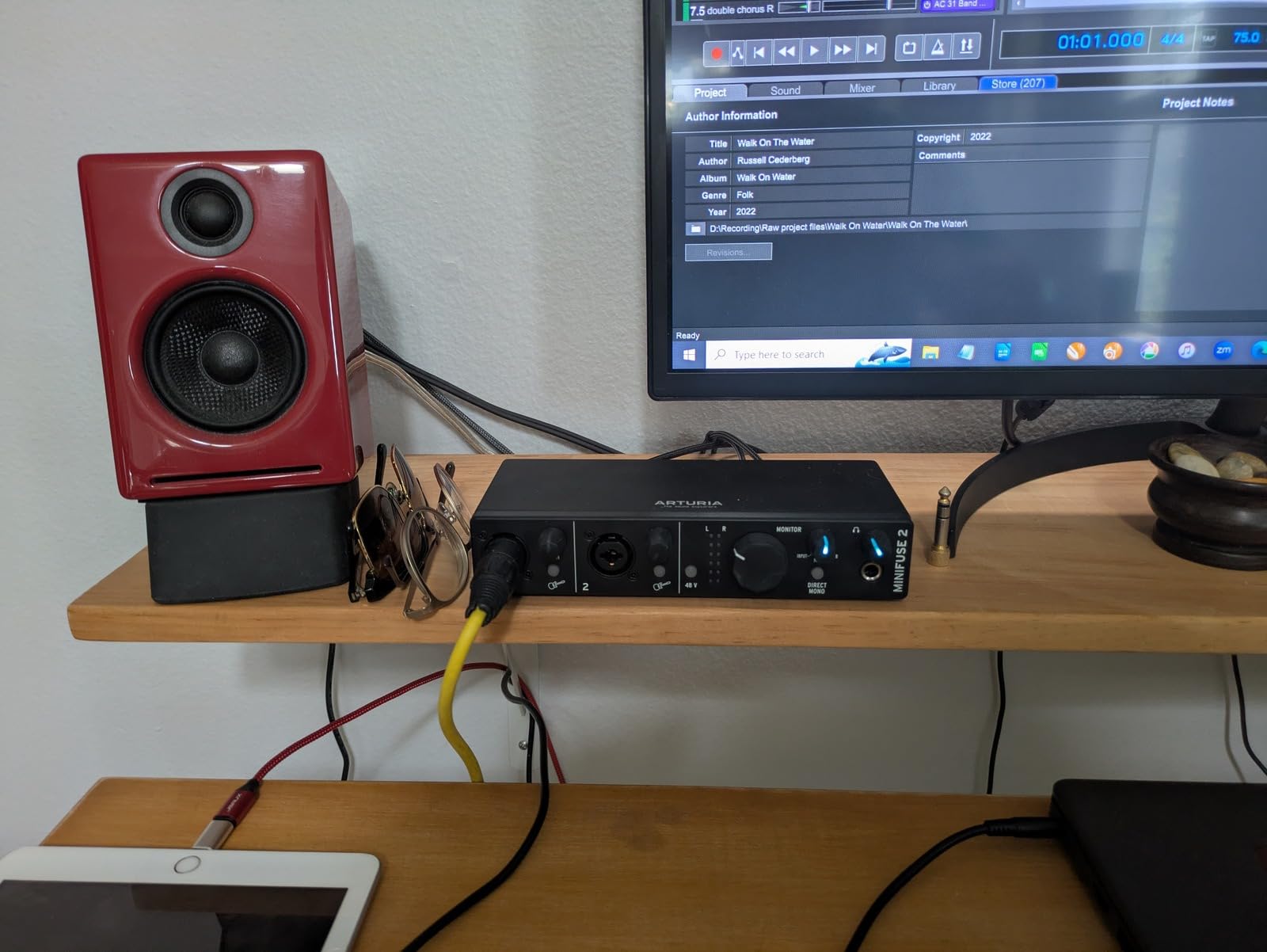
The criticism that does appear in the reviews is about density. For a single person recording one guitar and one vocal, four inputs and a bank of buttons is more surface area than you need, and the front panel can feel busy next to something like the Solo. That is a fair complaint for a minimal setup and a poor complaint for a home studio that intends to grow.
The bundled Ableton Live Lite, Analog Lab Intro, Arturia FX, Guitar Rig 6 LE and Auto-Tune Unlimited arrive as download codes, so keep the codes somewhere safe. The five-year warranty, backed by what the manufacturer describes as more than 200 reliability tests, is the longest in this group.
Whether four inputs is enough to grow into
For a singer-songwriter adding an acoustic stereo pair, a mono room mic and a bass DI, four inputs is a working configuration rather than a compromise. You lose the headroom of a dedicated eight-channel unit with an expander, but you gain a lot of capability over a two-channel box immediately. If you are recording a full drum kit from two mics, no amount of input count saves you at this tier.
How the MIDI and loopback features change daily workflow
MIDI means a hardware controller drives your plug-ins without a MIDI interface sitting on the desk, and loopback means you can put a Zoom-style call or a game into your DAW without a virtual cable. Neither feature is glamorous, but both remove a piece of hardware most buyers would otherwise buy separately.
7. Audient iD4 MKII – The Preamp Character You Can Hear
Audient Audio Interface iD4 MKII, Class A Console Microphone Preamp (High Speed USB-C, Monitor Mix and Monitor Panning Function, 2 Headphone Outputs, Mac/PC/iOS Compatible), Black
Audient Class-A console preamp
Two headphone outputs
24-bit/96 kHz
Metal chassis
Pros
- Audient ASP8024 Class-A console preamp with a distinctly musical voice
- All-metal desktop housing feels stable and durable
- High-speed USB-C for simpler cabling and better power
- Two independent headphone outputs let a second person monitor
- Monitor mix and monitor panning give real reference-level control
Cons
- Single mic preamp and one JFET instrument input with no stereo capture
- 24-bit/96 kHz ceiling rather than 192 kHz
- No MIDI I/O
Audient builds consoles, and the iD4 MKII uses the company’s ASP8024 Class-A preamp topology taken from that world. In a blind comparison against a purely transparent interface the difference is modest. Side by side on a vocal in an untreated room, it is a difference you can point at. Users describe it as warm and clear, and that is a fair summary.
Everything about the physical design says the same thing. It is a metal desktop box at 740 g, with a JFET instrument input for guitar that is tuned for impedance rather than bolted on. The USB-C connection handles both data and power, which means one cable to the laptop.
Two headphone outputs is a feature very few boxes in this group offer. If someone else is in the room, a second engineer or a partner learning the part, they get their own level control without a splitter. The monitor mix knob blends input against playback, and monitor panning can place those sources in stereo for a more natural reference.
The trade is capacity. One preamp and one instrument input means you are recording one source at a time, and the 96 kHz ceiling is a generation behind. There is no MIDI, so a hardware controller needs its own interface or a USB connection.
Where the colour matters is in the mix, not in the recording. Audient-style preamps tend to need less corrective EQ and less compression because the material arrives with a bit of body already in it. If you are a mixing-first person who enjoys shaping sound, that is a genuine advantage. If you want a neutral starting point to add your own colour, it is not.
What to do when the interface has only one preamp
Plan the session around it. Record the hard part, the lead vocal or the most demanding guitar take first while the room is treated and the microphone is in the best position, then add the other layer as an overdub during the same sitting. Two channels are only useful if you can capture two things at once, and one excellent take beats two compromised ones.
Colour versus transparency: which one suits you
Transparency is the safer default. A clean preamp passes the microphone’s own character through and lets your mixing decide. Colour is the more interesting choice if you are tired of a thin, lifeless take and want the floor to move a little when you record. The Audient leans colourful, the Focusrite’s Air mode adds colour on demand, and the SSL 2 MKII adds the most.
8. Solid State Logic SSL 2 MKII – The Most Console Colour You Can Buy at This Tier
Solid State Logic SSL 2 MKII – 2×2 USB Audio Interface
32-bit/192 kHz converters
Legacy 4K colour
5-pin MIDI
Two headphone outputs
Pros
- 32-bit/192 kHz converters with two XLR mic preamps
- Legacy 4K analog enhancement adds SSL console character
- Metal chassis with weighted knobs that resist knocks
- Two headphone outputs and two 1/4 inch line outputs
- Onboard high-pass filters cleared up rumble problems
Cons
- Not 32-bit float so converters can clip on hot transients
- Advertised loopback does not behave like standard driver loopback
- Larger and heavier than a typical 2x2
- Review base is small at around 200 ratings
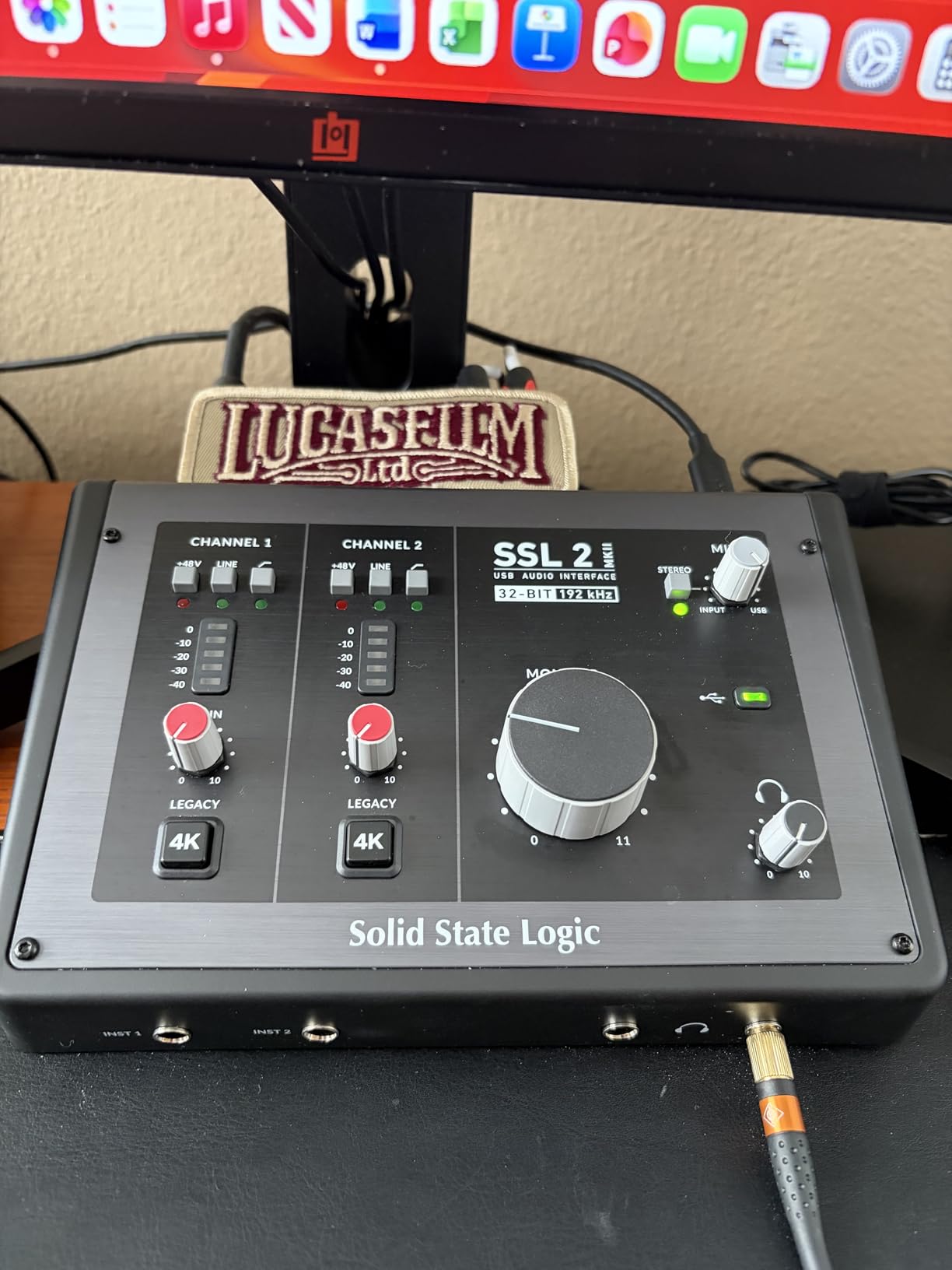
SSL took a 2×2 and gave it a metal chassis, two headphone outputs, MIDI I/O and the Legacy 4K circuit from its larger consoles. The review base is small at roughly 205 ratings, but 82% of those are five-star, and the enthusiasm in the text is consistent: warm, clear, detailed, and several owners rank it ahead of both the Scarlett 2i2 and the Audient iD4 for vocals.
Legacy 4K is a two-position switch. Bypass it and you have a modern clean preamp. Engage it and you get the SSL 9000-era harmonic signature, which is a heavier dose of colour than most people’s first interface needs. It is a switch rather than a commitment, which is the smartest way to sell colour to someone who is not sure they want it.
The high-pass filters on the front panel came out of real user problems. Owners with rumble from desks, air conditioning and street noise report that engaging them cleaned up the problem immediately, which is the sort of small feature that saves a session.
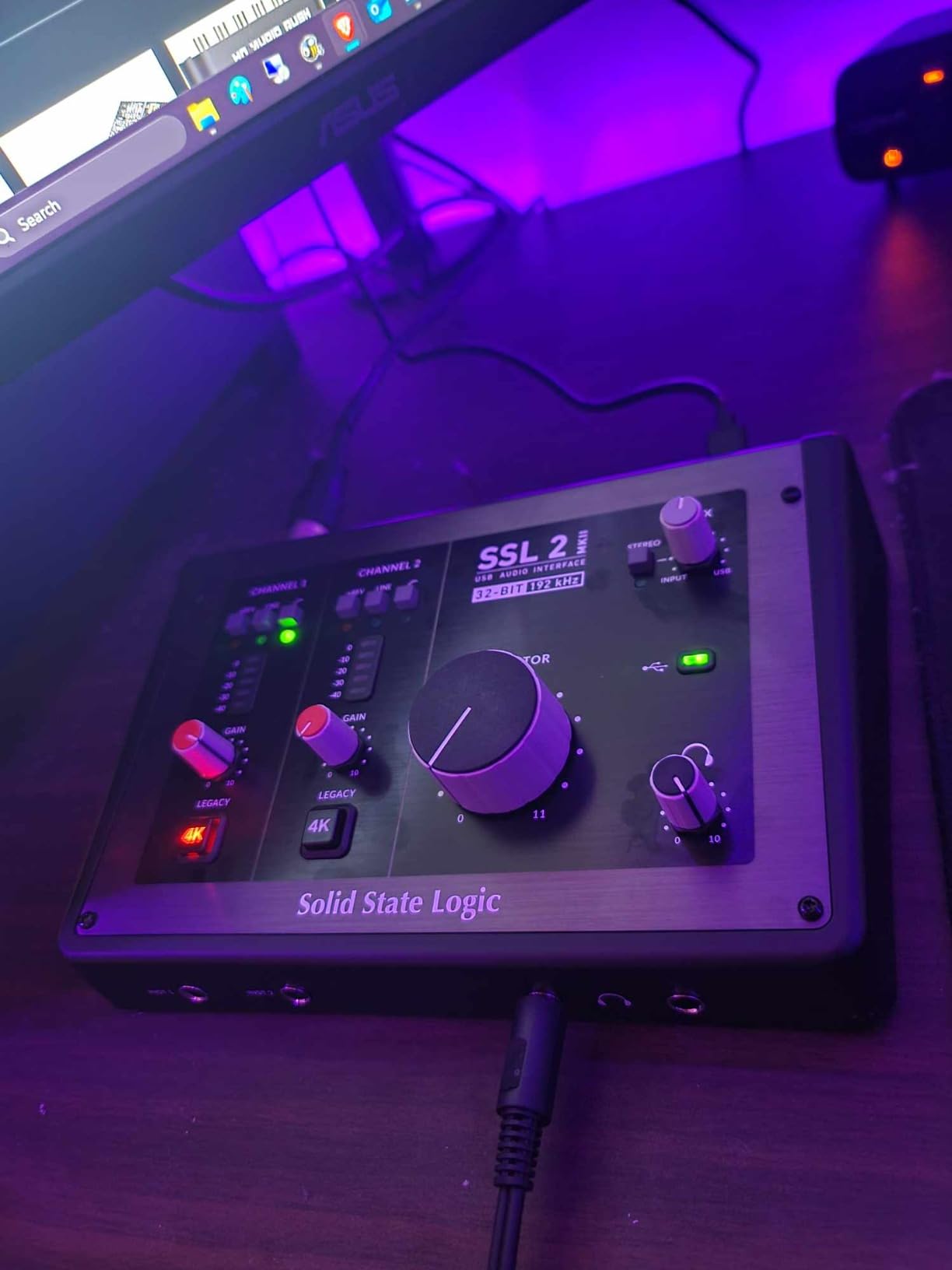
Two caveats, both stated by owners. The 32-bit claim is not 32-bit float, so the converters can still clip on hot transients if you push them. And the loopback, while advertised, does not behave like a standard driver loopback for Zoom-style calls, so plan on a virtual cable if you need to capture online meetings.
It is also the largest 2×2 here at 2.25 pounds and 10.63 by 7.87 by 4.33 inches, which is fine on a desk and awkward in a laptop bag. Drivers installed quickly and integrated cleanly with DAWs on Windows 11 in owner reports.
When console colour improves a mix
Colour helps most when a track feels anaemic before you have touched it. A vocal recorded through a harmonic circuit arrives with a little weight, so the compressor and EQ do less work. For singers who record the same part over and over and never get it right, that head start is worth having. For engineers who want a clean slate, bypass the switch and it is a transparent preamp again.
Whether 32-bit makes a difference here
Marketing language creates confusion here. This box reports 32-bit/192 kHz conversion but is not true 32-bit float, so the headroom advantage of float recording is not available. Practically, gain staging is what protects you, and the 4K circuit is a plus rather than a risk. Check the label before assuming float recording headroom.
9. Tascam US-2x2HR – The One Built for Very Low Latency
Tascam US-2x2HR 2 Mic 2IN/2OUT High Resolution Versatile USB Audio Interface for Recording, Streaming, Podcasting, Songwriting
24-bit/192 kHz
Ultra-HDDA preamps
Buffer from 4 samples
Metal body
Pros
- 24-bit/192 kHz support with Ultra-HDDA mic preamps and 48V phantom
- Selectable buffer size down to 4 samples for very low latency
- Heavy solid metal construction with a front-panel phantom switch
- Physical gain monitor balance and level knobs avoid driver dependency
- Handles 192 kHz headphone listening and works as a DAC
Cons
- Bundled Cubase version may not match what buyers expect
- One reviewer reported a high whining noise with microphones
- Category ranking is far lower than peers at this price
- Tascam warranty service runs through authorised dealers only
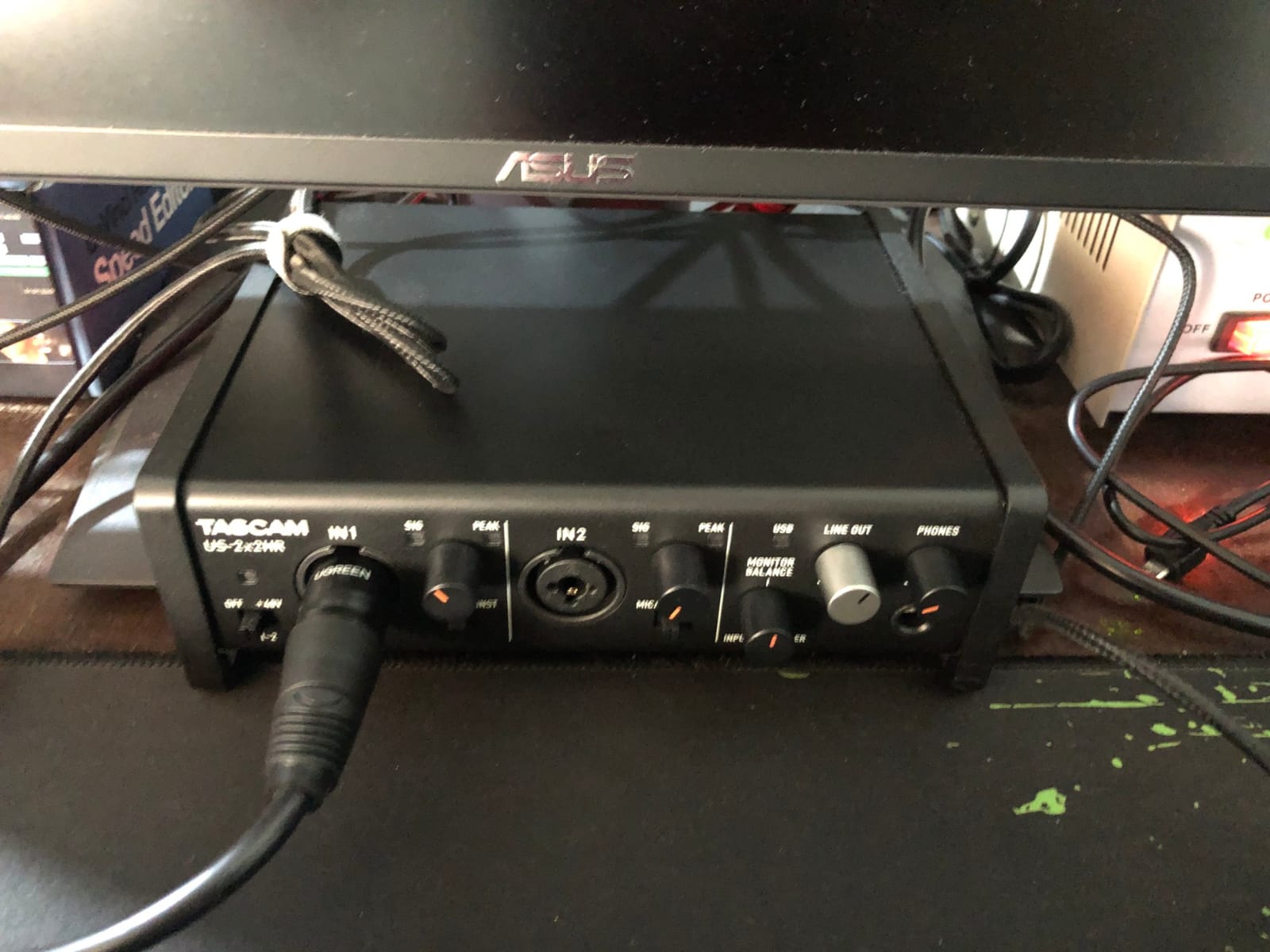
Tascam built the US-2x2HR for people who write software instruments. The headline is the Tascam native driver, which lets you set the buffer size as low as 4 samples. For a guitarist tracking through amp sims, or anyone playing a soft synth live while monitoring, that is a real working advantage over interfaces that hide buffer settings behind a generic driver.
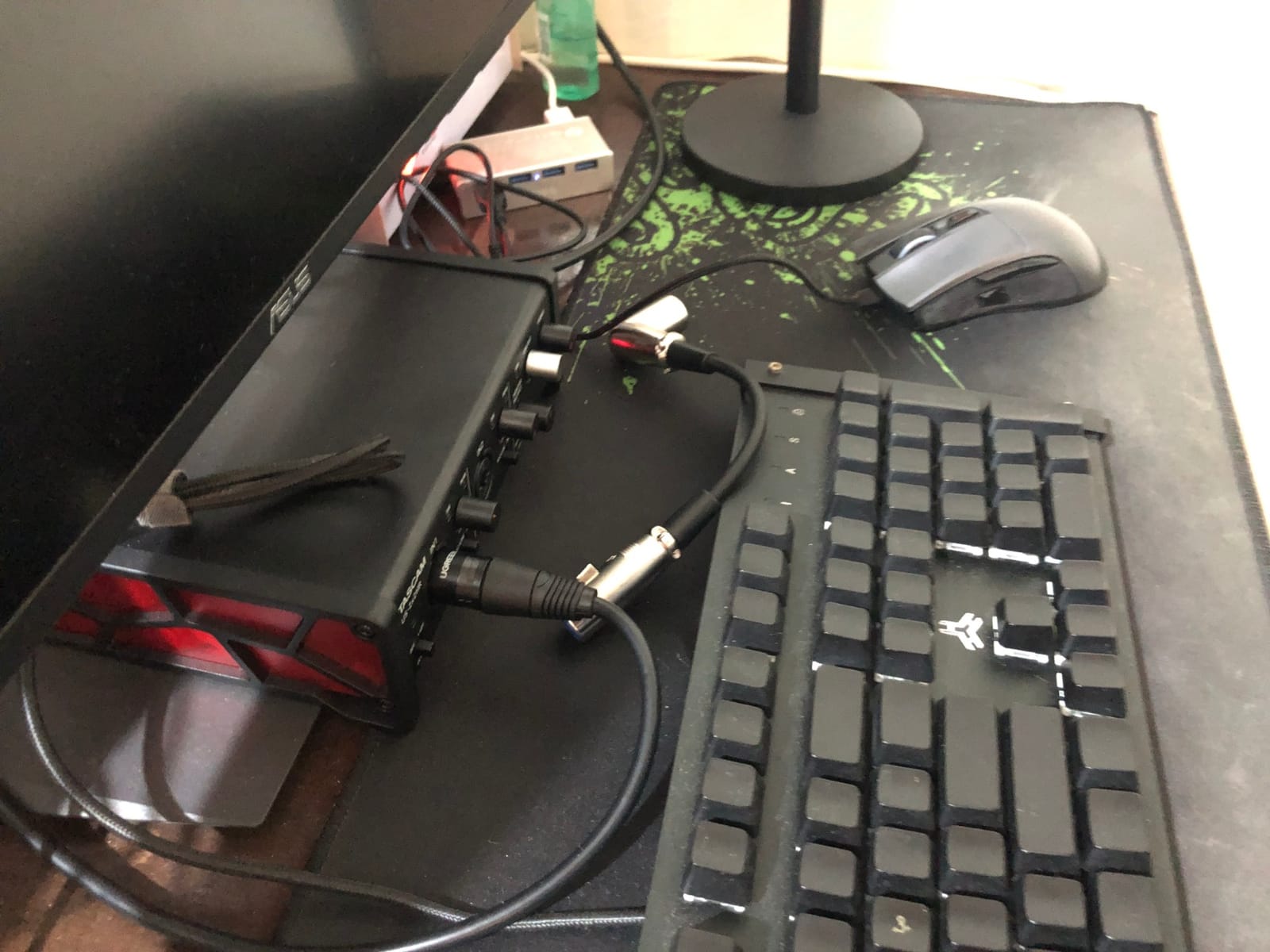
Everything is on the front panel. Gain, monitor balance and level are physical knobs, phantom power has its own switch, and the tilting base angles the face toward you at a desk. That is a design choice with a purpose: the unit does not depend on driver software to function, which owners on Linux and M1 Macs appreciate.
At 16 ounces of solid metal it stays put, and it handles 192 kHz headphone listening while doubling as a headphone amplifier and standalone DAC.
The category ranking on this one is unusually low, and that reflects a smaller install base rather than a defect. Reviews are scattered rather than concentrated: one owner reported a high whining noise with microphones, and warranty service is limited to authorised dealers, which is a genuine risk if you buy through a marketplace seller.
The bundled Cubase licence is also a recurring complaint because the version included is not always the version buyers assumed. Treat the software as a bonus rather than the reason to buy. One owner reported it sounding identical to a Focusrite 2i2 that had just failed, which is a good indication of the conversion quality underneath.
When 4-sample buffers are worth changing your workflow for
They matter for live playing. If you sing while triggering instruments and need to hear yourself with no perceptible delay, or you are a guitar player working with amp simulation, the tighter the buffer the better the experience. For overdubbing where you are not playing while recording, a 64 or 128 sample buffer gives a better experience and the difference is irrelevant.
Whether physical controls matter more than software ones
More than most buyers expect. If your machine is Linux-based, or you move between computers, or a driver update breaks a workflow, physical knobs that control monitoring directly keep you recording. Tascam’s warranty being dealer-only is the trade-off you accept in exchange for a unit that is less dependent on software in the first place.
10. Zoom U-24 – Battery Powered Recording That Travels
Zoom U-24 Handy Audio Interface, 2-Channel Portable USB Audio Interface, 2 XLR/TRS Combo Inputs, MIDI I/O, RCA Outputs
Runs on two AA batteries
MIDI I/O
24-bit/96 kHz
10.08 ounces
Pros
- Runs on USB or two AA batteries so it works without mains power
- Two mic and line inputs with clean quiet preamps and phantom power
- MIDI I/O plus balanced TRS and RCA stereo outputs
- Also works standalone as a two-channel mixer without a computer
- Light enough to move between a home studio and a rehearsal room
Cons
- No XLR outputs so live use may need a DI box
- Playback latency through a DAW is noticeable for some users
- 96 kHz is a modest conversion ceiling
- Some durability reports of a channel or headphone output failing
The Zoom U-24 is the only interface here that runs on two AA batteries, and that single fact changes what you can do with it. Plug a laptop into a cafe table, a rehearsal room or a friend’s house and you have two mic inputs, phantom power and MIDI with no power outlet in sight.
Owners use it as much for its standalone mixer mode as for recording. With no computer connected it behaves as a simple two-channel mixer with balanced TRS and RCA outputs, which is useful for feeding a small PA or a rehearsal space. The preamps are described as clean and quiet, which is the part that matters for the recording use.
It weighs 10.08 ounces and includes Pro Tools | First and Ableton Live 9 Lite, and it connects to an iPad with a camera connection kit sold separately.

The honest weakness is playback latency. Users tracking through a DAW report noticeable delay on the return, which makes it a weaker choice as a main studio interface for a singer or guitarist who needs to hear themselves in real time. For capturing a take, sketching ideas and field-style work, it is fine.
There are also durability reports in the one-to-three star reviews, concentrated on a channel or the headphone output failing within months. There is no XLR output, so using it live into a PA means adding a DI box. And 24-bit/96 kHz is a modest ceiling by current standards.
Whether a plastic body suits your travel schedule
It suits light travel, not touring. The Zoom is designed to be picked up, carried and used, and the battery option removes the only real obstacle to recording away from a desk. But a plastic chassis that slides around and reports of early hardware failure mean we would not put it through repeated gigs or a permanent install where it would take knocks.
Why MIDI I/O still matters in 2026
Plenty of hardware synths and controllers still use five-pin DIN, and very few modern two-channel interfaces include a MIDI port. The Zoom gives you one at a tier where most rivals drop it, which makes it the natural companion for a small MIDI keyboard when you record on the move. Pair the MIDI with the batteries and you have a genuinely portable setup.
11. PreSonus Quantum ES 2 – The Automatic Leveling Box
PreSonus Quantum ES 2 USB-C Audio Interface with Fender Studio Pro Software
Auto Gain button
75 dB preamp gain
Fender instrument input
Studio One Pro included
Pros
- MAX-HD preamps deliver 75 dB of digitally controlled analog gain
- Instrument input co-developed with Fender for guitar and bass
- Auto Gain sets levels instantly for consistent takes
- Custom low-latency driver supports recording and playback
- Bright LED metering on the top panel
Cons
- Lowest average rating in this roundup at 4.2 with 12% one-star
- No MIDI I/O
- No bundled instrument effects suite beyond the DAW licence
The Quantum ES 2 is the only box in this roundup with 75 dB of digitally controlled preamp gain, and it solves a problem the others leave open. If you own a broadcast-style dynamic microphone that needs more gain than a typical two-channel preamp delivers, this reaches it without an external booster.
Auto Gain is the second headline. One button sets the level for a consistent take, which removes the fiddly part of recording alone. The instrument input was co-developed with Fender engineers specifically for electric guitar and bass, so the impedance and headroom are matched to what those instruments actually output.
The Universal Control app handles preamp gain and phantom power remotely, the top panel carries bright LED input and output metering, and Studio One Pro arrives as a perpetual licence rather than a subscription or a download code.
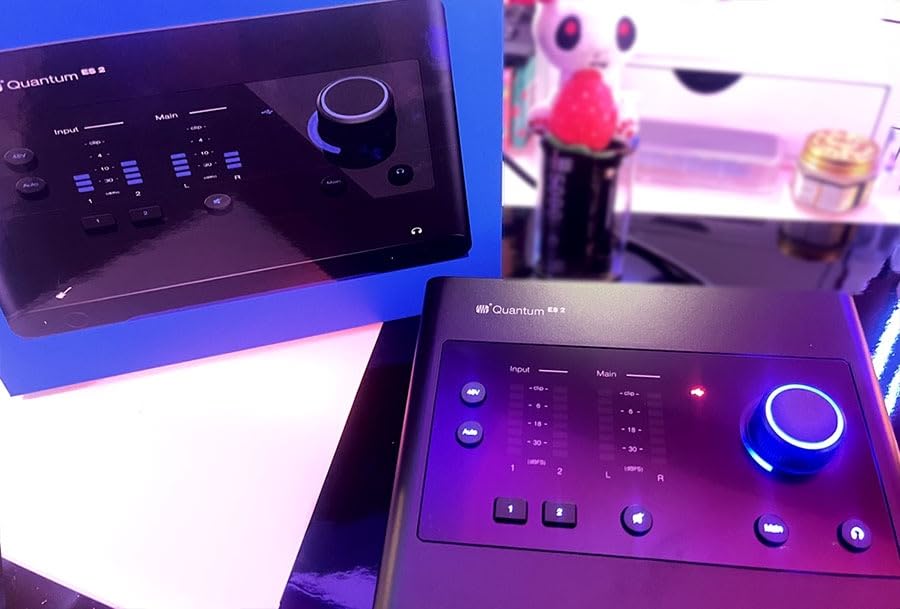
The 4.2 average is the lowest in this group, and the 12% share of one-star reviews is the highest. That pattern usually points to inconsistency between units and to driver or software friction rather than one specific fault. Buyers who got on with it tend to single out Auto Gain as the reason.
There is no MIDI I/O, which removes it from consideration for hardware synth setups, and the bundle is the DAW licence and little else. If you want instrument sounds, you are buying them separately.
Whether 75 dB of gain is really different
Yes, for specific microphones. The gap between roughly 60 dB and 75 dB of gain is the difference between working with a quiet ribbon or a broadcast dynamic and needing a hardware booster to reach a usable level. If your microphone is a normal condenser or an SM58, you will never approach the top of this range and the extra gain buys you nothing.
How Auto Gain compares to manual gain staging
It is faster and less precise. For a singer recording a quick idea, or anyone capturing many takes in a single sitting, one-button levelling removes an entire source of inconsistency between takes. For a guitarist layering parts, manual gain lets you match the level of a new take to an existing one precisely, and no automated setting replicates that judgement. Treat Auto Gain as a starting point, not a final gain decision.
12. Mackie Onyx Artist 1×2 – Old-School Build With a Gotcha
Mackie Audio Interface, Onyx Artist 1X2 USB Audio Interface (Onyx Artist 1-2)
Onyx boutique preamp
5-pin MIDI I/O
24-bit/192 kHz
1.2 pounds
Pros
- Onyx boutique mic preamp is clean and quiet with 48V phantom power
- MIDI I/O is increasingly rare at this tier
- Heavy tank-like construction with sturdy responsive knobs
- Zero-latency direct monitoring plus monitor and headphone outputs
- Bus-powered over USB 2.0 and installs without drivers on macOS
Cons
- Two inputs appear to the computer as one stereo input
- Preamp gain runs out for low-output condenser microphones
- Stock knobs are hard to read in low light
- USB 2.0 is a legacy connection speed
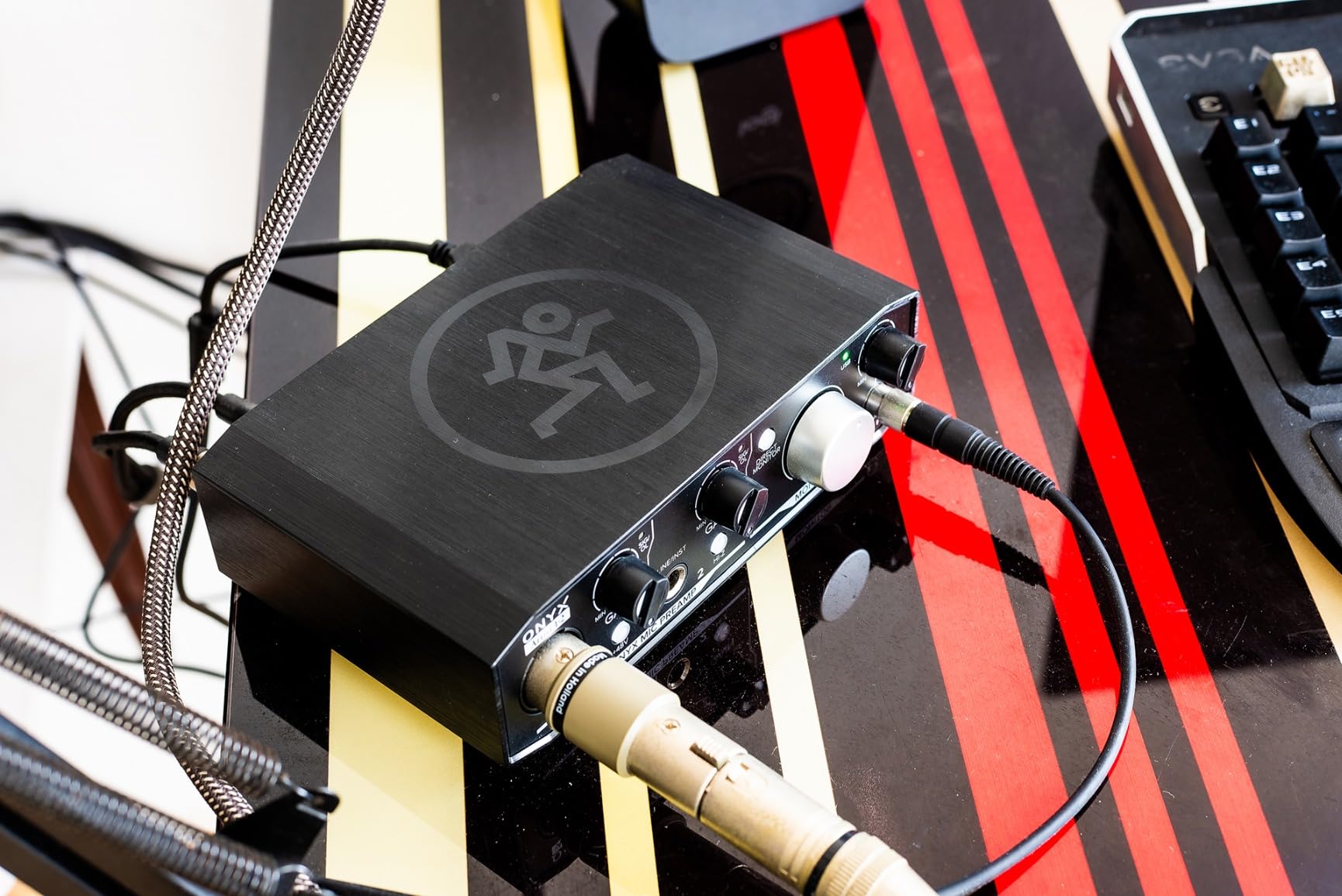
Mackie built this one like a mixer, and owners notice. At 1.2 pounds with knobs that feel solid, it is the most physically substantial budget box here, and reviewers cite long-standing brand loyalty alongside genuine praise for the Onyx boutique preamp, which is clean and quiet with 48V phantom power available.
Two things make it unusual at this tier. MIDI I/O is included, which is increasingly rare below the mid tier, and a Hi-Z switch on the 1/4 inch input makes it easy to record guitar and bass without a DI box. Direct monitoring is hardware, and on macOS it installs without drivers.
At 24-bit/192 kHz it also punches above its weight on paper, and the Musician Collection of plug-ins and instruments comes bundled.
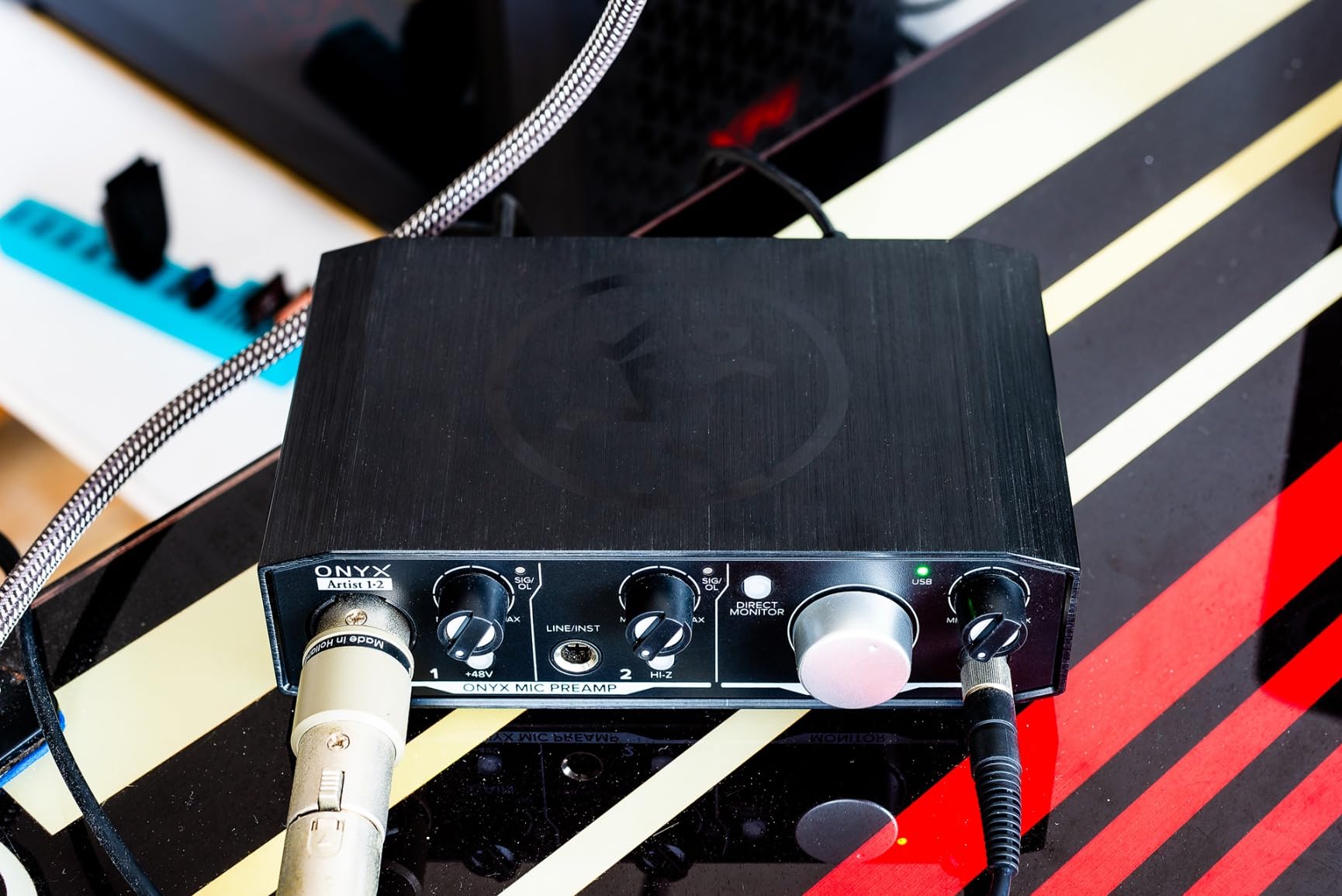
The significant gotcha is how the two inputs present themselves. They appear to the computer as a single stereo input, so using input 1 alone returns only one channel of the pair, and one buyer considered returning the unit over it. Check your DAW’s routing before committing if you plan to record two separate mono sources simultaneously.
Preamp gain also runs out for low-output condenser microphones such as the AT3035, and the stock knob markings are hard to read in low light. USB 2.0 bus power is a legacy speed, which limits connection options on modern ports.
Whether the stereo-input behaviour is a dealbreaker
Only if you need both inputs at once. Recording a single mic or a single instrument is unaffected, because a single-input session is the common case for a solo recorder. Two inputs feeding one stereo stream is a real constraint for a duo recording a performance, and in that situation a two-channel box that presents as two discrete mono inputs is the safer purchase.
Who should choose this over a newer box
Anyone with five-pin DIN hardware who wants MIDI without buying a separate interface, and anyone who values a heavy chassis and long hardware lifespan over modern conveniences like a display, loopback or 192 kHz on a modern bus. Against a MiniFuse 2, which gives you discrete inputs, MIDI, a USB hub and 192 kHz together, the Mackie only wins on physical heft and price.
How to Choose an Audio Interface for Your Home Studio
Most buyers overthink this and underspec it. The features that decide whether an interface works for you are unglamorous: how many inputs, how much gain, how the drivers behave and whether your microphone needs something the box does not provide. Sound character is a preference you can live with. A missing second input cannot be worked around without buying another unit.
Preamp character: colour or transparency
A transparent preamp passes the microphone’s own tone through and lets you decide later. That is the safer default for most home studios. A coloured preamp adds harmonic content before you reach the DAW, which compresses and EQ less work. The Audient iD4 MKII and the SSL 2 MKII lean colourful, the Focusrite Solo offers Air mode on demand, and the MOTU M2, M-Track Duo and UMC22 are on the transparent side. A sensible test is to rent or borrow a coloured unit and record the same phrase through it, then decide by ear rather than by spec.
Inputs and gain for the microphones you own
Count your simultaneous sources before anything else. One microphone and one instrument is a two-channel problem. A stereo acoustic pair, a guitar plus a vocal plus a room mic, or a two-person vocal session needs four. Every product here is a two-channel box except the Arturia MiniFuse 2, which has four physical inputs, so if you are heading past two sources quickly, that is the one to look at first.
Gain matters more than most buyers expect. A dynamic microphone like an SM58 needs very little, but a broadcast dynamic or a ribbon can need more than a typical entry-level preamp delivers. The PreSonus Quantum ES 2 offers 75 dB of digitally controlled gain, which is the highest here. If your microphone is a quiet one, verify the headroom before you buy rather than planning to add a booster later. Several owners of the Mackie and the M-Track Duo report preamps that run out with low-output condenser microphones.
Latency, buffer size and what you actually play
Latency is the delay between playing something and hearing it back. For overdubbing, where you are not performing while recording, a moderate buffer of 64 to 128 samples is fine and more stable. For playing a guitar through amp simulation or performing into soft instruments while recording, buffer size becomes critical, and the Tascam US-2x2HR goes as low as 4 samples through its own driver. Hardware direct monitoring, available on most models in this list, bypasses the round trip entirely and is the cheapest latency fix available.
Sample rate, bit depth and what actually gets heard
You will see 24-bit/192 kHz quoted across this list, and 24-bit/96 kHz on four of these models. Higher sample rates capture ultrasonic content and give headroom for resampling, but the audible difference between 48 kHz and 192 kHz on a home studio monitor in an untreated room is close to nothing. Bit depth matters more than sample rate, and 24-bit is the floor worth insisting on. If a box only offers 16-bit, skip it.
MIDI, ADAT and future-proofing
None of these twelve units has an ADAT port, which means none of them expands into a larger system without a separate converter. What you can do is plan for the day you outgrow them. The network audio players we tested cover a different corner of the audio world, and our premium home audio receivers guide covers the other end of the signal chain, but the principle is shared: buy for what you will record in a year, not what you recorded last week.
Five-pin DIN MIDI is worth checking against your own gear. The Arturia MiniFuse 2, the PreSonus AudioBox 96, the SSL 2 MKII, the Zoom U-24 and the Mackie Onyx all include MIDI I/O. If your controller speaks USB, you can ignore it entirely.
Driver stability and operating system fit
This is the most common source of forum complaints and the least visible on a spec sheet. A class-compliant interface will work immediately, but the Windows drivers that ship with some units have historically been the weak point. The Tascam US-2x2HR puts gain and monitoring on physical knobs so it stays usable even when a driver misbehaves, and the M-Track Duo’s cross-platform support is the broadest in the group. If you run Linux, read the community threads for your specific model before you commit.
Software bundles: useful or clutter
Ableton Live Lite, Studio One Artist, MPC Beats and similar licences are genuinely valuable to a beginner because they remove the first decision. For everyone else they are shelf weight. The PreSonus AudioBox 96 ships the most substantial bundle, the SSL 2 MKII and the MOTU M2 ship the most tokenised, and the Arturia MiniFuse 2 ships the most useful for a producer who wants instruments to play.
Setup Basics: Drivers, Gain Staging and Monitoring
Whichever box you choose, the first session matters more than the specifications. Set the interface as the audio device in your DAW before you create any tracks, and set your buffer size to 64 samples to start. Most surprise clicks, hums and dropouts in a home studio come from the interface being set as a monitor source on a microphone track rather than an input.
Gain staging is the second step and the one that protects your recordings. Turn the gain up while watching the input meter, stop just below where it clips, and leave the phantom power off until you have confirmed a condenser microphone actually needs it. The MOTU M2 and the Quantum ES 2 both give you enough metering to do this by eye.
Finally, decide what you are monitoring. If you are tracking a performance, use hardware direct monitoring so your voice arrives with no delay. If you are mixing, switch to software monitoring and listen to the mix as the listener will. Some interfaces like the Audient iD4 MKII let you blend the two, which is useful when a part is in tune but the pitch correction is not.
Frequently Asked Questions
What is the best audio interface for a home studio?
For most people starting out, the Behringer UMC22 is the strongest all-round choice: a quiet Midas-designed preamp, a hardware direct monitoring switch, a bus-powered design and more than 12k reviews behind it. The Focusrite Scarlett Solo 4th Gen is the pick if you record one source at a time and want 24-bit/192 kHz conversion plus Air mode. The MOTU M2 is the pick if you want clear metering and two preamps, and the Arturia MiniFuse 2 is the pick if you need four physical inputs, MIDI and loopback in one box.
Which audio interface has the best sound quality?
Sound quality depends on two things: the preamp topology and the converters. The Audient iD4 MKII uses Audient’s ASP8024 Class-A console preamp and reviewers consistently describe it as warm and clear. The SSL 2 MKII adds a switchable Legacy 4K circuit for a heavier console colour, while the MOTU M2 and the Focusrite Scarlett Solo 4th Gen use 24-bit/192 kHz converters with high dynamic range. In a real home studio, the microphone and the room treatment move the result far more than any of these choices.
What are the top 5 audio interfaces?
Our five standouts for home studios in 2026 are the Behringer UMC22 as the most reliable all-rounder, the Focusrite Scarlett Solo 4th Gen for a single-preamp workflow, the MOTU M2 for clear metering and two preamps, the Arturia MiniFuse 2 for four inputs with MIDI and loopback, and the Audient iD4 MKII for a coloured console preamp. Each covers a different use case, so the right one depends on how many sources you record and how much gain your microphone needs.
Is there a better audio interface than Focusrite?
For some workflows, yes. The MOTU M2 matches the Scarlett Solo’s 24-bit/192 kHz conversion while giving you a second preamp and clearer metering. The Arturia MiniFuse 2 adds four physical inputs, MIDI I/O and loopback, which the Scarlett Solo lacks entirely. The Audient iD4 MKII trades a preamp for a warmer Class-A console character. The one recurring Focusrite complaint worth knowing about is that the bundled Control drivers can reduce input level for low-output dynamic microphones such as an SM58, so test that early if your microphone is a quiet one.
How many inputs do I need on an audio interface?
Count the sources you need to record at the same time, not the total number of things in your song. One microphone plus one instrument needs two inputs. A stereo acoustic pair, a guitar, a vocal and a room mic needs four. A full band or a two-overhead drum recording needs far more than anything in this roundup offers. Check how the inputs present themselves in your DAW as well, because the Mackie Onyx Artist 1×2 exposes two inputs as a single stereo stream.
Do I need an audio interface for home recording?
You need one for anything beyond spoken-word calls. A computer’s built-in sound card has no microphone preamp with usable gain, no phantom power for condenser microphones, no proper instrument-level input for guitar and no low-latency headphone monitoring. It will also pick up the electrical noise and timing jitter that make home recordings sound thin. If you are only ever capturing voice memos, you do not need one, but for vocals, guitar, podcasts or any instrument recording it is the single most important box in the signal chain.
Final Verdict
The best audio interfaces for home studios in 2026 come down to how you work. Buy the Behringer UMC22 if you want the most proven, most reviewed and least fussy box in the category. Buy the Focusrite Scarlett Solo 4th Gen if you record one source at a time and want modern conversion plus a colour switch. Buy the Arturia MiniFuse 2 if you need four inputs, MIDI and loopback without buying anything else.
Whichever you choose, get the gain staging right before you worry about the sound. Our wider audio interface reviews go deeper on the format, and a treated corner of a room will improve your recordings more than any converter on this list.