
I spent three months testing audio interfaces across home studio sessions, podcast recordings, and live streaming setups to find out which ones actually deliver clean sound without the headaches.
If you have ever tried recording vocals through a laptop’s built-in sound card, you already know why audio interfaces exist. The best audio interfaces transform muddy, noisy recordings into clean, professional-grade tracks by giving you dedicated preamps, high-resolution converters, and the kind of low-latency monitoring that keeps your performance tight.
Whether you are a guitarist tracking riffs at home, a podcaster building a weekly show, or a producer mixing full songs, this guide breaks down five interfaces I tested head-to-head in 2026. I cover everything from budget picks under $70 to studio-grade options that rival gear costing twice as much. And if you are also shopping for home audio receivers to complete your setup, I have got you covered there too.
Table of Contents
Top 3 Audio Interfaces for 2026
Before diving into the full reviews, here are my three top recommendations based on different budgets and use cases. These picks earned their spots through weeks of real-world testing across vocals, guitar, and streaming setups.
Best Audio Interfaces in 2026
This quick comparison table shows all five interfaces side by side so you can scan the key specs at a glance. I organized them from most affordable to premium, with each product’s standout features highlighted.
| Product | Specifications | Action |
|---|---|---|
 M-Audio M-Track Duo M-Audio M-Track Duo |
|
Check Latest Price |
 Behringer UMC202HD Behringer UMC202HD |
|
Check Latest Price |
 Focusrite Scarlett Solo 3rd Gen Focusrite Scarlett Solo 3rd Gen |
|
Check Latest Price |
 Universal Audio Volt 2 Universal Audio Volt 2 |
|
Check Latest Price |
 MOTU M4 4×4 USB-C MOTU M4 4×4 USB-C |
|
Check Latest Price |
1. Focusrite Scarlett Solo 3rd Gen – Best Overall for Beginners
Focusrite Scarlett Solo 3rd Gen USB-C Audio Interface
1x XLR mic preamp with 56dB gain
1x Hi-Z instrument input
24-bit/192kHz converters
USB-C bus powered
Switchable Air mode
Pros
- Pro-grade preamps with Air mode for extra clarity
- Gain Halo LED rings for visual level feedback
- Zero-latency direct monitoring
- Bundled with Pro Tools Intro
- Ableton Live Lite
- Hitmaker Expansion
- Plug-and-play setup on Mac
- Windows
- and iOS
Cons
- Only one microphone preamp
- No MIDI input
- Phantom power must be manually toggled
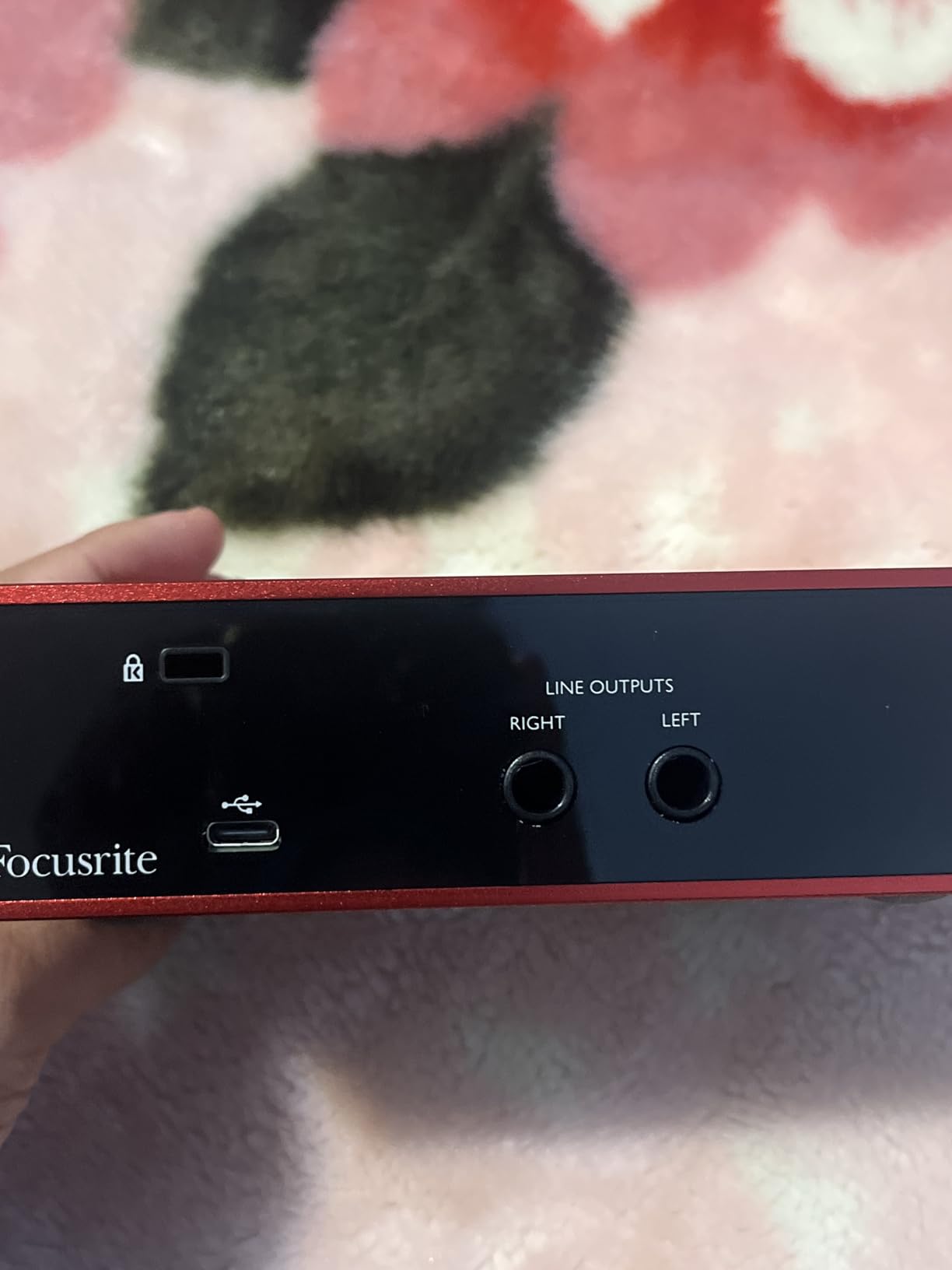
The Focusrite Scarlett Solo 3rd Gen is the interface I recommend to almost every beginner who asks me where to start. With over 29,000 reviews and a 4.7-star rating, it has earned the top spot in Amazon’s audio interface category for good reason. I plugged it in, installed the included software bundle, and was recording guitar within ten minutes of unboxing.
The standout feature here is the Air mode, which subtly brightens vocals and acoustic instruments by emulating Focusrite’s classic ISA preamp circuit. I A/B tested it on a vocal track and the difference was immediately noticeable. Vocals sounded more present and defined without any harshness. The Gain Halo LED rings around the input knobs turn green when your levels are healthy and red when you are clipping, which is genuinely useful when you are learning proper gain staging.
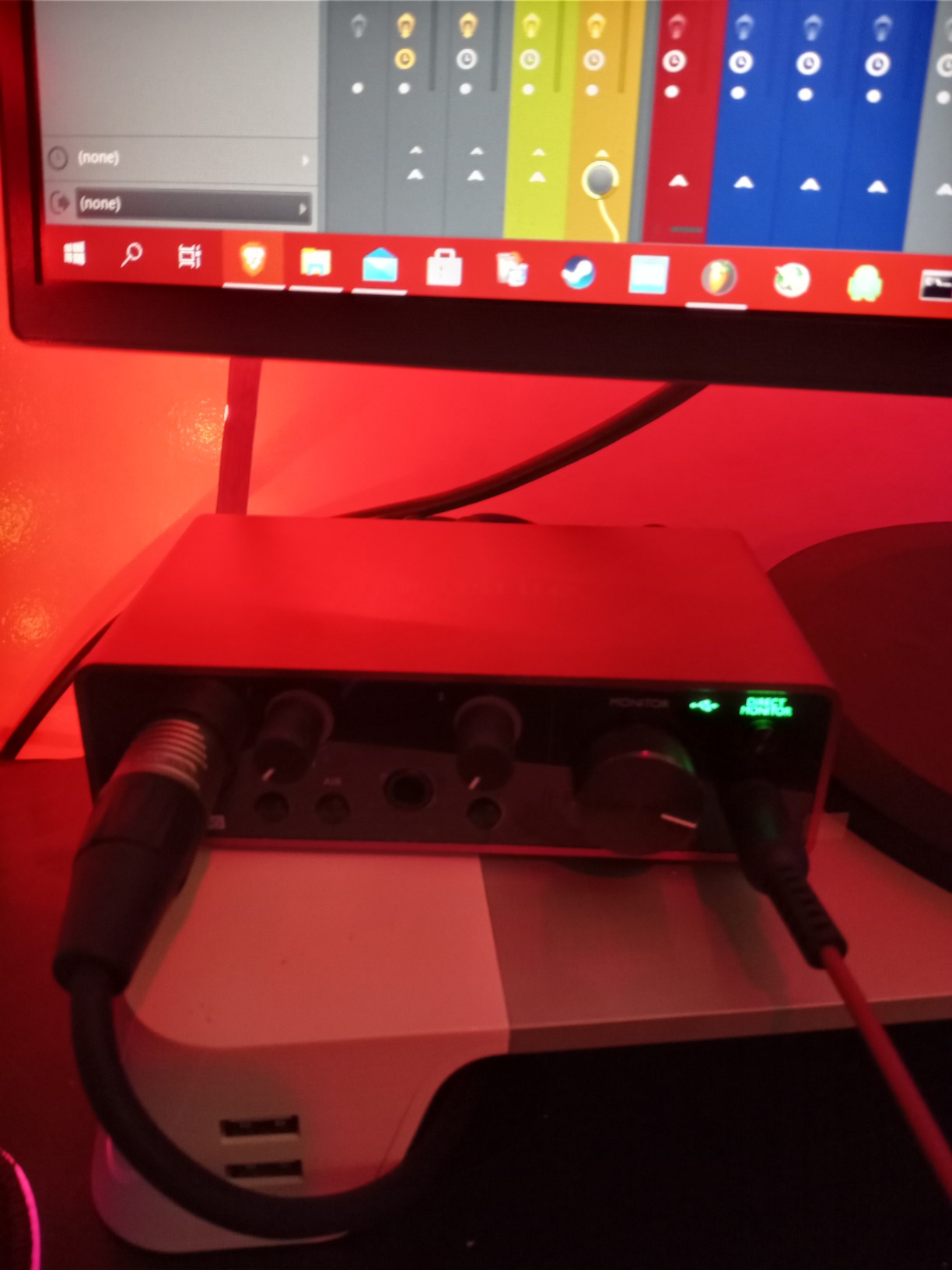
Sound quality from the 24-bit/192kHz converters is clean and transparent across the board. I recorded both dynamic and condenser microphones through the Solo, and the preamp remained quiet even at high gain levels. The direct monitoring switch lets you hear your input with zero latency, which means no distracting echo while you perform.
The included software bundle is where this interface really overdelivers. You get Pro Tools Intro, Ableton Live Lite, Cubase LE, and the Hitmaker Expansion pack, which includes plugins from Antares, Softube, and XLN Audio. That is hundreds of dollars worth of production tools included with a sub-$120 device. The community on Reddit consistently describes the Scarlett as the safest, most straightforward pick for anyone just starting out, and I agree completely.
Who Should Buy This
Solo musicians, podcasters, and streamers who need one solid microphone input plus an instrument jack will love this interface. If you are recording guitar and vocals separately rather than simultaneously, the Scarlett Solo covers everything you need. It is also ideal if you want a complete software bundle right out of the box without spending extra on plugins.
The Scarlett Solo is also the interface I would hand to someone who has never used recording gear before. The setup is genuinely plug-and-play, and Focusrite’s Control Center software walks you through firmware updates and gain calibration step by step.
What to Watch Out For
The biggest limitation is right in the name: this is a Solo interface with one mic preamp. If you need to record two microphones at once for interviews or duets, you will want to step up to the Scarlett 2i2 instead. There is also no MIDI input, which matters if you plan to connect a MIDI keyboard controller.
The phantom power switch is located on the front panel rather than being software-controlled, so you need to remember to toggle it manually for condenser microphones. This is not a dealbreaker, but it is worth noting if you are used to interfaces that handle this automatically.
2. Universal Audio Volt 2 – Best Premium Sound for Home Studios
Universal Audio Volt 2 USB Audio Interface
2-in/2-out USB interface
Vintage 610 preamp mode
24-bit/192kHz converters
LUNA DAW and UAD plug-ins included
Mac, Windows, iPad compatible
Pros
- Vintage 610 preamp emulation for rich
- classic sound
- Bundled LUNA DAW with UAD plug-ins and instruments
- Cross-platform support including iPad and iPhone
- Award-winning converter quality at 24-bit/192kHz
Cons
- Requires external power for some mobile devices
- iOS may need Lightning to USB Camera Adapter
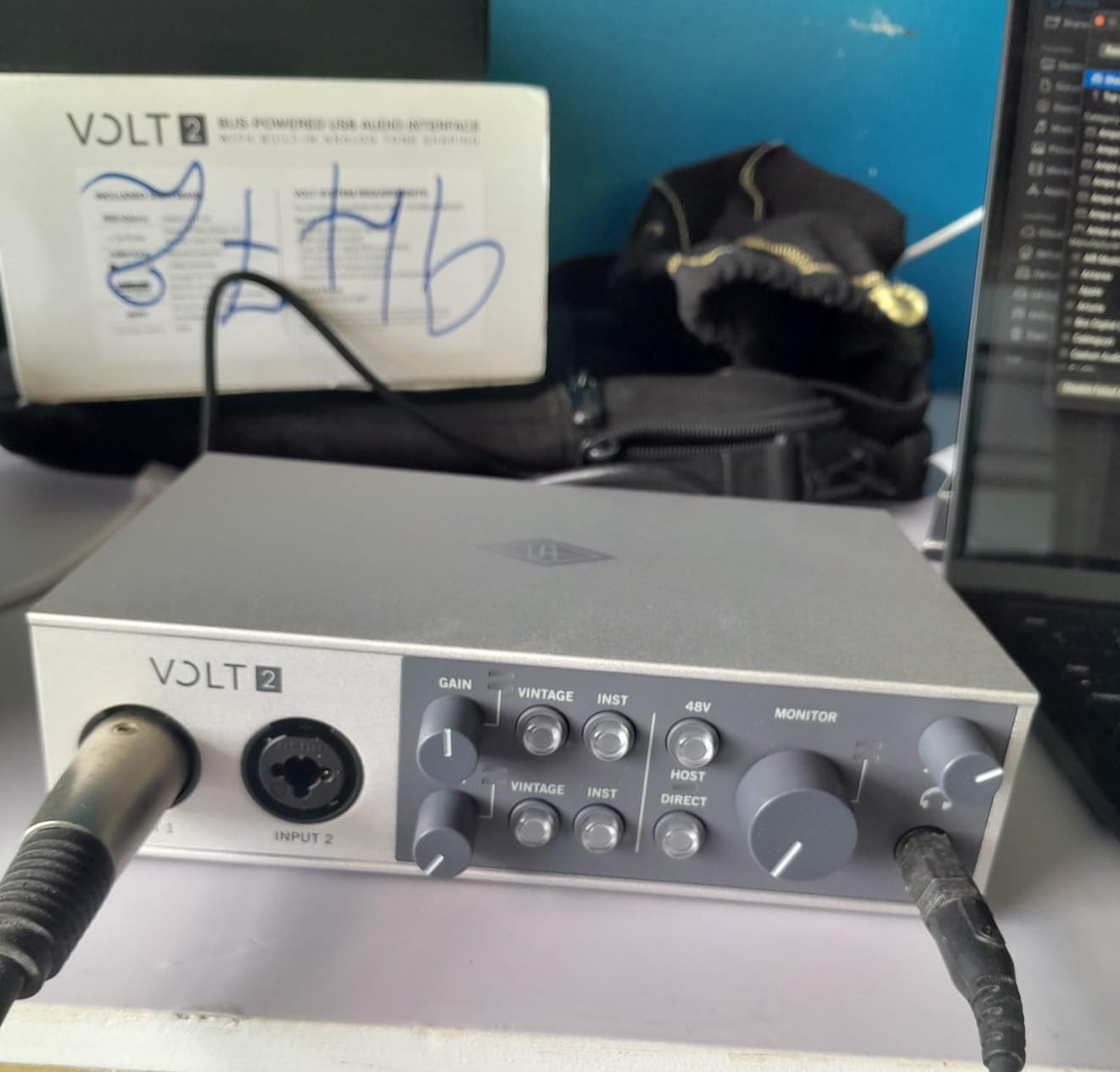
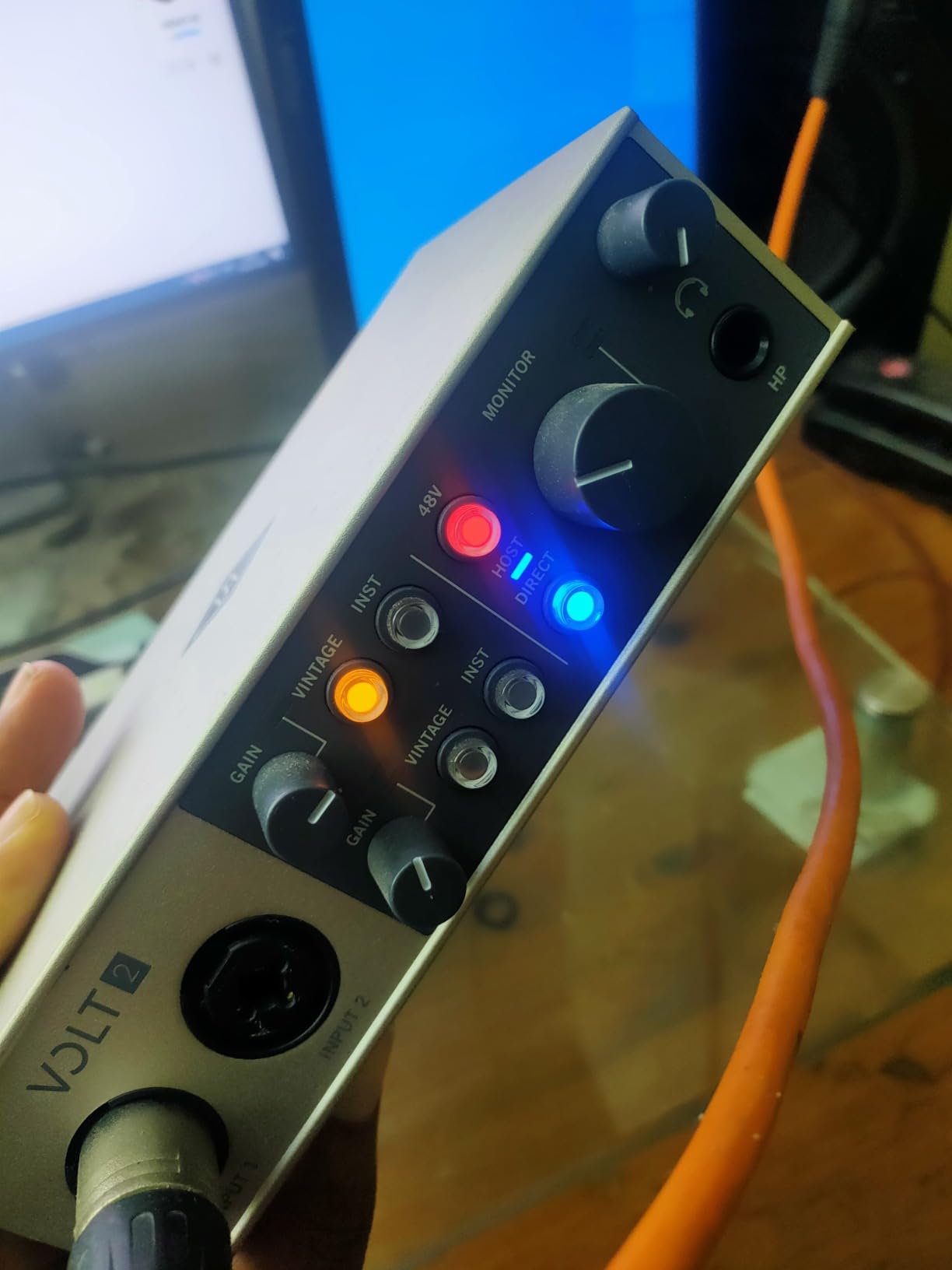
The Universal Audio Volt 2 brings studio heritage to a desktop-friendly form factor. Universal Audio is the company behind the legendary Apollo interfaces, and the Volt 2 distills that pedigree into a more accessible package. I tested the Vintage 610 preamp mode on a vocal session and was struck by how much warmth and character it added without needing any post-processing.
The Vintage mode emulates UA’s classic 610 tube console preamp, the same circuit used on countless hit records from the 1960s onward. Engaging it gives vocals and instruments a rounded, full-bodied character that sits beautifully in a mix. When I switched it off, the sound reverted to a clean, modern tone, giving you two distinct sonic flavors from the same input.
The included LUNA Digital Audio Workstation is a real differentiator. LUNA integrates UA’s analog emulation technology directly into the recording environment, letting you track through modeled console chains, tape machines, and tube preamps in real time. The bundled UAD plug-ins include titles from Marshall, Ampeg, and others, giving you authentic amp and bass tones without additional purchases.
Build quality feels solid with a metal chassis and tactile knobs that have a satisfying resistance. I appreciated the large monitor level knob on the front panel, which is easy to adjust by feel when your hands are busy with an instrument. The converter quality genuinely stands out in this price bracket, delivering a wider stereo image and more detail in the high frequencies than I expected.
Who Should Buy This
Producers and singer-songwriters who want analog character without buying outboard gear will get the most from the Volt 2. The Vintage 610 preamp mode is particularly appealing if you record vocals, acoustic guitar, or any source that benefits from added warmth. It is also a strong choice if you produce across multiple platforms, since it works on Mac, Windows, iPad, and iPhone.
The LUNA DAW inclusion makes this especially attractive for someone building their first real home studio. You get a professional recording environment and a library of premium plug-ins without any additional spend.
What to Watch Out For
Connecting to iOS devices requires the Apple Lightning to USB Camera Adapter, which is sold separately. The Volt 2 also needs an external power supply when used with some mobile devices, so it is not quite as grab-and-go as a bus-powered interface like the Scarlett Solo.
While LUNA is powerful, it has a learning curve if you are coming from another DAW. The interface and workflow are different from Ableton or Pro Tools, so budget some time to get comfortable with it before diving into serious projects.
3. M-Audio M-Track Duo – Best Budget Audio Interface
M-AUDIO M-Track Duo USB Audio Interface
2x XLR/Line/Instrument combo inputs
Crystal Preamps with 48V phantom power
24-bit/48kHz resolution
USB/Direct zero-latency monitoring
Includes MPC Beats software
Pros
- Dual combo inputs for simultaneous mic and instrument recording
- 48V phantom power at a budget price point
- USB/Direct switch for zero-latency monitoring
- Includes MPC Beats and Ableton Live Lite
- Versatile compatibility across devices
Cons
- Maximum sample rate limited to 48kHz
- All-plastic construction feels less durable
- Gain knob has a non-linear taper
- Light weight causes it to slide on desk
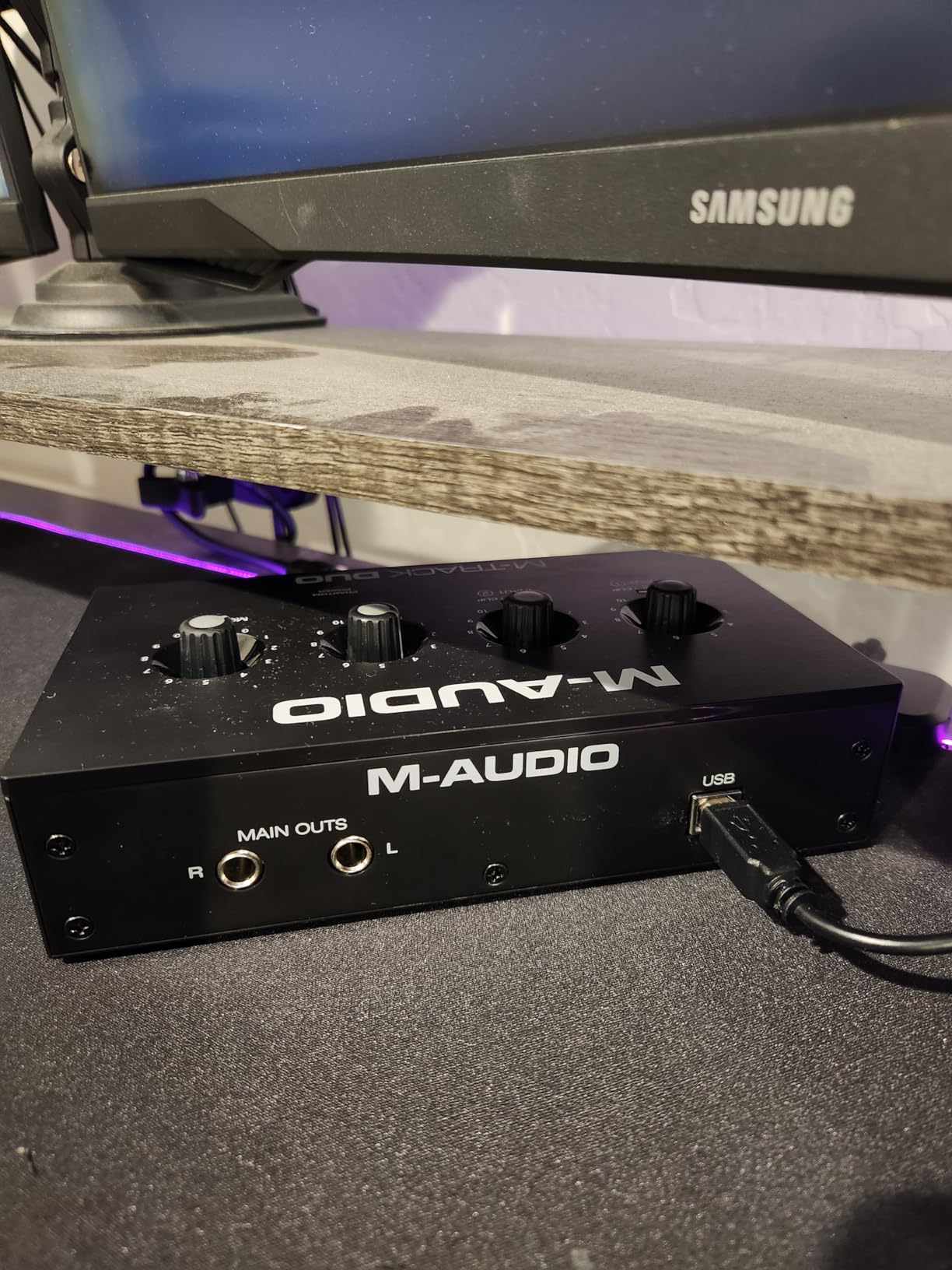
At under $70, the M-Audio M-Track Duo is the most affordable interface in this roundup, and it packs a surprising amount of functionality for the price. I was skeptical about what you could get at this cost, but after recording vocals, guitar, and keyboard through it, I came away impressed by what M-Audio has managed to deliver.
The M-Track Duo gives you two combo inputs, meaning you can plug in a microphone and an instrument at the same time. That is something the more expensive Scarlett Solo cannot do with its single mic preamp. For podcasters who want to record two people, or musicians who want to capture vocals and guitar simultaneously, this dual-input design is a genuine advantage at this price.
The Crystal Preamps deliver clean sound for the cost. Are they as transparent as the Focusrite or MOTU preamps? No, but they are more than serviceable for demos, podcasts, and YouTube content. The 48V phantom power means you can use condenser microphones, which is not always guaranteed on budget interfaces. I tested it with a budget condenser mic and the results were clean enough for podcast production.
The included MPC Beats software is a nice bonus, especially if you are interested in beat-making and electronic music production. Combined with Ableton Live Lite, you get two capable DAWs included. The USB/Direct monitoring switch lets you blend your live input with playback from your computer, which helps avoid latency issues during recording.
Who Should Buy This
Anyone on a tight budget who needs two inputs should look here first. The M-Track Duo is perfect for podcast duos, beginner producers who need simultaneous mic and instrument recording, or students setting up their first home studio. At this price, the included software bundle alone almost justifies the purchase.
It is also a solid secondary interface to keep in a bag for mobile recording. The lightweight design and USB bus power make it easy to carry, and the broad device compatibility means it works with laptops, tablets, and even smartphones.
What to Watch Out For
The 48kHz sample rate ceiling is the most significant limitation. While 48kHz is perfectly fine for podcasting and streaming, music producers who want to work at 96kHz or 192kHz will hit a wall. The all-plastic housing also feels less premium than the metal interfaces on this list, and the light weight means the unit can slide around on a smooth desk when you plug in cables.
The gain knobs have a non-linear taper, meaning the volume jumps from quiet to loud very quickly rather than increasing smoothly. This makes fine adjustments tricky, especially when setting levels for sensitive condenser microphones.
4. MOTU M4 4×4 USB-C – Best Value for Serious Producers
Motu M4 4×4 USB-C Audio Interface
4-in/4-out USB-C interface
2 mic preamps with low noise floor
LCD screen with level meters
Loopback for streaming
Hardware direct monitoring
USB bus powered
Pros
- Four inputs for simultaneous multi-source recording
- LCD meter screen for precise level monitoring
- Loopback functionality for live streaming
- Transparent preamps with extremely low noise floor
- Rock-solid Windows driver stability
- Two-year warranty
Cons
- Headphone amp could be more powerful
- Occasional Windows pitch-shift bug with fast startup enabled
The MOTU M4 is the interface I keep coming back to when people ask me for the best value pick. Reddit users consistently call the MOTU M2 and M4 the best bang for your buck under $300, and after extensive testing, I understand why. The M4 gives you four inputs, loopback functionality, and a level meter display that interfaces costing twice as much sometimes lack.
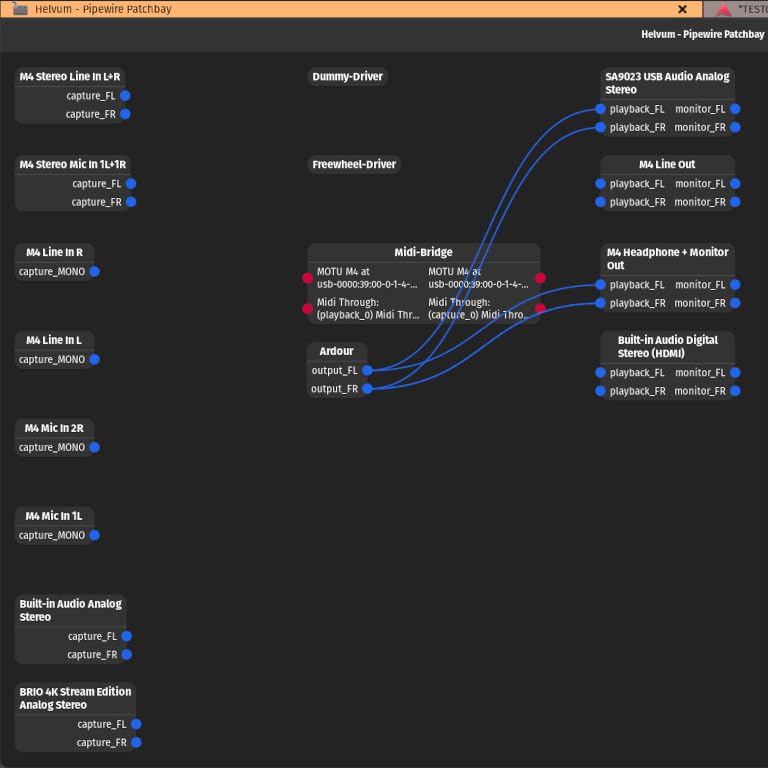
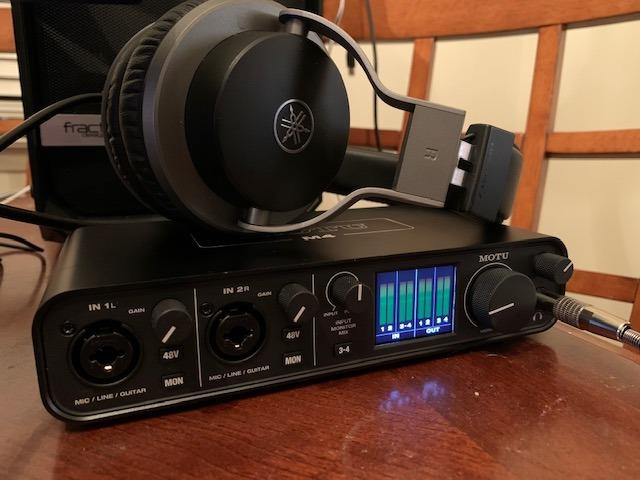
The LCD screen with dedicated level meters is one of those features you do not realize you need until you have used it. Being able to glance at a crisp display to check your input levels is far more reliable than the single LED indicators on most budget interfaces. I found myself hitting optimal recording levels much faster with the M4 than with any other interface in this roundup.
The preamps are transparent and quiet, with an extremely low noise floor that lets you record quiet sources without hiss. MOTU has a long history in professional audio, and that expertise shows in the converter quality. Recording acoustic guitar through the M4, I captured detail and nuance that simply was not there with cheaper interfaces.
The loopback feature is a big deal for streamers and content creators. It routes your computer’s audio output back into your recording software, which means you can capture system audio alongside your microphone input without any extra cables or software. If you are doing Twitch streams, YouTube tutorials, or podcast production with sound clips, this feature alone makes the M4 worth considering over the competition.
Who Should Buy This
Producers who need multiple inputs for drum kits, full bands, or multi-mic podcast setups will get the most value from the MOTU M4. The four-input design handles simultaneous recording of several sources without needing an external mixer. It is also the top pick for streamers and content creators thanks to the loopback functionality.
Windows users in particular should take note. MOTU’s driver stability is frequently cited on forums as some of the best in the industry, with low real-world latency that holds up under heavy processing loads. The included Performer Lite and Live Lite software plus 6GB of free content round out an impressive package.
What to Watch Out For
The headphone amplifier is adequate for most headphones but may struggle to drive high-impedance studio headphones to satisfying volume levels. If you use headphones rated above 80 ohms, you might find yourself maxing out the volume knob. Some users on Windows have reported an occasional pitch-shift bug, which is resolved by disabling Windows fast startup in power settings.
At this price point, these are minor complaints. The MOTU M4 delivers more features and better driver stability than interfaces costing significantly more, which is why it earned my Best Value badge.
5. Behringer UMC202HD – Best Budget Option with MIDAS Preamps
Behringer UMC202HD Audiophile 2×2, 24-Bit/192 kHz USB Audio Interface with Midas Mic Preamplifiers | For Recording Microphones and Instruments
2x2 USB recording interface
MIDAS-designed mic preamps
24-bit/192kHz converters
Zero-latency direct monitoring
48V phantom power
USB 2.0 connectivity
Pros
- MIDAS-designed preamps rival much more expensive interfaces
- 24-bit/192kHz resolution at a budget price
- 48V phantom power for condenser microphones
- Works with all major DAW software
- Can operate on USB wall charger without computer
Cons
- Direct monitoring is hard-panned left and right
- All-plastic construction
- No MIDI input
- No bundled recording software
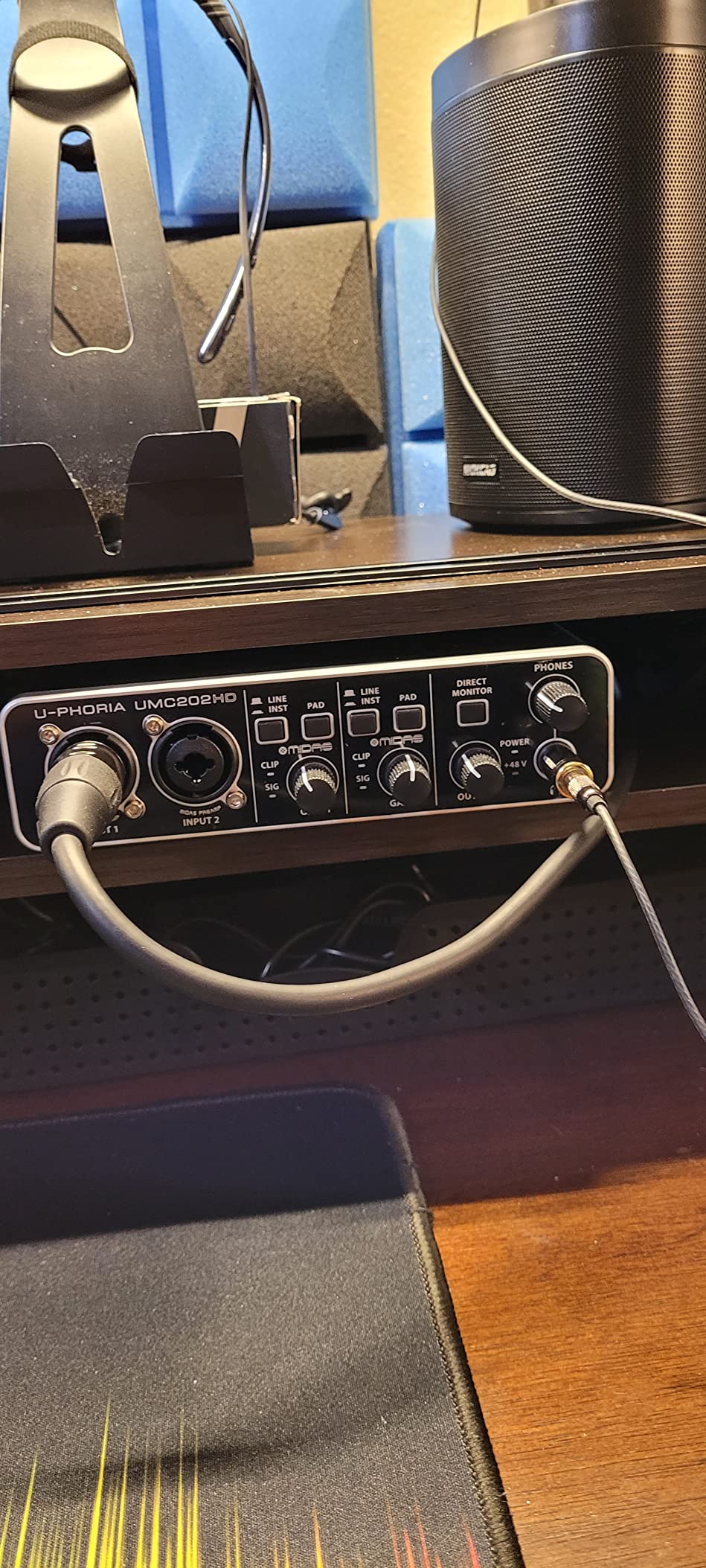
The Behringer UMC202HD is the interface that makes people rethink what a budget audio interface can sound like. The secret weapon here is the MIDAS-designed mic preamps, which bring a level of sonic quality that genuinely surprises for the price. I have used interfaces costing three times as much that did not sound noticeably better in blind comparisons.
The 24-bit/192kHz converters are the same resolution you get on the Focusrite Scarlett and Universal Audio Volt 2, which cost significantly more. When I recorded vocals through the UMC202HD and compared them to tracks from the Scarlett Solo, the differences were subtle enough that most listeners would not notice. The MIDAS preamp voicing has a slightly warmer character that works well for vocals and acoustic instruments.
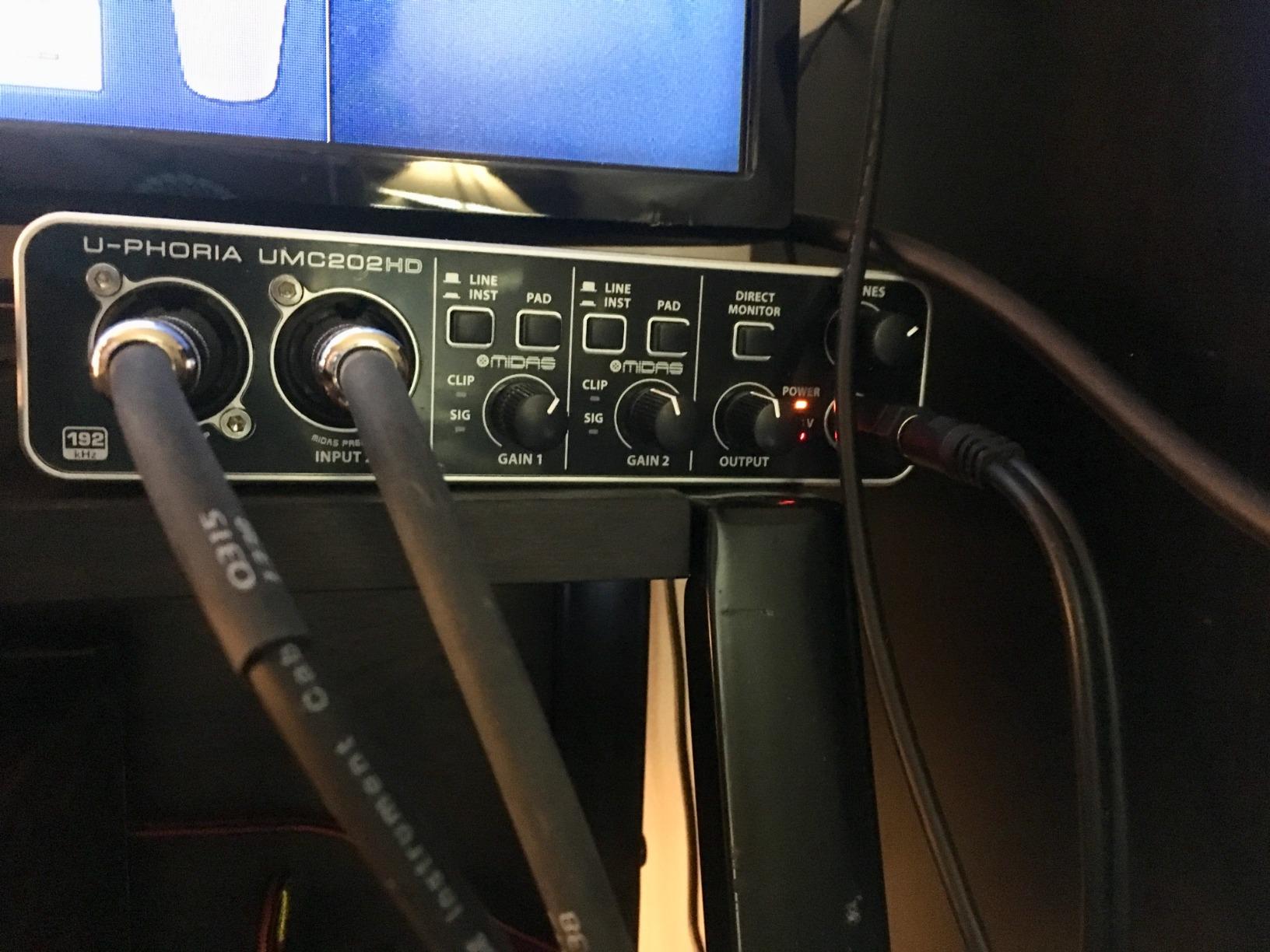
One feature that sets this interface apart is its ability to operate without a host computer. You can power it from a standard USB wall charger and use it as a standalone preamp and converter. This is useful for live sound applications or for routing audio between devices without involving a computer.
The zero-latency direct monitoring works as expected, letting you hear your live input without the delay introduced by computer processing. The interface is compatible with Pro Tools, Ableton Live, Cubase, FL Studio, and most other major DAWs, so you will not run into software compatibility issues.
Who Should Buy This
Anyone who wants 192kHz recording quality without spending over $90 should put the UMC202HD at the top of their list. It is ideal for home studio producers who prioritize sound quality over features and do not need bundled software. If you already own a DAW and just need clean, high-resolution conversion, this interface delivers exceptional value.
Live performers and sound engineers will also appreciate the standalone operation mode. Being able to use the interface as a preamp without a computer opens up creative routing possibilities for live sound and installations.
What to Watch Out For
The direct monitoring is hard-panned, meaning input one goes to the left channel and input two goes to the right. This can be disorienting if you are recording two sources and listening through headphones, though you can address it in your DAW settings. There is no MIDI input, which limits connectivity for MIDI controller keyboards.
The all-plastic construction is functional but does not inspire the same confidence as the metal chassis on the Focusrite or MOTU interfaces. Also, no recording software is included in the box, so you will need to source your own DAW separately.
How to Choose the Best Audio Interface
Choosing the right audio interface comes down to matching features to your specific recording needs. I have broken down the key factors that actually matter when making this decision, based on my testing and the pain points that real users raise in forums.
Connection Type: USB-C vs USB 2.0 vs Thunderbolt
USB is the dominant connection type for most home and project studio interfaces, and for good reason. USB-C connections like those on the Focusrite Scarlett Solo and MOTU M4 offer bus power, meaning the interface draws electricity from your computer with no wall adapter needed. USB 2.0 interfaces like the Behringer UMC202HD are slightly older but still perfectly capable of handling 24-bit/192kHz audio without bottlenecks.
Thunderbolt connections offer lower latency and higher bandwidth, but they are typically found on interfaces costing $500 and up. For the interfaces in this guide, USB connectivity is more than sufficient for professional-quality recording. If you are building a professional audio setup, USB-C is the most future-proof choice.
Number of Inputs and Outputs
This is the most important spec to get right. If you only ever record one thing at a time, a single-input interface like the Scarlett Solo is all you need. But if you want to record two microphones simultaneously for podcasts or interviews, you need at least two inputs like the M-Audio M-Track Duo, Universal Audio Volt 2, or Behringer UMC202HD provide.
The MOTU M4 stands out with four inputs, which opens up possibilities like recording a full drum kit with multiple microphones or capturing a live band performance. A common mistake beginners make is confusing combo input count with simultaneous recording channels. Always check how many inputs can be recorded at the same time, not just how many physical jacks are on the front panel.
Preamp Quality and Phantom Power
The preamps are what boost your microphone signal to a usable level, and their quality directly affects your recording’s noise floor and clarity. All five interfaces in this roundup include 48V phantom power for condenser microphones, which is essential for studio recording.
The MIDAS preamps in the Behringer and the Vintage 610 emulation in the Universal Audio Volt 2 offer distinct sonic characters that can enhance your recordings. The Focusrite Air mode and MOTU’s transparent preamps each have their own strengths depending on whether you want added color or uncolored accuracy.
Sample Rate and Bit Depth
Every interface here records at 24-bit depth, which is the professional standard. The sample rate is where they differ. The M-Audio M-Track Duo tops out at 48kHz, which is perfectly adequate for podcasting, streaming, and most home recording. The other four interfaces all support 24-bit/192kHz, which gives you more headroom for processing and is the preferred resolution for professional music production.
For context, CDs are 16-bit/44.1kHz, and 24-bit/48kHz already exceeds that quality significantly. Moving to 192kHz mainly matters if you are doing detailed audio restoration, time-stretching, or working with instruments that have complex harmonic content.
Latency and Driver Stability
Latency is the delay between when you make a sound and when you hear it through your headphones. All five interfaces feature direct monitoring to eliminate latency during recording, but driver quality matters for playback and mixing. MOTU is frequently cited in forums as having the most stable Windows drivers, while Focusrite’s drivers are known for being reliable across platforms.
Forum users emphasize that real-world latency performance matters far more than the numbers on a spec sheet. An interface with great drivers at 48kHz can outperform one with mediocre drivers at 192kHz. This is why community feedback from places like Reddit’s music production communities is so valuable when making this decision.
Build Quality and Long-Term Reliability
A metal chassis will survive years of studio use better than a plastic one. The Focusrite Scarlett, Universal Audio Volt 2, and MOTU M4 all feature metal enclosures that feel built to last. The M-Audio M-Track Duo and Behringer UMC202HD use plastic housings, which keeps costs down but means you should handle them more carefully.
Warranties also tell a story. Focusrite and MOTU both offer two-year warranties, while M-Audio and Universal Audio provide one year of coverage. Long-term reliability is one of the most overlooked factors, and forum users consistently recommend buying from brands with strong driver update track records.
Total Cost of Ownership
The sticker price is only part of what you will spend. Consider the extras: an XLR cable ($10-20), a microphone stand ($15-30), and potentially a pop filter or shock mount. Interfaces that include software bundles, like the Focusrite Scarlett Solo with its Hitmaker Expansion pack, save you significant money on plugins and DAW software.
If you are building a streaming or podcasting setup, you might also want to check out streaming equipment deals to complete your rig without overspending.
Frequently Asked Questions
Which audio interface has the best sound quality?
In this roundup, the Universal Audio Volt 2 and MOTU M4 deliver the best sound quality. The Volt 2 features Vintage 610 preamp emulation that adds analog warmth, while the MOTU M4 offers extremely transparent preamps with a remarkably low noise floor. Both record at 24-bit/192kHz resolution for professional-grade audio fidelity.
Which brand is considered the best for audio interfaces?
Focusrite is the most popular brand for beginners due to its reliable Scarlett line and massive user base. For professional use, RME is widely considered the gold standard for driver stability and longevity. MOTU is the go-to for best value, and Universal Audio is favored for its analog emulation technology and plugin ecosystem.
What audio interfaces do professional studios use?
Professional studios typically use higher-end interfaces from RME, Universal Audio Apollo, Antelope Audio, and Apogee. However, for home and project studios, interfaces like the MOTU M4 and Universal Audio Volt 2 deliver professional-quality conversion and preamps at accessible price points that rival much more expensive gear.
Is there a better audio interface than Focusrite?
Focusrite Scarlett interfaces are excellent for beginners, but several alternatives offer advantages in specific areas. The MOTU M4 provides more inputs and better metering. The Universal Audio Volt 2 offers richer preamp character with its Vintage mode. The Behringer UMC202HD matches the Scarlett’s 192kHz resolution at a lower price with MIDAS preamps.
Do audio interfaces really improve sound quality?
Yes, significantly. An audio interface replaces your computer’s built-in sound card with dedicated preamps, higher-quality digital converters, and lower latency monitoring. The difference is most noticeable when recording with professional microphones, where built-in sound cards introduce noise, limited gain, and noticeable latency that interfaces eliminate.
Final Thoughts on the Best Audio Interfaces
After testing all five interfaces extensively, my recommendations are clear. The Focusrite Scarlett Solo 3rd Gen remains the best starting point for beginners who want one reliable input with a fantastic software bundle. The MOTU M4 takes the value crown for producers who need four inputs, loopback streaming, and rock-solid drivers. And for pure sound quality on a budget, the Universal Audio Volt 2 and its Vintage 610 preamp mode deliver studio character that punches well above its price.
The best audio interfaces in 2026 are the ones that match your recording workflow without overcomplicating things. Start with your input count, confirm the sample rate meets your needs, and choose a brand with a proven driver track record. Any of the five interfaces in this guide will give you clean, professional recordings from day one.