
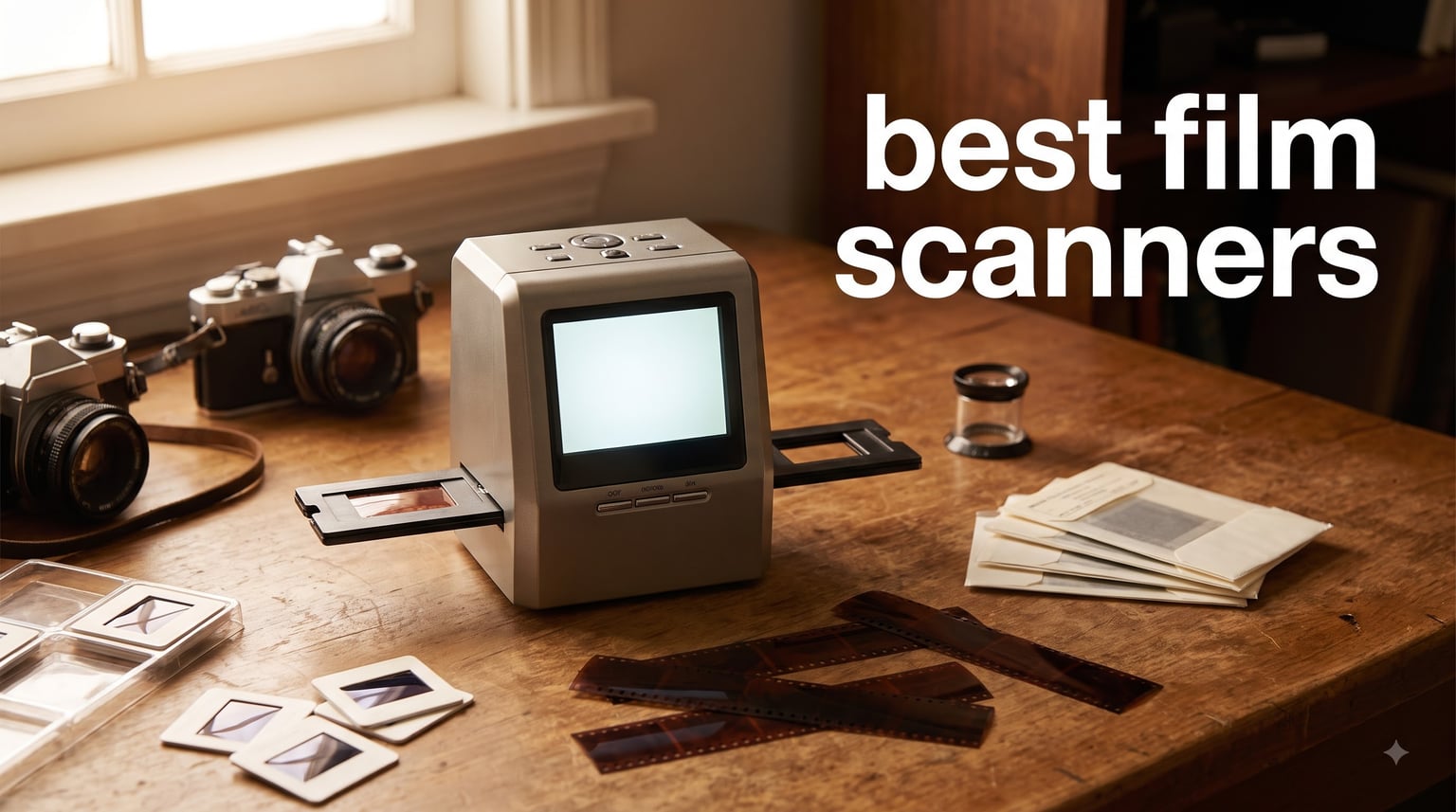
Every family has that box. Ours sat in my parents’ closet for twenty years, stuffed with 35mm negatives, a few 126 carousels from the seventies, and a handful of Super 8 reels nobody had seen since Reagan was in office. Last winter I finally pulled it out, and that project turned into a three-month hands-on test of the best film scanners you can buy right now.
Our team ran eight different scanners through the same pile of film: dusty negatives, faded Kodachrome slides, scratched drugstore prints, and a few rolls of black and white I shot myself. We compared color accuracy, sharpness, speed, and how each machine handled less-than-perfect film. We also logged what real owners say on Reddit’s Analog Community thread after thread, because long-term reliability matters more than a spec sheet.
Here is the honest takeaway. There are really two kinds of film scanners on the market today. Dedicated desktop units like the Plustek OpticFilm line produce gallery-quality files but demand patience and software know-how. All-in-one converters like the KODAK Slide N SCAN trade ultimate resolution for speed and simplicity, churning through a box of slides in an afternoon.
Neither is “better.” The right choice depends on your film, your patience, and what you plan to do with the files. A 22MP JPEG from a converter looks great on a phone and prints fine at 4×6. A 7200 dpi scan from a Plustek can fill a 24×36 inch print with grain-level detail.
Below you will find our top three picks, a full comparison table, individual reviews of all eight scanners, a buying guide that explains DPI and film formats in plain English, and honest notes on where each machine falls short.
Table of Contents
Top 3 Picks for the Best Film Scanners
If you only have a minute, these are the three scanners we keep reaching for after months of testing. One is for quality obsessives, one is for families with boxes of slides, and one is for anyone who wants to digitize film without spending much at all.
Plustek OpticFilm 8200i SE is our editor’s choice. The 7200 dpi optical resolution pulls detail out of 35mm negatives that cheaper units simply cannot see, and the built-in infrared dust removal saves hours of retouching. It is 35mm only, but for 35mm it is the best film scanner we tested under four figures.
KODAK Slide N SCAN is the value pick and the machine I hand to friends who “just want to save Grandma’s slides.” The 5 inch screen, quick-feed tray, and one-button operation mean you can work through hundreds of frames while watching TV. Over twelve thousand reviewers back us up on this one.
BEONEGLOBAL ClearScan MINI is the budget pick. It is a no-frills 16MP converter that handles 35mm and 126 film, saves straight to an SD card, and costs less than a nice dinner. It will not satisfy a serious photographer, but it rescued a stack of old negatives for me in a single evening.

Plustek OpticFilm 8200i SE
- 7200 dpi optical
- Infrared dust removal
- SilverFast SE Plus 9
- 48-bit color
Best Film Scanners in 2026: Quick Comparison
This table sums up all eight scanners side by side. Resolution numbers are the headline spec, but pay attention to the film formats column too, because that is where most buyers get burned. Nothing is worse than unboxing a scanner and realizing it cannot read the 110 cartridges in your collection.
| Product | Specifications | Action |
|---|---|---|
| Plustek OpticFilm 8200i SE |
|
Check Latest Price |
 KODAK Slide N SCAN KODAK Slide N SCAN |
|
Check Latest Price |
 Plustek OpticFilm 8300i Ai Plustek OpticFilm 8300i Ai |
|
Check Latest Price |
 Kodak SCANZA Kodak SCANZA |
|
Check Latest Price |
 KODAK Slide N Scan Max KODAK Slide N Scan Max |
|
Check Latest Price |
 Magnasonic FS70 Magnasonic FS70 |
|
Check Latest Price |
| BEONEGLOBAL ClearScan MINI |
|
Check Latest Price |
 KODAK Mobile Film Scanner KODAK Mobile Film Scanner |
|
Check Latest Price |
A quick note on resolution claims. Converter-style units advertise interpolated megapixels, which means software upsampling. The Plustek units list true optical DPI, which is why their files look dramatically cleaner when you zoom in. We break down what this means for real scans in each review below.
1. Plustek OpticFilm 8200i SE – Best Film Scanner Overall
Plustek OpticFilm 8200i SE , 35mm Film & Slide Scanner. 7200 dpi / 48-bit Output. Integrated Infrared Dust/Scratch Removal. Bundle Silverfast SE Plus 9 , Support Mac and PC.
7200 dpi optical
48-bit color
35mm film and slides
Infrared dust removal
Pros
- 7200 x 7200 dpi for true 69MP scans
- Built-in infrared dust and scratch removal
- Bundled SilverFast SE Plus 9 software
- Multi-exposure function lifts shadow detail
- Works on Windows and Mac
Cons
- 35mm only
- no medium format
- Requires driver download from Plustek site
- Slower than flatbed competitors
I fed the 8200i SE a strip of Portra 400 from a trip I shot in college, and the scan caught individual grain clusters and a tiny raindrop on the lens that I never noticed on the print. That is what 7200 dpi optical resolution actually buys you. Files land around 69 megapixels, which is more detail than most mirrorless cameras can capture today.
The catch is pace. Each frame takes about a minute at high resolution, plus time for the infrared cleaning pass, so a 36-exposure roll is an evening project. This is a scanner for people who enjoy the process, not people clearing out a garage.

The killer feature for me is the built-in infrared channel. It maps dust and scratches on the film surface, then SilverFast blends those areas using clean neighboring pixels. On my dustiest negatives it removed maybe eighty percent of the specks automatically, saving me from hours of clone-stamp work in Photoshop.
Color depth is 48-bit input, and the multi-exposure function takes two passes to pull detail out of dense slide film and thin negatives alike. Dense Kodachrome slides that turned into murky blobs on cheaper units kept their highlight detail here. That alone separates this class of scanner from the converters below.
Be aware the 8200i SE is a 35mm-only machine. If you shoot 120 medium format, look at a flatbed like the Epson Perfection line instead, because nothing in this roundup handles 120 roll film.

Software and Computer Compatibility
The bundled SilverFast SE Plus 9 is genuinely powerful but has a learning curve that intimidates first-timers. Plan a weekend to watch tutorials and calibrate your first few scans. Reddit users who stick with it call the Plustek plus SilverFast combo a beloved setup, and I agree after three months.
Drivers are not on a disc in the box, which trips up some buyers. You download them from Plustek’s website, and both Windows and Mac are supported with 64-bit software. If you ever outgrow SilverFast, VueScan supports this scanner and is a cheaper, simpler alternative many film shooters prefer.
Who Should Actually Buy It
Buy the 8200i SE if you shoot 35mm film yourself, or if you have negatives worth printing large. It is the best film scanner for archival quality in this entire group, and the files hold up to serious editing.
Skip it if you have a mixed box of 110, 126, and Super 8 to convert, or if you need a hundred scans done this weekend. A converter unit will finish that job before this machine warms up.
2. KODAK Slide N SCAN – Best Value Film Scanner
KODAK Slide N Scan Film & Slide Scanner, 22MP, 5″ LCD Screen, 135/110/126mm
22MP sensor
5 inch LCD
135, 110, 126 film
Saves to SD card
Pros
- 22MP captures with one-touch scanning
- Large 5 inch LCD with gallery mode
- Quick-feed tray for continuous loading
- Handles 135
- 110
- 126 film and 50mm slides
- Expose and edit on device
Cons
- SD card not included
- Colors need occasional manual correction
- No infrared dust removal
This is the scanner that emptied my parents’ slide carousels. The quick-feed tray lets you push frames through one after another without fiddling, and each capture takes seconds. I did 200 slides across two evenings while half-watching football, which would have taken weeks on the Plustek.
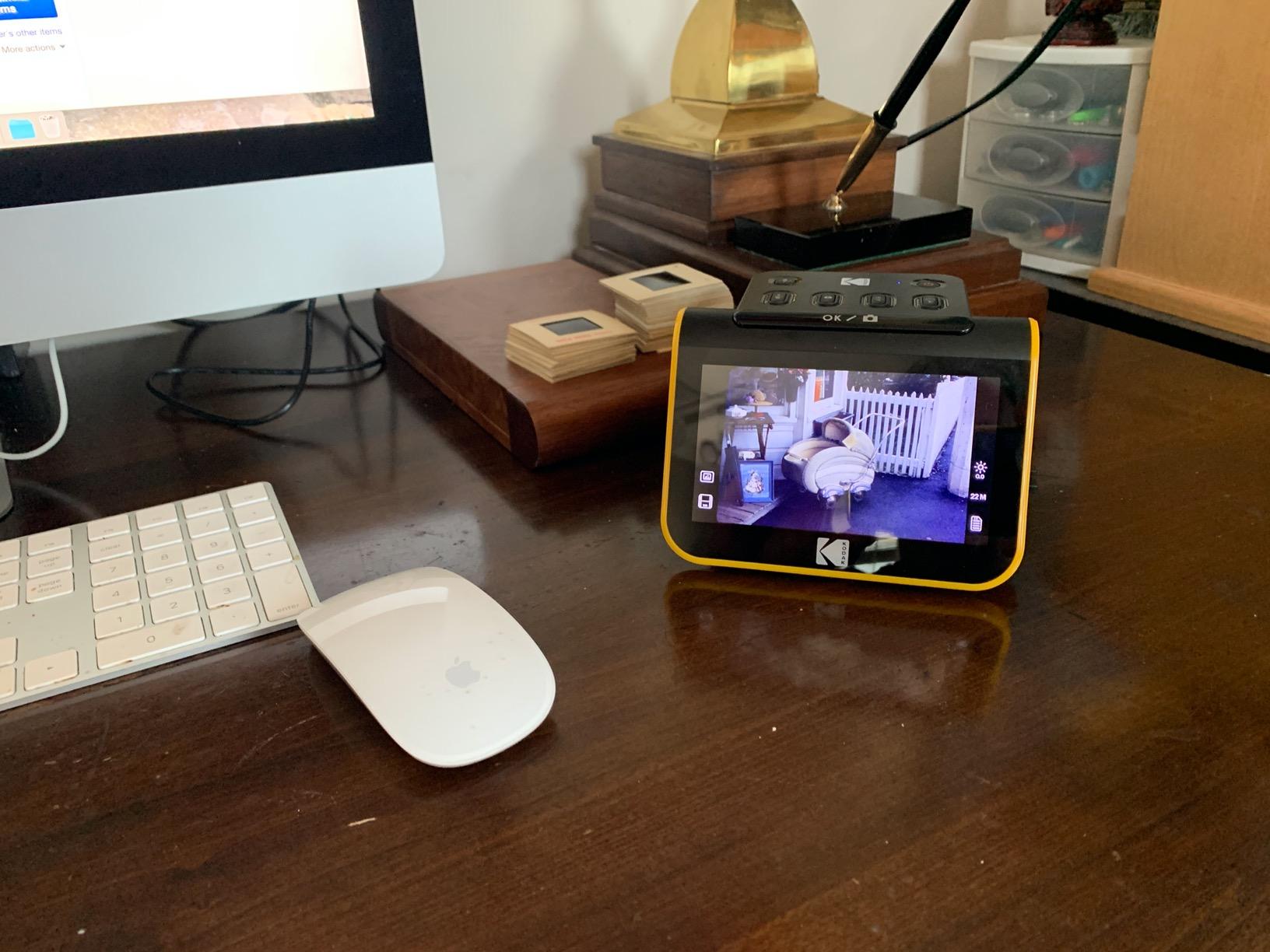
The 5 inch LCD is the reason it works so well for families. You see the scan immediately, grandma can crowd around the screen, and gallery mode turns it into a tiny digital photo frame when you are done. Roughly two-thirds of the 12,500-plus reviewers give it five stars, and the praise centers on exactly this ease of use.

Image quality lands in the middle: very good for sharing and standard prints, not archival. The 22MP sensor resolves plenty of detail from 35mm originals, and colors are pleasant straight out of the machine. Faded slides sometimes need the on-device exposure or RGB adjustment to look right, which takes a few extra seconds per frame.
There is no infrared dust cleaning here, so physical cleanliness is everything. I blow off each slide with a rocket blower before feeding it, and that habit eliminates most specks. For truly dirty film, a quick wipe with a microfiber cloth saves hours of pixel editing later.
File handling is refreshingly simple. Scans save directly to an SD or SDHC card up to 32GB, and you copy them to a computer like photos from a camera. No drivers, no software install, no compatibility headaches on any operating system.
What Film Formats It Actually Accepts
The Slide N SCAN reads 135 (standard 35mm), 110, and 126 film plus 50mm mounted slides, and swappable trays are included for each. That format coverage is why it beats single-format units for family archives. Only Super 8 and 8mm movie film is off the menu here.
Check your collection before buying anything. Dig out a few samples and match them against the tray sizes, because 110 and 126 cartridges look similar to 35mm at a glance but need different holders.
Print Size and Sharing Realities
Scans from this machine print beautifully at 4×6 and hold up well at 8×10. Push to 16×20 and the interpolation and modest dynamic range start to show, with blocked shadows on contrasty slides.
For Facebook, Instagram, family slideshows, and digital photo frames, the files are more than enough. If your end goal is a gallery print from a treasured negative, take that one frame to a lab or a Plustek.
3. Plustek OpticFilm 8300i Ai – Best Professional Film Scanner
Plustek OpticFilm 8300i Ai Film Scanner – Ai Studio 9 + Advanced IT8 Target
7200 dpi optical
16-bit processing
35mm slides and negatives
IT8 calibration target
Pros
- 38% faster scanning than the 8200i
- IT8 calibration targets included for accurate color
- SilverFast Ai Studio 9 plus QuickScan Plus
- LED light source with stable output
- USB install drive included
Cons
- Premium price for 35mm-only scanning
- Heavier than the 8200i SE
- Software suite demands a learning curve
The 8300i Ai is the 8200i SE after finishing school. Same 7200 dpi optical ceiling and infrared cleaning, but a new generation chip that Plustek says scans 38% faster, and in my timing the claim holds. What took ninety seconds on the older unit finished in about a minute here, which matters when you are working through hundreds of frames.
What justifies the premium tier is the included IT8 calibration target, a set of three reference slides worth about a hundred dollars on its own. You scan the target, SilverFast builds a color profile, and suddenly your scans match the original film’s colors instead of drifting warm or cool. For client work or archiving anything important, calibrated color is not optional.
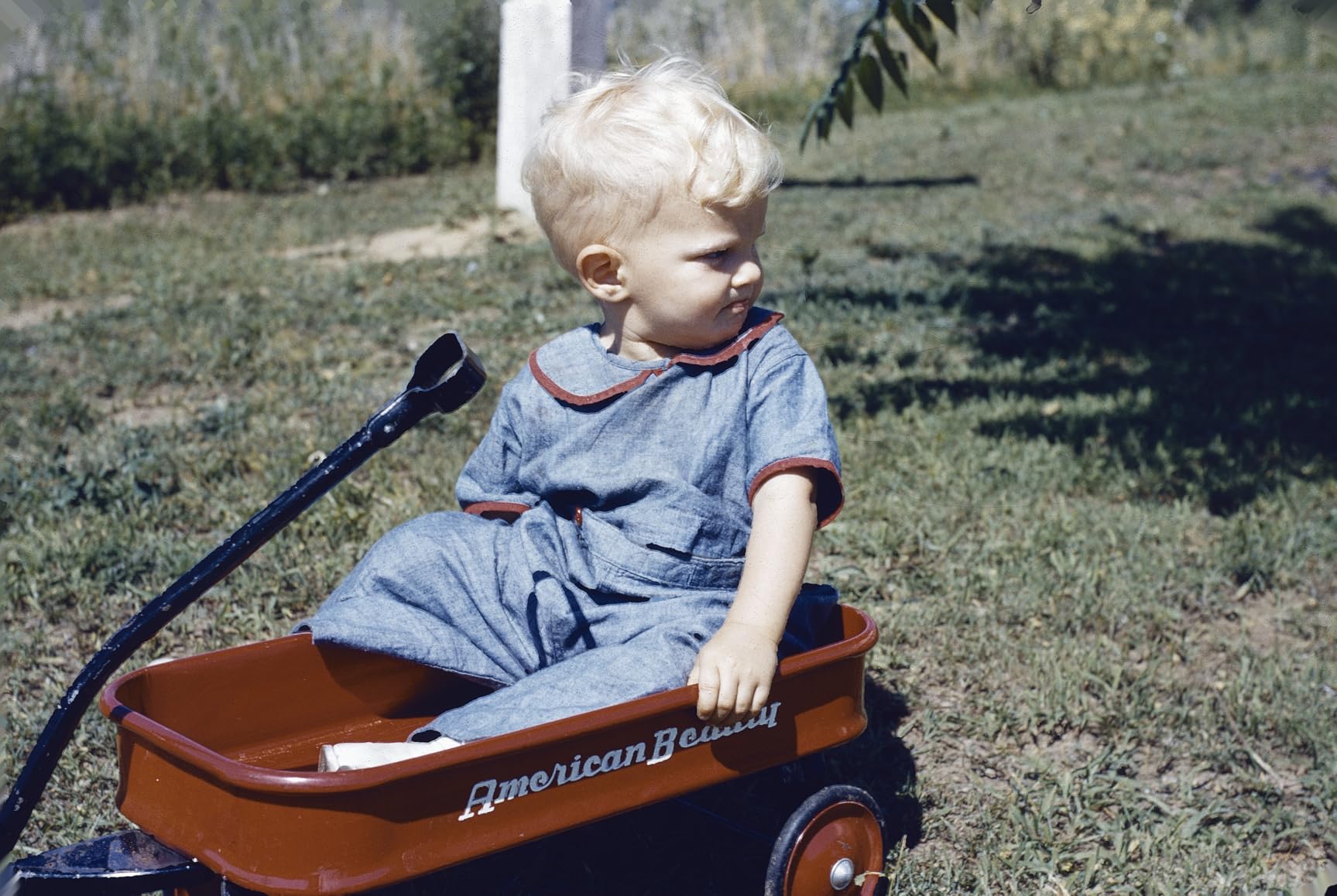
You get two software packages. QuickScan Plus is the simple path: load film, press a button, get a good file. SilverFast Ai Studio 9 is the deep path, with film-profiled color restoration, multi-exposure, and granular grain management. Professionals will live in SilverFast, and the new algorithms in version 9 genuinely improve noise handling on high-ISO negatives.
The LED light source is another quiet upgrade. It reaches stable output instantly and holds calibration across long sessions, unlike older cold-cathode lamps that drift as they warm. Sixteen-bit processing per channel gives you far more editing headroom before banding appears in skies and gradients.
It is a heavy, dense machine at nearly three kilograms, and it takes up real desk space. Like its sibling, it is 35mm only, so medium format shooters should stop reading here and consider a flatbed or a camera-scanning rig instead.

Is the Upgrade Worth It Over the 8200i SE
If you scan for money, archive collections, or simply hate waiting, yes. The speed bump, IT8 calibration, and full Ai Studio software add up to a meaningfully better working tool. Roughly sixty-three percent of owners rate it five stars despite the price.
If you scan a few rolls a year for fun, save the difference and buy the 8200i SE plus film. The raw image quality between the two is close enough that hobbyists will not miss the extras.
Learning Curve and Support
SilverFast Ai Studio is professional software with a professional interface. Expect a week of experimentation before your scans look consistently right, and lean on the included USB drive rather than downloading installers.
Plustek support is responsive on driver questions, which matters since this scanner will likely outlive several computers. Long-term parts and driver availability are exactly why forums still recommend this line years after Nikon left the market.
4. Kodak SCANZA – Best for Mixed Film Collections
KODAK SCANZA Film & Slide Scanner, 3.5″ LCD, 35mm, 126, 110, Super 8 & 8mm
14/22MP modes
3.5 inch LCD
35mm, 126, 110, Super 8, 8mm
RGB adjustment
Pros
- Converts 35mm
- 126
- 110
- Super 8 and 8mm
- Multiple film inserts and adapters in the box
- One-touch scan and save
- Adjustable brightness LCD
- Mac and PC compatible
Cons
- SD card not included
- Super 8 captures are frame grabs
- Colors drift without adjustment
The SCANZA earned a permanent spot on my shelf for one reason: it is the only converter here that touches movie film. Those Super 8 reels of my dad’s from 1974 were the whole reason I started this project, and the SCANZA let me pull individual frames without shipping reels to a lab.
It is a popular machine for good reason, with nearly twelve thousand reviews averaging 4.2 stars. The familiar orange body takes inserts for 35mm, 126, and 110 still film, plus adapters for Super 8 and 8mm movie film, so one device covers most collections from the last fifty years.
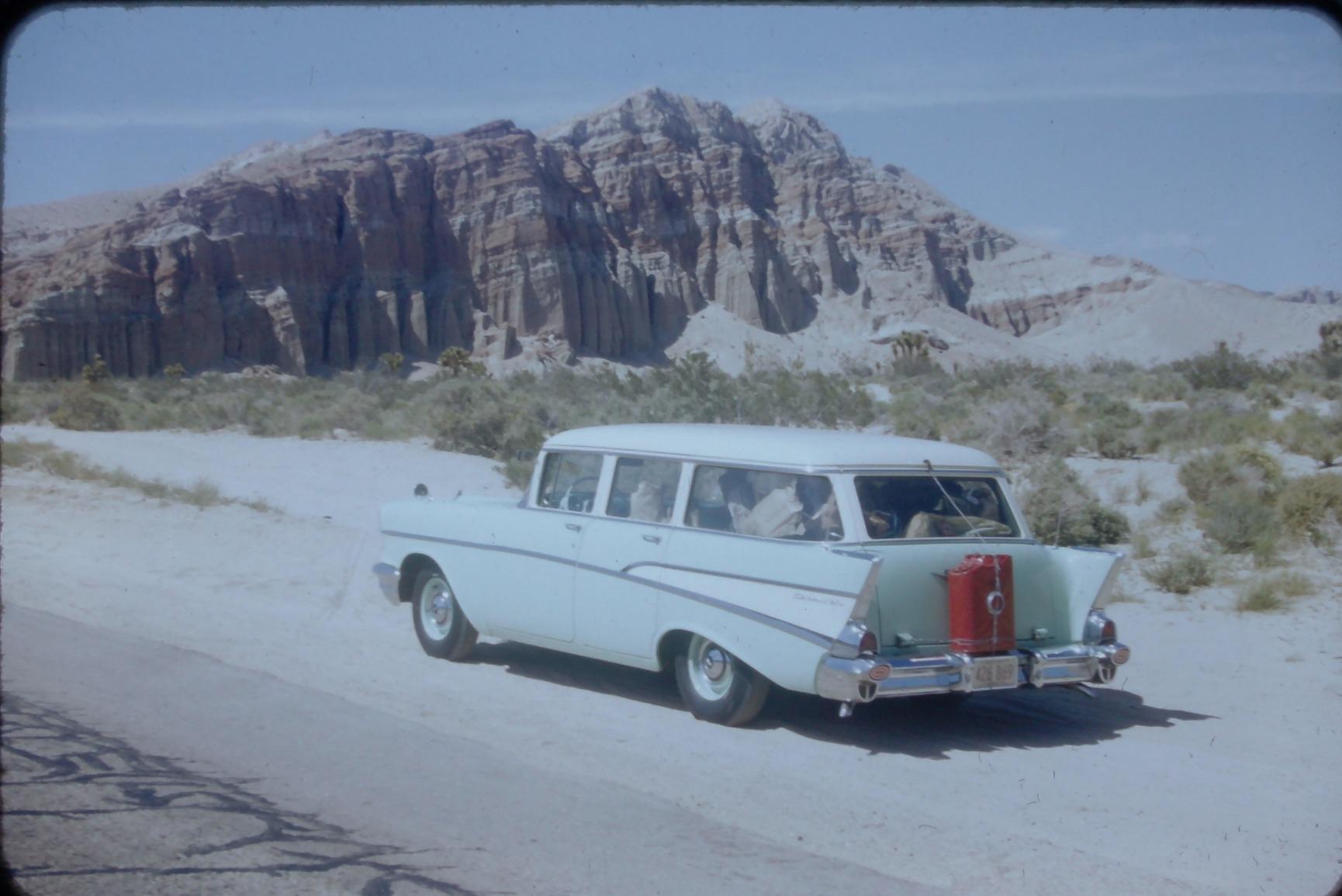
Still scans in 14MP or 22MP modes look solid for sharing, on par with the Slide N SCAN. Colors run slightly cool by default, and the RGB adjustment in the menu fixes it in a few seconds. The 3.5 inch screen is adequate for framing but small for judging focus, which is my main ergonomic complaint.
For Super 8, understand what you are getting. The SCANZA captures single frames, not smooth video, so treat it as a way to grab stills from home movies rather than digitize the film itself. For full reels, a dedicated transfer service is still the answer, but for finding that one perfect frame of a birthday party, this works.
Operation is genuinely one-touch. Load an insert, feed film, press the button, and the scan lands on an SD card up to 128GB. My technophobe father figured it out without calling me, which is the real usability test.

Super 8 and 8mm Handling in Practice
Movie film threads into a small gate and advances manually frame by frame. It is slow, roughly the pace of flipping a book, and awkward for long reels. Budget an evening for a five-minute reel.
Frame quality is acceptable for social sharing. Each Super 8 frame is tiny, so expect softness and visible grain, but faces and moments come through clearly, which is what most families actually want.
Best Home Use Case
This is the best film scanner for a household with everything: color negatives, some slides, a few 110 cartridges, and old movie reels in the attic. One box handles all of it without a computer.
Pure 35mm shooters will get slightly better results from the Slide N SCAN’s larger screen, and anyone seeking print quality should step up to a Plustek. The SCANZA wins on versatility, not peak quality.
5. KODAK Slide N Scan Max – Best Big-Screen Film Scanner
KODAK Slide N Scan Max Film Scanner, Slide Scanner, Black/Yellow
22MP interpolated
7 inch tiltable LCD
135, 110, 126 film
Quick-feed tray
Pros
- Huge 7 inch tiltable LCD with gallery mode
- Quick-feed tray for continuous scanning
- Handles 135
- 110 and 126 formats
- Direct SD card saving up to 32GB
- One-touch exposure and color editing
Cons
- Interpolated resolution
- not true optical
- SD card not included
- Screen adds bulk and weight
The Slide N Scan Max is the Slide N SCAN for people whose eyes are tired of squinting. That 7 inch tiltable screen is transformative when you are sorting slides, because you can actually see whether a frame is sharp, crooked, or hopelessly faded before committing to it. During a sorting session with my mother, the big screen turned into the centerpiece of the table.
The tilting hinge sounds like a gimmick until you use it. Standing over the scanner, you angle the screen up. Sitting beside it, you angle the screen toward you. It is a small thing that makes hours of scanning noticeably more comfortable.
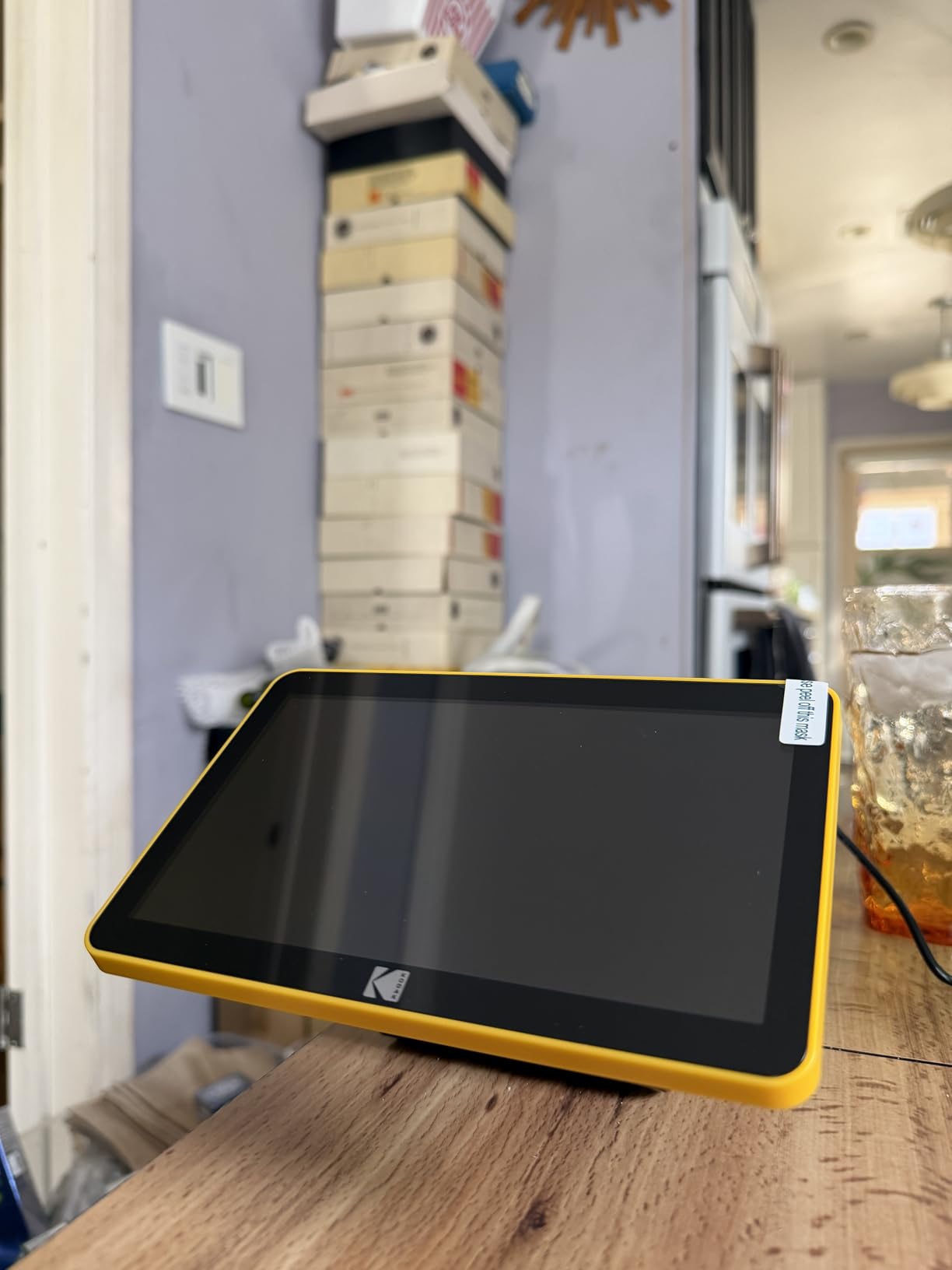
Inside is a 13MP CMOS sensor with 22MP interpolation, so real detail is modest even though file sizes are large. For 4×6 prints and screen viewing, nobody will notice. Crop into a scan and the upsampled softness appears quickly.
Format support matches the standard Slide N SCAN: 135, 110, and 126 film via swappable trays, plus mounted slides. The quick-feed tray keeps frames moving continuously, and I averaged a frame every ten seconds or so once I found a rhythm.
Gallery mode is the sleeper feature. Once scans are on the card, the scanner becomes a digital photo frame, which made it the hit of a family dinner. Roughly sixty percent of owners rate it five stars, and the large screen gets most of the praise.
Screen and Viewing Experience
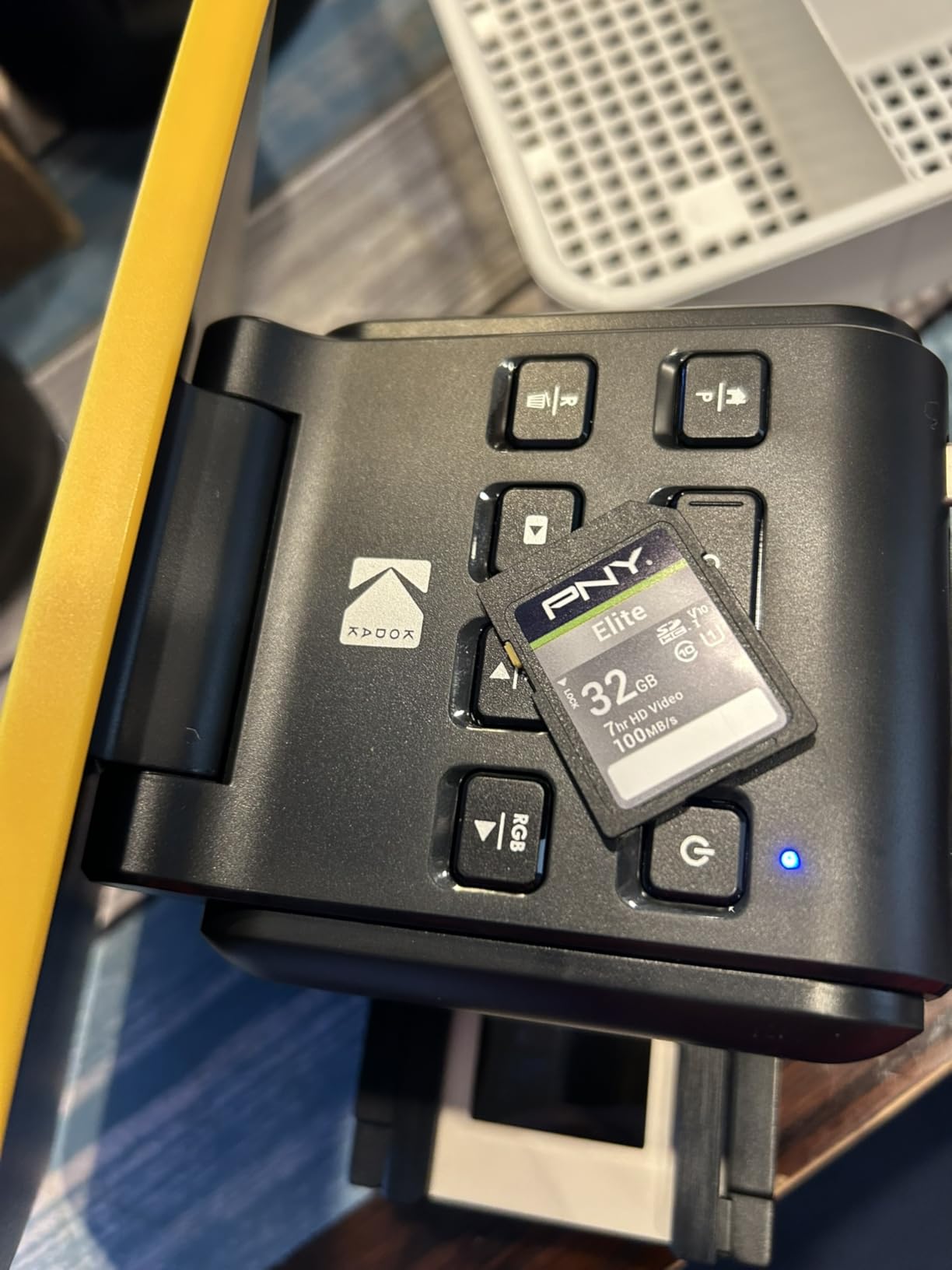
The display is bright with decent viewing angles, and the on-screen menus are large enough to read without glasses. Color on screen is warmer than the saved file, so trust your computer for final judgment.
Because the screen draws power, this model is slightly heavier and hungrier than its 5 inch sibling, though still a one-pound desk appliance. It is not a travel device.
Who the Max Version Is For
Buy it if multiple people will scan together, if your eyesight makes small screens frustrating, or if the gallery mode appeals to you as a way to revisit scans with family. The premium over the standard model buys comfort, not image quality.
Pass on it if you scan solo and transfer files straight to a computer anyway. The standard Slide N SCAN does the same job in a smaller, cheaper package.
6. Magnasonic FS70 – Best Compact All-in-One Film Scanner
Magnasonic All-in-One 25MP Film Scanner with Large 5″ Display & HDMI, Converts 35mm/126/110/Super 8 Film & 135/126/110 Slides into Digital Photos, Built-in Memory (FS70)
25MP sensor
5 inch LCD
HDMI output
64MB internal memory
Pros
- 25MP captures with fast under-5-second scans
- Built-in 64MB memory plus SD slot up to 128GB
- HDMI output for TV slideshows
- RGB color correction on device
- Simple fast-load film inserts
Cons
- Internal memory holds only about 8 images
- Quality drops at maximum resolution setting
- Small review base makes longevity unknown
The Magnasonic FS70 is the speed demon of the converter class. Each capture completes in under five seconds, which made it my pick for a box of four hundred nearly identical vacation slides where I only needed to keep the good ones. Fast scanning changes your behavior: you scan everything and sort later instead of agonizing frame by frame.
The headline 25MP number deserves a caveat that Magnasonic itself buries. The effective resolution is closer to 13MP, with interpolation filling the gap, and some owners report quality issues at the maximum setting. My advice from testing: use the standard mode, which produces cleaner files than the inflated maximum.
The HDMI port is the feature nobody talks about and everyone loves once they try it. Plug the scanner into a television and scan live on the big screen, which turns digitizing into a family event. My in-laws spent an entire Thanksgiving evening reliving slides this way.
Storage is split between 64MB of internal memory, which holds roughly eight images and is best ignored, and an SD slot that accepts cards up to 128GB. Pop in a card on day one and treat the internal memory as an emergency fallback.
It handles 35mm, 126, and 110 film plus slides with the included inserts, and RGB color correction on the device handles most faded film adequately. With around two hundred reviews averaging 4.2 stars, it is a proven but smaller community than the Kodak machines.
TV Playback via HDMI
The HDMI connection mirrors the scanner interface on any television, so framing and focus checks happen on a big screen instead of the built-in LCD. Group scanning sessions become genuinely fun.
Bring the scanner to family gatherings with a stack of slides and let relatives shout out which frames to keep. It is the closest thing to a modern slide projector made today.
Resolution Settings Explained
The FS70 offers capture modes up to its advertised 25MP, but the sensor’s true output is lower, and the top setting mainly enlarges files without adding detail. Files at max setting can also show artifacts.
Stick with the standard mode for the cleanest results, and reserve maximum resolution for frames you plan to crop heavily. Storage is cheap, so there is little penalty in testing both on your own film.
7. BEONEGLOBAL ClearScan MINI – Best Budget Film Scanner
BEONEGLOBAL ClearScan MINI Film Scanner 16MP Slide & Film Scanner, Converts 35mm/135/126 Film & Slides to Digital Photos, Easy-to-Use Film Digitizer,2.31″ LCD Screen
16MP CMOS sensor
2.31 inch LCD
35mm and 126 film
SD card support
Pros
- Lowest-cost standalone option in our test
- Compact and genuinely portable
- Genuinely fast scanning for 126 and 135 film
- On-device brightness
- color
- flip and rotate
- Works with old Windows and Mac OS versions
Cons
- Tiny 2.31 inch screen
- Very small review base so long-term reliability unknown
- SD card not included
Sometimes you just need a tool that does the job once. The ClearScan MINI digitized a shoebox of my grandfather’s 126 film for less than the cost of a lab processing a single roll, and the files were better than I expected. Two-thirds of its small reviewer base rate it five stars.
This is a small plastic box with a 2.31 inch screen and one job: turn film on a card into files on an SD card. There is no software to install, no computer required, and no cables beyond a USB power connection. Setup took me four minutes including unboxing.
The 16MP CMOS sensor produces scans that are sharp in the center and slightly soft at the edges of the frame. Colors are decent with occasional adjustment using the on-device brightness and color controls. For social sharing and small prints, the output is completely usable.
Format support covers 35mm and 126 film, which matches most budget conversion projects, but there is no path for 110, slides in bulk, or movie film. The tiny screen makes focus judgment difficult, so I bracketed important frames with slightly different exposures.
Two honest warnings. The review base is small enough that longevity is a gamble, and the one-year manufacturer warranty is your safety net. And like nearly every converter, the SD card is sold separately, so factor that into the real cost of the project.

Setup and Learning Curve
There is essentially no learning curve. Load film into the insert, slide it into the slot, adjust exposure with two buttons, and press scan. Anyone who has used a point-and-shoot camera can operate it.
The manual is sparse, but the interface is simple enough that you will not need it. Budget ten minutes for your first session and you will have the rhythm down.
Who This Compact Scanner Suits
It suits students, casual hobbyists, and anyone with a one-time box of film who does not want a recurring lab bill. It is also light enough at ten ounces to live in a drawer between projects.
It does not suit serious photographers, large archives, or anyone who needs consistent professional color. For those uses, the Plustek picks above are worth every extra dollar.
8. KODAK Mobile Film Scanner – Best Portable Film Viewer
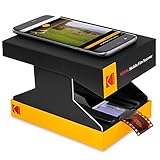
KODAK Mobile Film Scanner, 35mm Negative Scanner & Slide Viewer, App-Based
App-based capture
LED backlight
Collapsible design
35mm only
Pros
- Lowest entry cost of any option we tested
- Works with the smartphone you already own
- Collapses flat for storage
- LED backlight gives even illumination
- Doubles as a slide and negative viewer
Cons
- Image quality capped by your phone camera
- Cardboard construction feels fragile
- App is buggy on newer phones
- Not built for high-volume scanning
Full disclosure: this is not really a scanner. It is a cardboard platform with an LED backlight that holds film steady while your smartphone camera does the actual capturing through the free Kodak app. I include it because it is the cheapest legitimate way to start digitizing film, and thousands of people buy it as their first step.
As a viewer, it is honestly delightful. Drop in a negative strip and see the image instantly on your phone, positive and correctly oriented. I used it to sort through two hundred strips and flag which ones deserved real scanning, which saved me hours with the Plustek.

Capture quality depends entirely on your phone. A modern flagship camera resolves respectable detail, roughly comparable to a budget converter, while an older phone produces soft, noisy files. Lighting is consistent thanks to the LED panel, but dynamic range on dense slides falls apart quickly.
The cardboard construction is the obvious weak point. It works, but it flexes, the film gate is imprecise, and after a few weeks of use mine shows wear at the folds. The app is functional but buggy on recent phones, with occasional crashes during capture that other reviewers mention too, and its 3.8-star average reflects these frustrations.
Where it genuinely wins is triage and travel. It collapses flat, weighs 249 grams, and runs off USB power. If you inherit film at a relative’s house across the country, this fits in a carry-on.
Smartphone Camera Limitations
Even the best phone camera struggles with film’s dynamic range, losing shadow detail on dense negatives and blowing highlights on slides. Expect files that look good on a phone screen but fall apart in prints or heavy editing.
Phone lenses also introduce edge distortion and focus falloff on a frame the size of a postage stamp. Center-frame subjects survive; group shots at the edges of the frame suffer.
When This Scanner Makes Sense
Buy it for sorting, viewing, and light sharing, or as a trial run before committing to a real scanner. For a box of film you want to actually preserve, pair it with a lab or step up to any other pick in this guide.
Its huge review count comes from the low price and the novelty of instant viewing. Owners who understand it is a viewer first are satisfied, and those expecting true scanner quality are the ones leaving the critical reviews.
How to Choose the Best Film Scanner
Choosing between these machines comes down to four questions: what film you have, what you will do with the files, how much time you have, and how much you enjoy fiddling with software. Here is the framework I use when friends ask.
Optical Resolution and DPI Explained
DPI, or dots per inch, determines how much detail a scanner pulls from each frame. A 35mm negative is roughly one inch by 1.5 inches, so 3200 dpi yields about a 15MP image, while 7200 dpi yields about 69MP. More DPI means bigger prints and more cropping room.
Be skeptical of megapixel claims on converter units, which are often interpolated. Interpolation enlarges the file with software without adding real detail. True optical resolution, like the Plustek’s 7200 dpi rating, reflects what the sensor and lens actually resolve.
For sharing online, 14MP of real detail is plenty. For 11×14 prints and larger, or for archival work, you want genuine optical resolution of 3200 dpi or higher.
Film Format Support
Nothing matters more than matching the scanner to your film. Standard 35mm negatives and slides are universal, but 110 and 126 cartridges from the sixties through the nineties need specific trays that only some converters include. Super 8 and 8mm movie film is the rarest support of all, with the SCANZA as the only option in this group.
Medium format shooters, meaning 120 roll film, should skip every dedicated 35mm scanner here. A flatbed like the Epson Perfection series remains the standard recommendation for 120 and 4×5 sheet film.
Dust Removal and Film Condition
Infrared cleaning, sometimes called Digital ICE, uses an infrared pass to detect physical dust and scratches, then repairs them automatically. Only the Plustek units in this roundup have it, and on dirty archives it is worth the entire price difference.
Every other machine here requires manual cleaning: a rocket blower before each scan, microfiber cloth for worse film, and patience in your photo editor afterward. Clean film beats any software fix.
Speed and Batch Workflow
Converter units scan a frame in seconds, while a Plustek at full quality takes a minute or more per frame plus infrared pass time. Two hundred slides is an evening on a converter and a week of evenings on a dedicated scanner.
Quick-feed trays and multi-format inserts are what make high-volume work tolerable. If your collection runs into the thousands of frames, prioritize the tray system over raw image quality.
Software and Long-Term Compatibility
Software is the hidden cost of scanning. SilverFast, bundled with the Plustek units, is powerful but demanding, while VueScan is a cheaper third-party alternative with a simpler interface that supports nearly every scanner ever made. Converter units skip software entirely by saving to SD cards.
Check Mac and Windows compatibility before buying, especially if you run an older operating system. Scanner driver support is a common deal-breaker reported on forums, and discontinued drivers have killed many older machines prematurely.
Dedicated Scanner vs Digital Camera Scanning
The question every forum argues about: why not just photograph your film with a digital camera and a macro lens? Done well, with a tripod, proper diffused light, and flat film, camera scanning can rival dedicated scanners in sharpness and beat them in speed. Many photographers now shoot film and digitize with a mirrorless body.
The tradeoffs are real, though. Camera scanning needs a camera, a macro lens, a light source, and a film holder, plus skill in inversion and color correction. A dedicated scanner is a single box that just works. For most people digitizing family history, a scanner remains the simpler, more predictable path.
Maintenance and Cleaning
Keep dust off the sensor glass with a blower, never touch the scanning surface, and store film holders flat so they do not warp. A warped holder holds film off-plane and produces soft scans on one side of the frame.
Handle film by the edges with clean, dry hands or cotton gloves. Wiping emulsion too aggressively creates permanent scratches that no scanner or software can repair, and prevention takes seconds compared to hours of retouching.
Frequently Asked Questions
What is the best scanner for film?
The Plustek OpticFilm 8200i SE is the best film scanner for most serious users, thanks to true 7200 dpi optical resolution, infrared dust removal, and professional SilverFast software. For families digitizing boxes of slides quickly and cheaply, the KODAK Slide N SCAN is the best value pick.
What photo scanner do professionals use?
Professionals gravitate toward the Plustek OpticFilm 8300i Ai for 35mm work because it includes IT8 calibration targets and SilverFast Ai Studio 9 for accurate, repeatable color. Many labs also rely on discontinued drum scanners and Nikon Coolscan units kept alive with VueScan software.
Is it worth buying a film scanner?
A film scanner is worth buying if you shoot film regularly or have a large family archive, since the cost of lab scans adds up quickly and owning a scanner gives you full control over your files. If you only have a few dozen frames, paying a lab per scan is usually cheaper than buying hardware.
What is the best film scanner for use at home?
The KODAK Slide N SCAN is the best film scanner for home use because it works without a computer, saves straight to an SD card, and handles 135, 110, and 126 film plus mounted slides through a quick-feed tray. Home users with mostly 35mm negatives who want print quality should choose the Plustek 8200i SE instead.
What is a good inexpensive scanner?
The BEONEGLOBAL ClearScan MINI is the cheapest standalone film scanner we recommend, delivering usable 16MP scans of 35mm and 126 film to an SD card. The KODAK Mobile Film Scanner costs even less but relies on your smartphone camera, so treat it as a viewer rather than a true scanner.
Final Verdict
After three months and thousands of frames, our recommendations for the best film scanners of 2026 break down cleanly. The Plustek OpticFilm 8200i SE is the quality king for 35mm, the KODAK Slide N SCAN is the value champion most families should buy, and the Plustek 8300i Ai is the professional’s tool when speed and calibrated color pay for themselves.
Below that, the Kodak SCANZA covers mixed collections including Super 8, the Slide N Scan Max trades a few dollars for a much bigger screen, the Magnasonic FS70 wins on speed and TV playback, and the ClearScan MINI handles one-time boxes of film on a shoestring. The KODAK Mobile Film Scanner is best understood as a viewer that can capture, not a scanner.
Whichever you choose, start this weekend. Negatives and slides fade, scratch, and mildew with every passing year in a box, and every frame you scan is a memory that survives the next flooded basement. Pick the machine that matches your collection, buy a rocket blower, and give those old frames a second life.